Watch our demo video to discover the full potential of the Wallarm platform's [**API Discovery**](https://docs.wallarm.com/api-discovery/overview.md) module. Get familiar with the API inventory it builds based on actual API usage and learn how to leverage the presented information.
Watch our demo video to become familiar with how you can detect [shadow and orphan endpoints](https://docs.wallarm.com/api-discovery/rogue-api.md) in your API using Wallarm.
Watch our demo video to discover the full potential of the Wallarm platform's [**API Discovery**](https://docs.wallarm.com/api-discovery/overview.md) module. Get familiar with the API inventory it builds based on actual API usage and learn how to leverage the presented information.
Watch our demo video to become familiar with how you can detect [shadow and orphan endpoints](https://docs.wallarm.com/api-discovery/rogue-api.md) in your API using Wallarm.
 Wallarm API Security is the module of [Wallarm AI Control Platform](https://docs.wallarm.com/about-wallarm/overview.md) that protects your APIs — internal services, partner-facing endpoints, third-party integrations, and the APIs consumed by AI workloads. It detects and blocks the OWASP API Top 10, automated abuse, account takeover, AI-targeted attacks, and attacks against MCP servers across REST, GraphQL, gRPC, SOAP, and WebSocket — and continuously discovers, inventories, and risk-scores every API endpoint in your environment.
The module groups two functional areas, both available in this section:
* **[API Discovery](https://docs.wallarm.com/api-discovery/overview.md)** — endpoint inventory, risk scoring, sensitive data detection, and detection of [rogue endpoints](https://docs.wallarm.com/api-discovery/rogue-api.md) including shadow and zombie APIs.
* **[API Protection](https://docs.wallarm.com/about-wallarm/api-protection-overview.md)** — inline mitigation of attacks and abuse: BOLA, bot abuse, credential stuffing, GraphQL-specific attacks, brute force, L7 DDoS, and more.
## How Wallarm API Security works
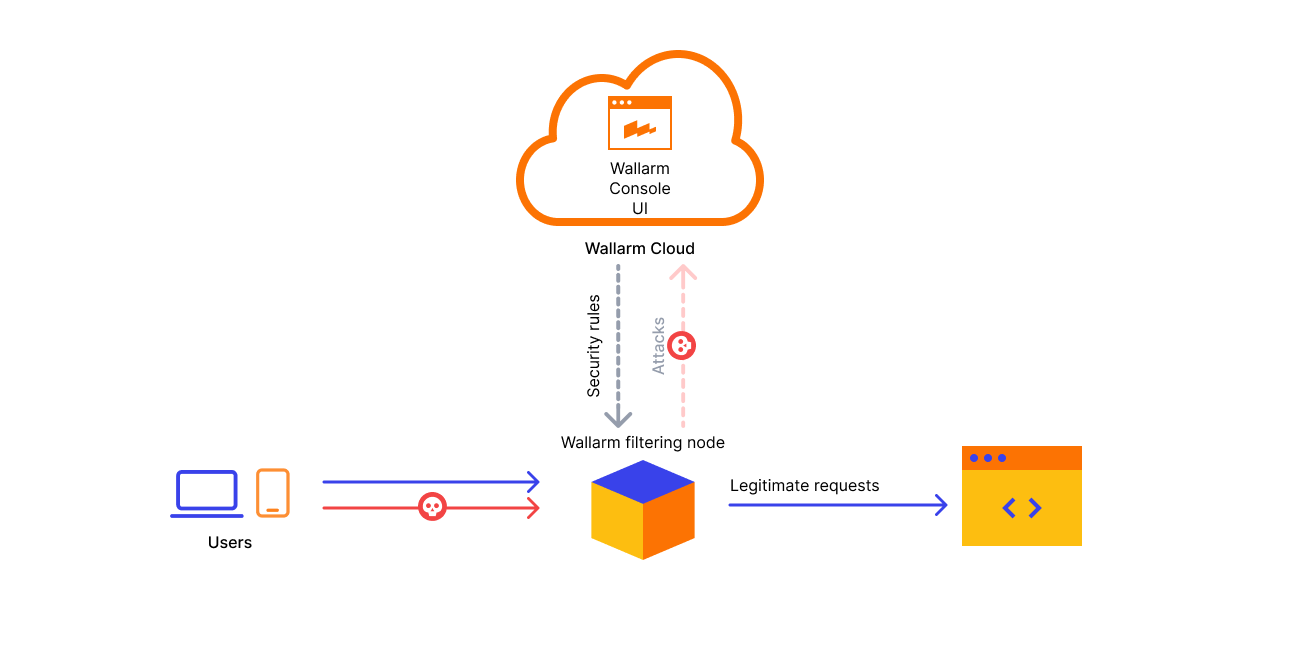
Wallarm API Security is primarily built upon two main components: the Wallarm filtering node and the Wallarm Cloud.
### Filtering node
Positioned between the Internet and your APIs, the Wallarm filtering node:
* Analyzes the company's entire network traffic and mitigates malicious requests.
* Collects the network traffic metrics and uploads the metrics to the Wallarm Cloud.
* Downloads resource-specific security rules you defined in the Wallarm Cloud and applies them during the traffic analysis.
* Detects sensitive data in your requests, ensuring it remains secure within your infrastructure and is not transmitted to the Cloud as to a third-party service.
You can set up the Wallarm filtering node within [your own network or opt for Wallarm Security Edge](https://docs.wallarm.com/installation/supported-deployment-options.md).
### Cloud
The Wallarm Cloud does the following:
* Processes the metrics that the filtering node uploads.
* Compiles custom resource-specific security rules.
* Scans the company's exposed assets to detect vulnerabilities.
* Builds API structure based on the traffic metrics received from the filtering node.
* Houses the Wallarm Console UI, your command center for navigating and configuring the Wallarm platform, ensuring you have a comprehensive view of all security insights.
Wallarm offers cloud instances in the US and Europe, enabling you to select the best fit considering your data storage preferences and regional service operation requirements.
[Proceed to signup on the US Wallarm Cloud](https://us1.my.wallarm.com/signup)
[Proceed to signup on the EU Wallarm Cloud](https://my.wallarm.com/signup)
## Where Wallarm API Security works
The [described](#how-wallarm-api-security-works) Wallarm API Security components — filtering node and Cloud — can be deployed in one of two forms:
* [Security Edge](https://docs.wallarm.com/installation/security-edge/overview.md): complete cloud-based deployment. Both Wallarm filtering nodes and Wallarm Cloud components are managed by Wallarm.
* [Hybrid](https://docs.wallarm.com/installation/supported-deployment-options.md): Wallarm clients deploy and manage the Wallarm filtering nodes, and Wallarm manages the Wallarm Cloud component.
See details on [shared responsibility](https://docs.wallarm.com/about-wallarm/shared-responsibility.md) for each deployment form.
---
## https://docs.wallarm.com/api-discovery/overview/
# API Discovery Overview
Wallarm's multi-protocol API Discovery continuously analyzes the real traffic requests and builds the API inventory (full picture of your active APIs and MCP servers) based on the analysis results.
## Supported protocols
API Discovery is capable of finding and representing hosts and endpoints utilizing different protocols. The following protocols are supported:
| Protocol | Core entity | Required [NGINX Node](https://docs.wallarm.com/installation/nginx-native-node-internals.md#nginx-node) version | Required [Native Node](https://docs.wallarm.com/installation/nginx-native-node-internals.md#native-node) version |
| --- | --- | --- | --- |
| **REST** | Endpoint | Any | Any |
| **GraphQL** | Operation (query, mutation, subscription) | 6.1.0 | 0.15.1 |
| **SOAP** | Operation | 6.3.0 | 0.17.1 |
| **gRPC** | Operation | 6.4.0 | NA |
| **MCP** | MCP server | 6.12.0 | 0.25.0 |
## Your API inventory
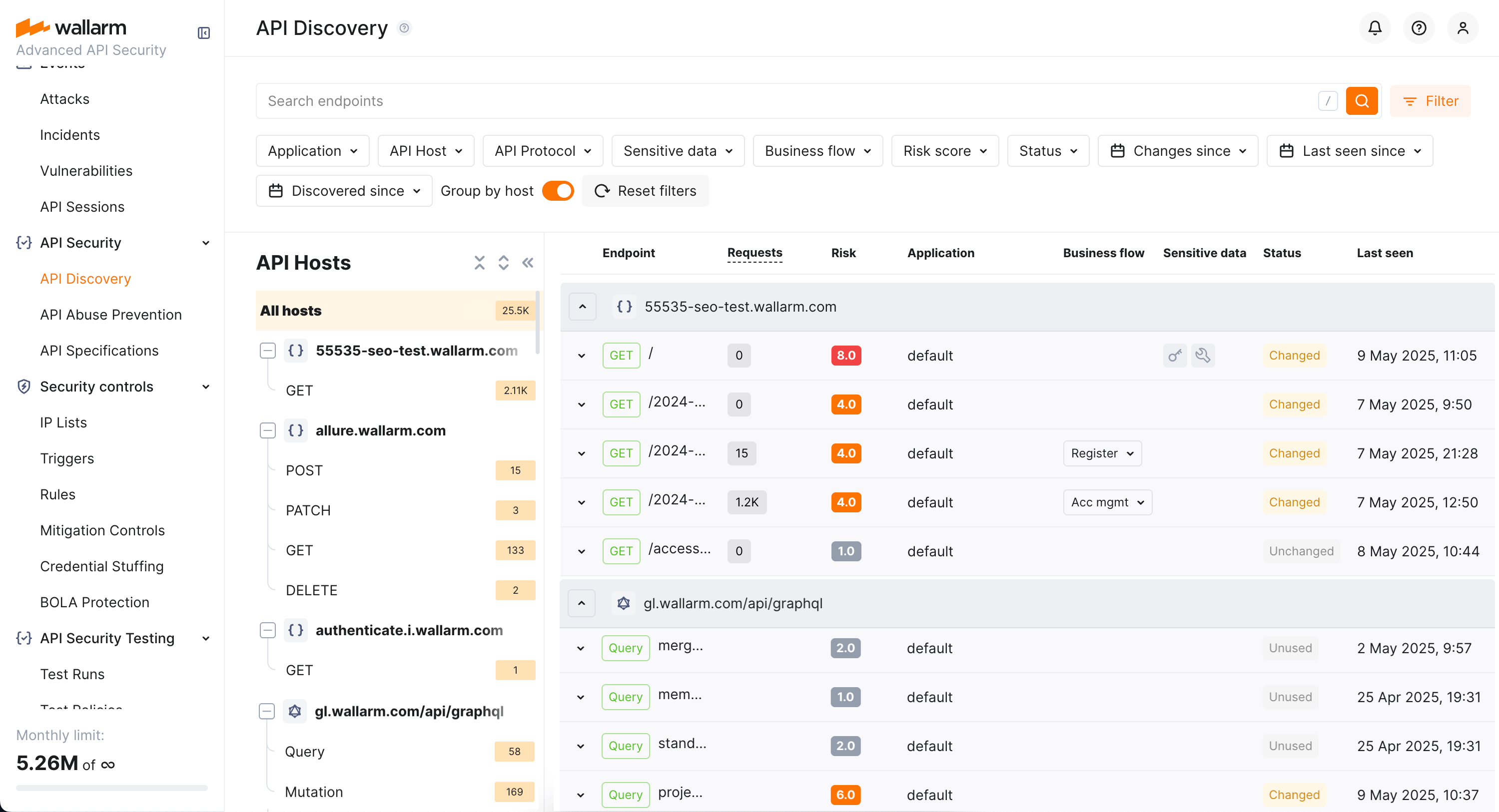
API inventory is a picture of your active APIs automatically built by Wallarm's API Discovery based on traffic going through Wallarm nodes. It includes:
* API hosts and their endpoints
* Required and optional parameters and headers of requests and responses including:
* Type and format of data sent in each parameter
* Date and time when parameter information was last updated
* Request methods (GET, POST, and others) for REST
* GraphQL operations (queries, mutations, subscriptions)
* GraphQL schema
* SOAP operations
* gRPC operations
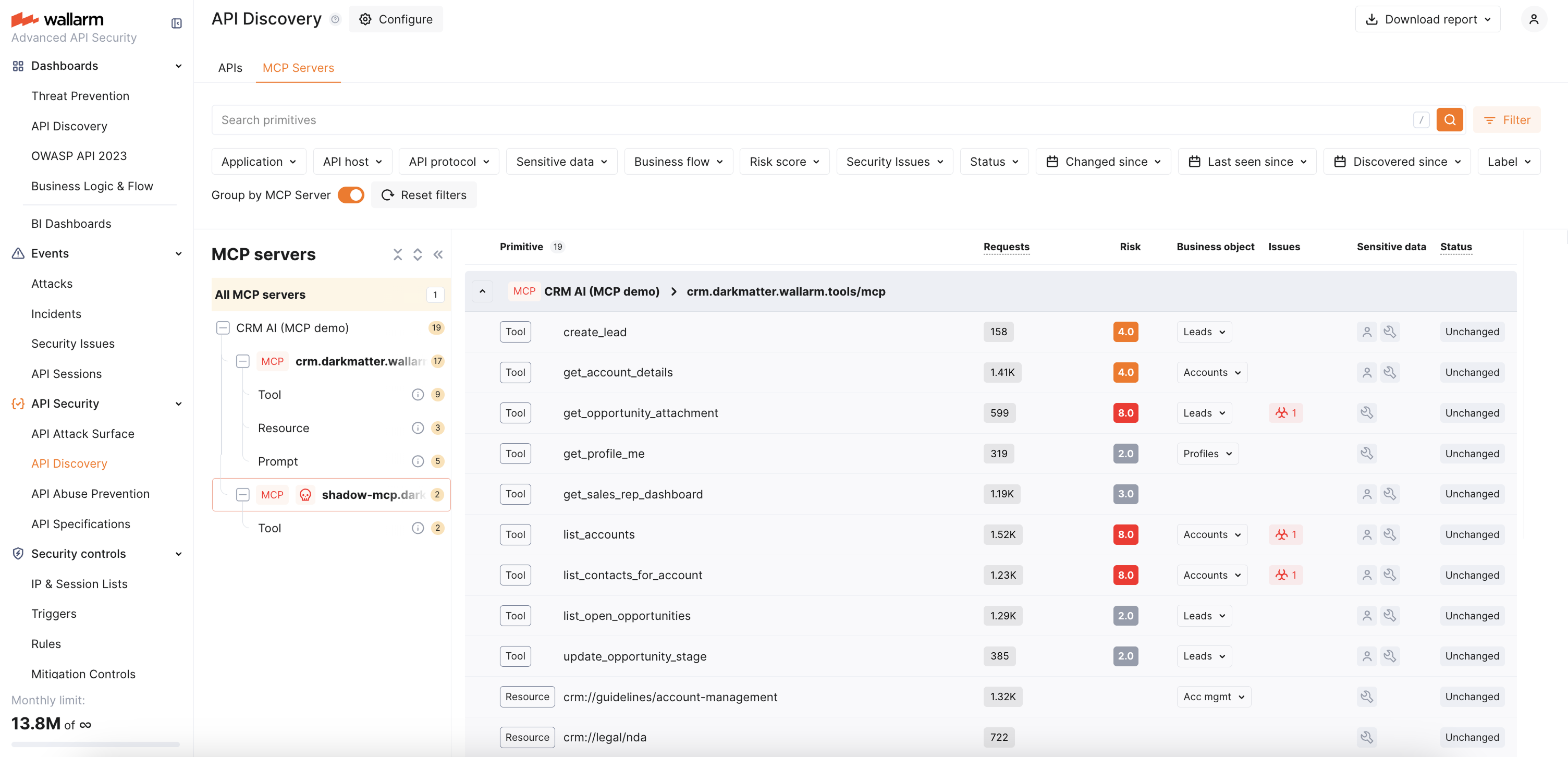
* MCP servers and their tools, resources, and prompts
**APIs:**
**MCP Servers:**
## Issues addressed by API Discovery
**Building an actual and complete API inventory** is the main issue the API Discovery module is addressing.
Keeping API inventory up-to-date is a difficult task. There is a high chance that one API is used by multiple teams and clients and it is a common case that different tools and processes are used to produce the API documentation. As a result, companies struggle both to understand what APIs they have and what data they expose, and to keep API documentation up to date.
Since the API Discovery module uses the real traffic as a data source, it helps to get up-to-date and complete API documentation by including in the API inventory all endpoints that are actually processing the requests.
**As you have your API inventory discovered by Wallarm, you can**:
* Have full visibility into the whole API estate.
* See what data ([REST](https://docs.wallarm.com/api-discovery/exploring.md#rest-endpoint-details), [GraphQL](https://docs.wallarm.com/api-discovery/exploring.md#graphql-operation-details), [SOAP](https://docs.wallarm.com/api-discovery/exploring.md#soap-operation-details), [gRPC](https://docs.wallarm.com/api-discovery/exploring.md#grpc-operation-details)) is going into and out of the APIs.
* Filter APIs that consume and carry [sensitive data](#sensitive-data-detection).
* Filter APIs that have no [authentication](https://docs.wallarm.com/api-discovery/authentication.md).
* Understand which endpoints are [most likely](https://docs.wallarm.com/api-discovery/risk-score.md) to be an attack target.
* Find endpoints that have [security issues](https://docs.wallarm.com/api-attack-surface/security-issues.md) (vulnerabilities) and navigate from endpoint details to full descriptions and mitigation methods.
* [Track changes](https://docs.wallarm.com/api-discovery/track-changes.md) in API that took place within the selected period of time.
* Provide your developers with [access](https://docs.wallarm.com/user-guides/settings/users.md#user-roles) to review and download the built API inventory.
## How does API Discovery work?
API Discovery relies on request statistics and uses sophisticated algorithms to generate up-to-date API specs based on the actual API usage.
### Traffic processing
API Discovery uses a hybrid approach to conduct analysis locally and in the Cloud. This approach enables a [privacy-first process](#security-of-data-uploaded-to-the-wallarm-cloud) where request data and sensitive data are kept locally while using the power of the Cloud for the statistics analysis:
1. API Discovery analyzes legitimate traffic locally — it inspects which endpoints are requested and what parameters are passed in requests and responses.
For REST, GraphQL, SOAP, and gRPC, the node sends ~10% of responses for analysis. For MCP, it sends 100% to ensure complete capture of tool schemas from `tools/list`, `resources/list`, and `prompts/list` responses.
1. According to this data, statistics are made and sent to the Cloud.
1. Wallarm Cloud aggregates the received statistics and builds an [API description](https://docs.wallarm.com/api-discovery/exploring.md) on its basis.
!!! info "Noise detection"
Rare or single requests are [determined as noise](#noise-detection) and not included in the API inventory.
### Noise detection
The API Discovery module bases noise detection on the two major traffic parameters:
* **Endpoint stability** - at least a specific **number of requests** should be registered for the endpoint for it to be displayed by API Discovery AND at least one of them must be outside the **timeframe**.
These settings aim to avoid showing API entries that had no traffic or had traffic for a short timeframe only - they are considered unstable. Even if the specific endpoint was requested a huge amount of times, but just within a short timeframe, there is no need to consider this one-time spike as a stable API endpoint.

* **Parameter stability** - the occurrence of the parameter in requests to the endpoint must be more than 1 percent.
Also, API Discovery performs filtering of requests relying on the other criteria, described in the sections below. Note that the time required to build the complete API inventory depends on the traffic diversity and intensity.
#### Core filtering criteria
1. **HTTP status code validation** - only requests with server responses in the `2xx` range (`200`-`299`) are processed.
1. **HTTP method validation** - requests must use valid HTTP methods. The following is not processed: empty method, `OPTIONS`, `HEAD`.
1. **Host validation** - requests must not target localhost or loopback addresses. The following is not processed: `localhost`, `127.0.0.1`, IPv6 loopback addresses (`::1`, `0:0:0:0:0:0:0:1`, etc.)
1. **Path validation** - request paths must conform to valid patterns: `^[\w{}\s\-]+(?:[.@][\w{}\s\-]+)*$`. The following is not processed: paths containing CJK characters (Unicode range 0x3000-0x303F).
1. **File extension filtering** - requests with file extensions are filtered based on content type validation: when a path has an extension, the `Content-type` header validation becomes mandatory.
1. **Content-type header validation** - the `Content-type` header of response must be valid:
* `text/xml`
* `application/*json` (any JSON variant)
* `application/octet-stream`
* `application/*xml` (any XML variant)
Responses without a `Content-type` header, and the corresponding requests that also carry no `Content-type` header, are considered valid as well.
This type of validation is only performed if enabled (see [how to check](https://docs.wallarm.com/api-discovery/setup.md#general-api-discovery-settings)) by the Wallarm support team, except cases when presence of file extension in the path makes it mandatory. The necessity of this validation in noise reduction depends on the peculiarities of your traffic.
1. **Security filtering** - the following is not processed:
* Requests with [attack types](https://docs.wallarm.com/attacks-vulns-list.md)
* Requests from DirBuster and similar scanners
#### Protocol-specific criteria
##### GraphQL
**Detection method**: analyzes request payload structure for GraphQL-specific patterns.
**Key indicators**:
* GraphQL structure in any HTTP valid request type (`GET`, `POST`)
* Operation types: `query`, `mutation`, `subscription`
**Response pattern**: only JSON object with structure `{"data":{}}`.
##### SOAP
**Detection method**: analyzes XML structure for SOAP envelope patterns.
**Key indicators**:
* XML structure with SOAP envelope
* Must contain proper SOAP namespace structure
**Requirements**:
* Must have SOAP envelope with proper namespace
* Must contain SOAP Body element
* Must have a method name as the final element
##### gRPC
**Detection method**: analyzes HTTP/2 requests with `application/grpc` content type.
**Key indicators**:
* HTTP/2 protocol with `application/grpc` content type
* Protocol buffer encoded payload
Only general gRPC services that use [protocol buffers](https://protobuf.dev/) are discovered.
##### MCP
**Detection method**: analyzes JSON-RPC 2.0 request/response structure for patterns specific to the [Model Context Protocol](https://modelcontextprotocol.io/), such as MCP-specific method names and protocol headers. For instance, `initialize`, `tools/list`, `tools/call`, `resources/list`, `resources/read`, `prompts/list`, `prompts/get`, etc.
Once an MCP server endpoint is discovered, API Discovery captures the server's primitives:
* **Tools** — invocable functions exposed by the MCP server (e.g., `get_user_profile`, `create_lead`)
* **Resources** — data and files available for reading (e.g., `crm://legal/nda`)
* **Prompts** — parametrized templates for common workflows (e.g., `account_research_prompt`)
Service methods such as `ping`, `resources/subscribe`, `completion/complete`, and `logging/setLevel` are automatically filtered out and do not appear as discovered primitives.
The Node automatically enables 100% response parsing for discovered MCP endpoints to ensure complete schema capture.
Many MCP servers return their responses as Server-Sent Events (SSE) streams (`Content-type: text/event-stream`) rather than a single JSON body. Starting from [NGINX Node](https://docs.wallarm.com/installation/nginx-native-node-internals.md#nginx-node) 6.13.0, the Node parses these SSE response streams, so tool, resource, and prompt schemas are captured from streamed responses as well.
Discovered MCP servers are displayed in the API inventory with the **MCP** protocol label and can be used as a scope for [MCP mitigation controls](https://docs.wallarm.com/agentic-ai/mcp-mitigation-controls.md).
##### REST
**Detection method**: default fallback for requests that don't match other patterns.
**Key indicators**:
* Does not match GraphQL, SOAP, gRPC
* Uses standard HTTP methods (`GET`, `POST`, `PUT`, `DELETE`, etc.)
#### Additional filtering criteria
1. **Multipart request filtering** - multipart requests with header parts are not processed.
1. **Base64 content filtering** - request points ending with "base64" are excluded.
1. **Empty value filtering** - request points with empty values are excluded in most contexts.
### Authentication flow detection
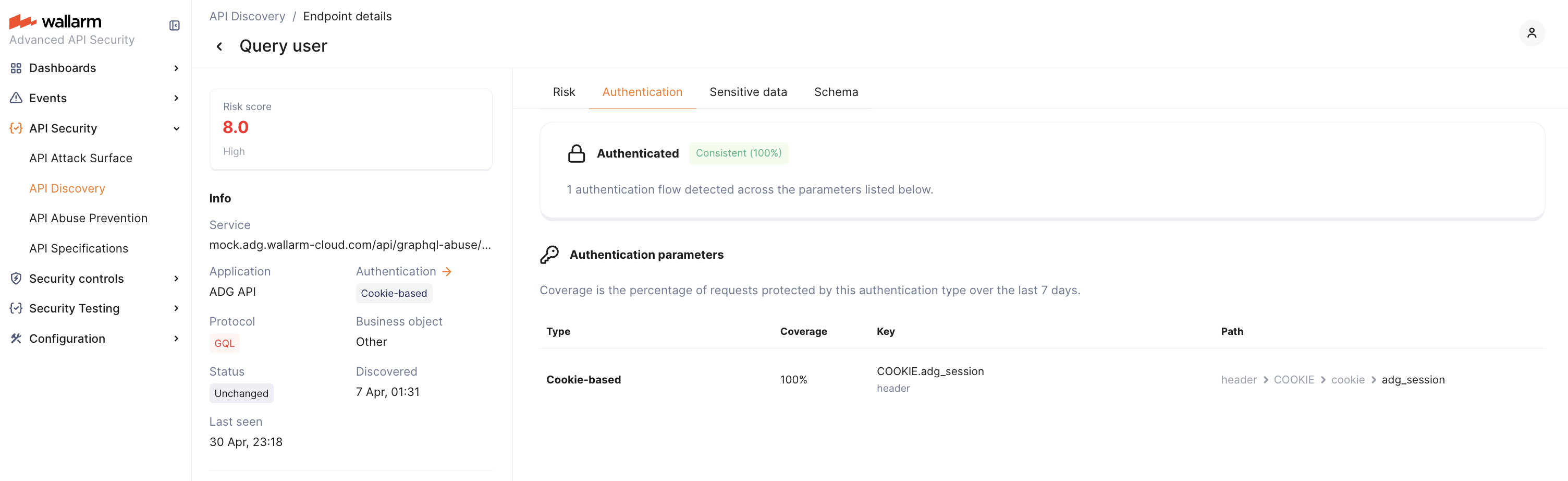
API Discovery automatically detects [authentication flows](https://docs.wallarm.com/api-discovery/authentication.md) used by each endpoint by analyzing HTTP headers and request parameters in the traffic. This helps identify endpoints that lack proper authentication — the #1 API security risk.
### Sensitive data detection
API Discovery [detects and highlights](https://docs.wallarm.com/api-discovery/sensitive-data.md) sensitive data consumed and carried by your APIs:
* Personally identifiable information (PII) like full name, passport number or SSN
* Login credentials like secret keys and passwords
* Financial data like bank card numbers
* Medical data like medical license number
* Technical data like IP and MAC addresses
### Sensitive business flows
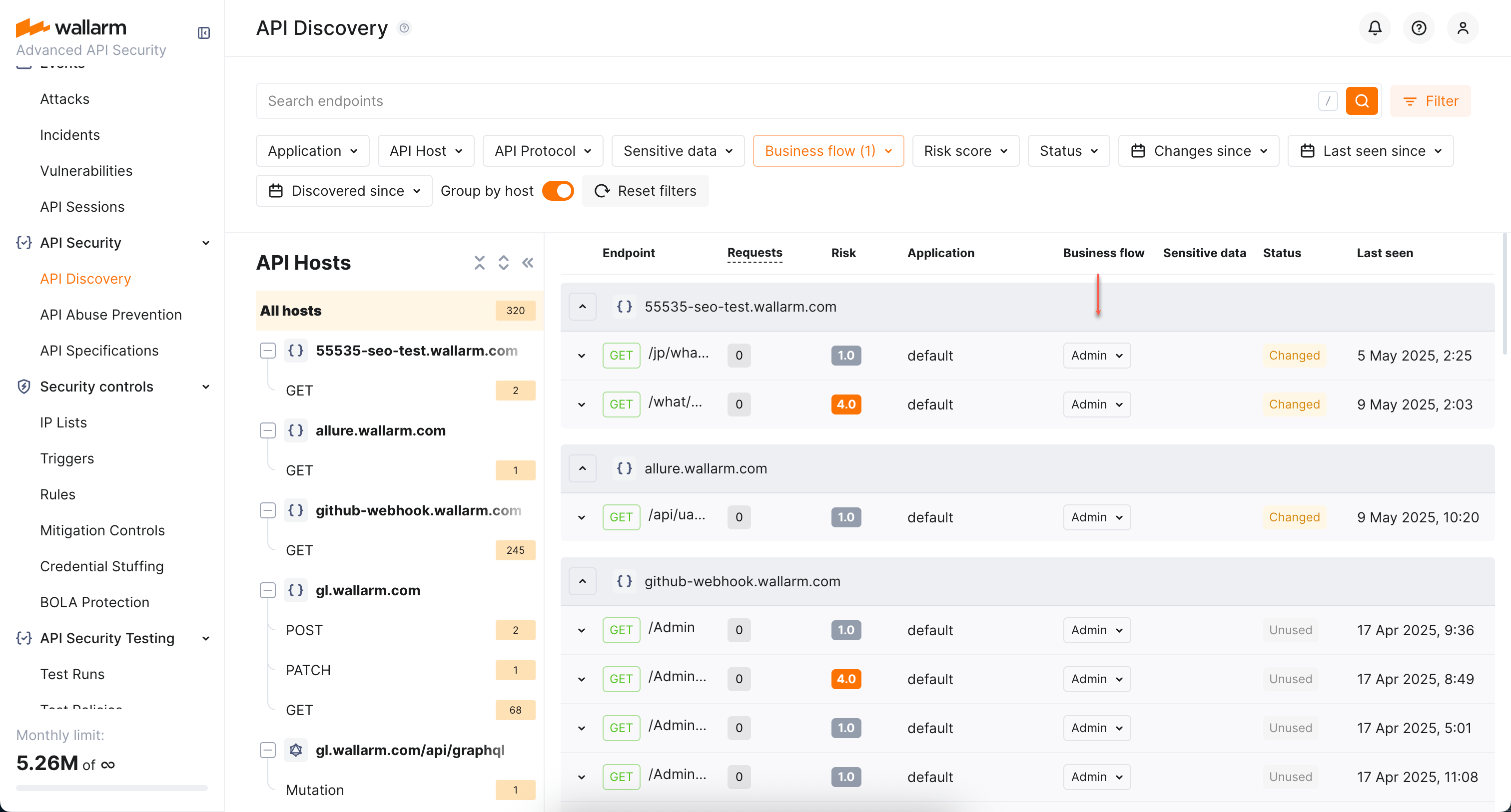
With the [sensitive business flow](https://docs.wallarm.com/api-discovery/sbf.md) capability, API Discovery can automatically identify endpoints that are critical to specific business flows and functions, such as authentication, account management, billing, and similar critical capabilities.
In addition to automatic identification, you can manually adjust the assigned sensitive business flow tags and manually set tags for the endpoints of your choice.
Once endpoints are assigned the sensitive business flow tags, it becomes possible to filter all discovered endpoints by a specific business flow, which makes it easier to protect the most critical business capabilities.
### Security of data uploaded to the Wallarm Cloud
API Discovery analyzes most of the traffic locally. The module sends to the Wallarm Cloud only the discovered endpoints, parameter names and various statistical data (time of arrival, their number, etc.) All data is transmitted via a secure channel: before uploading the statistics to the Wallarm Cloud, the API Discovery module hashes the values of request parameters using the [SHA-256](https://en.wikipedia.org/wiki/SHA-2) algorithm.
On the Cloud side, hashed data is used for statistical analysis (for example, when quantifying requests with identical parameters).
Other data (endpoint values, request methods, and parameter names) is not hashed before being uploaded to the Wallarm Cloud, because hashes cannot be restored to their original state which would make building API inventory impossible.
!!! warning "Important"
API Discovery does not send the parameter values to the Cloud. Only the endpoint, parameter names and statistics on them are sent.
## Checking API Discovery in playground
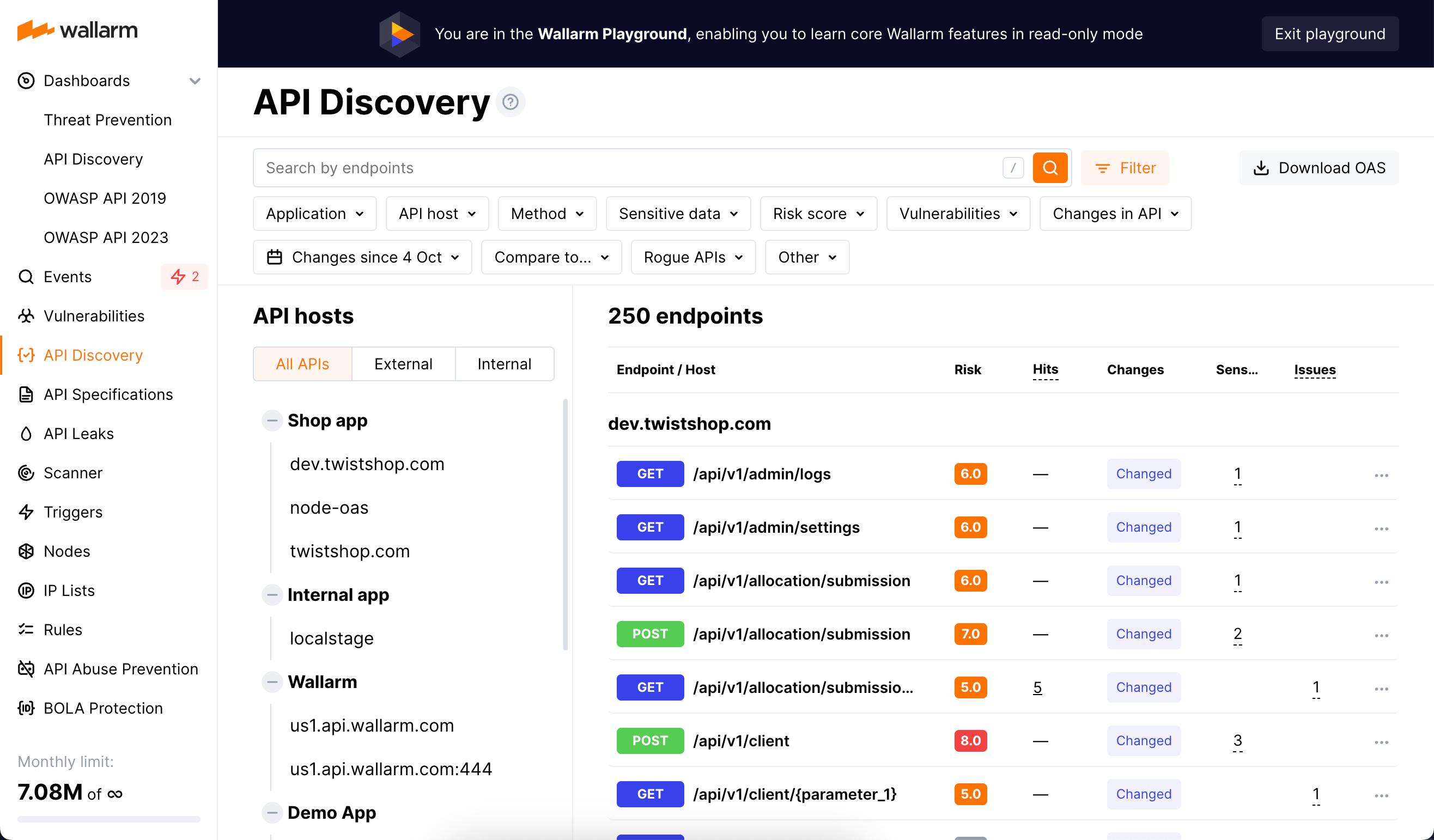
To try the module even before signing up and deploying the node to your environment, explore [API Discovery in Wallarm Playground](https://playground.wallarm.com/api-discovery/?utm_source=wallarm_docs_apid).
In Playground, you can access the API Discovery view as if it were filled with real data and thus learn and try out how the module works, and get some useful examples of its usage in the read-only mode.
## Enabling API Discovery
To start using API Discovery, enable it as described in [API Discovery Setup](https://docs.wallarm.com/api-discovery/setup.md).
---
## https://docs.wallarm.com/api-discovery/exploring/
# Exploring API Inventory and MCP Servers
As soon as the [API Discovery](https://docs.wallarm.com/api-discovery/overview.md) module has built the catalog of your API endpoints and MCP servers, you can explore it in the **API Discovery** section of Wallarm Console. The section has two tabs: **APIs** for REST, GraphQL, SOAP, and gRPC endpoints, and **MCP Servers** for discovered MCP servers and their primitives. Learn from this article how to go through the discovered data.
## API endpoints
Explore your discovered API endpoints using the **APIs** tab of the **API Discovery** section in the [US](https://us1.my.wallarm.com/api-discovery) or [EU](https://my.wallarm.com/api-discovery) Cloud.

By default, endpoints and operations are sorted by host/endpoint or operation name. Also, **Group by host** is on. With grouping by host disabled, you can sort endpoints by risk.
### Filtering
Among a wide range of API endpoint filters, you can choose the ones corresponding to your analysis purpose, e.g.:
* Find the endpoints characterized with the highest [risk level](https://docs.wallarm.com/api-discovery/risk-score.md) to analyze and mitigate the risks.
* Find the endpoints that have [security issues](https://docs.wallarm.com/api-attack-surface/security-issues.md) (vulnerabilities) by severity: use the **Security Issues** filter to narrow by **Critical**, **High**, **Medium**, or **Low**.
* Find endpoints related to a specific [application](https://docs.wallarm.com/user-guides/settings/applications.md).
* Find the endpoints that have been changed or newly discovered in the last week and that process PII data. This kind of request can help you to stay up to date with critical [changes in your APIs](https://docs.wallarm.com/api-discovery/track-changes.md).
* Find the endpoints being used to upload data to your server by the PUT or POST calls (REST) or mutations (GraphQL) (**API protocols** filter with methods for REST and operation types for GraphQL). Since such endpoints are a frequent attack target, they should be well secured. Using this kind of request you can check that endpoints are known to the team and are well secured from attacks.
* Find the endpoints processing sensitive data to ensure they are properly secured.
* Find the endpoints of a deprecated API version (e.g. by searching `/v1`) and make sure that they are not used by clients.
* Find endpoints without authentication by using the **Authentication** filter and selecting **No authentication**. This helps identify potential security risks where endpoints may be unprotected.
* Find the endpoints that are reachable from the internet by using the **Public exposure** filter and selecting **External** (or **Internal** for endpoints on hosts that are only reachable inside a private network). Internet-facing endpoints without authentication are the highest-priority attack surface. See [Host exposure (external vs. internal)](#host-exposure-external-vs-internal) for how a host is classified.
### Host exposure (external vs. internal)
The **Public exposure** filter classifies every discovered host by whether it is reachable from the public internet. Each host has one of three statuses:
| Status | Meaning |
| --- | --- |
| **External** (`public`) | Reachable from the public internet — the host is a public IP address, or a hostname that resolves to one. |
| **Internal** (`internal`) | Not reachable from the public internet — a private (RFC 1918 / RFC 4193), loopback, or link-local IP; a dot-less short name such as `srv01`; or a hostname that public DNS does not know or that resolves only to private addresses. |
| **Unknown** (`unknown`) | Could not be classified — for example, the hostname could not be resolved. |
How the classification is made:
* If the host is an **IP literal** (IPv4 or IPv6), it is classified directly by its address range — private, loopback, and link-local ranges are **Internal**; any other routable address is **External**.
* If the host is a **hostname**, Wallarm resolves it against **public DNS resolvers** (not your internal DNS) to determine what the public internet sees. This is deliberate: in a split-horizon DNS setup, internal resolvers may return private addresses for a name that is in fact publicly reachable, so Wallarm checks the public view.
* A hostname that public DNS does not know (an authoritative *no such name* answer) is treated as **Internal**, on the assumption it lives on a private network.
!!! info "Refresh and requirements"
Host exposure is recalculated on a regular schedule (hourly), so a newly discovered host appears as **Unknown** until its first classification, and a host that moves between private and public addressing updates on the next cycle. Classification depends on API Discovery being able to reach public DNS from the Wallarm node environment; where outbound DNS is blocked, hosts stay **Unknown** and self-heal once it is restored.
### Labeling
You can assign labels to endpoints to manage them more effectively.
To assign a label, open the endpoint's [full-screen details page](#endpoint-details-view) and click **Assign label** in the sidebar. You can choose from predefined labels (e.g., `Critical`, `Identity service`) or create your own custom labels.
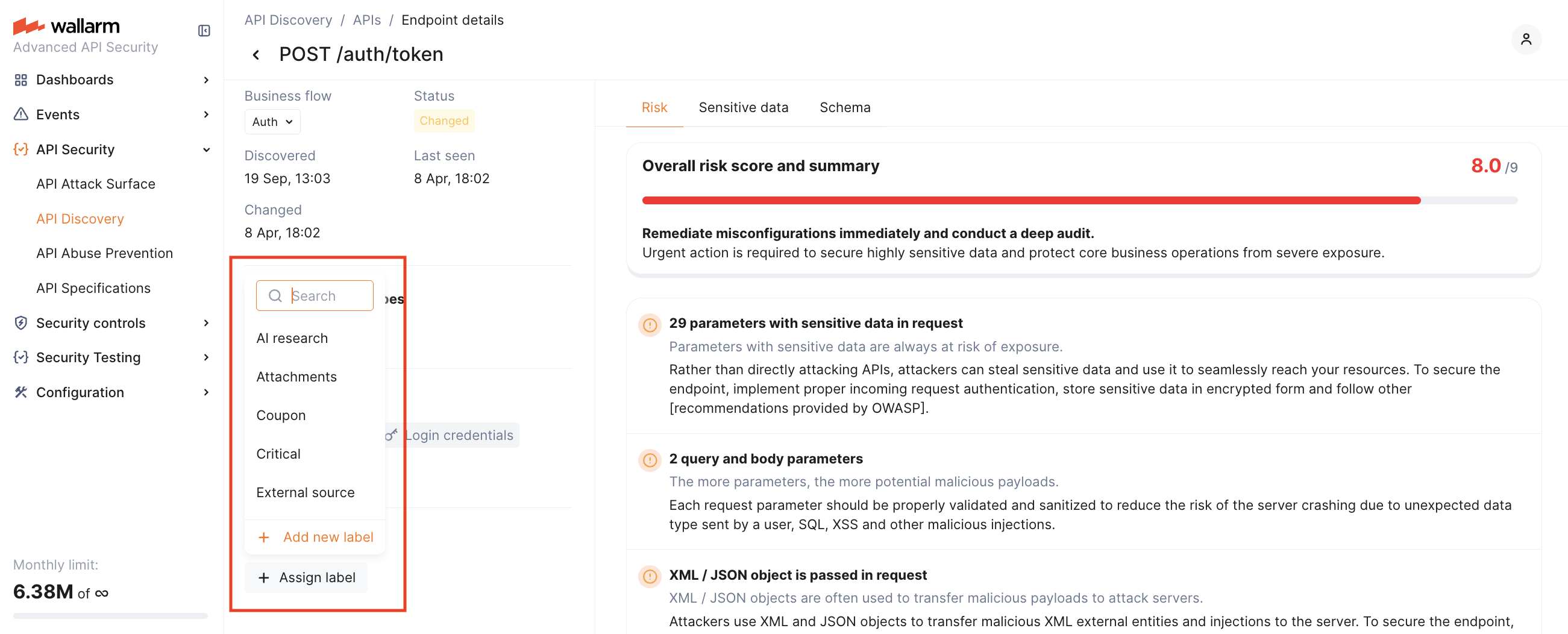
Once labels are assigned, use the **Label** filter to quickly search and isolate endpoints based on these custom labels.
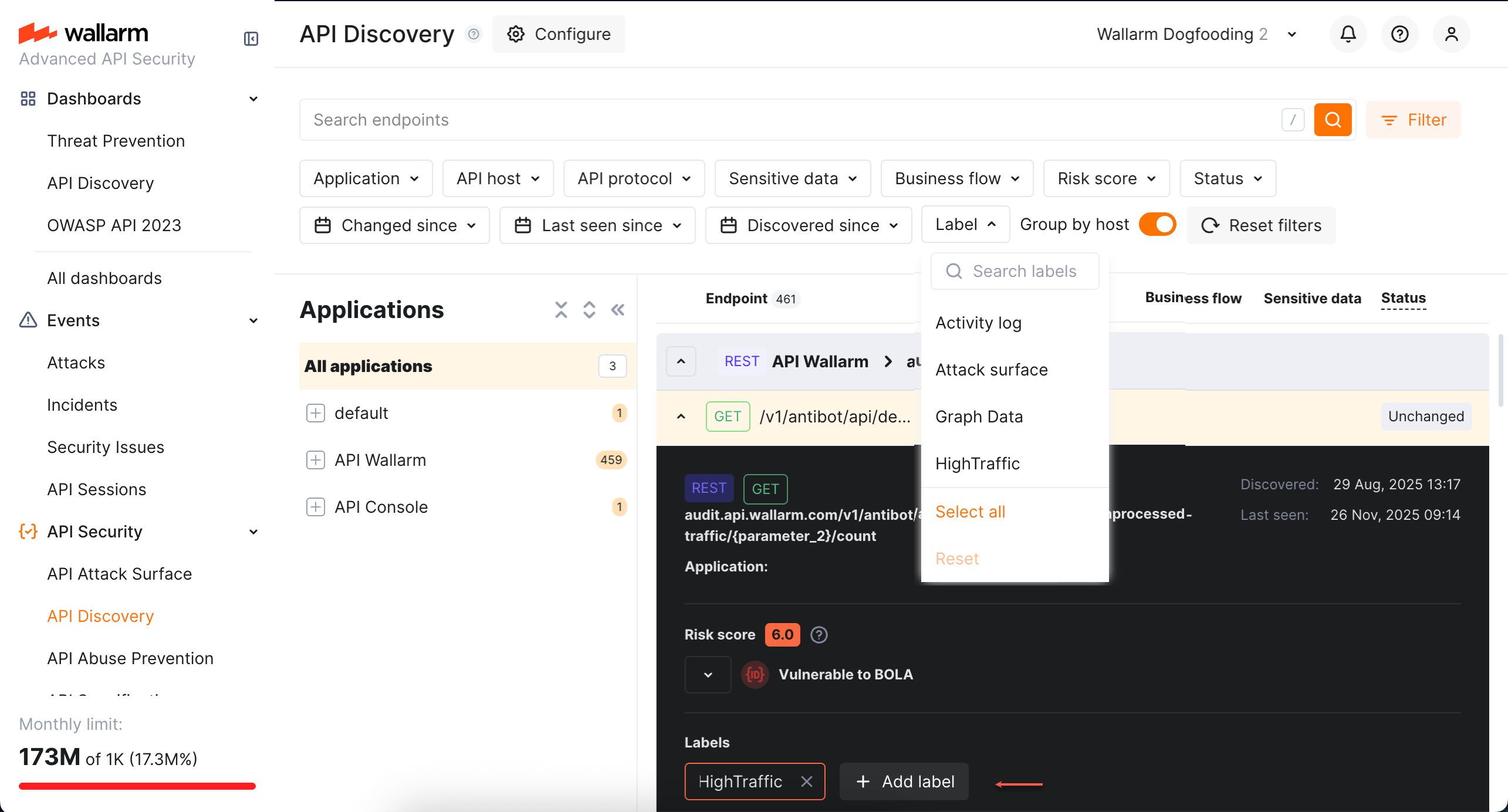
Note that several labels can be assigned to the same endpoint.
### AI/LLM endpoints
Endpoints that talk to LLMs, ML models, chatbots, or third-party AI services (e.g., OpenAI) are automatically tagged with the **AI/LLM** [sensitive business flow](https://docs.wallarm.com/api-discovery/sbf.md). Filter by **Business flow → AI/LLM** to see only AI-related endpoints.
You can also adjust the tag manually if automatic detection misses any.
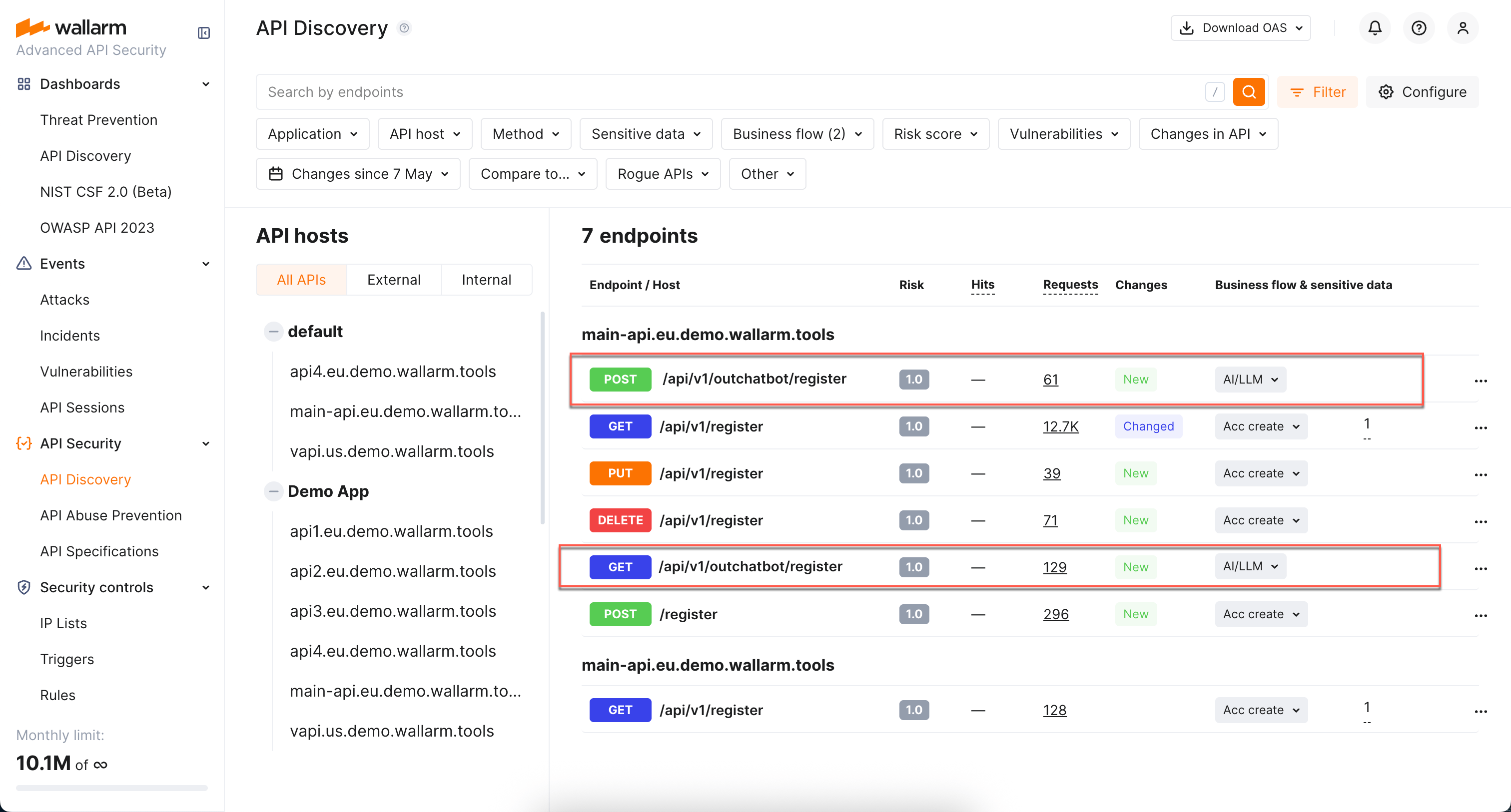
Sessions that touch AI/LLM-tagged endpoints are themselves tagged with the **AI/LLM** business flow in [API Sessions](https://docs.wallarm.com/api-sessions/overview.md), so you can isolate user activity that exercises AI-backed APIs.
## MCP Servers
The **MCP Servers** tab lists discovered [Model Context Protocol](https://modelcontextprotocol.io/) servers alongside their primitives — tools, resources, and prompts.
!!! info ""
MCP discovery requires [NGINX Node](https://docs.wallarm.com/installation/nginx-native-node-internals.md#nginx-node) 6.12.0 or [Native Node](https://docs.wallarm.com/installation/nginx-native-node-internals.md#native-node) 0.25.0. For all protocols and their required Node versions, see [Supported protocols](https://docs.wallarm.com/api-discovery/overview.md#supported-protocols).

**How detection works.** The Wallarm node identifies MCP traffic by JSON-RPC 2.0 requests with MCP-specific methods. When detected, the MCP server is added to the **MCP Servers** tab, and the node automatically enables 100% response parsing for the MCP endpoint to capture the full schema from `tools/list`, `resources/list`, and `prompts/list` responses.
Within 30 minutes of discovering an MCP server, Wallarm automatically creates an [MCP Session Configuration](https://docs.wallarm.com/api-sessions/mcp-sessions.md#mcp-session-configuration) for it with default session-identification rules. Discovered MCP servers can also be used as the scope when creating [MCP mitigation controls](https://docs.wallarm.com/agentic-ai/mcp-mitigation-controls.md) — ACL policies, request verification, and tool input schema enforcement.
For what is displayed for each MCP server and its primitives, see [MCP primitive details](#mcp-primitive-details) below.
## Details view
Clicking an endpoint, operation, or MCP primitive opens its details in a **full-screen page**.
Each details page has a **unique URL** that you can share with colleagues or clients for direct access.
When you navigate back from the details page, all your previously applied **filters are preserved**, so you can continue working with the filtered list without re-applying them.
### REST endpoint details
Click the REST endpoint to open its full-screen details page, including transferred sensitive data, risk score and what contributes to it, headers and parameters of requests and responses:
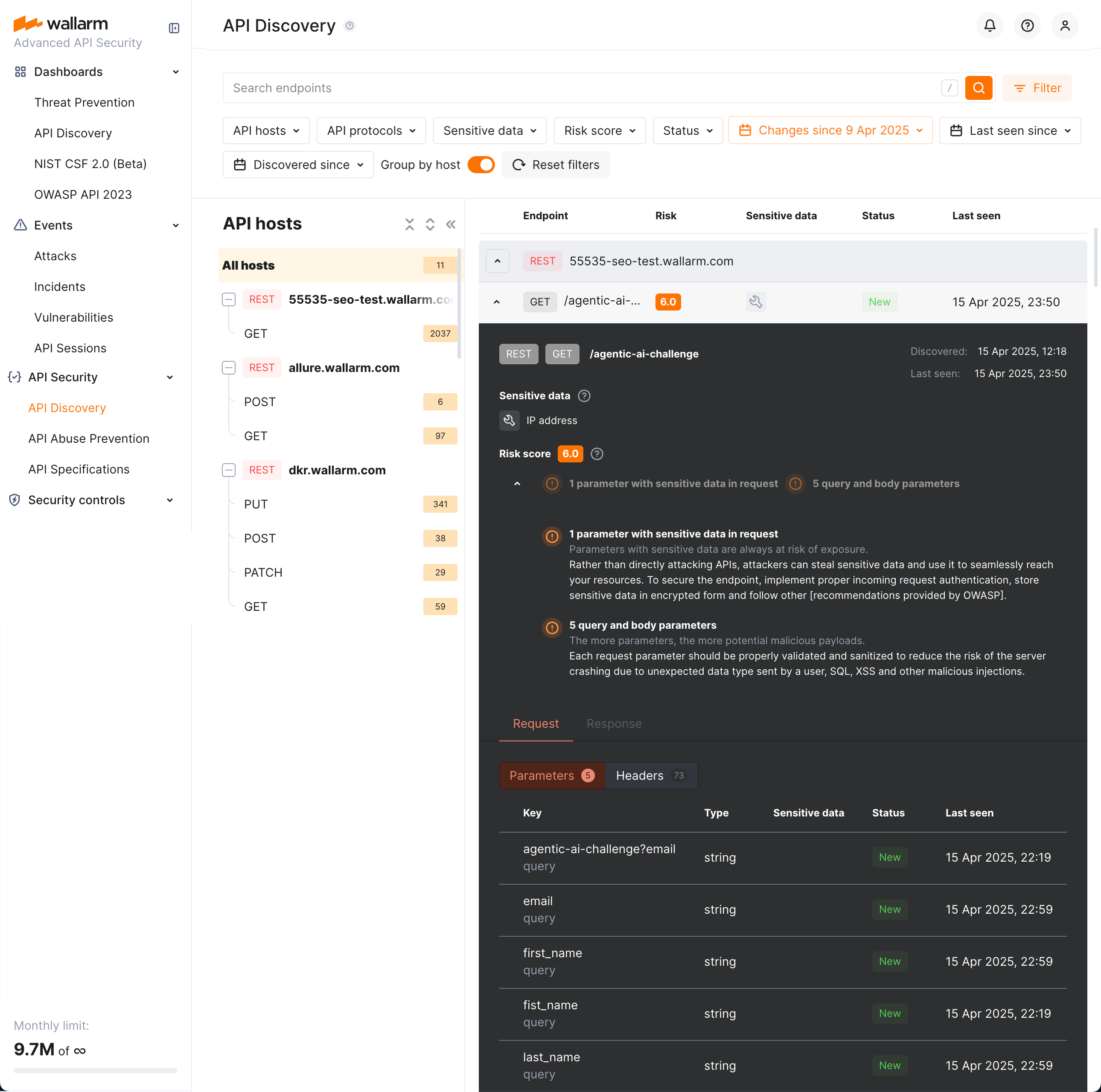
Each request/response parameter information includes:
* Parameter name and the part of request/response this parameter belongs to
* Path: the hierarchical location of a parameter within a REST query structure (not displayed, if all parameters are stored in the same root location)
* Information about parameter changes (new, unused)
* Presence and type of sensitive data transmitted by this parameter, including:
* Personally identifiable information (PII) like full name, passport number or SSN
* Login credentials like secret keys and passwords
* Financial data like bank card numbers
* Medical data like medical license number
* Technical data like IP and MAC addresses
* [Type/format](#data_format_rest) of data sent in this parameter
* Date and time when parameter value was last transferred by requests
* [Authentication flows](https://docs.wallarm.com/api-discovery/authentication.md) and their coverage status — authentication type, per-parameter coverage percentage, parameter key and path
**REST format and data type**
In REST endpoint details, in the **Type** column for parameters of request and responses, Wallarm indicates the data format identified through traffic analysis or, if not specific, a general data type.
For REST endpoints, Wallarm attempts to detect various data formats such as `Int32`, `Int64`, `Float`, `Double`, `Datetime`, `IPv4`/`IPv6`, among others. If a value does not conform to any recognized data format, Wallarm classifies it under a general data type, such as `Integer`, `Number`, `String`, or `Boolean`.
This data allows checking that values of the expected format are passed in each parameter. Inconsistencies can be the result of an attack or a scan of your API, for example:
* The `String` values are passed to the field with `IP`
* The `Double` values are passed to the field where there should be a value no more than `Int32`
### GraphQL operation details
!!! info ""
GraphQL discovery requires [NGINX Node](https://docs.wallarm.com/installation/nginx-native-node-internals.md#nginx-node) 6.1.0 or [Native Node](https://docs.wallarm.com/installation/nginx-native-node-internals.md#native-node) 0.15.1. For all protocols and their required Node versions, see [Supported protocols](https://docs.wallarm.com/api-discovery/overview.md#supported-protocols).
Click the GraphQL operation to open its full-screen details page, including transferred sensitive data, risk score and what contributes to it, schema, parameters and headers of requests and responses:
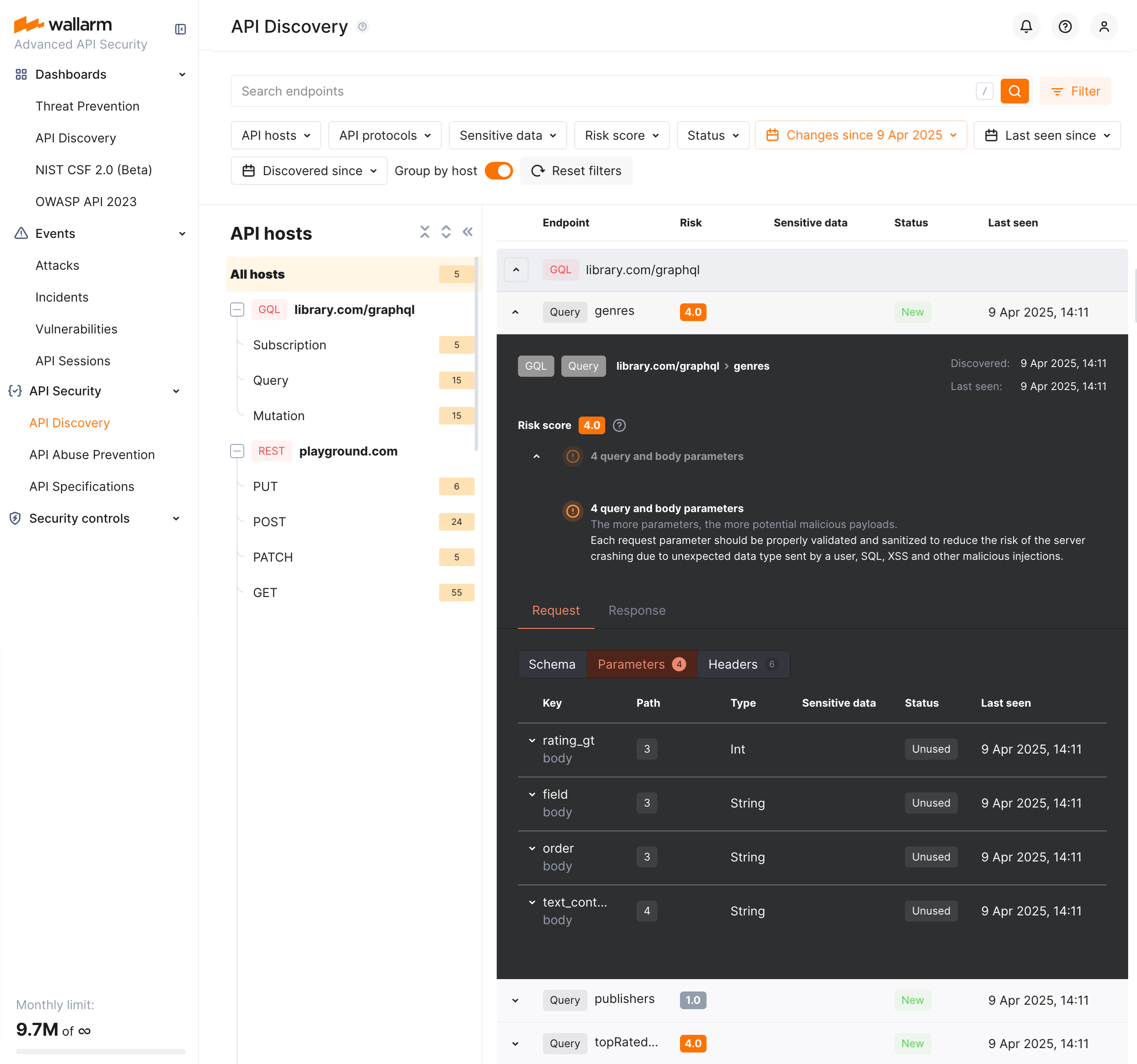
Each request/response parameter information includes:
* Parameter name and the part of request/response this parameter belongs to
* Path: the hierarchical location of a parameter within a GraphQL query structure (not displayed, if all parameters are stored in the same root location)
* Information about parameter changes (new, unused)
* Presence and type of sensitive data transmitted by this parameter
* Date and time when parameter value was last transferred by requests
* [Authentication flows](https://docs.wallarm.com/api-discovery/authentication.md) and their coverage status — authentication type, per-parameter coverage percentage, parameter key and path
**Format and data type**
In GraphQL operation details, in the **Type** column for parameters and headers, Wallarm indicates the data format identified through traffic analysis.
For GraphQL operations, data formats are detected in accordance with the [scalar types](https://graphql.org/learn/schema/#scalar-types) specification:
* `Int`: A signed 32‐bit integer.
* `Float`: A signed double-precision floating-point value.
* `String`: A UTF‐8 character sequence.
* `Boolean`: true or false.
### SOAP operation details
!!! info ""
SOAP discovery requires [NGINX Node](https://docs.wallarm.com/installation/nginx-native-node-internals.md#nginx-node) 6.3.0 or [Native Node](https://docs.wallarm.com/installation/nginx-native-node-internals.md#native-node) 0.17.1. For all protocols and their required Node versions, see [Supported protocols](https://docs.wallarm.com/api-discovery/overview.md#supported-protocols).
Click the SOAP operation to open its full-screen details page, including transferred sensitive data, risk score and what contributes to it, XML body parameters, HTTPS and XML headers of requests and responses:
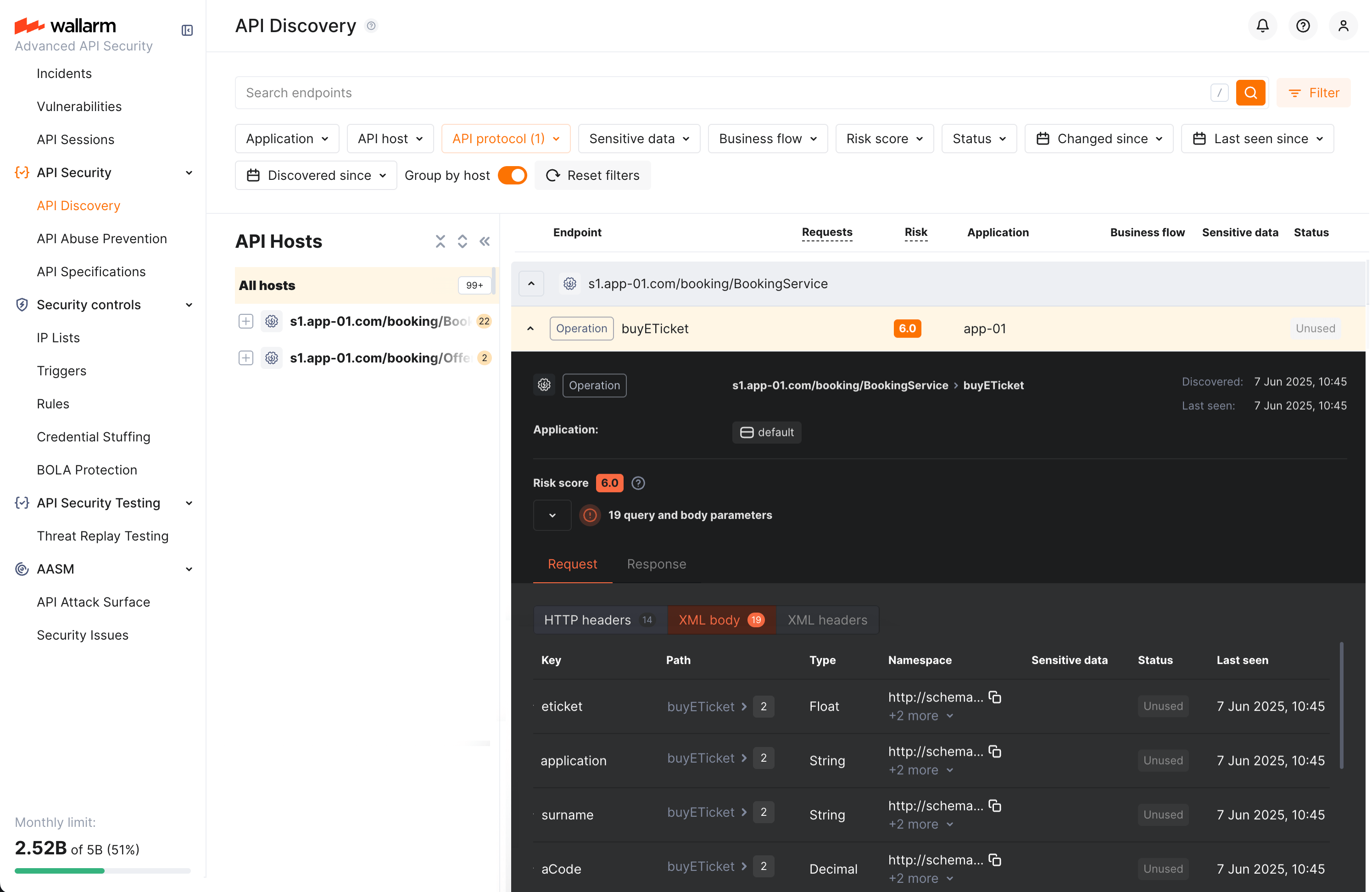
Each request/response XML parameter information includes:
* Parameter name (**Key**)
* Path: the hierarchical location of a parameter within an XML structure (not displayed, if all parameters are stored in the same root location)
* Parameter type
* Namespaces for path elements (from more general to more specific)
* Presence and type of sensitive data transmitted by this parameter
* Information about parameter changes (new, unused)
* Date and time when parameter value was last transferred by requests
* [Authentication flows](https://docs.wallarm.com/api-discovery/authentication.md) and their coverage status — authentication type, per-parameter coverage percentage, parameter key and path
**Format and data type**
In SOAP operation details, in the **Type** column for parameters and headers, Wallarm indicates the data format identified through traffic analysis.
For SOAP operations, it is a limited set from the [built-in primitive XML data types](https://www.w3.org/TR/xmlschema-2/#built-in-primitive-datatypes):
* soapTypeString = `String`
* soapTypeBoolean = `Boolean`
* soapTypeFloat = `Float`
* soapTypeDecimal = `Decimal`
* soapTypeDuration = `Duration`
* soapTypeURI = `URI`
### gRPC operation details
!!! info ""
gRPC discovery requires [NGINX Node](https://docs.wallarm.com/installation/nginx-native-node-internals.md#nginx-node) 6.4.0 and is not available on [Native Node](https://docs.wallarm.com/installation/nginx-native-node-internals.md#native-node). For all protocols and their required Node versions, see [Supported protocols](https://docs.wallarm.com/api-discovery/overview.md#supported-protocols).
Click the gRPC operation to open its full-screen details page, including transferred sensitive data, risk score and what contributes to it, parameters and headers of requests and responses:
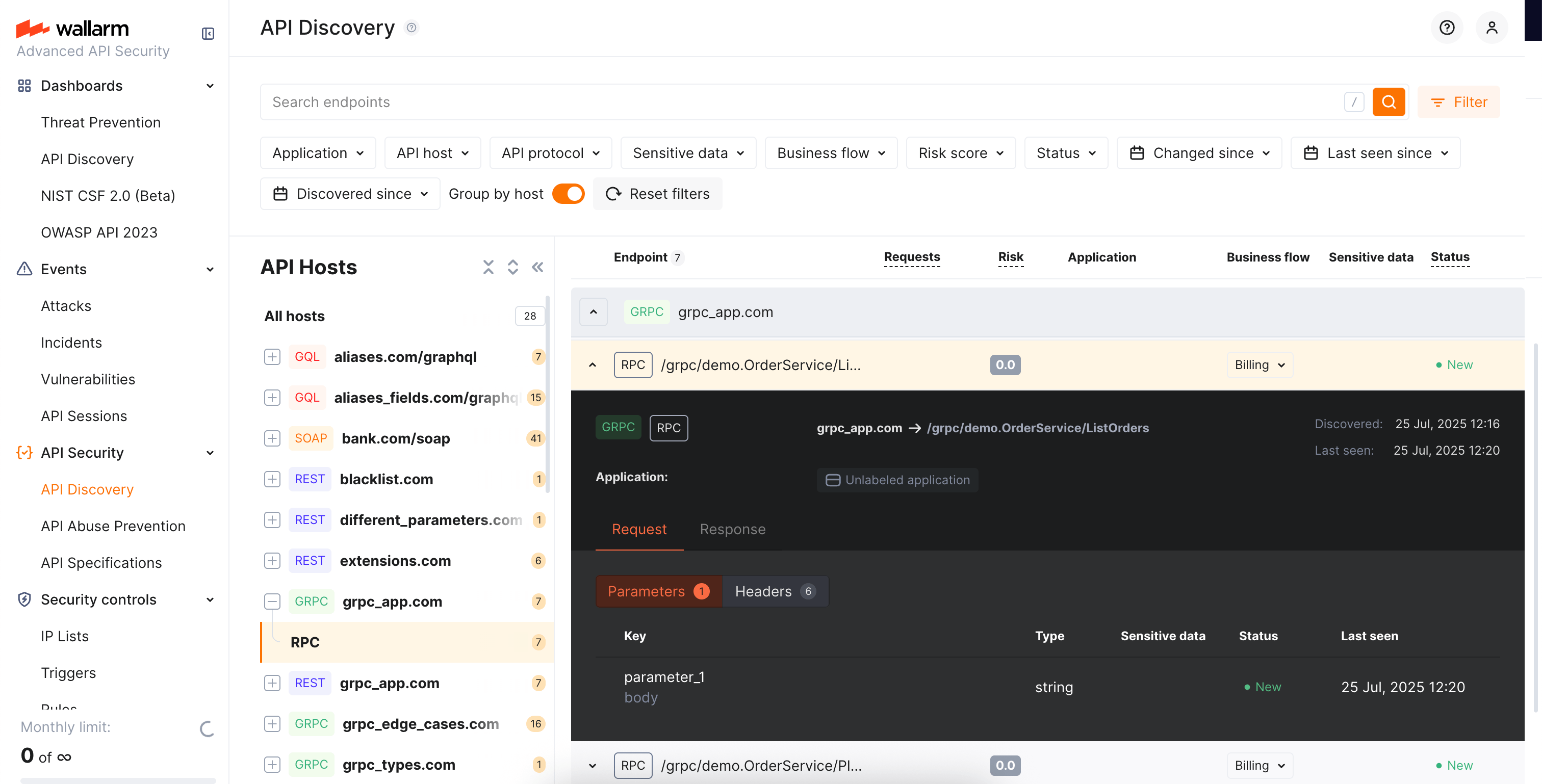
Each request/response parameter information includes:
* Parameter data type and the part of request/response this parameter belongs to
!!! info "Parameter names"
Due to gRPC protocol peculiarities, it is impossible to discover parameter names. However, it is useful to understand the nesting depth, type and number of parameters for each operation.
* Information about parameter changes (new, unused)
* Presence and type of sensitive data transmitted by this parameter
* Date and time when parameter value was last transferred by requests
* [Authentication flows](https://docs.wallarm.com/api-discovery/authentication.md) and their coverage status — authentication type, per-parameter coverage percentage, parameter key and path
**Format and data type**
In gRPC operation details, in the **Type** column for parameters and headers, Wallarm indicates the data format identified through traffic analysis.
Wallarm discovers general gRPC services that use [protocol buffers](https://protobuf.dev/), on which gRPC relies when defining gRPC message data types:
* `Int`: A signed 32‐bit integer.
* `Float`: A signed double-precision floating-point value.
* `String`: A UTF‐8 character sequence.
* `Boolean`: true or false.
### MCP primitive details
!!! info ""
MCP discovery requires [NGINX Node](https://docs.wallarm.com/installation/nginx-native-node-internals.md#nginx-node) 6.12.0 or [Native Node](https://docs.wallarm.com/installation/nginx-native-node-internals.md#native-node) 0.25.0. For all protocols and their required Node versions, see [Supported protocols](https://docs.wallarm.com/api-discovery/overview.md#supported-protocols).
Discovered MCP servers are displayed in the **MCP Servers** tab of API Discovery. Each MCP server lists its primitives — tools, resources, and prompts. Click a primitive to open its full-screen details page.
The details page displays:
* **Primitive name** and **description** — as reported by the MCP server
* **MCP server version** — protocol version of the MCP server
* **Request counters** — number of requests for the last 7 days
The **Schema** tab content depends on the primitive type:
**Tools:**
Tool primitives display the **Arguments** section with the tool's input parameters as declared in the `tools/list` response:
* Parameter name
* Data type (e.g., `String`, `Integer`, `Boolean`)
* Parameter description
Request and response headers are also displayed.
**Resources:**
Resource primitives display:
* **MIME type** of the resource
* Request and response headers
**Prompts:**
Prompt primitives display:
* **Arguments** — input parameters for the prompt template
* Request and response headers
Each parameter information also includes:
* Information about parameter changes (new, unused)
* Presence and type of sensitive data transmitted by this parameter
* Date and time when parameter value was last transferred by requests
## Activities
The number of requests related to the endpoint or MCP primitive is displayed in the **Requests** column. Click this number to open the [**API Sessions**](https://docs.wallarm.com/api-sessions/overview.md) section (or [**MCP Sessions**](https://docs.wallarm.com/api-sessions/mcp-sessions.md) for MCP primitives) with the list of sessions for the last week containing these requests.
Within each found session, only requests to your endpoint or primitive will be initially displayed — within the session, remove the filter to see all requests for context.
A structured view of session activity helps in understanding your endpoint or primitive's place in malicious and legitimate activities, its relation to sensitive business flows and required protection measures.
## Variability
URLs can include diverse elements, such as a user ID. API Discovery supports finding such elements for UUID, INTEGER, FLOAT and HEX path segment types:
* `/api/users/profile/a1b2c3d4-e5f6-7890-1234-567890abcdef12`
* `/api/users/profile/f0e9d8c7-b6a5-4321-fedc-ba9876543210`
* `/api/users/profile/1a2b3c4d-5e6f-7080-9102-34567890fedc`
The **API Discovery** module unifies such elements into the `{parameter_X}` format in the endpoint paths, so for the example above you will not have 3 endpoints, but instead there will be one:
* `/api/articles/author/{parameter_1}`
Click the endpoint to open its details page and view which type was automatically detected for the diverse parameter.
## Notifications
API Discovery can notify you about endpoint changes in two ways:
* [**Email digests**](https://docs.wallarm.com/api-discovery/track-changes.md#email-notifications) — daily or hourly summaries of new and changed endpoints, delivered to your account email and any additional addresses.
* [**Per-endpoint alerts via triggers**](https://docs.wallarm.com/api-discovery/track-changes.md#per-endpoint-alerts-via-triggers) — one notification per changed endpoint, delivered through any configured integration (Slack, webhook, SIEM, PagerDuty, Microsoft Teams, Telegram, and others) using the **Changes in API** trigger.
## Exporting API inventory data
You can export the discovered API inventory as [OpenAPI (OAS) 3.1](https://spec.openapis.org/oas/v3.1.0) (JSON) or as CSV.
### OpenAPI (OAS) export
Exporting to OAS lets you use the discovered API schema for protection, analysis, and integration with other tools:
* **Upload to API specifications** in Wallarm to [enforce requests](https://docs.wallarm.com/api-specification-enforcement/overview.md) or enable rogue API detection (when available for your API Discovery version).
* **Open in [Swagger Editor](https://editor.swagger.io/)** to inspect and edit the inventory in OpenAPI format.
* **Export to third-party platforms** (e.g. [Postman](https://www.postman.com/)) for documentation, testing, or further analysis. The specification helps with vulnerability testing and reviewing endpoints for sensitive data and undocumented parameters.
To download the OAS file:
1. In Wallarm Console → **API Discovery**, select a **single host** for which you need the specification.
2. Optionally, apply any additional filters to limit the endpoints included in the export.
3. Click **Download report**.
4. In the popup, choose **OpenAPI (OAS 3.1, JSON)** and click **Generate OAS**.
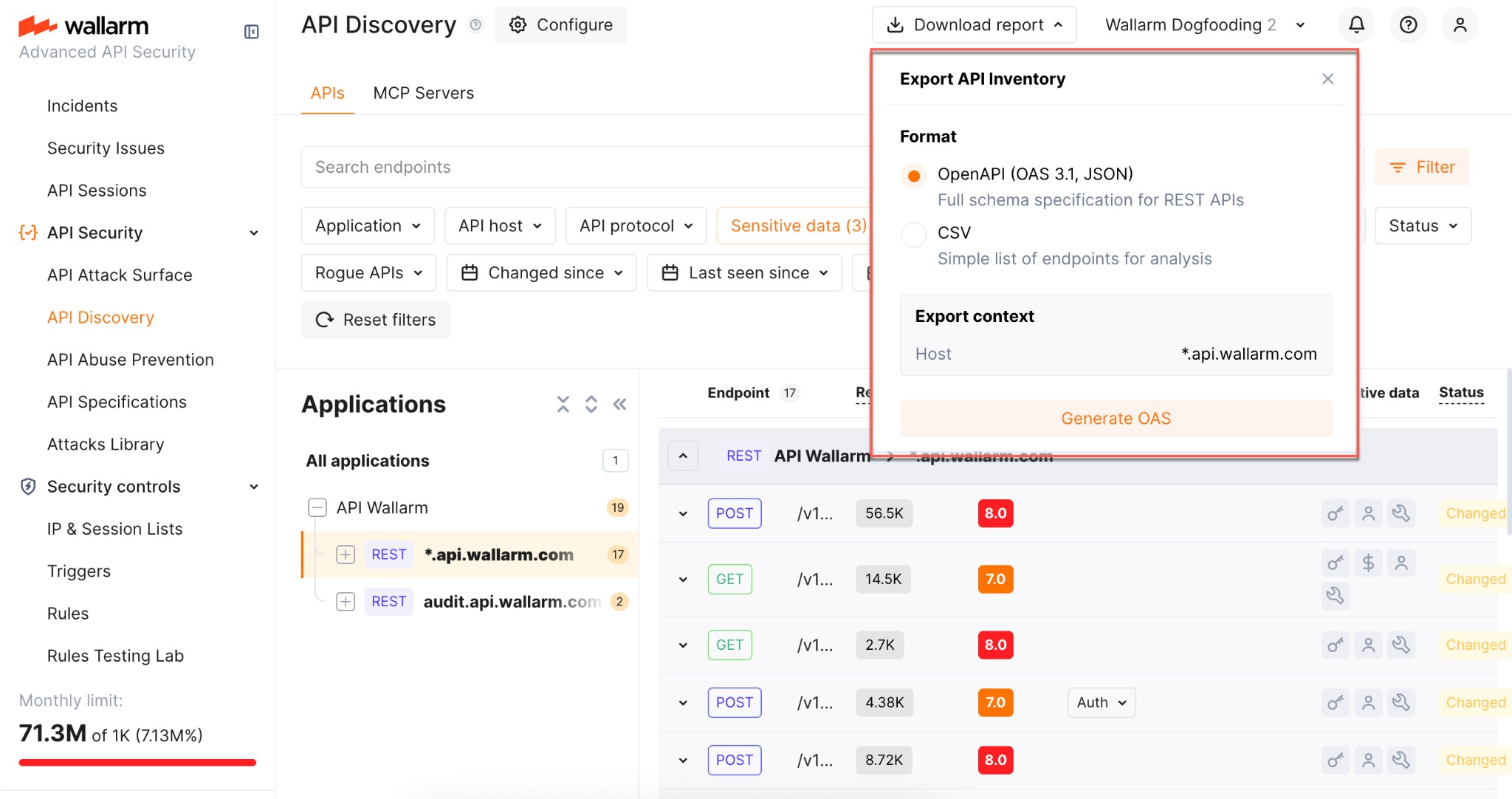
5. Wait until the file is generated. When ready, the browser starts the download automatically and the JSON file is saved to your default download location.
**Limitations:**
* One host per specification (aligned with OpenAPI recommendations)
* REST only
* Maximum 1000 endpoints per host and 100,000 parameters in total per export
* Not supported: `application/xml` and `application/x-www-form-urlencoded` content types
* Not supported: nested lists or objects in headers, path, or query parameters
* Not supported: `oneOf` directive
### CSV export
Use **Download report** → **CSV** to get the filtered endpoints in a comma-separated format. The CSV is generated immediately and includes key endpoint attributes such as risk score and sensitive data types.
!!! info "No parameter information"
The CSV report does not include information on API endpoint parameters.
---
## https://docs.wallarm.com/api-discovery/dashboard/
# Discovered Inventory Dashboard
Wallarm API Security is the module of [Wallarm AI Control Platform](https://docs.wallarm.com/about-wallarm/overview.md) that protects your APIs — internal services, partner-facing endpoints, third-party integrations, and the APIs consumed by AI workloads. It detects and blocks the OWASP API Top 10, automated abuse, account takeover, AI-targeted attacks, and attacks against MCP servers across REST, GraphQL, gRPC, SOAP, and WebSocket — and continuously discovers, inventories, and risk-scores every API endpoint in your environment.
The module groups two functional areas, both available in this section:
* **[API Discovery](https://docs.wallarm.com/api-discovery/overview.md)** — endpoint inventory, risk scoring, sensitive data detection, and detection of [rogue endpoints](https://docs.wallarm.com/api-discovery/rogue-api.md) including shadow and zombie APIs.
* **[API Protection](https://docs.wallarm.com/about-wallarm/api-protection-overview.md)** — inline mitigation of attacks and abuse: BOLA, bot abuse, credential stuffing, GraphQL-specific attacks, brute force, L7 DDoS, and more.
## How Wallarm API Security works
Wallarm API Security is primarily built upon two main components: the Wallarm filtering node and the Wallarm Cloud.

### Filtering node
Positioned between the Internet and your APIs, the Wallarm filtering node:
* Analyzes the company's entire network traffic and mitigates malicious requests.
* Collects the network traffic metrics and uploads the metrics to the Wallarm Cloud.
* Downloads resource-specific security rules you defined in the Wallarm Cloud and applies them during the traffic analysis.
* Detects sensitive data in your requests, ensuring it remains secure within your infrastructure and is not transmitted to the Cloud as to a third-party service.
You can set up the Wallarm filtering node within [your own network or opt for Wallarm Security Edge](https://docs.wallarm.com/installation/supported-deployment-options.md).
### Cloud
The Wallarm Cloud does the following:
* Processes the metrics that the filtering node uploads.
* Compiles custom resource-specific security rules.
* Scans the company's exposed assets to detect vulnerabilities.
* Builds API structure based on the traffic metrics received from the filtering node.
* Houses the Wallarm Console UI, your command center for navigating and configuring the Wallarm platform, ensuring you have a comprehensive view of all security insights.
Wallarm offers cloud instances in the US and Europe, enabling you to select the best fit considering your data storage preferences and regional service operation requirements.
[Proceed to signup on the US Wallarm Cloud](https://us1.my.wallarm.com/signup)
[Proceed to signup on the EU Wallarm Cloud](https://my.wallarm.com/signup)
## Where Wallarm API Security works
The [described](#how-wallarm-api-security-works) Wallarm API Security components — filtering node and Cloud — can be deployed in one of two forms:
* [Security Edge](https://docs.wallarm.com/installation/security-edge/overview.md): complete cloud-based deployment. Both Wallarm filtering nodes and Wallarm Cloud components are managed by Wallarm.
* [Hybrid](https://docs.wallarm.com/installation/supported-deployment-options.md): Wallarm clients deploy and manage the Wallarm filtering nodes, and Wallarm manages the Wallarm Cloud component.
See details on [shared responsibility](https://docs.wallarm.com/about-wallarm/shared-responsibility.md) for each deployment form.
---
## https://docs.wallarm.com/api-discovery/overview/
# API Discovery Overview
Wallarm's multi-protocol API Discovery continuously analyzes the real traffic requests and builds the API inventory (full picture of your active APIs and MCP servers) based on the analysis results.
## Supported protocols
API Discovery is capable of finding and representing hosts and endpoints utilizing different protocols. The following protocols are supported:
| Protocol | Core entity | Required [NGINX Node](https://docs.wallarm.com/installation/nginx-native-node-internals.md#nginx-node) version | Required [Native Node](https://docs.wallarm.com/installation/nginx-native-node-internals.md#native-node) version |
| --- | --- | --- | --- |
| **REST** | Endpoint | Any | Any |
| **GraphQL** | Operation (query, mutation, subscription) | 6.1.0 | 0.15.1 |
| **SOAP** | Operation | 6.3.0 | 0.17.1 |
| **gRPC** | Operation | 6.4.0 | NA |
| **MCP** | MCP server | 6.12.0 | 0.25.0 |
## Your API inventory
API inventory is a picture of your active APIs automatically built by Wallarm's API Discovery based on traffic going through Wallarm nodes. It includes:
* API hosts and their endpoints
* Required and optional parameters and headers of requests and responses including:
* Type and format of data sent in each parameter
* Date and time when parameter information was last updated
* Request methods (GET, POST, and others) for REST
* GraphQL operations (queries, mutations, subscriptions)
* GraphQL schema
* SOAP operations
* gRPC operations
* MCP servers and their tools, resources, and prompts
**APIs:**

**MCP Servers:**

## Issues addressed by API Discovery
**Building an actual and complete API inventory** is the main issue the API Discovery module is addressing.
Keeping API inventory up-to-date is a difficult task. There is a high chance that one API is used by multiple teams and clients and it is a common case that different tools and processes are used to produce the API documentation. As a result, companies struggle both to understand what APIs they have and what data they expose, and to keep API documentation up to date.
Since the API Discovery module uses the real traffic as a data source, it helps to get up-to-date and complete API documentation by including in the API inventory all endpoints that are actually processing the requests.
**As you have your API inventory discovered by Wallarm, you can**:
* Have full visibility into the whole API estate.
* See what data ([REST](https://docs.wallarm.com/api-discovery/exploring.md#rest-endpoint-details), [GraphQL](https://docs.wallarm.com/api-discovery/exploring.md#graphql-operation-details), [SOAP](https://docs.wallarm.com/api-discovery/exploring.md#soap-operation-details), [gRPC](https://docs.wallarm.com/api-discovery/exploring.md#grpc-operation-details)) is going into and out of the APIs.
* Filter APIs that consume and carry [sensitive data](#sensitive-data-detection).
* Filter APIs that have no [authentication](https://docs.wallarm.com/api-discovery/authentication.md).
* Understand which endpoints are [most likely](https://docs.wallarm.com/api-discovery/risk-score.md) to be an attack target.
* Find endpoints that have [security issues](https://docs.wallarm.com/api-attack-surface/security-issues.md) (vulnerabilities) and navigate from endpoint details to full descriptions and mitigation methods.
* [Track changes](https://docs.wallarm.com/api-discovery/track-changes.md) in API that took place within the selected period of time.
* Provide your developers with [access](https://docs.wallarm.com/user-guides/settings/users.md#user-roles) to review and download the built API inventory.
## How does API Discovery work?
API Discovery relies on request statistics and uses sophisticated algorithms to generate up-to-date API specs based on the actual API usage.
### Traffic processing
API Discovery uses a hybrid approach to conduct analysis locally and in the Cloud. This approach enables a [privacy-first process](#security-of-data-uploaded-to-the-wallarm-cloud) where request data and sensitive data are kept locally while using the power of the Cloud for the statistics analysis:
1. API Discovery analyzes legitimate traffic locally — it inspects which endpoints are requested and what parameters are passed in requests and responses.
For REST, GraphQL, SOAP, and gRPC, the node sends ~10% of responses for analysis. For MCP, it sends 100% to ensure complete capture of tool schemas from `tools/list`, `resources/list`, and `prompts/list` responses.
1. According to this data, statistics are made and sent to the Cloud.
1. Wallarm Cloud aggregates the received statistics and builds an [API description](https://docs.wallarm.com/api-discovery/exploring.md) on its basis.
!!! info "Noise detection"
Rare or single requests are [determined as noise](#noise-detection) and not included in the API inventory.
### Noise detection
The API Discovery module bases noise detection on the two major traffic parameters:
* **Endpoint stability** - at least a specific **number of requests** should be registered for the endpoint for it to be displayed by API Discovery AND at least one of them must be outside the **timeframe**.
These settings aim to avoid showing API entries that had no traffic or had traffic for a short timeframe only - they are considered unstable. Even if the specific endpoint was requested a huge amount of times, but just within a short timeframe, there is no need to consider this one-time spike as a stable API endpoint.

* **Parameter stability** - the occurrence of the parameter in requests to the endpoint must be more than 1 percent.
Also, API Discovery performs filtering of requests relying on the other criteria, described in the sections below. Note that the time required to build the complete API inventory depends on the traffic diversity and intensity.
#### Core filtering criteria
1. **HTTP status code validation** - only requests with server responses in the `2xx` range (`200`-`299`) are processed.
1. **HTTP method validation** - requests must use valid HTTP methods. The following is not processed: empty method, `OPTIONS`, `HEAD`.
1. **Host validation** - requests must not target localhost or loopback addresses. The following is not processed: `localhost`, `127.0.0.1`, IPv6 loopback addresses (`::1`, `0:0:0:0:0:0:0:1`, etc.)
1. **Path validation** - request paths must conform to valid patterns: `^[\w{}\s\-]+(?:[.@][\w{}\s\-]+)*$`. The following is not processed: paths containing CJK characters (Unicode range 0x3000-0x303F).
1. **File extension filtering** - requests with file extensions are filtered based on content type validation: when a path has an extension, the `Content-type` header validation becomes mandatory.
1. **Content-type header validation** - the `Content-type` header of response must be valid:
* `text/xml`
* `application/*json` (any JSON variant)
* `application/octet-stream`
* `application/*xml` (any XML variant)
Responses without a `Content-type` header, and the corresponding requests that also carry no `Content-type` header, are considered valid as well.
This type of validation is only performed if enabled (see [how to check](https://docs.wallarm.com/api-discovery/setup.md#general-api-discovery-settings)) by the Wallarm support team, except cases when presence of file extension in the path makes it mandatory. The necessity of this validation in noise reduction depends on the peculiarities of your traffic.
1. **Security filtering** - the following is not processed:
* Requests with [attack types](https://docs.wallarm.com/attacks-vulns-list.md)
* Requests from DirBuster and similar scanners
#### Protocol-specific criteria
##### GraphQL
**Detection method**: analyzes request payload structure for GraphQL-specific patterns.
**Key indicators**:
* GraphQL structure in any HTTP valid request type (`GET`, `POST`)
* Operation types: `query`, `mutation`, `subscription`
**Response pattern**: only JSON object with structure `{"data":{}}`.
##### SOAP
**Detection method**: analyzes XML structure for SOAP envelope patterns.
**Key indicators**:
* XML structure with SOAP envelope
* Must contain proper SOAP namespace structure
**Requirements**:
* Must have SOAP envelope with proper namespace
* Must contain SOAP Body element
* Must have a method name as the final element
##### gRPC
**Detection method**: analyzes HTTP/2 requests with `application/grpc` content type.
**Key indicators**:
* HTTP/2 protocol with `application/grpc` content type
* Protocol buffer encoded payload
Only general gRPC services that use [protocol buffers](https://protobuf.dev/) are discovered.
##### MCP
**Detection method**: analyzes JSON-RPC 2.0 request/response structure for patterns specific to the [Model Context Protocol](https://modelcontextprotocol.io/), such as MCP-specific method names and protocol headers. For instance, `initialize`, `tools/list`, `tools/call`, `resources/list`, `resources/read`, `prompts/list`, `prompts/get`, etc.
Once an MCP server endpoint is discovered, API Discovery captures the server's primitives:
* **Tools** — invocable functions exposed by the MCP server (e.g., `get_user_profile`, `create_lead`)
* **Resources** — data and files available for reading (e.g., `crm://legal/nda`)
* **Prompts** — parametrized templates for common workflows (e.g., `account_research_prompt`)
Service methods such as `ping`, `resources/subscribe`, `completion/complete`, and `logging/setLevel` are automatically filtered out and do not appear as discovered primitives.
The Node automatically enables 100% response parsing for discovered MCP endpoints to ensure complete schema capture.
Many MCP servers return their responses as Server-Sent Events (SSE) streams (`Content-type: text/event-stream`) rather than a single JSON body. Starting from [NGINX Node](https://docs.wallarm.com/installation/nginx-native-node-internals.md#nginx-node) 6.13.0, the Node parses these SSE response streams, so tool, resource, and prompt schemas are captured from streamed responses as well.
Discovered MCP servers are displayed in the API inventory with the **MCP** protocol label and can be used as a scope for [MCP mitigation controls](https://docs.wallarm.com/agentic-ai/mcp-mitigation-controls.md).
##### REST
**Detection method**: default fallback for requests that don't match other patterns.
**Key indicators**:
* Does not match GraphQL, SOAP, gRPC
* Uses standard HTTP methods (`GET`, `POST`, `PUT`, `DELETE`, etc.)
#### Additional filtering criteria
1. **Multipart request filtering** - multipart requests with header parts are not processed.
1. **Base64 content filtering** - request points ending with "base64" are excluded.
1. **Empty value filtering** - request points with empty values are excluded in most contexts.
### Authentication flow detection
API Discovery automatically detects [authentication flows](https://docs.wallarm.com/api-discovery/authentication.md) used by each endpoint by analyzing HTTP headers and request parameters in the traffic. This helps identify endpoints that lack proper authentication — the #1 API security risk.

### Sensitive data detection
API Discovery [detects and highlights](https://docs.wallarm.com/api-discovery/sensitive-data.md) sensitive data consumed and carried by your APIs:
* Personally identifiable information (PII) like full name, passport number or SSN
* Login credentials like secret keys and passwords
* Financial data like bank card numbers
* Medical data like medical license number
* Technical data like IP and MAC addresses
### Sensitive business flows
With the [sensitive business flow](https://docs.wallarm.com/api-discovery/sbf.md) capability, API Discovery can automatically identify endpoints that are critical to specific business flows and functions, such as authentication, account management, billing, and similar critical capabilities.
In addition to automatic identification, you can manually adjust the assigned sensitive business flow tags and manually set tags for the endpoints of your choice.
Once endpoints are assigned the sensitive business flow tags, it becomes possible to filter all discovered endpoints by a specific business flow, which makes it easier to protect the most critical business capabilities.

### Security of data uploaded to the Wallarm Cloud
API Discovery analyzes most of the traffic locally. The module sends to the Wallarm Cloud only the discovered endpoints, parameter names and various statistical data (time of arrival, their number, etc.) All data is transmitted via a secure channel: before uploading the statistics to the Wallarm Cloud, the API Discovery module hashes the values of request parameters using the [SHA-256](https://en.wikipedia.org/wiki/SHA-2) algorithm.
On the Cloud side, hashed data is used for statistical analysis (for example, when quantifying requests with identical parameters).
Other data (endpoint values, request methods, and parameter names) is not hashed before being uploaded to the Wallarm Cloud, because hashes cannot be restored to their original state which would make building API inventory impossible.
!!! warning "Important"
API Discovery does not send the parameter values to the Cloud. Only the endpoint, parameter names and statistics on them are sent.
## Checking API Discovery in playground
To try the module even before signing up and deploying the node to your environment, explore [API Discovery in Wallarm Playground](https://playground.wallarm.com/api-discovery/?utm_source=wallarm_docs_apid).
In Playground, you can access the API Discovery view as if it were filled with real data and thus learn and try out how the module works, and get some useful examples of its usage in the read-only mode.

## Enabling API Discovery
To start using API Discovery, enable it as described in [API Discovery Setup](https://docs.wallarm.com/api-discovery/setup.md).
---
## https://docs.wallarm.com/api-discovery/exploring/
# Exploring API Inventory and MCP Servers
As soon as the [API Discovery](https://docs.wallarm.com/api-discovery/overview.md) module has built the catalog of your API endpoints and MCP servers, you can explore it in the **API Discovery** section of Wallarm Console. The section has two tabs: **APIs** for REST, GraphQL, SOAP, and gRPC endpoints, and **MCP Servers** for discovered MCP servers and their primitives. Learn from this article how to go through the discovered data.
## API endpoints
Explore your discovered API endpoints using the **APIs** tab of the **API Discovery** section in the [US](https://us1.my.wallarm.com/api-discovery) or [EU](https://my.wallarm.com/api-discovery) Cloud.

By default, endpoints and operations are sorted by host/endpoint or operation name. Also, **Group by host** is on. With grouping by host disabled, you can sort endpoints by risk.
### Filtering
Among a wide range of API endpoint filters, you can choose the ones corresponding to your analysis purpose, e.g.:
* Find the endpoints characterized with the highest [risk level](https://docs.wallarm.com/api-discovery/risk-score.md) to analyze and mitigate the risks.
* Find the endpoints that have [security issues](https://docs.wallarm.com/api-attack-surface/security-issues.md) (vulnerabilities) by severity: use the **Security Issues** filter to narrow by **Critical**, **High**, **Medium**, or **Low**.
* Find endpoints related to a specific [application](https://docs.wallarm.com/user-guides/settings/applications.md).
* Find the endpoints that have been changed or newly discovered in the last week and that process PII data. This kind of request can help you to stay up to date with critical [changes in your APIs](https://docs.wallarm.com/api-discovery/track-changes.md).
* Find the endpoints being used to upload data to your server by the PUT or POST calls (REST) or mutations (GraphQL) (**API protocols** filter with methods for REST and operation types for GraphQL). Since such endpoints are a frequent attack target, they should be well secured. Using this kind of request you can check that endpoints are known to the team and are well secured from attacks.
* Find the endpoints processing sensitive data to ensure they are properly secured.
* Find the endpoints of a deprecated API version (e.g. by searching `/v1`) and make sure that they are not used by clients.
* Find endpoints without authentication by using the **Authentication** filter and selecting **No authentication**. This helps identify potential security risks where endpoints may be unprotected.
* Find the endpoints that are reachable from the internet by using the **Public exposure** filter and selecting **External** (or **Internal** for endpoints on hosts that are only reachable inside a private network). Internet-facing endpoints without authentication are the highest-priority attack surface. See [Host exposure (external vs. internal)](#host-exposure-external-vs-internal) for how a host is classified.
### Host exposure (external vs. internal)
The **Public exposure** filter classifies every discovered host by whether it is reachable from the public internet. Each host has one of three statuses:
| Status | Meaning |
| --- | --- |
| **External** (`public`) | Reachable from the public internet — the host is a public IP address, or a hostname that resolves to one. |
| **Internal** (`internal`) | Not reachable from the public internet — a private (RFC 1918 / RFC 4193), loopback, or link-local IP; a dot-less short name such as `srv01`; or a hostname that public DNS does not know or that resolves only to private addresses. |
| **Unknown** (`unknown`) | Could not be classified — for example, the hostname could not be resolved. |
How the classification is made:
* If the host is an **IP literal** (IPv4 or IPv6), it is classified directly by its address range — private, loopback, and link-local ranges are **Internal**; any other routable address is **External**.
* If the host is a **hostname**, Wallarm resolves it against **public DNS resolvers** (not your internal DNS) to determine what the public internet sees. This is deliberate: in a split-horizon DNS setup, internal resolvers may return private addresses for a name that is in fact publicly reachable, so Wallarm checks the public view.
* A hostname that public DNS does not know (an authoritative *no such name* answer) is treated as **Internal**, on the assumption it lives on a private network.
!!! info "Refresh and requirements"
Host exposure is recalculated on a regular schedule (hourly), so a newly discovered host appears as **Unknown** until its first classification, and a host that moves between private and public addressing updates on the next cycle. Classification depends on API Discovery being able to reach public DNS from the Wallarm node environment; where outbound DNS is blocked, hosts stay **Unknown** and self-heal once it is restored.
### Labeling
You can assign labels to endpoints to manage them more effectively.
To assign a label, open the endpoint's [full-screen details page](#endpoint-details-view) and click **Assign label** in the sidebar. You can choose from predefined labels (e.g., `Critical`, `Identity service`) or create your own custom labels.

Once labels are assigned, use the **Label** filter to quickly search and isolate endpoints based on these custom labels.

Note that several labels can be assigned to the same endpoint.
### AI/LLM endpoints
Endpoints that talk to LLMs, ML models, chatbots, or third-party AI services (e.g., OpenAI) are automatically tagged with the **AI/LLM** [sensitive business flow](https://docs.wallarm.com/api-discovery/sbf.md). Filter by **Business flow → AI/LLM** to see only AI-related endpoints.
You can also adjust the tag manually if automatic detection misses any.

Sessions that touch AI/LLM-tagged endpoints are themselves tagged with the **AI/LLM** business flow in [API Sessions](https://docs.wallarm.com/api-sessions/overview.md), so you can isolate user activity that exercises AI-backed APIs.
## MCP Servers
The **MCP Servers** tab lists discovered [Model Context Protocol](https://modelcontextprotocol.io/) servers alongside their primitives — tools, resources, and prompts.
!!! info ""
MCP discovery requires [NGINX Node](https://docs.wallarm.com/installation/nginx-native-node-internals.md#nginx-node) 6.12.0 or [Native Node](https://docs.wallarm.com/installation/nginx-native-node-internals.md#native-node) 0.25.0. For all protocols and their required Node versions, see [Supported protocols](https://docs.wallarm.com/api-discovery/overview.md#supported-protocols).

**How detection works.** The Wallarm node identifies MCP traffic by JSON-RPC 2.0 requests with MCP-specific methods. When detected, the MCP server is added to the **MCP Servers** tab, and the node automatically enables 100% response parsing for the MCP endpoint to capture the full schema from `tools/list`, `resources/list`, and `prompts/list` responses.
Within 30 minutes of discovering an MCP server, Wallarm automatically creates an [MCP Session Configuration](https://docs.wallarm.com/api-sessions/mcp-sessions.md#mcp-session-configuration) for it with default session-identification rules. Discovered MCP servers can also be used as the scope when creating [MCP mitigation controls](https://docs.wallarm.com/agentic-ai/mcp-mitigation-controls.md) — ACL policies, request verification, and tool input schema enforcement.
For what is displayed for each MCP server and its primitives, see [MCP primitive details](#mcp-primitive-details) below.
## Details view
Clicking an endpoint, operation, or MCP primitive opens its details in a **full-screen page**.
Each details page has a **unique URL** that you can share with colleagues or clients for direct access.
When you navigate back from the details page, all your previously applied **filters are preserved**, so you can continue working with the filtered list without re-applying them.
### REST endpoint details
Click the REST endpoint to open its full-screen details page, including transferred sensitive data, risk score and what contributes to it, headers and parameters of requests and responses:

Each request/response parameter information includes:
* Parameter name and the part of request/response this parameter belongs to
* Path: the hierarchical location of a parameter within a REST query structure (not displayed, if all parameters are stored in the same root location)
* Information about parameter changes (new, unused)
* Presence and type of sensitive data transmitted by this parameter, including:
* Personally identifiable information (PII) like full name, passport number or SSN
* Login credentials like secret keys and passwords
* Financial data like bank card numbers
* Medical data like medical license number
* Technical data like IP and MAC addresses
* [Type/format](#data_format_rest) of data sent in this parameter
* Date and time when parameter value was last transferred by requests
* [Authentication flows](https://docs.wallarm.com/api-discovery/authentication.md) and their coverage status — authentication type, per-parameter coverage percentage, parameter key and path
**REST format and data type**
In REST endpoint details, in the **Type** column for parameters of request and responses, Wallarm indicates the data format identified through traffic analysis or, if not specific, a general data type.
For REST endpoints, Wallarm attempts to detect various data formats such as `Int32`, `Int64`, `Float`, `Double`, `Datetime`, `IPv4`/`IPv6`, among others. If a value does not conform to any recognized data format, Wallarm classifies it under a general data type, such as `Integer`, `Number`, `String`, or `Boolean`.
This data allows checking that values of the expected format are passed in each parameter. Inconsistencies can be the result of an attack or a scan of your API, for example:
* The `String` values are passed to the field with `IP`
* The `Double` values are passed to the field where there should be a value no more than `Int32`
### GraphQL operation details
!!! info ""
GraphQL discovery requires [NGINX Node](https://docs.wallarm.com/installation/nginx-native-node-internals.md#nginx-node) 6.1.0 or [Native Node](https://docs.wallarm.com/installation/nginx-native-node-internals.md#native-node) 0.15.1. For all protocols and their required Node versions, see [Supported protocols](https://docs.wallarm.com/api-discovery/overview.md#supported-protocols).
Click the GraphQL operation to open its full-screen details page, including transferred sensitive data, risk score and what contributes to it, schema, parameters and headers of requests and responses:

Each request/response parameter information includes:
* Parameter name and the part of request/response this parameter belongs to
* Path: the hierarchical location of a parameter within a GraphQL query structure (not displayed, if all parameters are stored in the same root location)
* Information about parameter changes (new, unused)
* Presence and type of sensitive data transmitted by this parameter
* Date and time when parameter value was last transferred by requests
* [Authentication flows](https://docs.wallarm.com/api-discovery/authentication.md) and their coverage status — authentication type, per-parameter coverage percentage, parameter key and path
**Format and data type**
In GraphQL operation details, in the **Type** column for parameters and headers, Wallarm indicates the data format identified through traffic analysis.
For GraphQL operations, data formats are detected in accordance with the [scalar types](https://graphql.org/learn/schema/#scalar-types) specification:
* `Int`: A signed 32‐bit integer.
* `Float`: A signed double-precision floating-point value.
* `String`: A UTF‐8 character sequence.
* `Boolean`: true or false.
### SOAP operation details
!!! info ""
SOAP discovery requires [NGINX Node](https://docs.wallarm.com/installation/nginx-native-node-internals.md#nginx-node) 6.3.0 or [Native Node](https://docs.wallarm.com/installation/nginx-native-node-internals.md#native-node) 0.17.1. For all protocols and their required Node versions, see [Supported protocols](https://docs.wallarm.com/api-discovery/overview.md#supported-protocols).
Click the SOAP operation to open its full-screen details page, including transferred sensitive data, risk score and what contributes to it, XML body parameters, HTTPS and XML headers of requests and responses:

Each request/response XML parameter information includes:
* Parameter name (**Key**)
* Path: the hierarchical location of a parameter within an XML structure (not displayed, if all parameters are stored in the same root location)
* Parameter type
* Namespaces for path elements (from more general to more specific)
* Presence and type of sensitive data transmitted by this parameter
* Information about parameter changes (new, unused)
* Date and time when parameter value was last transferred by requests
* [Authentication flows](https://docs.wallarm.com/api-discovery/authentication.md) and their coverage status — authentication type, per-parameter coverage percentage, parameter key and path
**Format and data type**
In SOAP operation details, in the **Type** column for parameters and headers, Wallarm indicates the data format identified through traffic analysis.
For SOAP operations, it is a limited set from the [built-in primitive XML data types](https://www.w3.org/TR/xmlschema-2/#built-in-primitive-datatypes):
* soapTypeString = `String`
* soapTypeBoolean = `Boolean`
* soapTypeFloat = `Float`
* soapTypeDecimal = `Decimal`
* soapTypeDuration = `Duration`
* soapTypeURI = `URI`
### gRPC operation details
!!! info ""
gRPC discovery requires [NGINX Node](https://docs.wallarm.com/installation/nginx-native-node-internals.md#nginx-node) 6.4.0 and is not available on [Native Node](https://docs.wallarm.com/installation/nginx-native-node-internals.md#native-node). For all protocols and their required Node versions, see [Supported protocols](https://docs.wallarm.com/api-discovery/overview.md#supported-protocols).
Click the gRPC operation to open its full-screen details page, including transferred sensitive data, risk score and what contributes to it, parameters and headers of requests and responses:

Each request/response parameter information includes:
* Parameter data type and the part of request/response this parameter belongs to
!!! info "Parameter names"
Due to gRPC protocol peculiarities, it is impossible to discover parameter names. However, it is useful to understand the nesting depth, type and number of parameters for each operation.
* Information about parameter changes (new, unused)
* Presence and type of sensitive data transmitted by this parameter
* Date and time when parameter value was last transferred by requests
* [Authentication flows](https://docs.wallarm.com/api-discovery/authentication.md) and their coverage status — authentication type, per-parameter coverage percentage, parameter key and path
**Format and data type**
In gRPC operation details, in the **Type** column for parameters and headers, Wallarm indicates the data format identified through traffic analysis.
Wallarm discovers general gRPC services that use [protocol buffers](https://protobuf.dev/), on which gRPC relies when defining gRPC message data types:
* `Int`: A signed 32‐bit integer.
* `Float`: A signed double-precision floating-point value.
* `String`: A UTF‐8 character sequence.
* `Boolean`: true or false.
### MCP primitive details
!!! info ""
MCP discovery requires [NGINX Node](https://docs.wallarm.com/installation/nginx-native-node-internals.md#nginx-node) 6.12.0 or [Native Node](https://docs.wallarm.com/installation/nginx-native-node-internals.md#native-node) 0.25.0. For all protocols and their required Node versions, see [Supported protocols](https://docs.wallarm.com/api-discovery/overview.md#supported-protocols).
Discovered MCP servers are displayed in the **MCP Servers** tab of API Discovery. Each MCP server lists its primitives — tools, resources, and prompts. Click a primitive to open its full-screen details page.
The details page displays:
* **Primitive name** and **description** — as reported by the MCP server
* **MCP server version** — protocol version of the MCP server
* **Request counters** — number of requests for the last 7 days
The **Schema** tab content depends on the primitive type:
**Tools:**
Tool primitives display the **Arguments** section with the tool's input parameters as declared in the `tools/list` response:
* Parameter name
* Data type (e.g., `String`, `Integer`, `Boolean`)
* Parameter description
Request and response headers are also displayed.
**Resources:**
Resource primitives display:
* **MIME type** of the resource
* Request and response headers
**Prompts:**
Prompt primitives display:
* **Arguments** — input parameters for the prompt template
* Request and response headers
Each parameter information also includes:
* Information about parameter changes (new, unused)
* Presence and type of sensitive data transmitted by this parameter
* Date and time when parameter value was last transferred by requests
## Activities
The number of requests related to the endpoint or MCP primitive is displayed in the **Requests** column. Click this number to open the [**API Sessions**](https://docs.wallarm.com/api-sessions/overview.md) section (or [**MCP Sessions**](https://docs.wallarm.com/api-sessions/mcp-sessions.md) for MCP primitives) with the list of sessions for the last week containing these requests.
Within each found session, only requests to your endpoint or primitive will be initially displayed — within the session, remove the filter to see all requests for context.
A structured view of session activity helps in understanding your endpoint or primitive's place in malicious and legitimate activities, its relation to sensitive business flows and required protection measures.
## Variability
URLs can include diverse elements, such as a user ID. API Discovery supports finding such elements for UUID, INTEGER, FLOAT and HEX path segment types:
* `/api/users/profile/a1b2c3d4-e5f6-7890-1234-567890abcdef12`
* `/api/users/profile/f0e9d8c7-b6a5-4321-fedc-ba9876543210`
* `/api/users/profile/1a2b3c4d-5e6f-7080-9102-34567890fedc`
The **API Discovery** module unifies such elements into the `{parameter_X}` format in the endpoint paths, so for the example above you will not have 3 endpoints, but instead there will be one:
* `/api/articles/author/{parameter_1}`
Click the endpoint to open its details page and view which type was automatically detected for the diverse parameter.
## Notifications
API Discovery can notify you about endpoint changes in two ways:
* [**Email digests**](https://docs.wallarm.com/api-discovery/track-changes.md#email-notifications) — daily or hourly summaries of new and changed endpoints, delivered to your account email and any additional addresses.
* [**Per-endpoint alerts via triggers**](https://docs.wallarm.com/api-discovery/track-changes.md#per-endpoint-alerts-via-triggers) — one notification per changed endpoint, delivered through any configured integration (Slack, webhook, SIEM, PagerDuty, Microsoft Teams, Telegram, and others) using the **Changes in API** trigger.
## Exporting API inventory data
You can export the discovered API inventory as [OpenAPI (OAS) 3.1](https://spec.openapis.org/oas/v3.1.0) (JSON) or as CSV.
### OpenAPI (OAS) export
Exporting to OAS lets you use the discovered API schema for protection, analysis, and integration with other tools:
* **Upload to API specifications** in Wallarm to [enforce requests](https://docs.wallarm.com/api-specification-enforcement/overview.md) or enable rogue API detection (when available for your API Discovery version).
* **Open in [Swagger Editor](https://editor.swagger.io/)** to inspect and edit the inventory in OpenAPI format.
* **Export to third-party platforms** (e.g. [Postman](https://www.postman.com/)) for documentation, testing, or further analysis. The specification helps with vulnerability testing and reviewing endpoints for sensitive data and undocumented parameters.
To download the OAS file:
1. In Wallarm Console → **API Discovery**, select a **single host** for which you need the specification.
2. Optionally, apply any additional filters to limit the endpoints included in the export.
3. Click **Download report**.
4. In the popup, choose **OpenAPI (OAS 3.1, JSON)** and click **Generate OAS**.

5. Wait until the file is generated. When ready, the browser starts the download automatically and the JSON file is saved to your default download location.
**Limitations:**
* One host per specification (aligned with OpenAPI recommendations)
* REST only
* Maximum 1000 endpoints per host and 100,000 parameters in total per export
* Not supported: `application/xml` and `application/x-www-form-urlencoded` content types
* Not supported: nested lists or objects in headers, path, or query parameters
* Not supported: `oneOf` directive
### CSV export
Use **Download report** → **CSV** to get the filtered endpoints in a comma-separated format. The CSV is generated immediately and includes key endpoint attributes such as risk score and sensitive data types.
!!! info "No parameter information"
The CSV report does not include information on API endpoint parameters.
---
## https://docs.wallarm.com/api-discovery/dashboard/
# Discovered Inventory Dashboard  The **Discovered inventory** dashboard is the home screen for Wallarm's [**API Discovery**](https://docs.wallarm.com/api-discovery/overview.md). It opens on the questions security teams ask first about their API estate:
* Which of my hosts are reachable from the internet?
* Which of my APIs are called **without authentication**?
* Which endpoints are **not in my specification** (shadow and zombie APIs)?
* Which endpoints carry **sensitive data** or have open **security issues**?
* Which endpoints are **attacked the most**?
Everything on the dashboard is built from the same traffic analysis that produces your [API inventory](https://docs.wallarm.com/api-discovery/overview.md) — there is nothing extra to install or enable.
## Opening the dashboard
In Wallarm Console, go to **Dashboards → Discovered inventory**.
The dashboard has two tabs:
* **APIs** — your REST, GraphQL, SOAP, and gRPC endpoints.
* **MCP Servers** — appears only when API Discovery finds [MCP servers](https://docs.wallarm.com/api-discovery/overview.md#supported-protocols) in your traffic. It carries the same widgets, described for MCP primitives (tools, prompts, and resources).
!!! info "No empty cards"
A widget with nothing to report is hidden. If a tenant has no MCP traffic, the **MCP Servers** tab does not appear; if no sensitive data is found, the sensitive-data widgets are not shown.
## APIs tab
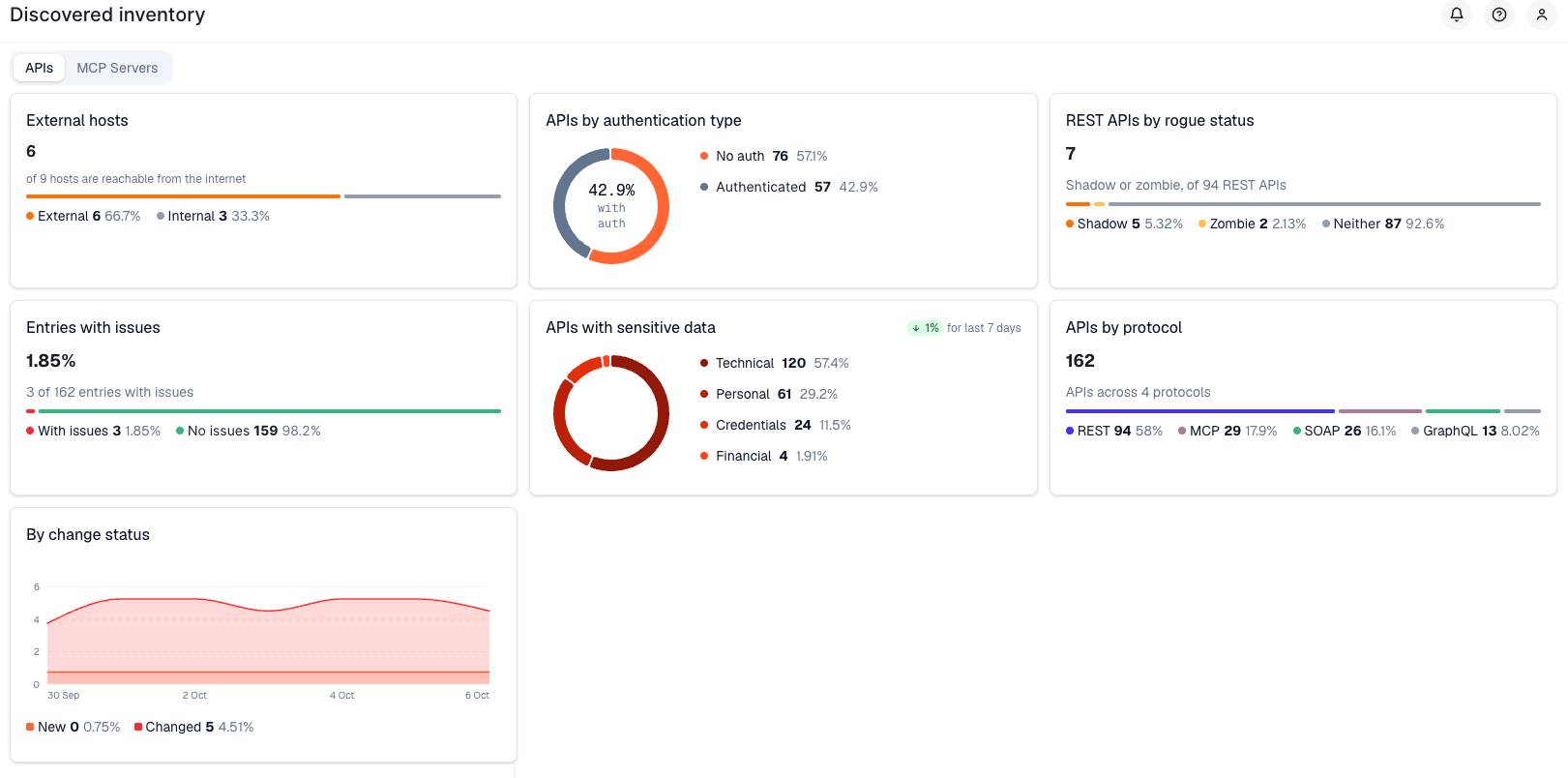
The tab leads with what needs attention first:
| Widget | What it shows |
| --- | --- |
| **External hosts** | How many of your hosts are reachable from the internet versus internal-only. See [Host exposure (external vs. internal)](#host-exposure-external-vs-internal) below. |
| **APIs by authentication type** | The share of endpoints called **without authentication** versus authenticated. See [Authentication detection](#authentication-detection) below. |
| **REST APIs by rogue status** | [Shadow and zombie](https://docs.wallarm.com/api-discovery/rogue-api.md) endpoints as a share of your REST APIs — traffic that does not match your uploaded specification. |
| **Entries with issues** | The share of endpoints with open [security issues](https://docs.wallarm.com/api-attack-surface/security-issues.md) (vulnerabilities). |
| **APIs with sensitive data** | Endpoints broken down by the class of [sensitive data](https://docs.wallarm.com/api-discovery/sensitive-data.md) they carry (Technical, Personal, Credentials, Financial). |
| **APIs by protocol** | Your inventory split across REST, GraphQL, SOAP, gRPC, and MCP. |
| **By change status** | A chart of new and changed endpoints over the [last 7 days](https://docs.wallarm.com/api-discovery/track-changes.md). |
| **Sensitive data discovered** | The specific [sensitive-data types](https://docs.wallarm.com/api-discovery/sensitive-data.md) found (Token, Email, JWT, Credit card number, and others), with the number of entries carrying each. |
| **Assets requiring attention** | The endpoints to look at first — see [Assets requiring attention](#assets-requiring-attention) below. |
## MCP Servers tab
When API Discovery finds [MCP servers](https://docs.wallarm.com/api-discovery/overview.md#supported-protocols) in your traffic, the **MCP Servers** tab gives them the same treatment, measured in MCP primitives:
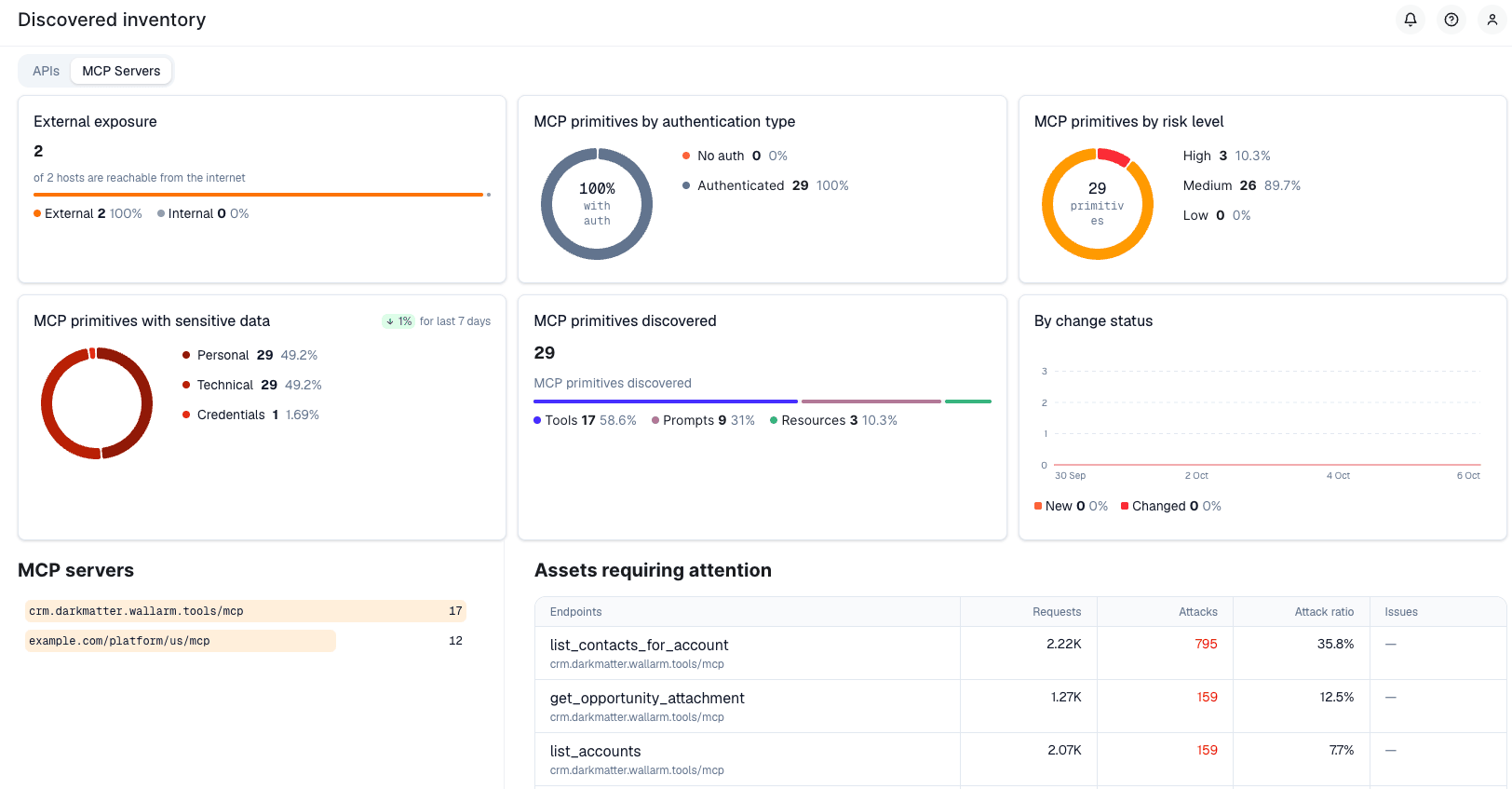
* **External exposure**, **MCP primitives by authentication type**, **MCP primitives with sensitive data**, and **By change status** mirror the APIs tab.
* **MCP primitives by risk level** groups the discovered primitives into High / Medium / Low risk.
* **MCP primitives discovered** splits them by type — **Tools**, **Prompts**, and **Resources**.
* **MCP servers** lists each discovered server and the number of primitives it exposes.
* **Assets requiring attention** ranks individual MCP primitives by attack ratio, exactly as it ranks endpoints on the APIs tab.
## Authentication detection
The **APIs by authentication type** widget (and its MCP equivalent) is built on API Discovery's [authentication flow detection](https://docs.wallarm.com/api-discovery/authentication.md), which reads live traffic to separate authenticated endpoints from those called **without authentication** — the metric this widget leads with.
See [Authentication Flow Detection](https://docs.wallarm.com/api-discovery/authentication.md) for how it works: the authentication types and default parameters detected automatically, the 7-day observation window, the node-version requirements, and how to register custom authentication parameters.
## Host exposure (external vs. internal)
The **External hosts** widget, and the **Public exposure** filter in the [API inventory](https://docs.wallarm.com/api-discovery/exploring.md#filtering), classify every discovered host as **External** (reachable from the public internet), **Internal**, or **Unknown**. This is the fastest way to narrow your attention to your true attack surface — an internet-facing endpoint with no authentication matters far more than an identical endpoint that only serves a private network.
See [Host exposure (external vs. internal)](https://docs.wallarm.com/api-discovery/exploring.md#host-exposure-external-vs-internal) for how each host is classified and how often it is refreshed. Click the **External** segment of the widget to list every endpoint on an internet-facing host.
## Assets requiring attention
The **Assets requiring attention** table lists the 10 endpoints (or MCP primitives) with the highest **attack ratio** — [attack requests](https://docs.wallarm.com/user-guides/events/check-attack.md) as a share of total requests. An endpoint where most requests are attacks ranks above a busy endpoint that sees only a few, so the list surfaces what is actually under pressure rather than what is merely high-traffic.
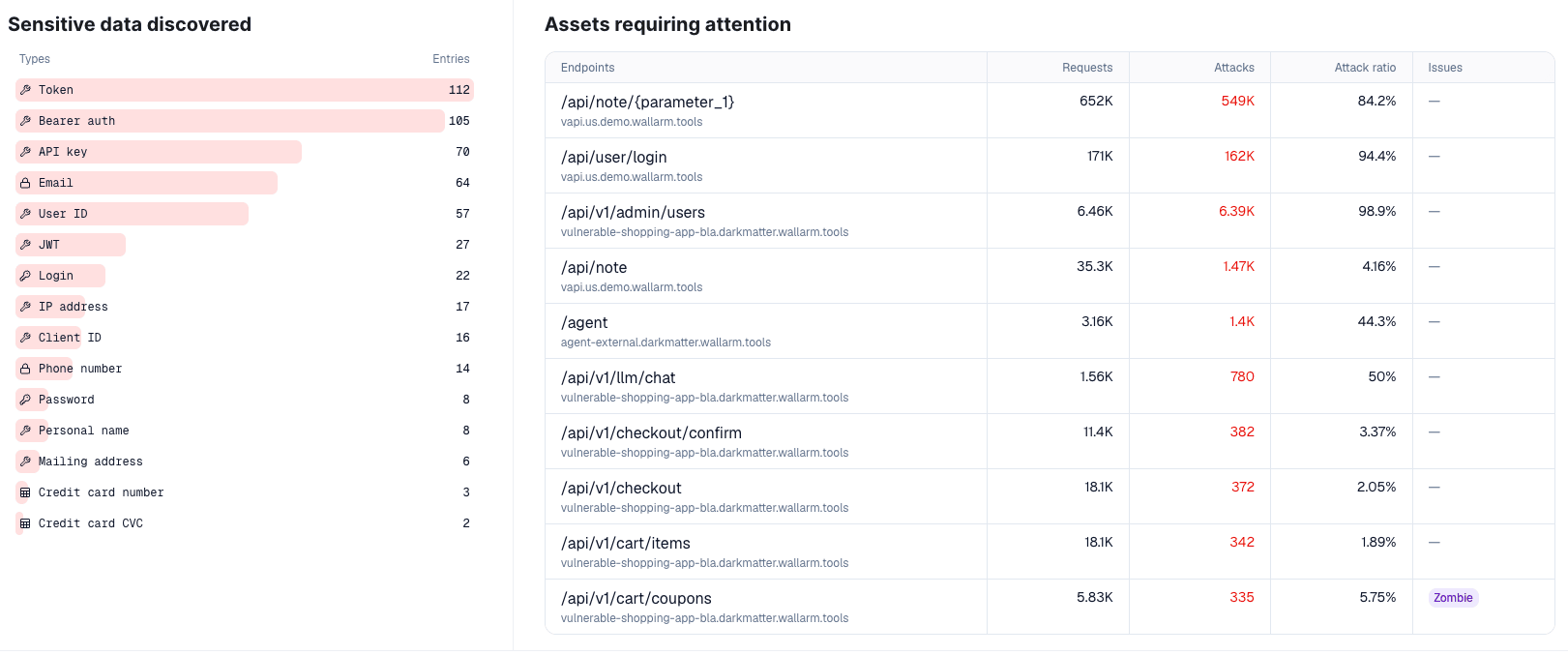
| Column | Description |
| --- | --- |
| **Endpoints** | The endpoint path and its host. |
| **Requests** | Total requests over the period. |
| **Attacks** | Requests detected as [attacks](https://docs.wallarm.com/user-guides/events/check-attack.md). |
| **Attack ratio** | Attack requests as a percentage of total requests. |
| **Issues** | A flag showing why the endpoint stands out — for example a **Shadow** or **Zombie** [rogue status](https://docs.wallarm.com/api-discovery/rogue-api.md), or an open [security issue](https://docs.wallarm.com/api-attack-surface/security-issues.md). |
## 7-day trends
The **APIs by authentication type**, **REST APIs by rogue status**, **Entries with issues**, and **APIs with sensitive data** widgets each show how their value changed over the **last 7 days**, and the **By change status** chart plots new and changed endpoints over time, so you can see your inventory growing and shifting rather than only its current size. Change tracking is described in [Track API Changes](https://docs.wallarm.com/api-discovery/track-changes.md).
## Drilling down to endpoints
Every widget is a launch point into the [API inventory](https://docs.wallarm.com/api-discovery/exploring.md). Click a number, a donut slice, a bar, or a table row to open the matching endpoint list with the filters already applied — for example, click the unauthenticated slice to open the inventory filtered to endpoints with no authentication, or click a sensitive-data type to open the endpoints carrying it.
---
## https://docs.wallarm.com/api-discovery/track-changes/
# Tracking changes in API and MCP
If changes occur in your API or MCP servers, [API Discovery](https://docs.wallarm.com/api-discovery/overview.md) updates the built API inventory, highlights the changes and gives you information on when and what has changed. This applies to both REST/GraphQL/SOAP/gRPC endpoints and MCP primitives (tools, resources, prompts).
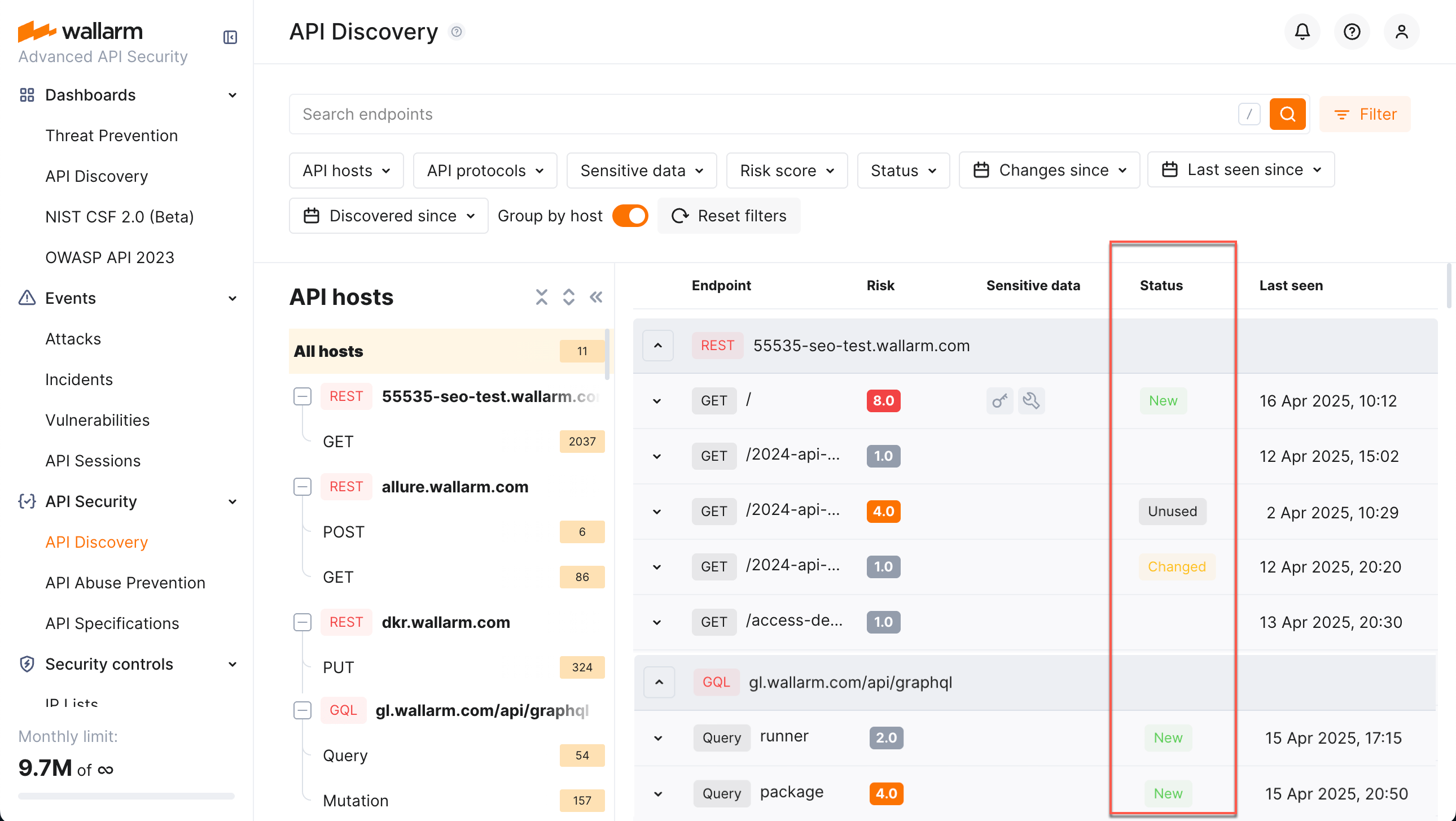
## Overview
The company may have several teams, disparate programming languages, and a variety of language frameworks. Thus changes can come to the API at any time from different sources, which makes them difficult to control. For security officers it is important to detect changes as soon as possible and analyze them. If missed, such changes may hold some risks, for example:
* The development team can start using a third-party library with a separate API and they do not notify the security specialists about that. This way the company gets endpoints that are not monitored and not checked for vulnerabilities. They can be potential attack directions.
* PII data begins to be transferred to the endpoint. An unplanned transfer of PII can lead to a violation of compliance with the requirements of regulators, as well as lead to reputational risks.
* An endpoint important for the business logic (for example, `/login`, `/order/{order_id}/payment/`) is no longer called.
* Other parameters that should not be transferred, for example `is_admin` (someone accesses the endpoint and tries to do it with administrator rights) begin to be transferred to the endpoint.
* A new MCP tool or resource appears on an MCP server without the security team's knowledge, potentially exposing sensitive data or operations to AI agents.
## Highlighting changes in API
In the **Status** column for endpoints, MCP primitives, and their parameters, API Discovery provides data about changes for the last week:
* **New** for the endpoints or MCP primitives discovered within a week.
* **Changed** for the endpoints or MCP primitives that have newly discovered parameters or parameters that obtained the `Unused` status within the period. In the details of the endpoint or primitive, such parameters will have a corresponding mark.
* A parameter gets the `New` status if it is discovered within the last week.
* A parameter gets the `Unused` status if it does not pass any data for a week.
* If later the parameter in the `Unused` status passes data again it will lose the `Unused` status.
* **Unused** for the endpoints or MCP primitives not requested (with the code 200 in response) within the last week or longer.
* If later the endpoint or primitive in the `Unused` status is requested (with the code 200 in response) again it will lose the `Unused` status.
!!! warning "Unused endpoints are removed after 30 days"
Endpoints that receive no qualifying requests for **30 days** since their last update are automatically removed from your API inventory, together with their parameters, sensitive-data history, authentication coverage, and risk-score evolution. **Removed entries cannot be restored.** If traffic to such an endpoint resumes later, the endpoint reappears as **New** and discovery starts over from scratch — past parameter information and history are not recovered.

Use **Changed since** filter to only see endpoints or MCP primitives changed in a specific time period, for example, today.
## Notifications
API Discovery can notify you about endpoint changes in two ways:
* **Email digests** — daily or hourly summaries of new and changed endpoints, delivered to your account email and any additional addresses.
* **Per-endpoint alerts via triggers** — one notification per changed endpoint, delivered through any configured integration (Slack, webhook, SIEM, PagerDuty, Microsoft Teams, Telegram, and others) using the **Changes in API** [trigger](https://docs.wallarm.com/user-guides/triggers/triggers.md) condition.
### Email notifications
You can configure API Discovery email notifications to be sent to your personal email address (used to log in) and to additional email recipients.
Available notifications:
* Daily endpoint changes
* Hourly endpoint changes
Notifications include both newly discovered and changed endpoints. Email notifications are disabled by default.
1. In Wallarm Console, go to **Configuration** → **Integrations** → **Email and messengers**:
* **Personal email** – configure notifications for your login email address
* **Email report** – configure notifications for additional email recipients
For details, see [email integrations](https://docs.wallarm.com/user-guides/settings/integrations/email.md).
2. In the **API Discovery notifications** section, select the notifications you want to receive (hourly or daily notifications about [new and changed](https://docs.wallarm.com/api-discovery/track-changes.md#highlighting-changes-in-api) endpoints).
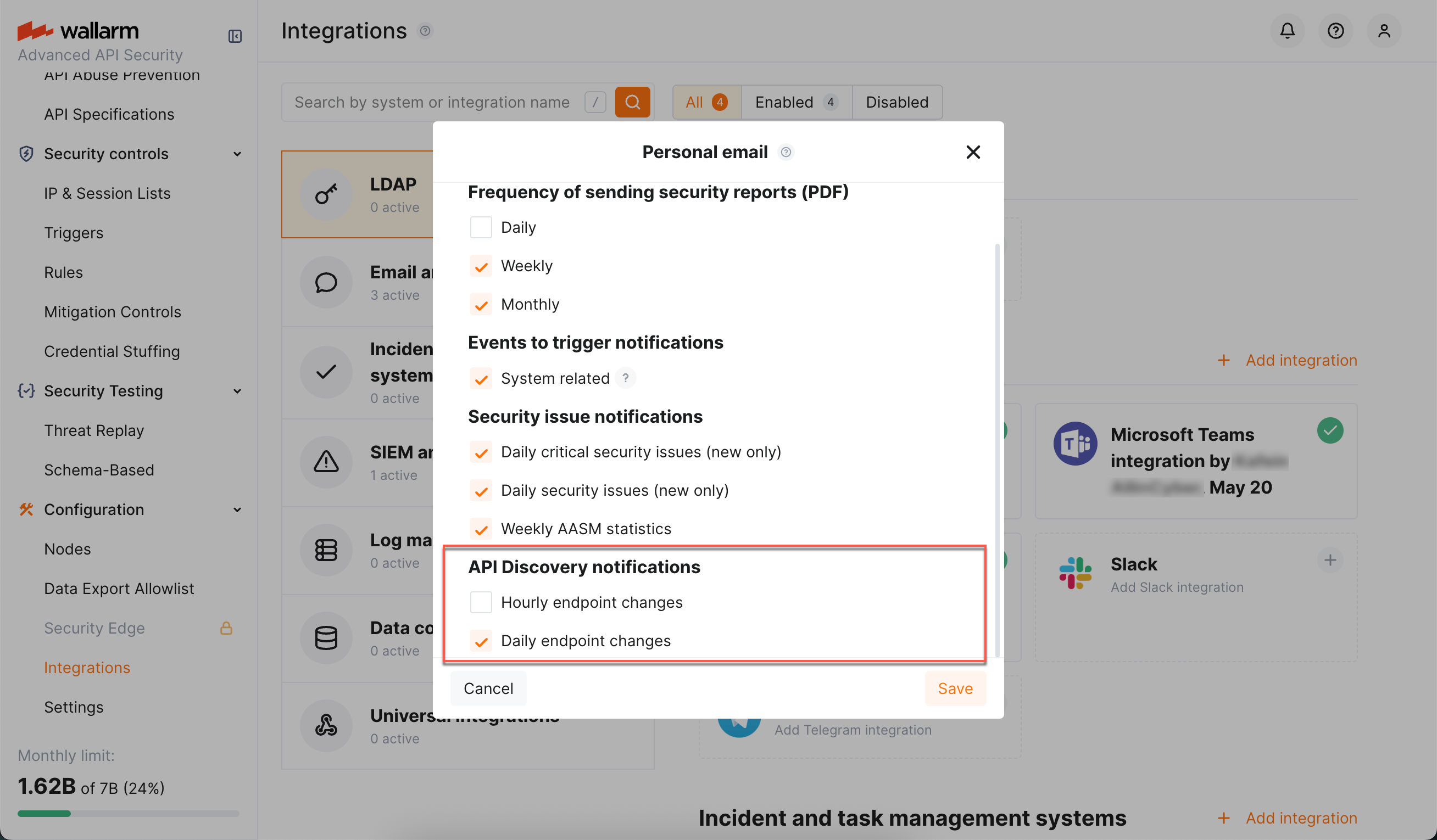
### Per-endpoint alerts via triggers
To receive a notification for every endpoint that changes — and to deliver these notifications through any integration configured in your account — configure a Wallarm [trigger](https://docs.wallarm.com/user-guides/triggers/triggers.md) with the **Changes in API** condition.
**How it works**
* Every hour, API Discovery evaluates endpoints that changed since the previous run against all enabled **Changes in API** triggers for your account.
* For every REST endpoint whose status matches the trigger [filters (**New**, **Changed**, or **Unused**)](#highlighting-changes-in-api), one event is sent to the integrations selected in the trigger's actions.
* Each event includes the endpoint's HTTP method, host, path, application, change type, and the list of parameters with their detected sensitive data types — so the receiving system has the full context without needing to open Wallarm Console.
!!! info "REST only"
Currently, the **Changes in API** trigger evaluates only REST endpoints. Changes in GraphQL, SOAP, gRPC, and MCP primitives are not yet delivered through this trigger.
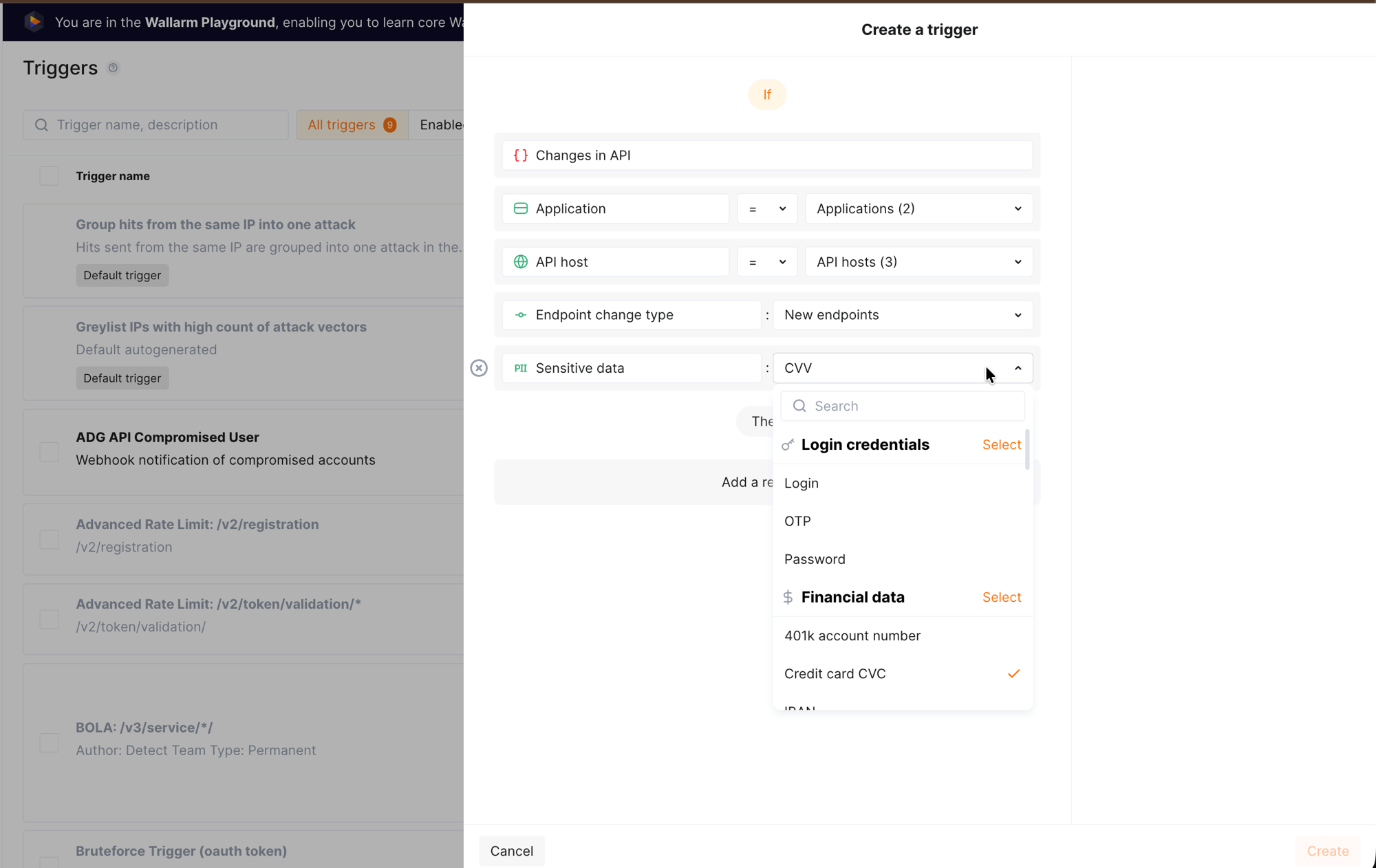
**Filters**
When creating the trigger, you can narrow notifications using filters specific to the **Changes in API** condition:
| Filter | Values | Purpose |
|--------|--------|---------|
| **Application** | One or more [applications](https://docs.wallarm.com/user-guides/settings/applications.md) | Notify only about changes in selected applications. |
| **API host** | One or more hostnames | Notify only about changes on selected hosts. |
| **Endpoint change type** | `New endpoints`, `Changed endpoints`, `Unused endpoints` | Notify only about a specific kind of change. |
| **Sensitive data** | One or more [sensitive data types](https://docs.wallarm.com/api-discovery/sensitive-data.md) | Notify only when the changed endpoint carries the selected sensitive data types — useful for monitoring PCI- or PII-scoped APIs. |
All filters accept multiple values. If you set several filters, they are combined with AND — all conditions must match for the notification to be sent.
**Event data points**
Each event represents one changed endpoint. The table below lists the **maximum** set of data points the event can carry; the actual content that reaches the receiving system depends on the integration (delivery) type selected in the trigger's action. Structured channels (webhook, SIEM) typically receive the full payload, while message-oriented channels (Slack, Microsoft Teams, Telegram, email) render a condensed summary built from the same data.
| Data point | Description |
|------------|-------------|
| Headline | Short headline of the event, used by message-oriented integrations as the message title. |
| Summary | Human-readable summary describing what changed. |
| Application | Name of the [application](https://docs.wallarm.com/user-guides/settings/applications.md) the endpoint belongs to. |
| Domain | Hostname on which the endpoint was discovered. |
| Endpoint path | Path of the endpoint. |
| HTTP method | `GET`, `POST`, `PUT`, `PATCH`, `DELETE`, and so on. |
| Change type | Kind of change detected on the endpoint: `added`, `changed`, or `unused`. |
| Parameters | List of endpoint parameters that caused or accompanied the change. For each parameter, the event carries: |
| — Path-like location | Where the parameter sits inside the request or response — for example, `["header", "ACCEPT"]` for a request header named `ACCEPT`, or `["response_header", "CONTENT-TYPE"]` for a response header. |
| — Parameter name | Name of the parameter. |
| — Parameter class | Where the parameter is carried — for example, `header`, `response_header`, `request_body`. |
| — Parameter change type | Whether the parameter itself is `new` or `changed`. |
**Example: notify in Slack when new endpoints appear on `example.com`**
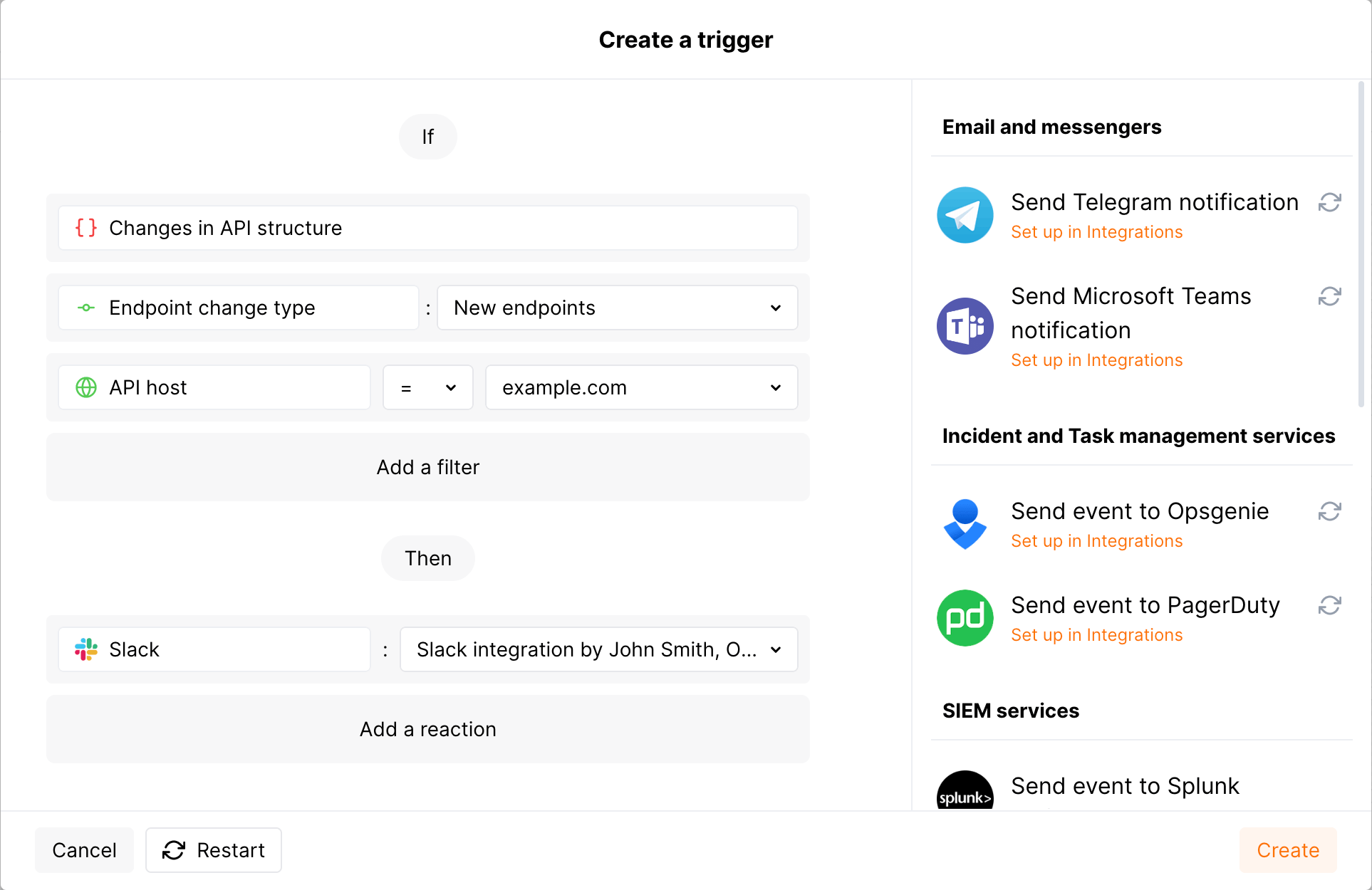
1. Configure a Slack [integration](https://docs.wallarm.com/user-guides/settings/integrations/slack.md) in Wallarm Console → **Integrations** in the [US](https://us1.my.wallarm.com/integrations/) or [EU](https://my.wallarm.com/integrations/) cloud.
1. Go to the **Triggers** section and create a trigger with the **Changes in API** condition. Set the **API host** filter to `example.com` and the **Endpoint change type** filter to `New endpoints`. Select the Slack integration as the action.
1. Send several requests to `example.com/users` to receive the `200` (`OK`) response.
1. In the **API Discovery** section, verify that the endpoint appears with the **New** mark.
1. Within an hour, a message summarizing the new endpoint and any sensitive data it carries arrives in your Slack channel.
The message will look similar to the following:
```
[wallarm] A new endpoint has been discovered in your API
Notification type: api_structure_changed
The new GET example.com/users endpoint has been discovered in your API.
Client: Client 001
Cloud: US
Details:
application: Application 1802
domain: example.com
endpoint_path: /users
http_method: GET
change_type: added
link: https://my.wallarm.com/api-discovery?instance=1802&method=GET&q=example.com%2Fusers
```
---
## https://docs.wallarm.com/api-discovery/risk-score/
# Endpoint and MCP Primitive Risk Score
[API Discovery](https://docs.wallarm.com/api-discovery/overview.md) automatically calculates a **risk score** for each API endpoint and MCP primitive in your inventory. The risk score allows you to understand which endpoints and MCP primitives are most likely to be an attack target and therefore should be the focus of your security efforts.
## Risk score factors
The risk score is made up of various factors, each having its own weight when calculating the final risk score. By default, the highest weight from all factors is used as the endpoint or MCP primitive risk score.
| Factor | Description | Default weight |
| --- | --- | --- |
| Active vulnerabilities (security issues) | [Active vulnerabilities](https://docs.wallarm.com/about-wallarm/detecting-vulnerabilities.md) may result in unauthorized data access or corruption. | 9 |
| Parameters with sensitive data | Rather than directly attacking APIs, attackers can steal [sensitive data](https://docs.wallarm.com/api-discovery/overview.md#sensitive-data-detection) and use it to reach your resources. | 8 |
| Number of query and body parameters | A large number of parameters increases the number of attack directions. | 6 |
| Accepts XML / JSON objects* | XML or JSON objects passed in requests may be used by attackers to transfer malicious XML external entities and injections to the server. | 6 |
| Allows uploading files to the server | Endpoints are frequently targeted by [Remote Code Execution (RCE)](https://docs.wallarm.com/attacks-vulns-list.md#remote-code-execution-rce) attacks, where files with malicious code are uploaded to a server. To secure these endpoints, uploaded file extensions and contents should be properly validated as recommended by the [OWASP Cheat Sheet](https://cheatsheetseries.owasp.org/cheatsheets/File_Upload_Cheat_Sheet.html). | 6 |
* This risk factor is not accounted for GraphQL and SOAP since any API request of this type accepts XML / JSON object.
## Risk score levels
Risk score may be from `1` (lowest) to `10` (highest):
| Value | Risk level | Color |
| --------- | ----------- | --------- |
| 1 to 3 | Low | Gray |
| 4 to 7 | Medium | Orange |
| 8 to 10 | High | Red |
* `1` means no risk factors for this endpoint or MCP primitive.
* Sort by risk score in the **Risk** column.
* Filter `High`, `Medium` or `Low` using the **Risk score** filter.
To understand what caused the risk score and how to reduce the risk, click the endpoint or MCP primitive to open its [full-screen details page](https://docs.wallarm.com/api-discovery/exploring.md#endpoint-details-view) and go to the **Risk** tab:
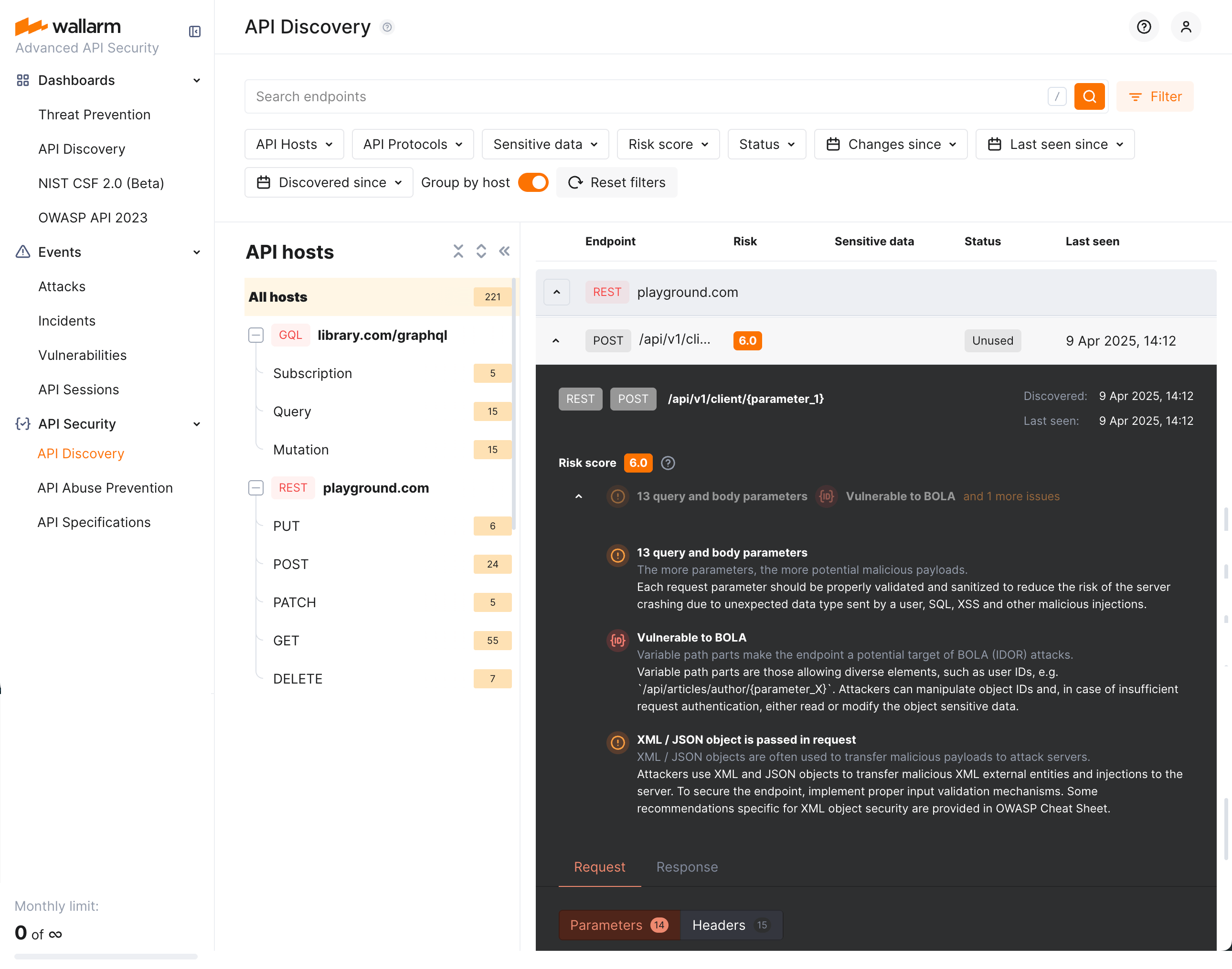
[Security issues](https://docs.wallarm.com/api-attack-surface/security-issues.md) (vulnerabilities) are one of the most important factors contributing to risk score. On the endpoint or MCP primitive details page, click the vulnerability name to open its full description in the **Security Issues** section. There you can learn mitigation methods and apply them.
---
## https://docs.wallarm.com/api-discovery/rogue-api/
# Rogue API Detection (Shadow & Zombie API)
The [API Discovery](https://docs.wallarm.com/api-discovery/overview.md) module can detect **rogue APIs** by comparing live traffic against your uploaded OpenAPI specifications. This goes beyond inventory and provides security insights: you see which endpoints are undocumented or deprecated but still in use.
**What this gives you:**
* **Shadow API detection** — Find undocumented endpoints (in traffic but not in any of your specs).
* **Zombie API detection** — Find deprecated endpoints that still handle traffic (removed from spec but still in use).
* **Cumulative baseline** — Traffic is compared against the **sum of all** uploaded specifications that you have enabled for rogue API detection for a given host or application. You do not need to choose a single spec.
* **Configurable scope** — Applications and/or hosts, selected in each API specification [configuration](#setup), are considered as filters for the comparison: traffic within a selected scope only is compared with a specification.
| Rogue API type | What is it? |
|--|--|
| [Shadow API](#shadow-api) | An undocumented API that exists in your infrastructure without being described in your specifications. |
| [Zombie API](#zombie-api) | A deprecated API that is no longer in your current specification but still receives traffic. |
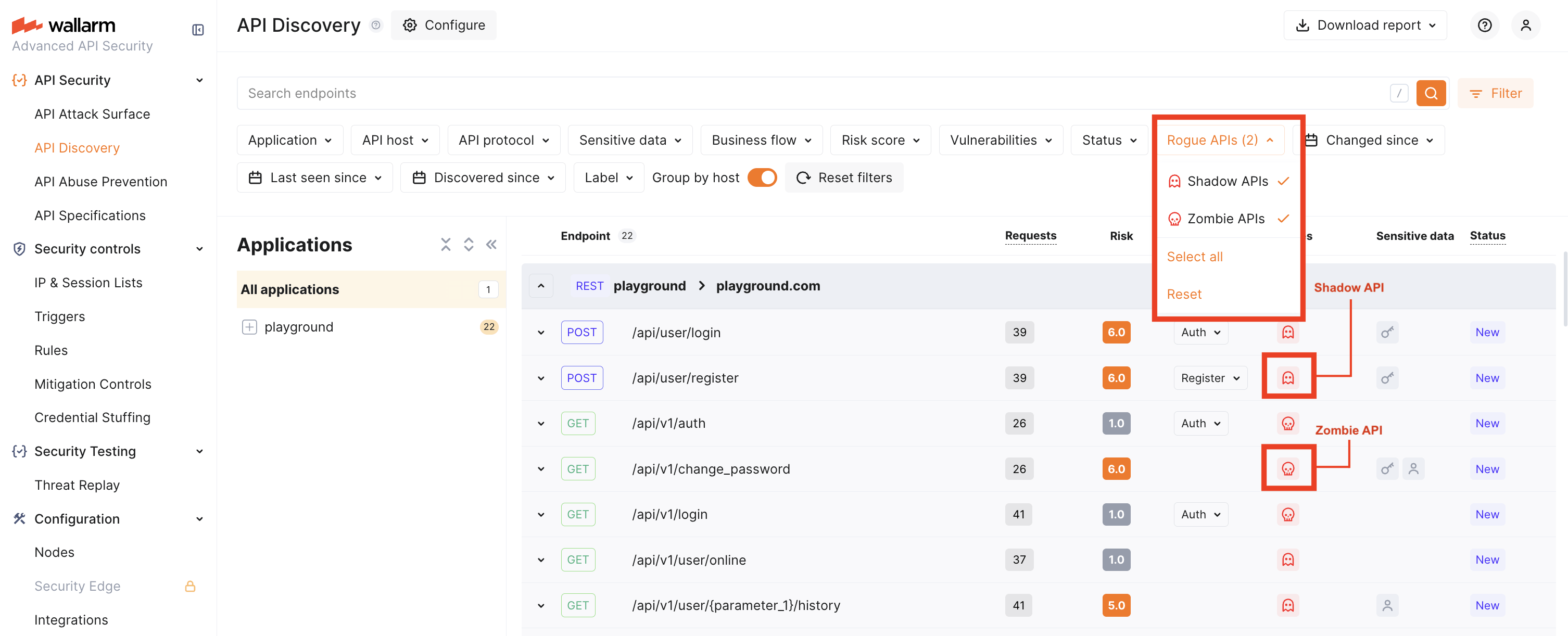
## How it works
* You upload one or more OpenAPI specifications and enable **Rogue API detection** for each, selecting the **applications** and **hosts** they apply to.
* Wallarm builds a **cumulative baseline** from all such specs for each host/application: an endpoint is treated as **shadow** only if it is absent in **all** specs that are associated with that host or application.
* Traffic is compared against this baseline. Endpoints that appear in traffic but not in the baseline are **shadow**; endpoints that were in a previous version of a spec but not in the current version and still appear in traffic are **zombie**.
* Applications and/or hosts, selected in each API specification [configuration](#setup), are considered as filters for the comparison: traffic within a selected scope only is compared with a specification.
!!! warning "Base paths and the `servers` section"
Rogue API detection **ignores** hostnames and base paths from the `servers` section of your OpenAPI specification. To ensure accurate comparison:
* **Define hosts and applications explicitly** in Wallarm Console when enabling rogue API detection for each specification.
* **Include base paths in the `paths` section** of your specification. For example, if your API base path is `/api/v1`, use `/api/v1/users` instead of `/users` as the path key.
## Setup
1. Go to **API Security** → **API Specifications** ([US Cloud](https://us1.my.wallarm.com/api-specifications/) or [EU Cloud](https://my.wallarm.com/api-specifications/)).
2. Click **Upload specification** and upload an OpenAPI 3.0 or 3.1 file (JSON or YAML).
!!! tip ""
OAS 3.1 requires [NGINX Node](https://docs.wallarm.com/installation/nginx-native-node-internals.md#nginx-node) 6.6.1+ or [Native Node](https://docs.wallarm.com/installation/nginx-native-node-internals.md#native-node) 0.20.0+.
3. Open the uploaded specification and go to the **Rogue APIs detection** tab.
!!! info "API specification enforcement"
Specifications can also be used for [API specification enforcement](https://docs.wallarm.com/api-specification-enforcement/overview.md).
4. Turn on **Rogue API detection**, then select the **Applications** and **Hosts** for which this spec should be used. Only endpoints for the selected hosts (and applications) will be checked for rogue APIs against this spec.
5. Save. Allow about 5 minutes for comparison to run.
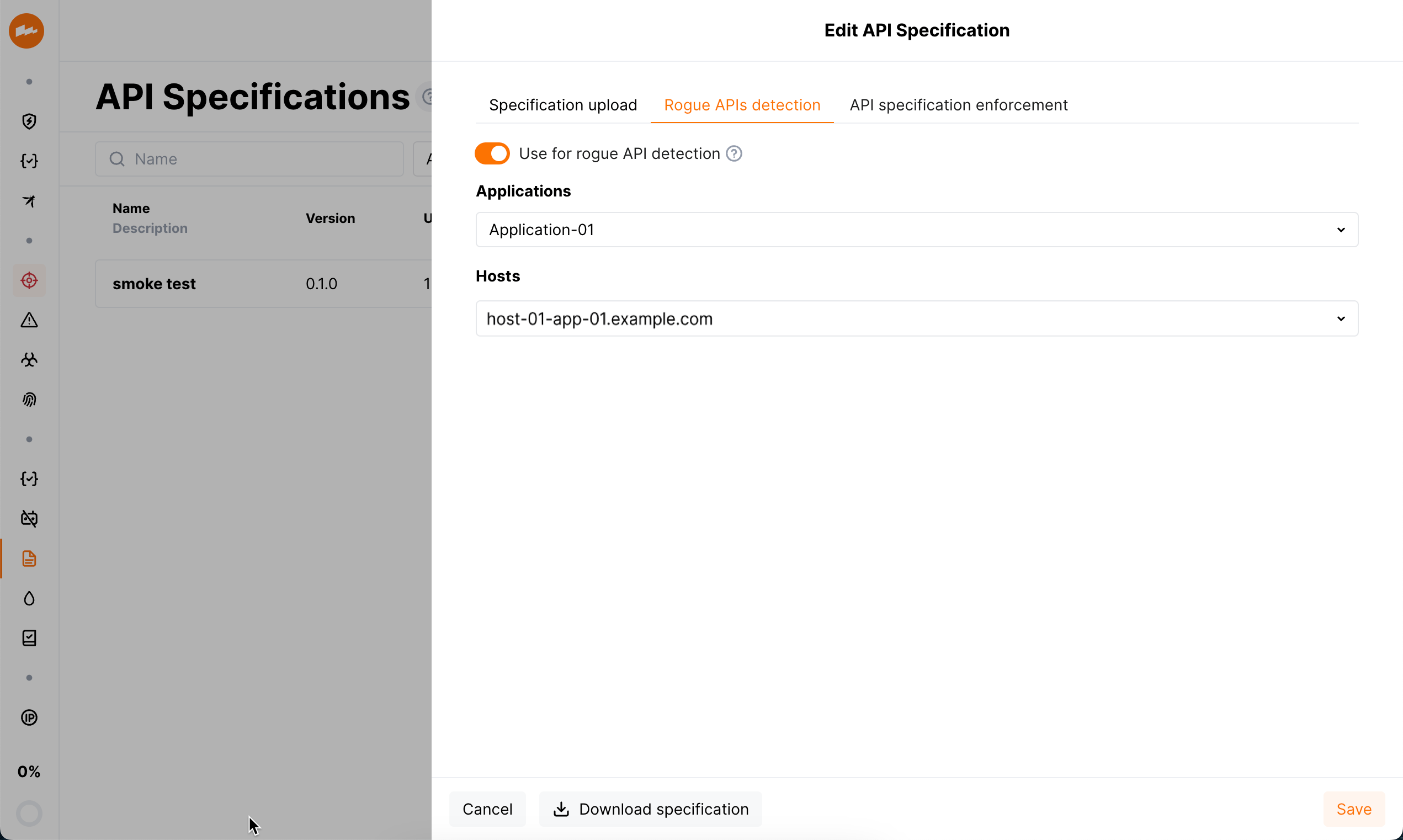
You can upload multiple specifications. Each one with **Rogue API detection** enabled for a given host or application contributes to the **cumulative baseline** for that host/application. An endpoint is classified as shadow only if it is missing from every spec that applies to that host/application.
### When comparison runs
* Comparison starts after you complete the setup above.
* It re-runs if you change and save rogue API detection settings, or upload a new specification file.
* If the specification is loaded from a URI and **Regularly update the specification** (every hour) is enabled, comparison can also re-run when the file at the URI is updated.
You can download the current specification from **API Specifications** → open the spec → **Download specification**.
### Disabling
Rogue API detection uses every uploaded specification that has **Use for rogue APIs detection** (Rogue API detection) enabled. If you disable this option for a specification or delete the specification:
* Rogue API detection will no longer use that specification.
* All previously detected rogue API data that depended on that specification will be removed.
## Viewing rogue APIs
After comparison has run (about 5 minutes after setup or after a restart):
1. Go to **API Security** → **API Discovery** ([US](https://us1.my.wallarm.com/api-discovery) or [EU](https://my.wallarm.com/api-discovery)).
2. Use the **Rogue APIs** filter to show only **Shadow** and/or **Zombie** endpoints.

Rogue API counts are also shown in **API Specifications** for each spec. Full UI integration of rogue API status into risk factors and endpoint details is planned for a later release. Until then, use the **Rogue APIs** filter in API Discovery as the main way to view shadow and zombie endpoints.
## Specification versions and zombie APIs
[Zombie APIs](#zombie-api) are endpoints that were in a **previous** version of your specification (and are now removed or deprecated) but still appear in live traffic. To detect them, Wallarm needs at least two specification versions:
* If you uploaded the spec from a URI and chose **Regularly update the specification**, publish a new version at that URI. It will be picked up on the next update.
* If you upload from your machine, open the specification, choose a new file (with updated content or a different name), and save. That is treated as the next version.
Wallarm compares the current version with the previous one and marks endpoints that are in the old version, not in the new version, but still seen in traffic as zombie APIs.
## Coverage and using API Discovery–generated specs
* **Coverage:** Rogue API detection runs only for the **hosts and applications** you selected when enabling the feature for each specification. For example: one host with 5 specs describing 50 endpoints, while API Discovery sees 100 endpoints on that host — the 50 endpoints not covered by any spec will be classified as **shadow**. Endpoints on hosts/applications that have no specs with rogue API detection enabled are not classified as shadow or zombie.
* **Specs produced by API Discovery:** You can use specifications [downloaded from API Discovery](https://docs.wallarm.com/api-discovery/exploring.md) for rogue API detection, but use them with care. API Discovery does not process 100% of traffic, so such a spec may be incomplete (e.g. rarely used parameters or endpoints may be missing). A clear in-product flow for “use APID-generated spec for rogue detection” is planned for a later release; for now, manually maintained or externally authored specs are better for testing and production.
## Rogue API types and risks
### Shadow API
**Shadow API** is an endpoint that exists in your live traffic but is **not described in any** of the specifications you use for rogue API detection for that host or application.
Shadow APIs increase risk because they are outside normal oversight and can be abused to access systems or data. In Wallarm, once you see shadow endpoints, you can update your specifications and run monitoring and security activities on a complete inventory.
### Zombie API
**Zombie API** is an endpoint that was **removed or deprecated** in your current specification (i.e. you intended to retire it) but **still receives traffic**.
Zombie APIs carry similar or greater risk than shadow APIs, often because they were deprecated due to insecure design. Finding them in Wallarm is a signal to verify that such endpoints are actually disabled or properly secured in your applications.
---
## https://docs.wallarm.com/api-discovery/sbf/
# Sensitive Business Flows
With the sensitive business flow capability, Wallarm's [API Discovery](https://docs.wallarm.com/api-discovery/overview.md) can automatically identify endpoints that are critical to specific business flows and functions, such as authentication, account management, billing, utilizing AI, and similar critical capabilities. Learn from this article how to use the sensitive business flow functionality.
!!! info "MCP primitives"
Sensitive business flow tagging is currently not supported for MCP primitives. It is available for REST, GraphQL, SOAP, and gRPC endpoints.
## Addressed issues
The abuse of the sensitive business flows ranks sixth ([API6](https://owasp.org/API-Security/editions/2023/en/0xa6-unrestricted-access-to-sensitive-business-flows/)) among OWASP API Top 10 risks. Protecting these sensitive business flows ensures business continuity, prevents leaking of sensitive data, reputation risks, and financial damage.
With the sensitive business flows capability, Wallarm highlights the health of the business-critical functions and helps to:
* Regularly monitor and audit endpoints related to sensitive business flows for vulnerabilities or breaches.
* Prioritize them for development, maintenance, and security efforts.
* Implement stronger security measures (e.g., encryption, authentication, access controls, and rate limits).
* Easily produce audit trails and evidence of data protection measures.
## Automatic tagging
For your convenience, API Discovery tags endpoints as belonging to sensitive business flows automatically - on discovering a new endpoint, it checks whether this endpoint potentially belongs to one or more sensitive business flows:
* **AI/LLM** (artificial intelligence/large language models) flows - requests/endpoints/parameters related to the systems that use ML models, neural networks, chatbots or systems that in turn access some paid third-party AI services, such as OpenAI.
* **Acc create** (account creation) and **Acc mgmt** (account management) flows - the key administrative flows relating to your applications.
* **Admin** (administrative) flows - requests/endpoints/parameters related to applications' administrative functions and activities. Such requests/endpoints/parameters are usually targeted by attackers in order to access functionality intended for privileged users only (BFLA), escalate privileges and gain control over the system.
* **Auth** (authentication) flows - requests/endpoints/parameters critical to access control, as they verify user identity and manage permissions. As the entry point to the app, they are often the first target for attackers seeking to bypass security, gain unauthorized access, and take over accounts.
* **Billing** flows - sensitive due to usage and possible breach of critical personal financial data and susceptible to fraud.
* **SMS GW** (SMS gateway) flows - requests/endpoints/parameters sensitive because attackers can exploit them in SMS pumping attacks, flooding them with messages to inflate costs. Since these requests/endpoints/parameters are connected to API gateways and payment systems, this can lead to financial loss and system overload.
Automatic checks are conducted using keywords from the endpoint URL (REST) or operation name (GraphQL, SOAP, gRPC). For example, keywords like `payment`, `subscription`, or `purchase` automatically associate the endpoint with the **Billing** flow, while keywords such as `auth`, `token`, or `login` link it to the **Authentication** flow. If matches are detected, the endpoint is automatically assigned to the appropriate flow.
The automatic tagging discovers most of the sensitive business flows. However, it is also possible to manually adjust the list of assigned business flows as described in the section below.
## Tagging endpoints manually
To adjust the results of [automatic tagging](#automatic-tagging), you can manually edit the list of sensitive business flows the endpoint belongs to. You can also manually tag endpoints that do not directly fall under the keyword list.
To edit the list of flows the endpoint belongs to, in Wallarm Console, go to API Discovery, then for your endpoint, in the **Business flow**, select one or several flows from the list.
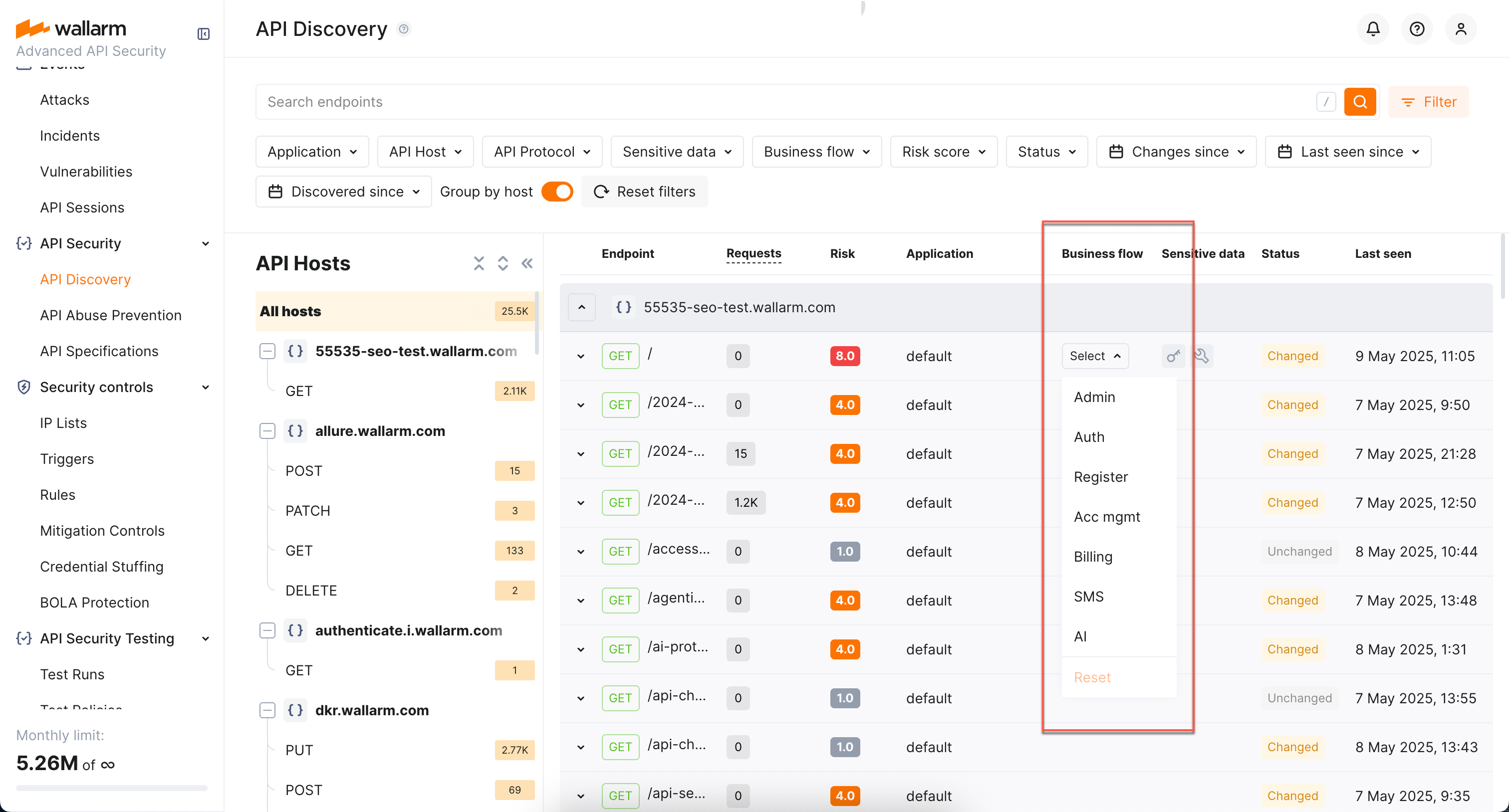
You can do this both from the endpoint list and from the endpoint's [full-screen details page](https://docs.wallarm.com/api-discovery/exploring.md#endpoint-details-view) sidebar.
## Filtering by business flow
Once endpoints are assigned the sensitive business flow tags, it becomes possible to filter all discovered endpoints by a specific business flow (the **Business flow** filter), which makes it easier to protect the most critical business capabilities.

---
## https://docs.wallarm.com/api-discovery/authentication/
# Authentication Flow Detection
API Discovery analyzes HTTP headers and request parameters in the traffic to automatically identify the **authentication flow** used by each endpoint. This helps you find endpoints that lack proper authentication — the #1 API security risk.
You can use the **Authentication** filter in the API Discovery inventory to quickly find unauthenticated endpoints or endpoints using a specific authentication type.
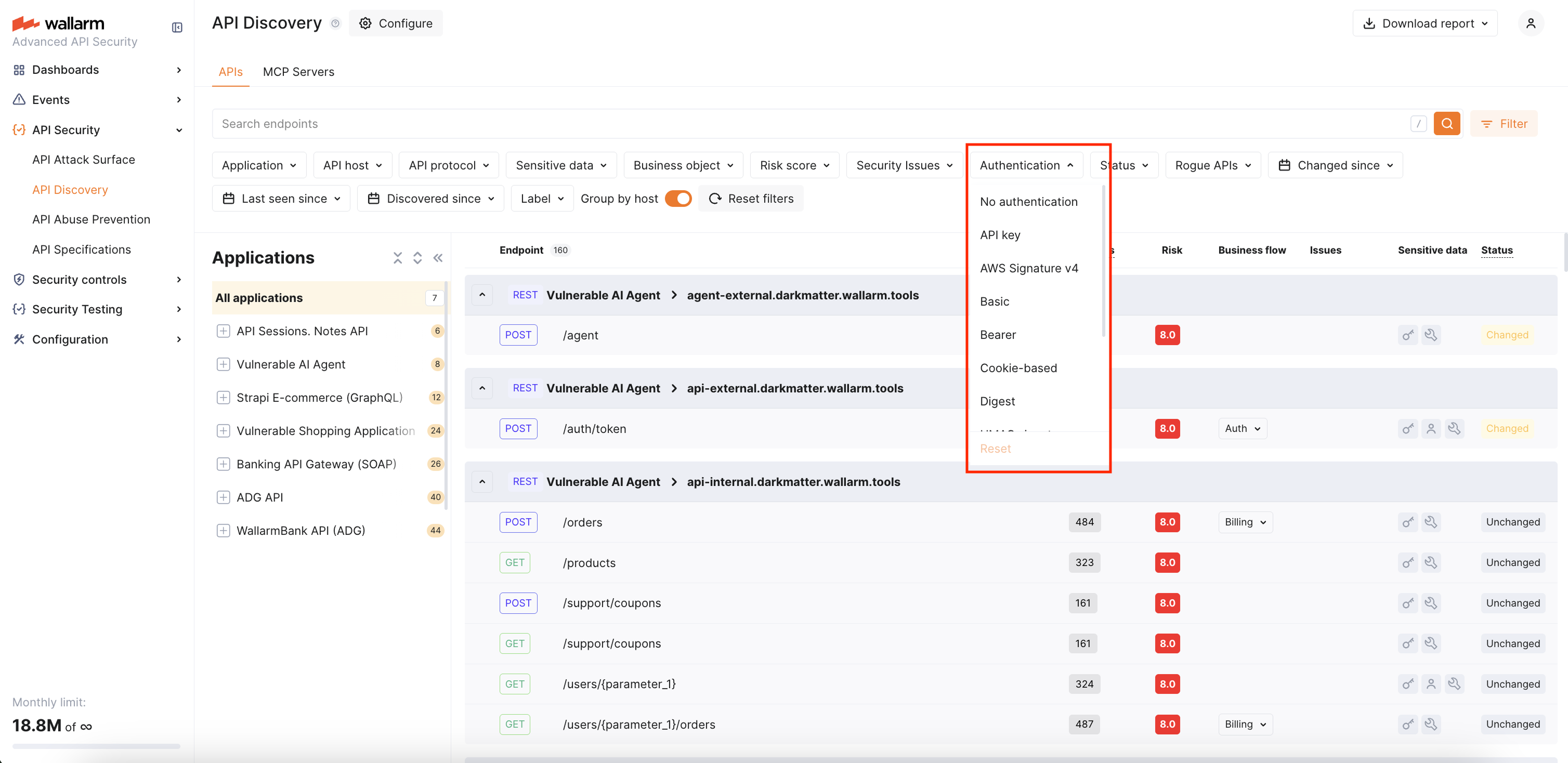
## Requirements
Authentication flow detection is supported starting from [NGINX Node](https://docs.wallarm.com/installation/nginx-native-node-internals.md#nginx-node) 6.11.0 and [Native Node](https://docs.wallarm.com/installation/nginx-native-node-internals.md#native-node) 0.24.0.
## Default authentication types
Wallarm recognizes the following authentication types:
| Authentication flow | Description |
| --- | --- |
| **API key** | API key in headers (e.g., `x-api-key`) or query parameters. |
| **AWS Signature v4** | AWS request signing (`AWS4-HMAC-SHA256` in `Authorization` header). |
| **Basic** | HTTP Basic authentication. |
| **Bearer** | Bearer token in `Authorization` header. |
| **Cookie-based** | Session-based authentication using cookies (`cookie` / `set-cookie` headers). |
| **Digest** | HTTP Digest authentication. |
| **Hawk** | Hawk authentication scheme. |
| **HMAC signature** | HMAC-based request signing. |
| **Negotiate** | SPNEGO/Kerberos authentication. |
| **NTLM** | NTLM authentication. |
| **SCRAM** | Salted Challenge Response Authentication Mechanism. |
An endpoint can have multiple authentication types if different requests use different authentication mechanisms.
## Default authentication parameters
In addition to the recognized authentication types above, Wallarm ships a curated list of common authentication parameter names that are detected automatically — no configuration needed.
The defaults cover the following request points grouped by request location:
| Location | Parameter names |
| --- | --- |
| HTTP headers | `APIKEY`, `CLIENT_SECRET`, `JWT`, `OCP-APIM-SUBSCRIPTION-KEY`, `X-SECRET`, `X-TOKEN` |
| Cookies | `access-token`, `access_token`, `auth-token`, `Authorization`, `jwt`, `KEYCLOAK_IDENTITY`, `refresh_token`, `session-token` |
| Query string | `access_token`, `api_key`, `apiKey`, `apikey`, `Authorization`, `authorization`, `client_secret`, `refresh_token` |
| Form-encoded body (`application/x-www-form-urlencoded`) | `access_token`, `api_key`, `apiKey`, `Authorization`, `authorization`, `client_secret`, `refresh_token` |
| JSON body (`application/json`) | `access_token`, `api_key`, `apiKey`, `client_secret`, `refresh_token` |
Header names are matched case-insensitively. Cookie, query, and body parameter names are matched as written — different casings (`apiKey`, `apikey`, `APIKEY`) are listed separately because real APIs use them inconsistently.
If your APIs use parameter names that fall outside this list, you can [extend the per-tenant configuration](#customizing-detected-authentication-parameters).
## Authentication status
In the **Authentication** tab of the endpoint details, Wallarm displays the overall authentication status for the endpoint. The status is based on the last 7 days of traffic and reflects what percentage of requests contained authentication parameters with valid values:
| Status | Condition | Description |
| --- | --- | --- |
| **Consistent** | 95%+ of requests authenticated | The endpoint is reliably protected by authentication. |
| **Partial** | 0–95% of requests authenticated | Some requests reach the endpoint without valid authentication. This may indicate recently added authentication that has not yet reached full coverage, or a misconfiguration. |
| **Missing** | 0% of requests authenticated | No valid authentication was detected in any requests to this endpoint over the observation period. |
!!! info "7-day observation window"
Authentication status and coverage are calculated based on the last 7 days of traffic. When authentication is newly added to an endpoint, it initially appears as **Partial** and gradually moves to **Consistent** as the 7-day window fills with authenticated requests.

## Authentication parameters
In the **Authentication** tab of the endpoint details, Wallarm lists every detected authentication parameter with the following details:
| Column | Description |
| --- | --- |
| **Type** | Authentication type (e.g., Bearer, Cookie, API key). |
| **Coverage** | Percentage of requests where this parameter contained a valid authentication value over the last 7 days. |
| **Key** | Parameter name and its context — header, cookie, or body field. |
| **Path** | Hierarchical location of the parameter within the request structure. |
A single endpoint can have multiple authentication parameters. For example, one endpoint might use a Bearer token in the `Authorization` header for 80% of requests and an API key in the body for 5%. Each parameter's coverage is calculated independently — coverages may not add up to 100%.
## Customizing detected authentication parameters
If your APIs use authentication parameters that are not part of the [default parameters](#default-authentication-parameters) — for example, a custom header, a non-standard cookie name, or a token field in the request body — you can extend the per-tenant detection list through the Wallarm API. After a parameter is added, requests carrying it are counted as authenticated when calculating endpoint authentication status, coverage, and the **Authentication** filter.
The configuration is per client (tenant). Changes affect only the client whose ID is in the request path.
### Reviewing the current configuration
To retrieve the parameters currently in effect for a client, send a `GET` request:
**US Cloud:**
``` bash
curl -X GET \
'https://us1.api.wallarm.com/v1/clients/
API Discovery detects and highlights sensitive data consumed and carried by your APIs and MCP primitives, which allows applying encryption, tokenization, or other security controls to protect it and prevent data breaches and the transmission of sensitive data across insecure channels or to unauthorized systems.
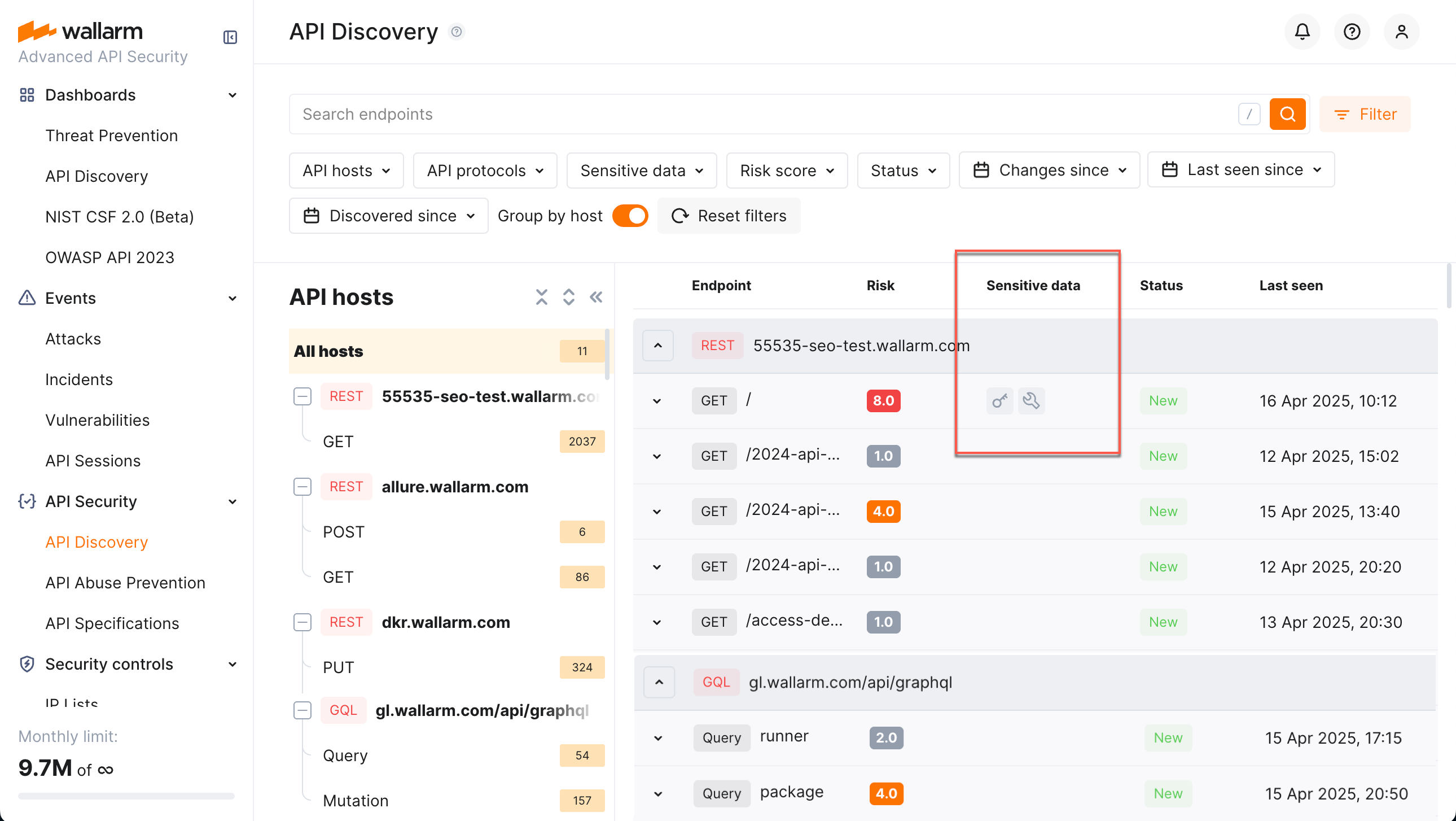
API Discovery detects the following types of sensitive data:
* Personally identifiable information (PII) like full name, passport number or SSN
* Login credentials like secret keys and passwords
* Financial data like bank card numbers
* Medical data like medical license number
* Technical data like IP and MAC addresses
In Wallarm Console, go to **API Discovery** → **Configure** → **Sensitive data** to check the list of default [sensitive data patterns](#customizing-sensitive-data-detection) provided for each of listed types.
## Customizing sensitive data detection
To make sensitive data detection fully comply with your company's specific needs and industry-specific regulations such as GDPR, HIPAA, PCI DSS, etc., API Discovery provides the ability to fine-tune the detection process.
Customization empowers you to meet your company's unique data protection obligations. Additionally, if any proprietary or specialized sensitive data elements are presented in your data flows, you will benefit from the ability to define custom regular expressions for their precise identification.
Sensitive data detection is configured with the set **sensitive data patterns** - each pattern defines specific sensitive data and settings for its search. API Discovery goes with the set of default patterns. You can modify default patterns and add your own in Wallarm Console → **API Discovery** → **Configure API Discovery** → **Sensitive data**.
You can modify or disable the default (out-of-box) patterns and quickly restore them to initial settings if necessary. Your own patterns can be created, modified, disabled and deleted at any moment.
**Confidence scores**
You can use patterns and context words to configure your sensitive data detection. Choose the confidence scores from `0.1` to `1.0` for your patterns and context words to specify how confident you are that matching this expression or the presence of the string or word next to the sensitive data means the presence of sensitive data. Use appropriate scores to detect more real entities and produce fewer false positives.
The sensitive data is detected if score threshold of `0.3` is reached or exceeded: the context word scores are summed up, from the patterns the biggest is taken. See examples below for better understanding.
You should adjust confidence scores after trying them on actual traffic data.
**Pattern-based detection**
Use a regular expression in [PCRE](https://www.pcre.org/) format to match the expected sensitive data value. When you use a regular expression, detection becomes much more precise. You can use several patterns with different scores. If any is matched, the sensitive data is detected.
Patterns are suitable for fixed-length tokens, IDs, and URIs.
**Context words**
Wallarm looks at the words around the suspected sensitive data that match the pattern. If any of the context words is found, it boosts the resulting confidence score. The context can come from URL path, query parameter name, JSON keys, and other parameters next to it.
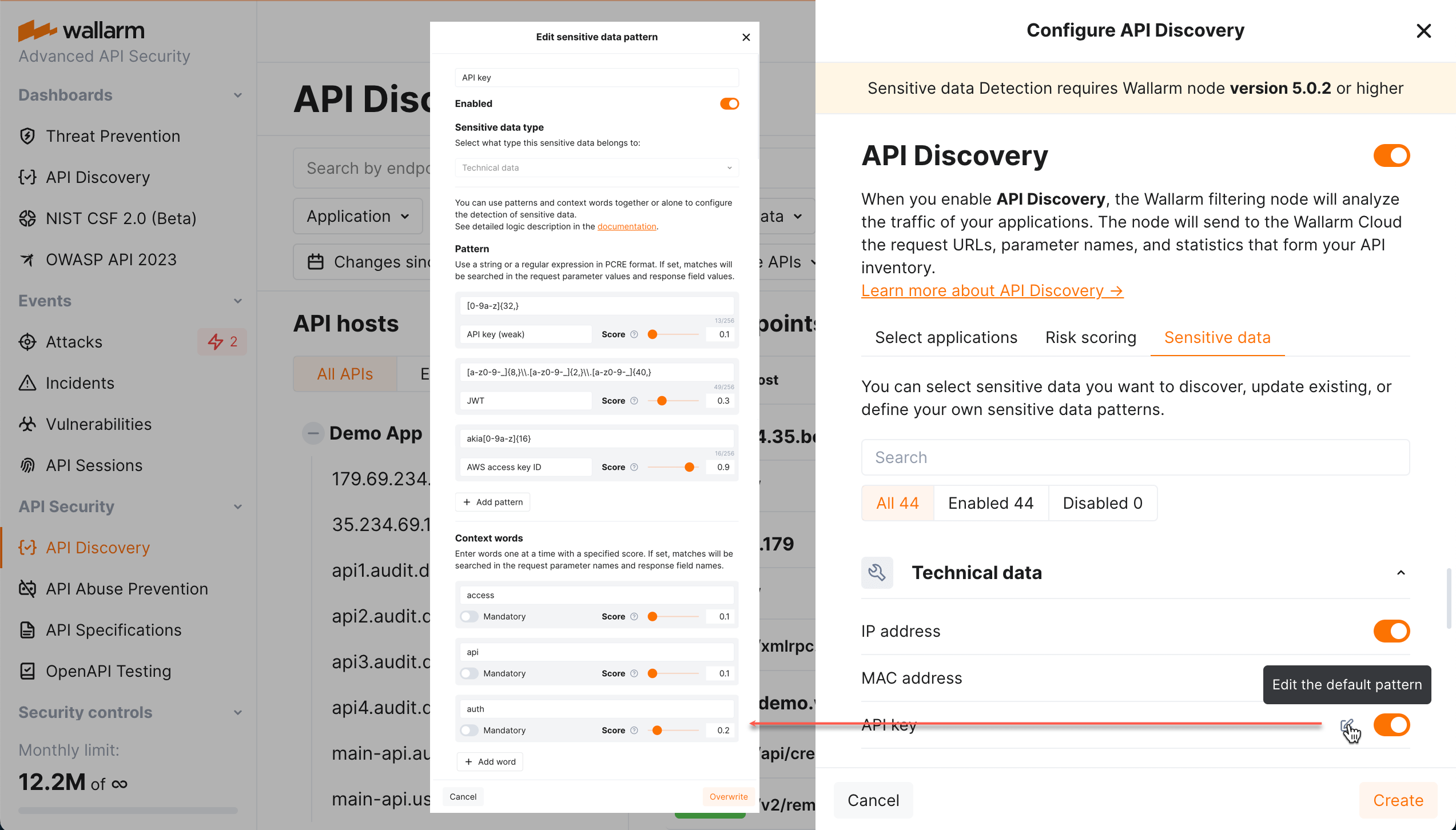
For example, on the picture above, the sensitive data will be detected:
* Immediately if the match to `JWT` or `AWS access key ID` pattern is found.
* If the match to `AWS key (weak)` is found, by itself it will not result in "yes" (score of `0.1` is below threshold of `0.3`).
* But with the context words `access` (`0.1`) and `api` (`0.1`) the sum becomes `0.3` and sensitive data is detected.
* If we mark `auth` as mandatory, the situation changes: in absence of `auth`, scores of presented `access` and `api` will be ignored and cannot boost the pattern's score.
**Context word only-based detection**
If you specify context words without patterns, Wallarm decides on sensitive data presence based on the presence of the words. The higher the sum of the confidence scores, the more likely the parameter will be marked as having your described sensitive data.
For some context-only searches, it is necessary to declare some words as **mandatory**: if the mandatory word is not present in the value's context, the parameter does not contain sensitive data.
Example: personal_name
Context words:
* name
* first
* middle
We must match `middle_name,` but not `name` or `middle`. So, we set a score for `name` to `0.1` so we will not match `name`. But we must give `middle` a big score of `0.5` because "middle_name" is a strong combination.
To prevent us from detecting "middle" without `name,` we mark `name` as mandatory for an entity. If `name` is not found, no sensitive data is detected.
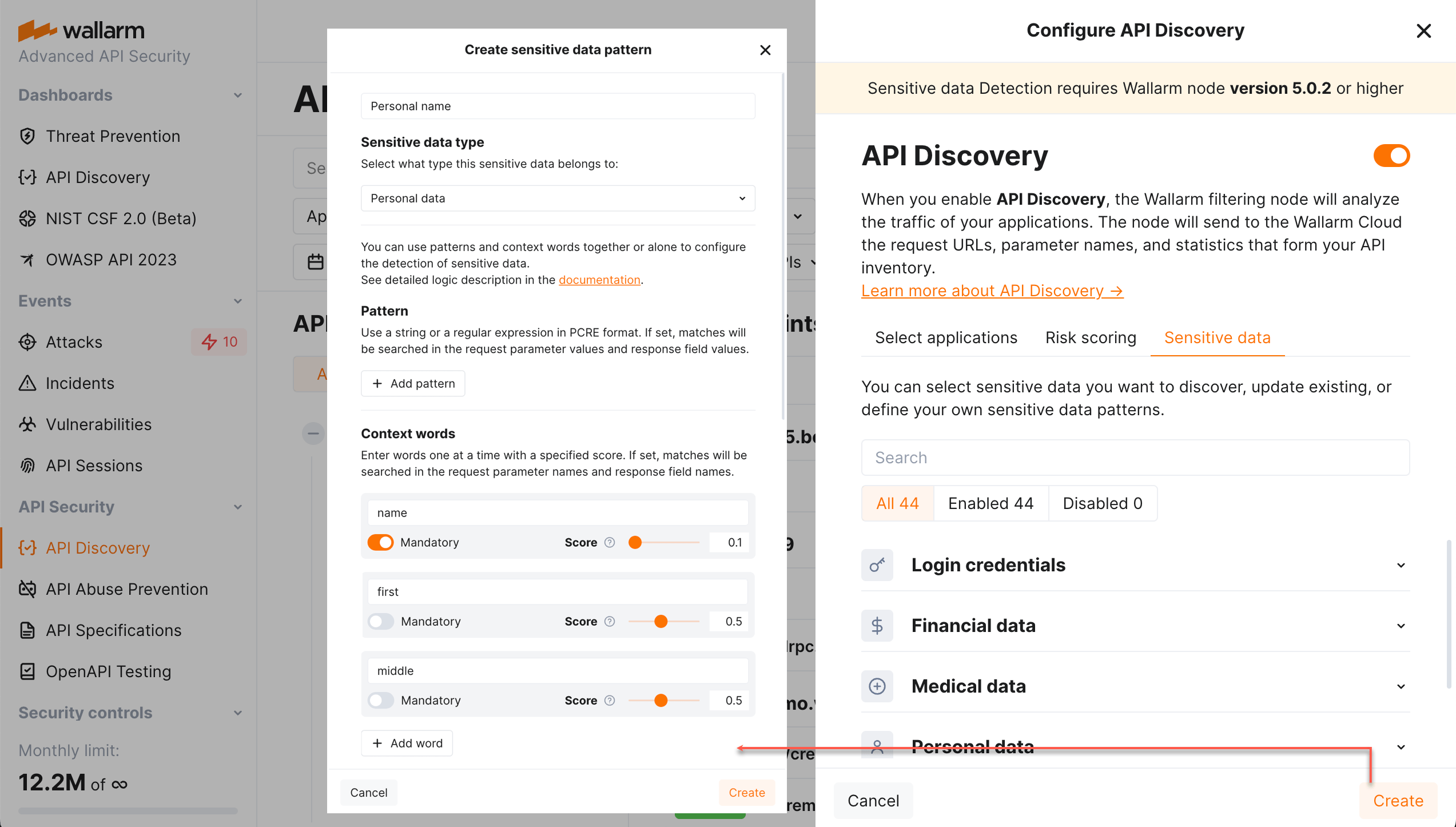
## Viewing sensitive data in endpoint details
On the [endpoint's details page](https://docs.wallarm.com/api-discovery/exploring.md#endpoint-details-view), the **Sensitive data** tab shows which parameters carry sensitive data, the exact sensitive data type detected for each parameter, and the request or response location (headers, body, query) where it was found.
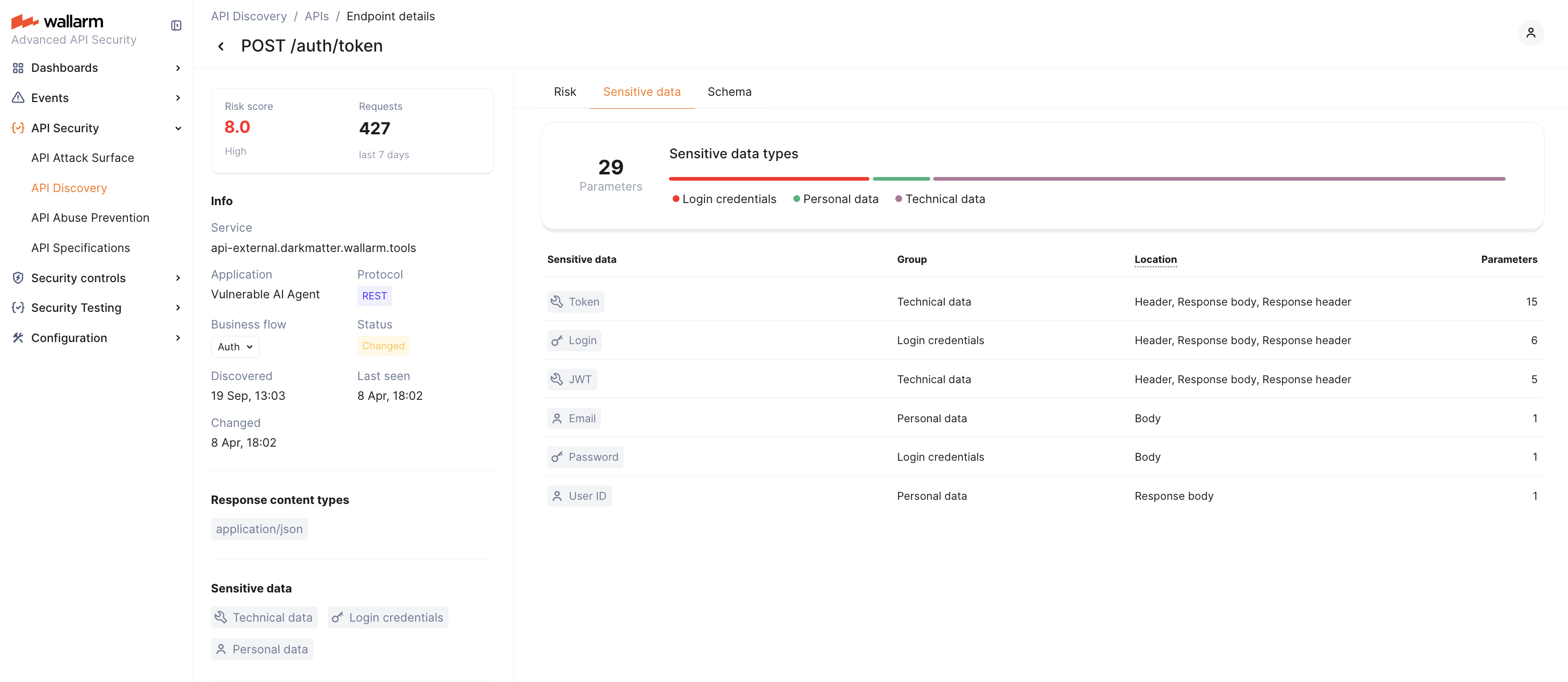
---
## https://docs.wallarm.com/api-discovery/setup/
# API Discovery Setup
This article describes how to enable and configure Wallarm's [API Discovery](https://docs.wallarm.com/api-discovery/overview.md).
## Requirements
* Advanced API Security [subscription plan](https://docs.wallarm.com/about-wallarm/subscription-plans.md#core-subscription-plans)
* For **GraphQL** - [NGINX Node](https://docs.wallarm.com/installation/nginx-native-node-internals.md#nginx-node) 6.1.0+ or [Native Node](https://docs.wallarm.com/installation/nginx-native-node-internals.md#native-node) 0.15.1+.
* For **SOAP** - [NGINX Node](https://docs.wallarm.com/installation/nginx-native-node-internals.md#nginx-node) 6.3.0 or [Native Node](https://docs.wallarm.com/installation/nginx-native-node-internals.md#native-node) 0.17.1+.
* For **gRPC** - [NGINX Node](https://docs.wallarm.com/installation/nginx-native-node-internals.md#nginx-node) 6.4.0 or higher (not supported by [Native Node](https://docs.wallarm.com/installation/nginx-native-node-internals.md#native-node) so far)
* For **MCP** - [NGINX Node](https://docs.wallarm.com/installation/nginx-native-node-internals.md#nginx-node) 6.12.0+ or [Native Node](https://docs.wallarm.com/installation/nginx-native-node-internals.md#native-node) 0.25.0+. To analyze MCP servers that stream their responses as Server-Sent Events (SSE, `Content-type: text/event-stream`), [NGINX Node](https://docs.wallarm.com/installation/nginx-native-node-internals.md#nginx-node) 6.13.0+ is required.
API Discovery is included in [all forms of the Wallarm node installation](https://docs.wallarm.com/installation/supported-deployment-options.md). During node deployment, it installs the API Discovery module but keeps it disabled by default.
## Enabled by default
API Discovery is included in all [forms](https://docs.wallarm.com/installation/supported-deployment-options.md) of the Wallarm node installation and is enabled by default, analyzing all traffic going through Wallarm nodes.
## Configure
By clicking the **Configure** button in the **API Discovery** section, you proceed to the API discovery fine-tuning options, including selection of protocols to be handled, general settings for how API Discovery processes traffic, displayed applications, and customizing the sensitive data detection.
### General API Discovery settings
You can define general API Discovery settings in Wallarm Console → **API Discovery** → **Configure** → **Settings**.
!!! info "Parameter availability"
Some of the parameters may be unavailable if they are managed by a **global administrator** of [multi-tenant](https://docs.wallarm.com/installation/multi-tenant/overview.md) Wallarm installation.
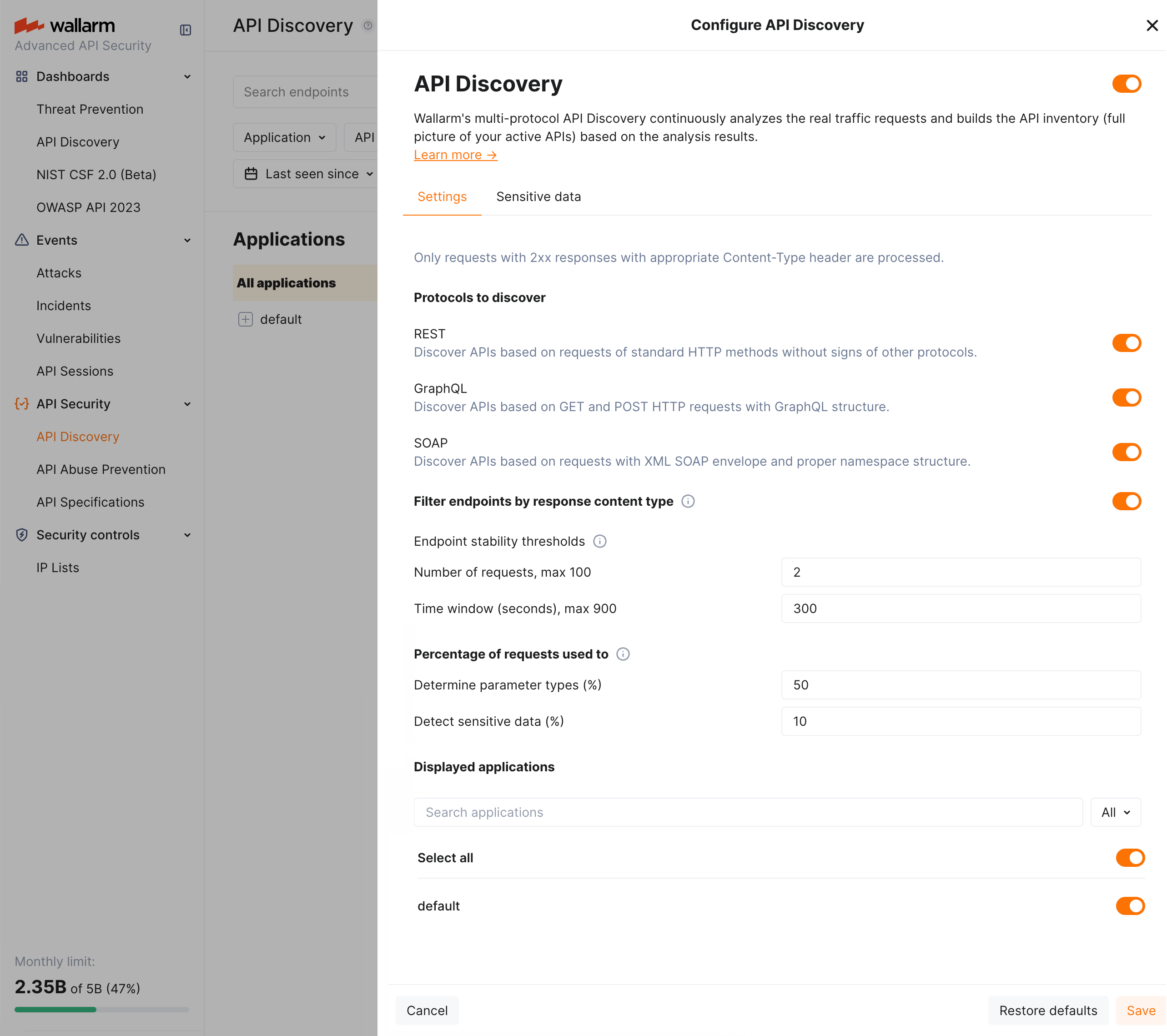
They are:
* Protocols to discover (REST, GraphQL, SOAP, gRPC, MCP): select which protocols API Discovery should analyze.
Note that if you already have discovered data for some of the protocols and then deselect this protocol in settings, its data will remain and will still be displayed. The new endpoints for the corresponding protocol will stop appearing, those already found will stop being updated.
* Parameters defining how API Discovery [detects noise](https://docs.wallarm.com/api-discovery/overview.md#noise-detection) to show only relevant APIs. This is important as API Discovery bases its findings on the real traffic:
* **Filter endpoints by response content type** turns on/off validation of traffic by the `Content-type` header of response. The necessity of this validation in noise reduction depends on the peculiarities of your traffic.
* Endpoint stability thresholds: at least a specific **number of requests** should be registered for the endpoint for it to be displayed by API Discovery AND at least one of them must be outside the **timeframe**.
These settings aim to avoid showing API entries that had no traffic or had traffic for a short timeframe only - they are considered unstable. Even if the specific endpoint was requested a huge amount of times, but just within a short timeframe, there is no need to consider this one-time spike as a stable API endpoint.

* Percentage of requests used to: **determine parameter types** (50% by default) and **detect sensitive data** (10% by default). Non-100% values are used to lower CPU usage. Increased numbers are good for environments with fewer requests.
* Applications to be displayed: only data for the selected applications will be displayed by API Discovery. Note that this is about displaying: data is discovered for all applications, you just decide whether to show it.
### Customizing sensitive data detection
API Discovery [detects and highlights](https://docs.wallarm.com/api-discovery/sensitive-data.md) sensitive data consumed and carried by your APIs. You can fine-tune the existing detection process and extend it with your own data types to detect.
To view the current configuration and perform changes, in Wallarm Console, go to **API Discovery** → **Configure** → **Sensitive data**. Here, you can overview and modify the existing sensitive data patterns and add your own.
[See details here →](https://docs.wallarm.com/api-discovery/sensitive-data.md#customizing-sensitive-data-detection)
## Debug
To get and analyze the API Discovery logs, you can read the log file `/opt/wallarm/var/log/wallarm/appstructure-out.log` on the Linux machine where the node is running.-->
---
## https://docs.wallarm.com/about-wallarm/api-protection-overview/
# Wallarm API Protection
API Protection is an advanced set of mitigation capabilities. While basic [cloud-native WAAP](https://docs.wallarm.com/about-wallarm/waap-overview.md) protection already includes support for all API protocols and their inspection for attacks, protection against L7 DDoS, etc., modern APIs are subject to additional risks such as automated threats, API misuse, and AI-targeted exploitation. The Advanced API Security bundle provides advanced features for more complete risk mitigation.
API Protection includes:
* [API Specification Enforcement](#api-specification-enforcement) is designed to apply security policies to your APIs based on your uploaded specifications. It detects discrepancies between the endpoint descriptions in your specification and the actual requests made to your REST APIs and takes predefined actions if discrepancies are found.
* [BOLA Protection](#bola-protection) helps protect APIs against BOLA attacks, one of the top risks in the OWASP API Top 10. Depending on your subscription plan, Wallarm provides configuration options to detect and mitigate enumeration attempts associated with BOLA exploitation.
* [API Abuse Prevention](#api-abuse-prevention) protects your applications and APIs against different types of automated threats. Based on behavioral analysis, Wallarm can identify and block malicious bots such as Scrapers, Security Crawlers, etc.
* [Credential Stuffing Detection](#credential-stuffing-detection) provides one more layer of protection against Account Takeover attacks. Wallarm allows you to recognize even a single use of compromised credentials, which is important to identify low and slow Credential Stuffing attacks.
* [GraphQL API Protection](#graphql-api-protection) protects your GraphQL APIs against specialized attacks that exploit protocol-specific capabilities such as batching, nested queries, introspection, etc. It can prevent Resource Exhaustion, Denial of Service (DoS), Excessive Information Exposure and other attacks.
While WAAP is available under the basic Cloud Native WAAP subscription, tools of the API Protection bundle are part of the [Advanced API Security](https://docs.wallarm.com/about-wallarm/subscription-plans.md#core-subscription-plans) subscription.
## API Specification Enforcement
The **API Specification Enforcement** is designed to apply security policies to your APIs based on your uploaded specifications. Its primary function is to detect discrepancies between the endpoint descriptions in your specification and the actual requests made to your REST APIs. When such inconsistencies are identified, the system can take predefined actions to address them.
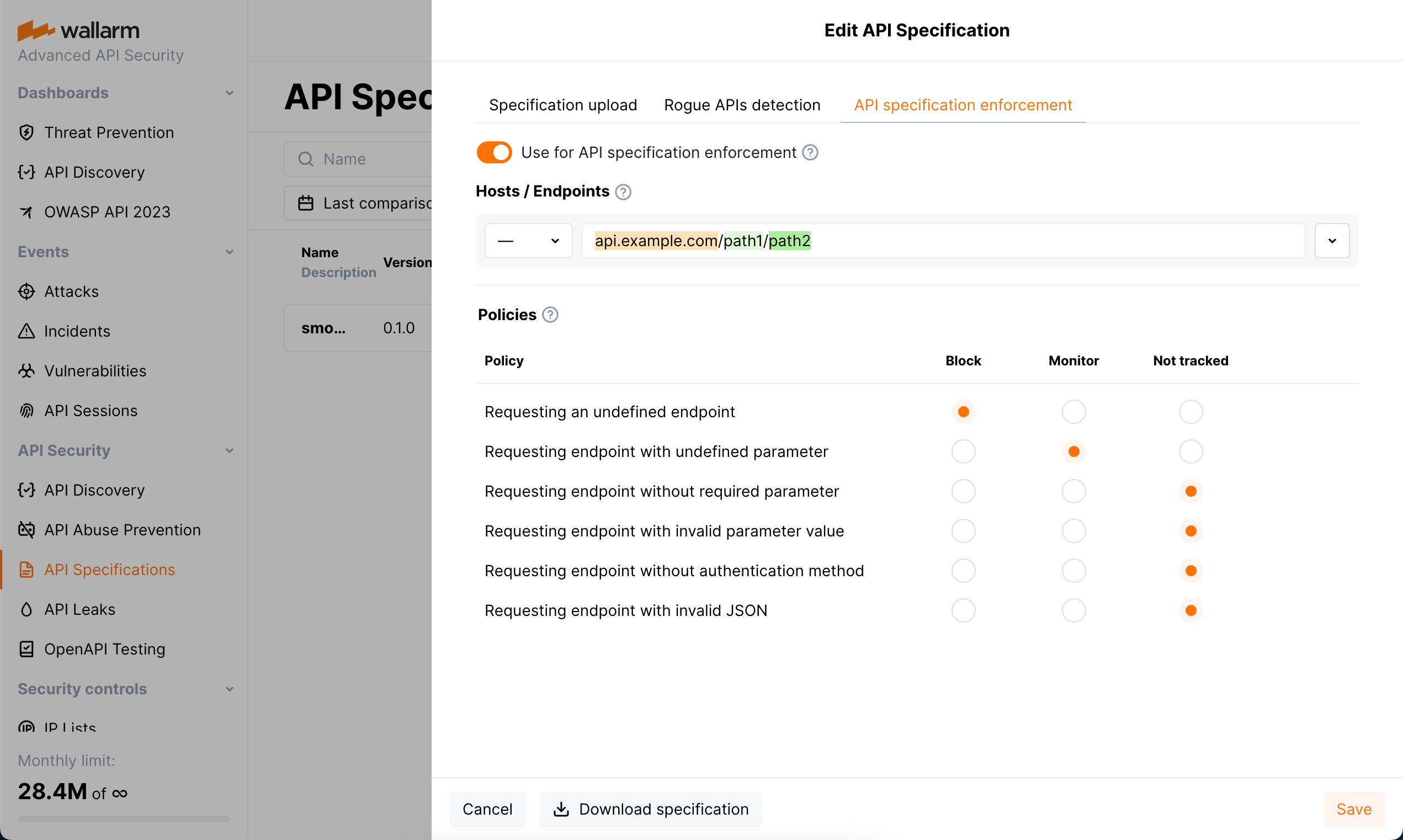
[Proceed to detailed description and configuration →](https://docs.wallarm.com/api-specification-enforcement/overview.md)
## BOLA Protection
Wallarm helps protect APIs from [Broken Object Level Authorization (BOLA)](https://docs.wallarm.com/attacks-vulns-list.md#broken-object-level-authorization-bola) attacks - one of the most critical risks in the OWASP API Top 10. BOLA vulnerabilities can allow attackers to access objects by manipulating identifiers in API requests and bypassing authorization checks.
Depending on your subscription plan, protection from BOLA attacks can be configured using mitigation controls or triggers. This allows you to define how Wallarm should identify suspicious enumeration behavior and what actions to take in response.
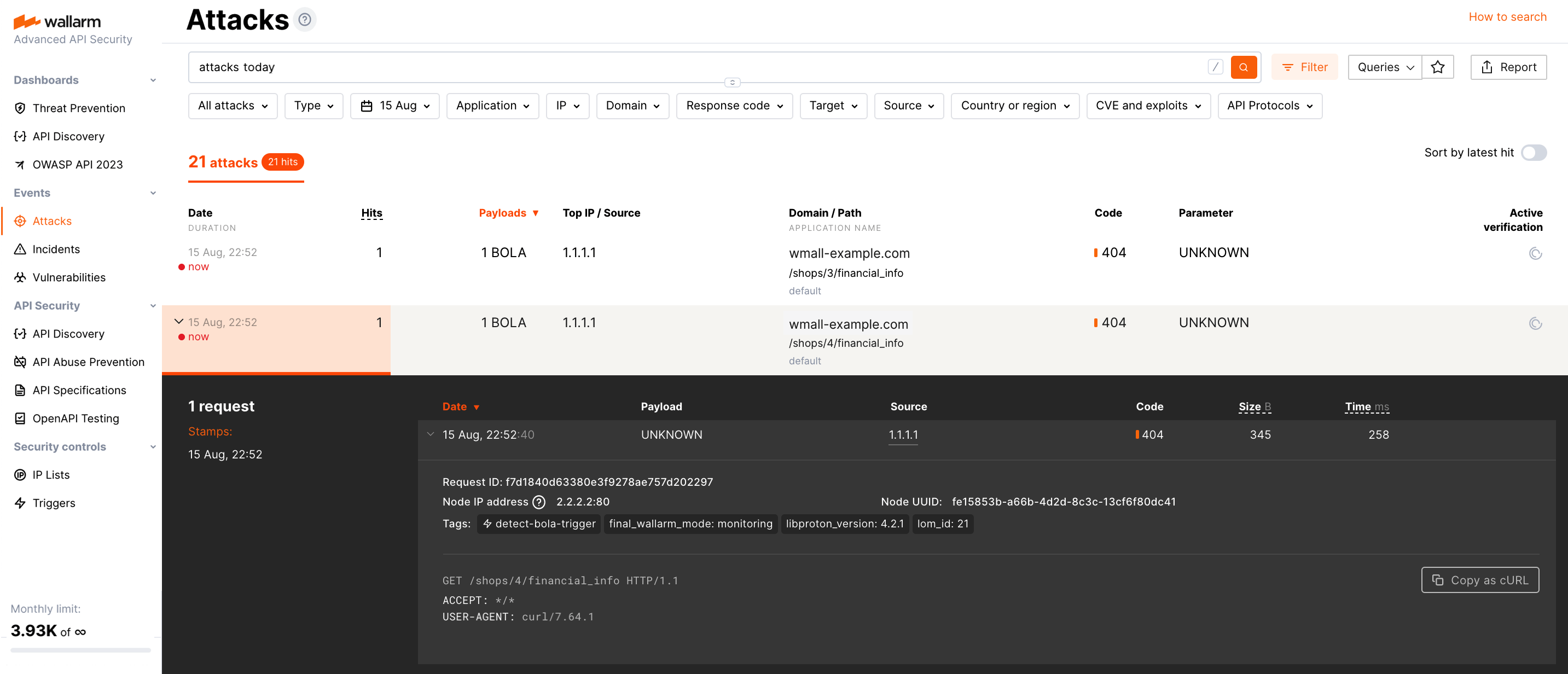
[Proceed to detailed description and configuration →](https://docs.wallarm.com/admin-en/configuration-guides/protecting-against-bola-trigger.md)
## API Abuse Prevention
The **API Abuse Prevention** delivers detection and mitigation of bots performing API abuse like credential stuffing, fake account creation, content scraping and other malicious actions targeted at your APIs.
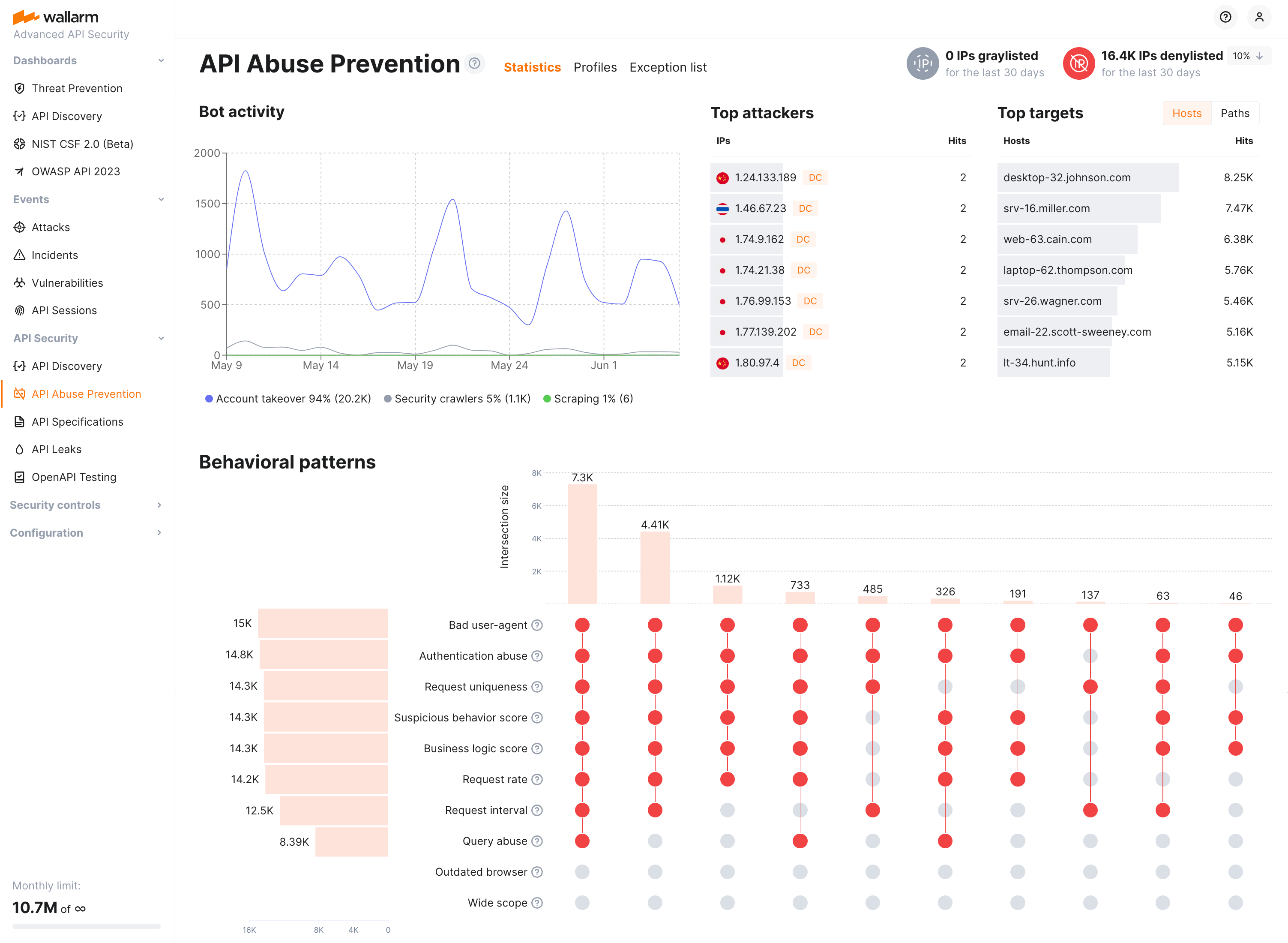
**API Abuse Prevention** uses the complex bot detection model that involves ML-based methods as well as statistical and mathematical anomaly search methods and cases of direct abuse. The module self-learns the normal traffic profile and identifies dramatically different behavior as anomalies.
[Proceed to detailed description and configuration →](https://docs.wallarm.com/api-abuse-prevention/overview.md)
## Credential Stuffing Detection
Wallarm's **Credential Stuffing Detection** collects and displays real-time information about attempts to use compromised or weak credentials to access your applications and enables instant notifications about such attempts. It also forms a downloadable list of all compromised or weak credentials providing access to your applications.
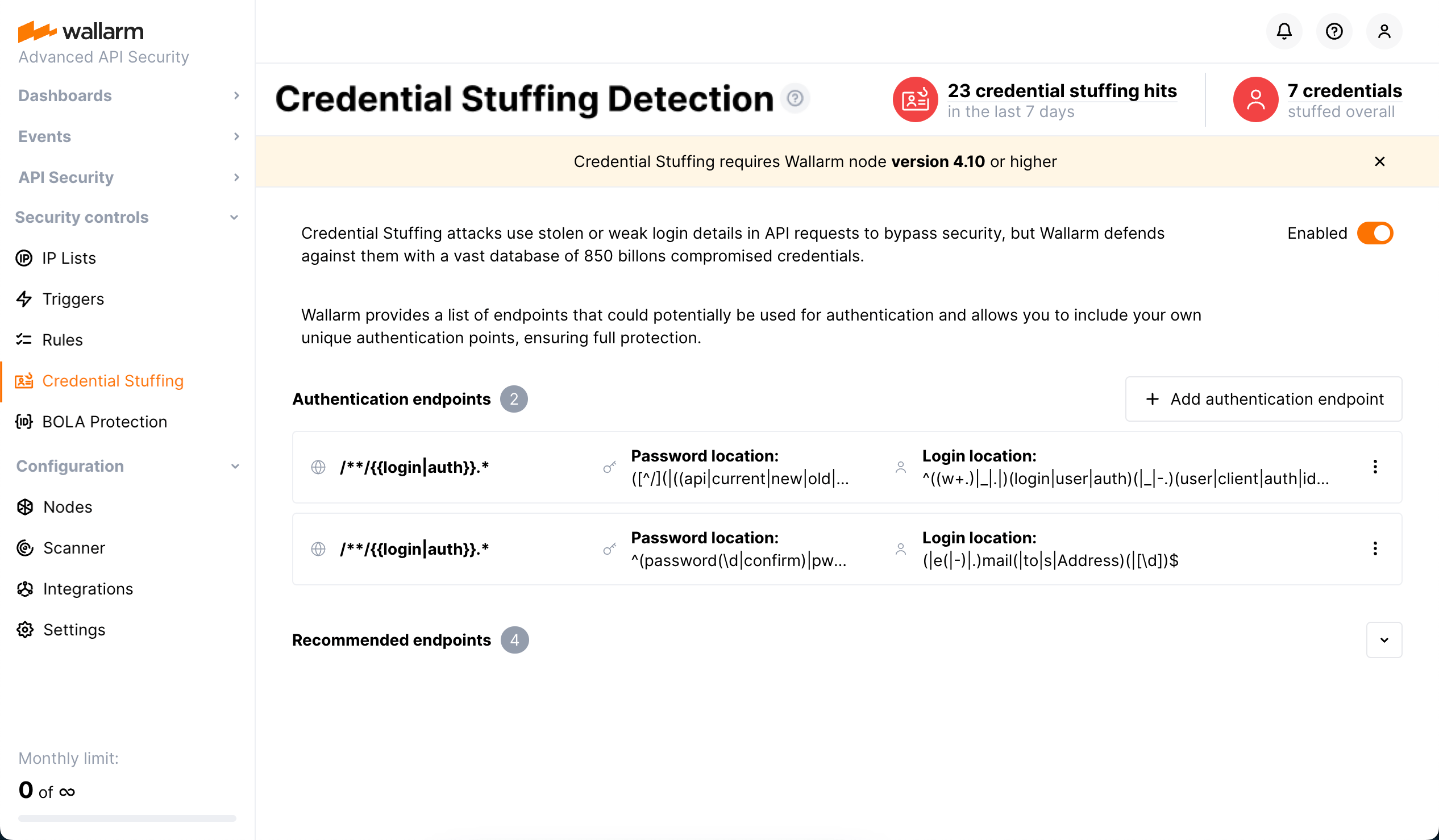
To identify compromised and weak passwords, Wallarm uses a comprehensive database of more than **850 million records** collected from the public [HIBP](https://haveibeenpwned.com/) compromised credentials database.
[Proceed to detailed description and configuration →](https://docs.wallarm.com/about-wallarm/credential-stuffing.md)
## GraphQL API Protection
Wallarm detects regular attacks (SQLi, RCE, [etc.](https://docs.wallarm.com/attacks-vulns-list.md)) in GraphQL by default even under the basic [WAAP](https://docs.wallarm.com/about-wallarm/subscription-plans.md#core-subscription-plans) subscription plan. However, some aspects of the protocol allow implementing [GraphQL-specific](https://docs.wallarm.com/attacks-vulns-list.md#graphql-attacks) attacks related to excessive information exposure and DoS.
Wallarm protects your APIs from these attacks by setting a **GraphQL policy** - a set of limits for the GraphQL requests.
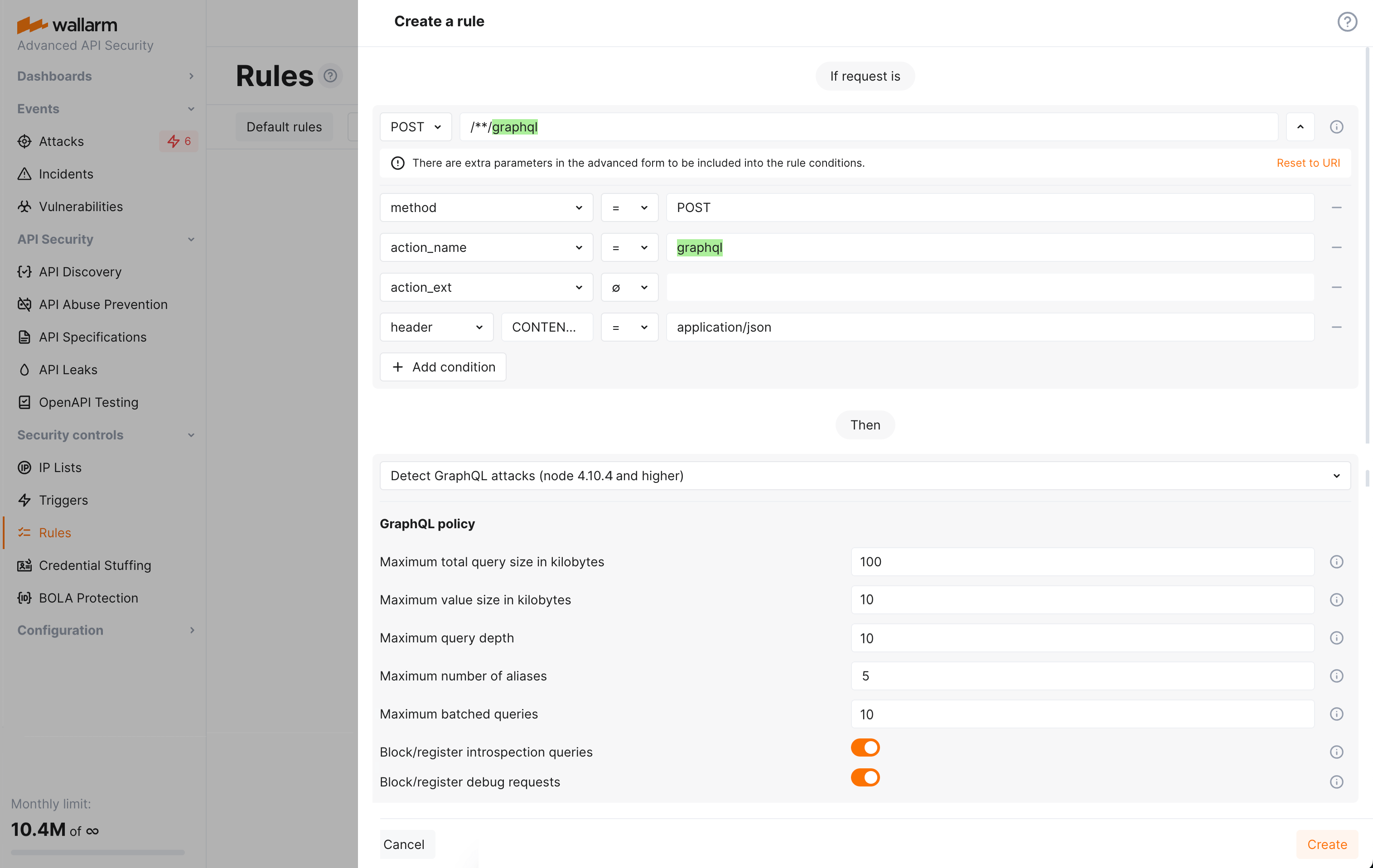
[Proceed to detailed description and configuration →](https://docs.wallarm.com/api-protection/graphql-rule.md)
---
## https://docs.wallarm.com/quickstart/attack-prevention-best-practices/
# Best Practices for Attack Prevention with Wallarm
This article shows you how to use [Wallarm API Security](https://docs.wallarm.com/about-wallarm/api-security-overview.md) — the API protection product of [Wallarm AI Control Platform](https://docs.wallarm.com/about-wallarm/overview.md) — for attack prevention. It not only protects web applications like a traditional WAAP, but also specifically safeguards APIs, covering the full range of modern application traffic.
With so many threats we have online, it is crucial to have a strong shield. Wallarm can stop common threats such as SQL injection, cross-site scripting, remote code execution, and Path Traversal all on its own. But for some sneaky dangers and specialized use-cases like protection against DoS attacks, account takeover, API abuse, a few adjustments might be needed. We will walk you through those steps, ensuring you get the best protection possible. Whether you are a seasoned security expert or just embarking on your cybersecurity journey, this article will provide valuable insights to bolster your security strategy.
## Manage multiple applications and tenants
If your organization uses multiple applications or separate tenants, you will likely find the Wallarm platform useful for easy management. It allows you to view events and statistics separately [for each application](https://docs.wallarm.com/user-guides/settings/applications.md) and configure specific triggers or rules per application. If you need, you can create an isolated environment [for each tenant](https://docs.wallarm.com/installation/multi-tenant/overview.md) with separate access controls.
## Establish a trust zone
When introducing new security measures, the uninterrupted operation of crucial business applications must remain a top priority. To ensure trusted resources are not unnecessarily processed by the Wallarm platform, you have the option to allocate them to the [IP allowlist](https://docs.wallarm.com/user-guides/ip-lists/overview.md).
Traffic originating from the allowlisted resources is not analyzed or logged by default. This means that data from bypassed requests will not be available for review. Therefore, its use should be applied cautiously.
For URLs that require unrestricted traffic or for which you wish to conduct manual oversight, consider [setting the Wallarm node to monitoring mode](https://docs.wallarm.com/admin-en/configure-wallarm-mode.md). This will capture and log any malicious activities targeting these URLs. You can subsequently review these events through the Wallarm Console UI, monitor anomalies, and, if necessary, take manual actions such as blocking specific IPs.
## Control traffic filtering modes and processing exceptions
Implement security measures gradually using our flexible options for managing [filtration modes](https://docs.wallarm.com/admin-en/configure-wallarm-mode.md) and customizing processing to suit your applications. For example, enable the monitoring mode for specific nodes, applications, or parts of an application.
If required, [except detectors](https://docs.wallarm.com/about-wallarm/protecting-against-attacks.md#ignoring-certain-attack-types) tailored for specific request elements.
## Set up the denylist
You can safeguard your applications from untrusted sources by incorporating them into a [denylist](https://docs.wallarm.com/user-guides/ip-lists/overview.md), blocking traffic from suspicious regions or sources such as VPNs, Proxy servers, or Tor networks.
## Block multi-attack perpetrators
When Wallarm is in blocking mode, it automatically blocks all requests with malicious payloads, letting only legitimate requests through. If multiple malicious activities from one IP address are detected in a short time (often referred to as multi-attack perpetrators), consider [blocking the attacker entirely](https://docs.wallarm.com/admin-en/configuration-guides/protecting-with-thresholds.md).
## Enable brute-force mitigation
Mitigate brute-force attacks by limiting the number of access attempts to authorization pages or password reset forms from a single IP address. You can do this by configuring a [specific trigger](https://docs.wallarm.com/admin-en/configuration-guides/protecting-against-bruteforce.md).
## Enable forced browsing mitigation
Forced browsing is an attack where an attacker tries to find and use hidden resources, like directories and files with information about the application. These hidden files can give attackers information they can use to carry out other types of attacks. You can prevent such malicious activities by defining limits for unsuccessful attempts to reach specific resources via the [specific trigger](https://docs.wallarm.com/admin-en/configuration-guides/protecting-against-bruteforce.md).
## Set rate limits
Without a proper limit on how often APIs can be used, they can be hit by attacks that overload the system, like DoS and brute force attacks, or API overuse. By using the [**Advanced rate limiting** rule](https://docs.wallarm.com/user-guides/rules/rate-limiting.md), you can specify the maximum number of connections that can be made to a particular scope, while also ensuring that incoming requests are evenly distributed.
## Activate BOLA protection
The Broken Object Level Authorization (BOLA) vulnerability allows an attacker to access an object by its identifier via an API request and either read or modify its data bypassing an authorization mechanism. To prevent BOLA attacks, you can specify vulnerable endpoints and set limits for connections to them. [Learn more](https://docs.wallarm.com/admin-en/configuration-guides/protecting-against-bola-trigger.md)
## Employ API Abuse Prevention
[Set up API abuse profiles](https://docs.wallarm.com/api-abuse-prevention/setup.md) to stop and block bots performing API abuse like account takeover, scraping, security crawlers and other automated malicious actions targeted at your APIs.
## Enable credential stuffing detection
Enable [credential stuffing detection](https://docs.wallarm.com/about-wallarm/credential-stuffing.md) to have real-time information about attempts to use compromised or weak credentials to access your applications and a downloadable list of all compromised or weak credentials providing access to your applications.
Knowledge of accounts with stolen or weak passwords allows you to initiate measures to secure these accounts' data, like communicating with account owners, temporarily suspending access to the accounts, etc.
## Create custom attack detection rules
In certain scenarios, it may be beneficial to manually add an [attack detection signature or create a virtual patch](https://docs.wallarm.com/user-guides/rules/regex-rule.md). Wallarm, while not relying on regular expressions for attack detection, does allow users to include additional signatures based on regular expressions.
## Mask sensitive data
The Wallarm node sends attack information to the Wallarm Cloud. Certain data, like authorization (cookies, tokens, passwords), personal data, and payment credentials, should remain within the server where it is processed. [Create a data masking rule](https://docs.wallarm.com/user-guides/rules/sensitive-data-rule.md) to cut the original value of specific request points before sending them to the Wallarm Cloud, ensuring sensitive data stays within your trusted environment.
## Analyze user sessions
Dealing only with the attacks, presented in the **Attacks** or **Incidents** section, you cannot see their full contexts: the logic sequence of requests that the attack is part of.
Wallarm's [**API Sessions**](https://docs.wallarm.com/api-sessions/overview.md) provide this context to allow revealing of more general patterns in how your applications are being attacked as well as understanding of which business logic will be affected by the taken security measures.
Analyze user sessions to identify the logic of threat actor behavior, verify attack and malicious bot detection accuracy, track shadow, zombie and other endpoints at risk, identify performance issues and more.
## Seamless SIEM/SOAR integration & Instant alerts for critical events
Wallarm offers seamless integration with [various SIEM/SOAR systems](https://docs.wallarm.com/user-guides/settings/integrations/integrations-intro.md) such as Sumo Logic, Splunk and others enabling you to export all attack information to your SOC center for centralized management.
Wallarm integrations together with the [triggers](https://docs.wallarm.com/user-guides/triggers/triggers.md) functionality provide you with a great tool to set up reports and real-time notifications on specific attacks, denylisted IPs, and overall ongoing attack volume.
## Layered defense strategy
In creating robust and dependable security measures for your applications, it is crucial to adopt a layered defense strategy. This involves implementing a suite of complementary protective measures that together form a resilient defense-in-depth security posture. Besides the measures offered by the Wallarm security platform, we recommend the following practices:
* Utilize L3 DDoS protection from your cloud service provider. L3 DDoS protection operates at the network level and helps mitigate distributed denial-of-service attacks. Most cloud service providers offer L3 protection as part of their services.
* Follow secure configuration recommendations for your web servers or API gateways. For instance, make sure to adhere to the secure configuration guidelines if you are using [NGINX](https://www.cyberciti.biz/tips/linux-unix-bsd-nginx-webserver-security.html) or [Kong](https://konghq.com/learning-center/api-gateway/secure-api-gateway).
By incorporating these additional practices along with the [Wallarm L7 DDoS protection measures](https://docs.wallarm.com/admin-en/configuration-guides/protecting-against-ddos.md#l7-ddos-protection-with-wallarm), you can significantly enhance the overall security of your applications.
## Check and enhance the coverage of OWASP API top threats
The OWASP API Security Top 10 is a gold standard for the evaluation of security risk in APIs. To help you measure your API's security posture against these API threats, Wallarm offers the [dashboard](https://docs.wallarm.com/user-guides/dashboards/owasp-api-top-ten.md) that provides clear visibility and metrics for mitigation of the top threats of the 2023 version.
These dashboards help you to assess the overall security state and proactively address discovered security issues by setting up appropriate security controls.
## Enable JA3 fingerprinting
To make the following functionality more precise:
* [API Sessions](https://docs.wallarm.com/api-sessions/overview.md)
* [API Abuse Prevention](https://docs.wallarm.com/api-abuse-prevention/overview.md) using the API Sessions mechanism
It is recommended to enable [JA3 fingerprinting](https://docs.wallarm.com/admin-en/enabling-ja3.md#overview) for better identification of the unauthenticated traffic.
---
## https://docs.wallarm.com/api-sessions/overview/
# API Sessions Overview
Wallarm API Sessions provide deep visibility into user actions within your APIs. Instead of analyzing individual requests in isolation, this feature groups them into logical sessions that represent actual user journeys. This article gives an overview of API Sessions: issues addressed by it, its purpose and main possibilities.
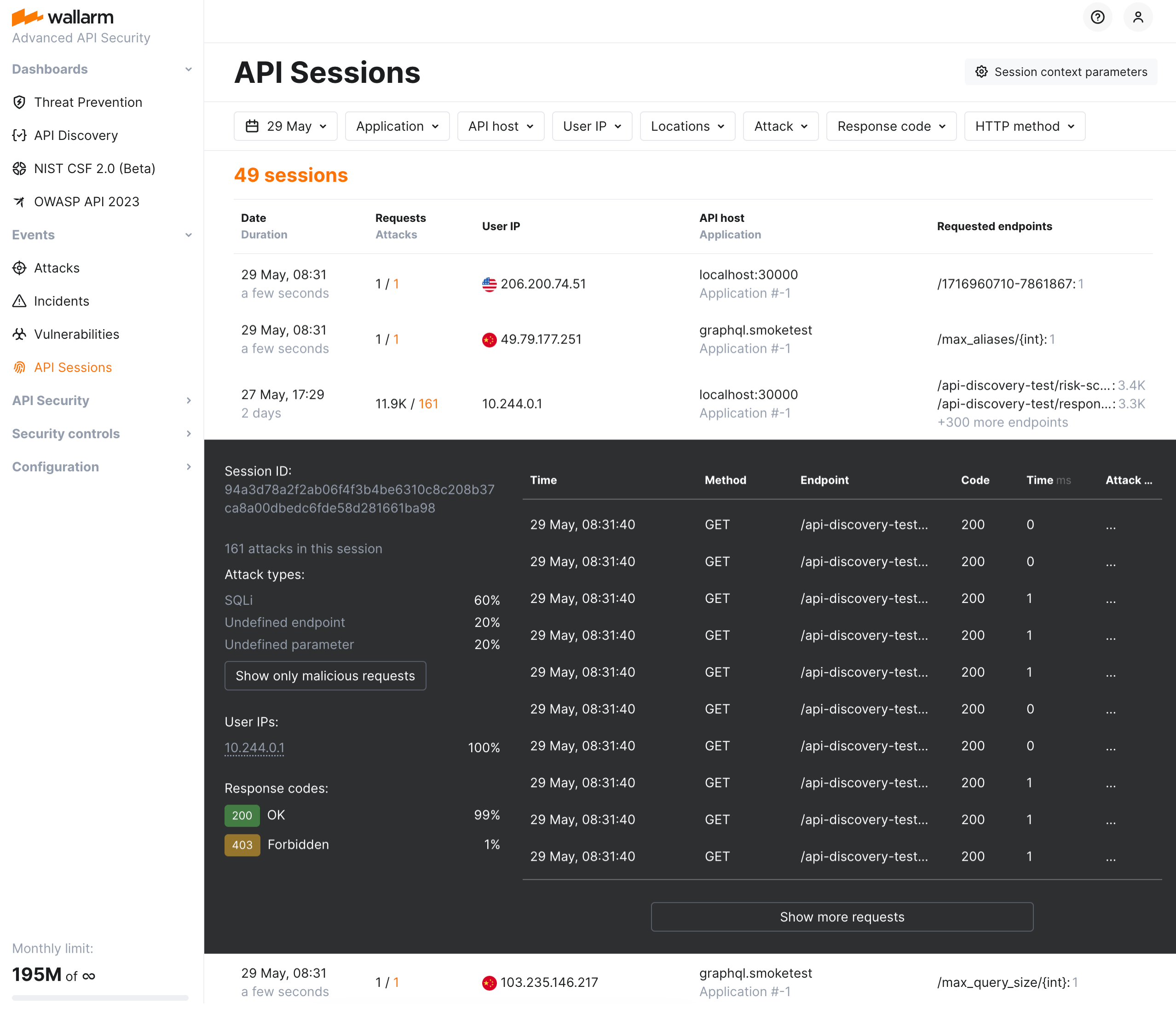
## Addressed issues
The primary challenge the API Sessions address is the lack of full context when viewing only individual attacks. By capturing the logical sequence of requests and responses within each session, API Sessions provide insights into broader attack patterns and help identify the areas of business logic impacted by security measures.
**As API sessions are precisely identified by Wallarm, they**:
* Make bot detection by API Abuse Prevention [more precise](#api-sessions-and-api-abuse-prevention).
**As you have the API sessions monitored by Wallarm, you can**:
* [Track user activity](https://docs.wallarm.com/api-sessions/exploring.md#full-context-of-threat-actor-activities) by displaying a list of requests made in a single session with an ability to view the parameters of corresponding responses, so you can identify unusual patterns of behavior or deviations from typical usage.
* Know which API flow/business logic sequences will be affected before tuning a particular [false positive](https://docs.wallarm.com/about-wallarm/protecting-against-attacks.md#false-positives), applying the [virtual patch](https://docs.wallarm.com/user-guides/rules/vpatch-rule.md), adding [rules](https://docs.wallarm.com/user-guides/rules/rules.md), or enabling [API Abuse Prevention](https://docs.wallarm.com/api-abuse-prevention/overview.md) controls.
* [Inspect endpoints](https://docs.wallarm.com/api-sessions/exploring.md) requested in user sessions to quickly assess their protection status, risk level, and any detected issues such as being [shadow or zombie](https://docs.wallarm.com/api-discovery/rogue-api.md).
* [Identify performance issues](https://docs.wallarm.com/api-sessions/exploring.md#identifying-performance-issues) and bottlenecks to optimize the user experience.
* [Verify API abuse detection accuracy](https://docs.wallarm.com/api-sessions/exploring.md#verifying-api-abuse-detection-accuracy) by viewing the entire sequence of requests that were flagged as malicious bot activity along with corresponding responses.
## How API Sessions work
All traffic that Wallarm node is enabled to secure is organized into sessions and displayed in the **API Sessions** section.
You can customize how requests should be grouped into sessions based on your applications' logic. Also, you can specify which parameters of requests and corresponding responses should be displayed within session to help you to understand the session content: what and in what order the user did (context parameters). See details in [API Sessions Setup](https://docs.wallarm.com/api-sessions/setup.md).
[API Sessions](https://docs.wallarm.com/api-sessions/overview.md) include built-in rules for session identification and require only an enabled Wallarm [node](https://docs.wallarm.com/about-wallarm/api-security-overview.md#how-wallarm-api-security-works) to start working. Optionally, you can fine-tune API Sessions to your needs as described in this article.
## Requirements
* API Sessions require [NGINX Wallarm node](https://docs.wallarm.com/installation/nginx-native-node-internals.md#nginx-node) 5.1.0 or [Native Wallarm Node](https://docs.wallarm.com/installation/nginx-native-node-internals.md#native-node) 0.8.0.
* Response parsing - NGINX Wallarm node 5.3.0 or native node 0.12.0.
## Session grouping
Wallarm groups requests of your applications' traffic into user sessions based on the **equal values** of the selected headers/parameters of the requests and/or responses. In configuration, these are parameters marked to be grouping keys. See how grouping keys work in the [example](#example-of-how-grouping-keys-work).
By default, sessions are identified with the **built-in set** of such parameters (not displayed in Wallarm Console). Its logic is to try most common identification parameters, such as `PHPSESSID` or `SESSION-ID` headers, and if they do not work - form session based on the combination of `request source IP and user-agent` (or at least IP if user-agent is not presented).
You can add several grouping keys, they are tried in [specified order](#example-of-how-grouping-keys-work) - next is tried only if previous did not work. Drag to change the order. Your own keys are always tried before the built-in ones.
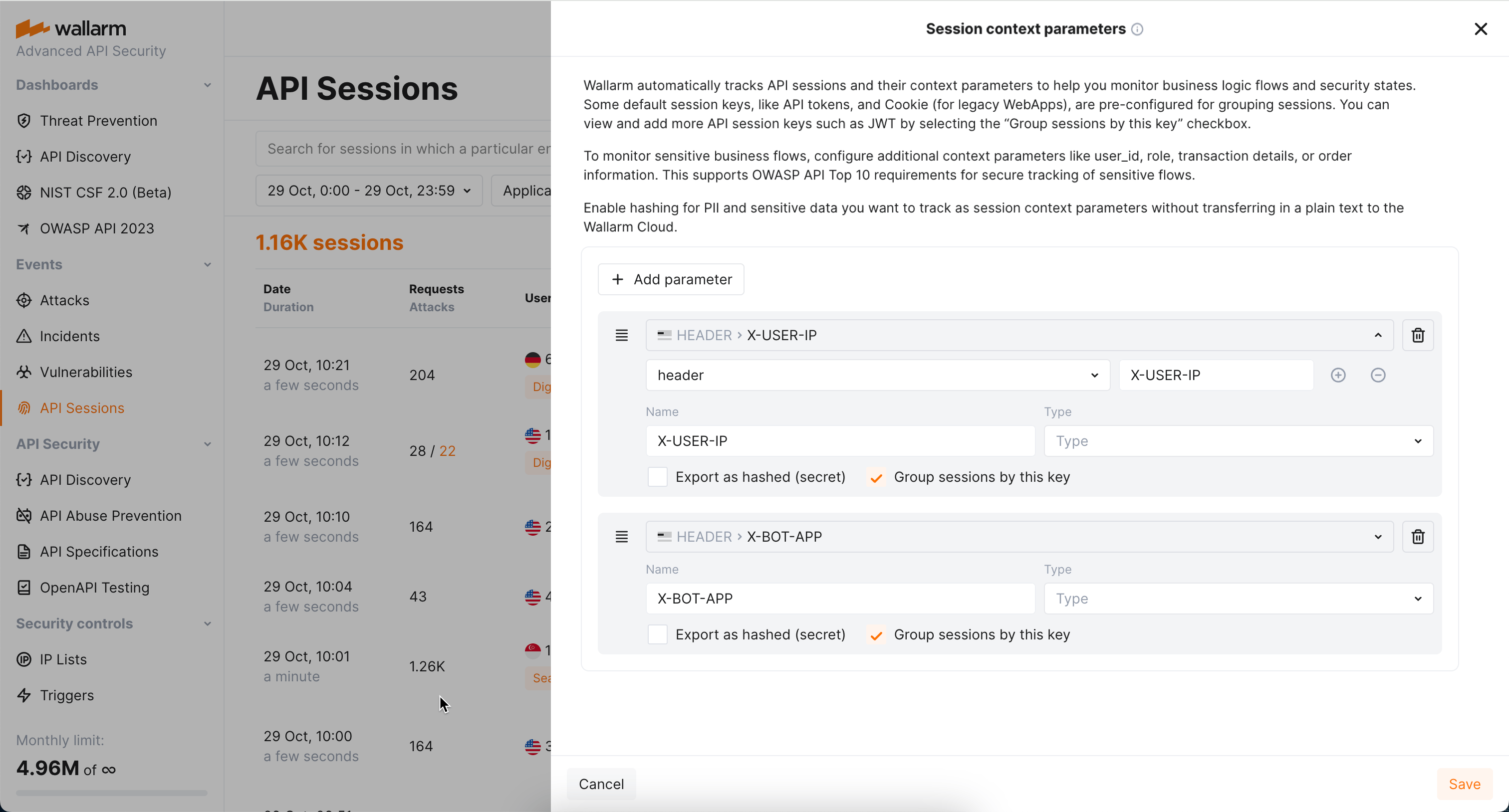
Consider the following:
* **Multi-part sessions**: For effective analysis, [long sessions](https://docs.wallarm.com/api-sessions/exploring.md#multi-day-sessions) are separated into one-day parts. Also, no parts older than 7 days are stored and displayed.
* **Impact to bot detection by `API Abuse prevention`**: Wallarm's API Abuse Prevention uses sessions for the malicious bot detection. Adding your own session identification parameters based on your applications' logic makes both session detection and API Abuse Prevention's bot detection more precise. See [details](https://docs.wallarm.com/api-sessions/overview.md#api-sessions-and-api-abuse-prevention).
* **Impact from `Mask sensitive data` rule**: For the parameter to work as a grouping key, it should not be affected by the [Mask sensitive data](https://docs.wallarm.com/user-guides/rules/sensitive-data-rule.md) rule
### Adding grouping keys
You can add your own identification parameters based on your applications' logic:
* From **Recommendations** (requires [API Discovery](https://docs.wallarm.com/api-discovery/overview.md))
* Manually
#### Adding keys from recommendations
!!! tip ""
Requires [API Discovery](https://docs.wallarm.com/api-discovery/overview.md)
Based on your traffic, Wallarm suggests parameters you might want to use as session grouping keys:
* The suggestions are LLM-based and rely on API Discovery data.
* The suggestions are accompanied by explanatory text, from which you can understand why these particular parameters were suggested for identifying sessions of your different [applications](https://docs.wallarm.com/user-guides/settings/applications.md).
* The appearance of [new data](https://docs.wallarm.com/api-discovery/track-changes.md) in API Discovery may result in the new suggestions, so it is recommended to re-check the **Suggestions** section periodically.
* When accepted, suggestions are added without logic in their order - you should define that order yourself.
To add grouping keys from recommendations:
1. Go to Wallarm Console → **API Sessions** → **Session context parameters**.
1. Check the **Recommendations** section.
1. Apply all or selected parameters. The parameters are added to the **Configured export parameters** parameters. Note that **Group sessions by this key** should remain selected for all of them.
1. Drag and drop to define order (priority) - see [example](#example-of-how-grouping-keys-work).
1. **Save** changes.
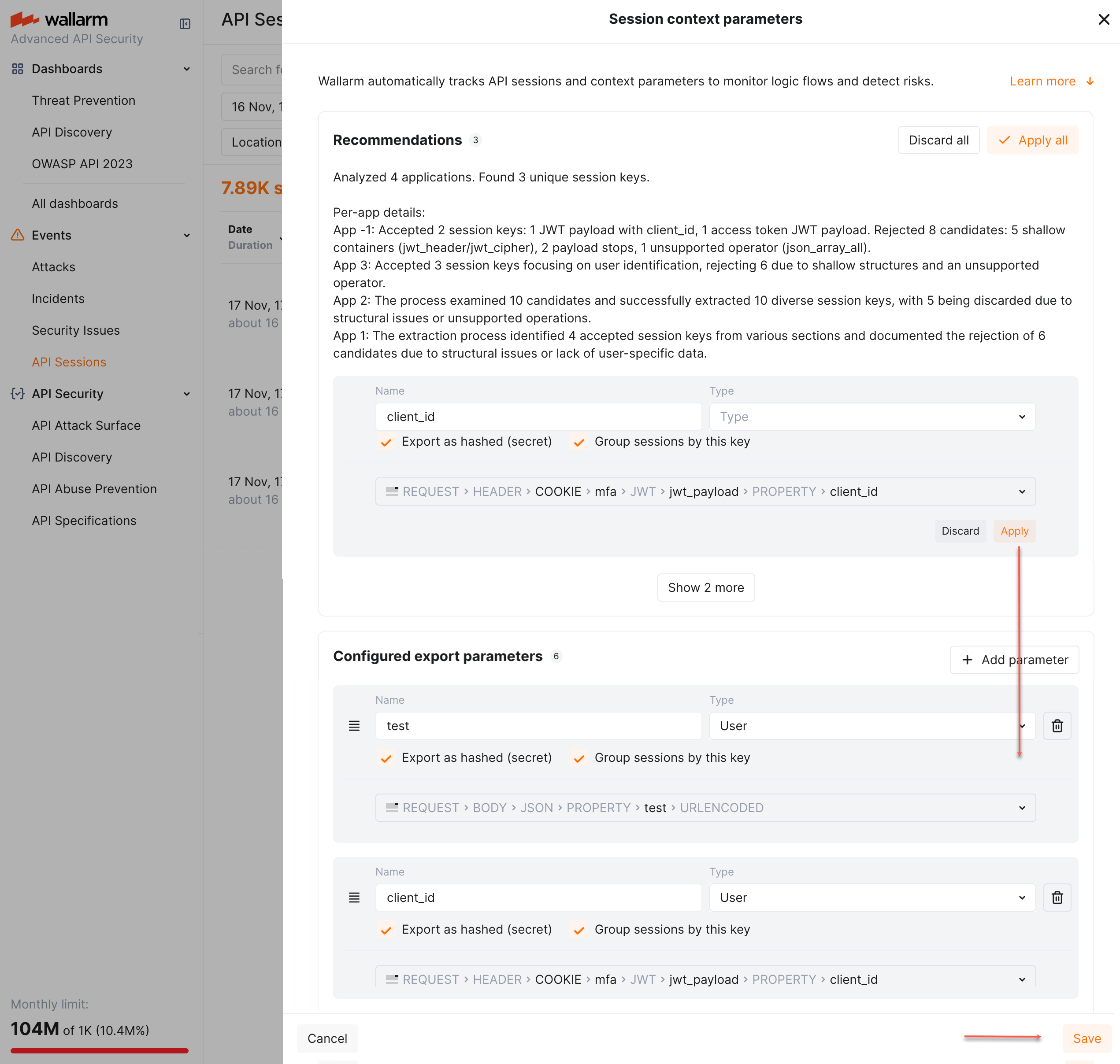
#### Adding keys manually
To add session grouping keys manually, go to Wallarm Console → **API Sessions** → **Session context parameters**, add your request or response parameter and select **Group sessions by this key** for it.
See also: [simplified selection](#simplified-selection).
### Example of how grouping keys work
Let us say you have a route login which returns a specific `
As soon as Wallarm's [API Sessions](https://docs.wallarm.com/api-sessions/overview.md) has identified user sessions related to your applications, you can explore them in the **API Sessions** section of Wallarm Console. Learn from this article how to go through the discovered data.
## Full context of threat actor activities
Once the malicious request is detected by Wallarm and displayed in the [**Attacks**](https://docs.wallarm.com/user-guides/events/check-attack.md) or [**Incidents**](https://docs.wallarm.com/user-guides/events/check-incident.md) section as the part of some attack, you can see the full context of this request: to which user session it belongs and what the full sequence of requests in this session is. This allows you to investigate all activity of the threat actor to understand attack vectors and what resources can be compromised.
To perform this analysis, in Wallarm Console → [**Attacks**](https://docs.wallarm.com/user-guides/events/check-attack.md), open the attack, switch to the **Requests** tab, and select a request. In the request details, open the **Session ID** field menu and select **Investigate this attack in API Sessions**.
In [**Incidents**](https://docs.wallarm.com/user-guides/events/check-incident.md), the request details work the same way: open the incident, switch to the **Requests** tab, select a request, and use the **Session ID** field menu.
Wallarm opens the [**API Sessions**](https://docs.wallarm.com/api-sessions/overview.md) section filtered: the session that the initial request belongs to is displayed; only the initial request is displayed within this session.
Remove the filter by request ID to see all other requests in the session: now you have the full picture of what was going on within the session the malicious request belongs to.
## Multi-day sessions
For effective analysis, long sessions are separated into one-day parts. Also, no parts older than 7 days are stored and displayed. To view all session parts (but not older than 7 days):
1. In the session details, right-click and copy session's ID.
1. Paste the ID to the **Session ID** filter.
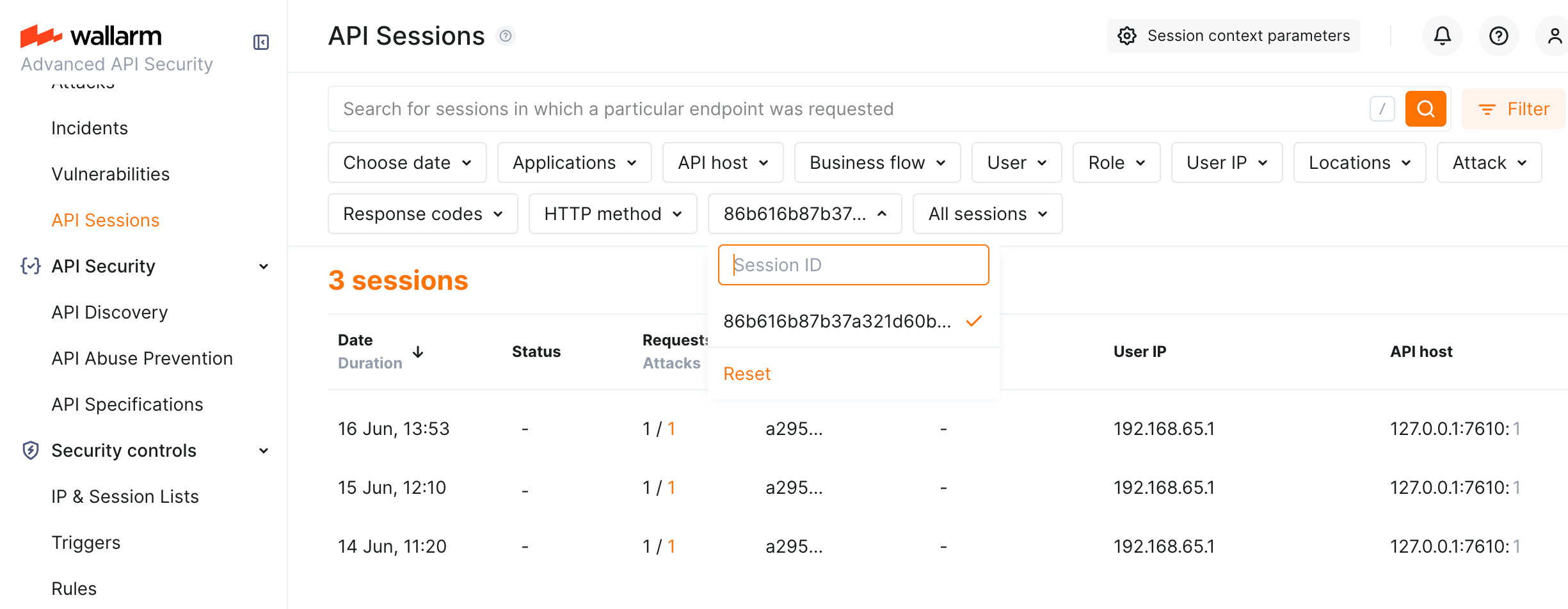
## Activities within specific time
You can investigate what happened within the specified time interval. To do so, set the date/time filter. Only sessions with the requests that took place at the specified time will be displayed - only requests from that time interval will be displayed within each session.
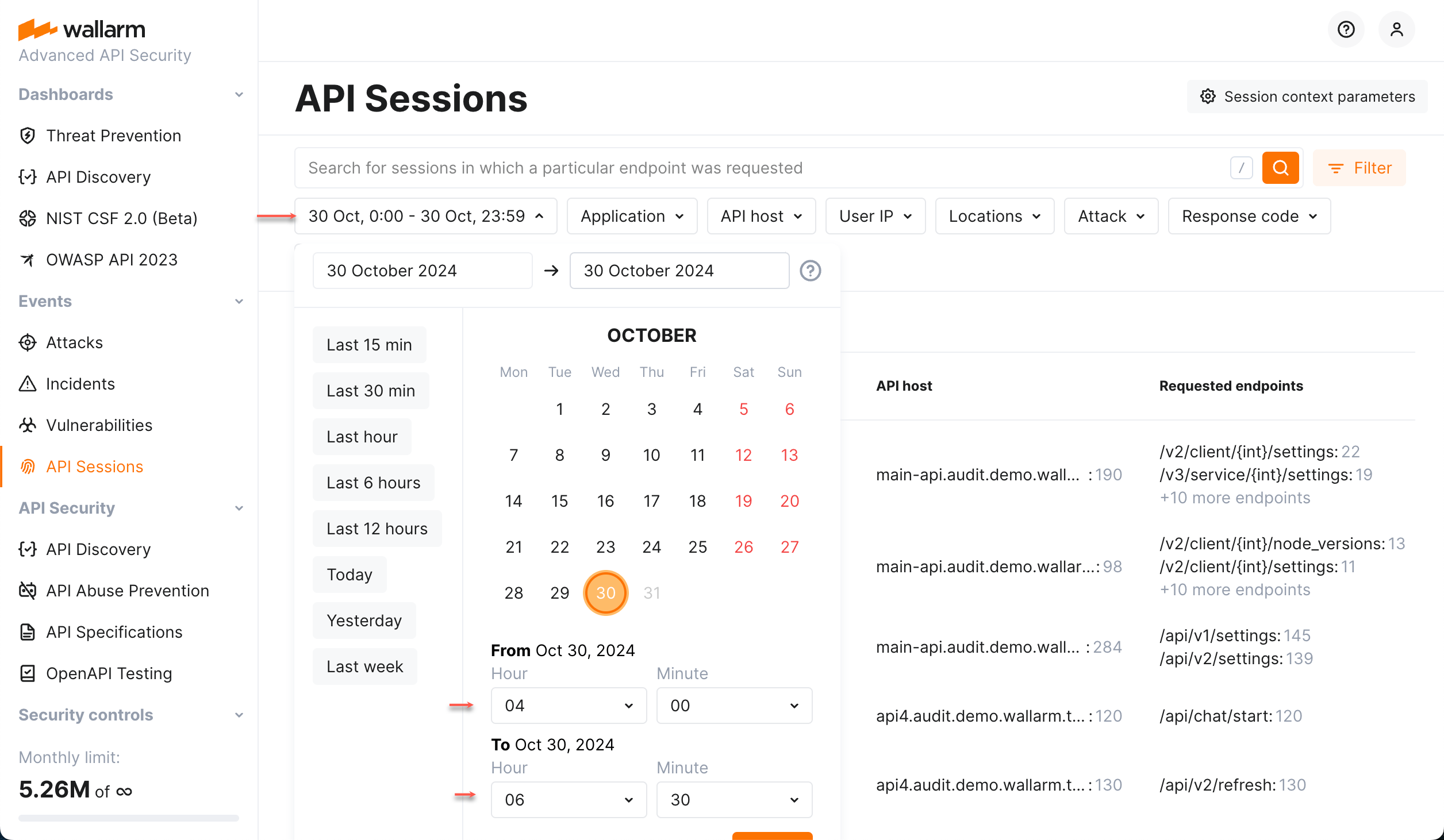
Hint: use the [link to your session](#sharing-session-information) in your own browser and **then** set time interval to see only requests from the selected session within the selected time.
## Specific activities within session
The session may contain a lot of requests of different types (POST, GET, etc.), with different response codes, from different IPs, legitimate and malicious with the different attack types.
In session details, you can see comprehensive statistics providing information on its request distribution by different criteria. You can apply in-session filters (one or several) to see only specific requests.
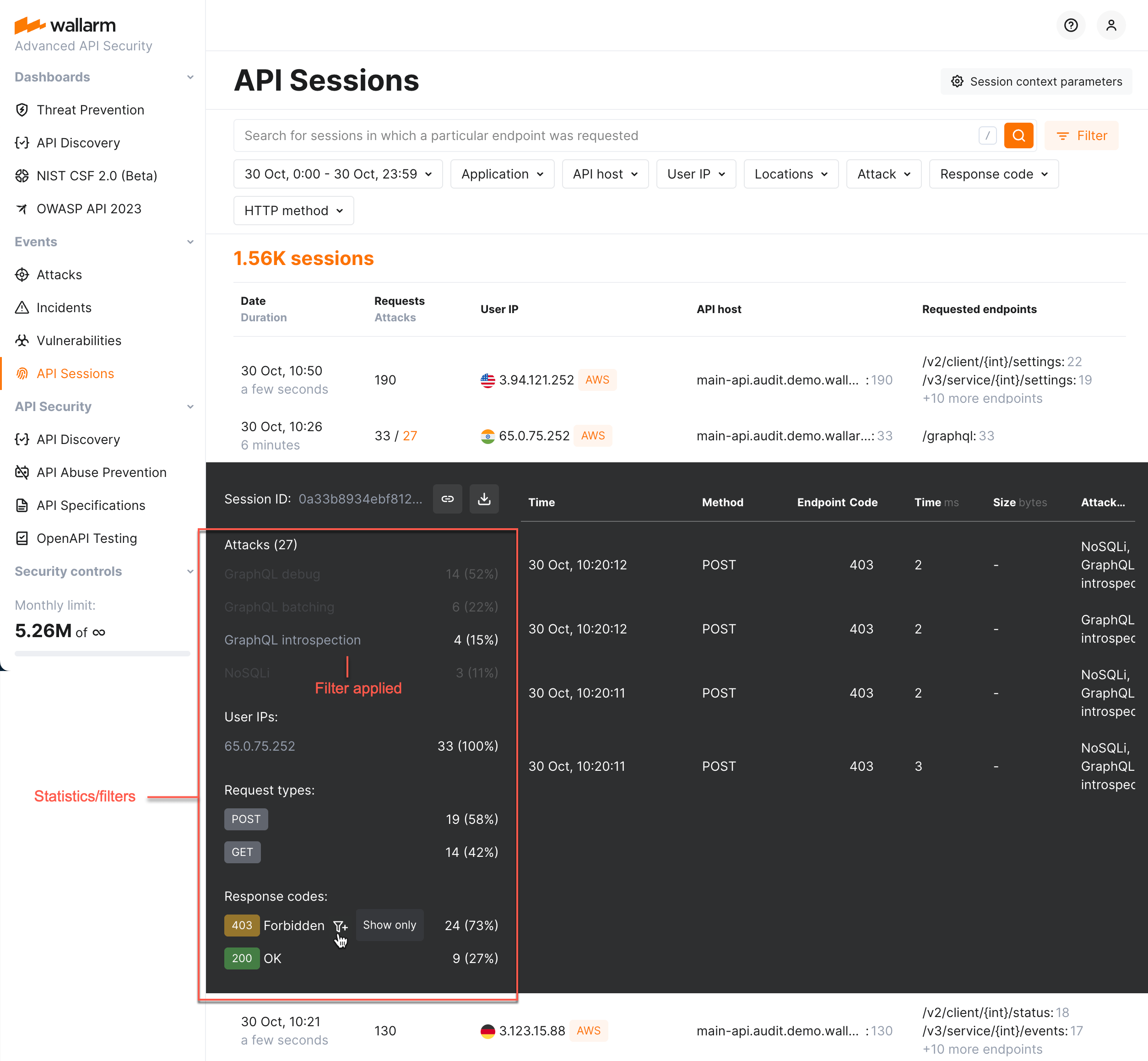
Note that in-session filters communicate with general filters of the **API Sessions** section:
* Any session opened after general filters applied will share these filters (inside the session, you can click **Show all requests** to cancel that).
* Use the **Apply filters** button to apply general filters within your current session.
## Inspecting affected endpoints
Use the **API Discovery insights** in the session request details to inspect the affected endpoints. You can immediately get information whether the endpoint is at risk, whether this risk is caused by the endpoint being [rogue](https://docs.wallarm.com/api-discovery/rogue-api.md) (specifically, shadow or zombie APIs) and how well and by what measures it is protected.
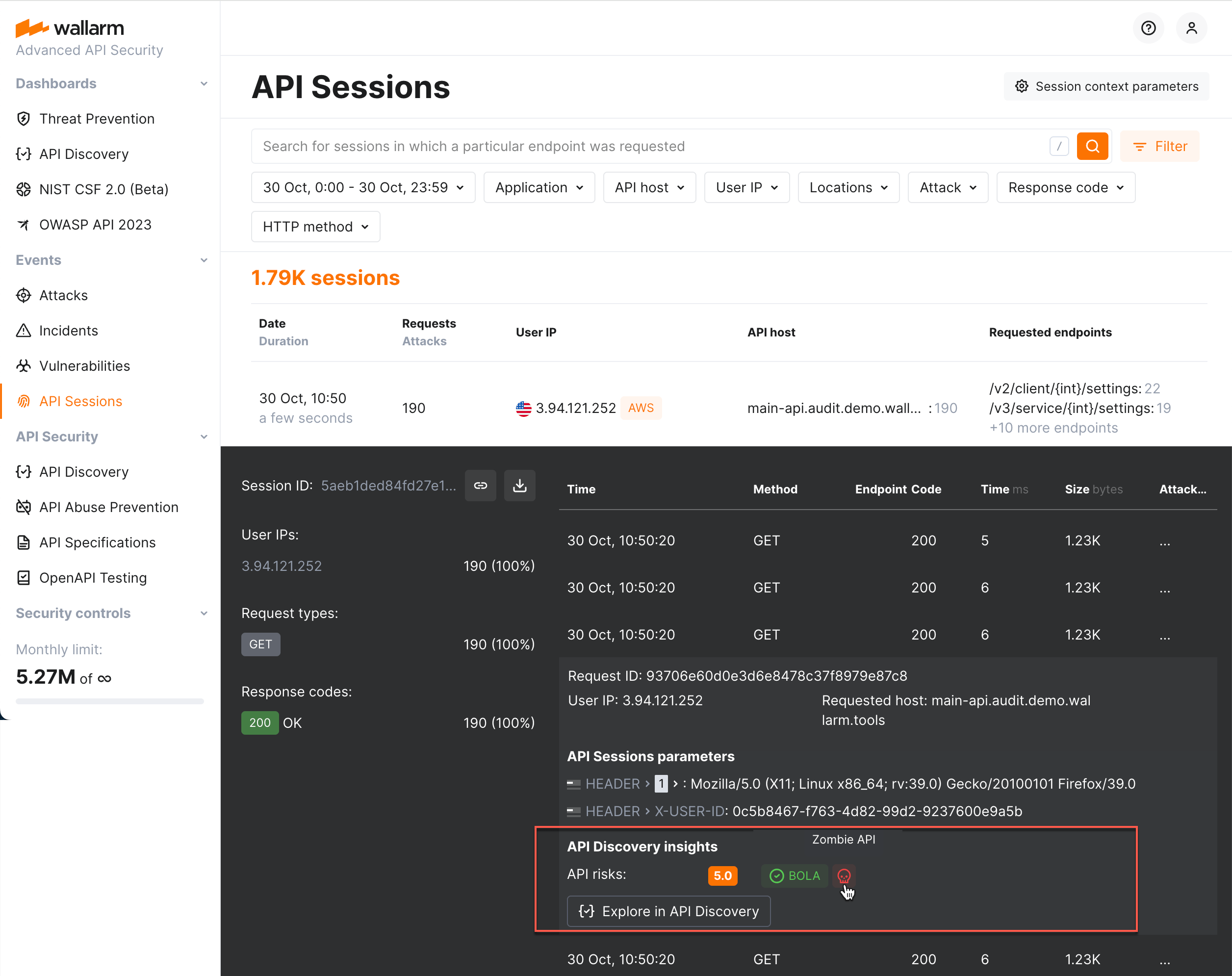
Click **Explore in API Discovery** to switch to the endpoint information in the [**API Discovery**](https://docs.wallarm.com/api-discovery/overview.md) section.
## Identifying performance issues
Use the **Time,ms** and **Size,bytes** columns in the session request details to compare presented data with the average expected values. Significantly exceeded values signal possible performance issues and bottlenecks and the possibility to optimize the user experience.
## Sensitive business flows
In [API Discovery](https://docs.wallarm.com/api-discovery/overview.md), the [sensitive business flow](https://docs.wallarm.com/api-discovery/sbf.md) capability (requires NGINX Node 5.2.11 or native Node 0.10.1 or higher) allows automatic and manual identification of endpoints that are critical to specific business flows and functions, such as authentication, account management, billing, and similar critical capabilities.
If the sessions' requests affect the endpoints that in API Discovery were tagged as important for some sensitive business flows, such sessions are automatically tagged as affecting this business flow as well.
Once sessions are assigned the sensitive business flow tags, it becomes possible to filter them by a specific business flow, which makes it easier to select the sessions that are most important to analyze.
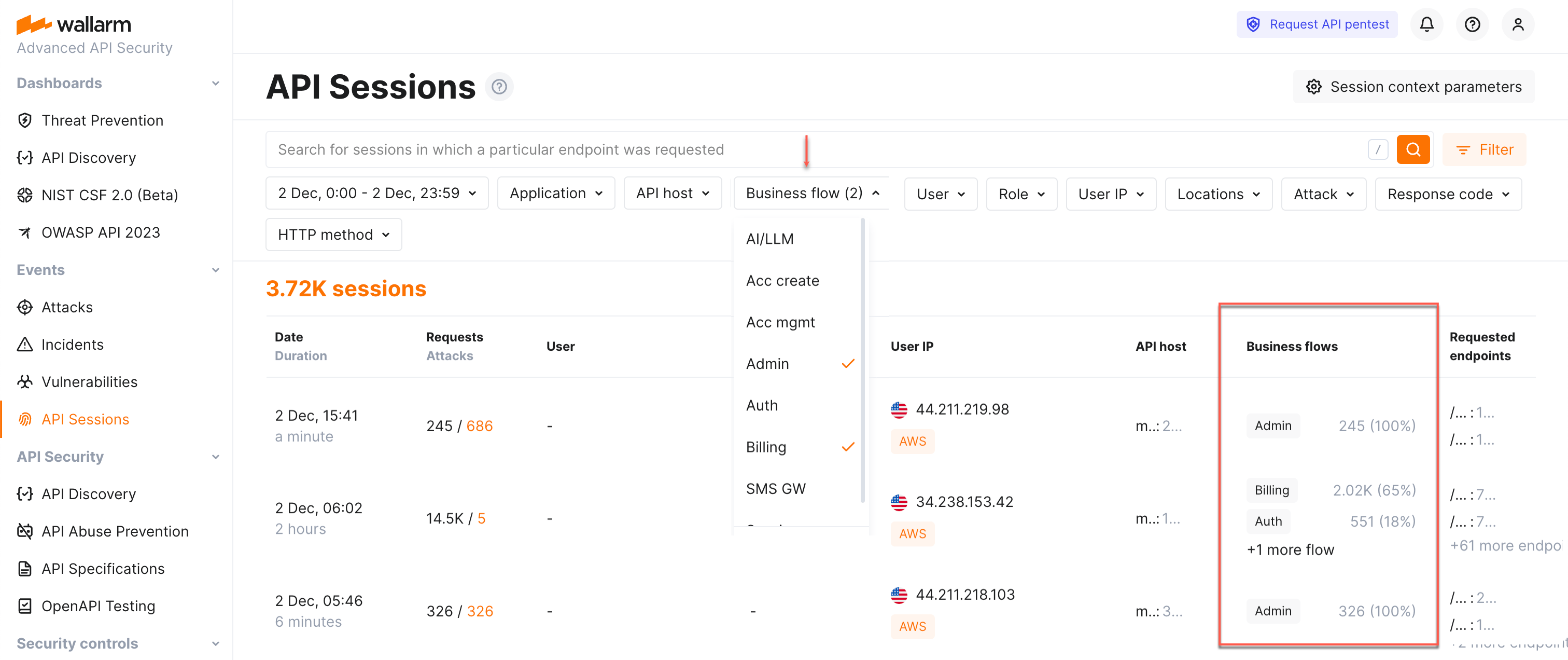
Wallarm lists business flows and displays the number and percentage of requests related to the flow from the total number of session requests.
Sessions can be associated with one of the following sensitive business flows:
* **AI/LLM** (artificial intelligence/large language models) flows - requests/endpoints/parameters related to the systems that use ML models, neural networks, chatbots or systems that in turn access some paid third-party AI services, such as OpenAI.
* **Acc create** (account creation) and **Acc mgmt** (account management) flows - the key administrative flows relating to your applications.
* **Admin** (administrative) flows - requests/endpoints/parameters related to applications' administrative functions and activities. Such requests/endpoints/parameters are usually targeted by attackers in order to access functionality intended for privileged users only (BFLA), escalate privileges and gain control over the system.
* **Auth** (authentication) flows - requests/endpoints/parameters critical to access control, as they verify user identity and manage permissions. As the entry point to the app, they are often the first target for attackers seeking to bypass security, gain unauthorized access, and take over accounts.
* **Billing** flows - sensitive due to usage and possible breach of critical personal financial data and susceptible to fraud.
* **SMS GW** (SMS gateway) flows - requests/endpoints/parameters sensitive because attackers can exploit them in SMS pumping attacks, flooding them with messages to inflate costs. Since these requests/endpoints/parameters are connected to API gateways and payment systems, this can lead to financial loss and system overload.
Use the **Business flow** filter to quickly analyze all the sessions affecting specific flows.
## Sessions by users and roles
If you [configured](https://docs.wallarm.com/api-sessions/setup.md#users-and-roles) API Sessions to obtain information on users and their roles, you can filter sessions by users and roles.
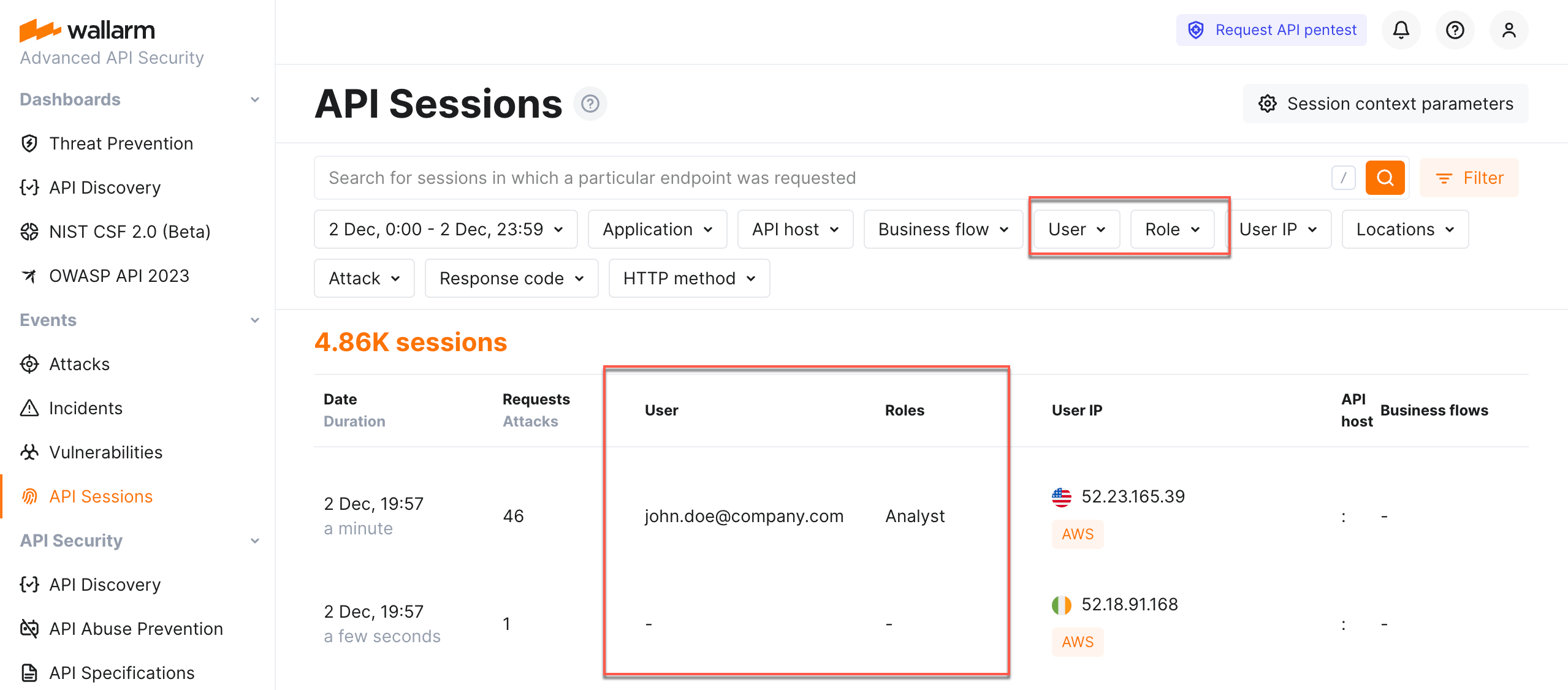
## Verifying API abuse detection accuracy
Once the malicious bot activity is detected by Wallarm's [API Abuse Prevention](https://docs.wallarm.com/api-abuse-prevention/overview.md) and displayed in the [**Attacks**](https://docs.wallarm.com/user-guides/events/check-attack.md) section, you can see the full context of this attack's requests: which user sessions they belong to and what the full sequence of requests in each session is. This helps you investigate the actor's activity and verify whether marking it as a malicious bot was correct.
A single bot attack often spans several user sessions: the requests grouped into it come from different sessions, and the attack overview shows how many sessions are involved.

To dig into these sessions, in Wallarm Console → [**Attacks**](https://docs.wallarm.com/user-guides/events/check-attack.md), open the bot attack and switch to the **Requests** tab. Here you can filter the requests by **Session ID** to review one session at a time. To open a session in full, select a request, open the **Session ID** field menu, and select **Investigate this attack in API Sessions**: Wallarm opens the [**API Sessions**](https://docs.wallarm.com/api-sessions/overview.md) section filtered to the session related to these bot activities.
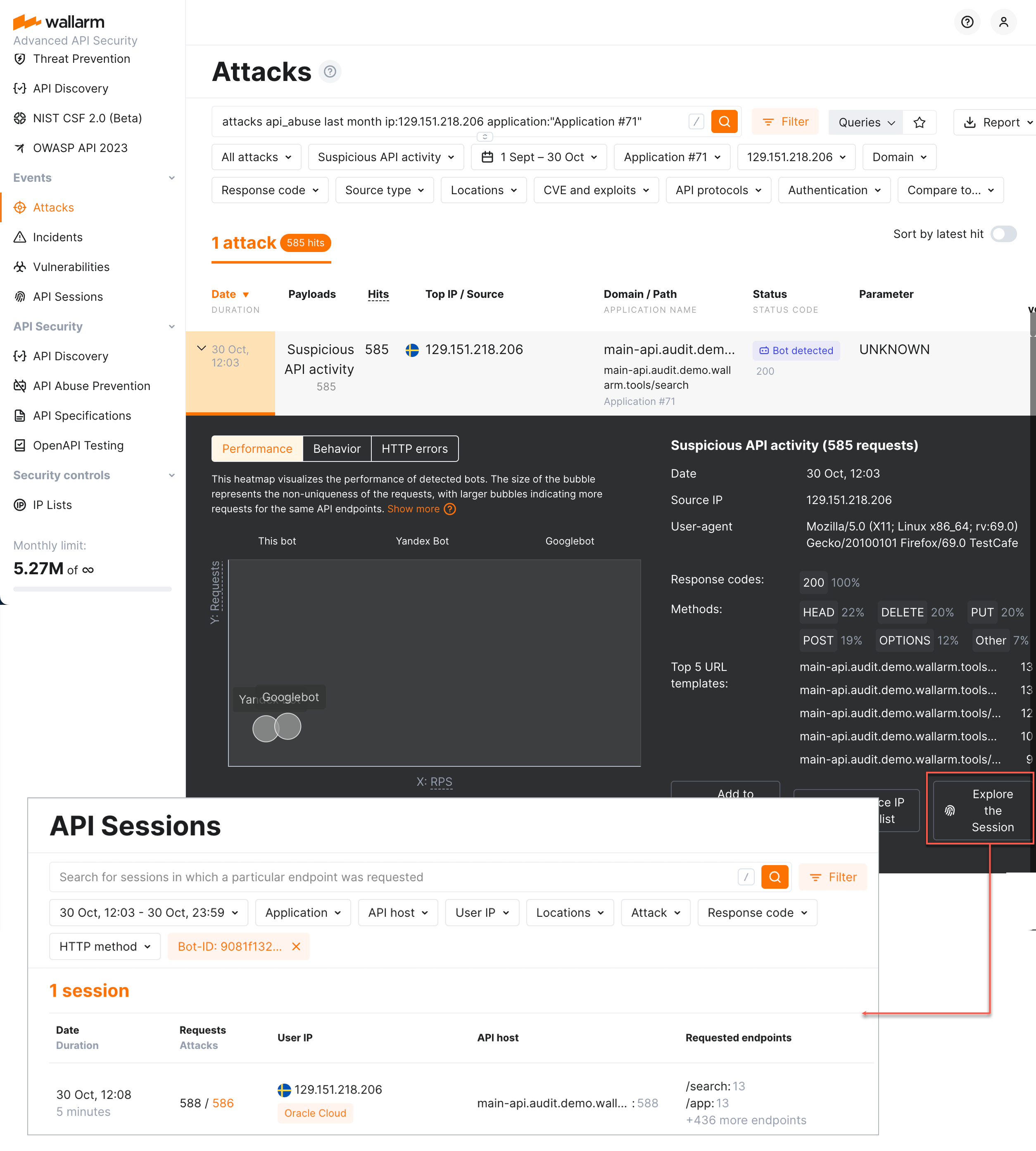
## Adjusting attack detection
You can adjust how Wallarm behaves regarding attack detection directly from the malicious request of the session:
* The attack may be marked as [false-positive](https://docs.wallarm.com/about-wallarm/protecting-against-attacks.md#false-positives) - the filtering node will not recognize such requests as attacks in future.
* The [rule](https://docs.wallarm.com/user-guides/rules/rules.md) may be created - once active, the rule will alter the default Wallarm behavior during the analysis of requests and their further processing.
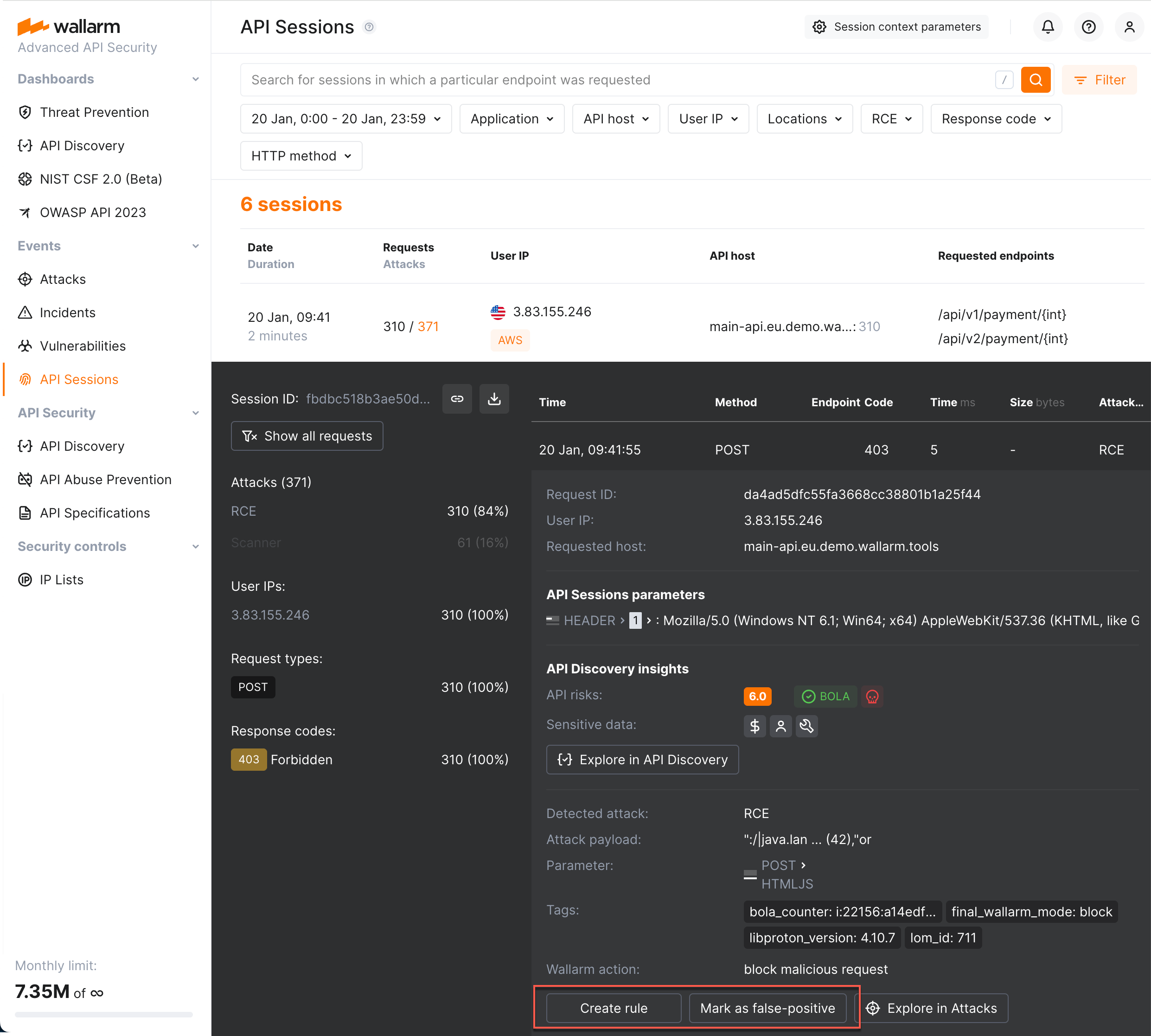
## Sharing session information
If you found suspicious behavior in the session and would like to share insights with colleagues and store the session for further analysis, use the **Copy link** or **Download CSV** in the session details.
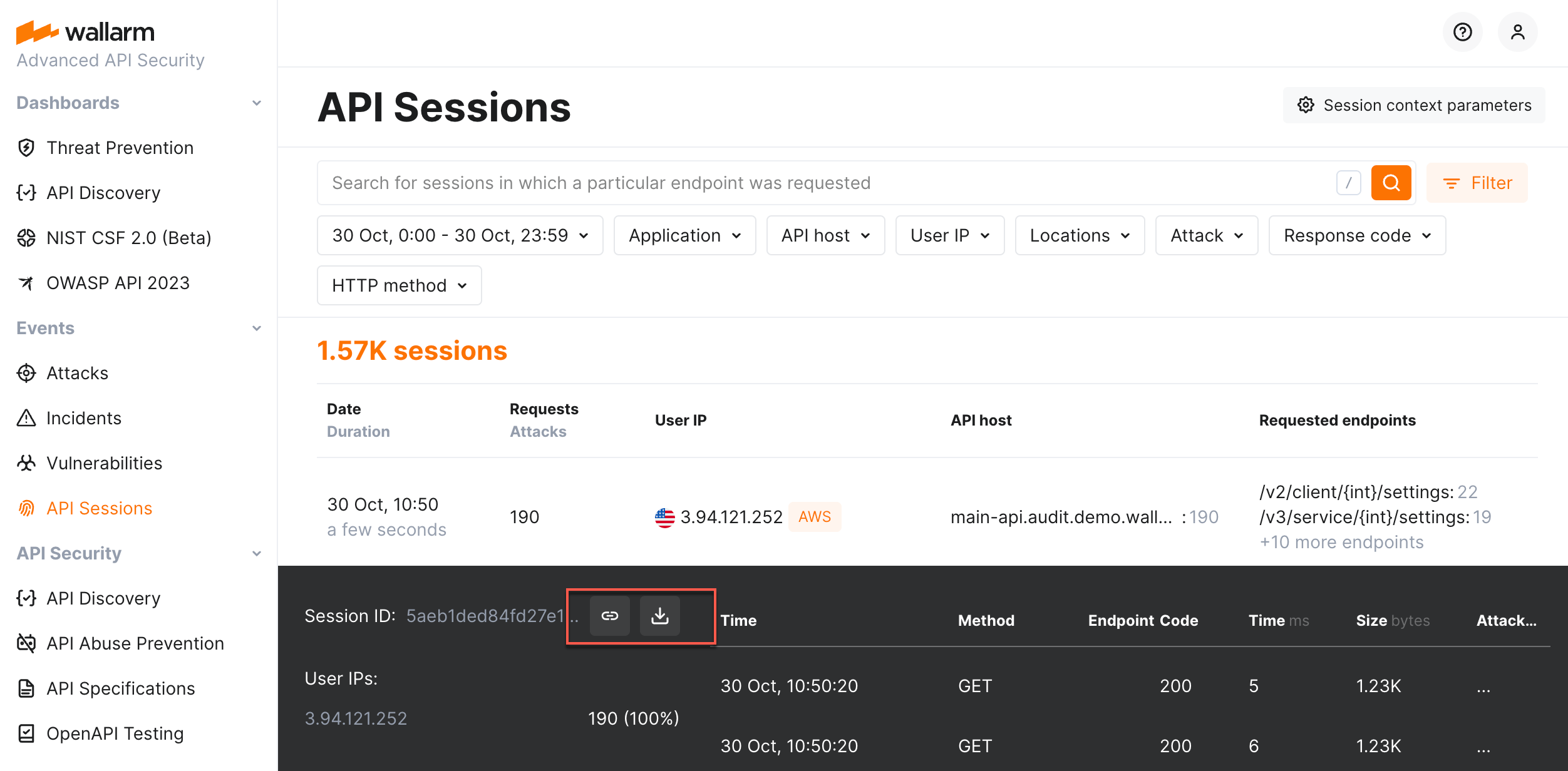
---
## https://docs.wallarm.com/api-sessions/mcp-sessions/
# MCP Sessions
In addition to regular [API Sessions](https://docs.wallarm.com/api-sessions/overview.md), Wallarm provides dedicated support for [Model Context Protocol](https://modelcontextprotocol.io/) (MCP) sessions. MCP sessions group MCP tool calls, resource reads, and prompt invocations into logical sessions, giving you visibility into how AI agents interact with MCP servers.
MCP sessions are displayed in a dedicated **MCP Sessions** tab in Wallarm Console → **API Sessions**.
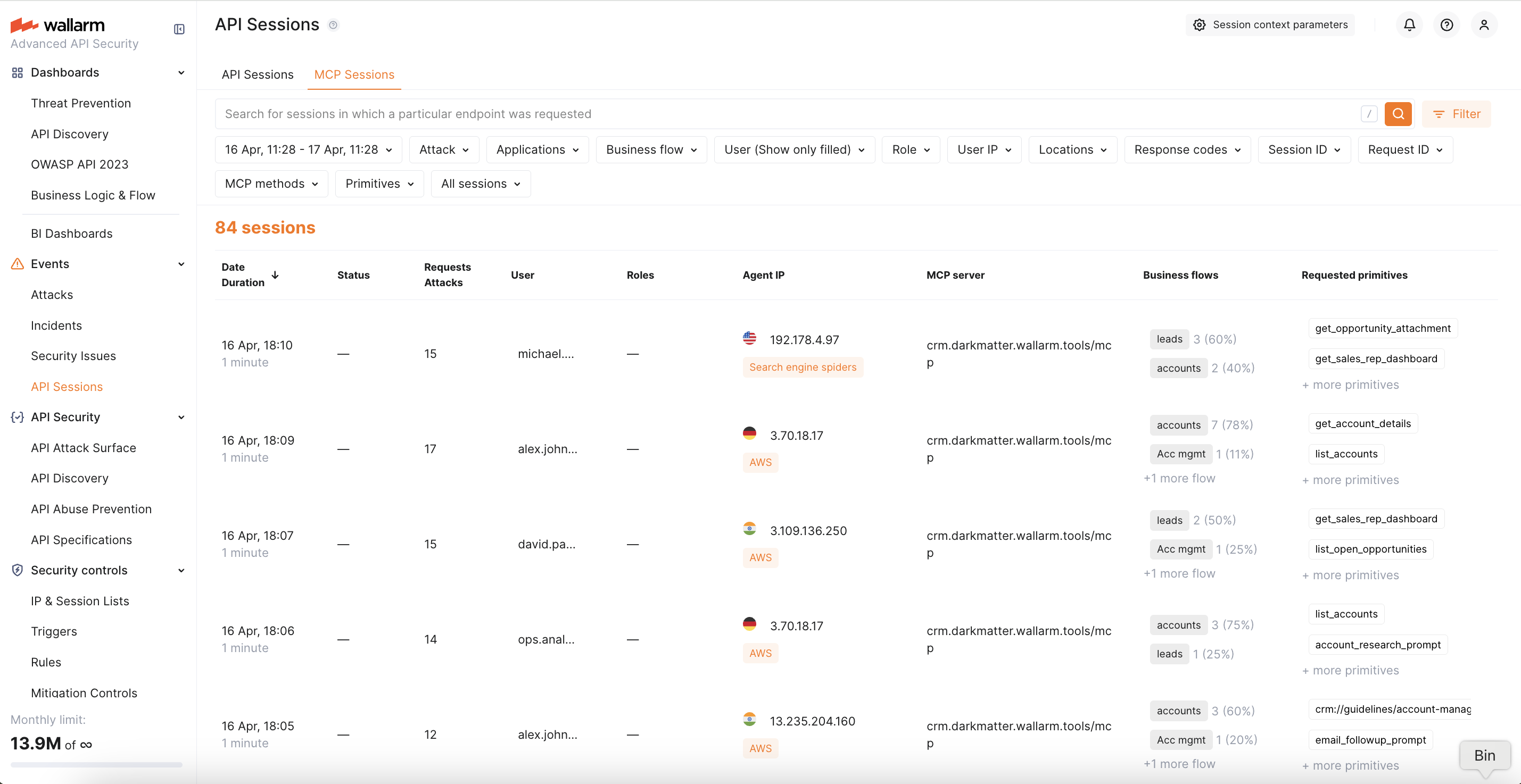
## How MCP Sessions work
When Wallarm detects MCP traffic (JSON-RPC 2.0 requests with MCP-specific methods), it groups requests into sessions based on the `MCP-SESSION-ID` header — a standard MCP protocol header that identifies a session.
For each MCP session, Wallarm displays:
* **MCP server** — the host and path of the MCP server endpoint
* **Session ID** — the value of the `MCP-SESSION-ID` header
* **User** and **Role** — extracted from session context if [configured](#mcp-session-configuration)
* **Methods** — MCP methods called during the session (`tools/call`, `resources/read`, `prompts/get`, etc.)
* **Primitives** — names of tools, resources, or prompts accessed during the session
* **Attacks** — any attacks detected within the session by [MCP mitigation controls](https://docs.wallarm.com/agentic-ai/mcp-mitigation-controls.md) or other protection mechanisms
You can click on any session to see the full request sequence, with each request showing its MCP method, primitive name, and request/response details.
## Requirements
* The [Advanced API Security](https://docs.wallarm.com/about-wallarm/subscription-plans.md#core-subscription-plans) subscription plan
* [NGINX Node](https://docs.wallarm.com/installation/nginx-native-node-internals.md#nginx-node) 6.12.0 or higher, or [Native Node](https://docs.wallarm.com/installation/nginx-native-node-internals.md#native-node) 0.25.0 or higher
Some MCP servers return their responses as Server-Sent Events (SSE) streams (`Content-type: text/event-stream`) rather than a single JSON body. To inspect these streamed responses, [NGINX Node](https://docs.wallarm.com/installation/nginx-native-node-internals.md#nginx-node) 6.13.0 or higher is required.
## MCP Session Configuration
MCP sessions are detected automatically — the Wallarm node recognizes MCP traffic by JSON-RPC 2.0 patterns and groups requests into sessions using the standard `MCP-SESSION-ID` header. No manual configuration is required for basic MCP session detection.
When [API Discovery](https://docs.wallarm.com/api-discovery/overview.md) detects an MCP server, it automatically creates an MCP Session Configuration with default rules (extracting session ID from the `MCP-SESSION-ID` header). You can view and customize these auto-created configurations or create new ones manually.
You can optionally add **MCP session context parameters** to extract additional information from MCP traffic, such as user identity and role. This enables:
* User and role display in MCP session details
* Filtering MCP sessions by user or role
* User- and role-based [ACL policies](https://docs.wallarm.com/agentic-ai/mcp-mitigation-controls.md#acl-policy)
!!! info "MCP user and role"
MCP sessions have their own user and role, separate from the HTTP-level user. A single AI agent may interact with multiple MCP servers using different identities. The extracted MCP user and role are written into the standard session user/role fields for display and filtering.
To configure MCP session context parameters:
1. Go to Wallarm Console → **API Sessions** → click **Session context parameters**.
1. Switch to the **MCP Sessions** tab.
1. Select an existing MCP server (auto-created by [API Discovery](https://docs.wallarm.com/api-discovery/exploring.md#mcp-servers)) or click **Add MCP Session config** to add a new one manually. For a new server, specify:
* **Host** — the hostname of your MCP server (e.g., `mcp.example.com`)
* **Location** — the path to the MCP endpoint (e.g., `/mcp` or `/sse`)
1. Within the selected MCP server configuration, add context parameters. Each parameter specifies a request/response location and its type:
| Type | Description |
|---|---|
| **MCP Session ID** | Location of the session identifier. By default, the node uses the `MCP-SESSION-ID` header. Set this only if your MCP server uses a non-standard session ID location. |
| **MCP User** | Location of the user identifier (e.g., a JWT claim or a custom header). |
| **MCP Role** | Location of the user role (e.g., a JWT claim). |
1. Click **Save**.
## Exploring MCP Sessions
MCP sessions can be explored in the **MCP Sessions** tab in Wallarm Console → **API Sessions**. Like regular API sessions, MCP sessions are split into daily parts and stored for 7 days. The tab provides the same capabilities as regular API Sessions (except CSV export, which is not available for MCP sessions):
* Filter sessions by time range, user, role, MCP server, or attack type
* View the full sequence of requests within a session
* Inspect request and response details for each MCP call
* Navigate to the attack details and the mitigation control that triggered detection
When viewing request details within an MCP session, the following MCP-specific information is displayed:
* **MCP method** — the JSON-RPC method (e.g., `tools/call`, `resources/read`)
* **Primitive name** — the tool, resource, or prompt name
* **Arguments** — the parameters passed to the tool call (for `tools/call` requests)
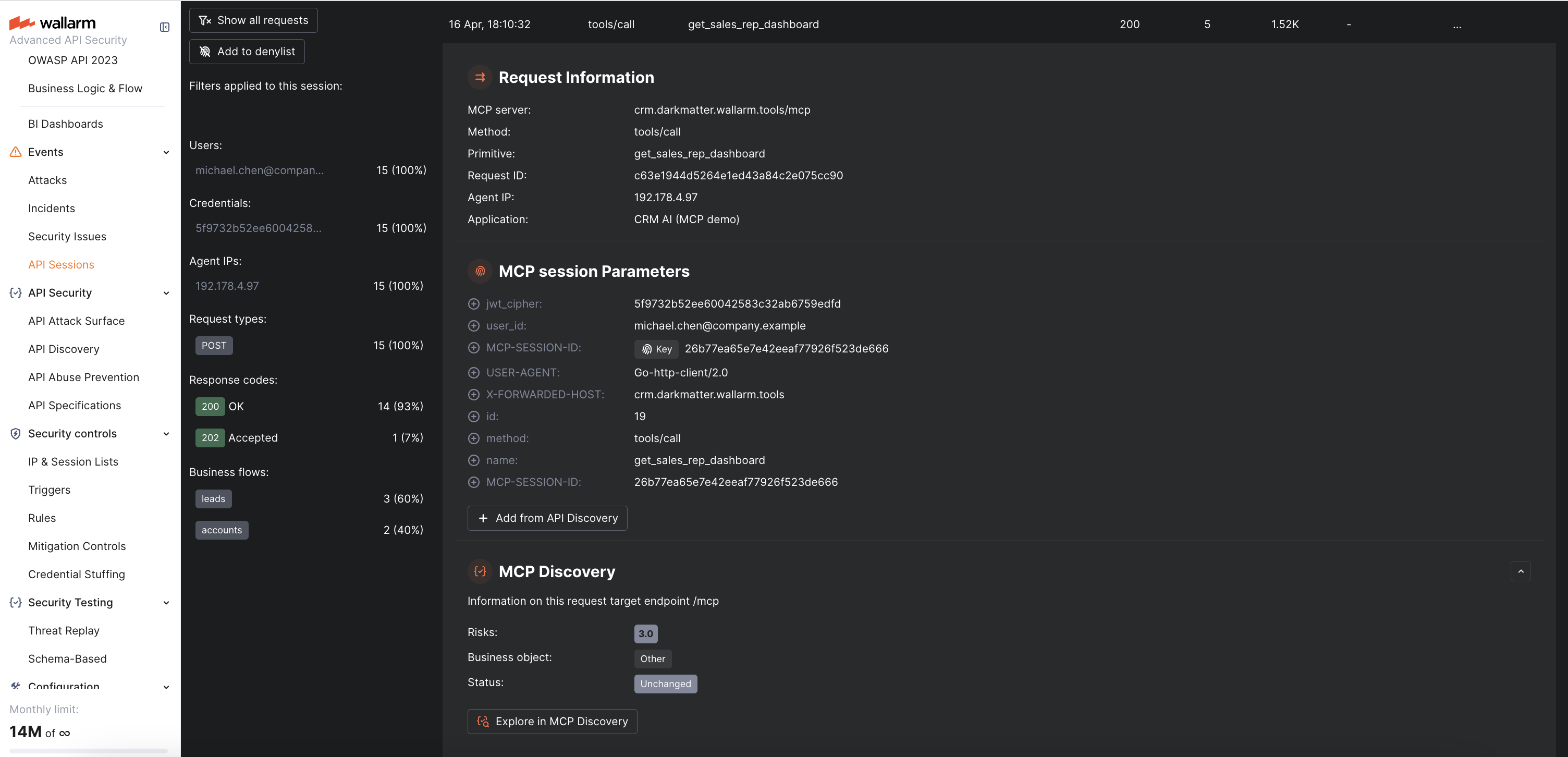
## Viewing attacks in MCP Sessions
Attacks detected by [MCP mitigation controls](https://docs.wallarm.com/agentic-ai/mcp-mitigation-controls.md) are displayed directly within the MCP session where they occurred. In the request details, you can see:
* The attack type (**ACL violation**, **MCP request verification failure**, **Invalid tool call**)
* A link to the mitigation control that triggered the detection
* The full request content that caused the violation
---
## https://docs.wallarm.com/api-sessions/blocking/
# Blocking in API Sessions
As Wallarm's API Sessions aim to provide full visibility into sessions within your traffic, this visibility includes information about Wallarm's intervention into the session's traffic flow, particularly, requests that were, for various reasons, defined as part of an attack, marked as such and, if configured, blocked.
This includes requests marked as part of an attack or blocked by different [tools for attack detection](https://docs.wallarm.com/about-wallarm/protecting-against-attacks.md#tools-for-attack-detection):
* [Input validation attacks](https://docs.wallarm.com/attacks-vulns-list.md#attack-types) (SQL injection, cross‑site scripting, remote code execution, path traversal and others) found by [basic set of detectors](https://docs.wallarm.com/about-wallarm/protecting-against-attacks.md#basic-set-of-detectors). Such requests are handled in accordance with the [filtration mode](https://docs.wallarm.com/admin-en/configure-wallarm-mode.md) for the target endpoint.
* Requests [filtered by IP](https://docs.wallarm.com/user-guides/ip-lists/overview.md) - source IPs are in the IP Denylist or Graylist, put there for specific time or forever.
* Requests [filtered by session](#blocking-sessions) itself - the session the request is grouped into is in the Session Denylist, put there for specific time or forever.
## Blocking sessions
!!! tip ""
Requires either [NGINX Node](https://docs.wallarm.com/installation/nginx-native-node-internals.md#nginx-node) 6.5.1 or later, or [Native Node](https://docs.wallarm.com/installation/nginx-native-node-internals.md#native-node) 0.19.0 or later.
Session blocking allows for more intelligent security decisions based on the state of the current interaction with the application, rather than just its network origins ([source IP addresses](https://docs.wallarm.com/user-guides/ip-lists/overview.md)). It is required for the cases of:
* Dynamic source IP addresses
* Attackers switching IP addresses via proxy servers, VPNs or other means
* Bot attacks, utilizing a number of machines with diverse IP addresses
* Invalidating the specific stolen session (directly stops the hijack)
* Necessity of immediate revocation of current access for actively logged in session
Wallarm can block the entire session by putting it in the Session Denylist for specific time or forever. While the session is in the list, its requests are blocked:
* All requests (**All applications** option, default)
* Only session requests targeting specific [application(s)](https://docs.wallarm.com/user-guides/settings/applications.md), others will not be blocked
### Requirements
For session blocking to be an effective measure against different types of threats, how requests are grouped into sessions should be [properly configured](https://docs.wallarm.com/api-sessions/setup.md#session-grouping).
We recommend using [fingerprints](https://docs.wallarm.com/admin-en/enabling-ja3.md) for unauthenticated sessions and a [user identifier](https://docs.wallarm.com/api-sessions/setup.md#users-and-roles) (like `user_id`, `token`, etc.) for authenticated ones.
### Session denylist
Both [automatic](#automatic-blocking) and [manual](#manual-blocking) blocking puts session into Session Denylist accessible in Wallarm Console → **IP & Session Lists** → **Session lists** → **Denylist**.
While the session is in the Session Denylist, all its requests are blocked, 403 response is sent.
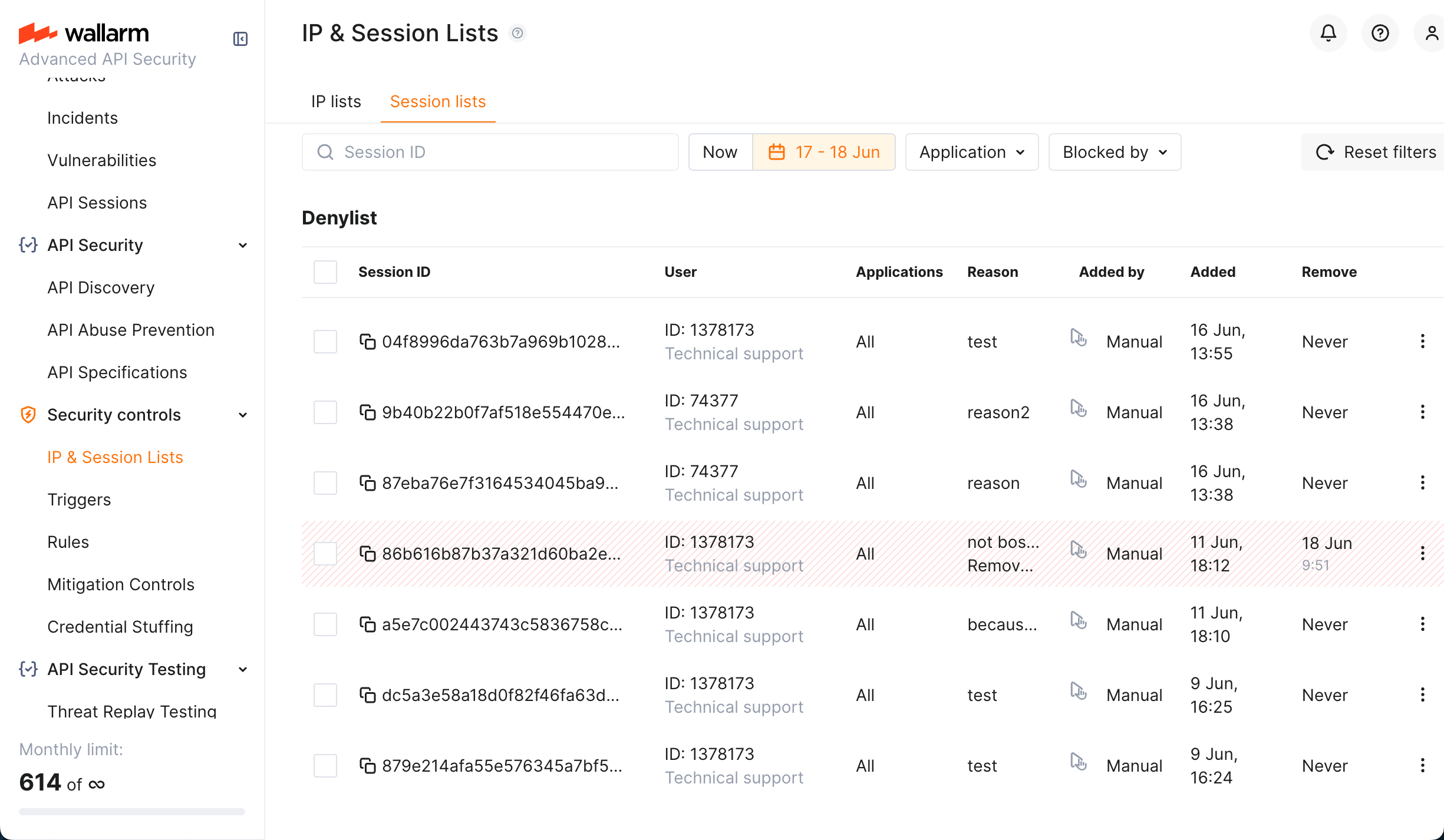
Note that Session Denylist by default is in **Now** state and displays sessions that are blocked now. However, you can select a specific date range, then the list will also display sessions that were in the list in that period but now are not in the list and thus are not blocked.
Such historical records will contain information on when they were removed from Denylist and by whom. For any record (current and historical), you can view the corresponding session details, by selecting **View session details** from the record menu.
### Automatic blocking
The session can be blocked automatically by:
* [Mitigation control](https://docs.wallarm.com/about-wallarm/mitigation-controls-overview.md)
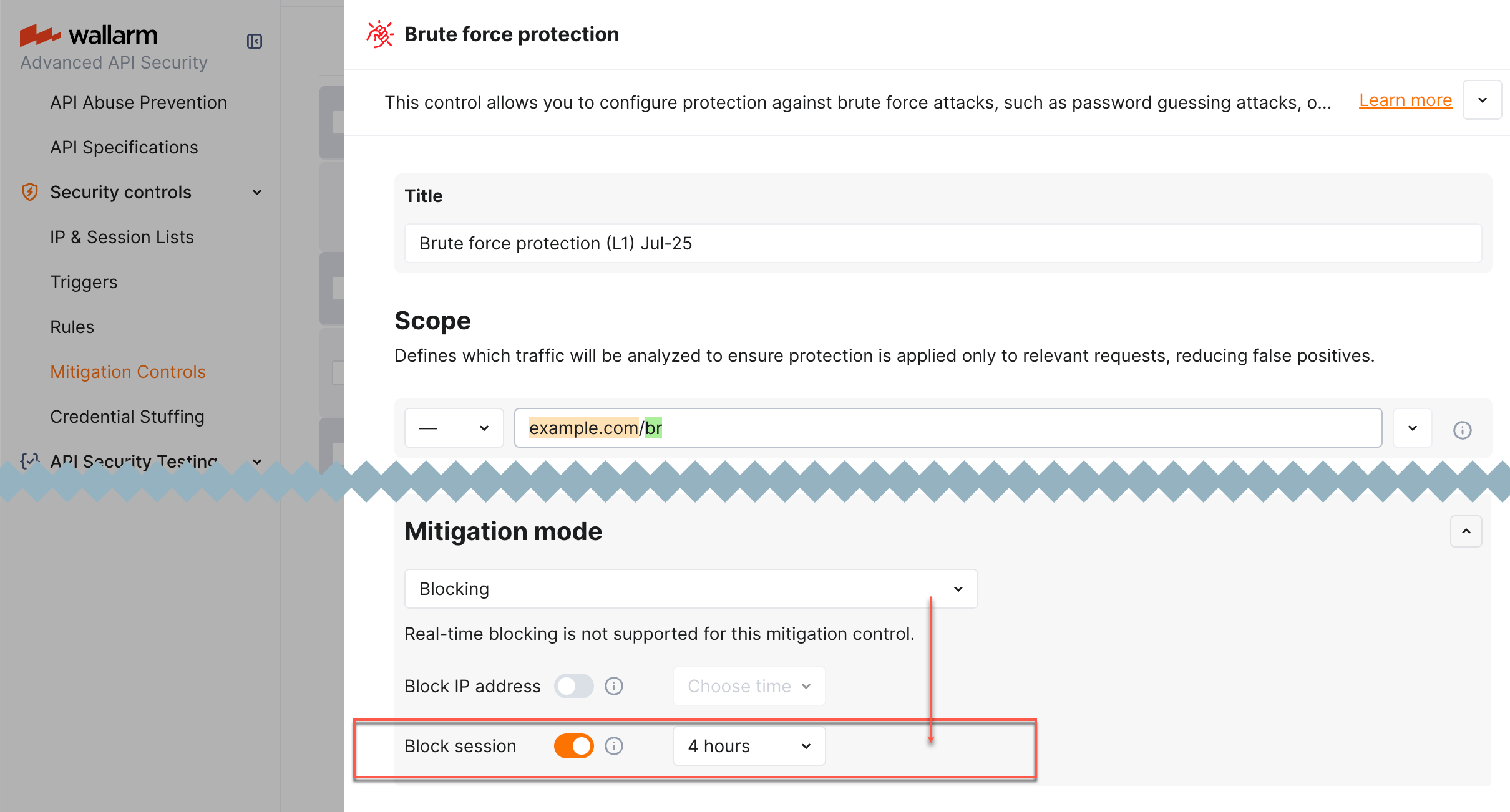
* Wallarm's [API Abuse Prevention](https://docs.wallarm.com/api-abuse-prevention/overview.md)
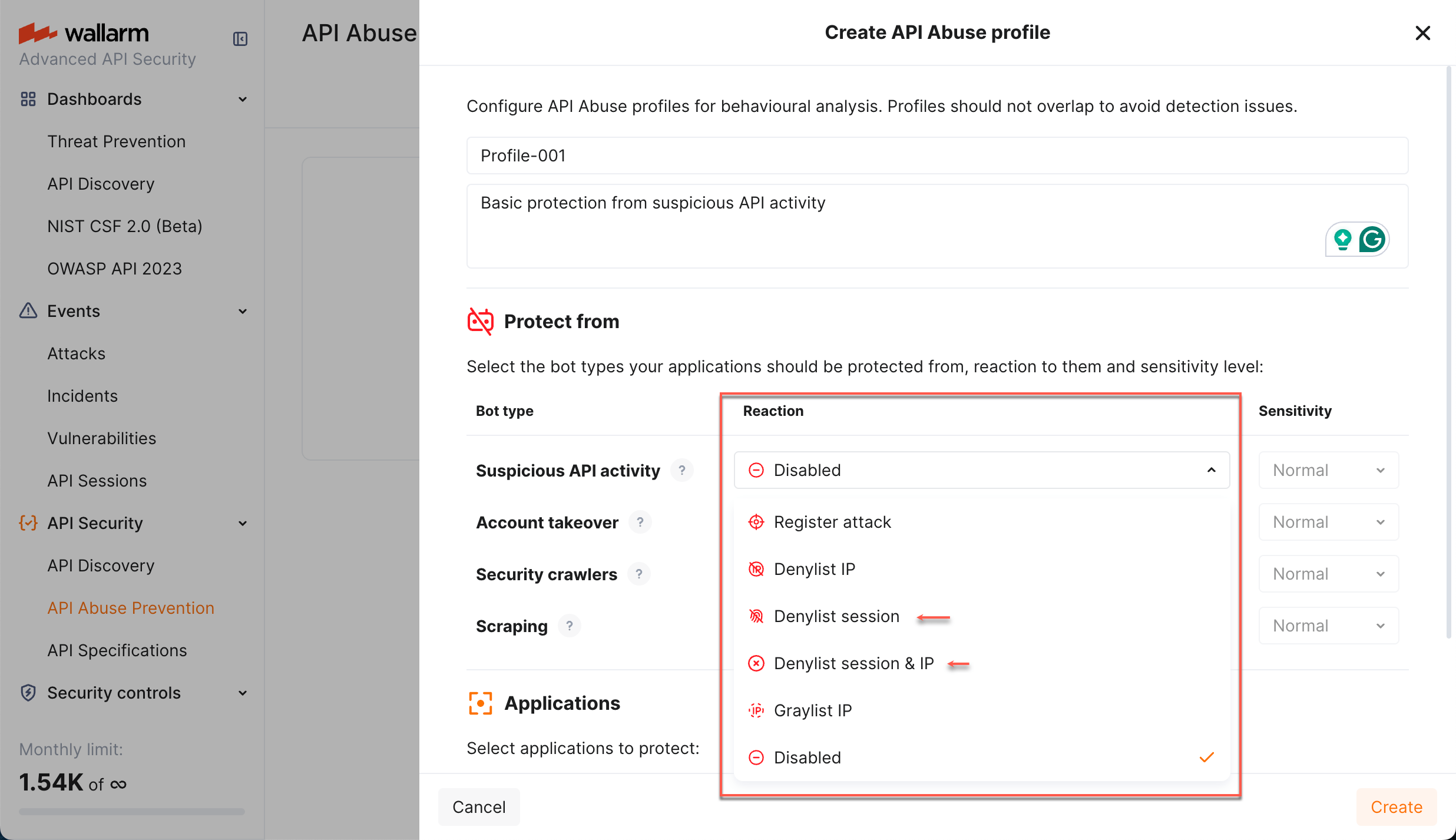
In that case, in **API Sessions**, it will obtain the **Blocked** status, from request details you can click a link to the mitigation control that put the session in the list. Click this link to view the details on mitigation control configuration and adjust if necessary.
Automatic blocking may not be forever; in that case, at a specified moment, the session will be automatically unblocked. The historical record will remain in Session Denylist.
### Manual blocking
You can manually block the session: expand the session details and click **Add to denylist**.
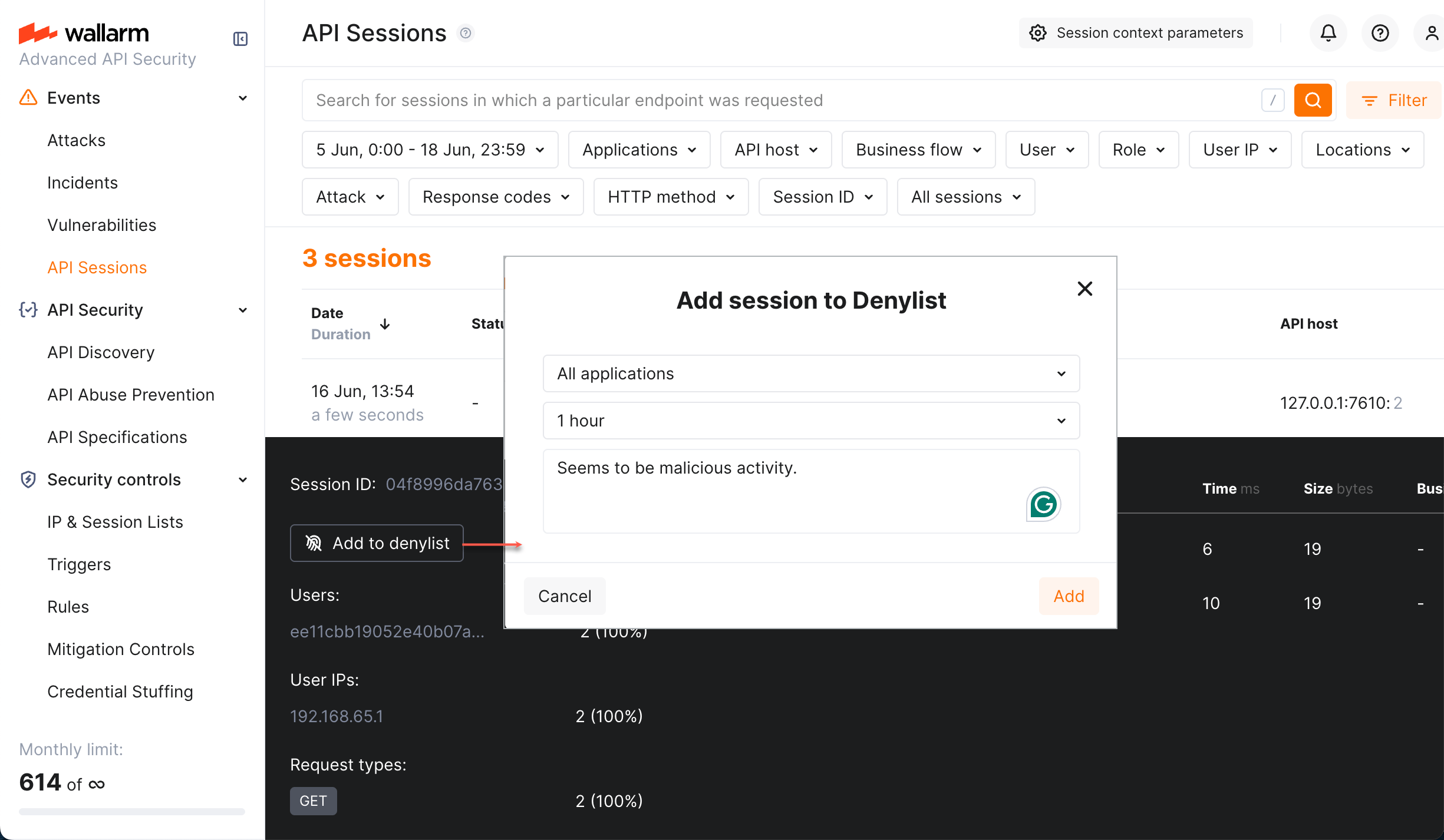
### Unblocking
Sessions are usually put in the Session Denylist not forever, but for the specific period of time. After this period, the session is automatically unblocked.
You can also unblock the session manually: in Wallarm Console, do one of the following:
* Go to **API Sessions**, blocked session details, click **Unblock the session**.
* Go to **IP & Session Lists** → **Session lists** → **Denylist**, from the record menu, select **Delete session**.
### Session status change
After session is blocked or unblocked, its new status is displayed only after the first request following blocking or unblocking.
## Viewing all blocked requests
As we mentioned in the introduction of this article, there can be different reasons for request blocking within a session. Whatever the reason was, Wallarm provides a clear picture of all attacks (not obligatory blocked) and blocks within the session.
Consider the following:
* [Long sessions](https://docs.wallarm.com/api-sessions/exploring.md#multi-day-sessions) are split into one-day parts, no parts older than 7 days are stored and displayed.
* Detected attacks are listed in session details, left panel. Click filter mark in attack type to see in session details only the requests related to this attack type.
* Not all requests that are defined as part of an attack are blocked. Distinguish those that were blocked by opening request details and checking **Wallarm action** in the **Detected attacks** section.
* After blocking the session, only 10 requests following the block moment are displayed.
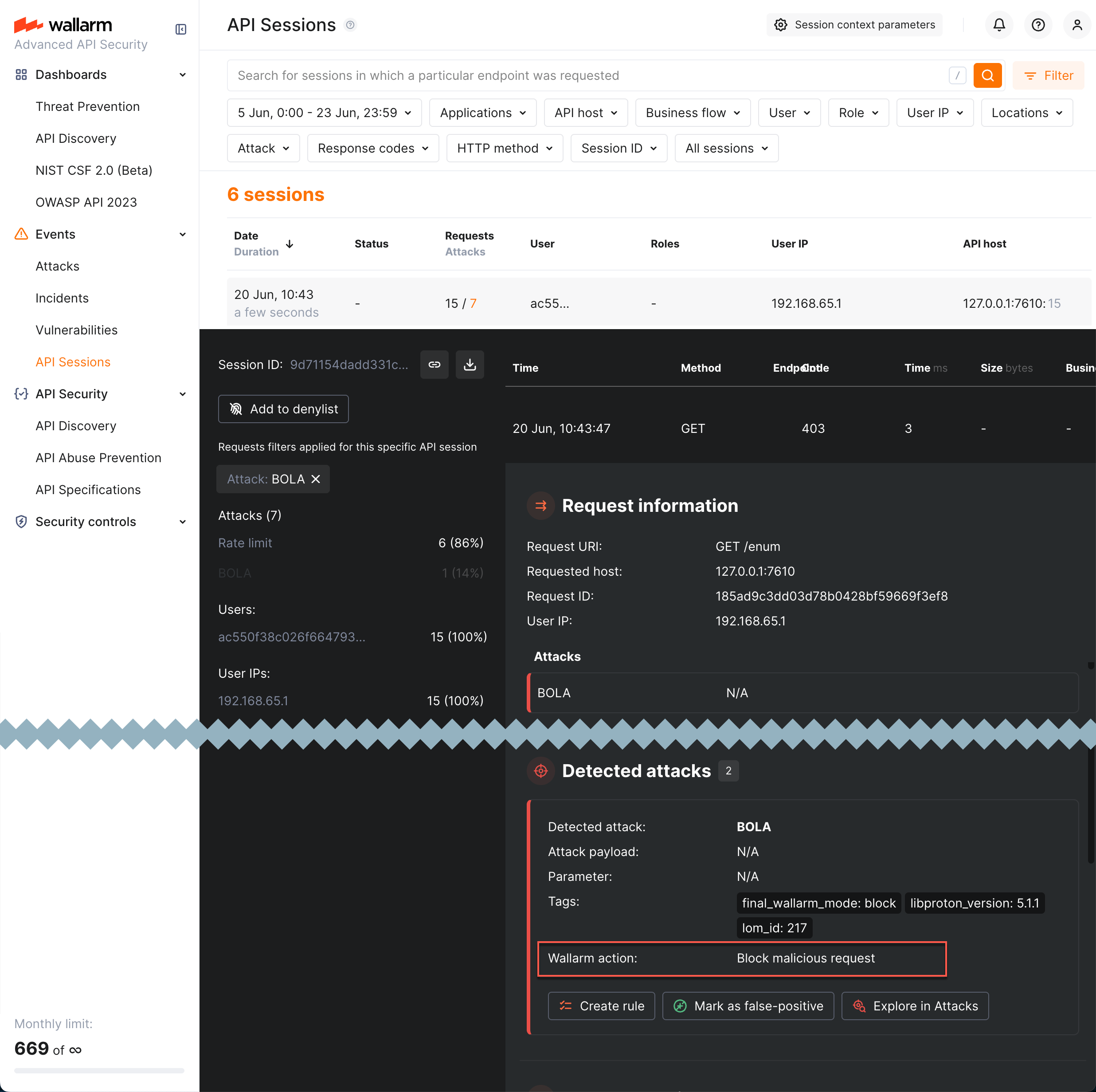
* Even in the currently **Blocked** session, there can be unblocked requests (as session was not always blocked).
* Even in the session that is not currently blocked, there can be blocked requests (different reasons, discussed in the introduction of this article), including blocked by session if the session was blocked at some period in the past.
---
## https://docs.wallarm.com/admin-en/configuration-guides/protecting-against-bola-trigger/
# BOLA Protection
Behavioral attacks such as [Broken Object Level Authorization (BOLA)](https://docs.wallarm.com/attacks-vulns-list.md#broken-object-level-authorization-bola) exploit the vulnerability of the same name. This vulnerability allows an attacker to access an object by its identifier via an API request and either read or modify its data, bypassing an authorization mechanism.
## Configuration method
Depending on your subscription plan, one of the following configuration methods for protection from BOLA attacks will be available:
* Mitigation controls ([Advanced API Security](https://docs.wallarm.com/about-wallarm/subscription-plans.md#core-subscription-plans) subscription)
* Triggers ([Cloud Native WAAP](https://docs.wallarm.com/about-wallarm/subscription-plans.md#core-subscription-plans) subscription)
## Mitigation control-based protection
Wallarm's Advanced API Security [subscription](https://docs.wallarm.com/about-wallarm/subscription-plans.md#core-subscription-plans) provides advanced [enumeration attack protection](https://docs.wallarm.com/api-protection/enumeration-attack-protection.md), including protection from BOLA attacks.
## Trigger-based protection
### Configuring
By default, Wallarm automatically discovers only vulnerabilities of the BOLA type (also known as IDOR) but does not detect its exploitation attempts. Consider the example below to learn how to configure protection from BOLA attacks.
Let us say your e-commerce `wmall-example.com` platform for online stores (shops) stores information for each hosted shop under `/shops/
Wallarm allows protecting your APIs from the [enumeration attacks](https://docs.wallarm.com/attacks-vulns-list.md#enumeration-attacks) preventing the reveal of information highly valuable for malicious actors. By identifying valid usernames, email addresses, or system resources, attackers can significantly narrow their focus for subsequent attacks. This reconnaissance phase allows attackers to understand the target system better, potentially uncovering vulnerabilities and enabling the planning of more sophisticated and targeted attacks, ultimately increasing the likelihood of a successful breach.
Requires [NGINX Node](https://docs.wallarm.com/installation/nginx-native-node-internals.md#nginx-node) 6.0.1 or [Native Node](https://docs.wallarm.com/installation/nginx-native-node-internals.md#native-node) 0.14.1 or higher.
## Mitigation controls
Wallarm provides several [mitigation controls](https://docs.wallarm.com/about-wallarm/mitigation-controls-overview.md) to configure protection from enumeration. When selecting which control to use, consider the following:
The **Discovered inventory** dashboard is the home screen for Wallarm's [**API Discovery**](https://docs.wallarm.com/api-discovery/overview.md). It opens on the questions security teams ask first about their API estate:
* Which of my hosts are reachable from the internet?
* Which of my APIs are called **without authentication**?
* Which endpoints are **not in my specification** (shadow and zombie APIs)?
* Which endpoints carry **sensitive data** or have open **security issues**?
* Which endpoints are **attacked the most**?
Everything on the dashboard is built from the same traffic analysis that produces your [API inventory](https://docs.wallarm.com/api-discovery/overview.md) — there is nothing extra to install or enable.
## Opening the dashboard
In Wallarm Console, go to **Dashboards → Discovered inventory**.
The dashboard has two tabs:
* **APIs** — your REST, GraphQL, SOAP, and gRPC endpoints.
* **MCP Servers** — appears only when API Discovery finds [MCP servers](https://docs.wallarm.com/api-discovery/overview.md#supported-protocols) in your traffic. It carries the same widgets, described for MCP primitives (tools, prompts, and resources).
!!! info "No empty cards"
A widget with nothing to report is hidden. If a tenant has no MCP traffic, the **MCP Servers** tab does not appear; if no sensitive data is found, the sensitive-data widgets are not shown.
## APIs tab

The tab leads with what needs attention first:
| Widget | What it shows |
| --- | --- |
| **External hosts** | How many of your hosts are reachable from the internet versus internal-only. See [Host exposure (external vs. internal)](#host-exposure-external-vs-internal) below. |
| **APIs by authentication type** | The share of endpoints called **without authentication** versus authenticated. See [Authentication detection](#authentication-detection) below. |
| **REST APIs by rogue status** | [Shadow and zombie](https://docs.wallarm.com/api-discovery/rogue-api.md) endpoints as a share of your REST APIs — traffic that does not match your uploaded specification. |
| **Entries with issues** | The share of endpoints with open [security issues](https://docs.wallarm.com/api-attack-surface/security-issues.md) (vulnerabilities). |
| **APIs with sensitive data** | Endpoints broken down by the class of [sensitive data](https://docs.wallarm.com/api-discovery/sensitive-data.md) they carry (Technical, Personal, Credentials, Financial). |
| **APIs by protocol** | Your inventory split across REST, GraphQL, SOAP, gRPC, and MCP. |
| **By change status** | A chart of new and changed endpoints over the [last 7 days](https://docs.wallarm.com/api-discovery/track-changes.md). |
| **Sensitive data discovered** | The specific [sensitive-data types](https://docs.wallarm.com/api-discovery/sensitive-data.md) found (Token, Email, JWT, Credit card number, and others), with the number of entries carrying each. |
| **Assets requiring attention** | The endpoints to look at first — see [Assets requiring attention](#assets-requiring-attention) below. |
## MCP Servers tab
When API Discovery finds [MCP servers](https://docs.wallarm.com/api-discovery/overview.md#supported-protocols) in your traffic, the **MCP Servers** tab gives them the same treatment, measured in MCP primitives:

* **External exposure**, **MCP primitives by authentication type**, **MCP primitives with sensitive data**, and **By change status** mirror the APIs tab.
* **MCP primitives by risk level** groups the discovered primitives into High / Medium / Low risk.
* **MCP primitives discovered** splits them by type — **Tools**, **Prompts**, and **Resources**.
* **MCP servers** lists each discovered server and the number of primitives it exposes.
* **Assets requiring attention** ranks individual MCP primitives by attack ratio, exactly as it ranks endpoints on the APIs tab.
## Authentication detection
The **APIs by authentication type** widget (and its MCP equivalent) is built on API Discovery's [authentication flow detection](https://docs.wallarm.com/api-discovery/authentication.md), which reads live traffic to separate authenticated endpoints from those called **without authentication** — the metric this widget leads with.
See [Authentication Flow Detection](https://docs.wallarm.com/api-discovery/authentication.md) for how it works: the authentication types and default parameters detected automatically, the 7-day observation window, the node-version requirements, and how to register custom authentication parameters.
## Host exposure (external vs. internal)
The **External hosts** widget, and the **Public exposure** filter in the [API inventory](https://docs.wallarm.com/api-discovery/exploring.md#filtering), classify every discovered host as **External** (reachable from the public internet), **Internal**, or **Unknown**. This is the fastest way to narrow your attention to your true attack surface — an internet-facing endpoint with no authentication matters far more than an identical endpoint that only serves a private network.
See [Host exposure (external vs. internal)](https://docs.wallarm.com/api-discovery/exploring.md#host-exposure-external-vs-internal) for how each host is classified and how often it is refreshed. Click the **External** segment of the widget to list every endpoint on an internet-facing host.
## Assets requiring attention
The **Assets requiring attention** table lists the 10 endpoints (or MCP primitives) with the highest **attack ratio** — [attack requests](https://docs.wallarm.com/user-guides/events/check-attack.md) as a share of total requests. An endpoint where most requests are attacks ranks above a busy endpoint that sees only a few, so the list surfaces what is actually under pressure rather than what is merely high-traffic.

| Column | Description |
| --- | --- |
| **Endpoints** | The endpoint path and its host. |
| **Requests** | Total requests over the period. |
| **Attacks** | Requests detected as [attacks](https://docs.wallarm.com/user-guides/events/check-attack.md). |
| **Attack ratio** | Attack requests as a percentage of total requests. |
| **Issues** | A flag showing why the endpoint stands out — for example a **Shadow** or **Zombie** [rogue status](https://docs.wallarm.com/api-discovery/rogue-api.md), or an open [security issue](https://docs.wallarm.com/api-attack-surface/security-issues.md). |
## 7-day trends
The **APIs by authentication type**, **REST APIs by rogue status**, **Entries with issues**, and **APIs with sensitive data** widgets each show how their value changed over the **last 7 days**, and the **By change status** chart plots new and changed endpoints over time, so you can see your inventory growing and shifting rather than only its current size. Change tracking is described in [Track API Changes](https://docs.wallarm.com/api-discovery/track-changes.md).
## Drilling down to endpoints
Every widget is a launch point into the [API inventory](https://docs.wallarm.com/api-discovery/exploring.md). Click a number, a donut slice, a bar, or a table row to open the matching endpoint list with the filters already applied — for example, click the unauthenticated slice to open the inventory filtered to endpoints with no authentication, or click a sensitive-data type to open the endpoints carrying it.
---
## https://docs.wallarm.com/api-discovery/track-changes/
# Tracking changes in API and MCP
If changes occur in your API or MCP servers, [API Discovery](https://docs.wallarm.com/api-discovery/overview.md) updates the built API inventory, highlights the changes and gives you information on when and what has changed. This applies to both REST/GraphQL/SOAP/gRPC endpoints and MCP primitives (tools, resources, prompts).

## Overview
The company may have several teams, disparate programming languages, and a variety of language frameworks. Thus changes can come to the API at any time from different sources, which makes them difficult to control. For security officers it is important to detect changes as soon as possible and analyze them. If missed, such changes may hold some risks, for example:
* The development team can start using a third-party library with a separate API and they do not notify the security specialists about that. This way the company gets endpoints that are not monitored and not checked for vulnerabilities. They can be potential attack directions.
* PII data begins to be transferred to the endpoint. An unplanned transfer of PII can lead to a violation of compliance with the requirements of regulators, as well as lead to reputational risks.
* An endpoint important for the business logic (for example, `/login`, `/order/{order_id}/payment/`) is no longer called.
* Other parameters that should not be transferred, for example `is_admin` (someone accesses the endpoint and tries to do it with administrator rights) begin to be transferred to the endpoint.
* A new MCP tool or resource appears on an MCP server without the security team's knowledge, potentially exposing sensitive data or operations to AI agents.
## Highlighting changes in API
In the **Status** column for endpoints, MCP primitives, and their parameters, API Discovery provides data about changes for the last week:
* **New** for the endpoints or MCP primitives discovered within a week.
* **Changed** for the endpoints or MCP primitives that have newly discovered parameters or parameters that obtained the `Unused` status within the period. In the details of the endpoint or primitive, such parameters will have a corresponding mark.
* A parameter gets the `New` status if it is discovered within the last week.
* A parameter gets the `Unused` status if it does not pass any data for a week.
* If later the parameter in the `Unused` status passes data again it will lose the `Unused` status.
* **Unused** for the endpoints or MCP primitives not requested (with the code 200 in response) within the last week or longer.
* If later the endpoint or primitive in the `Unused` status is requested (with the code 200 in response) again it will lose the `Unused` status.
!!! warning "Unused endpoints are removed after 30 days"
Endpoints that receive no qualifying requests for **30 days** since their last update are automatically removed from your API inventory, together with their parameters, sensitive-data history, authentication coverage, and risk-score evolution. **Removed entries cannot be restored.** If traffic to such an endpoint resumes later, the endpoint reappears as **New** and discovery starts over from scratch — past parameter information and history are not recovered.

Use **Changed since** filter to only see endpoints or MCP primitives changed in a specific time period, for example, today.
## Notifications
API Discovery can notify you about endpoint changes in two ways:
* **Email digests** — daily or hourly summaries of new and changed endpoints, delivered to your account email and any additional addresses.
* **Per-endpoint alerts via triggers** — one notification per changed endpoint, delivered through any configured integration (Slack, webhook, SIEM, PagerDuty, Microsoft Teams, Telegram, and others) using the **Changes in API** [trigger](https://docs.wallarm.com/user-guides/triggers/triggers.md) condition.
### Email notifications
You can configure API Discovery email notifications to be sent to your personal email address (used to log in) and to additional email recipients.
Available notifications:
* Daily endpoint changes
* Hourly endpoint changes
Notifications include both newly discovered and changed endpoints. Email notifications are disabled by default.
1. In Wallarm Console, go to **Configuration** → **Integrations** → **Email and messengers**:
* **Personal email** – configure notifications for your login email address
* **Email report** – configure notifications for additional email recipients
For details, see [email integrations](https://docs.wallarm.com/user-guides/settings/integrations/email.md).
2. In the **API Discovery notifications** section, select the notifications you want to receive (hourly or daily notifications about [new and changed](https://docs.wallarm.com/api-discovery/track-changes.md#highlighting-changes-in-api) endpoints).

### Per-endpoint alerts via triggers
To receive a notification for every endpoint that changes — and to deliver these notifications through any integration configured in your account — configure a Wallarm [trigger](https://docs.wallarm.com/user-guides/triggers/triggers.md) with the **Changes in API** condition.
**How it works**
* Every hour, API Discovery evaluates endpoints that changed since the previous run against all enabled **Changes in API** triggers for your account.
* For every REST endpoint whose status matches the trigger [filters (**New**, **Changed**, or **Unused**)](#highlighting-changes-in-api), one event is sent to the integrations selected in the trigger's actions.
* Each event includes the endpoint's HTTP method, host, path, application, change type, and the list of parameters with their detected sensitive data types — so the receiving system has the full context without needing to open Wallarm Console.
!!! info "REST only"
Currently, the **Changes in API** trigger evaluates only REST endpoints. Changes in GraphQL, SOAP, gRPC, and MCP primitives are not yet delivered through this trigger.

**Filters**
When creating the trigger, you can narrow notifications using filters specific to the **Changes in API** condition:
| Filter | Values | Purpose |
|--------|--------|---------|
| **Application** | One or more [applications](https://docs.wallarm.com/user-guides/settings/applications.md) | Notify only about changes in selected applications. |
| **API host** | One or more hostnames | Notify only about changes on selected hosts. |
| **Endpoint change type** | `New endpoints`, `Changed endpoints`, `Unused endpoints` | Notify only about a specific kind of change. |
| **Sensitive data** | One or more [sensitive data types](https://docs.wallarm.com/api-discovery/sensitive-data.md) | Notify only when the changed endpoint carries the selected sensitive data types — useful for monitoring PCI- or PII-scoped APIs. |
All filters accept multiple values. If you set several filters, they are combined with AND — all conditions must match for the notification to be sent.
**Event data points**
Each event represents one changed endpoint. The table below lists the **maximum** set of data points the event can carry; the actual content that reaches the receiving system depends on the integration (delivery) type selected in the trigger's action. Structured channels (webhook, SIEM) typically receive the full payload, while message-oriented channels (Slack, Microsoft Teams, Telegram, email) render a condensed summary built from the same data.
| Data point | Description |
|------------|-------------|
| Headline | Short headline of the event, used by message-oriented integrations as the message title. |
| Summary | Human-readable summary describing what changed. |
| Application | Name of the [application](https://docs.wallarm.com/user-guides/settings/applications.md) the endpoint belongs to. |
| Domain | Hostname on which the endpoint was discovered. |
| Endpoint path | Path of the endpoint. |
| HTTP method | `GET`, `POST`, `PUT`, `PATCH`, `DELETE`, and so on. |
| Change type | Kind of change detected on the endpoint: `added`, `changed`, or `unused`. |
| Parameters | List of endpoint parameters that caused or accompanied the change. For each parameter, the event carries: |
| — Path-like location | Where the parameter sits inside the request or response — for example, `["header", "ACCEPT"]` for a request header named `ACCEPT`, or `["response_header", "CONTENT-TYPE"]` for a response header. |
| — Parameter name | Name of the parameter. |
| — Parameter class | Where the parameter is carried — for example, `header`, `response_header`, `request_body`. |
| — Parameter change type | Whether the parameter itself is `new` or `changed`. |
**Example: notify in Slack when new endpoints appear on `example.com`**

1. Configure a Slack [integration](https://docs.wallarm.com/user-guides/settings/integrations/slack.md) in Wallarm Console → **Integrations** in the [US](https://us1.my.wallarm.com/integrations/) or [EU](https://my.wallarm.com/integrations/) cloud.
1. Go to the **Triggers** section and create a trigger with the **Changes in API** condition. Set the **API host** filter to `example.com` and the **Endpoint change type** filter to `New endpoints`. Select the Slack integration as the action.
1. Send several requests to `example.com/users` to receive the `200` (`OK`) response.
1. In the **API Discovery** section, verify that the endpoint appears with the **New** mark.
1. Within an hour, a message summarizing the new endpoint and any sensitive data it carries arrives in your Slack channel.
The message will look similar to the following:
```
[wallarm] A new endpoint has been discovered in your API
Notification type: api_structure_changed
The new GET example.com/users endpoint has been discovered in your API.
Client: Client 001
Cloud: US
Details:
application: Application 1802
domain: example.com
endpoint_path: /users
http_method: GET
change_type: added
link: https://my.wallarm.com/api-discovery?instance=1802&method=GET&q=example.com%2Fusers
```
---
## https://docs.wallarm.com/api-discovery/risk-score/
# Endpoint and MCP Primitive Risk Score
[API Discovery](https://docs.wallarm.com/api-discovery/overview.md) automatically calculates a **risk score** for each API endpoint and MCP primitive in your inventory. The risk score allows you to understand which endpoints and MCP primitives are most likely to be an attack target and therefore should be the focus of your security efforts.
## Risk score factors
The risk score is made up of various factors, each having its own weight when calculating the final risk score. By default, the highest weight from all factors is used as the endpoint or MCP primitive risk score.
| Factor | Description | Default weight |
| --- | --- | --- |
| Active vulnerabilities (security issues) | [Active vulnerabilities](https://docs.wallarm.com/about-wallarm/detecting-vulnerabilities.md) may result in unauthorized data access or corruption. | 9 |
| Parameters with sensitive data | Rather than directly attacking APIs, attackers can steal [sensitive data](https://docs.wallarm.com/api-discovery/overview.md#sensitive-data-detection) and use it to reach your resources. | 8 |
| Number of query and body parameters | A large number of parameters increases the number of attack directions. | 6 |
| Accepts XML / JSON objects* | XML or JSON objects passed in requests may be used by attackers to transfer malicious XML external entities and injections to the server. | 6 |
| Allows uploading files to the server | Endpoints are frequently targeted by [Remote Code Execution (RCE)](https://docs.wallarm.com/attacks-vulns-list.md#remote-code-execution-rce) attacks, where files with malicious code are uploaded to a server. To secure these endpoints, uploaded file extensions and contents should be properly validated as recommended by the [OWASP Cheat Sheet](https://cheatsheetseries.owasp.org/cheatsheets/File_Upload_Cheat_Sheet.html). | 6 |
* This risk factor is not accounted for GraphQL and SOAP since any API request of this type accepts XML / JSON object.
## Risk score levels
Risk score may be from `1` (lowest) to `10` (highest):
| Value | Risk level | Color |
| --------- | ----------- | --------- |
| 1 to 3 | Low | Gray |
| 4 to 7 | Medium | Orange |
| 8 to 10 | High | Red |
* `1` means no risk factors for this endpoint or MCP primitive.
* Sort by risk score in the **Risk** column.
* Filter `High`, `Medium` or `Low` using the **Risk score** filter.
To understand what caused the risk score and how to reduce the risk, click the endpoint or MCP primitive to open its [full-screen details page](https://docs.wallarm.com/api-discovery/exploring.md#endpoint-details-view) and go to the **Risk** tab:

[Security issues](https://docs.wallarm.com/api-attack-surface/security-issues.md) (vulnerabilities) are one of the most important factors contributing to risk score. On the endpoint or MCP primitive details page, click the vulnerability name to open its full description in the **Security Issues** section. There you can learn mitigation methods and apply them.
---
## https://docs.wallarm.com/api-discovery/rogue-api/
# Rogue API Detection (Shadow & Zombie API)
The [API Discovery](https://docs.wallarm.com/api-discovery/overview.md) module can detect **rogue APIs** by comparing live traffic against your uploaded OpenAPI specifications. This goes beyond inventory and provides security insights: you see which endpoints are undocumented or deprecated but still in use.
**What this gives you:**
* **Shadow API detection** — Find undocumented endpoints (in traffic but not in any of your specs).
* **Zombie API detection** — Find deprecated endpoints that still handle traffic (removed from spec but still in use).
* **Cumulative baseline** — Traffic is compared against the **sum of all** uploaded specifications that you have enabled for rogue API detection for a given host or application. You do not need to choose a single spec.
* **Configurable scope** — Applications and/or hosts, selected in each API specification [configuration](#setup), are considered as filters for the comparison: traffic within a selected scope only is compared with a specification.
| Rogue API type | What is it? |
|--|--|
| [Shadow API](#shadow-api) | An undocumented API that exists in your infrastructure without being described in your specifications. |
| [Zombie API](#zombie-api) | A deprecated API that is no longer in your current specification but still receives traffic. |

## How it works
* You upload one or more OpenAPI specifications and enable **Rogue API detection** for each, selecting the **applications** and **hosts** they apply to.
* Wallarm builds a **cumulative baseline** from all such specs for each host/application: an endpoint is treated as **shadow** only if it is absent in **all** specs that are associated with that host or application.
* Traffic is compared against this baseline. Endpoints that appear in traffic but not in the baseline are **shadow**; endpoints that were in a previous version of a spec but not in the current version and still appear in traffic are **zombie**.
* Applications and/or hosts, selected in each API specification [configuration](#setup), are considered as filters for the comparison: traffic within a selected scope only is compared with a specification.
!!! warning "Base paths and the `servers` section"
Rogue API detection **ignores** hostnames and base paths from the `servers` section of your OpenAPI specification. To ensure accurate comparison:
* **Define hosts and applications explicitly** in Wallarm Console when enabling rogue API detection for each specification.
* **Include base paths in the `paths` section** of your specification. For example, if your API base path is `/api/v1`, use `/api/v1/users` instead of `/users` as the path key.
## Setup
1. Go to **API Security** → **API Specifications** ([US Cloud](https://us1.my.wallarm.com/api-specifications/) or [EU Cloud](https://my.wallarm.com/api-specifications/)).
2. Click **Upload specification** and upload an OpenAPI 3.0 or 3.1 file (JSON or YAML).
!!! tip ""
OAS 3.1 requires [NGINX Node](https://docs.wallarm.com/installation/nginx-native-node-internals.md#nginx-node) 6.6.1+ or [Native Node](https://docs.wallarm.com/installation/nginx-native-node-internals.md#native-node) 0.20.0+.
3. Open the uploaded specification and go to the **Rogue APIs detection** tab.
!!! info "API specification enforcement"
Specifications can also be used for [API specification enforcement](https://docs.wallarm.com/api-specification-enforcement/overview.md).
4. Turn on **Rogue API detection**, then select the **Applications** and **Hosts** for which this spec should be used. Only endpoints for the selected hosts (and applications) will be checked for rogue APIs against this spec.
5. Save. Allow about 5 minutes for comparison to run.

You can upload multiple specifications. Each one with **Rogue API detection** enabled for a given host or application contributes to the **cumulative baseline** for that host/application. An endpoint is classified as shadow only if it is missing from every spec that applies to that host/application.
### When comparison runs
* Comparison starts after you complete the setup above.
* It re-runs if you change and save rogue API detection settings, or upload a new specification file.
* If the specification is loaded from a URI and **Regularly update the specification** (every hour) is enabled, comparison can also re-run when the file at the URI is updated.
You can download the current specification from **API Specifications** → open the spec → **Download specification**.
### Disabling
Rogue API detection uses every uploaded specification that has **Use for rogue APIs detection** (Rogue API detection) enabled. If you disable this option for a specification or delete the specification:
* Rogue API detection will no longer use that specification.
* All previously detected rogue API data that depended on that specification will be removed.
## Viewing rogue APIs
After comparison has run (about 5 minutes after setup or after a restart):
1. Go to **API Security** → **API Discovery** ([US](https://us1.my.wallarm.com/api-discovery) or [EU](https://my.wallarm.com/api-discovery)).
2. Use the **Rogue APIs** filter to show only **Shadow** and/or **Zombie** endpoints.

Rogue API counts are also shown in **API Specifications** for each spec. Full UI integration of rogue API status into risk factors and endpoint details is planned for a later release. Until then, use the **Rogue APIs** filter in API Discovery as the main way to view shadow and zombie endpoints.
## Specification versions and zombie APIs
[Zombie APIs](#zombie-api) are endpoints that were in a **previous** version of your specification (and are now removed or deprecated) but still appear in live traffic. To detect them, Wallarm needs at least two specification versions:
* If you uploaded the spec from a URI and chose **Regularly update the specification**, publish a new version at that URI. It will be picked up on the next update.
* If you upload from your machine, open the specification, choose a new file (with updated content or a different name), and save. That is treated as the next version.
Wallarm compares the current version with the previous one and marks endpoints that are in the old version, not in the new version, but still seen in traffic as zombie APIs.
## Coverage and using API Discovery–generated specs
* **Coverage:** Rogue API detection runs only for the **hosts and applications** you selected when enabling the feature for each specification. For example: one host with 5 specs describing 50 endpoints, while API Discovery sees 100 endpoints on that host — the 50 endpoints not covered by any spec will be classified as **shadow**. Endpoints on hosts/applications that have no specs with rogue API detection enabled are not classified as shadow or zombie.
* **Specs produced by API Discovery:** You can use specifications [downloaded from API Discovery](https://docs.wallarm.com/api-discovery/exploring.md) for rogue API detection, but use them with care. API Discovery does not process 100% of traffic, so such a spec may be incomplete (e.g. rarely used parameters or endpoints may be missing). A clear in-product flow for “use APID-generated spec for rogue detection” is planned for a later release; for now, manually maintained or externally authored specs are better for testing and production.
## Rogue API types and risks
### Shadow API
**Shadow API** is an endpoint that exists in your live traffic but is **not described in any** of the specifications you use for rogue API detection for that host or application.
Shadow APIs increase risk because they are outside normal oversight and can be abused to access systems or data. In Wallarm, once you see shadow endpoints, you can update your specifications and run monitoring and security activities on a complete inventory.
### Zombie API
**Zombie API** is an endpoint that was **removed or deprecated** in your current specification (i.e. you intended to retire it) but **still receives traffic**.
Zombie APIs carry similar or greater risk than shadow APIs, often because they were deprecated due to insecure design. Finding them in Wallarm is a signal to verify that such endpoints are actually disabled or properly secured in your applications.
---
## https://docs.wallarm.com/api-discovery/sbf/
# Sensitive Business Flows
With the sensitive business flow capability, Wallarm's [API Discovery](https://docs.wallarm.com/api-discovery/overview.md) can automatically identify endpoints that are critical to specific business flows and functions, such as authentication, account management, billing, utilizing AI, and similar critical capabilities. Learn from this article how to use the sensitive business flow functionality.
!!! info "MCP primitives"
Sensitive business flow tagging is currently not supported for MCP primitives. It is available for REST, GraphQL, SOAP, and gRPC endpoints.
## Addressed issues
The abuse of the sensitive business flows ranks sixth ([API6](https://owasp.org/API-Security/editions/2023/en/0xa6-unrestricted-access-to-sensitive-business-flows/)) among OWASP API Top 10 risks. Protecting these sensitive business flows ensures business continuity, prevents leaking of sensitive data, reputation risks, and financial damage.
With the sensitive business flows capability, Wallarm highlights the health of the business-critical functions and helps to:
* Regularly monitor and audit endpoints related to sensitive business flows for vulnerabilities or breaches.
* Prioritize them for development, maintenance, and security efforts.
* Implement stronger security measures (e.g., encryption, authentication, access controls, and rate limits).
* Easily produce audit trails and evidence of data protection measures.
## Automatic tagging
For your convenience, API Discovery tags endpoints as belonging to sensitive business flows automatically - on discovering a new endpoint, it checks whether this endpoint potentially belongs to one or more sensitive business flows:
* **AI/LLM** (artificial intelligence/large language models) flows - requests/endpoints/parameters related to the systems that use ML models, neural networks, chatbots or systems that in turn access some paid third-party AI services, such as OpenAI.
* **Acc create** (account creation) and **Acc mgmt** (account management) flows - the key administrative flows relating to your applications.
* **Admin** (administrative) flows - requests/endpoints/parameters related to applications' administrative functions and activities. Such requests/endpoints/parameters are usually targeted by attackers in order to access functionality intended for privileged users only (BFLA), escalate privileges and gain control over the system.
* **Auth** (authentication) flows - requests/endpoints/parameters critical to access control, as they verify user identity and manage permissions. As the entry point to the app, they are often the first target for attackers seeking to bypass security, gain unauthorized access, and take over accounts.
* **Billing** flows - sensitive due to usage and possible breach of critical personal financial data and susceptible to fraud.
* **SMS GW** (SMS gateway) flows - requests/endpoints/parameters sensitive because attackers can exploit them in SMS pumping attacks, flooding them with messages to inflate costs. Since these requests/endpoints/parameters are connected to API gateways and payment systems, this can lead to financial loss and system overload.
Automatic checks are conducted using keywords from the endpoint URL (REST) or operation name (GraphQL, SOAP, gRPC). For example, keywords like `payment`, `subscription`, or `purchase` automatically associate the endpoint with the **Billing** flow, while keywords such as `auth`, `token`, or `login` link it to the **Authentication** flow. If matches are detected, the endpoint is automatically assigned to the appropriate flow.
The automatic tagging discovers most of the sensitive business flows. However, it is also possible to manually adjust the list of assigned business flows as described in the section below.
## Tagging endpoints manually
To adjust the results of [automatic tagging](#automatic-tagging), you can manually edit the list of sensitive business flows the endpoint belongs to. You can also manually tag endpoints that do not directly fall under the keyword list.
To edit the list of flows the endpoint belongs to, in Wallarm Console, go to API Discovery, then for your endpoint, in the **Business flow**, select one or several flows from the list.

You can do this both from the endpoint list and from the endpoint's [full-screen details page](https://docs.wallarm.com/api-discovery/exploring.md#endpoint-details-view) sidebar.
## Filtering by business flow
Once endpoints are assigned the sensitive business flow tags, it becomes possible to filter all discovered endpoints by a specific business flow (the **Business flow** filter), which makes it easier to protect the most critical business capabilities.

---
## https://docs.wallarm.com/api-discovery/authentication/
# Authentication Flow Detection
API Discovery analyzes HTTP headers and request parameters in the traffic to automatically identify the **authentication flow** used by each endpoint. This helps you find endpoints that lack proper authentication — the #1 API security risk.
You can use the **Authentication** filter in the API Discovery inventory to quickly find unauthenticated endpoints or endpoints using a specific authentication type.

## Requirements
Authentication flow detection is supported starting from [NGINX Node](https://docs.wallarm.com/installation/nginx-native-node-internals.md#nginx-node) 6.11.0 and [Native Node](https://docs.wallarm.com/installation/nginx-native-node-internals.md#native-node) 0.24.0.
## Default authentication types
Wallarm recognizes the following authentication types:
| Authentication flow | Description |
| --- | --- |
| **API key** | API key in headers (e.g., `x-api-key`) or query parameters. |
| **AWS Signature v4** | AWS request signing (`AWS4-HMAC-SHA256` in `Authorization` header). |
| **Basic** | HTTP Basic authentication. |
| **Bearer** | Bearer token in `Authorization` header. |
| **Cookie-based** | Session-based authentication using cookies (`cookie` / `set-cookie` headers). |
| **Digest** | HTTP Digest authentication. |
| **Hawk** | Hawk authentication scheme. |
| **HMAC signature** | HMAC-based request signing. |
| **Negotiate** | SPNEGO/Kerberos authentication. |
| **NTLM** | NTLM authentication. |
| **SCRAM** | Salted Challenge Response Authentication Mechanism. |
An endpoint can have multiple authentication types if different requests use different authentication mechanisms.
## Default authentication parameters
In addition to the recognized authentication types above, Wallarm ships a curated list of common authentication parameter names that are detected automatically — no configuration needed.
The defaults cover the following request points grouped by request location:
| Location | Parameter names |
| --- | --- |
| HTTP headers | `APIKEY`, `CLIENT_SECRET`, `JWT`, `OCP-APIM-SUBSCRIPTION-KEY`, `X-SECRET`, `X-TOKEN` |
| Cookies | `access-token`, `access_token`, `auth-token`, `Authorization`, `jwt`, `KEYCLOAK_IDENTITY`, `refresh_token`, `session-token` |
| Query string | `access_token`, `api_key`, `apiKey`, `apikey`, `Authorization`, `authorization`, `client_secret`, `refresh_token` |
| Form-encoded body (`application/x-www-form-urlencoded`) | `access_token`, `api_key`, `apiKey`, `Authorization`, `authorization`, `client_secret`, `refresh_token` |
| JSON body (`application/json`) | `access_token`, `api_key`, `apiKey`, `client_secret`, `refresh_token` |
Header names are matched case-insensitively. Cookie, query, and body parameter names are matched as written — different casings (`apiKey`, `apikey`, `APIKEY`) are listed separately because real APIs use them inconsistently.
If your APIs use parameter names that fall outside this list, you can [extend the per-tenant configuration](#customizing-detected-authentication-parameters).
## Authentication status
In the **Authentication** tab of the endpoint details, Wallarm displays the overall authentication status for the endpoint. The status is based on the last 7 days of traffic and reflects what percentage of requests contained authentication parameters with valid values:
| Status | Condition | Description |
| --- | --- | --- |
| **Consistent** | 95%+ of requests authenticated | The endpoint is reliably protected by authentication. |
| **Partial** | 0–95% of requests authenticated | Some requests reach the endpoint without valid authentication. This may indicate recently added authentication that has not yet reached full coverage, or a misconfiguration. |
| **Missing** | 0% of requests authenticated | No valid authentication was detected in any requests to this endpoint over the observation period. |
!!! info "7-day observation window"
Authentication status and coverage are calculated based on the last 7 days of traffic. When authentication is newly added to an endpoint, it initially appears as **Partial** and gradually moves to **Consistent** as the 7-day window fills with authenticated requests.

## Authentication parameters
In the **Authentication** tab of the endpoint details, Wallarm lists every detected authentication parameter with the following details:
| Column | Description |
| --- | --- |
| **Type** | Authentication type (e.g., Bearer, Cookie, API key). |
| **Coverage** | Percentage of requests where this parameter contained a valid authentication value over the last 7 days. |
| **Key** | Parameter name and its context — header, cookie, or body field. |
| **Path** | Hierarchical location of the parameter within the request structure. |
A single endpoint can have multiple authentication parameters. For example, one endpoint might use a Bearer token in the `Authorization` header for 80% of requests and an API key in the body for 5%. Each parameter's coverage is calculated independently — coverages may not add up to 100%.
## Customizing detected authentication parameters
If your APIs use authentication parameters that are not part of the [default parameters](#default-authentication-parameters) — for example, a custom header, a non-standard cookie name, or a token field in the request body — you can extend the per-tenant detection list through the Wallarm API. After a parameter is added, requests carrying it are counted as authenticated when calculating endpoint authentication status, coverage, and the **Authentication** filter.
The configuration is per client (tenant). Changes affect only the client whose ID is in the request path.
### Reviewing the current configuration
To retrieve the parameters currently in effect for a client, send a `GET` request:
**US Cloud:**
``` bash
curl -X GET \
'https://us1.api.wallarm.com/v1/clients/
API Discovery detects and highlights sensitive data consumed and carried by your APIs and MCP primitives, which allows applying encryption, tokenization, or other security controls to protect it and prevent data breaches and the transmission of sensitive data across insecure channels or to unauthorized systems.

API Discovery detects the following types of sensitive data:
* Personally identifiable information (PII) like full name, passport number or SSN
* Login credentials like secret keys and passwords
* Financial data like bank card numbers
* Medical data like medical license number
* Technical data like IP and MAC addresses
In Wallarm Console, go to **API Discovery** → **Configure** → **Sensitive data** to check the list of default [sensitive data patterns](#customizing-sensitive-data-detection) provided for each of listed types.
## Customizing sensitive data detection
To make sensitive data detection fully comply with your company's specific needs and industry-specific regulations such as GDPR, HIPAA, PCI DSS, etc., API Discovery provides the ability to fine-tune the detection process.
Customization empowers you to meet your company's unique data protection obligations. Additionally, if any proprietary or specialized sensitive data elements are presented in your data flows, you will benefit from the ability to define custom regular expressions for their precise identification.
Sensitive data detection is configured with the set **sensitive data patterns** - each pattern defines specific sensitive data and settings for its search. API Discovery goes with the set of default patterns. You can modify default patterns and add your own in Wallarm Console → **API Discovery** → **Configure API Discovery** → **Sensitive data**.
You can modify or disable the default (out-of-box) patterns and quickly restore them to initial settings if necessary. Your own patterns can be created, modified, disabled and deleted at any moment.
**Confidence scores**
You can use patterns and context words to configure your sensitive data detection. Choose the confidence scores from `0.1` to `1.0` for your patterns and context words to specify how confident you are that matching this expression or the presence of the string or word next to the sensitive data means the presence of sensitive data. Use appropriate scores to detect more real entities and produce fewer false positives.
The sensitive data is detected if score threshold of `0.3` is reached or exceeded: the context word scores are summed up, from the patterns the biggest is taken. See examples below for better understanding.
You should adjust confidence scores after trying them on actual traffic data.
**Pattern-based detection**
Use a regular expression in [PCRE](https://www.pcre.org/) format to match the expected sensitive data value. When you use a regular expression, detection becomes much more precise. You can use several patterns with different scores. If any is matched, the sensitive data is detected.
Patterns are suitable for fixed-length tokens, IDs, and URIs.
**Context words**
Wallarm looks at the words around the suspected sensitive data that match the pattern. If any of the context words is found, it boosts the resulting confidence score. The context can come from URL path, query parameter name, JSON keys, and other parameters next to it.

For example, on the picture above, the sensitive data will be detected:
* Immediately if the match to `JWT` or `AWS access key ID` pattern is found.
* If the match to `AWS key (weak)` is found, by itself it will not result in "yes" (score of `0.1` is below threshold of `0.3`).
* But with the context words `access` (`0.1`) and `api` (`0.1`) the sum becomes `0.3` and sensitive data is detected.
* If we mark `auth` as mandatory, the situation changes: in absence of `auth`, scores of presented `access` and `api` will be ignored and cannot boost the pattern's score.
**Context word only-based detection**
If you specify context words without patterns, Wallarm decides on sensitive data presence based on the presence of the words. The higher the sum of the confidence scores, the more likely the parameter will be marked as having your described sensitive data.
For some context-only searches, it is necessary to declare some words as **mandatory**: if the mandatory word is not present in the value's context, the parameter does not contain sensitive data.
Example: personal_name
Context words:
* name
* first
* middle
We must match `middle_name,` but not `name` or `middle`. So, we set a score for `name` to `0.1` so we will not match `name`. But we must give `middle` a big score of `0.5` because "middle_name" is a strong combination.
To prevent us from detecting "middle" without `name,` we mark `name` as mandatory for an entity. If `name` is not found, no sensitive data is detected.

## Viewing sensitive data in endpoint details
On the [endpoint's details page](https://docs.wallarm.com/api-discovery/exploring.md#endpoint-details-view), the **Sensitive data** tab shows which parameters carry sensitive data, the exact sensitive data type detected for each parameter, and the request or response location (headers, body, query) where it was found.

---
## https://docs.wallarm.com/api-discovery/setup/
# API Discovery Setup
This article describes how to enable and configure Wallarm's [API Discovery](https://docs.wallarm.com/api-discovery/overview.md).
## Requirements
* Advanced API Security [subscription plan](https://docs.wallarm.com/about-wallarm/subscription-plans.md#core-subscription-plans)
* For **GraphQL** - [NGINX Node](https://docs.wallarm.com/installation/nginx-native-node-internals.md#nginx-node) 6.1.0+ or [Native Node](https://docs.wallarm.com/installation/nginx-native-node-internals.md#native-node) 0.15.1+.
* For **SOAP** - [NGINX Node](https://docs.wallarm.com/installation/nginx-native-node-internals.md#nginx-node) 6.3.0 or [Native Node](https://docs.wallarm.com/installation/nginx-native-node-internals.md#native-node) 0.17.1+.
* For **gRPC** - [NGINX Node](https://docs.wallarm.com/installation/nginx-native-node-internals.md#nginx-node) 6.4.0 or higher (not supported by [Native Node](https://docs.wallarm.com/installation/nginx-native-node-internals.md#native-node) so far)
* For **MCP** - [NGINX Node](https://docs.wallarm.com/installation/nginx-native-node-internals.md#nginx-node) 6.12.0+ or [Native Node](https://docs.wallarm.com/installation/nginx-native-node-internals.md#native-node) 0.25.0+. To analyze MCP servers that stream their responses as Server-Sent Events (SSE, `Content-type: text/event-stream`), [NGINX Node](https://docs.wallarm.com/installation/nginx-native-node-internals.md#nginx-node) 6.13.0+ is required.
API Discovery is included in [all forms of the Wallarm node installation](https://docs.wallarm.com/installation/supported-deployment-options.md). During node deployment, it installs the API Discovery module but keeps it disabled by default.
## Enabled by default
API Discovery is included in all [forms](https://docs.wallarm.com/installation/supported-deployment-options.md) of the Wallarm node installation and is enabled by default, analyzing all traffic going through Wallarm nodes.
## Configure
By clicking the **Configure** button in the **API Discovery** section, you proceed to the API discovery fine-tuning options, including selection of protocols to be handled, general settings for how API Discovery processes traffic, displayed applications, and customizing the sensitive data detection.
### General API Discovery settings
You can define general API Discovery settings in Wallarm Console → **API Discovery** → **Configure** → **Settings**.
!!! info "Parameter availability"
Some of the parameters may be unavailable if they are managed by a **global administrator** of [multi-tenant](https://docs.wallarm.com/installation/multi-tenant/overview.md) Wallarm installation.

They are:
* Protocols to discover (REST, GraphQL, SOAP, gRPC, MCP): select which protocols API Discovery should analyze.
Note that if you already have discovered data for some of the protocols and then deselect this protocol in settings, its data will remain and will still be displayed. The new endpoints for the corresponding protocol will stop appearing, those already found will stop being updated.
* Parameters defining how API Discovery [detects noise](https://docs.wallarm.com/api-discovery/overview.md#noise-detection) to show only relevant APIs. This is important as API Discovery bases its findings on the real traffic:
* **Filter endpoints by response content type** turns on/off validation of traffic by the `Content-type` header of response. The necessity of this validation in noise reduction depends on the peculiarities of your traffic.
* Endpoint stability thresholds: at least a specific **number of requests** should be registered for the endpoint for it to be displayed by API Discovery AND at least one of them must be outside the **timeframe**.
These settings aim to avoid showing API entries that had no traffic or had traffic for a short timeframe only - they are considered unstable. Even if the specific endpoint was requested a huge amount of times, but just within a short timeframe, there is no need to consider this one-time spike as a stable API endpoint.

* Percentage of requests used to: **determine parameter types** (50% by default) and **detect sensitive data** (10% by default). Non-100% values are used to lower CPU usage. Increased numbers are good for environments with fewer requests.
* Applications to be displayed: only data for the selected applications will be displayed by API Discovery. Note that this is about displaying: data is discovered for all applications, you just decide whether to show it.
### Customizing sensitive data detection
API Discovery [detects and highlights](https://docs.wallarm.com/api-discovery/sensitive-data.md) sensitive data consumed and carried by your APIs. You can fine-tune the existing detection process and extend it with your own data types to detect.
To view the current configuration and perform changes, in Wallarm Console, go to **API Discovery** → **Configure** → **Sensitive data**. Here, you can overview and modify the existing sensitive data patterns and add your own.
[See details here →](https://docs.wallarm.com/api-discovery/sensitive-data.md#customizing-sensitive-data-detection)
## Debug
To get and analyze the API Discovery logs, you can read the log file `/opt/wallarm/var/log/wallarm/appstructure-out.log` on the Linux machine where the node is running.-->
---
## https://docs.wallarm.com/about-wallarm/api-protection-overview/
# Wallarm API Protection
API Protection is an advanced set of mitigation capabilities. While basic [cloud-native WAAP](https://docs.wallarm.com/about-wallarm/waap-overview.md) protection already includes support for all API protocols and their inspection for attacks, protection against L7 DDoS, etc., modern APIs are subject to additional risks such as automated threats, API misuse, and AI-targeted exploitation. The Advanced API Security bundle provides advanced features for more complete risk mitigation.
API Protection includes:
* [API Specification Enforcement](#api-specification-enforcement) is designed to apply security policies to your APIs based on your uploaded specifications. It detects discrepancies between the endpoint descriptions in your specification and the actual requests made to your REST APIs and takes predefined actions if discrepancies are found.
* [BOLA Protection](#bola-protection) helps protect APIs against BOLA attacks, one of the top risks in the OWASP API Top 10. Depending on your subscription plan, Wallarm provides configuration options to detect and mitigate enumeration attempts associated with BOLA exploitation.
* [API Abuse Prevention](#api-abuse-prevention) protects your applications and APIs against different types of automated threats. Based on behavioral analysis, Wallarm can identify and block malicious bots such as Scrapers, Security Crawlers, etc.
* [Credential Stuffing Detection](#credential-stuffing-detection) provides one more layer of protection against Account Takeover attacks. Wallarm allows you to recognize even a single use of compromised credentials, which is important to identify low and slow Credential Stuffing attacks.
* [GraphQL API Protection](#graphql-api-protection) protects your GraphQL APIs against specialized attacks that exploit protocol-specific capabilities such as batching, nested queries, introspection, etc. It can prevent Resource Exhaustion, Denial of Service (DoS), Excessive Information Exposure and other attacks.
While WAAP is available under the basic Cloud Native WAAP subscription, tools of the API Protection bundle are part of the [Advanced API Security](https://docs.wallarm.com/about-wallarm/subscription-plans.md#core-subscription-plans) subscription.
## API Specification Enforcement
The **API Specification Enforcement** is designed to apply security policies to your APIs based on your uploaded specifications. Its primary function is to detect discrepancies between the endpoint descriptions in your specification and the actual requests made to your REST APIs. When such inconsistencies are identified, the system can take predefined actions to address them.

[Proceed to detailed description and configuration →](https://docs.wallarm.com/api-specification-enforcement/overview.md)
## BOLA Protection
Wallarm helps protect APIs from [Broken Object Level Authorization (BOLA)](https://docs.wallarm.com/attacks-vulns-list.md#broken-object-level-authorization-bola) attacks - one of the most critical risks in the OWASP API Top 10. BOLA vulnerabilities can allow attackers to access objects by manipulating identifiers in API requests and bypassing authorization checks.
Depending on your subscription plan, protection from BOLA attacks can be configured using mitigation controls or triggers. This allows you to define how Wallarm should identify suspicious enumeration behavior and what actions to take in response.

[Proceed to detailed description and configuration →](https://docs.wallarm.com/admin-en/configuration-guides/protecting-against-bola-trigger.md)
## API Abuse Prevention
The **API Abuse Prevention** delivers detection and mitigation of bots performing API abuse like credential stuffing, fake account creation, content scraping and other malicious actions targeted at your APIs.

**API Abuse Prevention** uses the complex bot detection model that involves ML-based methods as well as statistical and mathematical anomaly search methods and cases of direct abuse. The module self-learns the normal traffic profile and identifies dramatically different behavior as anomalies.
[Proceed to detailed description and configuration →](https://docs.wallarm.com/api-abuse-prevention/overview.md)
## Credential Stuffing Detection
Wallarm's **Credential Stuffing Detection** collects and displays real-time information about attempts to use compromised or weak credentials to access your applications and enables instant notifications about such attempts. It also forms a downloadable list of all compromised or weak credentials providing access to your applications.

To identify compromised and weak passwords, Wallarm uses a comprehensive database of more than **850 million records** collected from the public [HIBP](https://haveibeenpwned.com/) compromised credentials database.
[Proceed to detailed description and configuration →](https://docs.wallarm.com/about-wallarm/credential-stuffing.md)
## GraphQL API Protection
Wallarm detects regular attacks (SQLi, RCE, [etc.](https://docs.wallarm.com/attacks-vulns-list.md)) in GraphQL by default even under the basic [WAAP](https://docs.wallarm.com/about-wallarm/subscription-plans.md#core-subscription-plans) subscription plan. However, some aspects of the protocol allow implementing [GraphQL-specific](https://docs.wallarm.com/attacks-vulns-list.md#graphql-attacks) attacks related to excessive information exposure and DoS.
Wallarm protects your APIs from these attacks by setting a **GraphQL policy** - a set of limits for the GraphQL requests.

[Proceed to detailed description and configuration →](https://docs.wallarm.com/api-protection/graphql-rule.md)
---
## https://docs.wallarm.com/quickstart/attack-prevention-best-practices/
# Best Practices for Attack Prevention with Wallarm
This article shows you how to use [Wallarm API Security](https://docs.wallarm.com/about-wallarm/api-security-overview.md) — the API protection product of [Wallarm AI Control Platform](https://docs.wallarm.com/about-wallarm/overview.md) — for attack prevention. It not only protects web applications like a traditional WAAP, but also specifically safeguards APIs, covering the full range of modern application traffic.
With so many threats we have online, it is crucial to have a strong shield. Wallarm can stop common threats such as SQL injection, cross-site scripting, remote code execution, and Path Traversal all on its own. But for some sneaky dangers and specialized use-cases like protection against DoS attacks, account takeover, API abuse, a few adjustments might be needed. We will walk you through those steps, ensuring you get the best protection possible. Whether you are a seasoned security expert or just embarking on your cybersecurity journey, this article will provide valuable insights to bolster your security strategy.
## Manage multiple applications and tenants
If your organization uses multiple applications or separate tenants, you will likely find the Wallarm platform useful for easy management. It allows you to view events and statistics separately [for each application](https://docs.wallarm.com/user-guides/settings/applications.md) and configure specific triggers or rules per application. If you need, you can create an isolated environment [for each tenant](https://docs.wallarm.com/installation/multi-tenant/overview.md) with separate access controls.
## Establish a trust zone
When introducing new security measures, the uninterrupted operation of crucial business applications must remain a top priority. To ensure trusted resources are not unnecessarily processed by the Wallarm platform, you have the option to allocate them to the [IP allowlist](https://docs.wallarm.com/user-guides/ip-lists/overview.md).
Traffic originating from the allowlisted resources is not analyzed or logged by default. This means that data from bypassed requests will not be available for review. Therefore, its use should be applied cautiously.
For URLs that require unrestricted traffic or for which you wish to conduct manual oversight, consider [setting the Wallarm node to monitoring mode](https://docs.wallarm.com/admin-en/configure-wallarm-mode.md). This will capture and log any malicious activities targeting these URLs. You can subsequently review these events through the Wallarm Console UI, monitor anomalies, and, if necessary, take manual actions such as blocking specific IPs.
## Control traffic filtering modes and processing exceptions
Implement security measures gradually using our flexible options for managing [filtration modes](https://docs.wallarm.com/admin-en/configure-wallarm-mode.md) and customizing processing to suit your applications. For example, enable the monitoring mode for specific nodes, applications, or parts of an application.
If required, [except detectors](https://docs.wallarm.com/about-wallarm/protecting-against-attacks.md#ignoring-certain-attack-types) tailored for specific request elements.
## Set up the denylist
You can safeguard your applications from untrusted sources by incorporating them into a [denylist](https://docs.wallarm.com/user-guides/ip-lists/overview.md), blocking traffic from suspicious regions or sources such as VPNs, Proxy servers, or Tor networks.
## Block multi-attack perpetrators
When Wallarm is in blocking mode, it automatically blocks all requests with malicious payloads, letting only legitimate requests through. If multiple malicious activities from one IP address are detected in a short time (often referred to as multi-attack perpetrators), consider [blocking the attacker entirely](https://docs.wallarm.com/admin-en/configuration-guides/protecting-with-thresholds.md).
## Enable brute-force mitigation
Mitigate brute-force attacks by limiting the number of access attempts to authorization pages or password reset forms from a single IP address. You can do this by configuring a [specific trigger](https://docs.wallarm.com/admin-en/configuration-guides/protecting-against-bruteforce.md).
## Enable forced browsing mitigation
Forced browsing is an attack where an attacker tries to find and use hidden resources, like directories and files with information about the application. These hidden files can give attackers information they can use to carry out other types of attacks. You can prevent such malicious activities by defining limits for unsuccessful attempts to reach specific resources via the [specific trigger](https://docs.wallarm.com/admin-en/configuration-guides/protecting-against-bruteforce.md).
## Set rate limits
Without a proper limit on how often APIs can be used, they can be hit by attacks that overload the system, like DoS and brute force attacks, or API overuse. By using the [**Advanced rate limiting** rule](https://docs.wallarm.com/user-guides/rules/rate-limiting.md), you can specify the maximum number of connections that can be made to a particular scope, while also ensuring that incoming requests are evenly distributed.
## Activate BOLA protection
The Broken Object Level Authorization (BOLA) vulnerability allows an attacker to access an object by its identifier via an API request and either read or modify its data bypassing an authorization mechanism. To prevent BOLA attacks, you can specify vulnerable endpoints and set limits for connections to them. [Learn more](https://docs.wallarm.com/admin-en/configuration-guides/protecting-against-bola-trigger.md)
## Employ API Abuse Prevention
[Set up API abuse profiles](https://docs.wallarm.com/api-abuse-prevention/setup.md) to stop and block bots performing API abuse like account takeover, scraping, security crawlers and other automated malicious actions targeted at your APIs.
## Enable credential stuffing detection
Enable [credential stuffing detection](https://docs.wallarm.com/about-wallarm/credential-stuffing.md) to have real-time information about attempts to use compromised or weak credentials to access your applications and a downloadable list of all compromised or weak credentials providing access to your applications.
Knowledge of accounts with stolen or weak passwords allows you to initiate measures to secure these accounts' data, like communicating with account owners, temporarily suspending access to the accounts, etc.
## Create custom attack detection rules
In certain scenarios, it may be beneficial to manually add an [attack detection signature or create a virtual patch](https://docs.wallarm.com/user-guides/rules/regex-rule.md). Wallarm, while not relying on regular expressions for attack detection, does allow users to include additional signatures based on regular expressions.
## Mask sensitive data
The Wallarm node sends attack information to the Wallarm Cloud. Certain data, like authorization (cookies, tokens, passwords), personal data, and payment credentials, should remain within the server where it is processed. [Create a data masking rule](https://docs.wallarm.com/user-guides/rules/sensitive-data-rule.md) to cut the original value of specific request points before sending them to the Wallarm Cloud, ensuring sensitive data stays within your trusted environment.
## Analyze user sessions
Dealing only with the attacks, presented in the **Attacks** or **Incidents** section, you cannot see their full contexts: the logic sequence of requests that the attack is part of.
Wallarm's [**API Sessions**](https://docs.wallarm.com/api-sessions/overview.md) provide this context to allow revealing of more general patterns in how your applications are being attacked as well as understanding of which business logic will be affected by the taken security measures.
Analyze user sessions to identify the logic of threat actor behavior, verify attack and malicious bot detection accuracy, track shadow, zombie and other endpoints at risk, identify performance issues and more.
## Seamless SIEM/SOAR integration & Instant alerts for critical events
Wallarm offers seamless integration with [various SIEM/SOAR systems](https://docs.wallarm.com/user-guides/settings/integrations/integrations-intro.md) such as Sumo Logic, Splunk and others enabling you to export all attack information to your SOC center for centralized management.
Wallarm integrations together with the [triggers](https://docs.wallarm.com/user-guides/triggers/triggers.md) functionality provide you with a great tool to set up reports and real-time notifications on specific attacks, denylisted IPs, and overall ongoing attack volume.
## Layered defense strategy
In creating robust and dependable security measures for your applications, it is crucial to adopt a layered defense strategy. This involves implementing a suite of complementary protective measures that together form a resilient defense-in-depth security posture. Besides the measures offered by the Wallarm security platform, we recommend the following practices:
* Utilize L3 DDoS protection from your cloud service provider. L3 DDoS protection operates at the network level and helps mitigate distributed denial-of-service attacks. Most cloud service providers offer L3 protection as part of their services.
* Follow secure configuration recommendations for your web servers or API gateways. For instance, make sure to adhere to the secure configuration guidelines if you are using [NGINX](https://www.cyberciti.biz/tips/linux-unix-bsd-nginx-webserver-security.html) or [Kong](https://konghq.com/learning-center/api-gateway/secure-api-gateway).
By incorporating these additional practices along with the [Wallarm L7 DDoS protection measures](https://docs.wallarm.com/admin-en/configuration-guides/protecting-against-ddos.md#l7-ddos-protection-with-wallarm), you can significantly enhance the overall security of your applications.
## Check and enhance the coverage of OWASP API top threats
The OWASP API Security Top 10 is a gold standard for the evaluation of security risk in APIs. To help you measure your API's security posture against these API threats, Wallarm offers the [dashboard](https://docs.wallarm.com/user-guides/dashboards/owasp-api-top-ten.md) that provides clear visibility and metrics for mitigation of the top threats of the 2023 version.
These dashboards help you to assess the overall security state and proactively address discovered security issues by setting up appropriate security controls.
## Enable JA3 fingerprinting
To make the following functionality more precise:
* [API Sessions](https://docs.wallarm.com/api-sessions/overview.md)
* [API Abuse Prevention](https://docs.wallarm.com/api-abuse-prevention/overview.md) using the API Sessions mechanism
It is recommended to enable [JA3 fingerprinting](https://docs.wallarm.com/admin-en/enabling-ja3.md#overview) for better identification of the unauthenticated traffic.
---
## https://docs.wallarm.com/api-sessions/overview/
# API Sessions Overview
Wallarm API Sessions provide deep visibility into user actions within your APIs. Instead of analyzing individual requests in isolation, this feature groups them into logical sessions that represent actual user journeys. This article gives an overview of API Sessions: issues addressed by it, its purpose and main possibilities.

## Addressed issues
The primary challenge the API Sessions address is the lack of full context when viewing only individual attacks. By capturing the logical sequence of requests and responses within each session, API Sessions provide insights into broader attack patterns and help identify the areas of business logic impacted by security measures.
**As API sessions are precisely identified by Wallarm, they**:
* Make bot detection by API Abuse Prevention [more precise](#api-sessions-and-api-abuse-prevention).
**As you have the API sessions monitored by Wallarm, you can**:
* [Track user activity](https://docs.wallarm.com/api-sessions/exploring.md#full-context-of-threat-actor-activities) by displaying a list of requests made in a single session with an ability to view the parameters of corresponding responses, so you can identify unusual patterns of behavior or deviations from typical usage.
* Know which API flow/business logic sequences will be affected before tuning a particular [false positive](https://docs.wallarm.com/about-wallarm/protecting-against-attacks.md#false-positives), applying the [virtual patch](https://docs.wallarm.com/user-guides/rules/vpatch-rule.md), adding [rules](https://docs.wallarm.com/user-guides/rules/rules.md), or enabling [API Abuse Prevention](https://docs.wallarm.com/api-abuse-prevention/overview.md) controls.
* [Inspect endpoints](https://docs.wallarm.com/api-sessions/exploring.md) requested in user sessions to quickly assess their protection status, risk level, and any detected issues such as being [shadow or zombie](https://docs.wallarm.com/api-discovery/rogue-api.md).
* [Identify performance issues](https://docs.wallarm.com/api-sessions/exploring.md#identifying-performance-issues) and bottlenecks to optimize the user experience.
* [Verify API abuse detection accuracy](https://docs.wallarm.com/api-sessions/exploring.md#verifying-api-abuse-detection-accuracy) by viewing the entire sequence of requests that were flagged as malicious bot activity along with corresponding responses.
## How API Sessions work
All traffic that Wallarm node is enabled to secure is organized into sessions and displayed in the **API Sessions** section.
You can customize how requests should be grouped into sessions based on your applications' logic. Also, you can specify which parameters of requests and corresponding responses should be displayed within session to help you to understand the session content: what and in what order the user did (context parameters). See details in [API Sessions Setup](https://docs.wallarm.com/api-sessions/setup.md).
[API Sessions](https://docs.wallarm.com/api-sessions/overview.md) include built-in rules for session identification and require only an enabled Wallarm [node](https://docs.wallarm.com/about-wallarm/api-security-overview.md#how-wallarm-api-security-works) to start working. Optionally, you can fine-tune API Sessions to your needs as described in this article.
## Requirements
* API Sessions require [NGINX Wallarm node](https://docs.wallarm.com/installation/nginx-native-node-internals.md#nginx-node) 5.1.0 or [Native Wallarm Node](https://docs.wallarm.com/installation/nginx-native-node-internals.md#native-node) 0.8.0.
* Response parsing - NGINX Wallarm node 5.3.0 or native node 0.12.0.
## Session grouping
Wallarm groups requests of your applications' traffic into user sessions based on the **equal values** of the selected headers/parameters of the requests and/or responses. In configuration, these are parameters marked to be grouping keys. See how grouping keys work in the [example](#example-of-how-grouping-keys-work).
By default, sessions are identified with the **built-in set** of such parameters (not displayed in Wallarm Console). Its logic is to try most common identification parameters, such as `PHPSESSID` or `SESSION-ID` headers, and if they do not work - form session based on the combination of `request source IP and user-agent` (or at least IP if user-agent is not presented).
You can add several grouping keys, they are tried in [specified order](#example-of-how-grouping-keys-work) - next is tried only if previous did not work. Drag to change the order. Your own keys are always tried before the built-in ones.

Consider the following:
* **Multi-part sessions**: For effective analysis, [long sessions](https://docs.wallarm.com/api-sessions/exploring.md#multi-day-sessions) are separated into one-day parts. Also, no parts older than 7 days are stored and displayed.
* **Impact to bot detection by `API Abuse prevention`**: Wallarm's API Abuse Prevention uses sessions for the malicious bot detection. Adding your own session identification parameters based on your applications' logic makes both session detection and API Abuse Prevention's bot detection more precise. See [details](https://docs.wallarm.com/api-sessions/overview.md#api-sessions-and-api-abuse-prevention).
* **Impact from `Mask sensitive data` rule**: For the parameter to work as a grouping key, it should not be affected by the [Mask sensitive data](https://docs.wallarm.com/user-guides/rules/sensitive-data-rule.md) rule
### Adding grouping keys
You can add your own identification parameters based on your applications' logic:
* From **Recommendations** (requires [API Discovery](https://docs.wallarm.com/api-discovery/overview.md))
* Manually
#### Adding keys from recommendations
!!! tip ""
Requires [API Discovery](https://docs.wallarm.com/api-discovery/overview.md)
Based on your traffic, Wallarm suggests parameters you might want to use as session grouping keys:
* The suggestions are LLM-based and rely on API Discovery data.
* The suggestions are accompanied by explanatory text, from which you can understand why these particular parameters were suggested for identifying sessions of your different [applications](https://docs.wallarm.com/user-guides/settings/applications.md).
* The appearance of [new data](https://docs.wallarm.com/api-discovery/track-changes.md) in API Discovery may result in the new suggestions, so it is recommended to re-check the **Suggestions** section periodically.
* When accepted, suggestions are added without logic in their order - you should define that order yourself.
To add grouping keys from recommendations:
1. Go to Wallarm Console → **API Sessions** → **Session context parameters**.
1. Check the **Recommendations** section.
1. Apply all or selected parameters. The parameters are added to the **Configured export parameters** parameters. Note that **Group sessions by this key** should remain selected for all of them.
1. Drag and drop to define order (priority) - see [example](#example-of-how-grouping-keys-work).
1. **Save** changes.

#### Adding keys manually
To add session grouping keys manually, go to Wallarm Console → **API Sessions** → **Session context parameters**, add your request or response parameter and select **Group sessions by this key** for it.
See also: [simplified selection](#simplified-selection).
### Example of how grouping keys work
Let us say you have a route login which returns a specific `
As soon as Wallarm's [API Sessions](https://docs.wallarm.com/api-sessions/overview.md) has identified user sessions related to your applications, you can explore them in the **API Sessions** section of Wallarm Console. Learn from this article how to go through the discovered data.
## Full context of threat actor activities
Once the malicious request is detected by Wallarm and displayed in the [**Attacks**](https://docs.wallarm.com/user-guides/events/check-attack.md) or [**Incidents**](https://docs.wallarm.com/user-guides/events/check-incident.md) section as the part of some attack, you can see the full context of this request: to which user session it belongs and what the full sequence of requests in this session is. This allows you to investigate all activity of the threat actor to understand attack vectors and what resources can be compromised.
To perform this analysis, in Wallarm Console → [**Attacks**](https://docs.wallarm.com/user-guides/events/check-attack.md), open the attack, switch to the **Requests** tab, and select a request. In the request details, open the **Session ID** field menu and select **Investigate this attack in API Sessions**.
In [**Incidents**](https://docs.wallarm.com/user-guides/events/check-incident.md), the request details work the same way: open the incident, switch to the **Requests** tab, select a request, and use the **Session ID** field menu.
Wallarm opens the [**API Sessions**](https://docs.wallarm.com/api-sessions/overview.md) section filtered: the session that the initial request belongs to is displayed; only the initial request is displayed within this session.
Remove the filter by request ID to see all other requests in the session: now you have the full picture of what was going on within the session the malicious request belongs to.
## Multi-day sessions
For effective analysis, long sessions are separated into one-day parts. Also, no parts older than 7 days are stored and displayed. To view all session parts (but not older than 7 days):
1. In the session details, right-click and copy session's ID.
1. Paste the ID to the **Session ID** filter.

## Activities within specific time
You can investigate what happened within the specified time interval. To do so, set the date/time filter. Only sessions with the requests that took place at the specified time will be displayed - only requests from that time interval will be displayed within each session.

Hint: use the [link to your session](#sharing-session-information) in your own browser and **then** set time interval to see only requests from the selected session within the selected time.
## Specific activities within session
The session may contain a lot of requests of different types (POST, GET, etc.), with different response codes, from different IPs, legitimate and malicious with the different attack types.
In session details, you can see comprehensive statistics providing information on its request distribution by different criteria. You can apply in-session filters (one or several) to see only specific requests.

Note that in-session filters communicate with general filters of the **API Sessions** section:
* Any session opened after general filters applied will share these filters (inside the session, you can click **Show all requests** to cancel that).
* Use the **Apply filters** button to apply general filters within your current session.
## Inspecting affected endpoints
Use the **API Discovery insights** in the session request details to inspect the affected endpoints. You can immediately get information whether the endpoint is at risk, whether this risk is caused by the endpoint being [rogue](https://docs.wallarm.com/api-discovery/rogue-api.md) (specifically, shadow or zombie APIs) and how well and by what measures it is protected.

Click **Explore in API Discovery** to switch to the endpoint information in the [**API Discovery**](https://docs.wallarm.com/api-discovery/overview.md) section.
## Identifying performance issues
Use the **Time,ms** and **Size,bytes** columns in the session request details to compare presented data with the average expected values. Significantly exceeded values signal possible performance issues and bottlenecks and the possibility to optimize the user experience.
## Sensitive business flows
In [API Discovery](https://docs.wallarm.com/api-discovery/overview.md), the [sensitive business flow](https://docs.wallarm.com/api-discovery/sbf.md) capability (requires NGINX Node 5.2.11 or native Node 0.10.1 or higher) allows automatic and manual identification of endpoints that are critical to specific business flows and functions, such as authentication, account management, billing, and similar critical capabilities.
If the sessions' requests affect the endpoints that in API Discovery were tagged as important for some sensitive business flows, such sessions are automatically tagged as affecting this business flow as well.
Once sessions are assigned the sensitive business flow tags, it becomes possible to filter them by a specific business flow, which makes it easier to select the sessions that are most important to analyze.

Wallarm lists business flows and displays the number and percentage of requests related to the flow from the total number of session requests.
Sessions can be associated with one of the following sensitive business flows:
* **AI/LLM** (artificial intelligence/large language models) flows - requests/endpoints/parameters related to the systems that use ML models, neural networks, chatbots or systems that in turn access some paid third-party AI services, such as OpenAI.
* **Acc create** (account creation) and **Acc mgmt** (account management) flows - the key administrative flows relating to your applications.
* **Admin** (administrative) flows - requests/endpoints/parameters related to applications' administrative functions and activities. Such requests/endpoints/parameters are usually targeted by attackers in order to access functionality intended for privileged users only (BFLA), escalate privileges and gain control over the system.
* **Auth** (authentication) flows - requests/endpoints/parameters critical to access control, as they verify user identity and manage permissions. As the entry point to the app, they are often the first target for attackers seeking to bypass security, gain unauthorized access, and take over accounts.
* **Billing** flows - sensitive due to usage and possible breach of critical personal financial data and susceptible to fraud.
* **SMS GW** (SMS gateway) flows - requests/endpoints/parameters sensitive because attackers can exploit them in SMS pumping attacks, flooding them with messages to inflate costs. Since these requests/endpoints/parameters are connected to API gateways and payment systems, this can lead to financial loss and system overload.
Use the **Business flow** filter to quickly analyze all the sessions affecting specific flows.
## Sessions by users and roles
If you [configured](https://docs.wallarm.com/api-sessions/setup.md#users-and-roles) API Sessions to obtain information on users and their roles, you can filter sessions by users and roles.

## Verifying API abuse detection accuracy
Once the malicious bot activity is detected by Wallarm's [API Abuse Prevention](https://docs.wallarm.com/api-abuse-prevention/overview.md) and displayed in the [**Attacks**](https://docs.wallarm.com/user-guides/events/check-attack.md) section, you can see the full context of this attack's requests: which user sessions they belong to and what the full sequence of requests in each session is. This helps you investigate the actor's activity and verify whether marking it as a malicious bot was correct.
A single bot attack often spans several user sessions: the requests grouped into it come from different sessions, and the attack overview shows how many sessions are involved.

To dig into these sessions, in Wallarm Console → [**Attacks**](https://docs.wallarm.com/user-guides/events/check-attack.md), open the bot attack and switch to the **Requests** tab. Here you can filter the requests by **Session ID** to review one session at a time. To open a session in full, select a request, open the **Session ID** field menu, and select **Investigate this attack in API Sessions**: Wallarm opens the [**API Sessions**](https://docs.wallarm.com/api-sessions/overview.md) section filtered to the session related to these bot activities.

## Adjusting attack detection
You can adjust how Wallarm behaves regarding attack detection directly from the malicious request of the session:
* The attack may be marked as [false-positive](https://docs.wallarm.com/about-wallarm/protecting-against-attacks.md#false-positives) - the filtering node will not recognize such requests as attacks in future.
* The [rule](https://docs.wallarm.com/user-guides/rules/rules.md) may be created - once active, the rule will alter the default Wallarm behavior during the analysis of requests and their further processing.

## Sharing session information
If you found suspicious behavior in the session and would like to share insights with colleagues and store the session for further analysis, use the **Copy link** or **Download CSV** in the session details.

---
## https://docs.wallarm.com/api-sessions/mcp-sessions/
# MCP Sessions
In addition to regular [API Sessions](https://docs.wallarm.com/api-sessions/overview.md), Wallarm provides dedicated support for [Model Context Protocol](https://modelcontextprotocol.io/) (MCP) sessions. MCP sessions group MCP tool calls, resource reads, and prompt invocations into logical sessions, giving you visibility into how AI agents interact with MCP servers.
MCP sessions are displayed in a dedicated **MCP Sessions** tab in Wallarm Console → **API Sessions**.

## How MCP Sessions work
When Wallarm detects MCP traffic (JSON-RPC 2.0 requests with MCP-specific methods), it groups requests into sessions based on the `MCP-SESSION-ID` header — a standard MCP protocol header that identifies a session.
For each MCP session, Wallarm displays:
* **MCP server** — the host and path of the MCP server endpoint
* **Session ID** — the value of the `MCP-SESSION-ID` header
* **User** and **Role** — extracted from session context if [configured](#mcp-session-configuration)
* **Methods** — MCP methods called during the session (`tools/call`, `resources/read`, `prompts/get`, etc.)
* **Primitives** — names of tools, resources, or prompts accessed during the session
* **Attacks** — any attacks detected within the session by [MCP mitigation controls](https://docs.wallarm.com/agentic-ai/mcp-mitigation-controls.md) or other protection mechanisms
You can click on any session to see the full request sequence, with each request showing its MCP method, primitive name, and request/response details.
## Requirements
* The [Advanced API Security](https://docs.wallarm.com/about-wallarm/subscription-plans.md#core-subscription-plans) subscription plan
* [NGINX Node](https://docs.wallarm.com/installation/nginx-native-node-internals.md#nginx-node) 6.12.0 or higher, or [Native Node](https://docs.wallarm.com/installation/nginx-native-node-internals.md#native-node) 0.25.0 or higher
Some MCP servers return their responses as Server-Sent Events (SSE) streams (`Content-type: text/event-stream`) rather than a single JSON body. To inspect these streamed responses, [NGINX Node](https://docs.wallarm.com/installation/nginx-native-node-internals.md#nginx-node) 6.13.0 or higher is required.
## MCP Session Configuration
MCP sessions are detected automatically — the Wallarm node recognizes MCP traffic by JSON-RPC 2.0 patterns and groups requests into sessions using the standard `MCP-SESSION-ID` header. No manual configuration is required for basic MCP session detection.
When [API Discovery](https://docs.wallarm.com/api-discovery/overview.md) detects an MCP server, it automatically creates an MCP Session Configuration with default rules (extracting session ID from the `MCP-SESSION-ID` header). You can view and customize these auto-created configurations or create new ones manually.
You can optionally add **MCP session context parameters** to extract additional information from MCP traffic, such as user identity and role. This enables:
* User and role display in MCP session details
* Filtering MCP sessions by user or role
* User- and role-based [ACL policies](https://docs.wallarm.com/agentic-ai/mcp-mitigation-controls.md#acl-policy)
!!! info "MCP user and role"
MCP sessions have their own user and role, separate from the HTTP-level user. A single AI agent may interact with multiple MCP servers using different identities. The extracted MCP user and role are written into the standard session user/role fields for display and filtering.
To configure MCP session context parameters:
1. Go to Wallarm Console → **API Sessions** → click **Session context parameters**.
1. Switch to the **MCP Sessions** tab.
1. Select an existing MCP server (auto-created by [API Discovery](https://docs.wallarm.com/api-discovery/exploring.md#mcp-servers)) or click **Add MCP Session config** to add a new one manually. For a new server, specify:
* **Host** — the hostname of your MCP server (e.g., `mcp.example.com`)
* **Location** — the path to the MCP endpoint (e.g., `/mcp` or `/sse`)
1. Within the selected MCP server configuration, add context parameters. Each parameter specifies a request/response location and its type:
| Type | Description |
|---|---|
| **MCP Session ID** | Location of the session identifier. By default, the node uses the `MCP-SESSION-ID` header. Set this only if your MCP server uses a non-standard session ID location. |
| **MCP User** | Location of the user identifier (e.g., a JWT claim or a custom header). |
| **MCP Role** | Location of the user role (e.g., a JWT claim). |
1. Click **Save**.
## Exploring MCP Sessions
MCP sessions can be explored in the **MCP Sessions** tab in Wallarm Console → **API Sessions**. Like regular API sessions, MCP sessions are split into daily parts and stored for 7 days. The tab provides the same capabilities as regular API Sessions (except CSV export, which is not available for MCP sessions):
* Filter sessions by time range, user, role, MCP server, or attack type
* View the full sequence of requests within a session
* Inspect request and response details for each MCP call
* Navigate to the attack details and the mitigation control that triggered detection
When viewing request details within an MCP session, the following MCP-specific information is displayed:
* **MCP method** — the JSON-RPC method (e.g., `tools/call`, `resources/read`)
* **Primitive name** — the tool, resource, or prompt name
* **Arguments** — the parameters passed to the tool call (for `tools/call` requests)

## Viewing attacks in MCP Sessions
Attacks detected by [MCP mitigation controls](https://docs.wallarm.com/agentic-ai/mcp-mitigation-controls.md) are displayed directly within the MCP session where they occurred. In the request details, you can see:
* The attack type (**ACL violation**, **MCP request verification failure**, **Invalid tool call**)
* A link to the mitigation control that triggered the detection
* The full request content that caused the violation
---
## https://docs.wallarm.com/api-sessions/blocking/
# Blocking in API Sessions
As Wallarm's API Sessions aim to provide full visibility into sessions within your traffic, this visibility includes information about Wallarm's intervention into the session's traffic flow, particularly, requests that were, for various reasons, defined as part of an attack, marked as such and, if configured, blocked.
This includes requests marked as part of an attack or blocked by different [tools for attack detection](https://docs.wallarm.com/about-wallarm/protecting-against-attacks.md#tools-for-attack-detection):
* [Input validation attacks](https://docs.wallarm.com/attacks-vulns-list.md#attack-types) (SQL injection, cross‑site scripting, remote code execution, path traversal and others) found by [basic set of detectors](https://docs.wallarm.com/about-wallarm/protecting-against-attacks.md#basic-set-of-detectors). Such requests are handled in accordance with the [filtration mode](https://docs.wallarm.com/admin-en/configure-wallarm-mode.md) for the target endpoint.
* Requests [filtered by IP](https://docs.wallarm.com/user-guides/ip-lists/overview.md) - source IPs are in the IP Denylist or Graylist, put there for specific time or forever.
* Requests [filtered by session](#blocking-sessions) itself - the session the request is grouped into is in the Session Denylist, put there for specific time or forever.
## Blocking sessions
!!! tip ""
Requires either [NGINX Node](https://docs.wallarm.com/installation/nginx-native-node-internals.md#nginx-node) 6.5.1 or later, or [Native Node](https://docs.wallarm.com/installation/nginx-native-node-internals.md#native-node) 0.19.0 or later.
Session blocking allows for more intelligent security decisions based on the state of the current interaction with the application, rather than just its network origins ([source IP addresses](https://docs.wallarm.com/user-guides/ip-lists/overview.md)). It is required for the cases of:
* Dynamic source IP addresses
* Attackers switching IP addresses via proxy servers, VPNs or other means
* Bot attacks, utilizing a number of machines with diverse IP addresses
* Invalidating the specific stolen session (directly stops the hijack)
* Necessity of immediate revocation of current access for actively logged in session
Wallarm can block the entire session by putting it in the Session Denylist for specific time or forever. While the session is in the list, its requests are blocked:
* All requests (**All applications** option, default)
* Only session requests targeting specific [application(s)](https://docs.wallarm.com/user-guides/settings/applications.md), others will not be blocked
### Requirements
For session blocking to be an effective measure against different types of threats, how requests are grouped into sessions should be [properly configured](https://docs.wallarm.com/api-sessions/setup.md#session-grouping).
We recommend using [fingerprints](https://docs.wallarm.com/admin-en/enabling-ja3.md) for unauthenticated sessions and a [user identifier](https://docs.wallarm.com/api-sessions/setup.md#users-and-roles) (like `user_id`, `token`, etc.) for authenticated ones.
### Session denylist
Both [automatic](#automatic-blocking) and [manual](#manual-blocking) blocking puts session into Session Denylist accessible in Wallarm Console → **IP & Session Lists** → **Session lists** → **Denylist**.
While the session is in the Session Denylist, all its requests are blocked, 403 response is sent.

Note that Session Denylist by default is in **Now** state and displays sessions that are blocked now. However, you can select a specific date range, then the list will also display sessions that were in the list in that period but now are not in the list and thus are not blocked.
Such historical records will contain information on when they were removed from Denylist and by whom. For any record (current and historical), you can view the corresponding session details, by selecting **View session details** from the record menu.
### Automatic blocking
The session can be blocked automatically by:
* [Mitigation control](https://docs.wallarm.com/about-wallarm/mitigation-controls-overview.md)

* Wallarm's [API Abuse Prevention](https://docs.wallarm.com/api-abuse-prevention/overview.md)

In that case, in **API Sessions**, it will obtain the **Blocked** status, from request details you can click a link to the mitigation control that put the session in the list. Click this link to view the details on mitigation control configuration and adjust if necessary.
Automatic blocking may not be forever; in that case, at a specified moment, the session will be automatically unblocked. The historical record will remain in Session Denylist.
### Manual blocking
You can manually block the session: expand the session details and click **Add to denylist**.

### Unblocking
Sessions are usually put in the Session Denylist not forever, but for the specific period of time. After this period, the session is automatically unblocked.
You can also unblock the session manually: in Wallarm Console, do one of the following:
* Go to **API Sessions**, blocked session details, click **Unblock the session**.
* Go to **IP & Session Lists** → **Session lists** → **Denylist**, from the record menu, select **Delete session**.
### Session status change
After session is blocked or unblocked, its new status is displayed only after the first request following blocking or unblocking.
## Viewing all blocked requests
As we mentioned in the introduction of this article, there can be different reasons for request blocking within a session. Whatever the reason was, Wallarm provides a clear picture of all attacks (not obligatory blocked) and blocks within the session.
Consider the following:
* [Long sessions](https://docs.wallarm.com/api-sessions/exploring.md#multi-day-sessions) are split into one-day parts, no parts older than 7 days are stored and displayed.
* Detected attacks are listed in session details, left panel. Click filter mark in attack type to see in session details only the requests related to this attack type.
* Not all requests that are defined as part of an attack are blocked. Distinguish those that were blocked by opening request details and checking **Wallarm action** in the **Detected attacks** section.
* After blocking the session, only 10 requests following the block moment are displayed.

* Even in the currently **Blocked** session, there can be unblocked requests (as session was not always blocked).
* Even in the session that is not currently blocked, there can be blocked requests (different reasons, discussed in the introduction of this article), including blocked by session if the session was blocked at some period in the past.
---
## https://docs.wallarm.com/admin-en/configuration-guides/protecting-against-bola-trigger/
# BOLA Protection
Behavioral attacks such as [Broken Object Level Authorization (BOLA)](https://docs.wallarm.com/attacks-vulns-list.md#broken-object-level-authorization-bola) exploit the vulnerability of the same name. This vulnerability allows an attacker to access an object by its identifier via an API request and either read or modify its data, bypassing an authorization mechanism.
## Configuration method
Depending on your subscription plan, one of the following configuration methods for protection from BOLA attacks will be available:
* Mitigation controls ([Advanced API Security](https://docs.wallarm.com/about-wallarm/subscription-plans.md#core-subscription-plans) subscription)
* Triggers ([Cloud Native WAAP](https://docs.wallarm.com/about-wallarm/subscription-plans.md#core-subscription-plans) subscription)
## Mitigation control-based protection
Wallarm's Advanced API Security [subscription](https://docs.wallarm.com/about-wallarm/subscription-plans.md#core-subscription-plans) provides advanced [enumeration attack protection](https://docs.wallarm.com/api-protection/enumeration-attack-protection.md), including protection from BOLA attacks.
## Trigger-based protection
### Configuring
By default, Wallarm automatically discovers only vulnerabilities of the BOLA type (also known as IDOR) but does not detect its exploitation attempts. Consider the example below to learn how to configure protection from BOLA attacks.
Let us say your e-commerce `wmall-example.com` platform for online stores (shops) stores information for each hosted shop under `/shops/
Wallarm allows protecting your APIs from the [enumeration attacks](https://docs.wallarm.com/attacks-vulns-list.md#enumeration-attacks) preventing the reveal of information highly valuable for malicious actors. By identifying valid usernames, email addresses, or system resources, attackers can significantly narrow their focus for subsequent attacks. This reconnaissance phase allows attackers to understand the target system better, potentially uncovering vulnerabilities and enabling the planning of more sophisticated and targeted attacks, ultimately increasing the likelihood of a successful breach.
Requires [NGINX Node](https://docs.wallarm.com/installation/nginx-native-node-internals.md#nginx-node) 6.0.1 or [Native Node](https://docs.wallarm.com/installation/nginx-native-node-internals.md#native-node) 0.14.1 or higher.
## Mitigation controls
Wallarm provides several [mitigation controls](https://docs.wallarm.com/about-wallarm/mitigation-controls-overview.md) to configure protection from enumeration. When selecting which control to use, consider the following:
| Control | Specifics | Enumerates | Attack |
|---|---|---|---|
| Brute force protection | Counts the number of unique values seen for each parameter within a specified timeframe. | password |
Brute force |
| BOLA protection | object ID, user ID |
BOLA |
|
| Enumeration attack protection | Any parameter | Enum |
|
| Forced browsing protection | Counts the number of unique endpoints accessed in a configured timeframe. | URLs |
Forced browsing |
Wallarm detects regular attacks (SQLi, RCE, [etc.](https://docs.wallarm.com/attacks-vulns-list.md)) in GraphQL [by default](https://docs.wallarm.com/user-guides/rules/request-processing.md#gql) even under the basic [WAAP](https://docs.wallarm.com/about-wallarm/subscription-plans.md#core-subscription-plans) subscription plan. However, some aspects of the protocol allow implementing [GraphQL-specific](https://docs.wallarm.com/attacks-vulns-list.md#graphql-attacks) attacks related to excessive information exposure and DoS. This document describes how to use Wallarm to protect your APIs from these attacks by setting **GraphQL policy** - a set of limits for the GraphQL requests.
Being the extended protection, GraphQL API Protection is part of the advanced [API Security](https://docs.wallarm.com/about-wallarm/subscription-plans.md#core-subscription-plans) subscription plan. When the plan is purchased, start protection by setting your organization's GraphQL policy in the **GraphQL API protection** [mitigation control](https://docs.wallarm.com/about-wallarm/mitigation-controls-overview.md).
## Supported GraphQL formats
GraphQL queries are typically sent as HTTP POST requests to a GraphQL server endpoint. The request includes a `CONTENT-TYPE` header to specify the media type of the body sent to the server. For `CONTENT-TYPE`, Wallarm supports:
* commonly used options: `application/json` and `application/graphql`
* options that can also occur: `text/plain` and `multipart/form-data`
GraphQL queries can be also sent as HTTP GET requests. In such a case, the query is included as a query parameter in the URL. While GET requests can be used for GraphQL queries, it is less common than the POST requests, especially for the more complex queries. The cause of that is that GET requests are typically used for idempotent operations (i.e., operations that can be repeated without different outcomes), and they have length restrictions that can be problematic for longer queries.
Wallarm supports both POST and GET HTTP methods for GraphQL requests.
## Configuration method
Depending on your subscription plan, one of the following configuration methods for GraphQL API protection will be available:
* Mitigation controls ([Advanced API Security](https://docs.wallarm.com/about-wallarm/subscription-plans.md#core-subscription-plans) subscription)
* WAF rules ([Cloud Native WAAP](https://docs.wallarm.com/about-wallarm/subscription-plans.md#core-subscription-plans) subscription) - see the [limitation](#rule-based-protection) below
## Mitigation control-based protection
!!! tip ""
Requires [NGINX Node](https://docs.wallarm.com/installation/nginx-native-node-internals.md#nginx-node) 6.2.0 or higher or [Native Node](https://docs.wallarm.com/installation/nginx-native-node-internals.md#native-node) 0.15.1 or higher.
### Default protection
Wallarm provides [default](https://docs.wallarm.com/about-wallarm/mitigation-controls-overview.md#default-controls) **GraphQL API protection** mitigation controls. They contain generic configuration to detect GraphQL API anomalies and enabled for all traffic in the `Monitoring` [mode](https://docs.wallarm.com/about-wallarm/mitigation-controls-overview.md#mitigation-mode).
To review GraphQL default controls, in Wallarm Console → **Security Controls** → **Mitigation Controls**, in **GraphQL API protection** section check controls with the `Default` label.
You can duplicate or edit default controls or disable them. Editing allows you to customize a default control based on the specific needs of the application, traffic patterns, or business context. For example, you can narrow **Scope** to limit control to the GraphQL specific endpoints or adjust thresholds.
!!! info "Subject to change"
The list of default mitigation controls is subject to change:
* New controls may be introduced over time.
* If a mitigation control is disabled, Wallarm may still update its parameters to improve quality and performance.
### Creating and applying mitigation control
GraphQL mitigation control is recommended to be created for the GraphQL specific endpoints. Creating it as an **all traffic** mitigation control for the entire system is not recommended.
!!! info "Generic information on mitigation controls"
Before proceeding: use the [Mitigation Controls](https://docs.wallarm.com/about-wallarm/mitigation-controls-overview.md#configuration) article to get familiar with how **Scope** and **Mitigation mode** are set for any mitigation control.
To set and apply GraphQL policy:
1. Proceed to Wallarm Console → **Mitigation Controls**.
1. Use **Add control** → **GraphQL API protection**.
1. Describe the **Scope** to apply the mitigation control to.
1. Set thresholds for GraphQL requests in accordance with your traffic metrics (if left empty/unselected, no limitation is applied by this criteria):
* **Maximum total query size in kilobytes** - sets the upper limit for the size of an entire GraphQL query. It is crucial for preventing Denial of Service (DoS) attacks that exploit server resources by submitting excessively large queries.
* **Maximum value size in kilobytes** - sets the maximum size for any individual value (whether a variable or query parameter) within a GraphQL query. This limit helps mitigate attacks that attempt to overwhelm the server through Excessive Value Length, where attackers send requests with overly long string values for variables or arguments.
* **Maximum query depth** - determines the maximum allowed depth for a GraphQL query. By limiting query depth, the server can avoid performance issues or resource exhaustion from maliciously crafted, deeply nested queries.
* **Maximum number of aliases** - sets the limit on the number of aliases that can be used in a single GraphQL query. Restricting the number of aliases prevents Resource Exhaustion and DoS attacks that exploit alias functionality to create overly complex queries.
* **Maximum batched queries** - caps the number of batched queries that can be sent in a single request. This parameter is essential for thwarting batching attacks, where attackers combine multiple operations into a single request to bypass security measures like rate limiting.
* **Block/register introspection queries** - when enabled, the server will treat introspection requests—which can reveal the structure of your GraphQL schema—as potential attacks. Disabling or monitoring introspection queries is a crucial measure for protecting the schema from being exposed to attackers.
* **Block/register debug requests** - enabling this option means that requests containing the debug mode parameter will be considered potential attacks. This setting is useful for catching instances where debug mode is inadvertently left enabled in production, preventing attackers from accessing excessive error reporting messages that could reveal sensitive information about the backend.
By default, a policy sets maximum POST request query size to 100 KB, value size to 10 KB, query depth and batched query limits to 10, aliases to 5, plus deny introspection and debug queries as displayed on the screenshot (note that you can change default values to your own considering statistics of your common legitimate GraphQL queries):
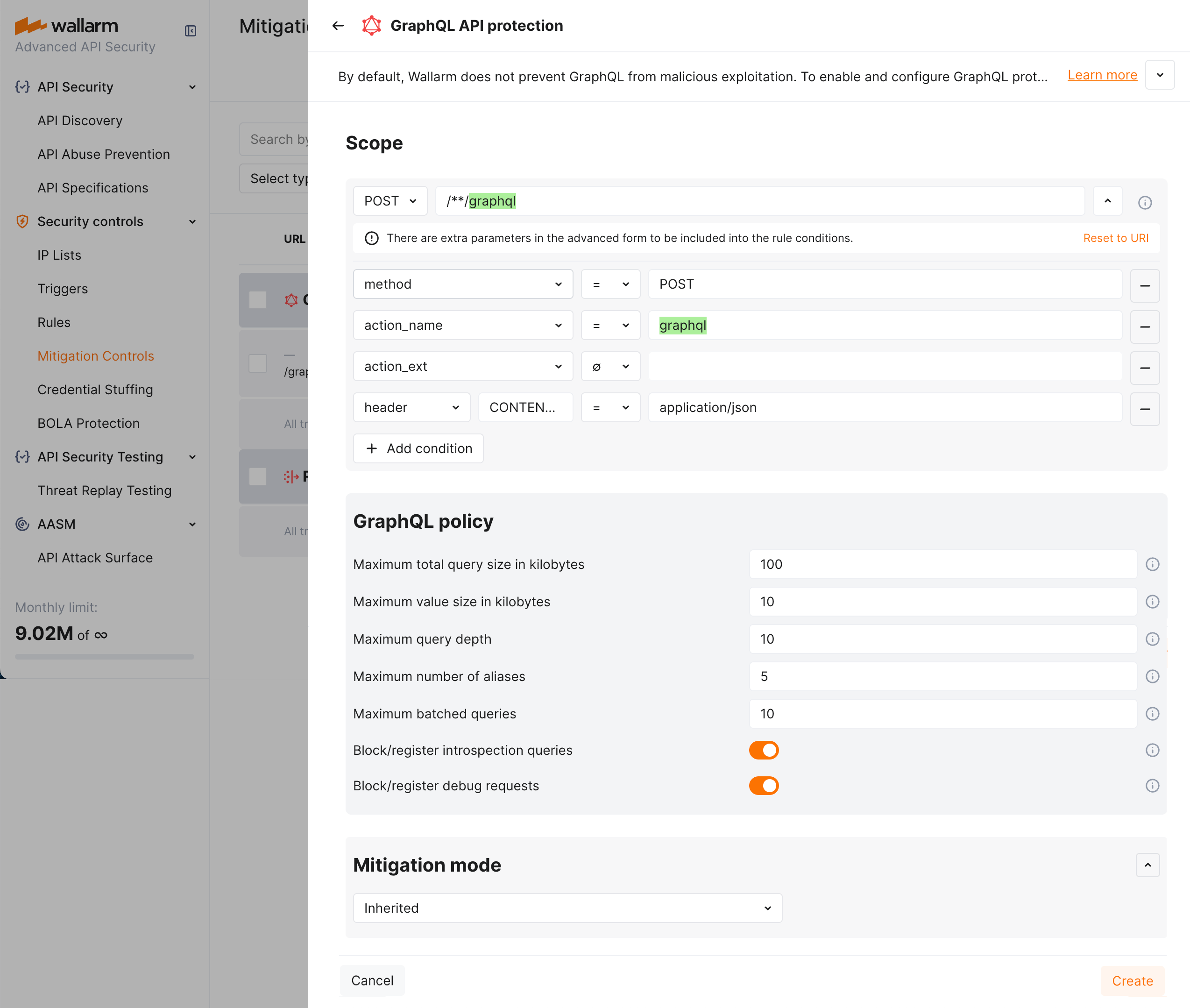
1. In the **Mitigation mode** section, set action to be done.
1. Click **Add**.
### Mitigation control examples
#### Setting policy for your GraphQL endpoints to block attacks
Let us say you want to set limits for the requests to your application GraphQL endpoints located under `example.com/graphql` to block all potential [GraphQL specific](https://docs.wallarm.com/attacks-vulns-list.md#graphql-attacks) attacks to them. Filtration mode for `example.com` is `monitoring`.
To do so:
1. Set the **GraphQL API protection** mitigation control as displayed on the screenshot (note that these are the example values - for the real-life rules you should define your own values considering statistics of your common legitimate GraphQL queries):
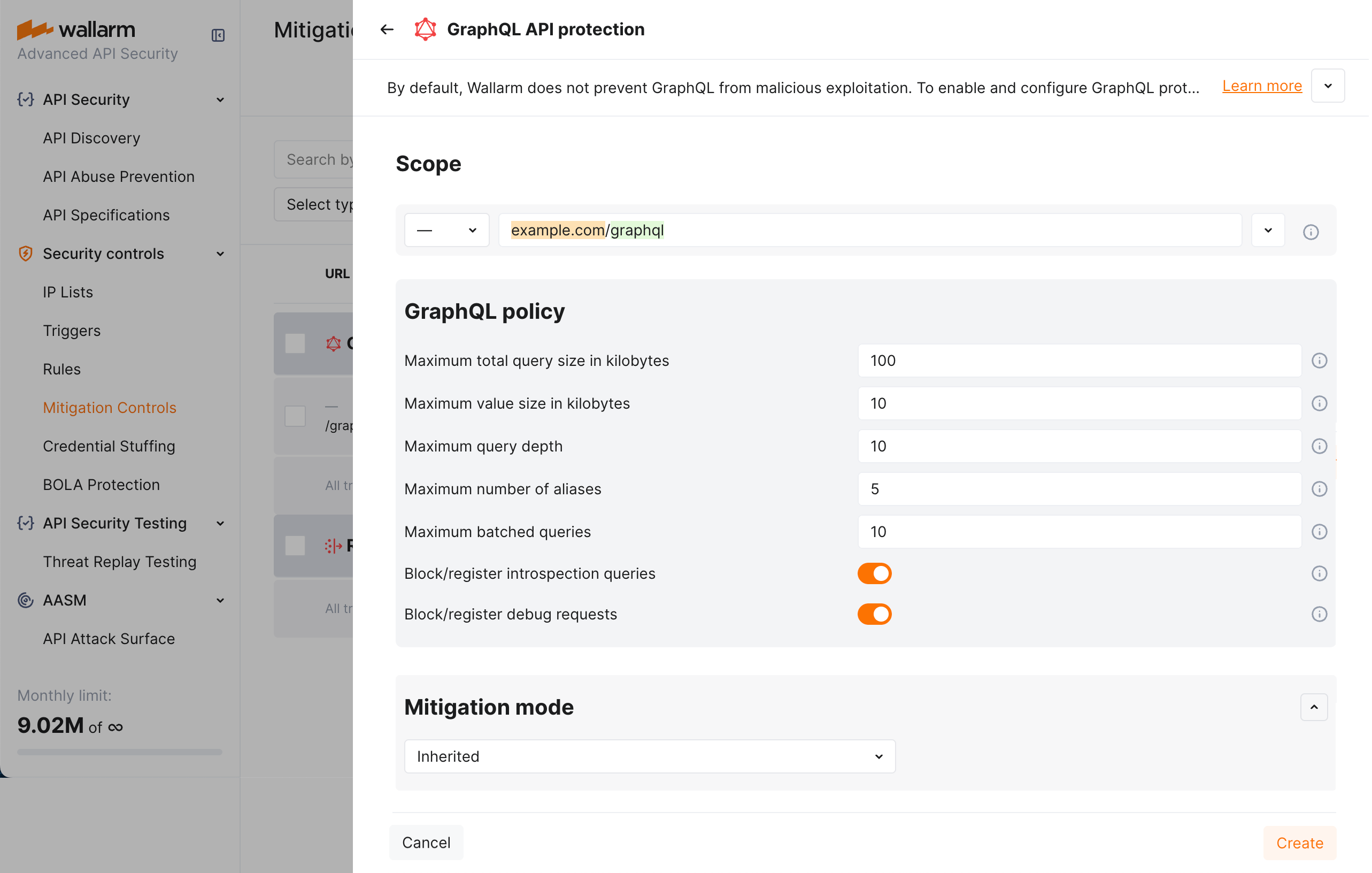
1. As filtration mode for `example.com` is `monitoring` and you want `block` for its GraphQL endpoints, configure the **Filtration mode** rule as displayed on the screenshot:
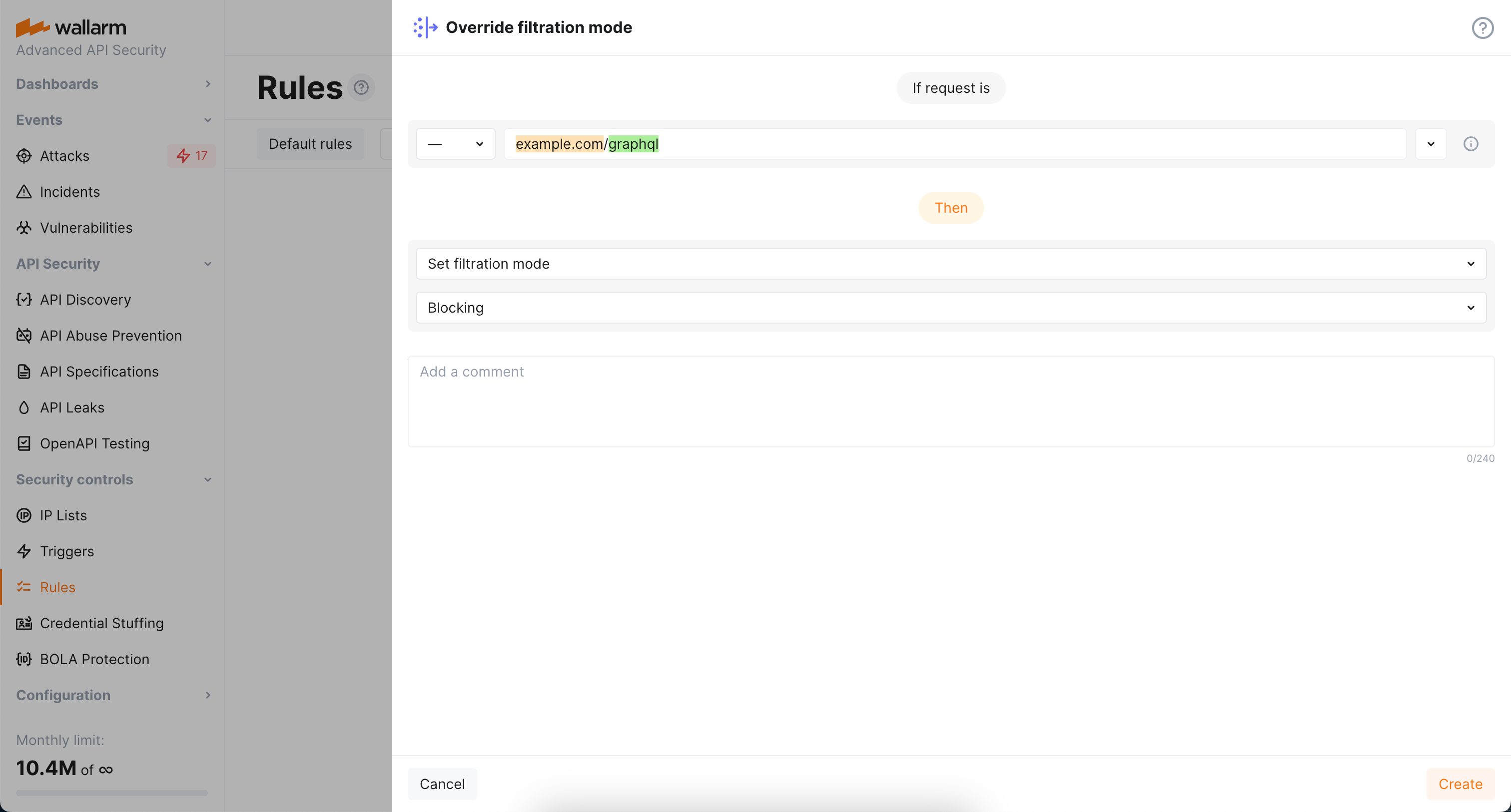
#### Altering policy for specific endpoints
Continuing the [previous](#setting-policy-for-your-graphql-endpoints-to-block-attacks) example, let us say you want to set stricter limits for `example.com/graphql/v2` child endpoint. As limits are stricter, before blocking anything, they should be tested in the `monitoring` mode.
To do so:
1. Set the **GraphQL API protection** mitigation control as displayed on the screenshot (note that these are the example values - for the real-life rules you should define your own values considering statistics of your common legitimate GraphQL queries):
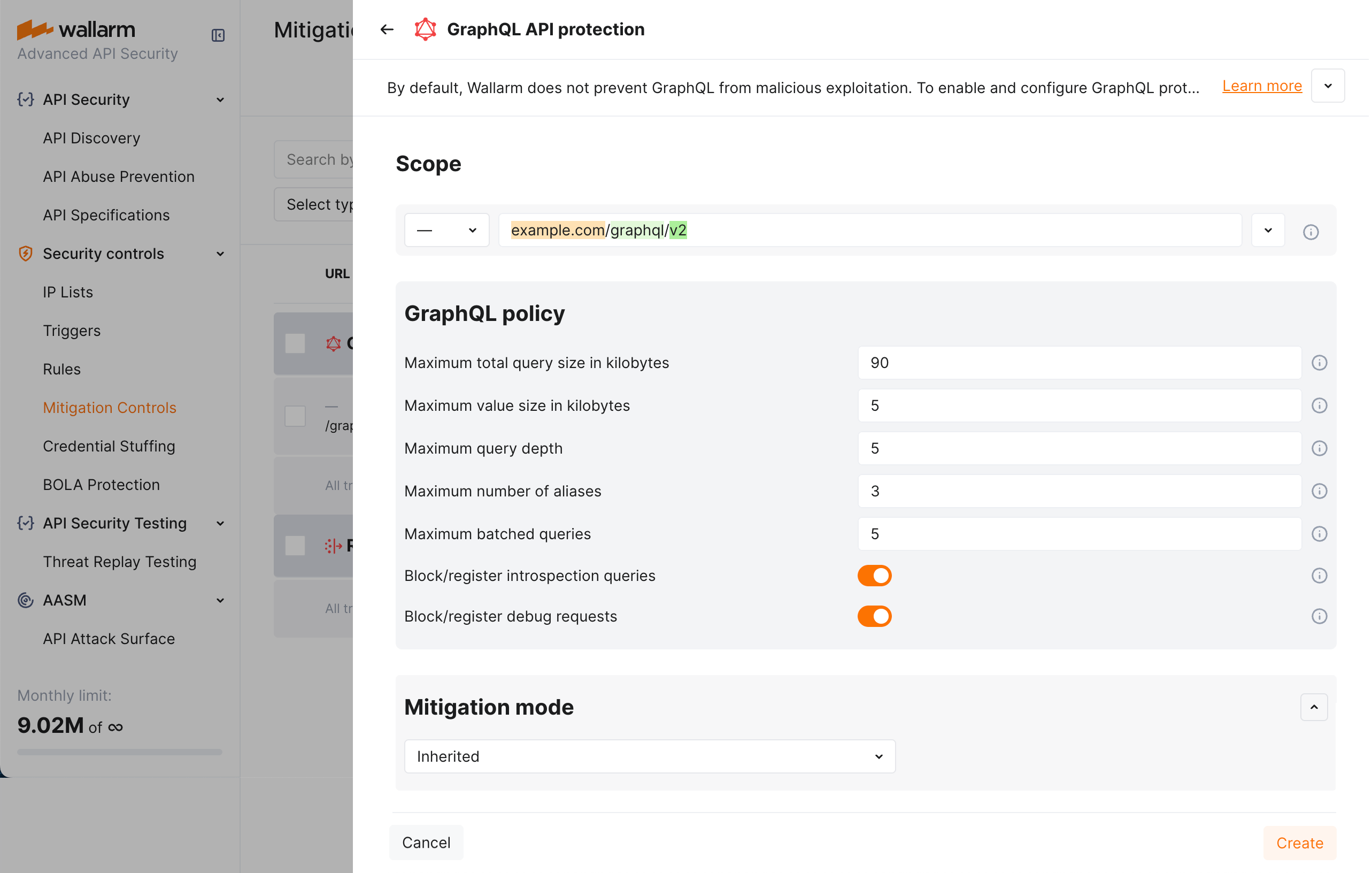
1. As filtration mode for `example.com/graphql` is `block` and you want `monitoring` for `example.com/graphql/v2`, configure the **Filtration mode** rule as displayed on the screenshot:
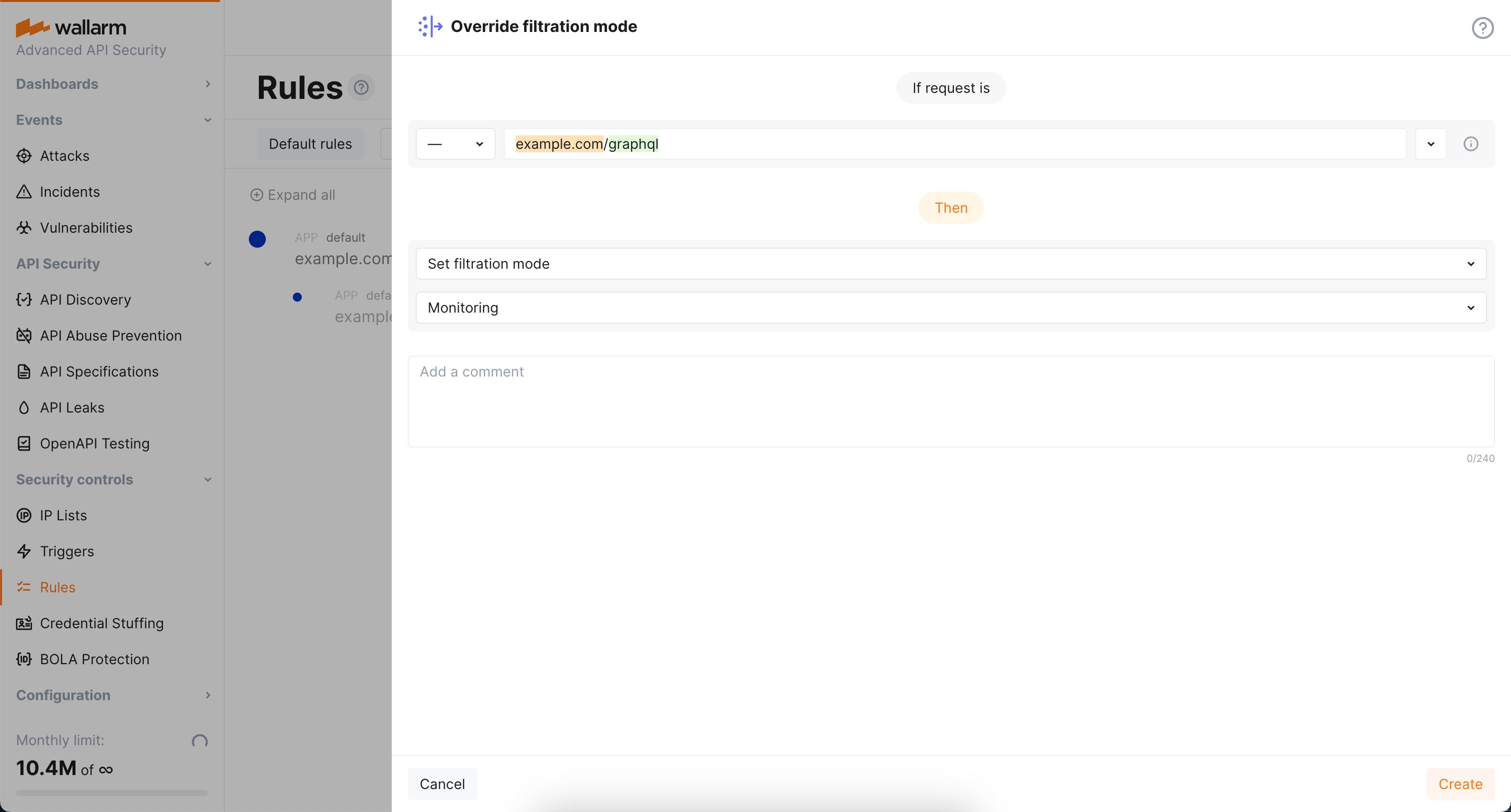
## Rule-based protection
Rule-based GraphQL protection is part of the basic [Cloud Native WAAP](https://docs.wallarm.com/about-wallarm/subscription-plans.md#core-subscription-plans) subscription — for advanced GraphQL controls, use the mitigation control [described above](#mitigation-control-based-protection).
The settings are the same as for the **GraphQL API protection** mitigation control.
!!! warning "GraphQL rules are not listed in the WAF Rules section"
The redesigned **WAF Rules** section does not show the GraphQL rule type. Existing GraphQL rules stay in effect on the filtering nodes, but they cannot be viewed, created or edited there.
To set or change a GraphQL policy, use the **GraphQL API protection** [mitigation control](#mitigation-control-based-protection).
---
## https://docs.wallarm.com/api-protection/file-upload-restriction/
# File Upload Restriction Policy
The [unrestricted resource consumption](https://github.com/OWASP/API-Security/blob/master/editions/2023/en/0xa4-unrestricted-resource-consumption.md) is included in the [OWASP API Top 10 2023](https://docs.wallarm.com/user-guides/dashboards/owasp-api-top-ten.md#wallarm-security-controls-for-owasp-api-2023) list of most serious API security risks. Being a threat in itself (service slow-down or complete outage due to overload), this also serves as a foundation for different attack types, for example, enumeration attacks. Allowing too large a file upload is one of the causes of these risks. This article provides information on how to configure file upload restrictions in Wallarm.
If you configure file upload restriction [using](#configuration-method) mitigation controls, in addition to the direct purpose of the control (limiting the maximum size of downloaded files), it can be used to reduce the attack surface, limiting the size of specific request parameters. For example, you can set up rules limiting the maximum size of an arbitrary header. In this case, the attacker will have fewer opportunities to push his payload or prevent the exploitation of BufferOverflow.
Note that file size upload restrictions are not the only [measure for preventing unrestricted resource consumption](#comparison-to-other-measures-for-preventing-unrestricted-resource-consumption) provided by Wallarm.
## Configuration method
Depending on your subscription plan, one of the following configuration methods for file upload restriction will be available:
* Mitigation controls ([Advanced API Security](https://docs.wallarm.com/about-wallarm/subscription-plans.md#core-subscription-plans) subscription) - using mitigation control, you can set a limit not only for the entire size of the request, but for a specific parameter (more precise settings than in case of a WAF rule).
* WAF rules ([Cloud Native WAAP](https://docs.wallarm.com/about-wallarm/subscription-plans.md#core-subscription-plans) subscription)
## Mitigation control-based protection
As a part of [Advanced API Security](https://docs.wallarm.com/about-wallarm/subscription-plans.md#core-subscription-plans) subscription, Wallarm provides the **File upload restriction policy** [mitigation control](https://docs.wallarm.com/about-wallarm/mitigation-controls-overview.md).
!!! tip ""
Requires [NGINX Node](https://docs.wallarm.com/installation/nginx-native-node-internals.md#nginx-node) 6.3.0 or higher or [Native Node](https://docs.wallarm.com/installation/nginx-native-node-internals.md#native-node) 0.16.0 or higher.
Using this mitigation control, you can set a limit on the size of a specific parameter (more precise settings), or for simplicity, you can set it entirely on the request.
Limiting the size of specific request parameters, in addition to the direct purpose of the control (limiting the maximum size of downloaded files), allows reducing the attack surface. For example, you can set up rules limiting the maximum size of an arbitrary header. In this case, the attacker will have fewer opportunities to push his payload or prevent the exploitation of BufferOverflow.
### Creating and applying mitigation control
!!! info "Generic information on mitigation controls"
Before proceeding: use the [Mitigation Controls](https://docs.wallarm.com/about-wallarm/mitigation-controls-overview.md#configuration) article to get familiar with how **Scope** and **Mitigation mode** are set for any mitigation control.
To configure file upload restriction policy:
1. Proceed to Wallarm Console → **Mitigation Controls**.
1. Use **Add control** → **File upload restriction policy**.
1. Describe the **Scope** to apply the mitigation control to.
1. Set **Size restrictions** for full request or its selected point.
1. In the **Mitigation mode** section, set action to be done.
1. Click **Add**.
### Mitigation control examples
#### Limiting size of a file uploaded via specific request field
Let us say you want to limit size of files uploaded to `/upload` address of your application `application-001` via the `upfile` POST request parameter. Limit must be 100KB. All exceeding the limit must be blocked.
To do so, set the **File upload restriction policy** mitigation control as displayed on the screenshot:
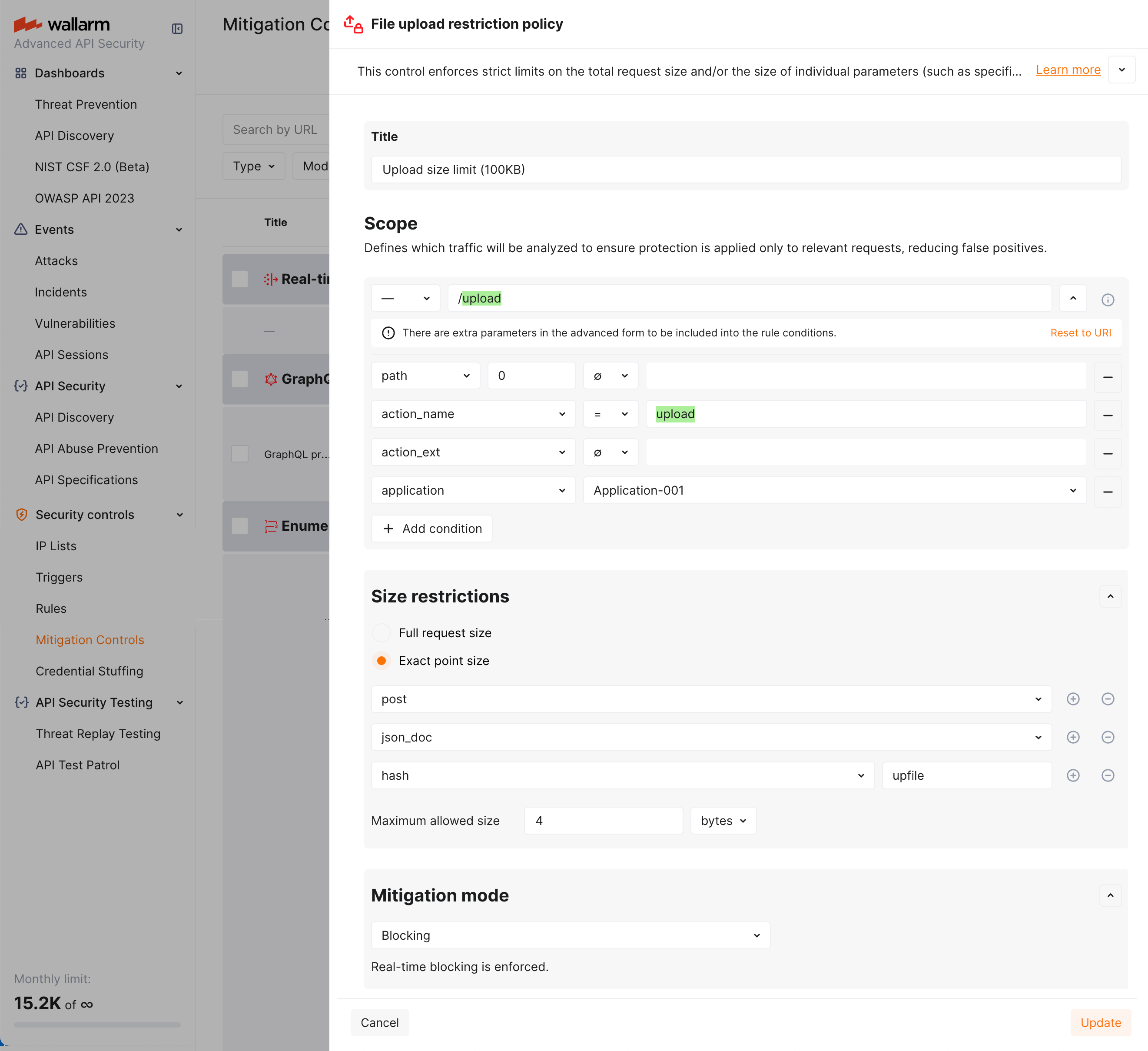
#### PUT upload restriction via exact point size
Let us say you want to register as attack (without blocking) the attempts to upload via the PUT method files greater than 100KB in the request body to the `/put-upload` address of your application.
To do so, set the **File upload restriction policy** mitigation control as displayed on the screenshot:
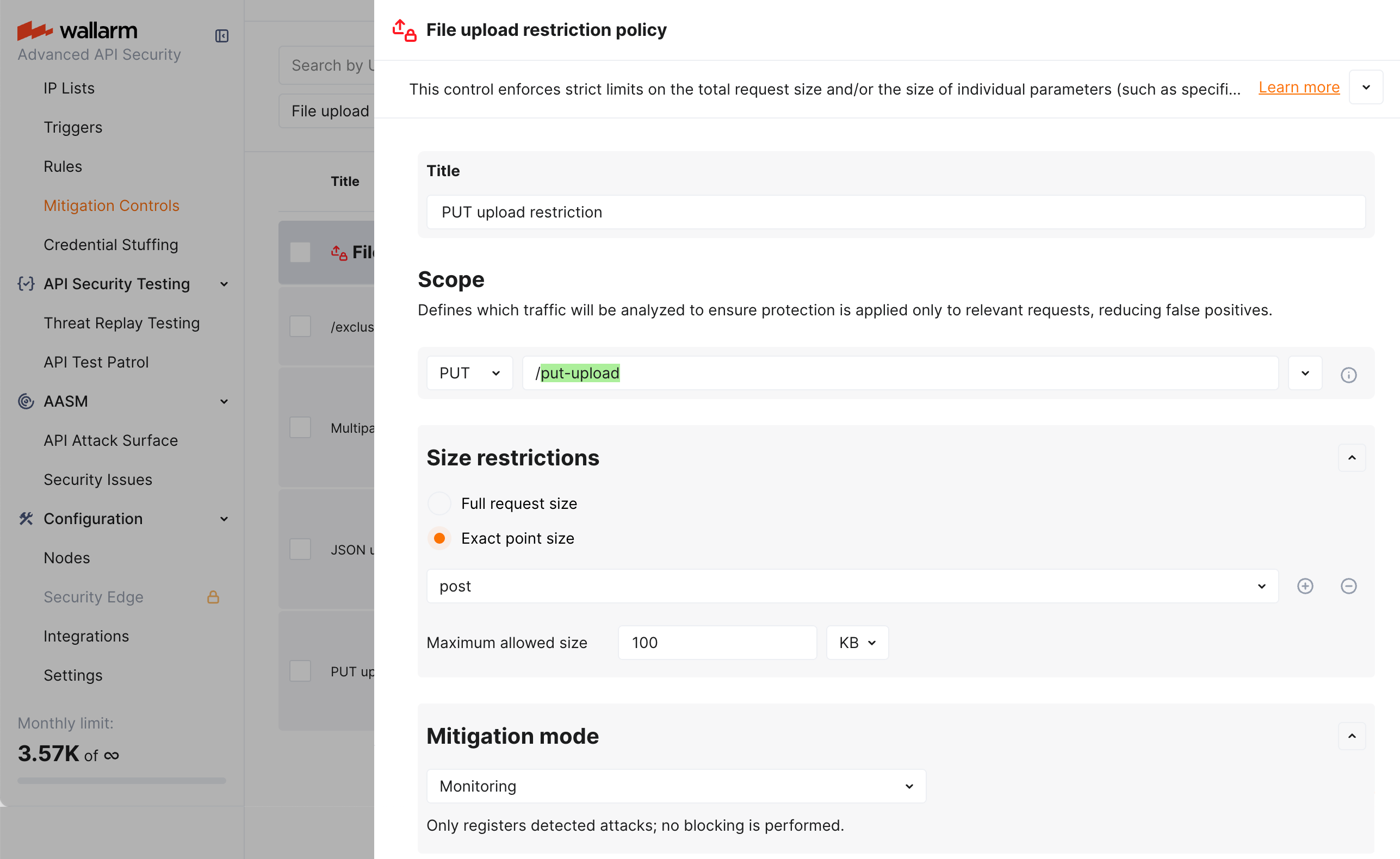
In the example above, in the request point definition, the `post` is a Wallarm's [tag](https://docs.wallarm.com/user-guides/rules/request-processing.md#metadata) meaning "in the request body".
#### JSON Base64 upload restriction
Let us say you want to register as attack (without blocking) the attempts to upload a 100K+ Base64 encoded string of the file in a JSON object of a request body (only if this action targets the `/json-upload` address of your application).
To do so, set the **File upload restriction policy** mitigation control as displayed on the screenshot:
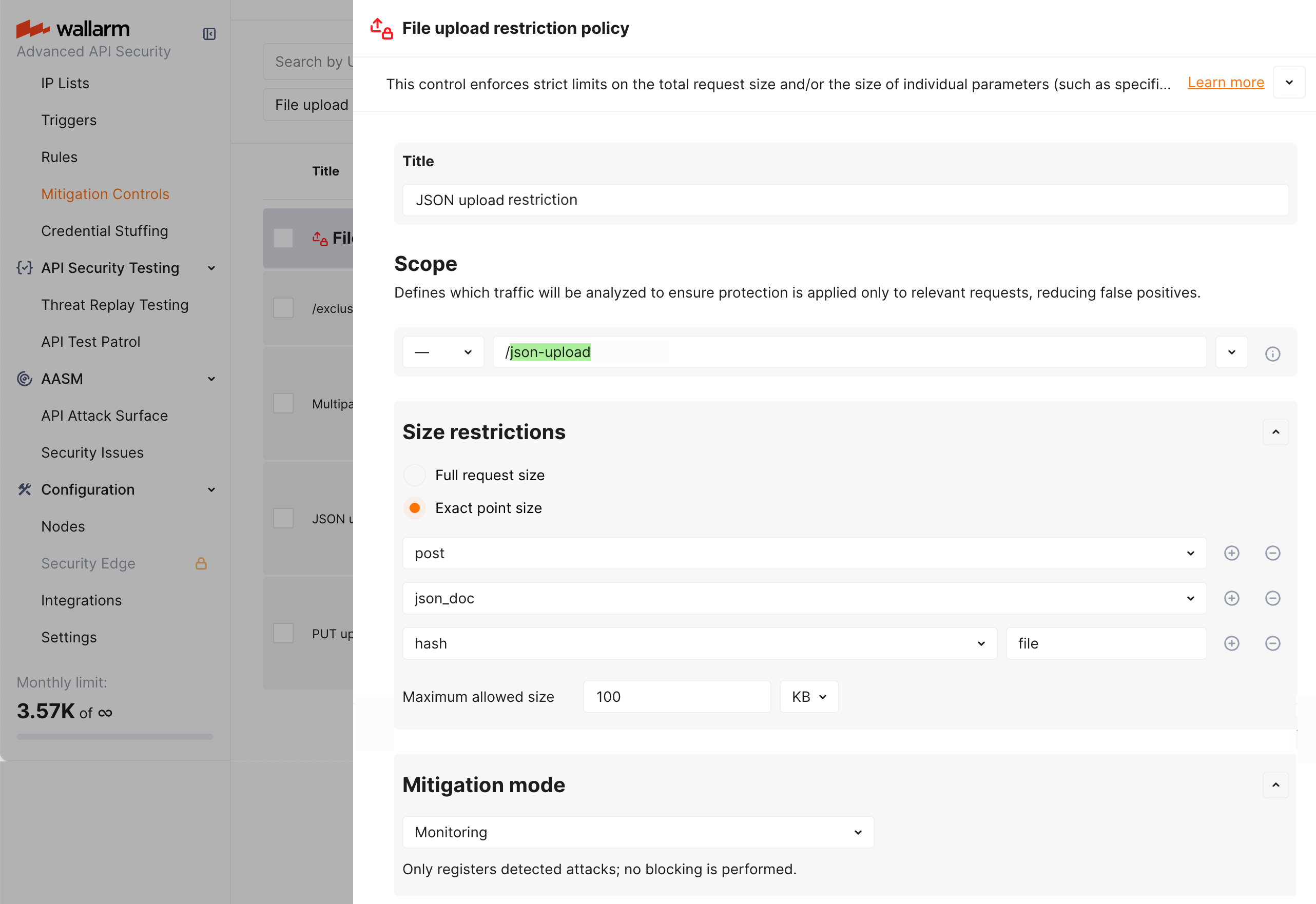
In the example above, in the request point definition, request point is defined via the sequence of Wallarm's [tags](https://docs.wallarm.com/user-guides/rules/request-processing.md) meaning:
* `post` - in the request body
* `json_doc` - data in JSON format
* `hash` - for the key of the associative array key
* `file` - value for this key
#### Multipart form data upload restriction
Let us say you want to register as attack (without blocking) the attempts to submit 100K+ files via an HTML form that contains a file upload field (only if this action targets the `/multipart-upload` address of your application). Such action usually results in the `multipart/form-data` content type.
Thus, to apply this limitation, set the **File upload restriction policy** mitigation control as displayed on the screenshot:
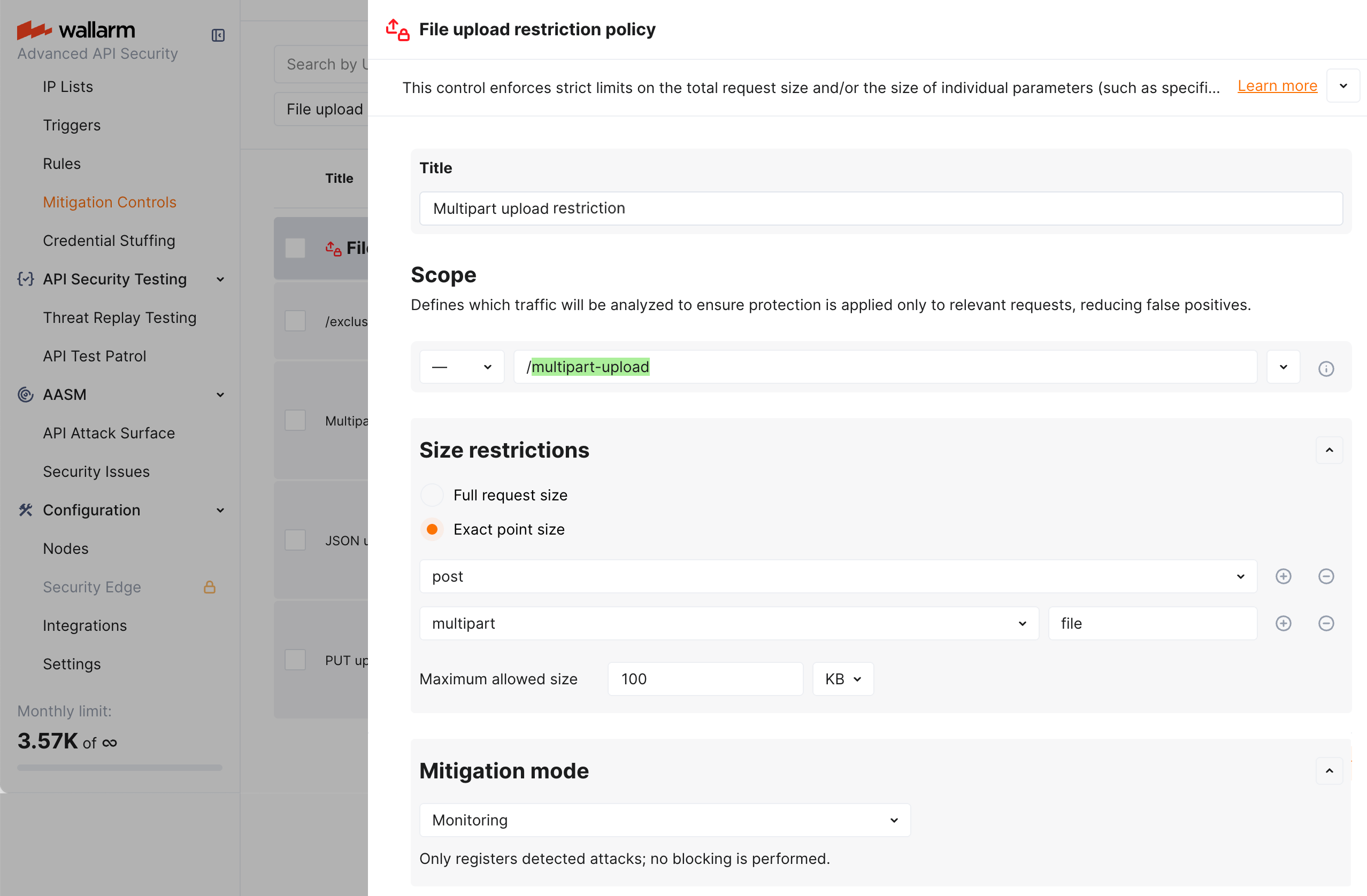
In the example above, in the request point definition, request point is defined via the sequence of Wallarm's [tags](https://docs.wallarm.com/user-guides/rules/request-processing.md) meaning:
* `post` - in the request body
* `multipart` - data of the `multipart/form-data` content type
* `file` - "file part" of mixed content produced by the form
## Rule-based protection
Rule-based file upload restriction is part of the basic [Cloud Native WAAP](https://docs.wallarm.com/about-wallarm/subscription-plans.md#core-subscription-plans) subscription and applied via the WAF rule set. For more precise per-parameter restrictions, use the [mitigation control](#mitigation-control-based-protection) available with Advanced API Security.
Wallarm provides the **File upload restriction policy** [rule](https://docs.wallarm.com/user-guides/rules/rules.md).
!!! tip ""
Requires [NGINX Node](https://docs.wallarm.com/installation/nginx-native-node-internals.md#nginx-node) 6.3.0+ or [Native Node](https://docs.wallarm.com/installation/nginx-native-node-internals.md#native-node) 0.16.0+.
**Creating and applying the rule**
1. Proceed to Wallarm Console:
* **Rules WAF** → **Add rule** or your branch → **Add rule**.
* **Attacks** / **Incidents** → attack/incident → hit → **Rule**.
* **API Discovery** (if [enabled](https://docs.wallarm.com/api-discovery/setup.md)) → your endpoint → **Create rule**.
1. Choose **Mitigation controls** → **File upload restriction policy**.
1. In **If request is**, [describe](https://docs.wallarm.com/user-guides/rules/rules.md#configuring) the scope to apply the rule to.
1. In **Size restrictions** set size restriction and **Mode**.
1. Optionally, specify request point to apply restriction to (if not set, restriction is applied to the whole request size).
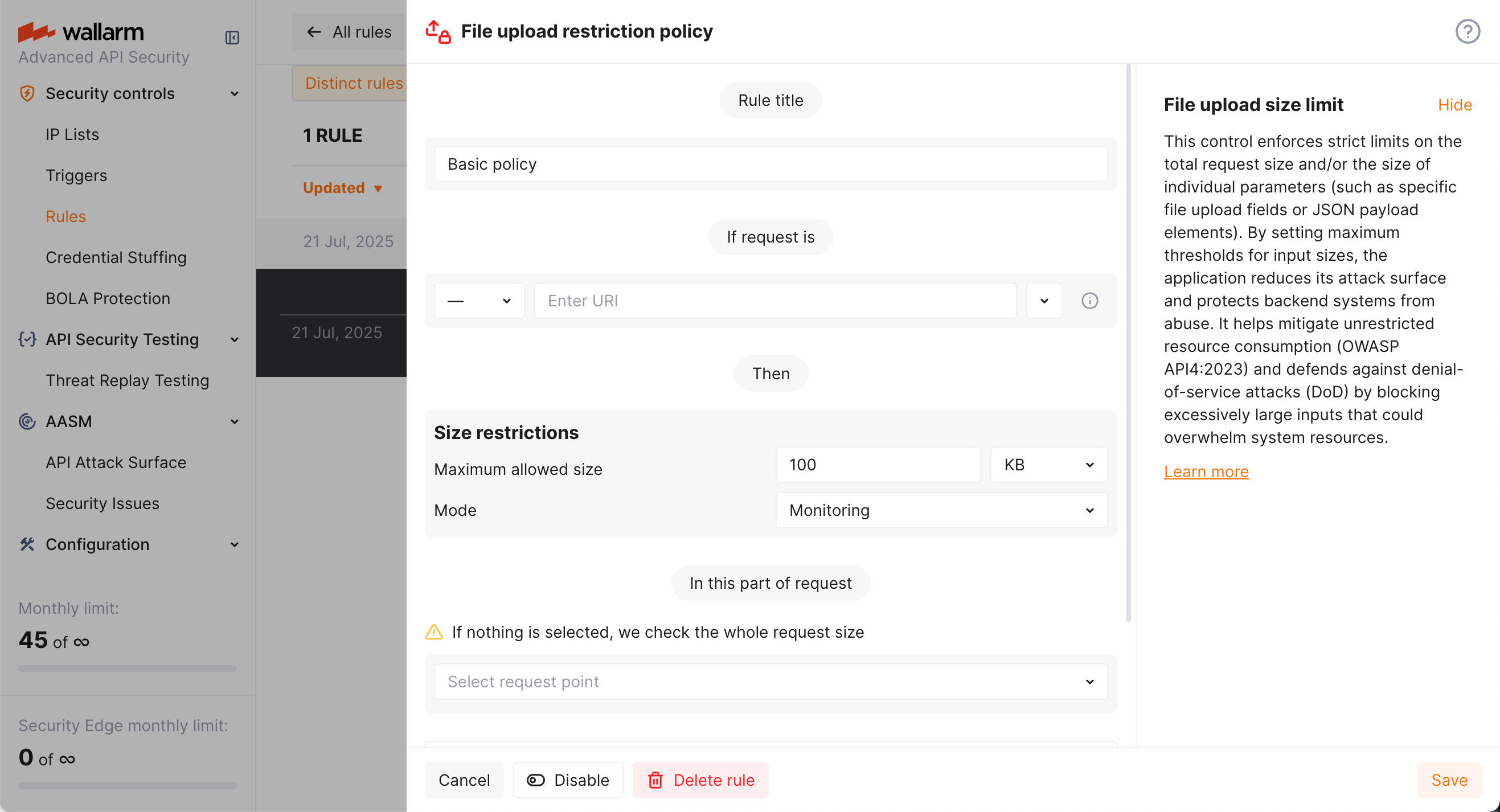
1. Wait for the [rule compilation and uploading to the filtering node to complete](https://docs.wallarm.com/user-guides/rules/rules.md#ruleset-lifecycle).
## Viewing detected attacks
Violations of file upload restriction policies are displayed as [file upload violation](https://docs.wallarm.com/attacks-vulns-list.md#file-upload-violation) attacks in the **Attacks** and **API Sessions** sections of Wallarm Console:
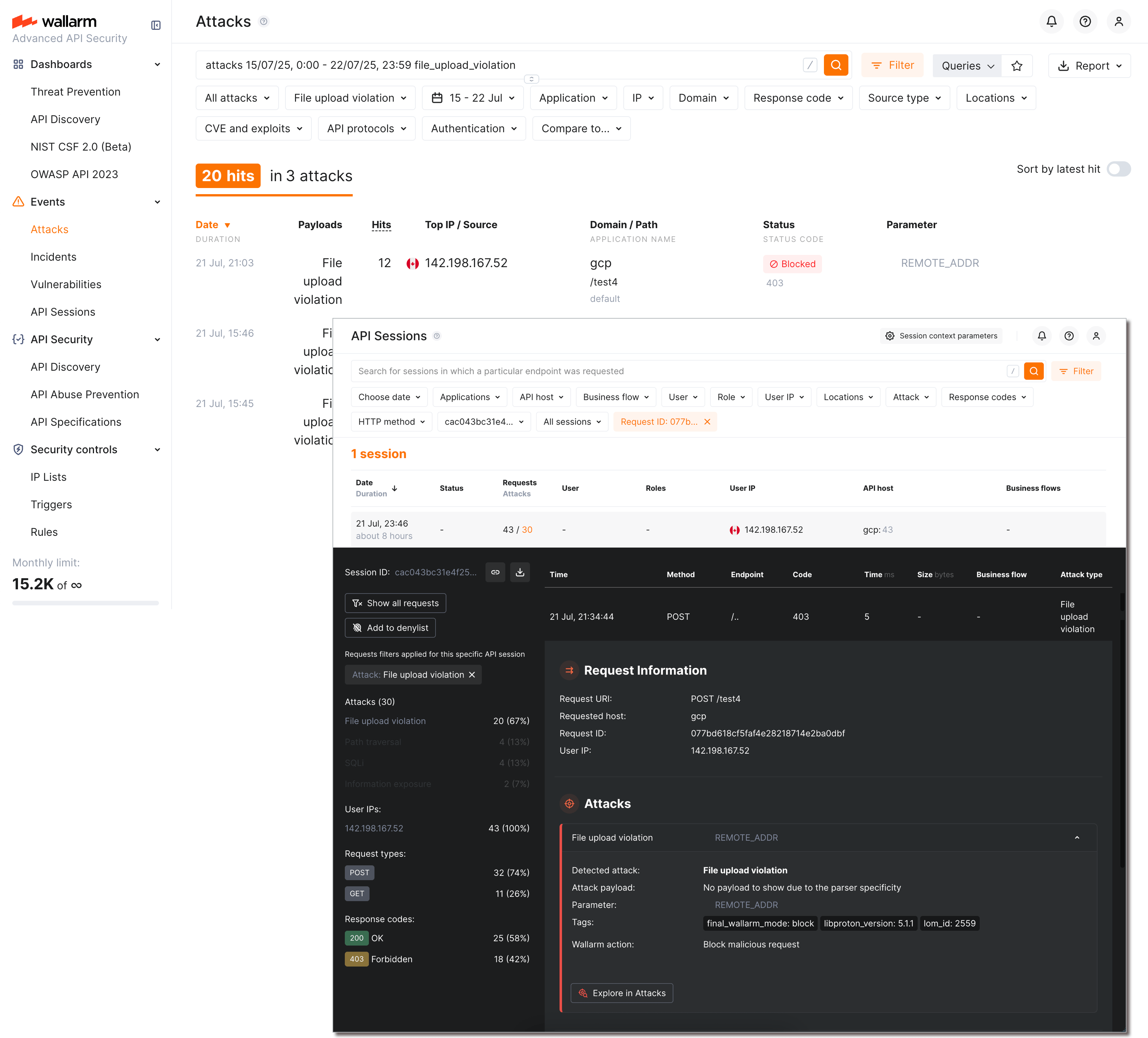
You can switch between **Attacks** and **API Sessions** views using buttons in request details. All the attacks and sessions with this attack type can be found with the [**Attack Type** filter](https://docs.wallarm.com/user-guides/search-and-filters/attack-filters.md#filter) set to **File upload violation**.
## Comparison to other measures for preventing unrestricted resource consumption
Besides setting file upload restriction policies, Wallarm provides other mechanisms for preventing unrestricted resource consumption. They are:
* Detecting and blocking unrestricted resource consumption performed by bots (Wallarm's API Abuse Prevention, needs to be configured to work).
* [DoS protection](https://docs.wallarm.com/api-protection/dos-protection.md) mitigation control (requires [Advanced API Security](https://docs.wallarm.com/about-wallarm/subscription-plans.md#core-subscription-plans) subscription).
* [Advanced rate limiting](https://docs.wallarm.com/user-guides/rules/rate-limiting.md).
---
## https://docs.wallarm.com/api-abuse-prevention/overview/
# API Abuse Prevention
The **API Abuse Prevention** module of the Wallarm platform delivers detection and mitigation of bots performing API abuse like credential stuffing, fake account creation, content scraping and other malicious actions targeted at your APIs.
## Automated threats blocked by API Abuse Prevention
The **API Abuse Prevention** module detects the following bot types by default:
* [Suspicious API activity](https://docs.wallarm.com/attacks-vulns-list.md#suspicious-api-activity)
* [Account takeover](https://docs.wallarm.com/attacks-vulns-list.md#account-takeover)
* [Security crawlers](https://docs.wallarm.com/attacks-vulns-list.md#security-crawlers)
* [Scraping](https://docs.wallarm.com/attacks-vulns-list.md#scraping)
* [Unrestricted resource consumption](https://docs.wallarm.com/attacks-vulns-list.md#unrestricted-resource-consumption) (requires [NGINX Node](https://docs.wallarm.com/installation/nginx-native-node-internals.md#nginx-node) 6.3.0 or higher or [Native Node](https://docs.wallarm.com/installation/nginx-native-node-internals.md#native-node) 0.16.0 or higher)
During the [API abuse profile setup](https://docs.wallarm.com/api-abuse-prevention/setup.md#creating-profiles), you can configure the **API Abuse Prevention** module to protect from all types of bots or limit protection only for specific threats.
## How API Abuse Prevention works?
The **API Abuse Prevention** module uses the complex bot detection model that involves ML-based methods as well as statistical and mathematical anomaly search methods and cases of direct abuse. The module self-learns the normal traffic profile and identifies dramatically different behavior as anomalies.
API Abuse Prevention uses multiple detectors to identify the malicious bots [within their sessions](https://docs.wallarm.com/api-sessions/overview.md#api-sessions-and-api-abuse-prevention). The module provides statistics on what detectors were involved in marking the ones.
The following detectors may be involved:
* **Bad user-agent** analyzing the `User-Agent` headers included in requests. This detector checks for specific signatures, including those belonging to crawlers, scrapers, and security checkers.
* **Authentication abuse** analyzing the ratio of authentication requests against a predetermined threshold and the number of requests per interval to identify anomalous behavior. The detector also incorporates the total volume of authentication requests for an application in order to avoid false positives.
* **Request uniqueness** analyzing the number of unique endpoints visited during a session. If a client consistently visits a low percentage of unique endpoints, such as 10% or less, it is likely that it is a bot rather than a human user.
* **Suspicious behavior score** analyzing usual and unusual business logic API requests taken during a session.
* **Business logic score** analyzing usage of the critical or sensitive API endpoints within the context of your application behavior.
* **Request rate** analyzing the number of requests made in a specific time interval. If an API client consistently makes a high percentage of requests over a certain threshold, it is likely that it is a bot rather than a human user.
* **Request interval** analyzing the time intervals between consecutive requests to find a lack of randomness, which is a sign of bot behavior.
* **Query abuse** analyzing a volume of requests that exceed a predefined threshold as an anomaly. Clients that exceed a threshold for queries that vary a parameter are also considered anomalies. Moreover, the detector compares client query patterns to normal behavior to identify bot activity.
* **Outdated browser** analyzing the browser and platform used in requests. If a client is using an outdated or unsupported browser or platform, it is likely that it is a bot rather than a human user.
* **Wide scope** analyzing breadth of IP activity to behaviorally identify crawler-like bots.
* **IP rotation** analyzing requests for being a part of the [account takeover](https://docs.wallarm.com/attacks-vulns-list.md#account-takeover) attacks where the attackers utilize a pool of IP addresses.
* **Session rotation** analyzing requests for being a part of the [account takeover](https://docs.wallarm.com/attacks-vulns-list.md#account-takeover) attacks where the attackers exploit a pool of sessions.
* **Persistent ATO** analyzing requests for being a part of the [account takeover](https://docs.wallarm.com/attacks-vulns-list.md#account-takeover) attacks that occur gradually over an extended period.
* **Credential stuffing** analyzing requests for being a part of the [account takeover](https://docs.wallarm.com/attacks-vulns-list.md#account-takeover) attacks that involve repeated login attempts with different credentials while maintaining stable request attributes ([credential stuffing](https://docs.wallarm.com/attacks-vulns-list.md#credential-stuffing)).
* **Low-frequency credential stuffing** analyzing requests for being a part of the [account takeover](https://docs.wallarm.com/attacks-vulns-list.md#account-takeover) attacks that are characterized by isolated or minimal authentication attempts ([credential stuffing](https://docs.wallarm.com/attacks-vulns-list.md#credential-stuffing)) without subsequent API interaction: attackers purposefully restrict login attempts per session or client to evade detection.
* **Response time anomaly** identifying abnormal patterns in the latency of API responses that may signal automated abuse or backend exploitation attempts (marked as [unrestricted resource consumption](https://docs.wallarm.com/attacks-vulns-list.md#unrestricted-resource-consumption) attack, being variant of it).
!!! tip ""
Requires [NGINX Node](https://docs.wallarm.com/installation/nginx-native-node-internals.md#nginx-node) 6.3.0 or [Native Node](https://docs.wallarm.com/installation/nginx-native-node-internals.md#native-node) 0.16.0 or higher.
* **Excessive request consumption** identifying clients that send abnormally large request payloads to the API, potentially indicating abuse or misuse of backend processing resources (marked as [unrestricted resource consumption](https://docs.wallarm.com/attacks-vulns-list.md#unrestricted-resource-consumption) attack, being variant of it).
!!! tip ""
Requires [NGINX Node](https://docs.wallarm.com/installation/nginx-native-node-internals.md#nginx-node) 6.3.0 or [Native Node](https://docs.wallarm.com/installation/nginx-native-node-internals.md#native-node) 0.16.0 or higher.
* **Excessive response consumption** flagging suspicious sessions based on the total volume of response data transferred over their lifetime. Unlike detectors focused on individual requests, this detector aggregates response sizes across [an entire session](https://docs.wallarm.com/api-sessions/overview.md) to identify slow-drip or distributed scraping attacks (marked as [unrestricted resource consumption](https://docs.wallarm.com/attacks-vulns-list.md#unrestricted-resource-consumption) attack, being variant of it).
!!! tip ""
Requires [NGINX Node](https://docs.wallarm.com/installation/nginx-native-node-internals.md#nginx-node) 6.3.0 or [Native Node](https://docs.wallarm.com/installation/nginx-native-node-internals.md#native-node) 0.16.0 or higher.
!!! info "Confidence"
As a result of detectors' work, every [detected](https://docs.wallarm.com/api-abuse-prevention/exploring-bots.md) bot obtains a **confidence percentage**: how sure we are that this is a bot. In each bot type, detectors have different relative importance / number of votes. Thus, the confidence percentage is the votes gained out of all possible votes in this bot type (provided by detectors that worked).
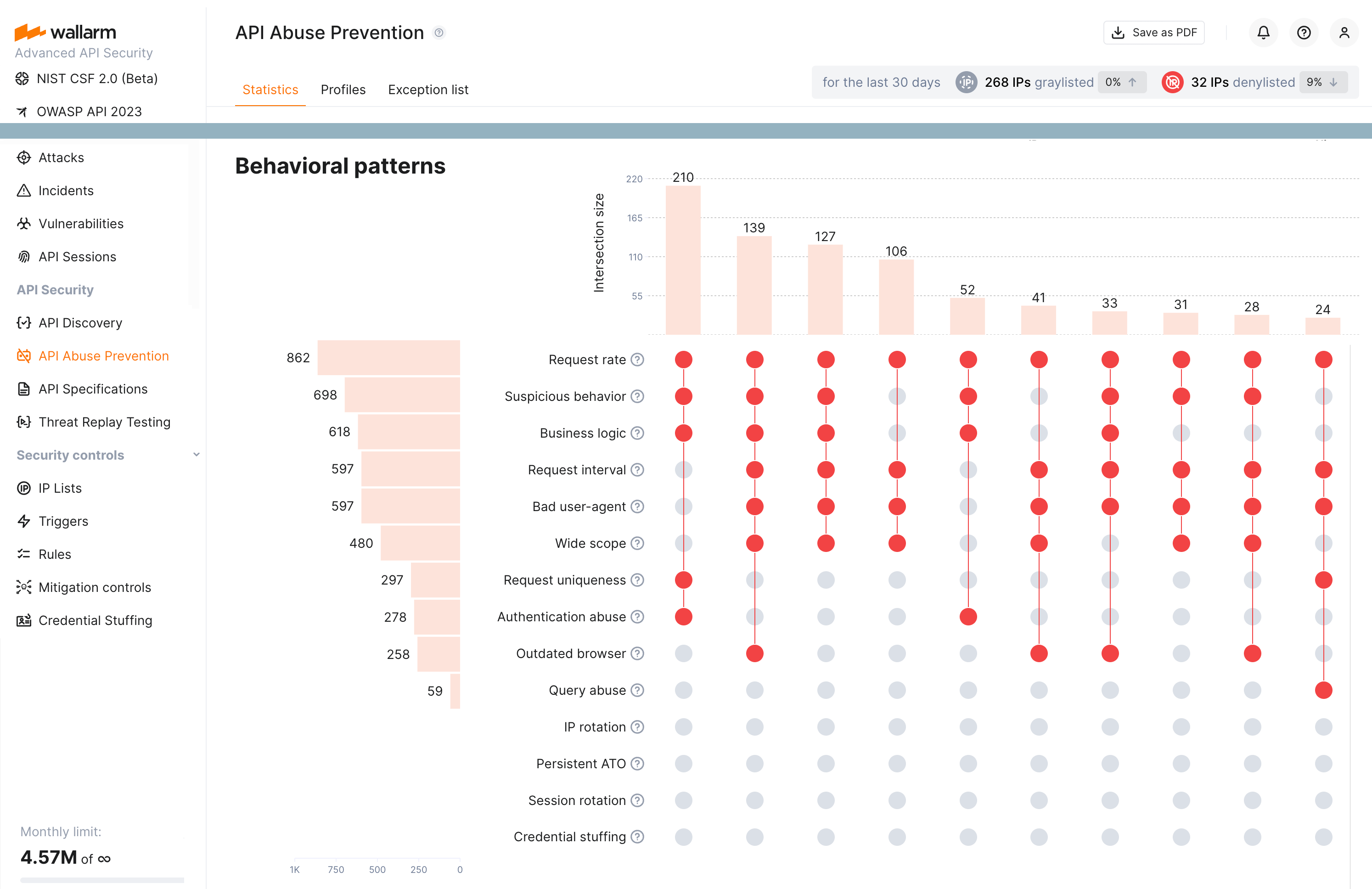
If one or several detectors point to [bot attack signs](#automated-threats-blocked-by-api-abuse-prevention), the module denylists or graylists the source of the anomaly traffic for 1 hour. Wallarm counts bot IPs that were deny- and graylisted within 30 days and displays how many percent these amounts increased or decreased compared to the previous 30 day period.
The solution deeply observes traffic anomalies before attributing them as malicious bot actions and blocking their origins. Since metric collection and analysis take some time, the module does not block malicious bots in real-time once the first malicious request originated but significantly reduces abnormal activity on average.
## Setup
To start malicious bot detection and mitigation with the **API Abuse Prevention** module, create and configure one or more [API abuse profiles](https://docs.wallarm.com/api-abuse-prevention/setup.md#creating-profiles).
To make the API Abuse Prevention functionality more precise, it is recommended to enable [JA3 fingerprinting](https://docs.wallarm.com/admin-en/enabling-ja3.md) for better identification of the unauthenticated traffic when combining requests into [sessions](https://docs.wallarm.com/api-sessions/overview.md).
---
## https://docs.wallarm.com/api-abuse-prevention/setup/
# API Abuse Prevention Setup
This article describes how to enable and configure the [API Abuse Prevention](https://docs.wallarm.com/api-abuse-prevention/overview.md) module to detect and mitigate malicious bots and to avoid blocking legitimate activities.
## Enabling
The API Abuse Prevention module is available in the **Advanced API Security** [subscription plan](https://docs.wallarm.com/about-wallarm/subscription-plans.md#core-subscription-plans). It is disabled by default.
To enable API Abuse Prevention:
1. Check that your Wallarm node is 4.2 or later.
1. In Wallarm Console → **API Abuse Prevention**, create or enable at least one [API Abuse profile](#creating-profiles).
## Creating profiles
API abuse profiles are used to configure how Wallarm's **API Abuse Prevention** detects and mitigates malicious bots. You can create different profiles for different applications. Each application can have only one associated profile.
A profile defines which types of bots to protect from, the sensitivity with which each type of bot should be detected, and the reaction to the bot's activities.
To create an API abuse profile:
1. In the **API Abuse Prevention** section, switch to the **Profiles** tab.
1. Click **Create profile**.
1. Select [automated threats](https://docs.wallarm.com/api-abuse-prevention/overview.md#automated-threats-blocked-by-api-abuse-prevention) to protect from, set the **Reaction**:
* **Disabled** - Wallarm will not protect from this type of bot.
* **Register attack** - detected malicious bot activities will be displayed in the [**Attacks**](https://docs.wallarm.com/user-guides/events/check-attack.md) section of Wallarm Console, requests will not be blocked.
From such event details, you can quickly block the bot with the **Add source IP to denylist** button. The IP is added to the denylist forever, but in the **IP Lists** section you can delete it or change the time of staying in the list.
* **Denylist IP** or **Graylist IP** - the bot's IP is added to the corresponding list for the selected period, and requests are blocked. Learn more about the difference between deny- and graylist [here](https://docs.wallarm.com/user-guides/ip-lists/overview.md).
* **Denylist session** - the session that bot's request belong to is [added](https://docs.wallarm.com/api-sessions/blocking.md#blocking-sessions) to the Session Denylist for the selected period, all further requests in that session are blocked.
* **Denylist session and IP** - blocks both IP(s) originating bot activities and the session.
1. If necessary change the detection **Sensitivity** for each bot type:
* **Paranoid** - the higher sensitivity means that FEWER bots access your applications, but this may block some legitimate requests due to false positives.
* **Normal** (default, recommended) - uses optimal rules to avoid many false positives and prevent most malicious bot requests from reaching APIs.
* **Safe mode** - the lower sensitivity means that MORE bots access your applications, but then no legitimate requests will be dropped.
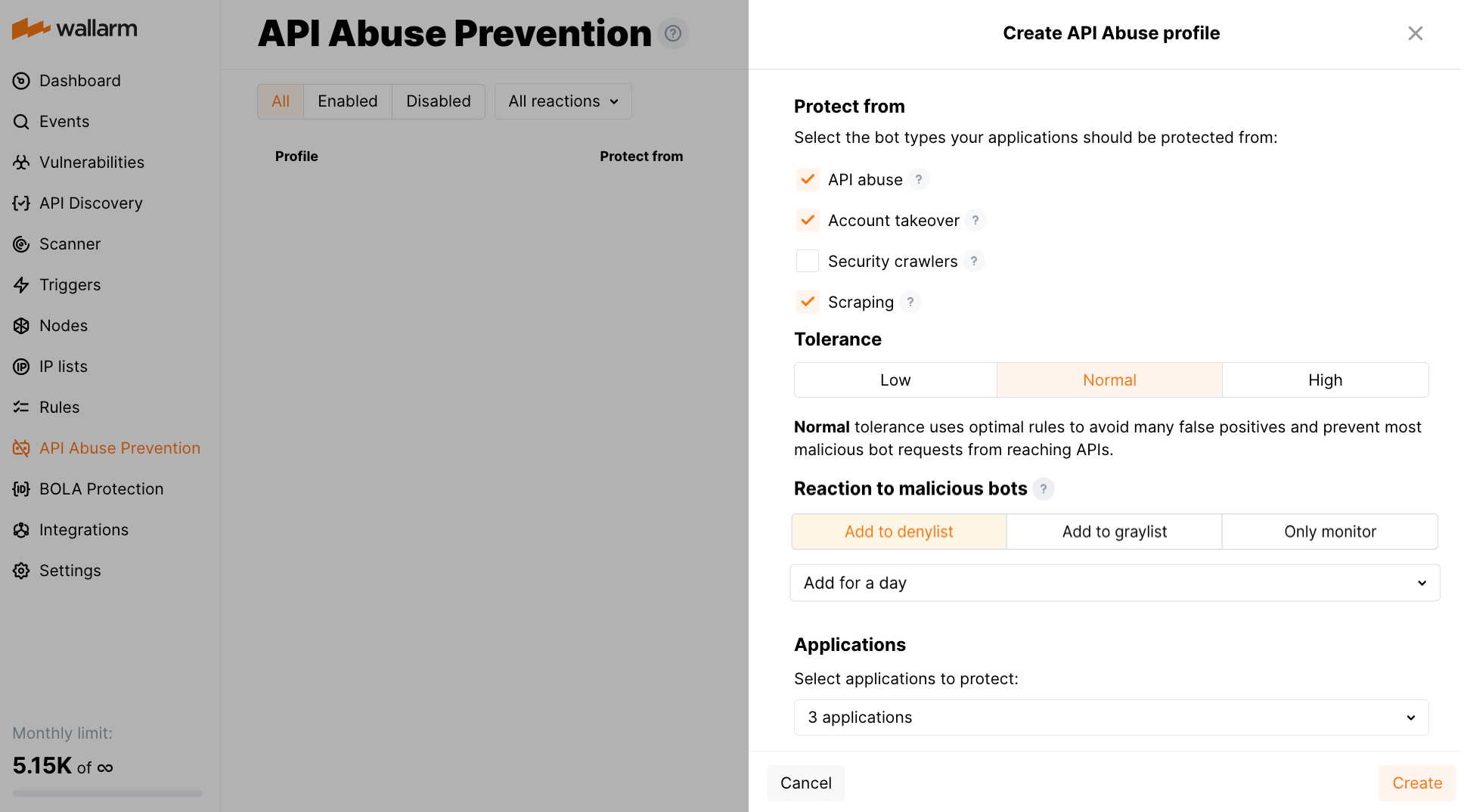
1. Select application(s).
1. Set the **Analyze behavior by** parameter:
* **Applications** - analyze requests to all of the domains of the application together.
* **Domains** - analyze requests to each of the domains of the application separately.
Once created, profiles will protect your selected applications from the malicious bots of selected types. Note that protection and data analysis depend on profile's application traffic presence and amount. Pay attention to the per-profile status:
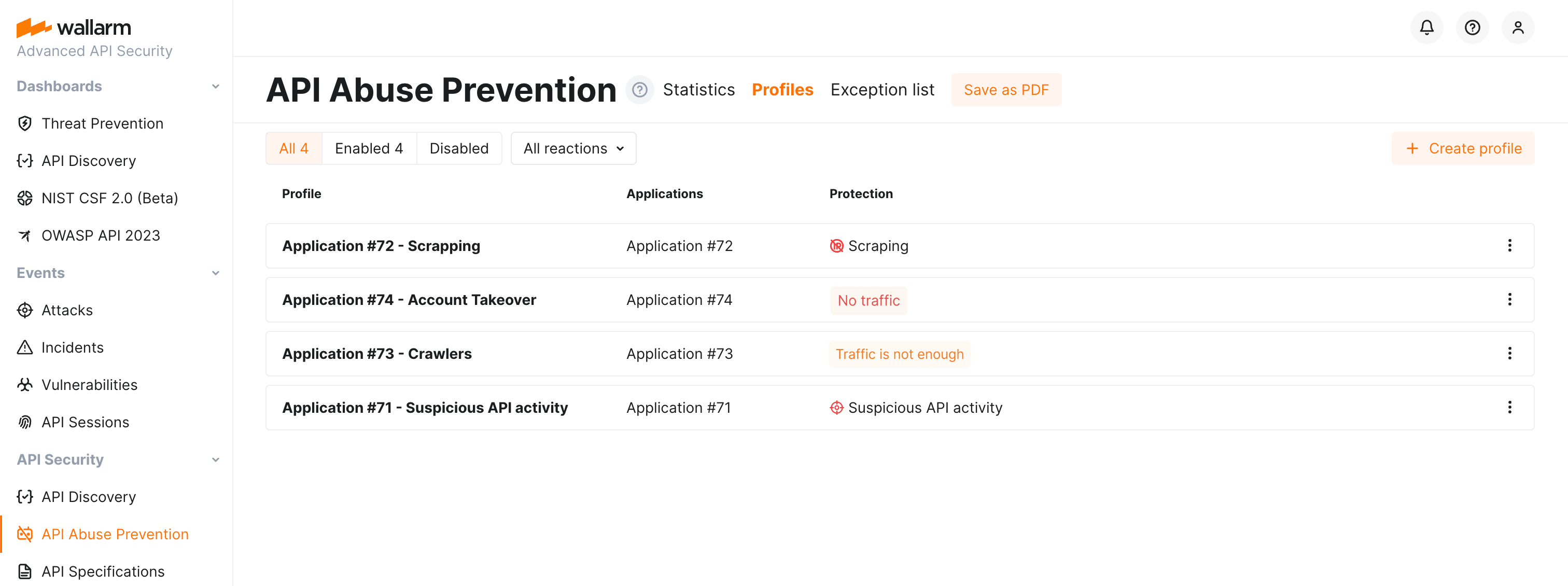
## Disabling and deleting profiles
Disabled profiles are the ones that the **API Abuse Prevention** module does not use during traffic analysis but that are still displayed in the profile list. You can re-enable disabled profiles at any moment. If there are no enabled profiles, the module does not block malicious bots.
Deleted profiles are the ones that cannot be restored and that the **API Abuse Prevention** module does not use during traffic analysis.
You can find **Disable** and **Delete** options in the profile menu.
## Exceptions
You can fine tune API Abuse Prevention by [making exceptions](https://docs.wallarm.com/api-abuse-prevention/exceptions.md): marking legitimate bots and disabling bot protection for particular target URLs and request types.
## Improving session mechanism
API Abuse Prevention uses the [API Sessions](https://docs.wallarm.com/api-sessions/overview.md) mechanism when analyzing the bot behavior.
To make the API Abuse Prevention functionality more precise, it is recommended to enable [JA3 fingerprinting](https://docs.wallarm.com/admin-en/enabling-ja3.md) for better identification of the unauthenticated traffic when combining requests into sessions.
---
## https://docs.wallarm.com/api-abuse-prevention/exploring-bots/
# Exploring Bot Activity
[API Abuse Prevention](https://docs.wallarm.com/api-abuse-prevention/overview.md) identifies malicious bot activity based on ML algorithms. Such attacks are impossible to analyze based on a single blocked request. Therefore, it is essential that the Wallarm platform offers a wide range of tools to investigate bot activity from different angles.
## API abuse dashboards
API Abuse Prevention conveniently visualizes the data on bot activities for the last 30 days at the **API Abuse Prevention** section → **Statistics** tab. Using the timeline diagram, you can easily identify spikes in bot activity. The additional **Top Attackers** and **Top Targets** widgets allow you to determine the most active bots and the most attacked APIs and applications. You can drill down to investigate these bot activities at the **Attacks** tab in one click on the dashboard element.
You can also analyze bot behaviors at the **Behavioral patterns** at the bottom. Get detailed information on each detector and how they acted together to determine bot actions. This widget and the counters of [deny- or graylisted](https://docs.wallarm.com/api-abuse-prevention/setup.md#creating-profiles) IPs at the top right will link you to the **IP Lists** [history](https://docs.wallarm.com/user-guides/ip-lists/overview.md#ip-list-history) where you can check when and for what period of time the bot's IP was placed on the blocking list.

If no bot activities were detected, the **Legitimate traffic** state is displayed:
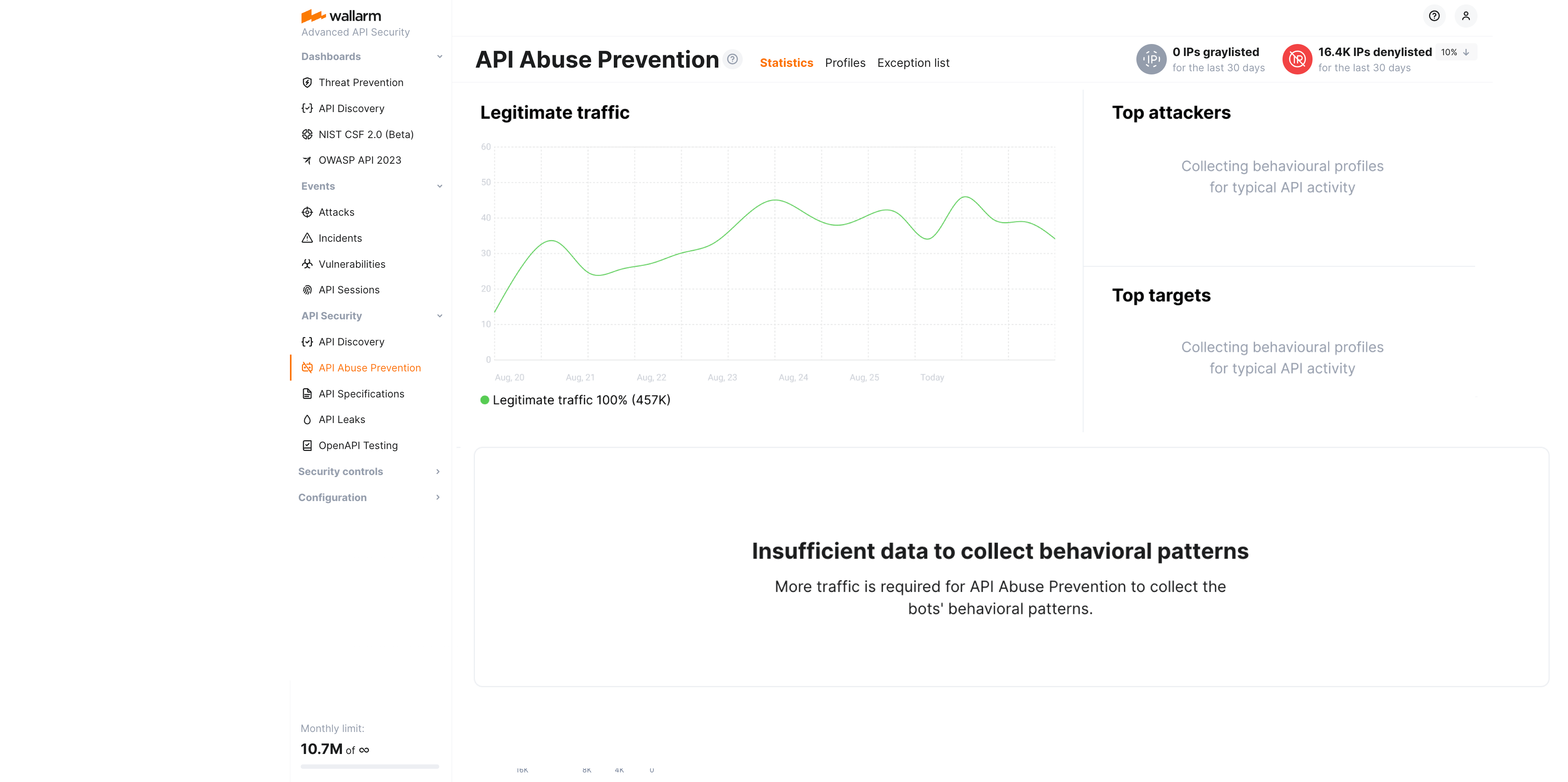
Note that bot detection relies on the traffic - if there is not a sufficient amount of it, API Abuse Prevention notifies about that with the **Insufficient data to build statistics** message. You can [check](https://docs.wallarm.com/api-abuse-prevention/setup.md#per-profile-traffic) the per-profile traffic on the **Profiles** tab.
## Attacks
You can explore attacks performed by bots in Wallarm Console → **Attacks** section. Set the [**Attack Type** filter](https://docs.wallarm.com/user-guides/search-and-filters/attack-filters.md#filter) to **Suspicious API activity**, **Account takeover**, **Scraping**, or **Security crawlers**.

Note that:
* Even if the bot IP is placed into the denylist by API Abuse Prevention, by default, Wallarm collects and [displays](https://docs.wallarm.com/user-guides/ip-lists/overview.md#requests-from-denylisted-ips) statistics regarding blocked requests originating from it.
* The detailed information on the bot attack is stored for 31 days: while the attack itself may remain in the **Attacks** section for a longer time, after 31 days, when you open it, no detector values will be presented - `Not enough data` message will be displayed instead.
**Detector values**
Pay attention to the list of triggered [detectors](https://docs.wallarm.com/api-abuse-prevention/overview.md#how-api-abuse-prevention-works) and their values, which show how far the source's behavior deviates from the norm for particular anomalies. Each detector row shows the detector name, its measured **value**, its **normal** baseline, and how many times the value deviates from that baseline — above or below it, depending on the detector.
The larger this multiplier, the stronger the evidence that the source is a bot.

For example, **IP rotation** with the value `15` when normal is `≤ 2` is `7.5x above` the baseline (as on the figure above); **Query abuse** with `326` when normal is `< 10` is over `30x above`; and **Request interval** with `0.05` when normal is `> 1` is about `20x below`, since for this detector a lower value is the anomaly.
## Verifying API abuse detection accuracy with API Sessions
Once the malicious bot activity is detected by Wallarm's [API Abuse Prevention](https://docs.wallarm.com/api-abuse-prevention/overview.md) and displayed in the [**Attacks**](https://docs.wallarm.com/user-guides/events/check-attack.md) section, you can see the full context of this attack's requests: which user sessions they belong to and what the full sequence of requests in each session is. This helps you investigate the actor's activity and verify whether marking it as a malicious bot was correct.
A single bot attack often spans several user sessions: the requests grouped into it come from different sessions, and the attack overview shows how many sessions are involved.

To dig into these sessions, in Wallarm Console → [**Attacks**](https://docs.wallarm.com/user-guides/events/check-attack.md), open the bot attack and switch to the **Requests** tab. Here you can filter the requests by **Session ID** to review one session at a time. To open a session in full, select a request, open the **Session ID** field menu, and select **Investigate this attack in API Sessions**: Wallarm opens the [**API Sessions**](https://docs.wallarm.com/api-sessions/overview.md) section filtered to the session related to these bot activities.

---
## https://docs.wallarm.com/api-abuse-prevention/exceptions/
# API Abuse Prevention Exceptions
This article describes how to fine-tune [API Abuse Prevention](https://docs.wallarm.com/api-abuse-prevention/overview.md) by marking legitimate bots and disabling bot protection for particular target URLs and request types.
These features extend the basic API Abuse Prevention [configuration via profiles](https://docs.wallarm.com/api-abuse-prevention/setup.md#creating-profiles).
## Exceptions for legitimate automation
To mark some IPs as associated with legitimate bots or crawlers to avoid blocking them by API Abuse Prevention, use the **Exception list**.
You add an IP address or range to the exception list and specify the target application: this means that any requests from these addresses to the target application will not lead to these addresses being marked as malicious bots, and they will not be added to [deny-](https://docs.wallarm.com/user-guides/ip-lists/overview.md) or [graylist](https://docs.wallarm.com/user-guides/ip-lists/overview.md) by API Abuse Prevention.
There are two ways of adding IP addresses to the exception list:
* From the **API Abuse Prevention** section → **Exception list** tab via **Add exception**. Here, besides IPs and subnets, you can add locations and source types that should be ignored by API Abuse Prevention.
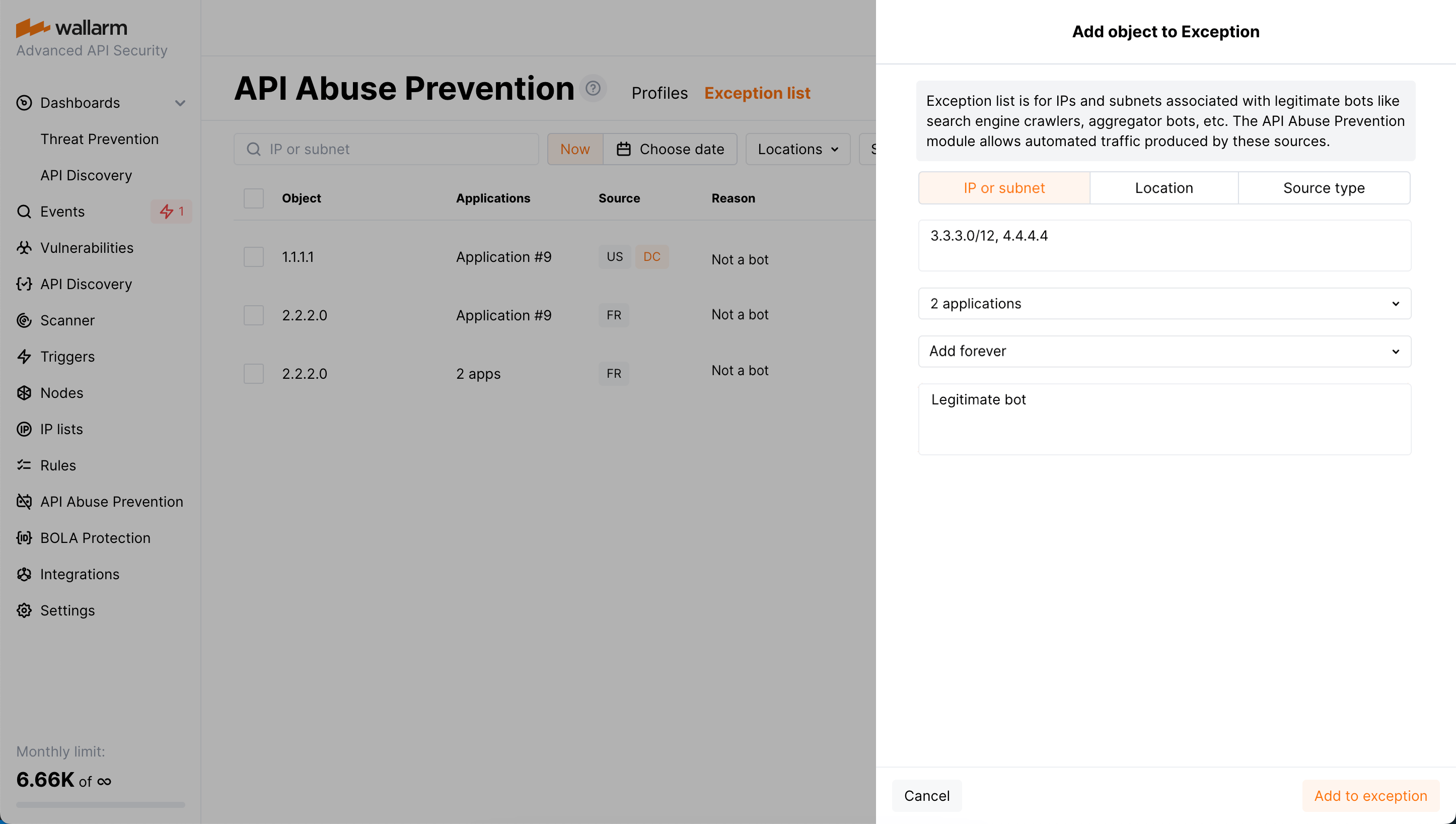
* From the **Attacks** section: set the [**Attack Type** filter](https://docs.wallarm.com/user-guides/search-and-filters/attack-filters.md#filter) to **Suspicious API activity**, **Account takeover**, **Scraping**, or **Security crawlers**, open the required attack, select a request on the **Requests** tab, and click **Add IP to exception list**.
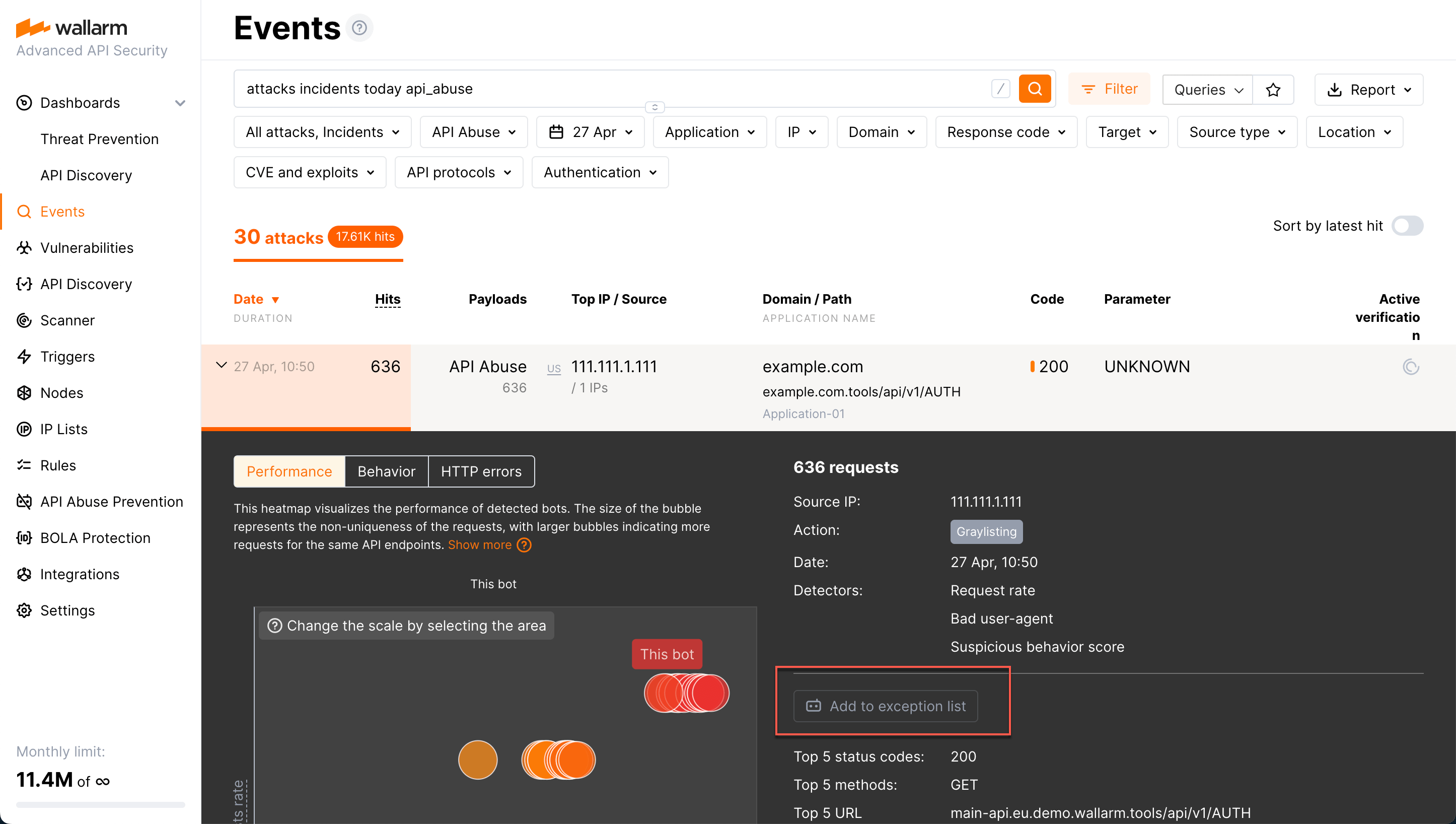
When the IP address is added to the exception list, the address is automatically removed from [deny-](https://docs.wallarm.com/user-guides/ip-lists/overview.md) or [graylist](https://docs.wallarm.com/user-guides/ip-lists/overview.md), but only if it was added there by API Abuse Prevention itself (has a `Bot` reason).
!!! info "Blocking other attack types from IP"
If an IP from the exception list produces other [attack types](https://docs.wallarm.com/attacks-vulns-list.md), like brute force or input validation attacks and others, Wallarm blocks such requests.
By default, the IP is added to the exception list forever. You can change this and set the time when the address should be removed from the exception list. You can also remove the address from exceptions immediately at any moment.
The **Exception list** tab provides the historical data - you can view items that were present in the list within the selected period of time in the past.
## Exceptions for target URLs and specific requests
In addition to [marking good bots](#exceptions-for-legitimate-automation)' IPs via the **Exception list**, you can disable bot protection both for URLs that the requests target and for the particular request types, for example, for the requests containing specific headers.
To do that, Wallarm provides the **Set API Abuse Prevention mode** rule (supported by nodes version 4.8 and above).
**Creating and applying the rule**
To disable bot protection for specific URL or request type:
1. Proceed to Wallarm Console:
* **Rules WAF** → **Add rule** or your branch → **Add rule**.
* **Attacks** / **Incidents** → attack/incident → hit → **Rule**.
* **API Discovery** (if [enabled](https://docs.wallarm.com/api-discovery/setup.md)) → your endpoint → **Create rule**.
1. Choose **Fine-tuning attack detection** → **Override API abuse profiles**.
1. In **If request is**, [describe](https://docs.wallarm.com/user-guides/rules/rules.md#uri-constructor) the requests and/or URLs to apply the rule to. If you initiated the rule for a specific branch, hit or endpoint, they will define the scope - if necessary, you can add more conditions.
1. Select a desired mode:
* **Default** - for the described scope (specific URL or request), the protection from bots will work in a usual way defined by common API Abuse Prevention [profiles](https://docs.wallarm.com/api-abuse-prevention/setup.md#creating-profiles).
* **Do not check for bot activity** - for the described URL and/or request type, the check for bot activity will not be performed.
1. Optionally, in the comment, specify the reason for creating the rule for this URL/request type.
Note that you can temporarily disable the exception for the URL and/or request type without deleting the rule: to do that, select the **Default** mode. You can go back to **Do not check for bot activity** at any moment later.
**Rule examples**
**Marking legitimate bot by its request headers**
Suppose your application is integrated with the Klaviyo marketing automation tool having multiple IPs that send requests. So we set the rule not to check for automated (bot) activities in GET requests from the `Klaviyo/1.0` user agent for specific URIs:
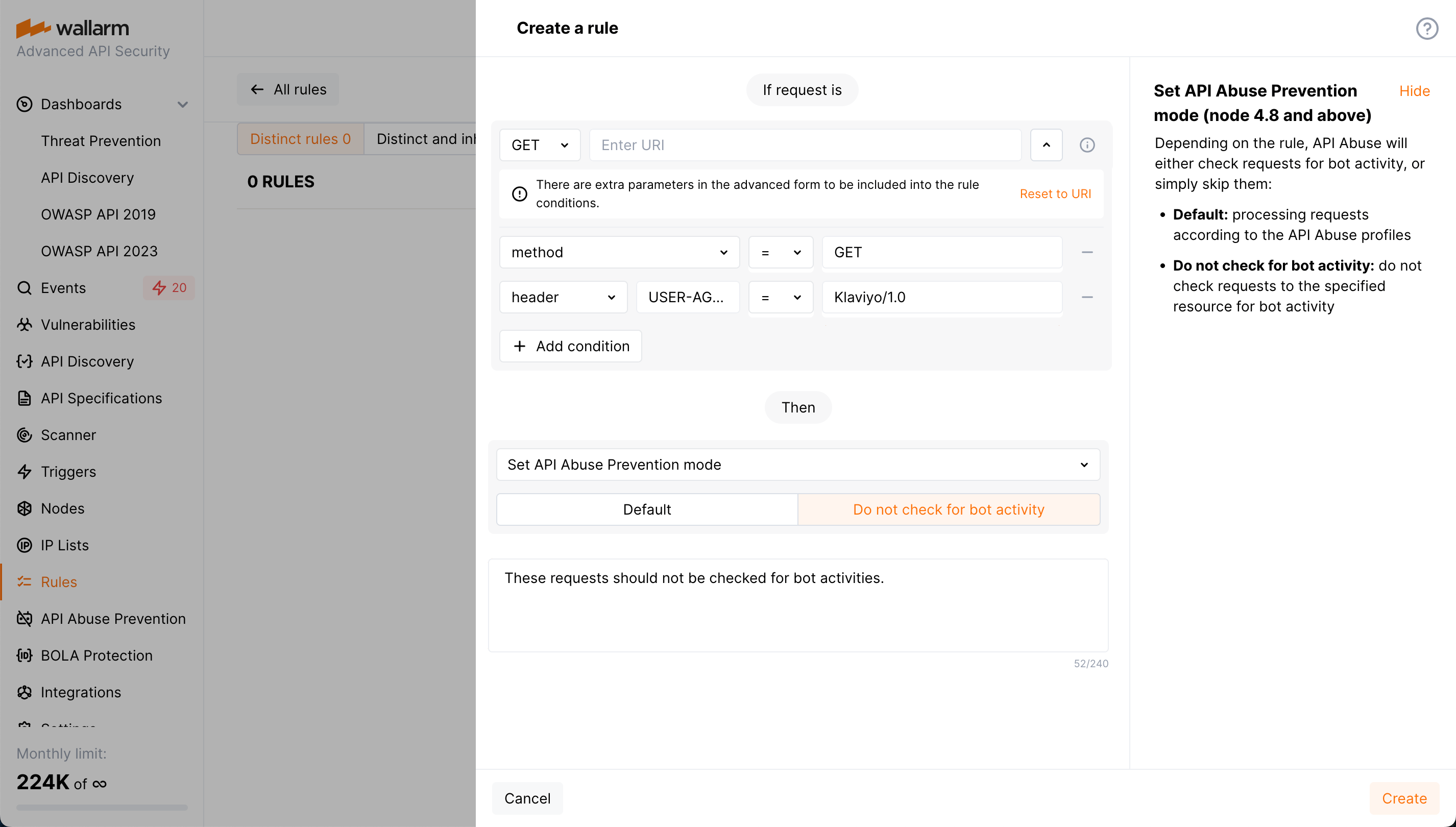
**Disabling protection from bots for testing endpoint**
Let's say you have the endpoint that belongs to your application. The application should be protected from bot activities but the testing endpoint should be an exception. Also, you have your API inventory discovered by the [**API Discovery**](https://docs.wallarm.com/api-discovery/overview.md) module.
In this case it is easier to create a rule from the **API Discovery** list of endpoints. Go there, find your endpoint and initiate rule creation from its page:
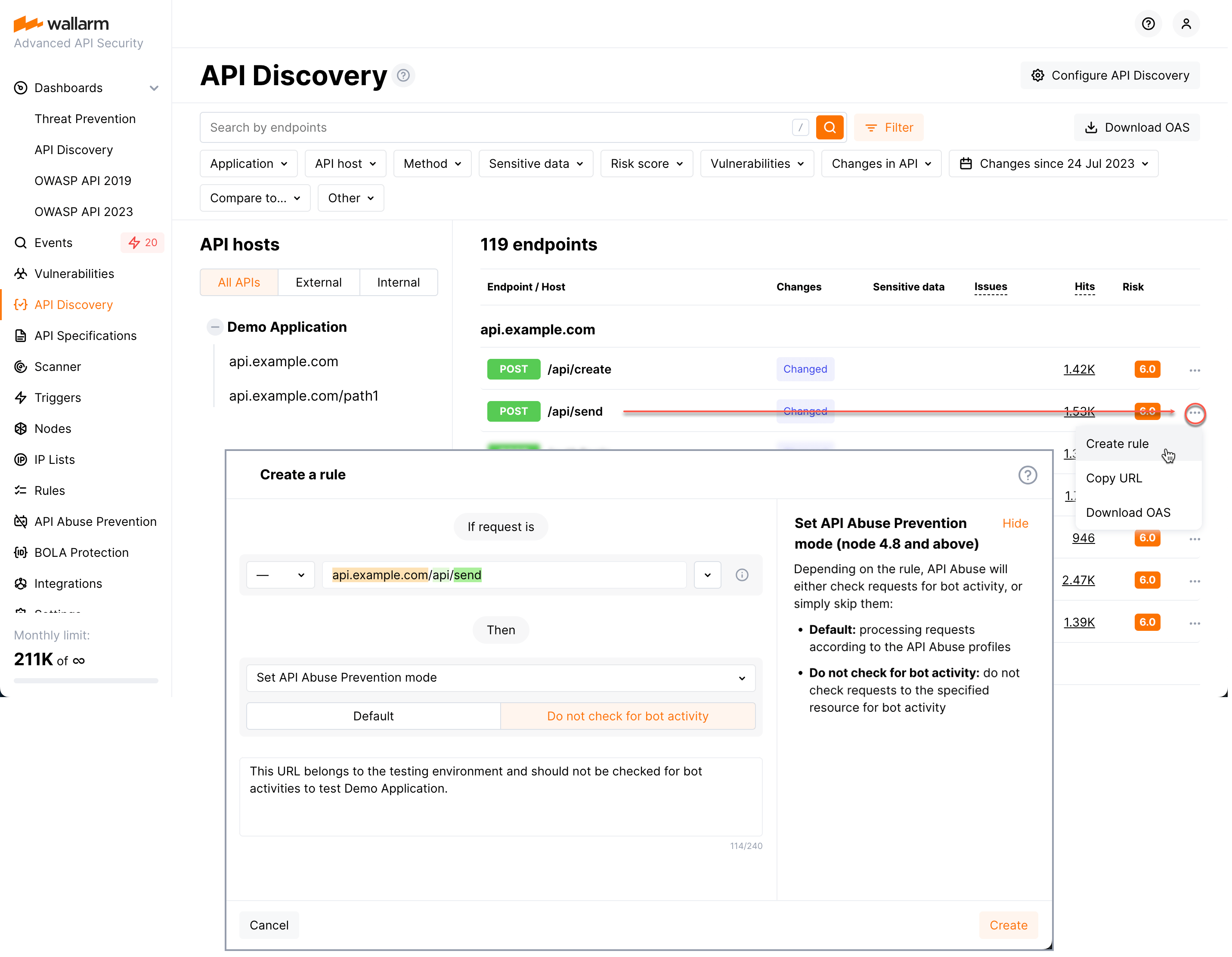
## Disabling and deleting profiles
Disabled profiles are the ones that the **API Abuse Prevention** module does not use during traffic analysis but that are still displayed in the profile list. You can re-enable disabled profiles at any moment. If there are no enabled profiles, the module does not block malicious bots.
Deleted profiles are the ones that cannot be restored and that the **API Abuse Prevention** module does not use during traffic analysis.
You can find **Disable** and **Delete** options in the profile menu.
---
## https://docs.wallarm.com/api-specification-enforcement/overview/
# API Specification Enforcement Overview
The **API Specification Enforcement** is designed to apply security policies to your APIs based on your uploaded specifications. Its primary function is to detect discrepancies between the endpoint descriptions in your specification and the actual requests made to your REST APIs. When such inconsistencies are identified, the system can take predefined actions to address them.
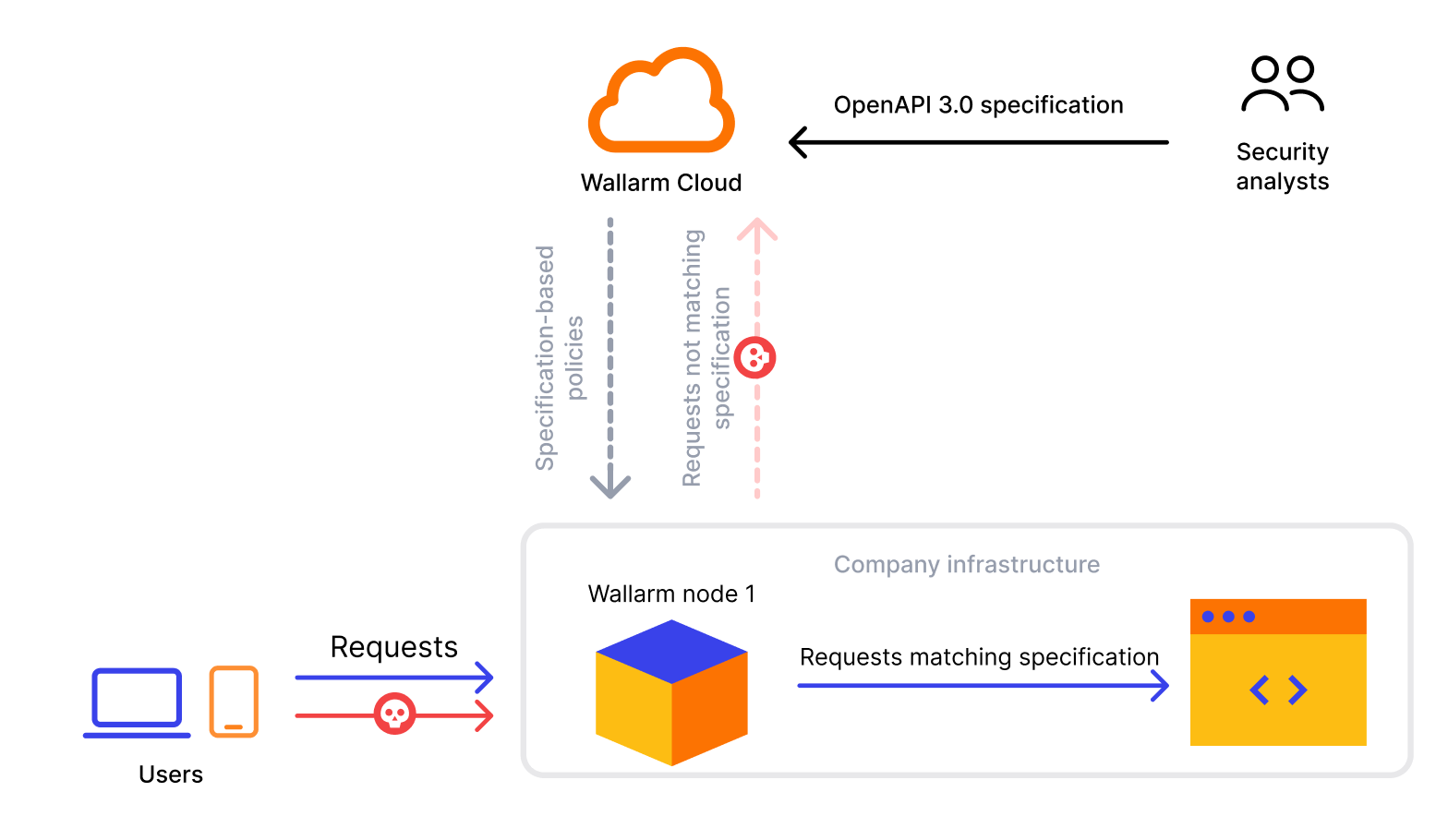
## Issues addressed by API Specification Enforcement
Your organization may use a number of applications exposed via API and a large number of external IPs, including automation tools, trying to access them. It is a resource consuming task to create restrictions specifically bound to some sources, targets or behaviors.
The API Specification Enforcement allows lowering the security effort by utilizing the positive security model - via specification it defines what is allowed, via the short set of policies it defines how to deal with all the rest.
**As you have your API inventory exhaustively described by API specification, you can**:
* Upload this specification to Wallarm.
* With several clicks, set policies towards requests to API elements, not presented or contradicting the specification.
And thus:
* Avoid creating specific restricting rules.
* Avoid the inevitable, necessary updates to these rules.
* Never miss attacks for which a direct restricting rule is not configured.
## How it works
Requests may violate your specification in different ways:
* **Requesting an undefined endpoint** - a request targets the endpoint not presented in your specification
* **Requesting endpoint with undefined parameter** - a request contains the parameter not presented for this endpoint in your specification
* **Requesting endpoint without required parameter** - a request does not contain the parameter or its value that are marked as required in your specification
* **Requesting endpoint with invalid parameter value** - a request parameter's value is not in correspondence with its type/format defined by your specification
* **Requesting endpoint without authentication method** - a request does not contain the information about the authentication method
* **Requesting endpoint with invalid JSON** - a request contains a JSON object not in correspondence with the [schema object](https://swagger.io/docs/specification/v3_0/data-models/data-models/) in specification that defines the structure and rules for the JSON data expected
The system can perform the following actions when an inconsistency is found:
* **Block** - block a request and put in the [**Attacks**](https://docs.wallarm.com/user-guides/events/check-attack.md) section as blocked
!!! info "Filtration mode"
The Wallarm node will block requests only when the blocking [filtration mode](https://docs.wallarm.com/admin-en/configure-wallarm-mode.md) is enabled for target endpoint - otherwise, **Monitor** action will be performed.
* **Monitor** - mark a request as incorrect, but do not block, put it in the **Attacks** section as monitored
* **Not tracked** - do nothing
Note that several specifications can be used for setting policies. When one request falls on two different specifications (the same policy and different actions in different specifications), the following will happen:
* **Block** and **Block** - the request will be blocked and two events will be added to the **Attacks** section with status `Blocked` pointing at the reason of blocking and at the fact that the request violated two different specifications.
* **Monitor** and **Block** - the request will be blocked and one event will be added to the **Attacks** section with status `Blocked` explaining the reason of blocking.
* **Monitor** and **Monitor** - the request will not be blocked and two events will be added to the **Attacks** section with status `Monitoring` pointing at the fact that specific policy was violated.
When using API Specification Enforcement, the CPU consumption normally increases by about 20%.
To limit resource consumption, API Specification Enforcement has limits by time (50 ms) and request size (1024 KB) - when exceeding these limits, it stops processing the request and creates the **Specification processing overlimit** [event](https://docs.wallarm.com/api-specification-enforcement/viewing-events.md#overlimit-events) in the **Attacks** section, saying that one of these limits was exceeded.
!!! info "API Specification Enforcement and other protection measures"
Note that if API Specification Enforcement stops processing the request, this does not mean it is not processed by other Wallarm protection procedures. Thus, if it is an attack, it will be registered or blocked in accordance with the Wallarm configuration.
To change limits or Wallarm behavior (from monitoring of overlimits to blocking such requests), contact [Wallarm Support](mailto:support@wallarm.com).
Note that API Specification Enforcement adds its regulation to the usual [attack detection](https://docs.wallarm.com/about-wallarm/protecting-against-attacks.md) performed by the Wallarm node and does not replace it, so your traffic will be checked both for the absence of the attack signs and for correspondence to your specification.
## Setup
To start protecting your APIs with API Specification Enforcement, upload your specification, and set policies as described [here](https://docs.wallarm.com/api-specification-enforcement/setup.md).
---
## https://docs.wallarm.com/api-specification-enforcement/setup/
# API Specification Enforcement Setup
This article describes how to enable and configure your API protection based on your [uploaded API specification](https://docs.wallarm.com/api-specification-enforcement/overview.md).
## Step 1: Upload specification
You can upload only specifications in OpenAPI 3.0 or 3.1 (JSON or YAML formats):
1. In the **API Specifications** section in [US Cloud](https://us1.my.wallarm.com/api-specifications/) or [EU Cloud](https://my.wallarm.com/api-specifications/), click **Upload specification**.
!!! tip ""
OAS 3.1 requires [NGINX Node](https://docs.wallarm.com/installation/nginx-native-node-internals.md#nginx-node) 6.6.1+ or [Native Node](https://docs.wallarm.com/installation/nginx-native-node-internals.md#native-node) 0.20.0+.
1. Set specification upload parameters and start uploading.
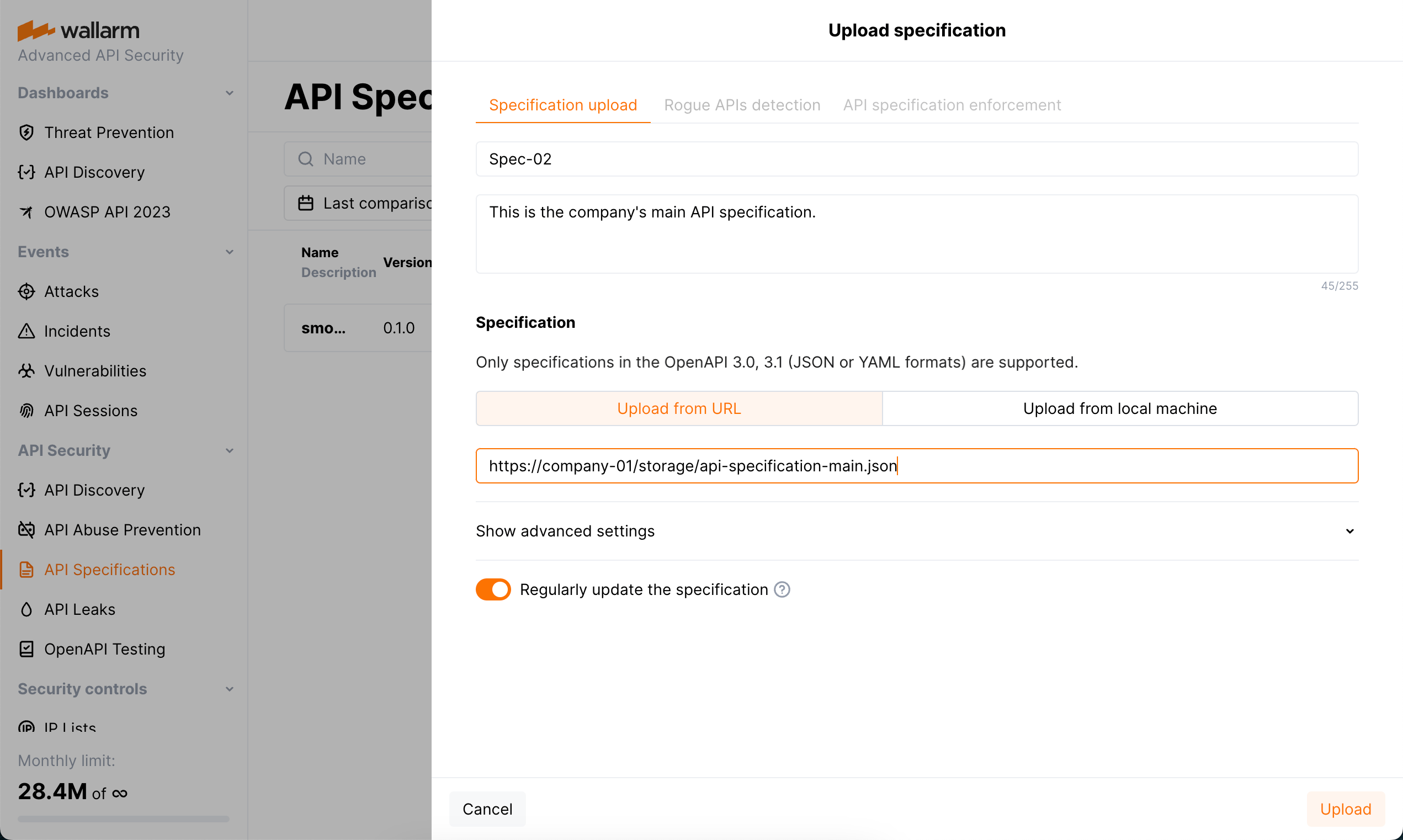
Specification file is checked for correspondence to the API specification syntax, and if not valid, is not uploaded. Note that you will not be able to start configuring API specification enforcement, until the specification file is successfully uploaded.
If you select to upload specification from URI and select the **Regularly update the specification** (every hour) option, there may be errors during regular update: URI can be unavailable or updated specification file may not correspond to the API specification syntax. To get notifications on such errors, in your configured [**Integrations**](https://docs.wallarm.com/user-guides/settings/integrations/integrations-intro.md), select the **System related** events—notifications about specification upload errors are included in this category.
## Step 2: Set actions for violations of policies
1. Click the **API specification enforcement** tab.
!!! info "Rogue API detection"
* Besides applying security policies, specifications may be used by [API Discovery](https://docs.wallarm.com/api-discovery/overview.md) module for the [rogue API detection](https://docs.wallarm.com/api-discovery/rogue-api.md). The tab is displayed if API Discovery is enabled.
* Before using the specification for applying security policies, it is recommended to use it for searching the rogue (shadow and zombie) APIs using API Discovery. This way you will be able to understand how much your specification differs from the actual requests of your clients - these differences will most probably cause blocking related requests after applying security policies.
1. Select **Use for API specification enforcement**.
1. Specify host or endpoint for which you want to activate policy violation actions.
* Note that if you incorrectly specify to which endpoints the uploaded specification should be applied, there will be many [false positive](https://docs.wallarm.com/about-wallarm/protecting-against-attacks.md#false-positives) events.
* If you have several specifications that apply to the same host, but to different endpoints (for example `domain.com/v1/api/users/` and `domain.com/v1/api/orders/`), you **must** indicate to which endpoints the specification should be applied.
* If you add a specification to a host, and then add another specification to individual endpoints of this host, both specifications will be applied to these endpoints.
* The value can be configured via the [URI constructor](https://docs.wallarm.com/user-guides/rules/rules.md#uri-constructor) or [advanced edit form](https://docs.wallarm.com/user-guides/rules/rules.md#advanced-edit-form).
1. Set how the system should react if requests violate your specification.

Details on possible violations:
* **Requesting an undefined endpoint** - a request targets the endpoint not presented in your specification
* **Requesting endpoint with undefined parameter** - a request contains the parameter not presented for this endpoint in your specification
* **Requesting endpoint without required parameter** - a request does not contain the parameter or its value that are marked as required in your specification
* **Requesting endpoint with invalid parameter value** - a request parameter's value is not in correspondence with its type/format defined by your specification
* **Requesting endpoint without authentication method** - a request does not contain the information about the authentication method
* **Requesting endpoint with invalid JSON** - a request contains a JSON object not in correspondence with the [schema object](https://swagger.io/docs/specification/v3_0/data-models/data-models/) in specification that defines the structure and rules for the JSON data expected
The system can perform the following actions when an inconsistency is found:
* **Block** - block a request and put in the [**Attacks**](https://docs.wallarm.com/user-guides/events/check-attack.md) section as blocked
!!! info "Filtration mode"
The Wallarm node will block requests only when the blocking [filtration mode](https://docs.wallarm.com/admin-en/configure-wallarm-mode.md) is enabled for target endpoint - otherwise, **Monitor** action will be performed.
* **Monitor** - mark a request as incorrect, but do not block, put it in the **Attacks** section as monitored
* **Not tracked** - do nothing
Note that several specifications can be used for setting policies. When one request falls on two different specifications (the same policy and different actions in different specifications), the following will happen:
* **Block** and **Block** - the request will be blocked and two events will be added to the **Attacks** section with status `Blocked` pointing at the reason of blocking and at the fact that the request violated two different specifications.
* **Monitor** and **Block** - the request will be blocked and one event will be added to the **Attacks** section with status `Blocked` explaining the reason of blocking.
* **Monitor** and **Monitor** - the request will not be blocked and two events will be added to the **Attacks** section with status `Monitoring` pointing at the fact that specific policy was violated.
When using the specification for setting security policies for the first time, it is recommended to set `Monitor` as a reaction to make sure that the specification is applied to the necessary endpoints and detects real errors.
## Disabling
API Specification Enforcement's work is based on uploaded specification or several specifications each having the **Use for API specification enforcement** option selected. Consider that unchecking this option for some specification or deleting this specification will result in stopping protection based on this specification.
Also, in some cases it may be necessary to disable the API Specification Enforcement functionality only for some parts of your API. This can be done:
* For [all-in-one installer](https://docs.wallarm.com/installation/nginx/all-in-one.md) deployments, for any `server` section where API Specification Enforcement is used by means of the [`wallarm_enable_apifw`](https://docs.wallarm.com/admin-en/configure-parameters-en.md#wallarm_enable_apifw) NGINX directive set to `off`.
* For NGINX-based Docker image, by means of the `WALLARM_APIFW_ENABLE` [environment variable](https://docs.wallarm.com/admin-en/installation-docker-en.md#run-the-container-passing-the-environment-variables) set to `false`.
* For NGINX Ingress Controller, by means of the [`controller.wallarm.apifirewall`](https://docs.wallarm.com/admin-en/configure-kubernetes-en.md#controllerwallarmapifirewall) values group with `enable` set to `false`.
---
## https://docs.wallarm.com/api-specification-enforcement/viewing-events/
# Viewing Events Caused by API Specification Enforcement
As soon as you have [uploaded](https://docs.wallarm.com/api-specification-enforcement/setup.md) your API specification to be used for applying specification-based security policies and configured the enforcement, the policies start to be applied to the requests. This article describes how to view and analyze requests that violate policies in Wallarm Console.
## Statistics on requests that violate policies
To monitor trends in policy violations, check the number of specification violations in Wallarm Console under **API Specifications** → your specification → **Policy violations** column. This data provides insights for the past 7 days.
You can click this number to see details in the **Attacks** section.
## Analysis of requests that violate policies
In the **Attacks** section, to find events related to specification-based policy violations, set the [**Attack Type** filter](https://docs.wallarm.com/attacks-vulns-list.md#api-specification) to the corresponding violation.
Blocked and monitored events may be presented depending on the configured policy violation actions. In the event details, the violation type and link to the causing specification are displayed.
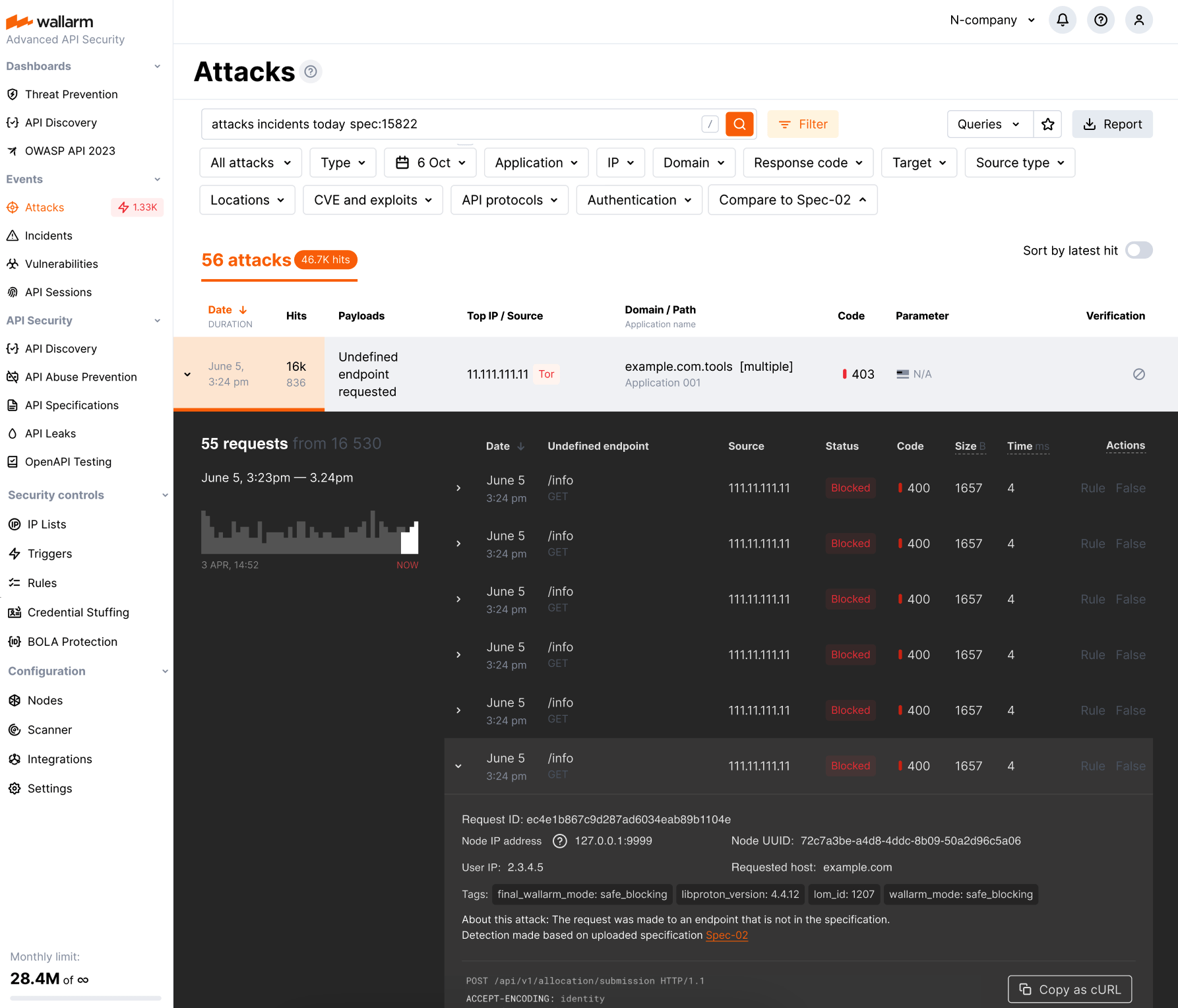
## Overlimit events
When viewing events related to your specification policies, you may encounter the **Specification processing overlimit** type of event related to the limits applied for API Specification Enforcement while it processes the requests. See details and the description of your possible actions [here](https://docs.wallarm.com/api-specification-enforcement/overview.md#how-it-works).
In the **Attacks** section, the overlimit events can be found with the [**Attack Type** filter](https://docs.wallarm.com/user-guides/search-and-filters/attack-filters.md#filter) set to **Processing overlimit**.
---
## https://docs.wallarm.com/about-wallarm/credential-stuffing/
# Credential Stuffing Detection
[Credential stuffing](https://docs.wallarm.com/attacks-vulns-list.md#credential-stuffing) is a cyber attack where hackers use lists of compromised user credentials to gain unauthorized access to user accounts on multiple websites. This article describes how to detect this type of threat using Wallarm's **Credential Stuffing Detection**.
Wallarm's Advanced API Security [subscription](https://docs.wallarm.com/about-wallarm/subscription-plans.md#core-subscription-plans) provides advanced [enumeration attack protection](https://docs.wallarm.com/api-protection/enumeration-attack-protection.md), including protection from brute force attacks.
## Trigger-based protection
Brute force protection described in this section is one of the ways for the basic load control provided by Wallarm. Alternatively, you can apply [rate limiting](https://docs.wallarm.com/user-guides/rules/rate-limiting.md). Use rate limiting to slow the incoming traffic and brute force protection to completely block the attacker.
Besides basic brute force protection, you can configure basic protection against [forced browsing](https://docs.wallarm.com/admin-en/configuration-guides/protecting-against-forcedbrowsing.md) similarly.
### Configuring
Consider the example below to learn how to configure brute force protection with triggers.
Let us say you want to prevent malicious actors from trying various passwords to gain authorized access to your `rent-car` application via its authentication endpoints (brute force attack). To provide this protection, for your authentication endpoints, you can limit the number of requests per time interval, and set to block IPs exceeding this limit:
1. Open Wallarm Console → **Triggers** and open the window for trigger creation.
1. Select the **Brute force** condition.
1. Set the threshold of 30 requests from the same IP per 30 seconds.
Note that these are the example values - when configuring a trigger for your own traffic, you should define a threshold considering your legitimate usage statistics.
!!! info "Allowed threshold time periods"
When adjusting the threshold time period, the value must be a multiple of 30 seconds or 10 minutes, depending on the selected unit.
1. Set the **Application** filter to `rent-car` (the application should be [registered](https://docs.wallarm.com/user-guides/settings/applications.md) in Wallarm).
1. Set the **URI** filter as displayed on the screenshot, including:
* `**` [wildcard](https://docs.wallarm.com/user-guides/rules/rules.md#using-wildcards) in the path meaning "any number of components"
* `.*login*` [regular expression](https://docs.wallarm.com/user-guides/rules/rules.md#condition-type-regex) in the request part meaning "endpoint contains `login`"
Combined, they cover, for example:
`https://rent-car-example.com/users/login`
`https://rentappc-example.com/usrs/us/p-login/sq`
(note that for entire trigger to work, domains should be [linked](https://docs.wallarm.com/user-guides/settings/applications.md#automatic-application-identification) to selected application)
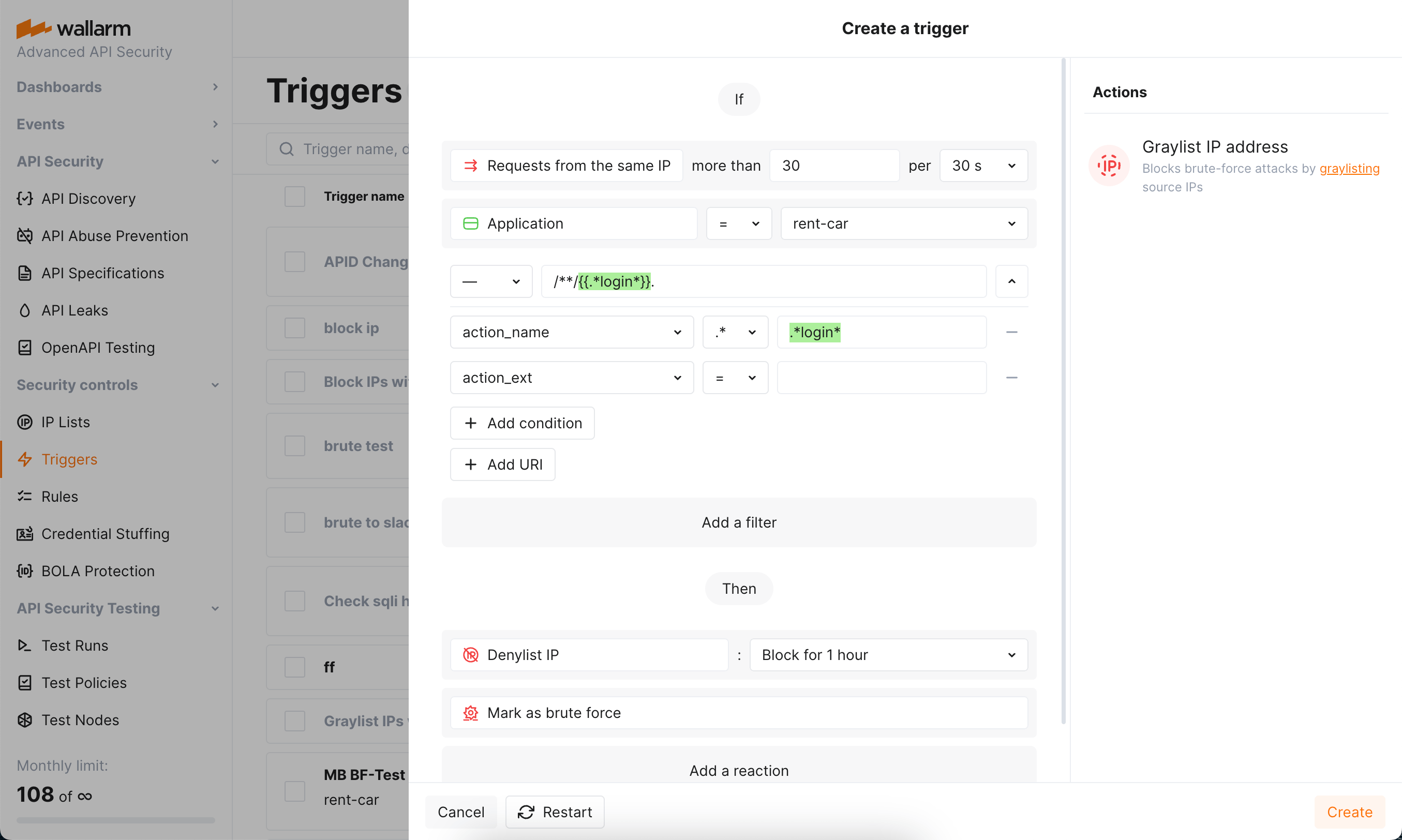
* Besides configuring the pattern we need in this example, you can enter specific URIs or set a trigger to work at any endpoint by not specifying any URI.
* If using nested URIs, consider [trigger processing priorities](https://docs.wallarm.com/user-guides/triggers/triggers.md#trigger-processing-priorities).
1. Do not use the **IP** filter in this case, but be aware that you can use it to set triggers only to react to specific IPs originating requests.
1. Select the **Denylist IP address** - `Block for 1 hour` trigger reaction. Wallarm will put the origin IP on the [denylist](https://docs.wallarm.com/user-guides/ip-lists/overview.md) after the threshold is exceeded and block all further requests from it.
Note that even if the bot IP is placed into the denylist by brute force protection, by default, Wallarm collects and [displays](https://docs.wallarm.com/user-guides/ip-lists/overview.md#requests-from-denylisted-ips) statistics regarding blocked requests originating from it.
1. Select the **Mark as brute force** trigger reaction. Requests received after exceeding the threshold will be marked as a brute force attack and displayed in the **Attacks** section of Wallarm Console. In some cases, you can use this reaction alone to have information about the attack, but not to block anything.
1. Save the trigger and wait for the [Cloud and node synchronization completion](https://docs.wallarm.com/admin-en/configure-cloud-node-synchronization-en.md) (usually, it takes 2-4 minutes).
You can configure several triggers for brute force protection.
### Testing
!!! info "Testing in your environment"
To test the **Brute force** trigger in your environment, in the trigger and the requests below, replace the domain with any public one (e.g. `example.com`). Set your own [application](https://docs.wallarm.com/user-guides/settings/applications.md) and link the domain to it.
To test the trigger described in the [Configuring](#configuring) section:
1. Ensure that the `rent-car-example.com` domain is [identified](https://docs.wallarm.com/user-guides/settings/applications.md#automatic-application-identification) as part of the `rent-car` application registered in Wallarm.
1. Send the number of requests that exceeds the configured threshold to the protected endpoint of this domain. For example, 50 requests to `rent-car-example.com/users/login`:
```bash
for (( i=0 ; $i<51 ; i++ )) ; do curl https://rent-car-example.com/users/login ; done
```
1. Open Wallarm Console → **IP lists** → **Denylist** and check that the source IP address is blocked.
1. Open the **Attacks** section and check that requests are displayed in the list as a brute force attack.
The number of displayed requests corresponds to the number of requests sent after exceeding the trigger threshold ([more details on detecting behavioral attacks](https://docs.wallarm.com/attacks-vulns-list.md#attack-types)). If this number is higher than 5, request sampling is applied and request details are displayed only for the first 5 hits ([more details on request sampling](https://docs.wallarm.com/user-guides/events/grouping-sampling.md)).
To find brute force attacks, set the **Attack Type** filter to **Brute force**. Filtering is described in [Attack Search and Filters](https://docs.wallarm.com/user-guides/search-and-filters/attack-filters.md).
### Requirements and restrictions
**Requirements**
To protect resources from brute force attacks, real clients' IP addresses are required. If the filtering node is deployed behind a proxy server or load balancer, [configure](https://docs.wallarm.com/admin-en/using-proxy-or-balancer-en.md) displaying real clients' IP addresses.
**Restrictions**
When searching for brute force attack signs, Wallarm nodes analyze only HTTP requests that do not contain signs of other attack types.
---
## https://docs.wallarm.com/admin-en/configuration-guides/protecting-against-forcedbrowsing/
# Protection Against Forced Browsing
A forced browsing attack is one of the attack types not detected by Wallarm out-of-the-box, its detection should be appropriately configured as this guide describes.
[Forced browsing](https://docs.wallarm.com/attacks-vulns-list.md#forced-browsing) attacks are characterized by a large number of response codes 404 returned to requests to different URIs for a limited timeframe.
This attack aims to enumerate and access hidden resources (e.g. directories and files containing information on application components). The forced browsing attack type usually allows attackers to collect information about the application and perform other attack types by exploiting this information.
## Configuration method
Depending on your subscription plan, one of the following configuration methods for forced browsing protection will be available:
* Mitigation controls ([Advanced API Security](https://docs.wallarm.com/about-wallarm/subscription-plans.md#core-subscription-plans) subscription)
* Triggers ([Cloud Native WAAP](https://docs.wallarm.com/about-wallarm/subscription-plans.md#core-subscription-plans) subscription)
## Mitigation control-based protection
Wallarm's Advanced API Security [subscription](https://docs.wallarm.com/about-wallarm/subscription-plans.md#core-subscription-plans) provides advanced [enumeration attack protection](https://docs.wallarm.com/api-protection/enumeration-attack-protection.md), including protection from forced browsing attacks.
## Trigger-based protection
### Configuring
Consider the example below to learn how to configure forced browsing protection.
Let us say you own the online `book-sale` application. You want to prevent malicious actors from trying names of hidden directories and files under its `book-sale-example.com` domain (forced browsing attack). To provide this protection, for your domain, you can limit the number of 404 responses per time interval, and set to block IPs exceeding this limit:
To provide this protection:
1. Open Wallarm Console → **Triggers** and open the window for trigger creation.
1. Select the **Forced browsing** condition.
1. Set the threshold for the number of 404 response codes returned to the requests having the same origin IP requests to 30 per 30 seconds.
Note that these are the example values - when configuring a trigger for your own traffic, you should define a threshold considering your legitimate usage statistics.
!!! info "Allowed threshold time periods"
When adjusting the threshold time period, the value must be a multiple of 30 seconds or 10 minutes, depending on the selected unit.
1. Set the **URI** filter as displayed on the screenshot, including:
* `**` [wildcard](https://docs.wallarm.com/user-guides/rules/rules.md#using-wildcards) in the path meaning "any number of components". They will cover all the addresses under the `book-sale-example.com`.
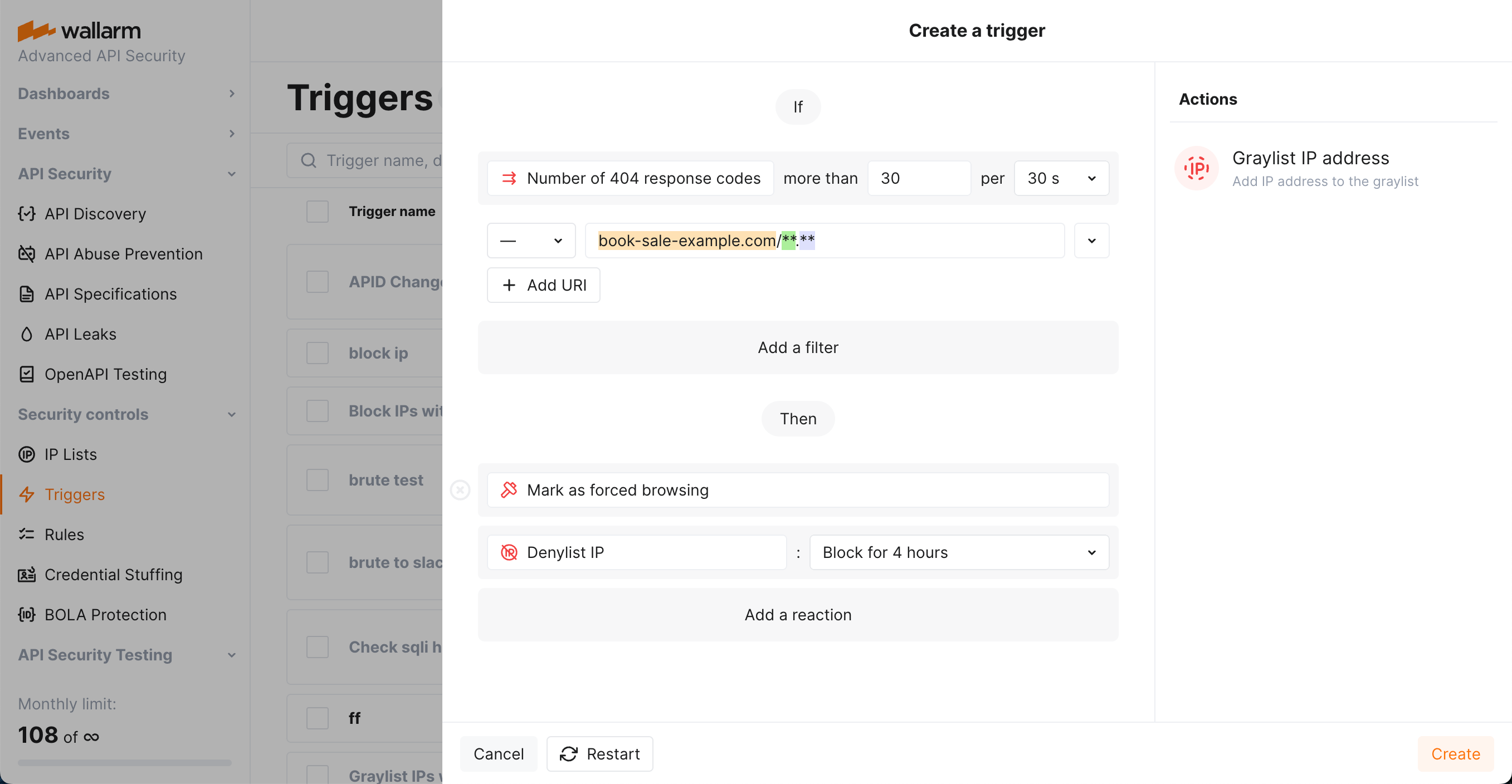
* Besides configuring the pattern we need in this example, you can enter specific URIs (for example, URI of your resource file directory) or set a trigger to work at any endpoint by not specifying any URI.
* If using nested URIs, consider [trigger processing priorities](https://docs.wallarm.com/user-guides/triggers/triggers.md#trigger-processing-priorities).
1. Do not use in this case:
* The **Application** filter, but be aware that you can use it to set triggers only to react to the requests targeting domains or specific endpoints of selected applications.
* The **IP** filter, but be aware that you can use it to set triggers only to react to specific IPs originating requests.
1. Select the **Denylist IP address** - `Block for 4 hour` trigger reaction. Wallarm will put the origin IP on the [denylist](https://docs.wallarm.com/user-guides/ip-lists/overview.md) after the threshold is exceeded and block all further requests from it.
Note that even if the bot IP is placed into the denylist by forced browsing protection, by default, Wallarm collects and [displays](https://docs.wallarm.com/user-guides/ip-lists/overview.md#requests-from-denylisted-ips) statistics regarding blocked requests originating from it.
1. Select the **Mark as forced browsing** trigger reaction. Requests received after exceeding the threshold will be marked as a forced browsing attack and displayed in the **Attacks** section of Wallarm Console. Sometimes, you can use this reaction alone to have information about the attack but not to block anything.
1. Save the trigger and wait for the [Cloud and node synchronization completion](https://docs.wallarm.com/admin-en/configure-cloud-node-synchronization-en.md) (usually, it takes 2-4 minutes).
You can configure several triggers for forced browsing protection.
### Testing
!!! info "Testing in your environment"
To test the **Forced browsing** trigger in your environment, in the trigger and the requests below, replace the domain with any public one (e.g. `example.com`).
To test the trigger described in the [Configuring](#configuring) section:
1. Send the number of requests that exceeds the configured threshold to the protected URI. For example, 50 requests to `https://book-sale-example.com/config.json` (matches `https://book-sale-example.com/**.**`):
```bash
for (( i=0 ; $i<51 ; i++ )) ; do curl https://book-sale-example.com/config.json ; done
```
2. If the trigger reaction is **Denylist IP address**, open Wallarm Console → **IP lists** → **Denylist** and check that the source IP address is blocked.
If the trigger reaction is **Graylist IP address**, check the section **IP lists** → **Graylist** of Wallarm Console.
3. Open the section **Attacks** and check that requests are displayed in the list as a forced browsing attack.
The number of displayed requests corresponds to the number of requests sent after exceeding the trigger threshold ([more details on detecting behavioral attacks](https://docs.wallarm.com/attacks-vulns-list.md#attack-types)). If this number is higher than 5, request sampling is applied and request details are displayed only for the first 5 hits ([more details on request sampling](https://docs.wallarm.com/user-guides/events/grouping-sampling.md)).
To find forced browsing attacks, set the **Attack Type** filter to **Forced browsing**. Filtering is described in [Attack Search and Filters](https://docs.wallarm.com/user-guides/search-and-filters/attack-filters.md).
### Requirements and restrictions
**Requirements**
To protect resources from forced browsing attacks, real clients' IP addresses are required. If the filtering node is deployed behind a proxy server or load balancer, [configure](https://docs.wallarm.com/admin-en/using-proxy-or-balancer-en.md) displaying real clients' IP addresses.
**Restrictions**
When searching for forced browsing attack signs, Wallarm nodes analyze only HTTP requests that do not contain signs of other attack types.
---
## https://docs.wallarm.com/admin-en/configuration-guides/protecting-with-thresholds/
# Protection from Multi-Attack Perpetrators
When Wallarm is in [blocking mode](https://docs.wallarm.com/admin-en/configure-wallarm-mode.md), it automatically blocks all requests with malicious payloads, letting only legitimate requests through. You can configure additional protection for your applications and API by setting the Wallarm reaction for when the number of different malicious payloads from the same IP (often referred to as **multi-attack perpetrator**) exceeds a specified threshold.
Such perpetrators can be automatically placed into the denylist, which starts blocking **all requests from them**, not spending time on analysis of whether they are malicious or not, just because this source produced a lot of malicious requests in the past.
## Configuring
Consider the example below to learn how to configure protection from multi-attack perpetrators.
Let us say you consider more than 3 malicious payloads per hour from some IP as enough reason to block it completely. To do that, you set the corresponding threshold and instruct the system to block the origin IP for 1 hour.
To provide this protection:
1. Open Wallarm Console → **Triggers** and open the window for trigger creation.
1. Select the **Number of malicious payloads** condition.
1. Set the threshold to `more than 3 malicious requests from the same IP per hour`.
!!! info "What is not counted"
The experimental payloads based on the [custom regular expressions](https://docs.wallarm.com/user-guides/rules/regex-rule.md).
1. Do not set any filters, but be aware that in other cases you can use separately or combined:
* **Type** is a [type](https://docs.wallarm.com/attacks-vulns-list.md) of attack detected in the request or a type of vulnerability the request is directed to.
* **Application** is the [application](https://docs.wallarm.com/user-guides/settings/applications.md) that receives the request.
* **IP** is an IP address from which the request is sent. The filter expects only single IPs, it does not allow subnets, locations and source types.
* **Domain** is the domain that receives the request.
* **Response status** is the response code returned to the request.
1. Select the **Denylist IP address** - `Block for 1 hour` trigger reaction. Wallarm will put the origin IP on the [denylist](https://docs.wallarm.com/user-guides/ip-lists/overview.md) after the threshold is exceeded and block all further requests from it.
Note that even if the bot IP is placed into the denylist by multi-attack protection, by default, Wallarm collects and [displays](https://docs.wallarm.com/user-guides/ip-lists/overview.md#requests-from-denylisted-ips) statistics regarding blocked requests originating from it.
Requests blocked by this trigger are registered with the **Malicious payload trigger** attack type — find them with the [**Attack Type** filter](https://docs.wallarm.com/user-guides/search-and-filters/attack-filters.md#filter).
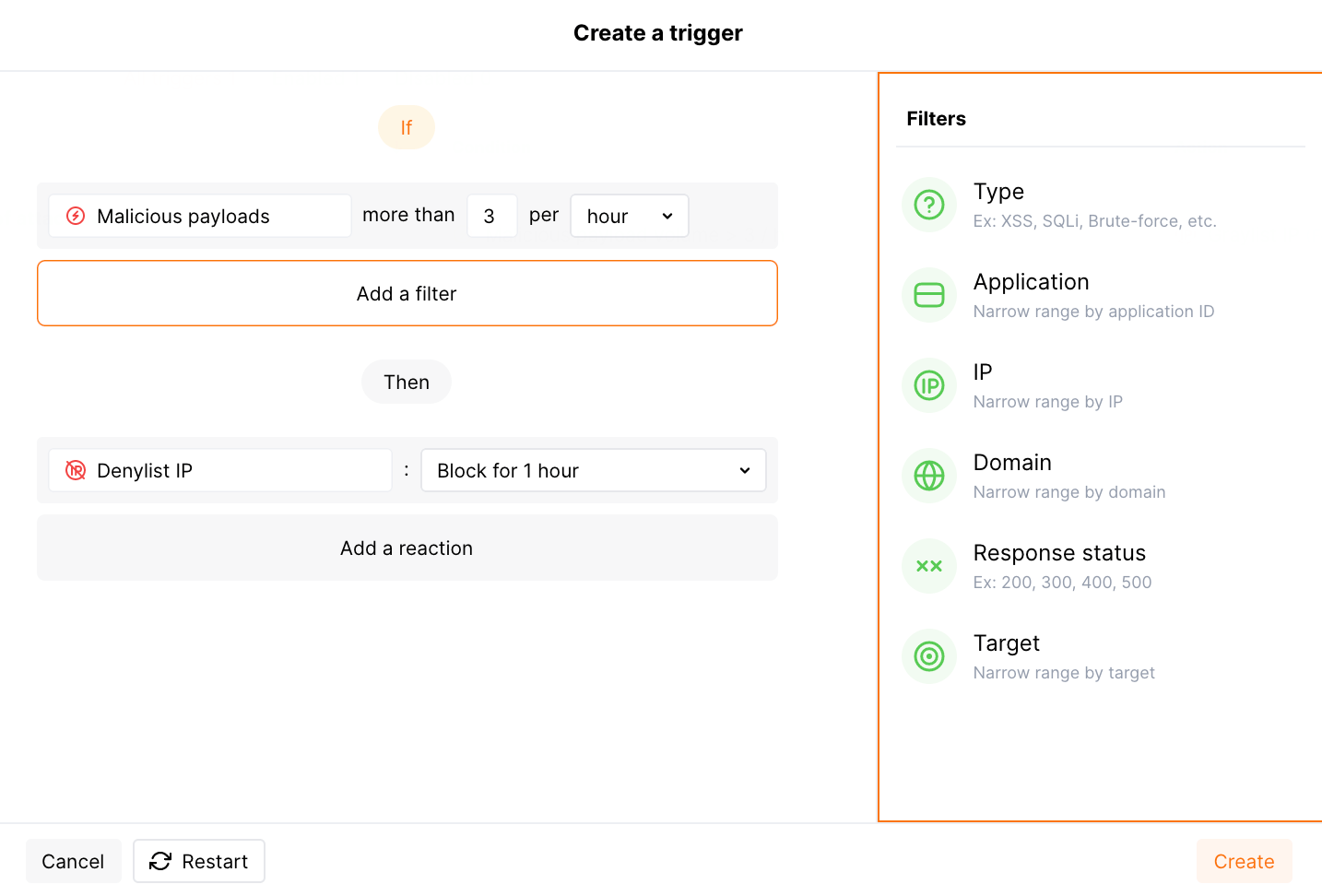
1. Save the trigger and wait for the [Cloud and node synchronization completion](https://docs.wallarm.com/admin-en/configure-cloud-node-synchronization-en.md) (usually it takes 2-4 minutes).
## Pre-configured trigger
New company accounts come with the pre-configured (default) **Number of malicious payloads** trigger which graylists an IP for 1 hour when it originates more than 3 different [malicious payloads](https://docs.wallarm.com/about-wallarm/protecting-against-attacks.md#malicious-payload) within 1 hour.
[Graylist](https://docs.wallarm.com/user-guides/ip-lists/overview.md) is a list of suspicious IP addresses processed by the node as follows: if graylisted IP originates malicious requests, the node blocks them while allowing legitimate requests. In contrast to graylist, [denylist](https://docs.wallarm.com/user-guides/ip-lists/overview.md) points to IP addresses that are not allowed to reach your applications at all - the node blocks even legitimate traffic produced by denylisted sources. IP graylisting is one of the options aimed at the reduction of [false positives](https://docs.wallarm.com/about-wallarm/protecting-against-attacks.md#false-positives).
The trigger is released in any node filtration mode, so it will graylist IPs regardless of the node mode.
However, the node analyzes the graylist only in the **safe blocking** mode. To block malicious requests originating from graylisted IPs, switch the node [mode](https://docs.wallarm.com/admin-en/configure-wallarm-mode.md#available-filtration-modes) to safe blocking learning its features first.
The hits with the Brute force, Forced browsing, Resource overlimit, Data bomb, or Virtual patch attack types are not considered in this trigger.
You can temporarily disable, modify or delete the default trigger.
## Testing
The following is the testing example for the [pre-configured trigger](#pre-configured-trigger). You can adjust it to your trigger view.
1. Send the following requests to the protected resource:
```bash
curl 'http://localhost/?id=1%27%20UNION%20SELECT%20username,%20password%20FROM%20users--'
curl 'http://localhost/?id=1%27%20select%20version();'
curl http://localhost/instructions.php/etc/passwd
```
There are 4 malicious payloads of the [SQLi](https://docs.wallarm.com/attacks-vulns-list.md#sql-injection), [XSS](https://docs.wallarm.com/attacks-vulns-list.md#crosssite-scripting-xss), and [Path Traversal](https://docs.wallarm.com/attacks-vulns-list.md#path-traversal) types.
1. Open Wallarm Console → **IP lists** → **Graylist** and check that the IP address from which the requests originated is graylisted for 1 hour.
1. Open the section **Attacks** and check that the attacks are displayed in the list:
To find these attacks, use the [**Attack Type** filter](https://docs.wallarm.com/user-guides/search-and-filters/attack-filters.md#filter).
Once the trigger has fired and the source IP is graylisted or denylisted, further requests from that IP — including those that contain an attack — are registered in **Attacks** under the **Malicious payload trigger** attack type.
---
## https://docs.wallarm.com/api-protection/dos-protection/
# DoS Protection
The [unrestricted resource consumption](https://github.com/OWASP/API-Security/blob/master/editions/2023/en/0xa4-unrestricted-resource-consumption.md) is included in the [OWASP API Top 10 2023](https://docs.wallarm.com/user-guides/dashboards/owasp-api-top-ten.md#wallarm-security-controls-for-owasp-api-2023) list of most serious API security risks. Being a threat in itself (service slow-down or complete outage due to overload), this also serves as a foundation for different attack types, for example, enumeration attacks. Allowing too many requests per time is one of the main causes of these risks.
Wallarm provides the **DoS protection** [mitigation control](https://docs.wallarm.com/about-wallarm/mitigation-controls-overview.md) to help prevent excessive traffic to your API.
Requires [NGINX Node](https://docs.wallarm.com/installation/nginx-native-node-internals.md#nginx-node) 6.0.1 or [Native Node](https://docs.wallarm.com/installation/nginx-native-node-internals.md#native-node) 0.14.1 or higher.
## Creating and applying mitigation control
Before proceeding: use the [Mitigation Controls](https://docs.wallarm.com/about-wallarm/mitigation-controls-overview.md#configuration) article to get familiar with how **Scope**, **Scope filters** and **Mitigation mode** are set for any mitigation control.
To configure rate abuse protection:
1. Proceed to Wallarm Console → **Mitigation Controls**.
1. Use **Add control** → **DoS protection**.
1. Describe the **Scope** to apply the mitigation control to.
1. If necessary, define advanced conditions in **Scope filters**.
1. Set threshold to count number of requests per time interval.
1. In the **Mitigation mode** section, set action to be done when threshold is exceeded.
1. Click **Create**.
## Mitigation control examples
### Limiting connections by sessions to prevent brute force attacks on auth parameters
By limiting requests per time by user sessions, you can restrict brute force attempts to find real JWTs or other authentication parameters in order to gain unauthorized access to protected resources. For example, if request limit is set to allow only 10 requests per 60 seconds under a session, an attacker attempting to discover a valid JWT by making multiple requests with different token values will quickly hit the limit, and their requests will be rejected by IP or session.
Suppose your application accepts POST requests that include a Bearer JWT at the `https://example.com/api/login` endpoint. We want to block for 1 hour sessions within which more than 10 requests per 60 seconds are sent to this endpoint. For this scenario, the mitigation control limiting requests per time will appear as follows:
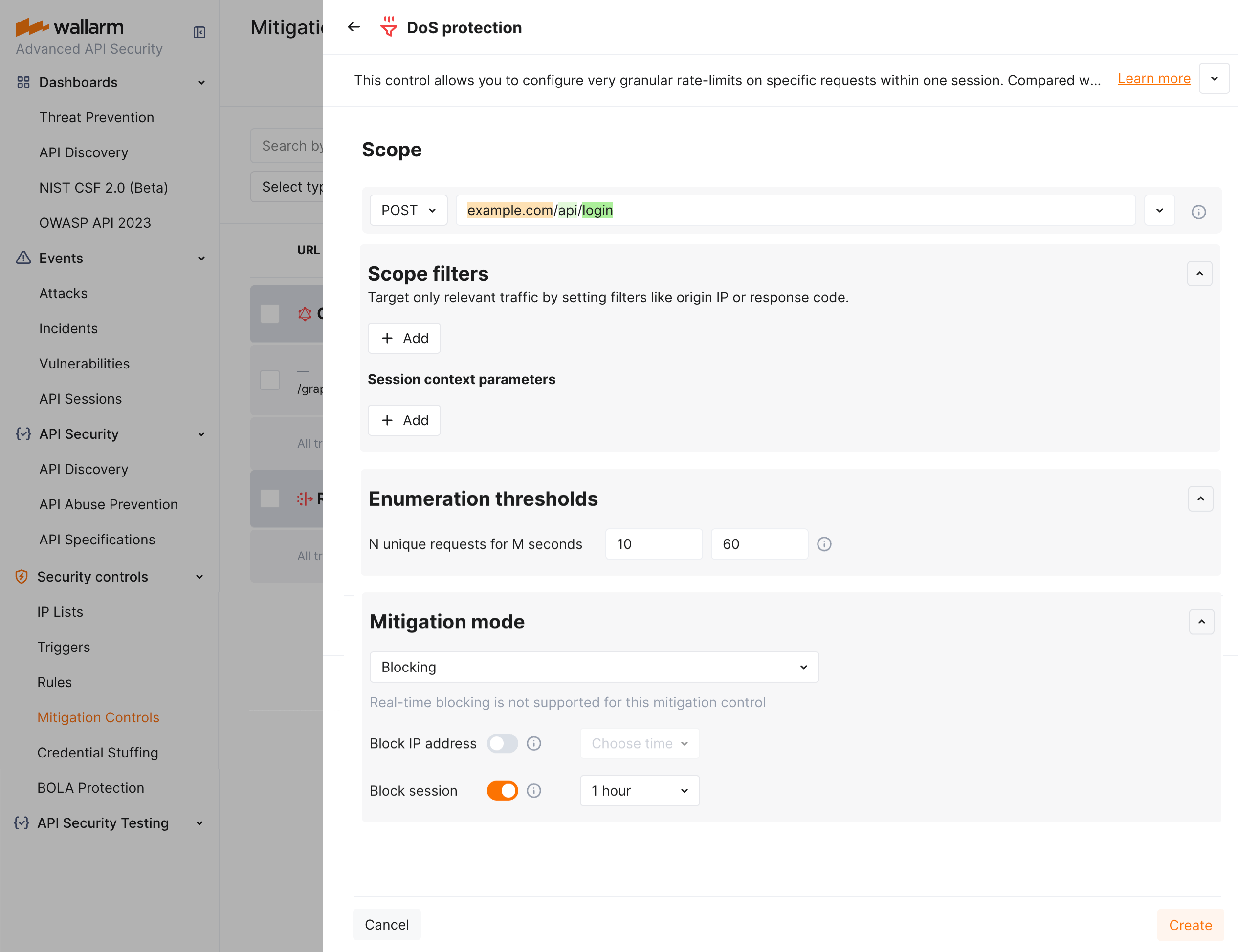
## Difference with rate limiting
For restricting resource consumption and preventing attacks using massive amounts of requests, besides described rate abuse protection, Wallarm provides the [advanced rate limiting](https://docs.wallarm.com/user-guides/rules/rate-limiting.md).
The rate abuse protection blocks attackers by their IPs or sessions **while** advanced rate limiting delays some requests if rate is too high (puts to buffer) and rejects the remaining when buffer is full, when rate is back to normal, buffered requests are delivered, no blocking is applied by IP or session.
---
## https://docs.wallarm.com/admin-en/configuration-guides/protecting-against-ddos/
# DDoS protection
A DDoS (Distributed Denial of Service) attack is a type of cyber attack in which an attacker seeks to make a website or online service unavailable by overwhelming it with traffic from multiple sources. This document describes recommendations for DDoS protection and methods to protect your resources with Wallarm.
DDoS attacks are often launched from a network of compromised computer systems, often referred to as a botnet. Attackers use these systems to send a large volume of traffic to the target, overloading the server and preventing it from being able to respond to legitimate requests. DDoS attacks can be targeted at any type of online service, including websites, online games, and even social media platforms.
There are many techniques that attackers can use to launch a DDoS attack, and the methods and tools they use can significantly vary. Some attacks are relatively simple and use low-level techniques such as sending large numbers of connection requests to a server, while others are more sophisticated and use complex tactics such as spoofing IP addresses or exploiting vulnerabilities in network infrastructure.
## DDoS attack taxonomy
There are several types of DDoS attacks that attackers can use to disrupt the availability of a website or online service. Here are the common types of DDoS attacks:
| OSI layer / Attack Type | [Volumetric and amplification attacks](#volum-amplif-attacks) | [Protocol exploits and Logic bombs](#proto-attacks-logicbombs) |
| ---- | ----------- | -------- |
| L3/L4 |
Mitigation controls extend Wallarm's [attack protection](https://docs.wallarm.com/about-wallarm/protecting-against-attacks.md#tools-for-attack-detection) with additional security measures and allow fine-tuning of the Wallarm behavior.
## What you can do with mitigation controls
Using mitigation controls, you can enable and configure:
* [Real-time blocking mode](https://docs.wallarm.com/admin-en/configure-wallarm-mode.md#conditioned-filtration-mode)
* [GraphQL API protection](https://docs.wallarm.com/api-protection/graphql-rule.md)
* [Enumeration attack protection](https://docs.wallarm.com/api-protection/enumeration-attack-protection.md)
* [BOLA enumeration protection](https://docs.wallarm.com/api-protection/enumeration-attack-protection.md)
* [Forced browsing protection](https://docs.wallarm.com/api-protection/enumeration-attack-protection.md)
* [Brute force protection](https://docs.wallarm.com/api-protection/enumeration-attack-protection.md)
* [DoS protection](https://docs.wallarm.com/api-protection/dos-protection.md)
* [AI payload inspection](https://docs.wallarm.com/agentic-ai/ai-payload-inspection.md)
* [MCP ACL Policy](https://docs.wallarm.com/agentic-ai/mcp-mitigation-controls.md#acl-policy)
* [MCP Request Verification](https://docs.wallarm.com/agentic-ai/mcp-mitigation-controls.md#request-verification)
* [MCP Tool Input Schema Enforcement](https://docs.wallarm.com/agentic-ai/mcp-mitigation-controls.md#tool-input-schema-enforcement)
* [Custom request anomaly detection](https://docs.wallarm.com/agentic-ai/ai-payload-inspection.md)
* [File upload restriction policy](https://docs.wallarm.com/api-protection/file-upload-restriction.md)
## Mitigation control branches
Mitigation controls are automatically grouped into nested branches by endpoint URIs and other conditions. This builds a tree-like structure in which mitigation control effects are inherited down. Principles:
* All branches inherit [all traffic](#scope) mitigation controls.
* In a branch, child endpoints inherit mitigation control effects from the parent.
* Distinct has priority over inherited.
* Directly specified has priority over regex.
* Case sensitive has priority over insensitive.
## Enabling
Mitigation controls require
* The [Advanced API Security](https://docs.wallarm.com/about-wallarm/subscription-plans.md#core-subscription-plans) subscription plan
* (most controls) [NGINX Node](https://docs.wallarm.com/installation/nginx-native-node-internals.md#nginx-node) 6.0.1 or [Native Node](https://docs.wallarm.com/installation/nginx-native-node-internals.md#native-node) 0.14.1
If you have all of this and still, in Wallarm Console, do not see the **Security controls** → **Mitigation Controls** section, contact the [Wallarm support team](https://support.wallarm.com/) to enable them.
## Creating and applying mitigation control
To create and apply a new mitigation control:
1. Proceed to Wallarm Console → **Mitigation Controls**.
1. Click **Add control**.
1. In the **Add control** dialog, select the type of control you want to create.
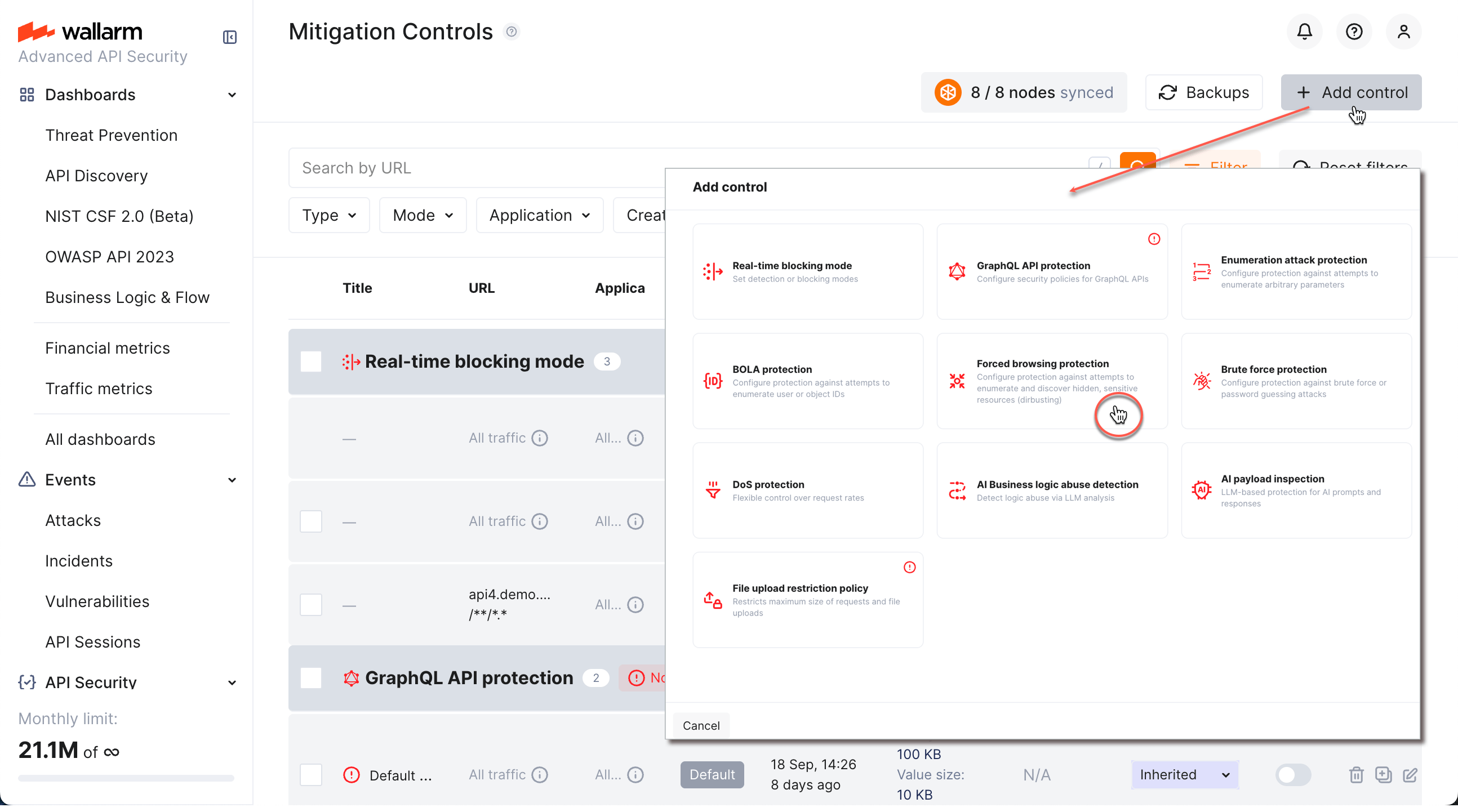
1. [Configure](#configuration) your control.
1. Click **Add**. The created control is displayed in the list. It immediately goes into action and performs in accordance with the selected **Mitigation mode**.
You can temporarily turn off the control right after creation or at any moment later using the **On/Off** switcher.
## Configuration
Perform configuring in the **Security controls** → **Mitigation Controls** section of Wallarm Console. You can also access some mitigation control settings from other places in the system, for example, from API Sessions.
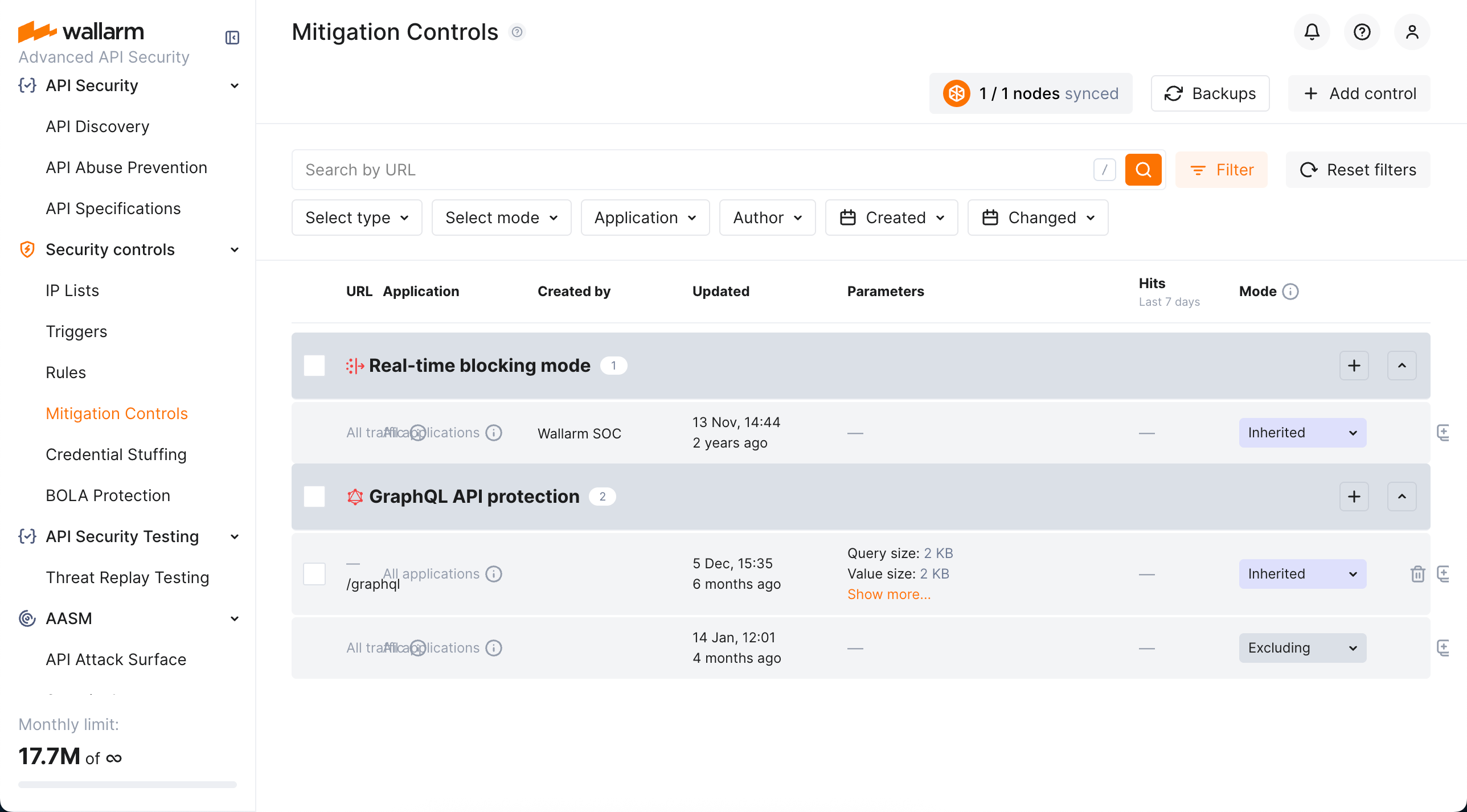
Before configuring, get familiar with the idea of [branches](#mitigation-control-branches) and check what already exists.
In general, configuring any mitigation control includes the following steps:
1. Optionally, set custom **Title**.
1. Set conditions (when all met → action).
1. Set action (mitigation mode).
### Scope
**Scope** defines which requests the control applies to (based on URI and other parameters). It is configured the same way as request conditions in rules. See details [here](https://docs.wallarm.com/user-guides/rules/rules.md#configuring).
If you leave the **Scope** section blank, mitigation control is applied to **all traffic** and **all applications**; such controls are inherited by all [branches](#mitigation-control-branches).
### Advanced conditions
Besides [Scope](#scope), mitigation control may include other conditions that define whether it will or will not take action, for example:
* For [GraphQL API protection](https://docs.wallarm.com/api-protection/graphql-rule.md) they are policy positions - control will act only if any of them is violated by a request.
* For [Enumeration attack protection](https://docs.wallarm.com/api-protection/enumeration-attack-protection.md), they are multiple parameters of requests - control will act only if all specified parameters/values are met.
For some controls, like [Enumeration attack protection](https://docs.wallarm.com/api-protection/enumeration-attack-protection.md) or [DoS protection](https://docs.wallarm.com/api-protection/dos-protection.md), in the **Scope filters** section, you can use the **session context parameters** to quickly select parameters from the list of those that were [defined as important](https://docs.wallarm.com/api-sessions/setup.md#session-context) in **API Sessions**. Use the **Add custom** option in this section to add as filters the parameters that are currently not present in **API Sessions**. If you do so, these parameters will be added to **API Sessions**' context parameters as well (hidden, meaning you will see these parameters in session details if they are present in requests, but you will not see them in API Session [context parameter configuration](https://docs.wallarm.com/api-sessions/setup.md#session-context)).
For specifying advanced conditions, you can use [regular expressions](#regular-expressions).
### Mitigation mode
When all conditions are met, mitigation control performs its action. The required action is selected in the **Mitigation mode** section:
| Mitigation mode | Description |
| --- | --- |
| **Inherited** | Mode is inherited from the [all-traffic **Real-time blocking mode**](https://docs.wallarm.com/admin-en/configure-wallarm-mode.md#general-filtration-mode) and the [configuration](https://docs.wallarm.com/admin-en/configure-wallarm-mode.md#setting-wallarm_mode-directive) of the Wallarm node. |
| **Monitoring** | Only registers detected attacks; no blocking is performed. Registered attacks are displayed in the [**Attacks**](https://docs.wallarm.com/user-guides/events/check-attack.md) section and in **API Sessions** (in the corresponding [session details](https://docs.wallarm.com/api-sessions/exploring.md#specific-activities-within-session)). ! " # % ' , - / : ; < = > @ ] _ ` }
* Whitespaces
Characters that must be placed into square brackets `[]` instead of escaping with `\`:
* `. $ ^ { [ ( | ) * + ? \ & ~`
Characters that must be converted to ASCII according to ISO‑8859:
* UTF‑8 characters (for example, the character `ʃ` converted to ASCII is `Ê`)
Character groups:
* `.` for any character except a newline
* `()` for grouping regular expressions, searching symbols present inside `()` or establishing a precedence order
* `[]` for a single character present inside `[]` (case sensitive); the group can be used for the specific cases:
* to ignore case (for example, `[cC]`)
* `[a-z]` to match one of lowercase Latin letters
* `[A-Z]` to match one of capital Latin letters
* `[0-9]` to match one of digits
* `[a-zA-Z0-9[.]]` to match one of lowercase, or capital Latin letters, or digits, or dot
Logic characters:
* `~` is equal to NOT. The inverted expression and the character must be placed into `()`,/.git
```
/[.]git
```
* To match any string that includes .example.com
```
[.]example[.]com
```
* To match any string ending with /.example.*.com where `*` can be any character repeated any number of times
```
/[.]example[.].*[.]com$
```
* To match all IP addresses excluding 1.2.3.4 and 5.6.7.8
```
^(~((1[.]2[.]3[.]4)|(5[.]6[.]7[.]8)))$
```
* To match any string ending with /.example.com.php
```
/[.]example[.]com[.]php$
```
* To match any string that includes sqlmap with letters in lower and upper case: sqLmAp, SqLMap, etc.
```
[sS][qQ][lL][mM][aA][pP]
```
* To match any string that includes one or several values: admin\\.exe, admin\\.bat, admin\\.sh, cmd\\.exe, cmd\\.bat, cmd\\.sh
```
(admin|cmd)[\\].(exe|bat|sh)
```
* To match any string that includes one or several values: onmouse with letters in lower and upper case, onload with letters in lower and upper case, win\\.ini, prompt
```
[oO][nN][mM][oO][uU][sS][eE]|[oO][nN][lL][oO][aA][dD]|win[\\].ini|prompt
```
* To match any string that starts with `Mozilla` but does not contain the string `1aa875F49III`
```
^(Mozilla(~(.*1aa875F49III.*)))$
```
* To match any string with one of the values: `python-requests/`, `PostmanRuntime/`, `okhttp/3.14.0`, `node-fetch/1.0`
```
^(python-requests/|PostmanRuntime/|okhttp/3.14.0|node-fetch/1.0)
```
#### Condition type: ABSENT (`∅`)
The request should not contain the designated part. In this case, the comparison argument is not used.
## Ruleset lifecycle
All created rules and [mitigation controls](https://docs.wallarm.com/about-wallarm/mitigation-controls-overview.md) form a custom ruleset. The Wallarm node relies on the custom ruleset during incoming request analysis.
Changes of rules and mitigation controls do NOT take effect instantly. Changes are applied to the request analysis process only after the custom ruleset **building** and **uploading to the filtering node** are finished.
### Custom ruleset building
Adding a new rule/mitigation control, deleting or changing existing ones in the Wallarm Console → **Security Controls** → **Rules WAF** or **Mitigation Controls** launches a custom ruleset build. During the building process, rules and controls are optimized and compiled into a format adopted for the filtering node. The process of building a custom ruleset typically takes from a few seconds for a small number of rules to up to an hour for complex rule trees.
### Uploading to filtering node
Custom ruleset build is uploaded to the filtering node during the filtering node and Wallarm Cloud synchronization. By default, synchronization of the filtering node and Wallarm Cloud is launched every 2‑4 minutes. [More details on the filtering node and Wallarm Cloud synchronization configuration →](https://docs.wallarm.com/admin-en/configure-cloud-node-synchronization-en.md)
The status of uploading a custom ruleset to the filtering node is logged to the `/opt/wallarm/var/log/wallarm/wcli-out.log` file.
All Wallarm nodes connected to the same Wallarm account receive the same set of default and custom rules for traffic filtering. You still can apply different rules for different applications by using proper application IDs or unique HTTP request parameters like headers, query string parameters, etc.
### Backup and restore
To protect yourself from accidentally misconfigured or deleted rules, you can backup your current custom ruleset.
There are the following rule backup options:
* Automatic backup creation after each [custom ruleset build](#custom-ruleset-building). The number of automatic backups is limited to 7: for each day when you change the rules several times, only the last backup is kept.
* Manual backup creation at any time. The number of manual backups is limited to 5 by default. If you need more, contact the [Wallarm technical support](mailto:support@wallarm.com) team.
You can:
* Access current backups: in the **Rules WAF** section, click **Backups**.
* Create a new backup manually: in the **Backups** window, click **Create backup**.
* Set name and description for the manual backup and edit them at any moment.
!!! info "Naming for automatic backups"
The automatic backups are named by the system and cannot be renamed.
* Load from existing backup: click **Load** for the required backup. When loading from the backup, your current rule configuration is deleted and replaced with the configuration from the backup.
* Delete backup.
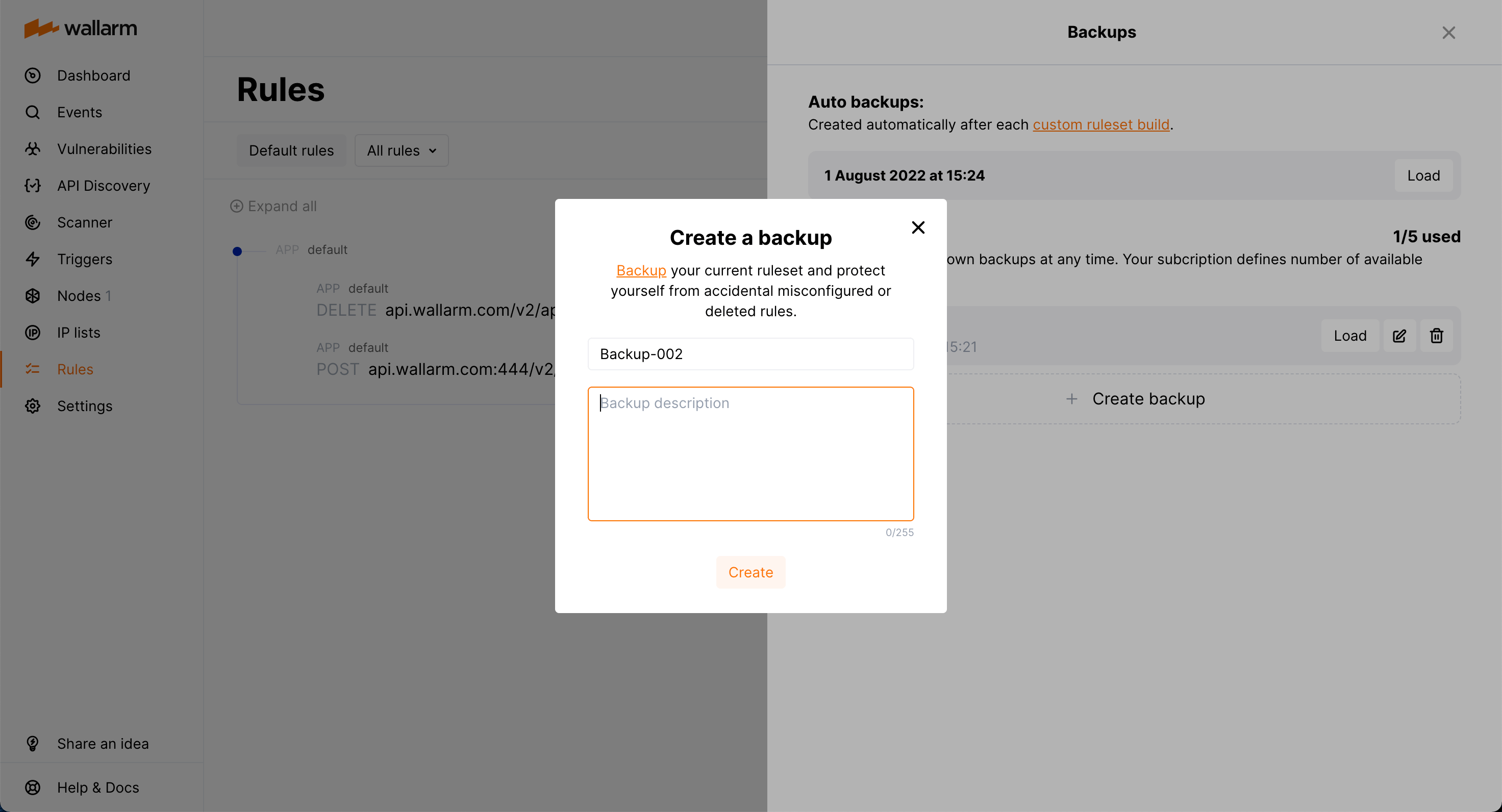
!!! warning "Rule modification restrictions"
You cannot create or modify rules or mitigation controls until creating a backup or loading from a backup is complete.
## API calls to get rules
To get custom rules, you can [call the Wallarm API directly](https://docs.wallarm.com/api/request-examples.md#get-all-configured-rules).
## Migrating between tenants
If you have [multiple tenants](https://docs.wallarm.com/installation/multi-tenant/overview.md), you can [migrate](https://docs.wallarm.com/installation/multi-tenant/overview.md#migrating-rules) (copy) rules between them **along with** mitigation controls and Credential Stuffing Detection settings.
To start, click **Migrate rules** in the **WAF Rules** section.
---
## https://docs.wallarm.com/user-guides/rules/rate-limiting/
# Rate Limiting
The [unrestricted resource consumption](https://github.com/OWASP/API-Security/blob/master/editions/2023/en/0xa4-unrestricted-resource-consumption.md) is included in the [OWASP API Top 10 2023](https://docs.wallarm.com/user-guides/dashboards/owasp-api-top-ten.md#wallarm-security-controls-for-owasp-api-2023) list of most serious API security risks. Lack of rate limiting is one of the main causes of this risk. Without proper rate limiting measures, APIs are vulnerable to attacks such as denial-of-service (DoS), brute force and API overuse. This article explains how to safeguard your API and users with Wallarm's rate limit regulation rule.
Wallarm provides the **Advanced rate limiting** [rule](https://docs.wallarm.com/user-guides/rules/rules.md) to help prevent excessive traffic to your API. This rule enables you to specify the maximum number of connections that can be made to a particular scope, while also ensuring that incoming requests are evenly distributed. If a request exceeds the defined limit, Wallarm rejects it and returns the code you selected in the rule.
Wallarm examines various request parameters such as cookies or JSON fields, which allows you to limit connections based not only on the source IP address, but also on session identifiers, usernames, or email addresses. This additional level of granularity enables you to enhance the overall security of a platform based on any origin data.
Note that rate limiting described in this article is one of the ways for load control provided by Wallarm - alternatively, you can apply [brute force protection](https://docs.wallarm.com/admin-en/configuration-guides/protecting-against-bruteforce.md). Use rate limiting to slow down incoming traffic and brute-force protection to completely block the attacker.
## Creating and applying the rule
To set and apply rate limit:
1. Proceed to Wallarm Console:
* **Rules WAF** → **Add rule** or your branch → **Add rule**.
* **Attacks** / **Incidents** → attack/incident → hit → **Rule**.
* **API Discovery** (if [enabled](https://docs.wallarm.com/api-discovery/setup.md)) → your endpoint → **Create rule**.
1. Choose **Mitigation controls** → **Advanced rate limiting**.
1. In **If request is**, [describe](https://docs.wallarm.com/user-guides/rules/rules.md#configuring) the scope to apply the rule to.
1. Set a desired limit for connections to your scope:
* Maximum number for the requests per second or minute.
* **Burst** - maximum number of excessive requests to be buffered once the specified RPS/RPM is exceeded and to be processed once the rate is back to normal. `0` by default.
If the value is different from `0`, you can control whether to keep the defined RPS/RPM between buffered excessive requests execution.
**No delay** points to simultaneous processing of all buffered excessive requests, without the rate limit delay. **Delay** implies simultaneous processing of the specified number of excessive requests, others are processed with delay set in RPS/RPM.
* **Response code** - code to return in response to rejected requests. `503` by default.
Below is an example of rate limiting behavior with a limit of 5 r/s, burst 12 and delay 8.
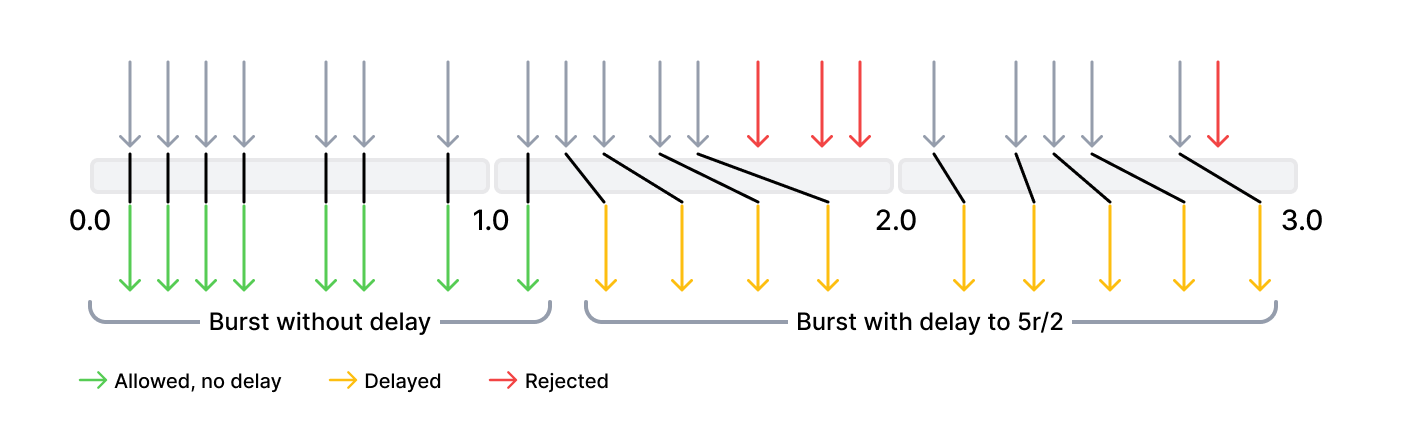
The first 8 requests (the value of delay) are transferred by Wallarm node without delay. The next 4 requests (burst - delay) are delayed so that the defined rate of 5 r/s is not exceeded. The next 3 requests are rejected because the total burst size has been exceeded. Subsequent requests are delayed.
1. In **In this part of request**, specify request points for which you wish to set limits. Wallarm will restrict requests that have the same values for the selected request parameters.
All available points are described [here](https://docs.wallarm.com/user-guides/rules/request-processing.md), you can choose those matching your particular use case, e.g.:
* `remote_addr` to limit connections by origin IP
* `json` → `json_doc` → `hash` → `api_key` to limit connections by the `api_key` JSON body parameter
!!! info "Restrictions on the value length"
The maximum allowed length of parameter values by which you measure limits is 8000 characters.
1. Wait for the [rule compilation and uploading to the filtering node to complete](https://docs.wallarm.com/user-guides/rules/rules.md#ruleset-lifecycle).
## Rule examples
### Limiting connections by IP to ensure high API availability
Suppose a healthcare company's REST API letting doctors submit patient information through a POST request to the `/patients` endpoint of the `https://example-host.com` host. Accessibility of this endpoint is critically important, and thus it should not be overwhelmed by a large number of requests.
Limiting connections by IP within a certain period of time specifically for the `/patients` endpoint could prevent this. This ensures the stability and availability of the endpoint to all doctors, while also protecting the security of patient information by preventing DoS attacks.
For example, limit can be set to 5 POST requests per minute for each IP address as follows:
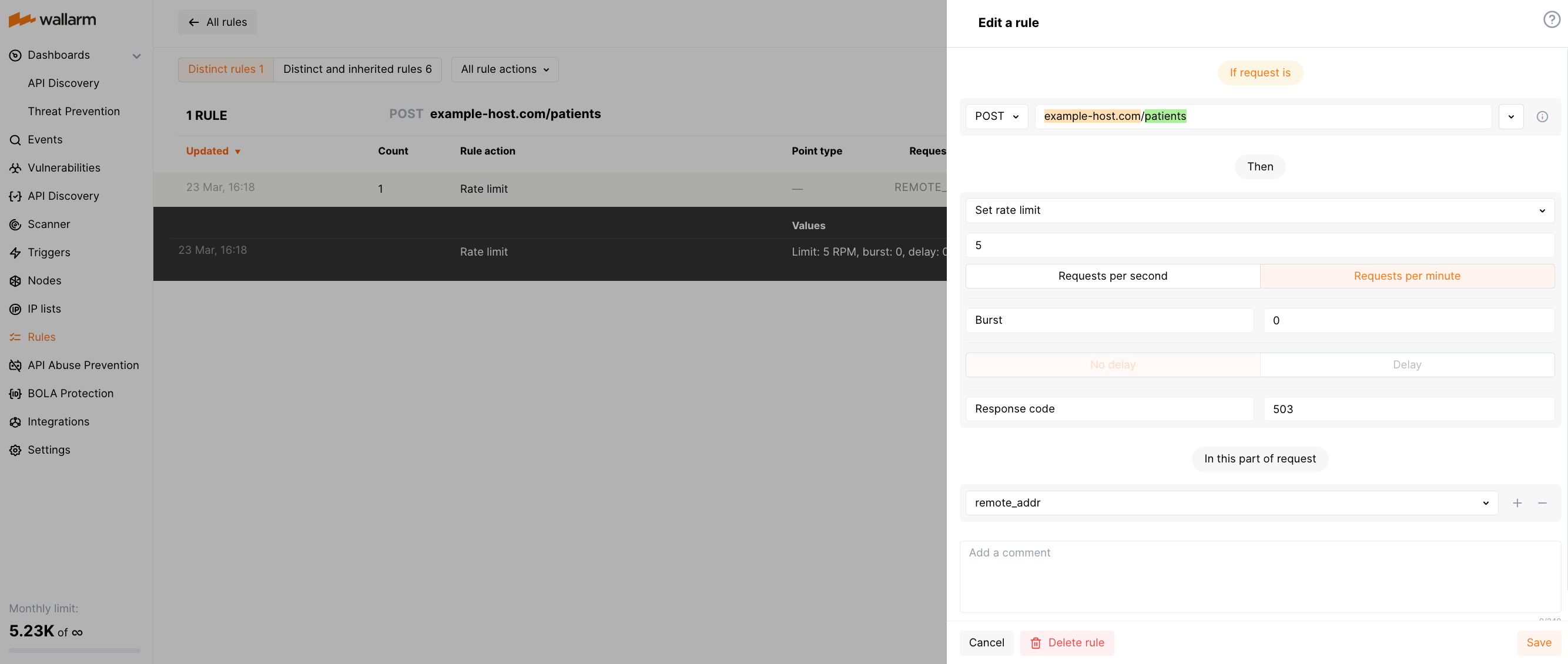
### Limiting connections by sessions to prevent brute force attacks on auth parameters
By applying rate limiting to user sessions, you can restrict brute force attempts to find real JWTs or other authentication parameters in order to gain unauthorized access to protected resources. For example, if rate limit is set to allow only 10 requests per minute under a session, an attacker attempting to discover a valid JWT by making multiple requests with different token values will quickly hit the rate limit, and their requests will be rejected until the rate limit period expires.
Suppose your application assigns each user session with a unique ID and reflects it in the `X-SESSION-ID` header. The API endpoint at the URL `https://example.com/api/login` accepts POST requests that include a Bearer JWT in the `Authorization` header. For this scenario, the rule limiting connections by sessions will appear as follows:
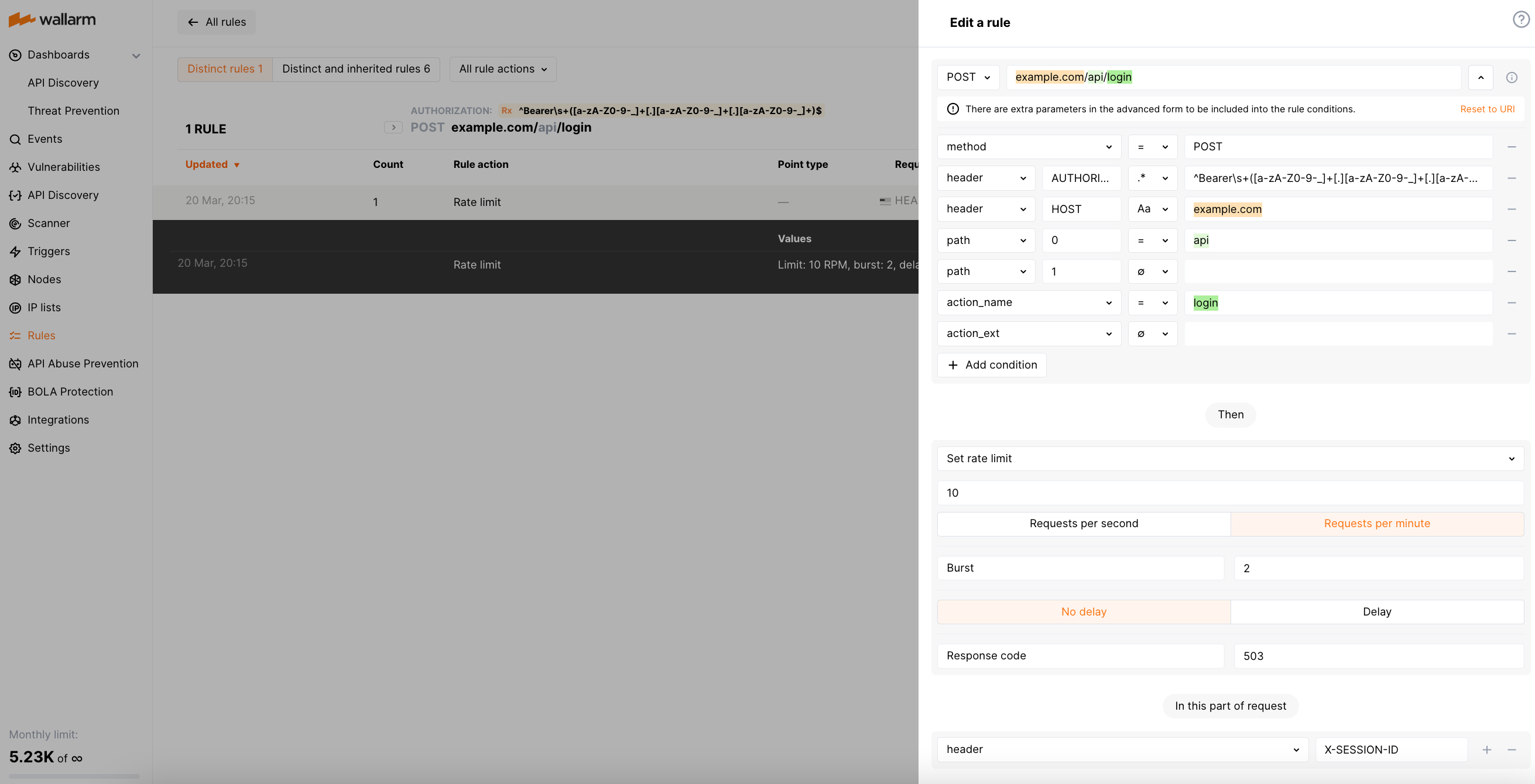
The [regexp](https://docs.wallarm.com/user-guides/rules/rules.md#condition-type-regex) used for the `Authorization` value is ``^Bearer\s+([a-zA-Z0-9-_]+[.][a-zA-Z0-9-_]+[.][a-zA-Z0-9-_]+)$`.
If you use JWT (JSON Web Tokens) to manage user sessions, you can adjust the rule to [decrypt](https://docs.wallarm.com/user-guides/rules/request-processing.md#jwt) the JWT and extract the session ID from its payload as follows:
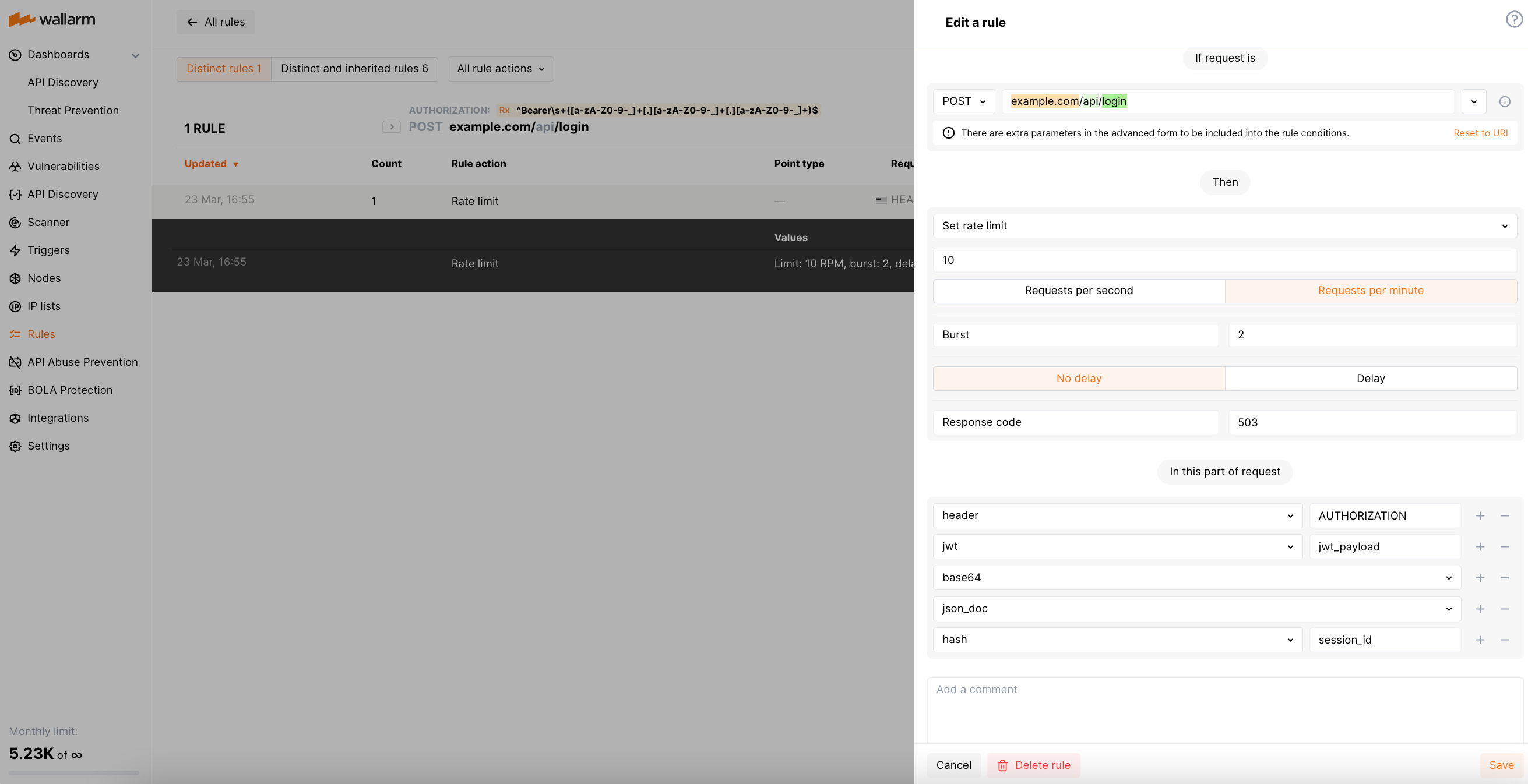
### Limiting connections by customer IDs to prevent server overwhelm
Let us consider a web service that provides access to customer orders data for an online shopping platform. Rate limiting by customer ID can help prevent customers from placing too many orders in a short period of time, which can put a strain on inventory management and order fulfillment.
For example, the rule limiting each customer by 10 POST requests per minute to `https://example-domain.com/orders` may look as below. This example considers a customer ID is [passed](https://docs.wallarm.com/user-guides/rules/request-processing.md#json_doc) in the `data.customer_id` JSON body object.
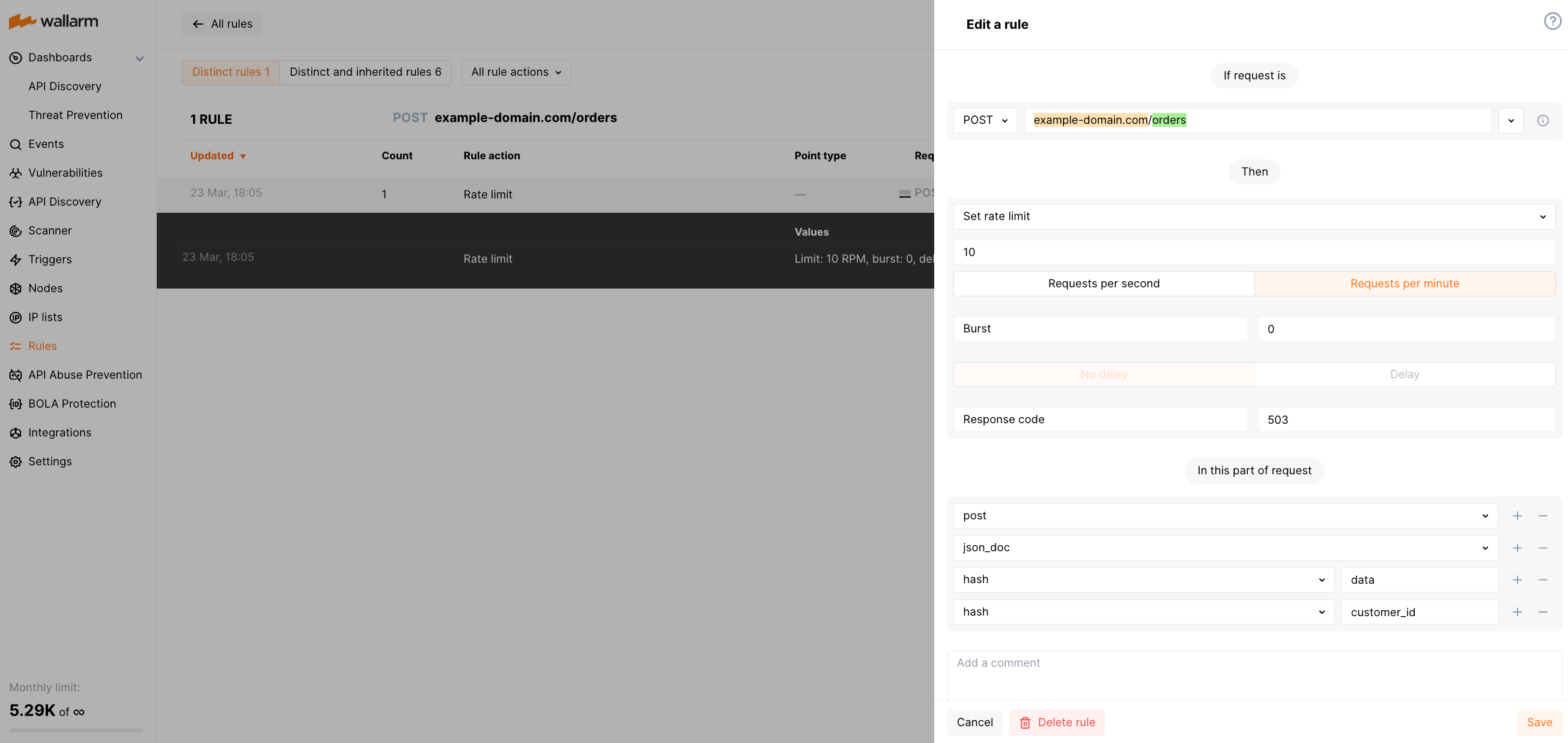
## Limitations and peculiarities
The rate limit functionality has the following limitations and peculiarities:
* Rate limiting rule is supported by [Security Edge Inline](https://docs.wallarm.com/installation/security-edge/inline/overview.md) and [self-hosted NGINX Node](https://docs.wallarm.com/installation/nginx-native-node-internals.md#nginx-node) only.
The following deployment options do not support the rule:
* [OOB Wallarm deployment](https://docs.wallarm.com/installation/oob/overview.md)
* [Wallarm Connectors](https://docs.wallarm.com/installation/connectors/overview.md)
* The maximum allowed length of parameter values by which you measure limits is 8000 characters.
* If you have multiple Wallarm nodes and the incoming traffic on each node meets the rate limit rule, they are limited independently.
* When multiple rate limit rules apply to incoming requests, the rule with the lowest rate limit is used to limit the requests.
* If an incoming request does not have the point specified in the **In this part of request** rule section, then this rule is not applied as a limitation for that request.
* If your web server is configured to limit connections (e.g. by using the [`ngx_http_limit_req_module`](http://nginx.org/en/docs/http/ngx_http_limit_req_module.html) NGINX module) and you also apply the Wallarm rule, the web server rejects requests by the configured rules but Wallarm does not.
* Wallarm does not save requests exceeding the rate limit, it only rejects them by returning the code chosen in the rule. The exceptions are requests with [attack signs](https://docs.wallarm.com/about-wallarm/protecting-against-attacks.md) - they are recorded by Wallarm even if they are rejected by the rate limiting rule.
## Difference with rate abuse protection
For restricting resource consumption and preventing attacks using massive amounts of requests, besides the described rate limiting, Wallarm provides the [rate abuse protection](https://docs.wallarm.com/api-protection/dos-protection.md).
The rate limiting delays some requests if the rate is too high (puts them to a buffer) and rejects the remaining ones when the buffer is full; when the rate is back to normal, buffered requests are delivered, and no blocking is applied by IP or session, **while** rate abuse protection blocks attackers by their IPs or sessions for some time.
---
## https://docs.wallarm.com/user-guides/rules/vpatch-rule/
# Virtual Patching
In cases when it is impossible to fix a critical [vulnerability](https://docs.wallarm.com/user-guides/vulnerabilities.md) in the code of your application or install the necessary updates quickly, you can create a virtual patch to block all or specific requests to the endpoints that may allow exploiting these vulnerabilities. A virtual patch will block requests even in the monitoring and safe blocking [modes](https://docs.wallarm.com/admin-en/configure-wallarm-mode.md), except the ones originating from the [allowlisted](https://docs.wallarm.com/user-guides/ip-lists/overview.md) IPs.
Wallarm provides the following [rules](https://docs.wallarm.com/user-guides/rules/rules.md) to create a virtual patch:
* **Create a virtual patch** rule - allows creating a virtual patch that blocks requests containing in its selected part one of the [known](https://docs.wallarm.com/attacks-vulns-list.md) attack signs, such as SQLi, SSTi, RCE, etc. Also, you can select **Any request** to block specific requests without any attack signs.
* **Custom attack detector** rule with **Virtual patch** option selected - allows creating a virtual patch that blocks requests containing your own attack signs or your own reason for blocking (see [example](#blocking-all-requests-with-incorrect-x-authentication-header)) that are described with regular expressions. Details on working with a rule based on regular expressions are described [here](https://docs.wallarm.com/user-guides/rules/regex-rule.md).
## Creating and applying the rule
1. Proceed to Wallarm Console:
* **Rules WAF** → **Add rule** or your branch → **Add rule**.
* **Attacks** / **Incidents** → attack/incident → hit → **Rule**.
* **API Discovery** (if [enabled](https://docs.wallarm.com/api-discovery/setup.md)) → your endpoint → **Create rule**.
1. Choose **Mitigation controls** →
* **Virtual patch** or
* **Custom attack detector** (with **Virtual patch** option - see [details](https://docs.wallarm.com/user-guides/rules/regex-rule.md))
1. In **If request is**, [describe](https://docs.wallarm.com/user-guides/rules/rules.md#configuring) the scope to apply the rule to.
1. For the common **Create a virtual patch** rule, set whether to block any request or only the ones containing specific attack signs (**Any request** vs. **Selected**).
1. In **In this part of request**, specify request points for which you wish to set the rule. Wallarm will restrict requests that have the same values for the selected request parameters.
All available points are described [here](https://docs.wallarm.com/user-guides/rules/request-processing.md), you can choose those matching your particular use case.
1. Wait for the [rule compilation and uploading to the filtering node to complete](https://docs.wallarm.com/user-guides/rules/rules.md#ruleset-lifecycle).
## Rule examples
### Blocking specific requests for selected endpoint
Let us say your application's online purchase section accessible at the `example.com/purchase` endpoint crashes upon processing the `refresh` query string parameter. Before the bug is fixed, you need to block requests leading to the crash.
To do so, set the **Create a virtual patch** rule as displayed on the screenshot:
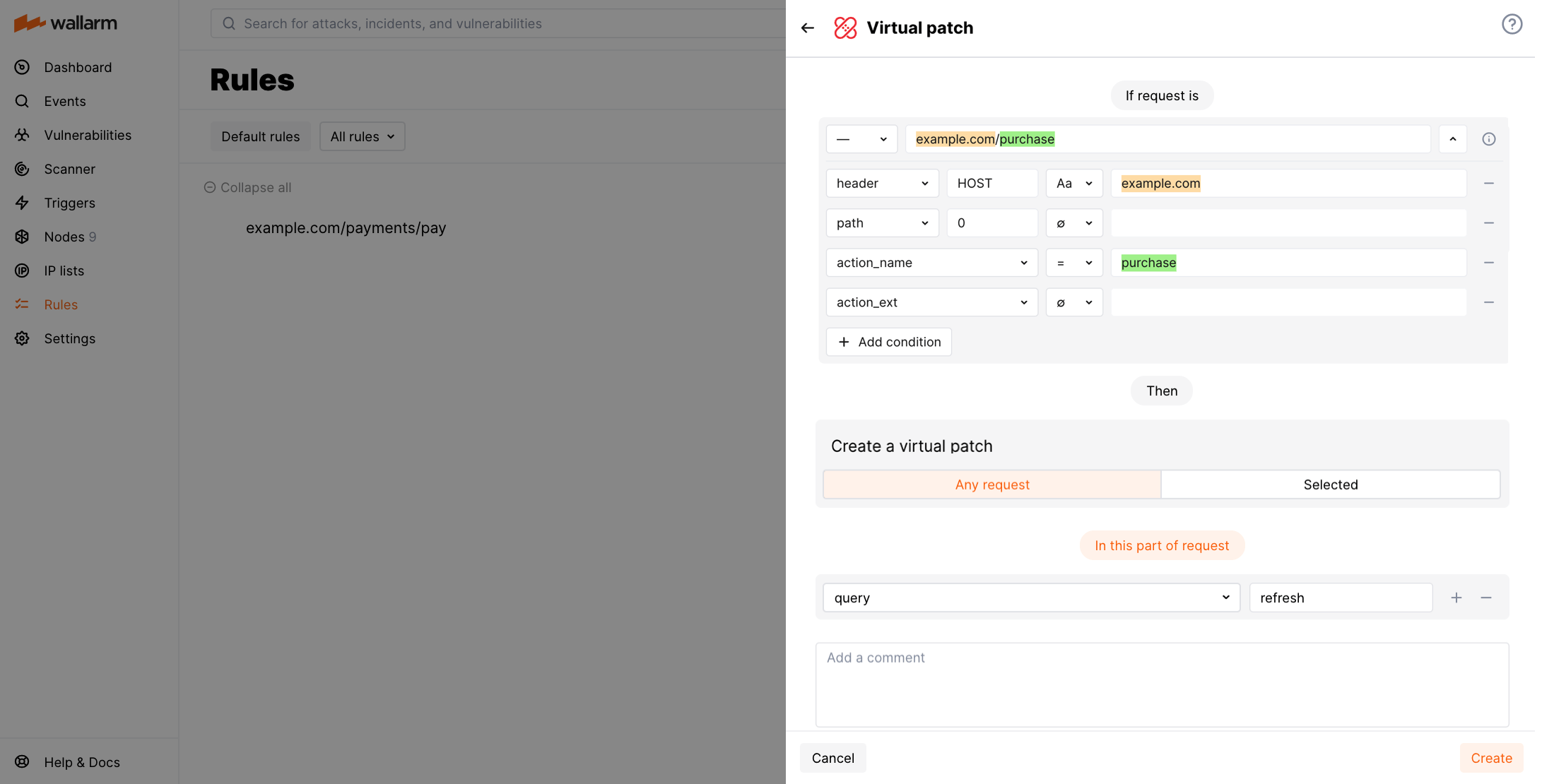
### Blocking exploitation attempts for discovered but not yet fixed vulnerability
Let us say your application accessible at the `example.com` domain has a discovered but not yet fixed vulnerability: the application's `id` parameter is vulnerable to SQL injection attacks. Meanwhile, the Wallarm filtering node is set to monitoring mode and yet you need to immediately block the vulnerability exploitation attempts.
To do so, set the **Create a virtual patch** rule as displayed on the screenshot:
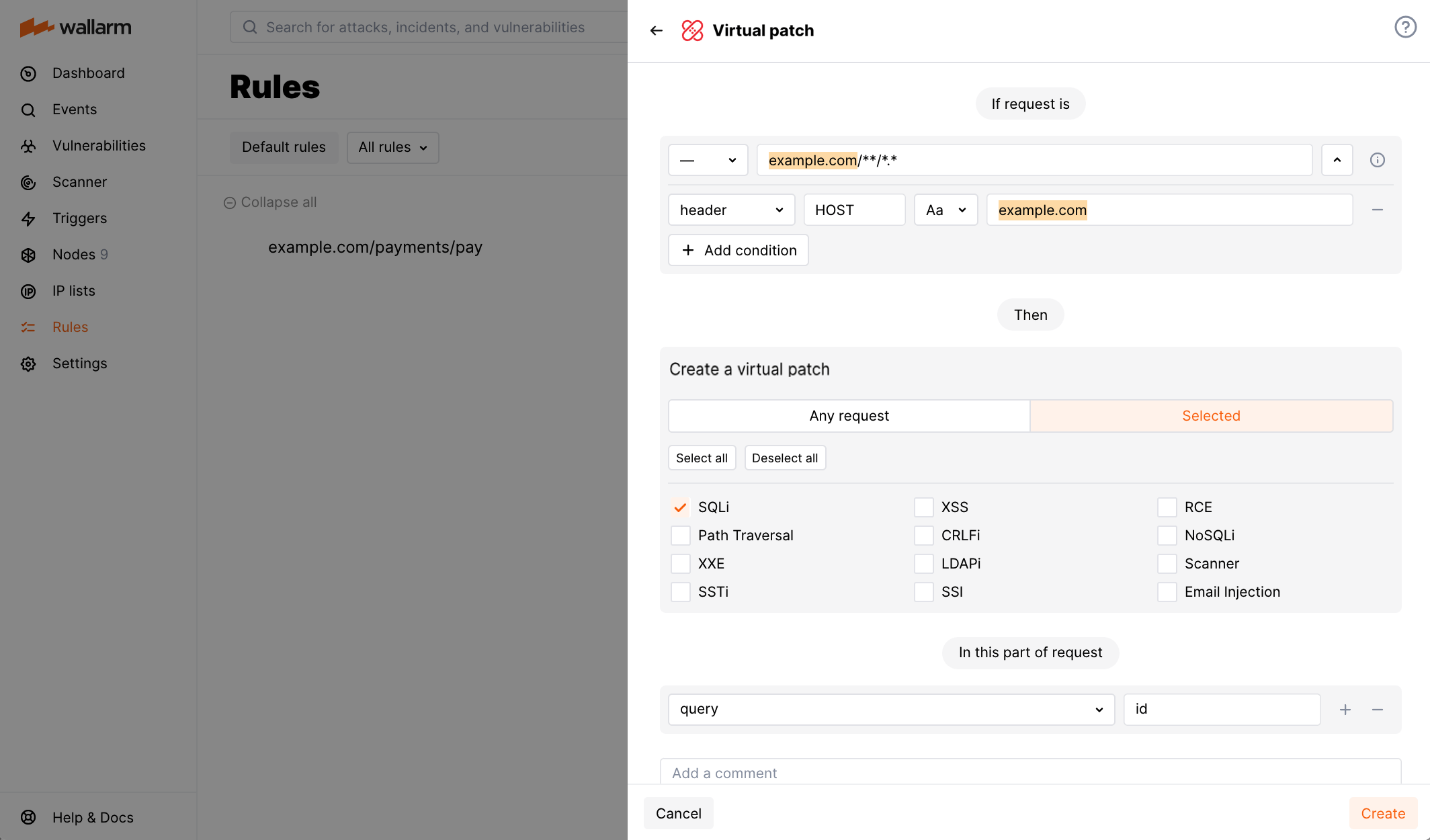
### Blocking all requests with incorrect `X-AUTHENTICATION` header
Let us say your application, accessible at the `example.com` domain, uses the `X-AUTHENTICATION` header in a 32-hex-symbol format for user authentication and you want to reject tokens with an incorrect format.
To do so, set the **Create regexp-based attack indicator** rule and set it to **Virtual patch** as displayed in the screenshot, including:
* Regular expression: `^(.{0,31}|.{33,}|[^0-9a-fA-F]+)$`
* Request part: `header` - `X-AUTHENTICATION`
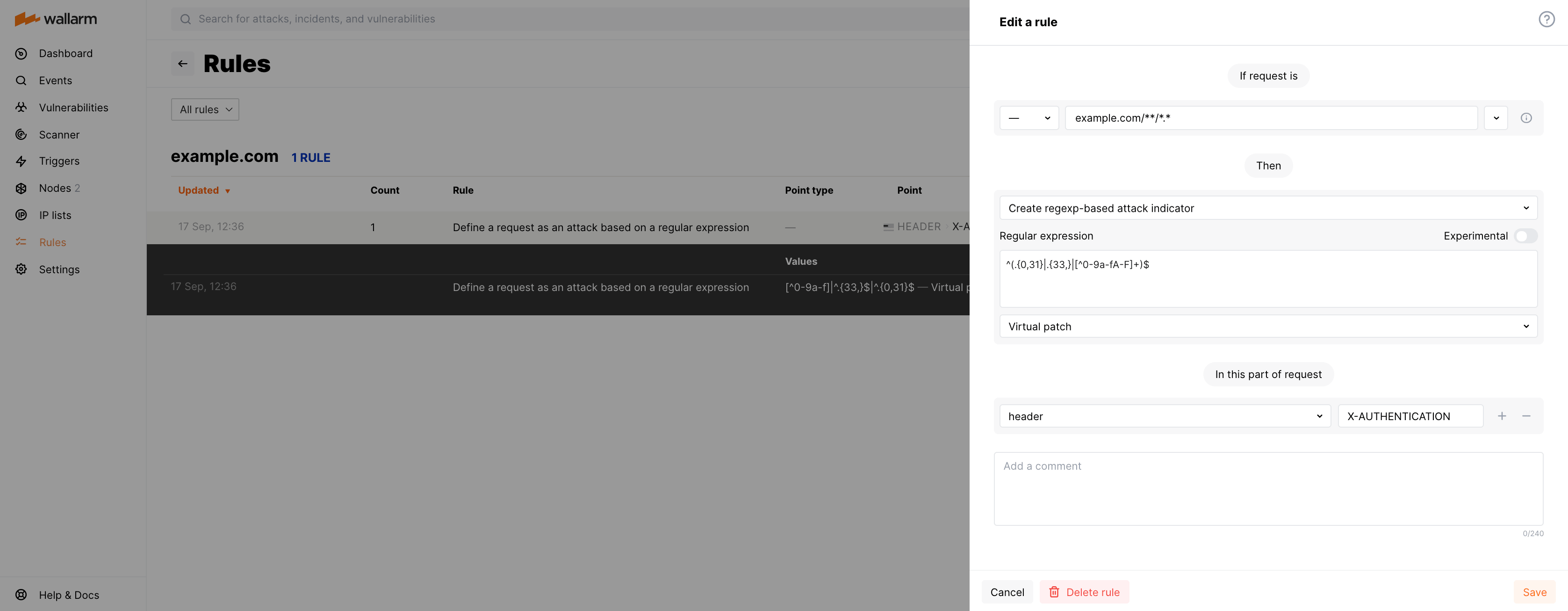
## API calls for virtual patches
To create virtual patches, you can call the Wallarm API directly. Consider the examples:
* [Create the virtual patch to block all requests sent to `/my/api/*`](https://docs.wallarm.com/api/request-examples.md#create-the-virtual-patch-to-block-all-requests-sent-to-myapi)
* [Create the virtual patch for a specific application instance ID to block all requests sent to `/my/api/*`](https://docs.wallarm.com/api/request-examples.md#create-the-virtual-patch-for-a-specific-application-instance-id-to-block-all-requests-sent-to-myapi)
---
## https://docs.wallarm.com/user-guides/rules/regex-rule/
# Custom Attack Detectors
Wallarm provides the **Custom attack detector** [rule](https://docs.wallarm.com/user-guides/rules/rules.md) to define your own attack signs that are described with regular expressions.
## Creating and applying rule
To set and apply your own attack detector:
1. Proceed to Wallarm Console:
* **Rules WAF** → **Add rule** or your branch → **Add rule**.
* **Attacks** / **Incidents** → attack/incident → hit → **Rule**.
* **API Discovery** (if [enabled](https://docs.wallarm.com/api-discovery/setup.md)) → your endpoint → **Create rule**.
1. Choose **Custom controls** → **Custom attack detector**.
1. In **If request is**, [describe](https://docs.wallarm.com/user-guides/rules/rules.md#configuring) the scope to apply the rule to.
1. Set your attack indicator parameters:
* **Regular expression** - regular expression (signature). If the value of the following parameter matches the expression, that request is detected as an attack. Syntax and specifics of regular expressions are described in the [instructions on adding rules](https://docs.wallarm.com/user-guides/rules/rules.md#condition-type-regex).
!!! warning "Changing the regular expression specified in the rule"
Changing the regular expression specified in the existing rule of the type **Custom attack detector** results in automatic deletion of the rules [**Disable custom attack detector**](#partial-disabling) that use the previous expression.
To disable attack detection by a new regular expression, please create a new **Disable custom attack detector** rule with the new regular expression specified.
* **Experimental** - this flag allows you to safely check the triggering of a regular expression without blocking requests. The requests will not be blocked even when the filter node is set to the blocking mode. These requests will be considered as attacks detected by the experimental method and will be hidden from the event list by default. They can be accessed using search query `experimental attacks`.
* **Attack** - the type of attack that will be detected when the parameter value in the request matches the regular expression.
1. In **In this part of request**, specify [request parts](https://docs.wallarm.com/user-guides/rules/request-processing.md) in which you want to search for attack signs.
1. Wait for the [rule compilation and uploading to the filtering node to complete](https://docs.wallarm.com/user-guides/rules/rules.md#ruleset-lifecycle).
## Rule examples
### Blocking all requests with incorrect `X-AUTHENTICATION` header
Let us say your application, accessible at the `example.com` domain, uses the `X-AUTHENTICATION` header in a 32-hex-symbol format for user authentication and you want to reject tokens with an incorrect format.
To do so, set the **Create regexp-based attack indicator** rule and set it to **Virtual patch** as displayed in the screenshot, including:
* Regular expression: `^(.{0,31}|.{33,}|[^0-9a-fA-F]+)$`
* Request part: `header` - `X-AUTHENTICATION`

### Block all requests with `class.module.classLoader.*` body parameters
One of the ways to exploit the 0-day vulnerability in [Spring Core Framework](https://docs.spring.io/spring-framework/docs/3.2.x/spring-framework-reference/html/overview.html) (Spring4Shell) is to send the POST request with certain malicious payloads injected into the following body parameters:
* `class.module.classLoader.resources.context.parent.pipeline.first.pattern`
* `class.module.classLoader.resources.context.parent.pipeline.first.suffix`
* `class.module.classLoader.resources.context.parent.pipeline.first.directory`
* `class.module.classLoader.resources.context.parent.pipeline.first.prefix`
* `class.module.classLoader.resources.context.parent.pipeline.first.fileDateFormat`
If you use vulnerable Spring Core Framework and the Wallarm node [mode](https://docs.wallarm.com/admin-en/configure-wallarm-mode.md#available-filtration-modes) is different from blocking, you can prevent vulnerability exploitation using the virtual patch. The following rule will block all requests with listed body parameters even in the monitoring and safe blocking modes:
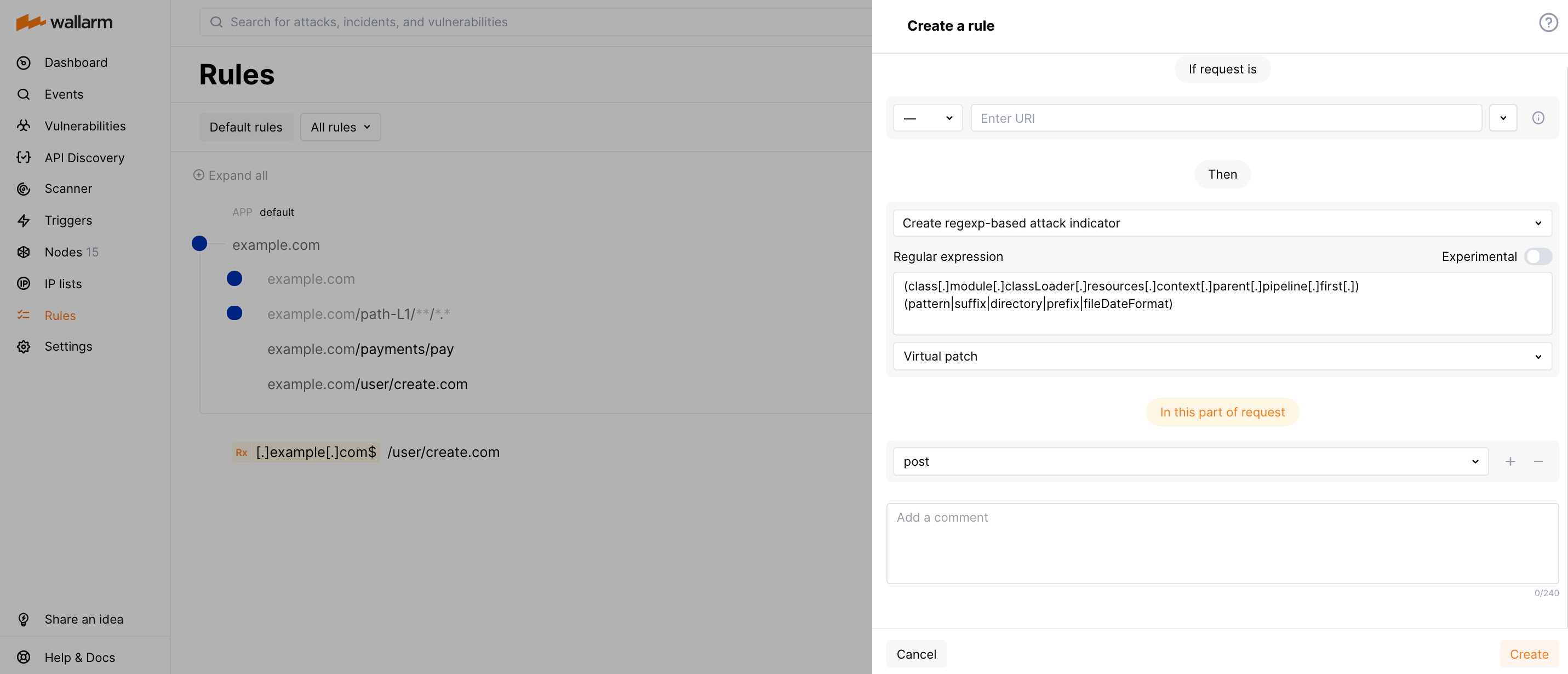
The regular expression field value is:
```bash
(class[.]module[.]classLoader[.]resources[.]context[.]parent[.]pipeline[.]first[.])(pattern|suffix|directory|prefix|fileDateFormat)
```
The Wallarm node operating in the blocking [mode](https://docs.wallarm.com/admin-en/configure-wallarm-mode.md#available-filtration-modes) blocks such vulnerability exploitation attempts by default.
The Spring Cloud Function component also has the active vulnerability (CVE-2022-22963). If using this component and the Wallarm node mode is different from blocking, create the virtual patch as described [below](#block-all-requests-with-class-cloud-function-routing-expression-header).
### Block all requests with `CLASS-CLOUD-FUNCTION-ROUTING-EXPRESSION` header
The Spring Cloud Function component has the active vulnerability (CVE-2022-22963) that can be exploited by injecting malicious payloads into the `CLASS-CLOUD-FUNCTION-ROUTING-EXPRESSION` or `CLASS.CLOUD.FUNCTION.ROUTING-EXPRESSION` header.
If using this component and the Wallarm node [mode](https://docs.wallarm.com/admin-en/configure-wallarm-mode.md#available-filtration-modes) is different from blocking, you can prevent vulnerability exploitation using the virtual patch. The following rule will block all requests containing the `CLASS-CLOUD-FUNCTION-ROUTING-EXPRESSION` header:
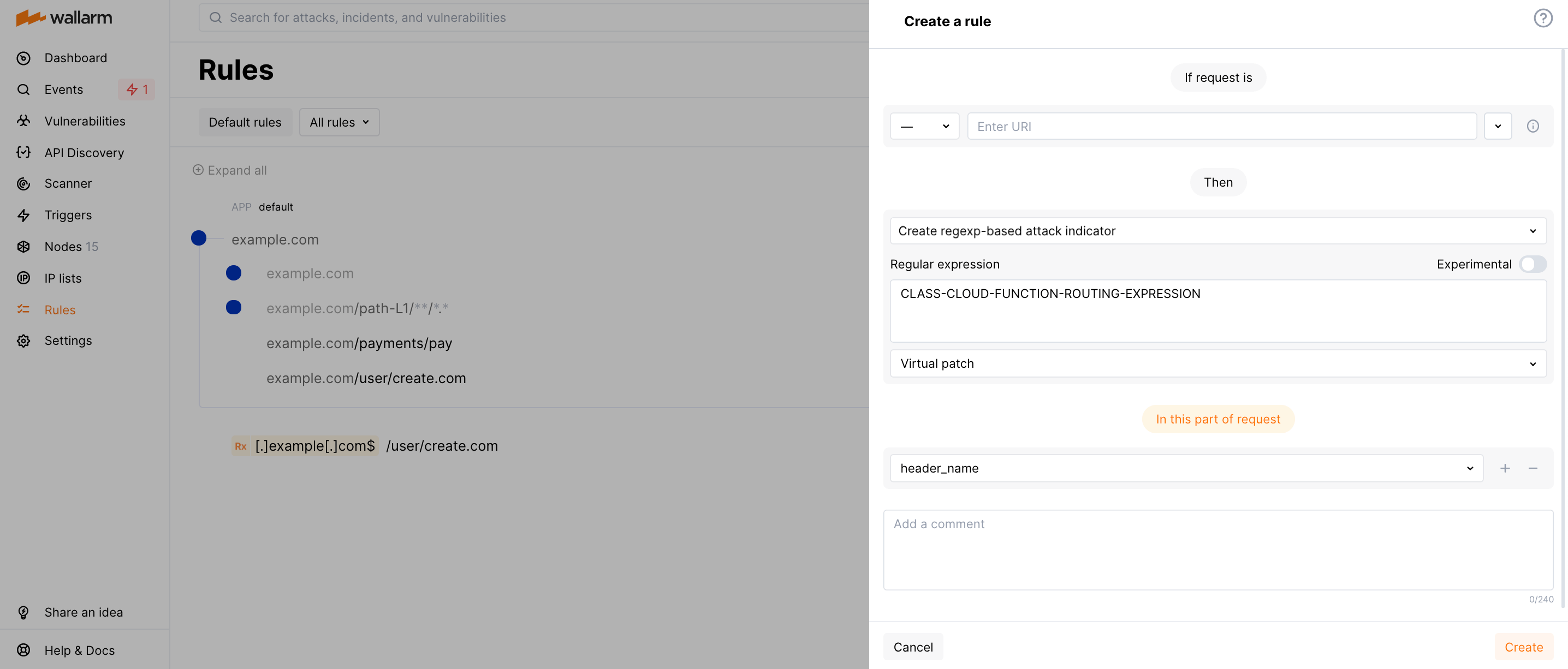
!!! info "Blocking requests with the `CLASS.CLOUD.FUNCTION.ROUTING-EXPRESSION` header"
This rule does not block requests with the `CLASS.CLOUD.FUNCTION.ROUTING-EXPRESSION` header but NGINX drops requests with this header as invalid ones by default.
The Wallarm node operating in the blocking [mode](https://docs.wallarm.com/admin-en/configure-wallarm-mode.md#available-filtration-modes) blocks such vulnerability exploitation attempts by default.
There is also the 0-day vulnerability in [Spring Core Framework](https://docs.spring.io/spring-framework/docs/3.2.x/spring-framework-reference/html/overview.html) (Spring4Shell). Learn how to block its exploitation attempts with the [reqexp-based virtual patch](#block-all-requests-with-classmoduleclassloader-body-parameters).
### Block traffic coming from certain USER-AGENT
Let us say you want to deny an `l9explore` automated vulnerability scanner (of any version) to scan your applications for vulnerabilities. As its activity is marked by the corresponding `USER-AGENT` header, configure the rule as displayed on the screenshot:
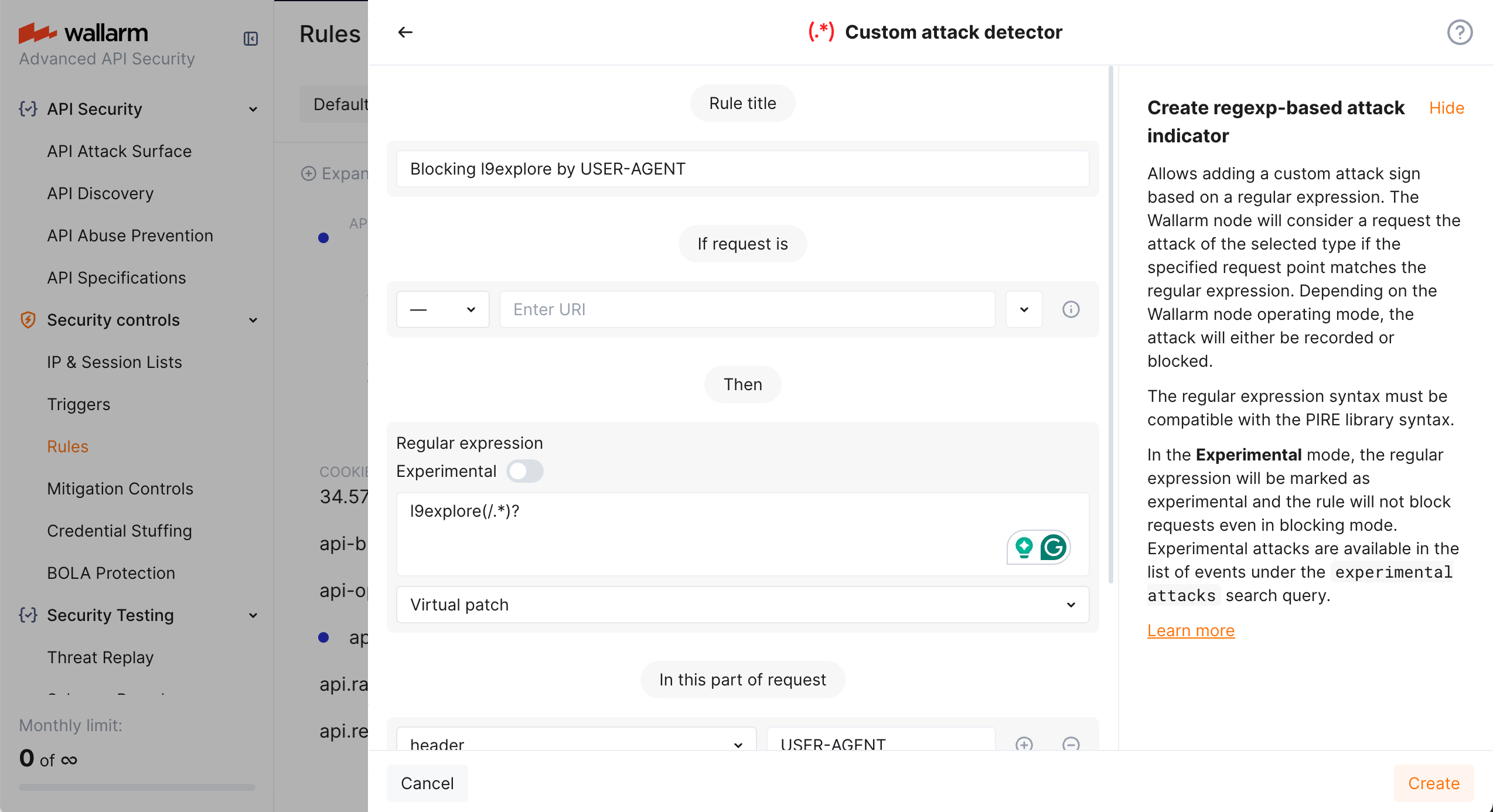
In the rule:
* Selecting **Virtual patch** as attack type leads to blocking
* All requests containing `l9explore` in the `USER-AGENT` header will be blocked whether they are followed by anything (like version number - `l9explore/1.2.0`) or not (`l9explore`)
## Partial disabling
If the created rule should be partially disabled for a particular branch, this can easily be done by creating the **Disable custom attack detector** rule with the following fields:
- **Regular expression**: previously created regular expressions that must be ignored.
!!! warning "Behavior of the rule if the regular expression was changed"
Changing the regular expression specified in the existing rule of the type [**Custom attack detector**](#creating-and-applying-rule) results in automatic deletion of the rules **Disable custom attack detector** that use the previous expression.
To disable attack detection by a new regular expression, please create a new rule **Disable custom attack detector** with the new regular expression specified.
- **in this part of request**: indicates the parameter that requires setting up an exception.
**Example: Permit an Incorrect X-Authentication Header for a Designated URL**
Let us say you have a script at `example.com/test.php`, and you want to change the format of the tokens for it.
To create the relevant rule:
1. Go to the **WAF Rules** tab
1. Find or create the branch for `example.com/test.php` and click **Create rule**.
1. Choose **Fine-tuning attack detection** → **Disable custom attack detector**.
1. Select the regular expression that you want to disable.
1. Set the point `Header X-AUTHENTICATION`.
1. Click **Create**.
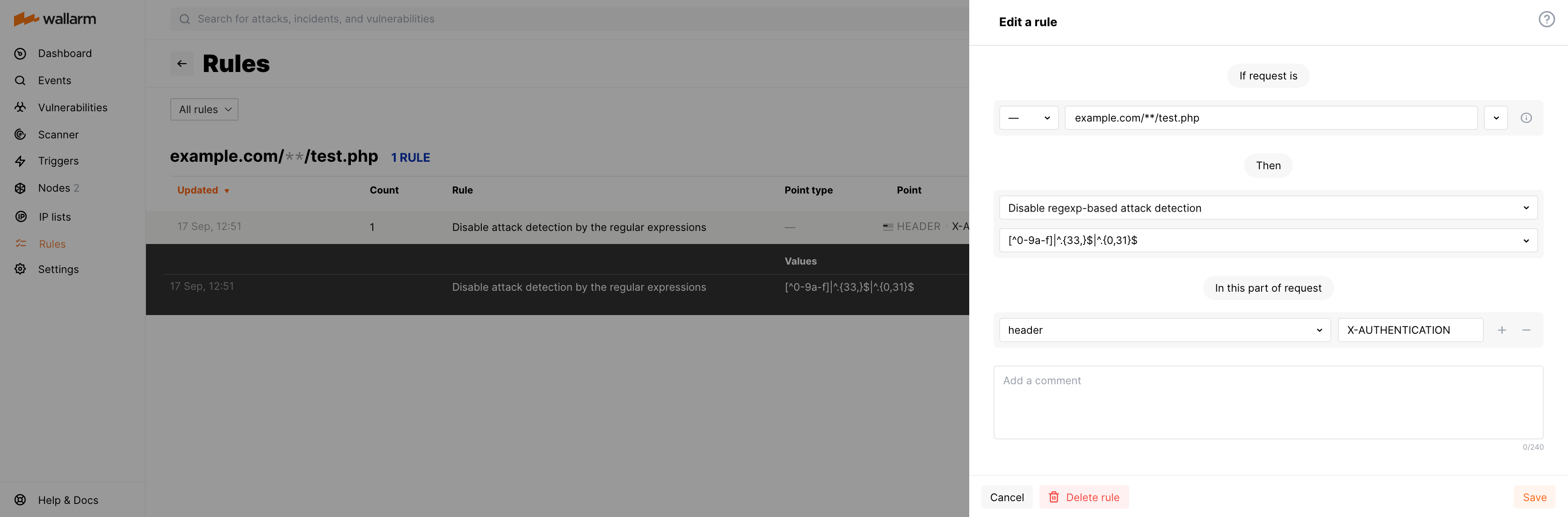
## API call to create the rule
To create the regexp-based attack indicator, you can [call the Wallarm API directly](https://docs.wallarm.com/api/request-examples.md#create-a-rule-to-consider-the-requests-with-specific-value-of-the-x-forwarded-for-header-as-attacks).
---
## https://docs.wallarm.com/user-guides/rules/sensitive-data-rule/
# Masking Sensitive Data
Wallarm provides the **Mask sensitive data** [rules](https://docs.wallarm.com/user-guides/rules/rules.md) to configure data masking so that sensitive data does not leak outside the trusted environment. These rules cut the original value of the specified request point before sending the request to the postanalytics module and Wallarm Cloud. This article describes how to use these rules.
## Overview
In the [hybrid](https://docs.wallarm.com/about-wallarm/shared-responsibility.md#overview) Wallarm installations, when you manage the Wallarm filtering nodes in your infrastructure, and Wallarm manages the Wallarm Cloud component, it is crucial that sensitive data in your requests remains secure within your infrastructure and is not transmitted to any third-party service including [Wallarm Cloud](https://docs.wallarm.com/about-wallarm/api-security-overview.md#how-wallarm-api-security-works).
This goal is achieved using the [shared responsibility model](https://docs.wallarm.com/about-wallarm/shared-responsibility.md): from its side, Wallarm never transmits data exceeding the protection goal and stores all the obtained data [securely](https://docs.wallarm.com/about-wallarm/shared-responsibility.md#client-data-storage-in-cloud) - to your side, Wallarm provides full visibility of what data is sent from node to Cloud and a [set of tools](https://docs.wallarm.com/admin-en/export-to-cloud.md) to shape this transfer to your needs - masking of sensitive data is one of these tools.
!!! info "Other deployment forms"
In **security edge** [installations](https://docs.wallarm.com/about-wallarm/shared-responsibility.md#overview), data is outside your security perimeter; you can still use masking rules to restrict access to the sensitive data by the users of Wallarm Console.
## Side effects
Consider that using **Mask sensitive data** rules can affect:
* The display of [attacks](https://docs.wallarm.com/user-guides/events/check-attack.md)
* The [enumeration attack protection](https://docs.wallarm.com/api-protection/enumeration-attack-protection.md)
* The API Sessions [grouping](https://docs.wallarm.com/api-sessions/setup.md#session-grouping) and [display of context parameters](https://docs.wallarm.com/api-sessions/setup.md#extra-parameters)
## Creating and applying rule
To set and apply data mask:
1. Proceed to Wallarm Console:
* **Rules WAF** → **Add rule** or your branch → **Add rule**.
* **Attacks** / **Incidents** → attack/incident → hit → **Rule**.
* **API Discovery** (if [enabled](https://docs.wallarm.com/api-discovery/setup.md)) → your endpoint → **Create rule**.
1. Choose **Change requests/responses** → **Mask sensitive data**.
1. In **If request is**, [describe](https://docs.wallarm.com/user-guides/rules/rules.md#configuring) the scope to apply the rule to.
1. In **In this part of request**, specify [request points](https://docs.wallarm.com/user-guides/rules/request-processing.md) for which the original value should be cut.
1. Wait for the [rule compilation and uploading to the filtering node to complete](https://docs.wallarm.com/user-guides/rules/rules.md#ruleset-lifecycle).
## Example: masking of a cookie value
Let us say your application accessible at the `example.com` domain uses the `PHPSESSID` cookie for user authentication and you want to deny access to this information for employees using Wallarm.
To do so, set the **Mask sensitive data** rule as displayed on the screenshot.
Note that options you add to **In this part of request** should go in a particular order to reflect in which order Wallarm will [apply parsers](https://docs.wallarm.com/user-guides/rules/request-processing.md) to read the required request element.
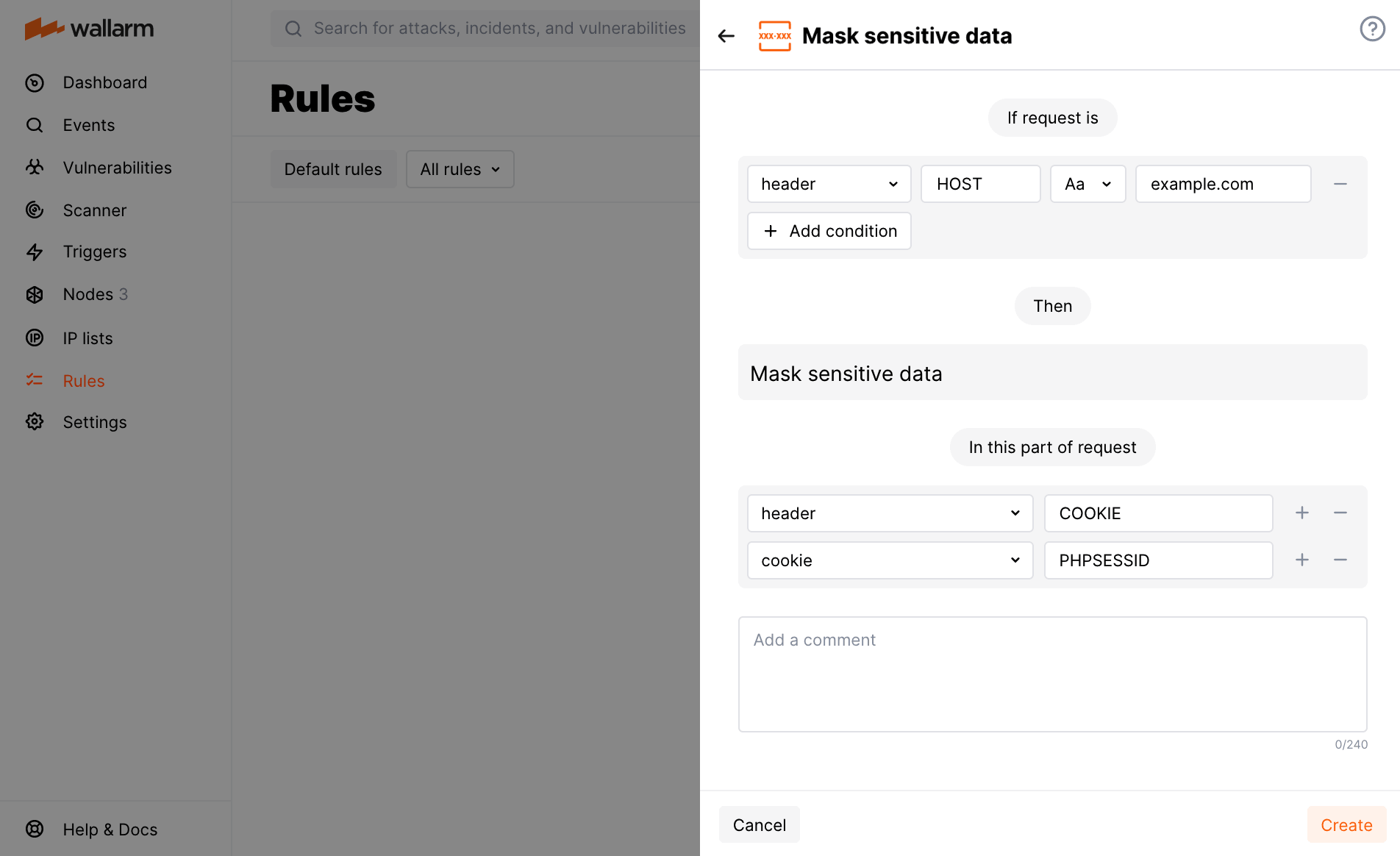
---
## https://docs.wallarm.com/user-guides/rules/request-processing/
# Parsing Requests
When analyzing requests, the Wallarm filtering node uses a comprehensive set of parsers. After identifying the request parts, parsers are sequentially applied to each of them to provide request meta parameters further used for attack detection. Available parsers, logic of their usage and possible configurations for this logic are described in this article.
For effective parsing, Wallarm follows these principles:
* Work with the same data as the protected application. For example:
If an application provides a JSON API, then the processed parameters will be also encoded in JSON format. To get parameter values, Wallarm uses JSON parser. There are also more complex cases where the data is encoded several times — for example, JSON to Base64 to JSON. Such cases require decoding with several parsers.
* Consider the context of data processing. For example:
The parameter `name` can be passed in creation requests both as the product name and as a username. However, the processing code for such requests can be different. To define the method of analyzing such parameters, Wallarm may use the URL to which the requests were sent, or other parameters.
## Identifying and parsing the request parts
Starting from the top level of the HTTP request, the filtering node attempts to sequentially apply each of the suitable parsers to each part. The list of applied parsers depends on the nature of the data and the results of the previous training of the system.
The output from the parsers becomes an additional set of parameters that has to be analyzed in a similar way. Parser output sometimes becomes a complex structure like JSON, array, or associative array.
!!! info "Parser tags"
Each parser has an identifier (tag). For example, `header` for the parser of request headers. In the event details in Wallarm Console, the **Parameter** field shows the tags of the parsers applied to reach the request part where the attack was detected, with the final point highlighted.
For example, a **GraphQL aliases** attack detected in the `query` parameter that Wallarm reached through the `post` → `json_doc` → `hash` parsers:

### URL
Each HTTP request contains a URL. To find attacks, the filtering node analyzes both the original value and its individual components: **path**, **action_name**, **action_ext**, **query**.
The following tags correspond to the URL parser:
* **uri** for the original URL value without the domain (for example, `/blogs/123/index.php?q=aaa` for the request sent to `http://example.com/blogs/123/index.php?q=aaa`).
* **path** for an array with URL parts separated by the `/` symbol (the last URL part is not included in the array). If there is only one part in the URL, the array will be empty.
* **action_name** for the last part of the URL after the `/` symbol and before the first period (`.`). This part of the URL is always present in the request, even if its value is an empty string.
* **action_ext** for the part of the URL after the last period (`.`). It may be missing in the request.
!!! warning "Boundary between **action_name** and **action_ext** when several periods"
If there are several periods (`.`) in the last part of the URL after the `/` symbol, problems with the boundary between **action_name** and **action_ext** may occur, such as:
* Boundary set based on the **first** period, for example:
`/modern/static/js/cb-common.ffc63abe.chunk.js.map` →
* ...
* `action_name` — `cb-common`
* `action_ext` — `ffc63abe.chunk.js.map`
* Some elements are missing after parsing, for the example above this could be:
* `action_name` — `cb-common`
* `action_ext` — `ffc63abe`
To fix this, manually edit the **action_name** and **action_ext** points in the [advanced edit form](https://docs.wallarm.com/user-guides/rules/rules.md#advanced-edit-form) of the URI constructor.
* **query** for [query string parameters](#query-string-parameters) after the `?` symbol.
Example:
`/blogs/123/index.php?q=aaa`
* `[uri]` — `/blogs/123/index.php?q=aaa`
* `[path, 0]` — `blogs`
* `[path, 1]` — `123`
* `[action_name]` — `index`
* `[action_ext]` — `php`
* `[query, 'q']` — `aaa`
### Query string parameters
Query string parameters are passed to the application in the request URL after the character `?` in the `key=value` format. The **query** tag corresponds to the parser.
Request example | Query string parameters and values
---- | -----
`/?q=some+text&check=yes` |
Parses gRPC API requests, and can be applied only to the request body.
Supports the **protobuf** filter for the Protocol Buffers data.
#### multipart
Parses the request body passed in the `multipart` format, and can be applied only to the request body.
Supports the **header** filter for the headers in the request body.
Example:
```
p1=1&p2[a]=2&p2[b]=3&p3[]=4&p3[]=5&p4=6&p4=7
```
* `[post, multipart, 'p1']` — `1`
* `[post, multipart, 'p2', hash, 'a']` — `2`
* `[post, multipart, 'p2', hash, 'b']` — `3`
* `[post, multipart, 'p3', array, 0]` — `4`
* `[post, multipart, 'p3', array, 1]` — `5`
* `[post, multipart, 'p4', array, 0]` — `6`
* `[post, multipart, 'p4', array, 1]` — `7`
* `[post, multipart, 'p4', pollution]` — `6,7`
If a file name is specified in the `Content-Disposition` header, then the file is considered to be loaded in this parameter. The parameter will look like this:
* `[post, multipart, 'someparam', file]` — file contents
#### viewstate
Designed to analyze the session state. The technology is used by Microsoft ASP.NET, and can be applied only to the request body.
Filters:
* **viewstate_array** for an array
* **viewstate_pair** for an array
* **viewstate_triplet** for an array
* **viewstate_dict** for an associative array
* **viewstate_dict_key** for a string
* **viewstate_dict_value** for a string
* **viewstate_sparse_array** for an associative array
#### jwt
Parses JWT tokens and can be applied to any part of the request.
The JWT parser returns the result in the following parameters according to the detected JWT structure:
* `jwt_prefix`: one of the supported JWT value prefixes - lsapi2, mobapp2, bearer. The parser reads the prefix value in any register.
* `jwt_header`: JWT header. Once getting the value, Wallarm also usually applies the [`base64`](#base64) and [`json_doc`](#json_doc) parsers to it.
* `jwt_payload`: JWT payload. Once getting the value, Wallarm also usually applies the [`base64`](#base64) and [`json_doc`](#json_doc) parsers to it.
JWTs can be passed in any request part. So, before applying the `jwt` parser Wallarm uses the specific request part parser, e.g. [`query`](#query-string-parameters) or [`header`](#headers).
Example of the JWT passed in the `Authentication` header:
```bash
Authentication: Bearer eyJhbGciOiJIUzI1NiIsInR5cCI6IkpXVCJ9.eyJzdWIiOiIxMjM0NTY3ODkwIiwibmFtZSI6IkpvaG4gRG9lIiwiaWF0IjoxNTE2MjM5MDIyfQ.SflKxwRJSMeKKF2QT4fwpMeJf36POk6yJV_adQssw5c
```
* `[header, AUTHENTICATION, jwt, 'jwt_prefix']` — `Bearer`
* `[header, AUTHENTICATION, jwt, 'jwt_header', base64, json_doc, hash, 'alg']` — `HS256`
* `[header, AUTHENTICATION, jwt, 'jwt_header', base64, json_doc, hash, 'typ']` — `JWT`
* `[header, AUTHENTICATION, jwt, 'jwt_payload', base64, json_doc, hash, 'sub']` — `1234567890`
* `[header, AUTHENTICATION, jwt, 'jwt_payload', base64, json_doc, hash, 'name']` — `John Doe`
* `[header, AUTHENTICATION, jwt, 'jwt_payload', base64, json_doc, hash, 'iat']` — `1516239022`
When defining a request element the [rule](https://docs.wallarm.com/user-guides/rules/rules.md) is applied to:
* Choose the parser of the request part containing JWT first
* Specify one of the listed `jwt_*` parameters as the `jwt` parser value, e.g. for the `name` JWT payload parameter value:
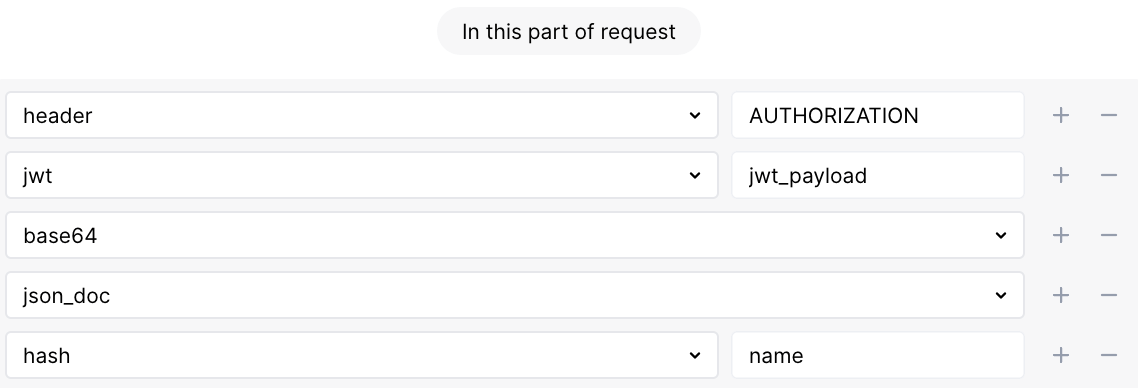
#### gql
Parses GraphQL executable definitions (queries, mutations, subscriptions and fragments) that enables improved detection of [input validation attacks](https://docs.wallarm.com/attacks-vulns-list.md#attack-types) in GraphQL-specific request points. Requires NGINX Node 5.3.0 or higher or native node 0.12.0.
Filters:
* **gql_query** for a query operation
* **gql_mutation** for a mutation operation
* **gql_subscription** for a subscription operation
* **gql_alias** for a field alias
* **gql_arg** for field arguments
* **gql_dir** for a directive
* **gql_spread** for a fragment spread
* **gql_fragment** for a fragment definition
* **gql_type** for the named type of a fragment definition or inline fragment
* **gql_inline** for an inline fragment
* **gql_var** for a variable definition
Examples:
```
query GetUser {
user(id: "1") {
...UserFields @include(if: true)
}
}
```
* `[..., gql, gql_query, 'GetUser', hash, 'user', gql_arg, hash, 'id']` — `1`
* `[..., gql, gql_query, 'GetUser', hash, 'user', gql_spread,` `'UserFields', gql_dir, 'include', gql_arg, hash, 'if']` — `true`
```
query GetAllUsers {
users(limit: 10) {
...UserFields @include(if: true)
}
}
```
* `[..., gql, gql_query, 'GetAllUsers', hash, 'users', gql_arg, hash, 'limit']` — `10`
* `[..., gql, gql_query, 'GetAllUsers', hash, 'users',` `gql_spread, 'UserFields', gql_dir, 'include', gql_arg, hash, 'if']` — `true`
```
fragment UserFields on User {
id
name
email
posts(status: "published") {
title
content
}
}
```
* `[..., gql, gql_fragment, 'UserFields', gql_type,` `'User', hash, 'posts', gql_arg, hash, 'status']` — `published`
The parser allows extracting and displaying values of [GraphQL request parameters in API Sessions](https://docs.wallarm.com/api-sessions/overview.md#graphql-requests-in-api-sessions) and applying [rules](https://docs.wallarm.com/user-guides/rules/rules.md) to GraphQL-specific parts of requests:
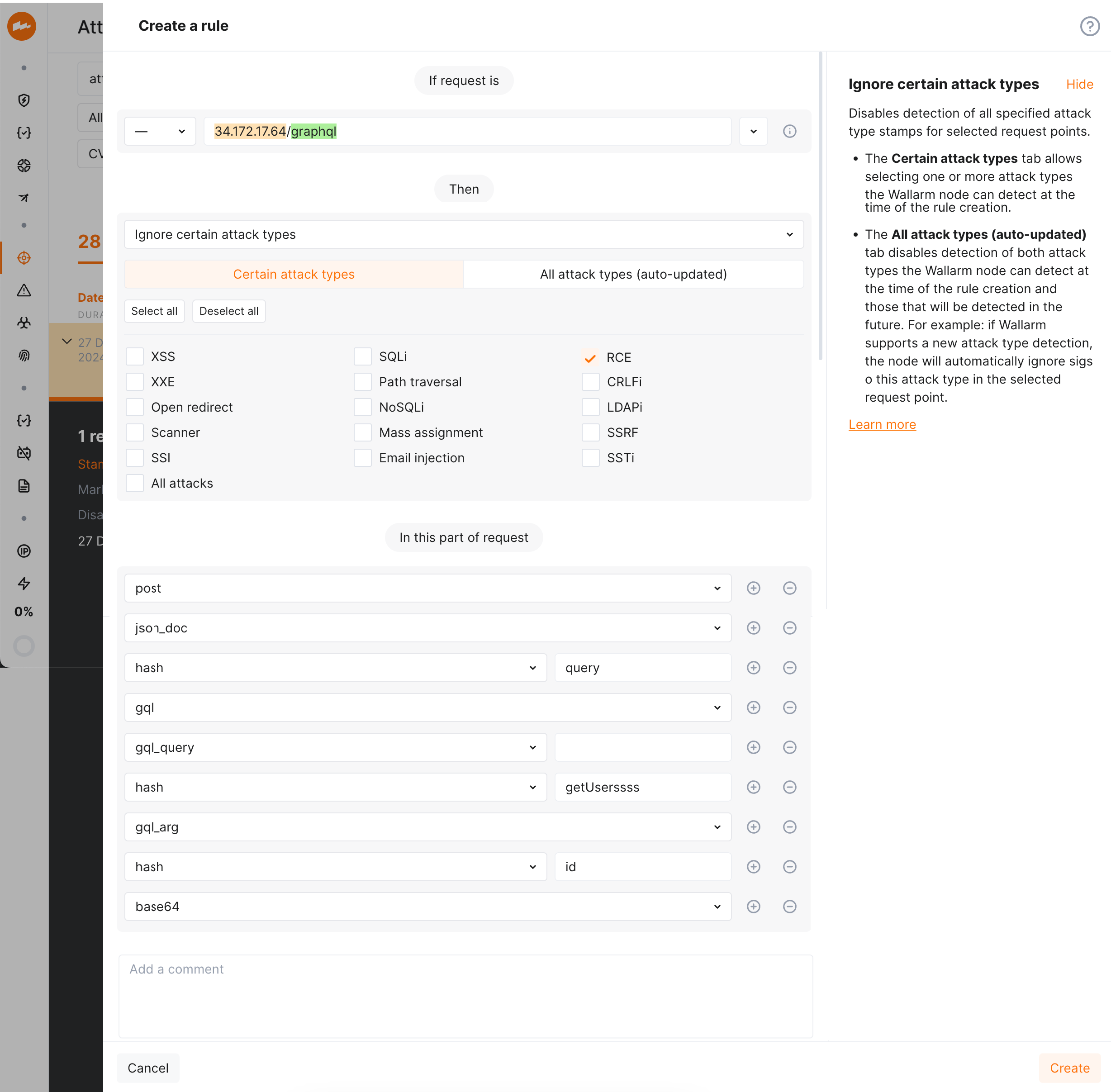
!!! info "GraphQL protection with Wallarm"
While [always enabled](#managing-parsers) parser by default provides detection of regular attacks (SQLi, RCE, etc.) in GraphQL, Wallarm also allows **configuring** [protection from GraphQL-specific attacks](https://docs.wallarm.com/api-protection/graphql-rule.md).
### Norms
The norms are applied to parsers for array and key data types. Norms are used to define the boundaries of data analysis. The value of the norm is indicated in the parser tag. For example: **hash_all**, **hash_name**.
If the norm is not specified, then the identifier of the entity that requires processing is passed to the parser. For example: the name of the JSON object or other identifier is passed after **hash**.
**all**
Used to get values of all elements, parameters, or objects. For example:
* **path_all** for all parts of URL path
* **query_all** for all query string parameter values
* **header_all** for all header values
* **array_all** for all array element values
* **hash_all** for all JSON object or XML attribute values
* **jwt_all** for all JWT values
**name**
Used to get names of all elements, parameters, or objects. For example:
* **query_name** for all query string parameter names
* **header_name** for all header names
* **hash_name** for all JSON object or XML attribute names
* **jwt_name** for names of all parameters with JWT
## Managing parsers
By default, when analyzing the request the Wallarm node attempts to sequentially apply each of the suitable [parsers](https://docs.wallarm.com/user-guides/rules/request-processing.md) to each element of the request. However, certain parsers can be applied mistakenly and as a result, the Wallarm node may detect attack signs in the decoded value.
For example: the Wallarm node may mistakenly identify unencoded data as encoded into [Base64](https://en.wikipedia.org/wiki/Base64), since the Base64 alphabet characters are often used in regular text, token values, UUID values and other data formats. If the unencoded data is decoded and attack signs are detected in the resulting value, a [false positive](https://docs.wallarm.com/about-wallarm/protecting-against-attacks.md#false-positives) occurs.
To prevent false positives in such cases, Wallarm provides the **Disable/Enable request parser** rule to disable the parsers mistakenly applied to certain request elements.
**Creating and applying the rule**
1. Proceed to Wallarm Console:
* **Rules WAF** → **Add rule** or your branch → **Add rule**.
* **Attacks** / **Incidents** → attack/incident → hit → **Rule**.
* **API Discovery** (if [enabled](https://docs.wallarm.com/api-discovery/setup.md)) → your endpoint → **Create rule**.
1. Choose **Fine-tuning attack detection** → **Configure parsers**.
1. In **If request is**, [describe](https://docs.wallarm.com/user-guides/rules/rules.md#configuring) the scope to apply the rule to.
1. Add parsers to be `off`/`on`.
1. In **In this part of request**, specify request points for which you wish to set the rule. Wallarm will restrict requests that have the same values for the selected request parameters.
All available points are described in this article above, you can choose those matching your particular use case.
1. Wait for the [rule compilation and uploading to the filtering node to complete](https://docs.wallarm.com/user-guides/rules/rules.md#ruleset-lifecycle).
**Rule example**
Let us say the requests to `https://example.com/users/` require the authentication header `X-AUTHTOKEN`. The header value may contain specific character combinations (e.g. `=` in the end) that may be potentially decoded by Wallarm with the parser `base64` resulting in false detection of an attack sign. You need to prevent this decoding to avoid false positives.
To do so, set the rule as displayed on the screenshot:
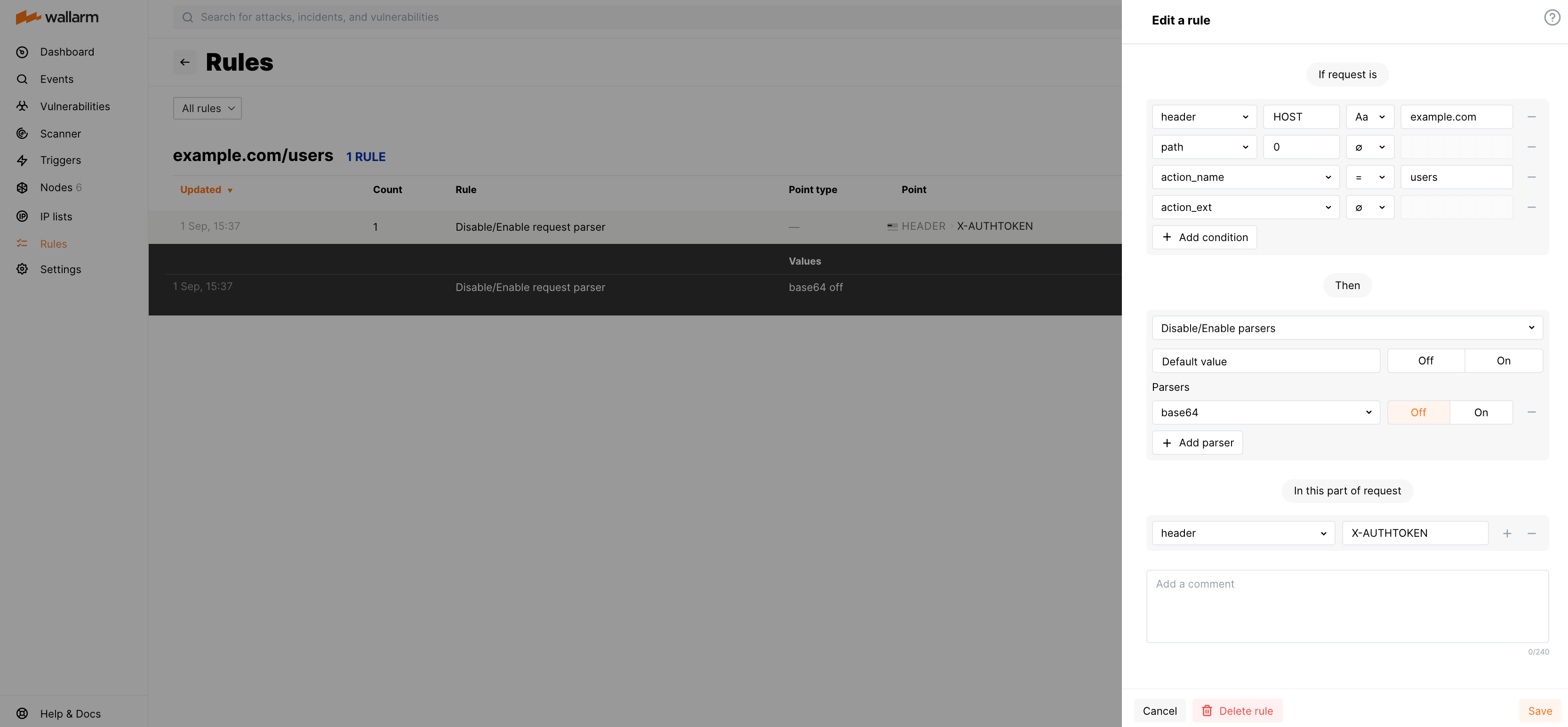
---
## https://docs.wallarm.com/user-guides/rules/add-replace-response-header/
# Changing Server Response Headers
The **Change server response headers** [rule](https://docs.wallarm.com/user-guides/rules/rules.md) allows adding and deleting server response headers and changing their values.
This rule type is most often used to configure an additional layer of application security, for example:
* To add the response header [`Content-Security-Policy`](https://developer.mozilla.org/en-US/docs/Web/HTTP/Headers/Content-Security-Policy) controlling the resources the client is allowed to load for a given page. This helps guard against [XSS](https://docs.wallarm.com/attacks-vulns-list.md#crosssite-scripting-xss) attacks.
If your server does not return this header by default, it is recommended to add it by using the rule **Change server response headers**. In the MDN Web Docs, you can find descriptions of [possible header values](https://developer.mozilla.org/en-US/docs/Web/HTTP/Headers/Content-Security-Policy#directives) and [header usage examples](https://developer.mozilla.org/en-US/docs/Web/HTTP/CSP#examples_common_use_cases).
Similarly, this rule can be used to add the response headers [`X-XSS-Protection`](https://developer.mozilla.org/en-US/docs/Web/HTTP/Headers/X-XSS-Protection), [`X-Frame-Options`](https://developer.mozilla.org/en-US/docs/Web/HTTP/Headers/X-Frame-Options), [`X-Content-Type-Options`](https://developer.mozilla.org/en-US/docs/Web/HTTP/Headers/X-Content-Type-Options).
* To change the NGINX header `Server` or any other header containing the data on installed module versions. This data can be potentially used by an attacker to discover vulnerabilities of installed module versions and as a result, to exploit discovered vulnerabilities.
The NGINX header `Server` can be changed starting with Wallarm node 2.16.
The rule **Change server response headers** can also be used to address any of your business and technical issues.
## Creating and applying the rule
To create and apply the rule:
1. Proceed to Wallarm Console:
* **Rules WAF** → **Add rule** or your branch → **Add rule**.
* **Attacks** / **Incidents** → attack/incident → hit → **Rule**.
* **API Discovery** (if [enabled](https://docs.wallarm.com/api-discovery/setup.md)) → your endpoint → **Create rule**.
1. In **If request is**, [describe](https://docs.wallarm.com/user-guides/rules/rules.md#configuring) the scope to apply the rule to.
1. In **Then**, choose **Change server response headers** and set:
* Name of the header to be added or to replace its value.
* New value(s) of the specified header.
* To delete an existing response header, leave its value on the **Replace** tab empty.
1. Wait for the [rule compilation to complete](https://docs.wallarm.com/user-guides/rules/rules.md#ruleset-lifecycle).
## Example: adding security policy header and its value
To allow all content of `https://example.com/*` to come only from the site's origin, you can add the response header [`Content-Security-Policy: default-src 'self'`](https://developer.mozilla.org/en-US/docs/Web/HTTP/CSP#example_1) by using the rule **Change server response headers** as follows:
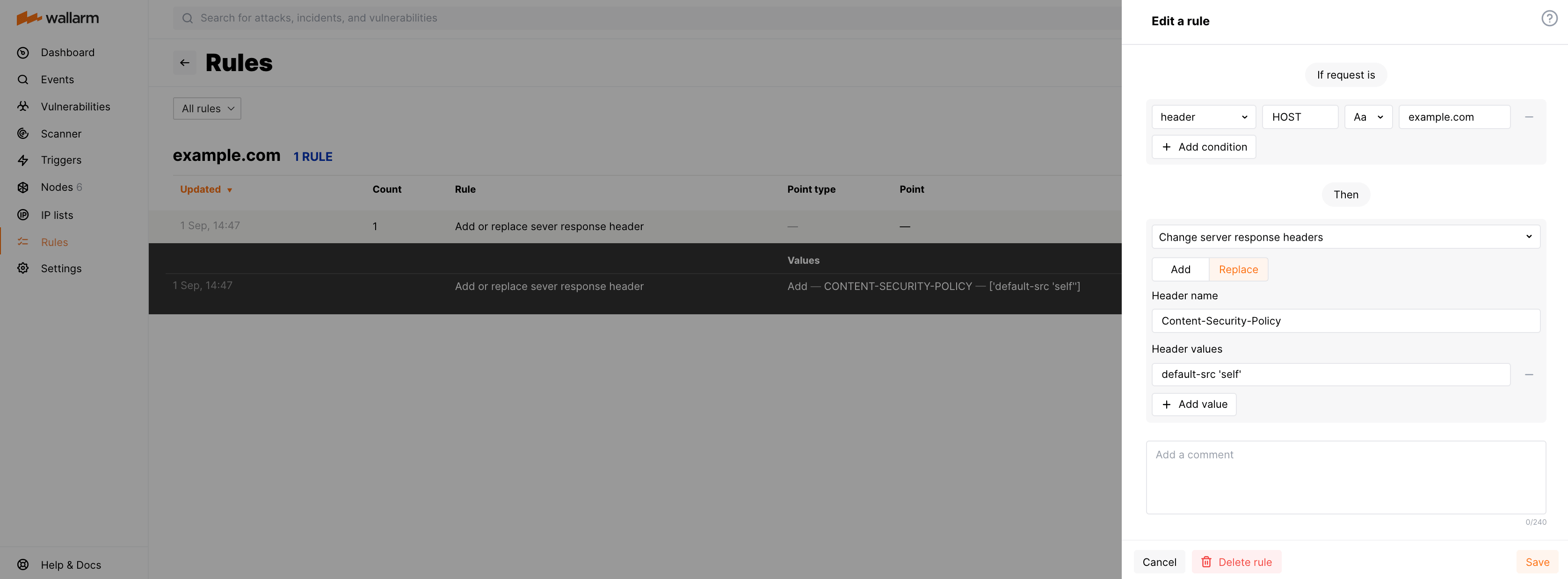
---
## https://docs.wallarm.com/user-guides/rules/configure-overlimit-res-detection/
# Limiting Request Processing Time
The Wallarm node spends limited time on processing a single incoming request and if the time limit is exceeded, marks the request as the [resource overlimit (`overlimit_res`)](https://docs.wallarm.com/attacks-vulns-list.md#resource-overlimit) attack. You can customize the time limit allocated for processing a single request and node behavior when the limit is exceeded.
Limiting the request processing time prevents bypass attacks aimed at the Wallarm nodes. In some cases, the requests marked as `overlimit_res` can indicate insufficient resources allocated for the Wallarm node modules resulting in long request processing.
## Responding to resource overlimit attacks
Starting from node version 5.1.0, all requests that exceed the configured processing time limits are listed in the **Attacks** section under the `overlimit_res` keyword. The following information will help you determine if the default node behavior in response to these requests is appropriate or if adjustments are needed:
* Does this endpoint deal with large data (files, etc.) and thus needs more time?
* If **yes**, increase time limit [for this endpoint specifically](#specific-endpoint-configuration). This will reduce the unprocessed part of the request and thus lower the risk of attacks hidden there.
* If **no**, the endpoint might be under attack, investigate its protection and activities related to it in [**API Discovery**](https://docs.wallarm.com/api-discovery/overview.md), [**API Sessions**](https://docs.wallarm.com/api-sessions/overview.md), and [**Attacks**](https://docs.wallarm.com/user-guides/events/check-attack.md). Adjust protection as described [here](https://docs.wallarm.com/user-guides/events/check-attack.md#responding-to-attacks).
* Does this endpoint experience `overlimit_res` problem together with **a lot of other** endpoints? If **yes**, consider [allocating more resources](https://docs.wallarm.com/admin-en/configuration-guides/allocate-resources-for-node.md) for the Wallarm node modules which will decrease the request processing time or check the correctness of general configuration.
* Does this endpoint immediately affect user experience and satisfaction?
* If **yes**, do not change the default **not blocking** behavior. Legitimate traffic will definitely not be blocked, and you will still receive the information about problems as `overlimit_res` in **Attacks**.
* If **no**, [for this endpoint specifically](#specific-endpoint-configuration), consider changing response to **Block**.
The presence of the `overlimit_res` attacks on endpoints is generally normal but should stay within expected limits. High volumes suggest it may be worth performing analysis and actions described above.
## General configuration
In Wallarm Console → **Settings** → **General** → **Limit request processing time**, you can check the general configuration for request processing time limit. This configuration affects all endpoints unless overridden by [specific endpoint configuration](#specific-endpoint-configuration).
By default, this is:
* **1,000 milliseconds** on processing a single incoming request.
* Response to exceeding is **Interrupt Wallarm processing and bypass** which means Wallarm:
* Stops request processing.
* Marks the request as the `overlimit_res` attack and displays it in **Attacks**. If the processed request part contains other [attack types](https://docs.wallarm.com/attacks-vulns-list.md), the attacks of the corresponding types will be displayed as well.
* Allows the original request to reach the application (protection bypass).
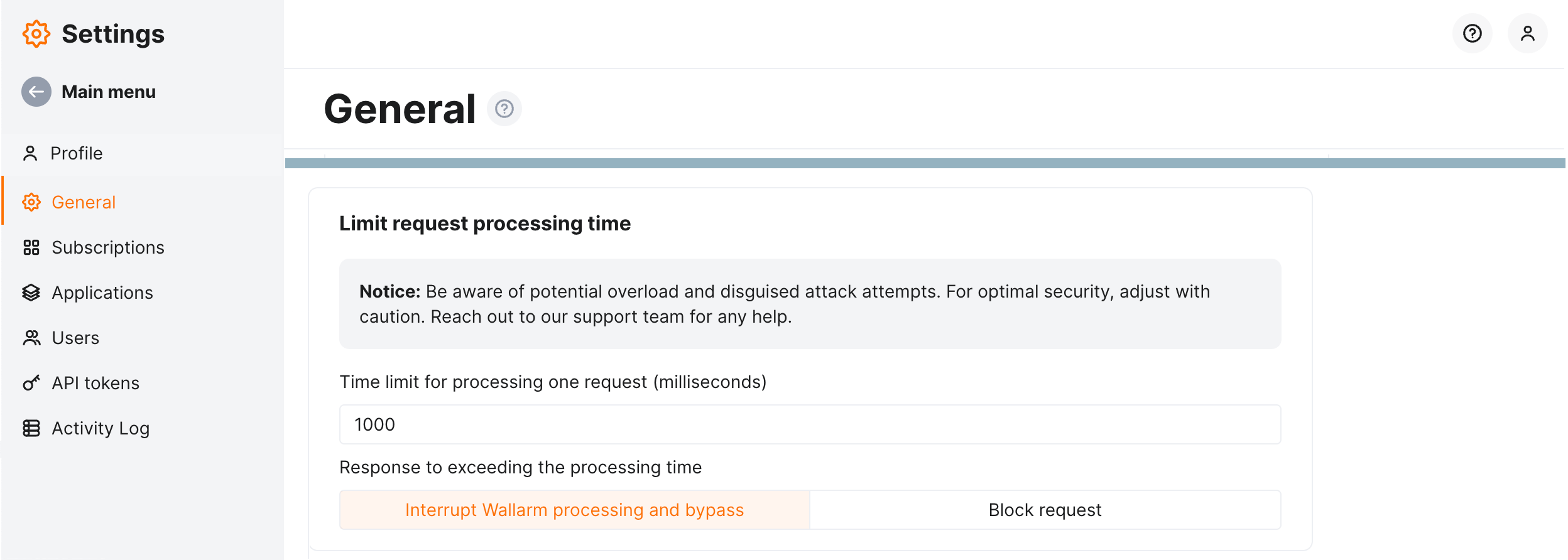
You can change the general configuration by adjusting time limit and changing the response.
!!! warning "Risk of protection bypass or running out of system memory"
* It is recommended to change the default node behavior only in the strictly [specific locations](#specific-endpoint-configuration) where it is really necessary, e.g. where the upload of large files is performed, and where there is no risk of protection bypass and vulnerability exploit.
* The high time limit can trigger memory exhaustion.
Changing the response to **Block request** means that Wallarm:
* Stops request processing.
* Marks the request as the `overlimit_res` attack and displays it in **Attacks**. If the processed request part contains other [attack types](https://docs.wallarm.com/attacks-vulns-list.md), the attacks of the corresponding types will be displayed as well.
* Blocks request. Note that legitimate requests risk being blocked. Keeping the default general configuration and setting for blocking [only for specific endpoints](#specific-endpoint-configuration) minimizes this risk.
!!! info "Filtration mode required for blocking"
Note that blocking will only work when the node is in the **blocking** filtration [mode](https://docs.wallarm.com/admin-en/configure-wallarm-mode.md) or **safe blocking** for the requests originating from the [graylisted](https://docs.wallarm.com/user-guides/ip-lists/overview.md) IP addresses.
## Specific endpoint configuration
The [default general configuration](#general-configuration) is a well-tested average approach and is never recommended to be changed. However, you can reach an even better balance, providing both protection and not blocking legitimate traffic. Do this by adjusting time limit **specifically** for the endpoints with processing time out of average and **specifically** changing response to **blocking** where it is not immediately risky.
The **Limit request processing time** [rule](https://docs.wallarm.com/user-guides/rules/rules.md) enables you to override the [general](#general-configuration) or parent configuration by setting it differently for a specific endpoint. You can:
* Set a custom limit on processing a single request
* Change system response (descriptions of each are [above](#general-configuration))
To set specific endpoint configuration for request processing time limit:
1. Proceed to Wallarm Console:
* **Rules WAF** → **Add rule** or your branch → **Add rule**.
* **Attacks** / **Incidents** → attack/incident → hit → **Rule**.
* **API Discovery** (if [enabled](https://docs.wallarm.com/api-discovery/setup.md)) → your endpoint → **Create rule**.
1. Choose **Fine-tuning attack detection** → **Limit request processing time**.
1. In **If request is**, [describe](https://docs.wallarm.com/user-guides/rules/rules.md#configuring) the scope to apply the rule to.
1. Set parameters.
## Rule example
Let us say you have the default general configuration of **1,000 milliseconds** and **Interrupt Wallarm processing and bypass** response, and you have many `overlimit_res` attacks for the `https://example.com/upload`. The investigation shows that the endpoint is used for large file uploading and the legitimate requests are marked as `overlimit_res` attacks because of exceeding the processing time.
To reduce the number of unnecessary `overlimit_res` notifications and lower the chance of malicious payloads hiding in the unprocessed part of the request, for this endpoint specifically, we need to increase the time for request processing.
To do so, set the **Limit request processing time** rule as displayed on the screenshot.
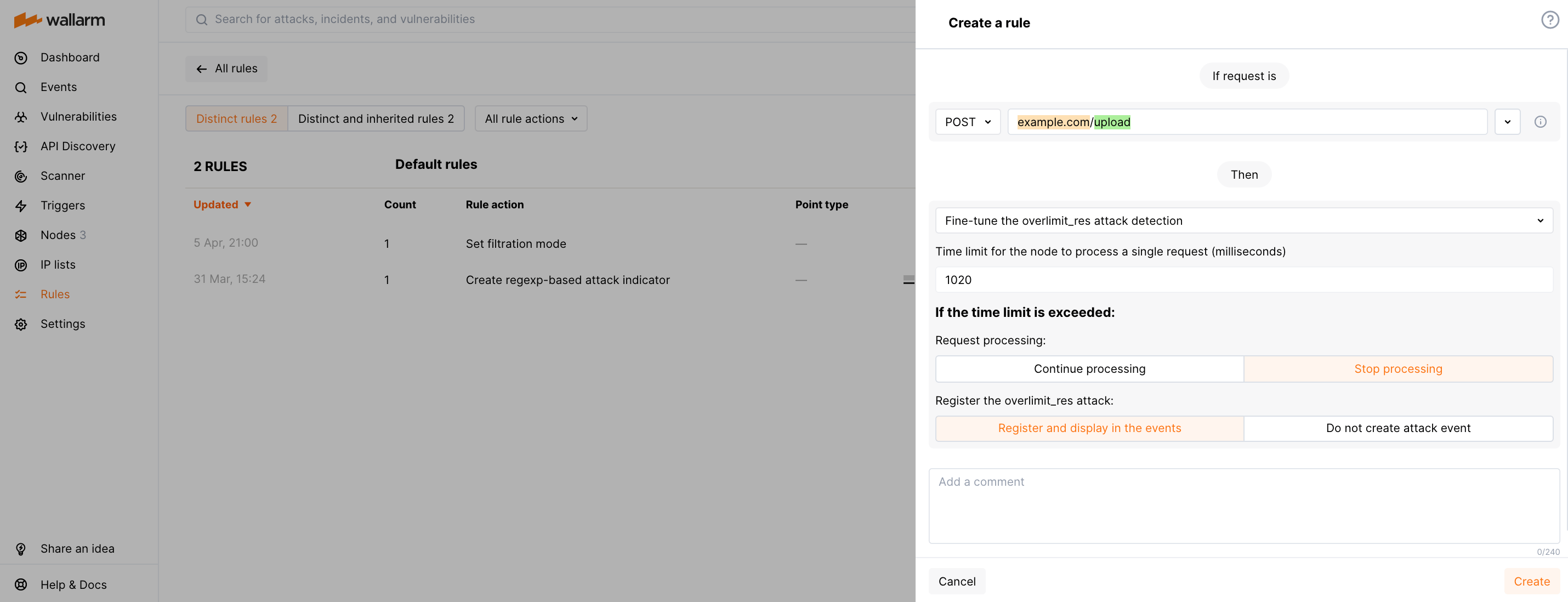
---
## https://docs.wallarm.com/agentic-ai/agentic-ai-protection/
# Agentic AI Protection
[Wallarm API Security](https://docs.wallarm.com/about-wallarm/api-security-overview.md) — the API protection product of [Wallarm AI Control Platform](https://docs.wallarm.com/about-wallarm/overview.md) — delivers API-first security for AI systems. It protects AI agents, AI proxies, and APIs with AI features by preventing injection attacks and data leakage, controlling costs, and ensuring secure, compliant operations.
AI systems face risks that traditional API security tools were not designed for: **prompt injection** and **jailbreaks** that manipulate model behavior, **agent abuse** that drives credential stuffing and cost overruns, and **shadow AI** agents deployed without security oversight. Wallarm API Security addresses these threats at the application layer; for runtime governance of AI workloads themselves (AWS-only), see [Wallarm AI Hypervisor](https://docs.wallarm.com/ai-hypervisor/overview.md).
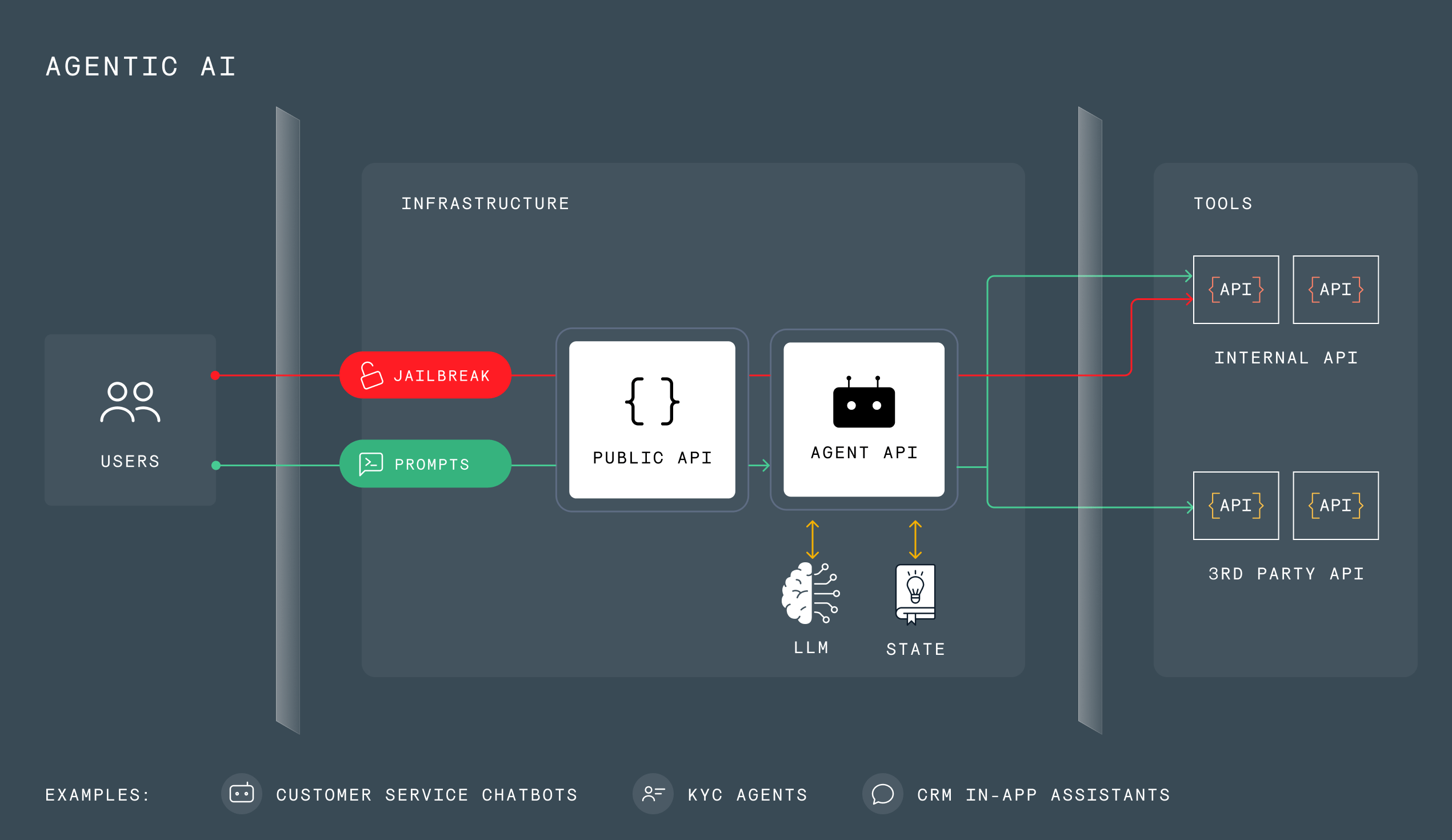
## Common attacks on AI Agents
Common attacks on AI Agents include:
* Jailbreaks:
* Retrieval of hidden system prompts and instructions for exploitation.
* Injection of encrypted prompt commands to bypass content filters.
* Invocation of restricted APIs by an agent for unauthorized operations.
* Attacks on Agent APIs:
* Attacks against the tools used by agents, carried out via common API attacks.
* Sensitive data leaks through internal APIs.
* Weak authentication and misconfiguration exploitation.
* Bots and Agent Abuse:
* Automated bot attacks including low-and-slow attacks and DDoS.
* Usage abuse and credits overages, including license abuse.
* Automated account takeover attacks.
* Mass prompt injection.
* Rogues and shadow AI Agents:
* Agents deployed by shadow IT lack proper security hardening, leaving backdoors for attackers.
* Cross-tenant data leaks by unauthorized agents in shared environments.
* Exploitation of unprotected shadow agents risks credit theft and massive infra bills.
See a detailed description of Wallarm's Agentic AI Protection on the official site [here](https://www.wallarm.com/solutions/s-protect-agentic-ai).
## How protection works
Wallarm's protection against attacks on AI Agents works in a few simple steps:
1. You deploy Wallarm [filtering node](https://docs.wallarm.com/about-wallarm/api-security-overview.md#how-wallarm-api-security-works) using the [appropriate deployment option](https://docs.wallarm.com/installation/supported-deployment-options.md).
1. Optionally, you enable Wallarm's [API Discovery](https://docs.wallarm.com/api-discovery/overview.md) to automatically discover AI/LLM endpoints in your API inventory.
1. In Wallarm Console, you create one or several [AI payload inspection](https://docs.wallarm.com/agentic-ai/ai-payload-inspection.md) mitigation controls defining how to detect [AI-agent attacks](https://docs.wallarm.com/attacks-vulns-list.md#attack-types) and mitigate them.
1. For MCP servers, you configure [MCP mitigation controls](https://docs.wallarm.com/agentic-ai/mcp-mitigation-controls.md) to enforce access policies, validate request parameters, and ensure tool calls conform to the published schema.
1. Wallarm automatically detects attacks and [performs an action](https://docs.wallarm.com/agentic-ai/ai-payload-inspection.md#mitigation-mode) (just register an attack or perform blocking by IP or session).
1. Detected and blocked attacks are displayed in [API Sessions](https://docs.wallarm.com/api-sessions/overview.md). In the malicious request details, the back-link to the policy that caused detection and/or blocking is presented.

## OWASP Top 10 coverage
The controls described above map to two OWASP frameworks that address risks in AI agent and MCP deployments:
* [**OWASP Top 10 for Agentic Applications (2026)**](https://genai.owasp.org/resource/owasp-top-10-for-agentic-applications-for-2026/) — the ten most critical risks for autonomous AI systems that plan, decide, and act across tools and steps.
* [**OWASP MCP Top 10 (2025)**](https://owasp.org/www-project-mcp-top-10/) — the first OWASP framework dedicated to the [Model Context Protocol](https://modelcontextprotocol.io/), covering risks specific to MCP servers, tools, and context handling.
The tables below show how Wallarm addresses each risk. Some risks fall outside that layer and are marked as such in the tables. These model-side and supply-chain risks — tool poisoning, dependency tampering, and context over-sharing — depend on secure development practices that complement the controls below.
### OWASP Top 10 for Agentic Applications (2026)
| OWASP risk | How Wallarm helps |
|---|---|
| **ASI01 — Agent Goal Hijacking** | Wallarm inspects incoming requests for injection — including content hidden in nested fields — and watches session behavior for actions that drift from the agent's intended goal. Read more: [Attack detection](https://docs.wallarm.com/about-wallarm/protecting-against-attacks.md). |
| **ASI02 — Tool Misuse and Exploitation** | Wallarm restricts which tools each caller may invoke and with what arguments, and analyzes call sequences to catch legitimate tools being used in abusive or out-of-sequence ways. Read more: [MCP protection](https://docs.wallarm.com/agentic-ai/mcp-mitigation-controls.md). |
| **ASI03 — Identity and Privilege Abuse** | Wallarm enforces identity-, role-, and scope-based access, and detects enumeration, credential abuse, and privilege escalation that let an agent act beyond its entitlements. Read more: [Access-abuse protection](https://docs.wallarm.com/api-protection/enumeration-attack-protection.md). |
| **ASI04 — Agentic Supply Chain Vulnerabilities** | Wallarm proactively tests the exposed APIs and MCP servers agents rely on for known vulnerabilities and misconfigurations so they can be fixed before exploitation; on AWS it also inventories AI dependencies with CVE enrichment. Read more: [Proactive vulnerability detection](https://docs.wallarm.com/about-wallarm/detecting-vulnerabilities.md), [AI dependency inventory (AWS)](https://docs.wallarm.com/ai-hypervisor/supply-chain.md). |
| **ASI05 — Unexpected Code Execution (RCE)** | Wallarm automatically detects remote-code-execution, command-injection, and template-injection attempts in traffic — including JSON-RPC — and rejects malformed arguments that try to smuggle in code. Read more: [Attack detection](https://docs.wallarm.com/about-wallarm/protecting-against-attacks.md), [MCP protection](https://docs.wallarm.com/agentic-ai/mcp-mitigation-controls.md). |
| **ASI06 — Memory & Context Poisoning** | Wallarm blocks injected content arriving in requests before it can reach an agent; poisoning of persistent memory or the model's context is addressed at the runtime layer (AWS) and through secure agent design. Read more: [Attack detection](https://docs.wallarm.com/about-wallarm/protecting-against-attacks.md), [Runtime AI governance (AWS)](https://docs.wallarm.com/ai-hypervisor/overview.md). |
| **ASI07 — Insecure Inter-Agent Communication** | Wallarm secures the APIs and MCP channels agents use to talk to each other, checking authentication, access, and message structure; on AWS it also maps and attributes agent-to-agent calls across services. Read more: [MCP protection](https://docs.wallarm.com/agentic-ai/mcp-mitigation-controls.md), [Runtime AI governance (AWS)](https://docs.wallarm.com/ai-hypervisor/overview.md). |
| **ASI08 — Cascading Failures** | Wallarm caps request volume and runaway loops and can cut off a misbehaving session before failures spread; on AWS, enforcement can terminate sessions at the kernel level. Read more: [Rate and resource controls](https://docs.wallarm.com/api-protection/dos-protection.md), [Runtime enforcement (AWS)](https://docs.wallarm.com/ai-hypervisor/enforcement.md). |
| **ASI09 — Human-Agent Trust Exploitation** | Wallarm flags attempts to skip required approval or verification steps and keeps a full session trail to investigate suspicious approvals; manipulating the human or model directly sits largely outside API-layer protection. Read more: [Session visibility](https://docs.wallarm.com/api-sessions/overview.md). |
| **ASI10 — Rogue Agents** | Wallarm surfaces unknown and undocumented agents and limits automated abuse; on AWS, runtime governance detects shadow AI and alerts when an agent drifts from its declared behavior. Read more: [Undocumented and shadow assets](https://docs.wallarm.com/api-discovery/rogue-api.md), [Shadow AI detection (AWS)](https://docs.wallarm.com/ai-hypervisor/shadow-ai.md). |
### OWASP MCP Top 10 (2025)
| OWASP risk | How Wallarm helps |
|---|---|
| **MCP01 — Token Mismanagement & Secret Exposure** | Wallarm surfaces servers and endpoints that expose credentials, tokens, or sensitive data and flags missing authentication, so secrets can be locked down before they are abused. Read more: [Sensitive data detection](https://docs.wallarm.com/api-discovery/sensitive-data.md), [Leaked secrets in your attack surface](https://docs.wallarm.com/api-attack-surface/security-issues.md). |
| **MCP02 — Privilege Escalation via Scope Creep** | Wallarm enforces fine-grained access to MCP methods and tools and validates that each caller's token carries only the permissions it should, catching scope that quietly widens over time. Read more: [MCP protection](https://docs.wallarm.com/agentic-ai/mcp-mitigation-controls.md), [MCP session visibility](https://docs.wallarm.com/api-sessions/mcp-sessions.md). |
| **MCP03 — Tool Poisoning** | Tool poisoning is a supply-chain and model-side attack that manipulates the model rather than the API, so it falls outside Wallarm's API-layer protection and is addressed through development-side controls. |
| **MCP04 — Software Supply Chain Attacks & Dependency Tampering** | Wallarm proactively tests your exposed APIs and MCP servers for known vulnerabilities and misconfigurations so they can be fixed before exploitation, and on AWS inventories AI dependencies with CVE enrichment. Read more: [Proactive vulnerability detection](https://docs.wallarm.com/about-wallarm/detecting-vulnerabilities.md), [AI dependency inventory (AWS)](https://docs.wallarm.com/ai-hypervisor/supply-chain.md). |
| **MCP05 — Command Injection & Execution** | Wallarm inspects every MCP request — including JSON-RPC and nested fields — for injection and code-execution attempts and rejects calls that do not match the expected tool schema. Read more: [Attack detection](https://docs.wallarm.com/about-wallarm/protecting-against-attacks.md), [MCP protection](https://docs.wallarm.com/agentic-ai/mcp-mitigation-controls.md). |
| **MCP06 — Intent Flow Subversion** | Wallarm records the full sequence of MCP calls within a session, making it possible to spot flows where an agent is steered toward actions outside its task, and constrains which methods and tools each caller can reach. Read more: [MCP session visibility](https://docs.wallarm.com/api-sessions/mcp-sessions.md), [MCP protection](https://docs.wallarm.com/agentic-ai/mcp-mitigation-controls.md). |
| **MCP07 — Insufficient Authentication & Authorization** | Wallarm reveals where authentication is missing or weak, enforces identity-, role-, and scope-based access at the MCP layer, and detects enumeration, credential abuse, and cross-tenant access attempts. Read more: [Access-abuse protection](https://docs.wallarm.com/api-protection/enumeration-attack-protection.md), [MCP protection](https://docs.wallarm.com/agentic-ai/mcp-mitigation-controls.md). |
| **MCP08 — Lack of Audit and Telemetry** | Every MCP method, tool, and request is recorded with the reason it was flagged, giving full session-level forensics; on AWS, runtime governance adds replay and per-user attribution. Read more: [MCP session visibility](https://docs.wallarm.com/api-sessions/mcp-sessions.md), [Runtime AI governance (AWS)](https://docs.wallarm.com/ai-hypervisor/overview.md). |
| **MCP09 — Shadow MCP Servers** | Wallarm continuously inventories MCP servers from live traffic and surfaces undocumented or deprecated ones deployed outside governance; on AWS, runtime discovery also flags shadow AI assets. Read more: [Undocumented and shadow assets](https://docs.wallarm.com/api-discovery/rogue-api.md), [Shadow AI detection (AWS)](https://docs.wallarm.com/ai-hypervisor/shadow-ai.md). |
| **MCP10 — Context Injection & Over-Sharing** | Wallarm limits cross-user and cross-tenant access to MCP resources and flags sensitive data moving through them; over-sharing inside the model's context window sits outside API-layer protection. Read more: [Sensitive data detection](https://docs.wallarm.com/api-discovery/sensitive-data.md), [PII flow records (AWS)](https://docs.wallarm.com/ai-hypervisor/compliance.md). |
## Demo
[Explore the Agentic AI attack mitigation demo →](https://rsa-demo-playground.darkmatter.wallarm.tools/)
This demo shows the following cases:
* Exploit BOLA through the agent
* System prompt retrieval
* Identity impersonation and tool misuse
On completing any of the scenarios, Wallarm detects the attack and mitigates it in accordance with the mitigation mode - you obtain a link to the [**API Sessions**](https://docs.wallarm.com/api-sessions/overview.md) section of Wallarm Playground, where you can explore the session and the attack inside it.
---
## https://docs.wallarm.com/agentic-ai/ai-payload-inspection/
# AI Payload Inspection
Wallarm uses LLM-based analysis to detect attempts to **exploit an AI agent's logic** — to leak system secrets, override safety guardrails, or trigger unauthorized or harmful actions in connected systems — as well as **semantic anomalies in arbitrary request points** that regex-based filters cannot catch. This article describes what threats this control catches, how inspection works, and how to configure it.
## What this control catches
### Exploits of AI agent logic
The analysis of messages sent by users to AI agents (LLM chatbots, and others performing actions on behalf of a user via MCP) and the agent's responses identifies the following malicious activities:
* **System prompt retrieval**: attempts to extract the "hidden" rules and internal logic of the AI.
* **Prompt injection**: attempts to override instructions or force the AI to perform unauthorized actions, to ignore its safety filters.
* **Payment bypass or manipulation**: attempts to get products and services without corresponding payment, to get unintended refund or discount, etc.
* **Unauthorized access**: attempts to access restricted information or functionality bypassing identity check.
* **PII (personally identifiable information) harvesting**: attempts to trick the AI into revealing sensitive data it may have been trained on or has access to in its context window.
* **Content misuse**: attempts to use AI agent to generate harmful material (malware, phishing, hate speech).
!!! info "2025 Top 10 for LLMs and Gen AI"
See the examples listed above and much more in [2025 Top 10 for LLMs and Gen AI](https://genai.owasp.org/llm-top-10/). You can apply the configuration described in this article to most of those listed in **Top 10**.
### Semantic anomalies in arbitrary request points
The same control also supports generic LLM-based anomaly detection on any request point — not just AI agent endpoints. The real power of LLM analysis lies in semantic context and intent, recognizing meanings that pre-defined regex rules miss.
For structured data (checking if a `user_id` is an integer or an `email` matches a regex), regex-based [attack indicators](https://docs.wallarm.com/user-guides/rules/regex-rule.md) are simpler and more reliable. AI Payload Inspection adds value for **complex values** where context matters:
* **Security threats (e.g., leaked credentials) in chat or log content** — high-entropy text such as custom internal tokens or private cryptographic keys that don't match a public regex pattern but are clearly secrets in context.
* **API parameter values out of business purpose** — consider an API that accepts a `reason_for_return` parameter:
* `Input A`: "The product was broken upon arrival." (Valid)
*
Wallarm protects [MCP](https://modelcontextprotocol.io/) servers at two levels. Standard attacks (SQL injection, XSS, path traversal, etc.) are [detected automatically](https://docs.wallarm.com/about-wallarm/protecting-against-attacks.md) since MCP operates over HTTP with JSON-RPC payloads. For MCP‑specific threats, Wallarm provides three dedicated mitigation controls:
* [**ACL policy**](#acl-policy) - controls who can access specific MCP methods and primitives
* [**Request verification**](#request-verification) - verifies that request parameters contain expected values before allowing the request
* [**Tool input schema enforcement**](#tool-input-schema-enforcement) - validates tool call arguments against the schema learned from `tools/list`
## Requirements
* The [Advanced API Security](https://docs.wallarm.com/about-wallarm/subscription-plans.md#core-subscription-plans) subscription plan
* [NGINX Node](https://docs.wallarm.com/installation/nginx-native-node-internals.md#nginx-node) 6.12.0 or higher, or [Native Node](https://docs.wallarm.com/installation/nginx-native-node-internals.md#native-node) 0.25.0 or higher
* [API Discovery](https://docs.wallarm.com/api-discovery/overview.md) active (MCP discovery is enabled by default)
* For ACL policies by user or role: configure MCP user and role extraction in [MCP session context parameters](https://docs.wallarm.com/api-sessions/mcp-sessions.md#mcp-session-configuration). IP address and country are available automatically.
* For request verification: any parameters you want to check (e.g., JWT claims) must be exported as [session context parameters](https://docs.wallarm.com/api-sessions/setup.md#session-context) so the node can evaluate them.
## Creating MCP mitigation controls
To create an MCP mitigation control:
1. Go to Wallarm Console → **Mitigation Controls** → **Add control**.
1. Select the desired control type:
* ACL policy
* Request verification
* Tool input schema enforcement
1. Configure the control as described below.
!!! info ""
For general information on how mitigation controls work, see [Mitigation controls](https://docs.wallarm.com/about-wallarm/mitigation-controls-overview.md).
## ACL policy
The **ACL policy** control restricts access to specific MCP methods and primitives based on the identity or network properties of the request source.
MCP servers often expose powerful tools - deleting accounts, transferring funds, accessing internal databases - that should only be available to authorized actors. Without access control at the MCP layer, any AI agent with network access to the server can invoke any tool. This control lets you define allow/deny rules based on user, role, IP address, or country.
For example, you can allow only users with the `admin` role to call the `delete_account` tool, or block access to all MCP tools from specific countries.
### Configuration
| Parameter | Description |
|---|---|
| **MCP server** | The MCP server this control applies to. Each control targets exactly one MCP server. Select a server from the dropdown (populated from [API Discovery](https://docs.wallarm.com/api-discovery/overview.md)) or enter a URI manually. |
| **MCP parameters** | MCP methods and primitives the control applies to, within the selected MCP server.
gRPC-based external processing filter for Istio-managed APIs

Deploy the NGINX Ingress Controller with integrated Wallarm services

Deploy Wallarm to secure APIs managed by Kong Ingress Controller

Run the Native Node in Kubernetes (for connectors and Istio filter)

Deploy Wallarm Sidecar controller for pod security

Out-of-band deployment on Kubernetes using the eBPF technology

Artifacts for Wallarm deployment on AWS

Artifacts for Wallarm deployment on GCP

Artifacts for Wallarm deployment on Microsoft Azure

Artifacts for Wallarm deployment on Alibaba Cloud

Build a Wallarm Docker image and run it on Heroku

Deploy Wallarm in a private or hybrid cloud
Artifacts for Wallarm deployment on AWS
Use the official Amazon Machine Image for NGINX Node (in-line)
Use the official Amazon Machine Image for Native Node (connectors)
Use the Docker image with Elastic Container Service
Use the Terraform module for Wallarm deployment on AWS

Use the Terraform module for Wallarm deployment on AWS
Terraform module for Wallarm on AWS
Wallarm as proxy in AWS Virtual Private Cloud
Wallarm as proxy for Amazon API Gateway protection
Artifacts for Wallarm deployment on GCP
Use the official Google Cloud Machine Image for NGINX Node
Use the Docker image with Google Compute Engine
Artifacts for Wallarm deployment on Microsoft Azure
Use the Docker image with Azure Container Instances
Artifacts for Wallarm deployment on Alibaba Cloud
Use the Docker image with Alibaba Elastic Compute Service

Secure APIs running on Akamai EdgeWorkers

Deploy Wallarm to secure traffic delivered through Amazon CloudFront

Secure APIs running on Azion Edge

Deploy Wallarm to secure traffic running via Cloudflare

Deploy Wallarm to secure APIs running on Fastly

Use Wallarm Node to secure APIs managed by Mulesoft

Deploy Wallarm to secure APIs managed by Azure API Management

Secure APIs running on Apigee

Deploy Wallarm to secure APIs managed through IBM API Connect
Secure APIs managed with SAP Integration Suite API Management
Use Wallarm Node to secure APIs managed by Mulesoft
Deploy Wallarm to secure APIs managed by the Flex Gateway
Deploy Wallarm to secure APIs managed by the Mule Gateway

Let Wallarm detect your OS version to install the appropriate modules

Use the NGINX-based or Native Node Docker image for Wallarm deployment
Run Nodes for multiple tenants with per-account data and access isolation, ideal for SaaS and MSPs
Deploy postanalytics on a dedicated host to scale independently and offload the Filtering Node
Use Wallarm with a custom NGINX build when standard packages do not match your stack

Need something else? Request a custom deployment or integration
 Security Edge is Wallarm's managed deployment option allowing you to protect your APIs and applications without hosting the [Wallarm Node](https://docs.wallarm.com/about-wallarm/api-security-overview.md#filtering-node) yourself. You redirect traffic to **Wallarm's globally distributed Edge infrastructure**, where the traffic is filtered and securely forwarded to your backend.
The Node is hosted and operated by Wallarm, reducing infrastructure overhead for your team.
## Key benefits
Security Edge service provides a secure cloud environment where Wallarm Nodes are deployed, hosted, and managed by Wallarm:
* Fully managed solution with minimal operational complexity.
* Turnkey deployment: minimal setup is required for Wallarm to automatically deploy Nodes across globally distributed locations.
* Autoscaling: Nodes automatically scale horizontally to handle varying traffic loads, with no manual configuration needed.
* Reduced costs: lower operational overhead with Wallarm-managed Nodes, allowing faster deployment and scalability.
* Seamless integration: simple configuration, allowing you to protect your API landscape without disruptions.
* Global network of PoPs and latency-based DNS steering: traffic is routed through Wallarm's distributed Points of Presence, located close to your users.
## Available deployment options
Security Edge is Wallarm's managed deployment option allowing you to protect your APIs and applications without hosting the [Wallarm Node](https://docs.wallarm.com/about-wallarm/api-security-overview.md#filtering-node) yourself. You redirect traffic to **Wallarm's globally distributed Edge infrastructure**, where the traffic is filtered and securely forwarded to your backend.
The Node is hosted and operated by Wallarm, reducing infrastructure overhead for your team.
## Key benefits
Security Edge service provides a secure cloud environment where Wallarm Nodes are deployed, hosted, and managed by Wallarm:
* Fully managed solution with minimal operational complexity.
* Turnkey deployment: minimal setup is required for Wallarm to automatically deploy Nodes across globally distributed locations.
* Autoscaling: Nodes automatically scale horizontally to handle varying traffic loads, with no manual configuration needed.
* Reduced costs: lower operational overhead with Wallarm-managed Nodes, allowing faster deployment and scalability.
* Seamless integration: simple configuration, allowing you to protect your API landscape without disruptions.
* Global network of PoPs and latency-based DNS steering: traffic is routed through Wallarm's distributed Points of Presence, located close to your users.
## Available deployment options
 The [**Security Edge**](https://docs.wallarm.com/installation/security-edge/overview.md) platform provides a managed service for deploying Wallarm Nodes across geographically distributed locations within a Wallarm-hosted environment. One of its key deployment options is **inline** deployment, offering real-time, robust protection for your entire API landscape without the need for any onsite installation.

## Use cases
This is an ideal solution for securing APIs when:
* You are looking for a fully managed security solution with minimal operational complexity.
* You can route traffic via DNS to Wallarm.
## How it works
With Security Edge Inline, your API traffic is routed through Wallarm's globally distributed Points of Presence (PoPs), where Wallarm Nodes are deployed, hosted, and managed by Wallarm.
* DNS-based traffic redirection: you configure your DNS to point your API domains to Wallarm Edge Node.
* PoP selection and routing: requests are directed to the nearest available PoP based on latency or your selected region(s).
* Real-time inspection and filtering: the inline Node analyzes incoming requests and blocks malicious ones before forwarding legitimate traffic to your origin servers.
* Multi-cloud and multi-region: you can deploy inline Nodes across different cloud regions for high availability and geo-redundancy.
* Automatic scaling and updates: Wallarm handles Node scaling, updates, and maintenance - no action required on your side.
* [Custom block pages](https://docs.wallarm.com/installation/security-edge/inline/custom-block-page.md): when a request is blocked, the Node returns an HTTP 403 response along with a block page. You can use the default NGINX page, the Wallarm-branded page, or upload a custom HTML block page.
* [Access control lists (ACL)](https://docs.wallarm.com/installation/security-edge/inline/access-control-lists.md): define which IP addresses can access specific hosts and locations of your APIs, preventing unauthorized activity and potential attacks.
* [Cache rules](https://docs.wallarm.com/installation/security-edge/inline/cache-rules.md): define how responses from specific hosts and locations are stored and reused to reduce backend load and improve performance.
* Improved detection of bots, scanners, and brute‑force attempts with [JA4 fingerprinting](https://github.com/FoxIO-LLC/ja4), enabled by default: this feature uses TLS-based fingerprints that are difficult to spoof even if attackers change IPs, `User-Agent` headers, or other request attributes.
!!! info "Version requirement"
JA4 fingerprinting is available in Node version 6.7.4-1 and later.
## Limitations
* Only domains shorter than 64 characters are supported.
* Only HTTPS traffic is supported; HTTP is not allowed.
* [Custom blocking code](https://docs.wallarm.com/admin-en/configuration-guides/configure-block-page-and-code.md) configuration is not yet supported.
## Deployment
To deploy Security Edge Inline, follow the [step-by-step instructions](https://docs.wallarm.com/installation/security-edge/inline/deployment.md).
---
## https://docs.wallarm.com/installation/security-edge/inline/deployment/
# Security Edge Inline Deployment
To deploy the Wallarm [Security Edge for inline traffic analysis](https://docs.wallarm.com/installation/security-edge/inline/overview.md), follow this guide.
## Requirements
* [Security Edge subscription](https://docs.wallarm.com/about-wallarm/subscription-plans.md) (free or paid)
* Ability to edit DNS records for your domains to verify ownership and route traffic to Wallarm
* Selecting gRPC traffic for locations is supported starting from Edge Node version 6.6.0
## Configuration flow
To run the Edge inline, go to the Wallarm Console → **Security Edge** → **Inline** → **Configure**. If this section is unavailable, contact sales@wallarm.com to access the required subscription.
On the Free Tier, after deploying Edge Nodes via [Quick setup](https://docs.wallarm.com/installation/security-edge/free-tier.md), the **Security Edge** section lets you adjust settings.
You can update the Edge Node deployment settings at any time. The Node will be re‑deployed with existing CNAME and A records remaining unchanged.
See a demo of the full configuration flow:
An access control list (ACL) is a set of rules that defines which IP addresses can access specific hosts and locations of your APIs protected by [Security Edge Inline](https://docs.wallarm.com/installation/security-edge/inline/overview.md).
The Wallarm Node checks each incoming request against the ACL rules. If a request matches a deny rule, it gets blocked. This prevents unauthorized activity and potential attacks.
## Requirements
Access control lists (ACL) are supported starting from Edge Node version 6.6.0.
## Creating an ACL
ACLs provide targeted control by applying rules to specific hosts and locations of your API. You first create an ACL with the required rules and then assign it to the hosts or locations you want to protect.
You can create an ACL either during or after Edge Node deployment.
1. Go to Wallarm Console → **Security Edge** → **Inline** → **Configure** → **Access control lists** and click **Create ACL**.
1. Give your ACL a recognizable name.
1. Define which IPs will be allowed and/or denied access to your hosts and locations. To do so, click **Add rule** and select the configuration type:
* If you choose "Allow" or "Deny", specify an IPv4 address in one of the following formats:
* A single IP address (e.g., `192.0.2.1`)
* A block of IPs using CIDR notation (e.g., `192.0.2.0/20`)
* If you choose "Allow all" or "Deny all", no IP address is required. The rule applies to all IP addresses.
!!! info "Configuration notice"
The "Deny all" configuration blocks all traffic. To avoid blocking legitimate requests, add allow rules or change the configuration type.
1. To add multiple rules, repeat the step above. To reorder rules, use drag and drop. Rules are checked from top to bottom - access is based on the first match.
1. Once you have created the desired configuration, click **Save**.
The created ACL appears in the list. You can see how many rules it contains and how many locations it secures.
The newly created ACL is used in 0 hosts and locations. To secure hosts or locations with this ACL, you need to assign it to them.
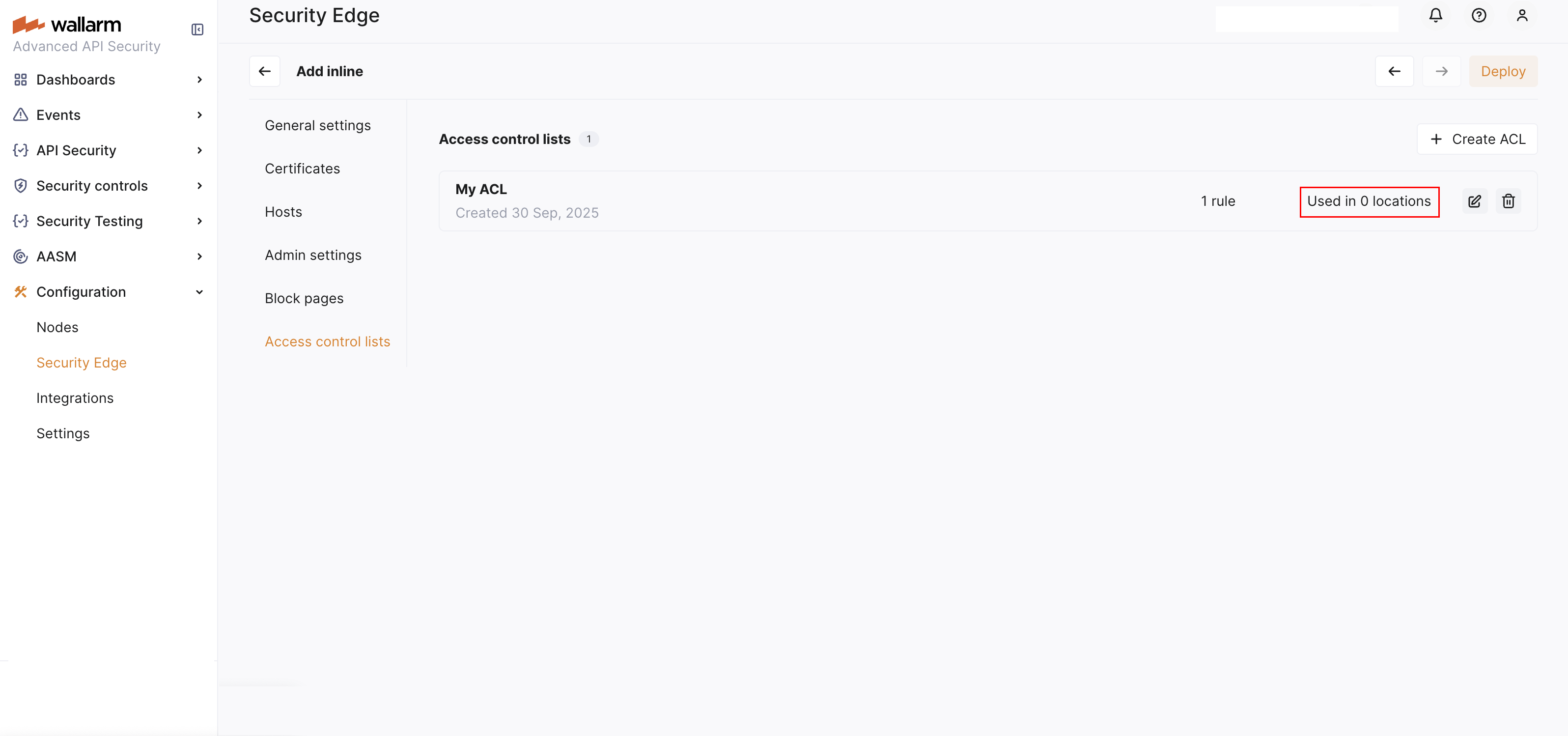
## Assigning an ACL to protect hosts and locations
You can assign an ACL either during or after Edge Node deployment.
1. Go to Wallarm Console → **Security Edge** → **Inline** → **Configure** → **Hosts**.
1. Under "Access control list (ACL)", select the desired ACL.
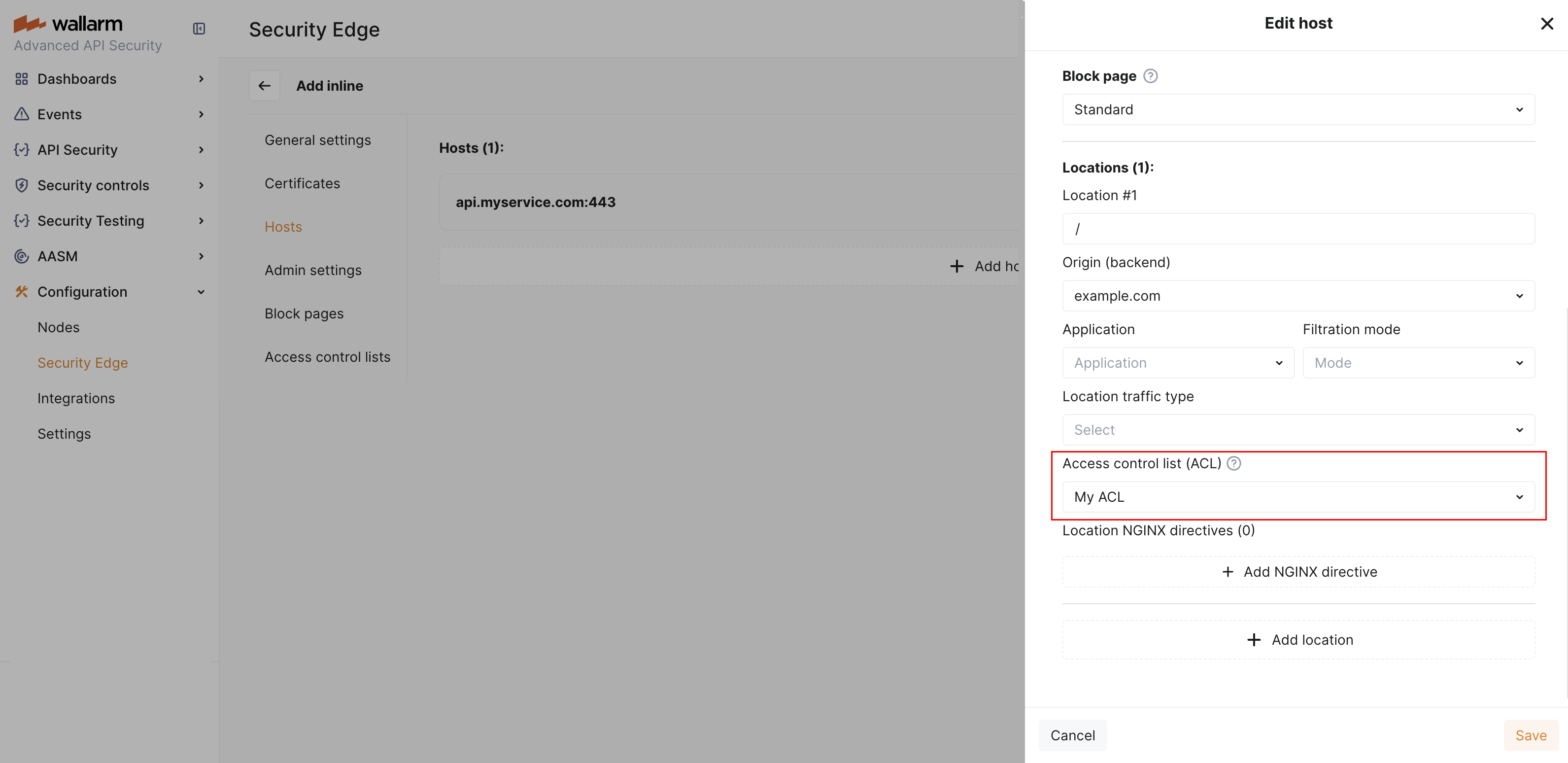
## ACL and IP list evaluation order
An IP must pass both the ACL and [IP list](https://docs.wallarm.com/user-guides/ip-lists/overview.md) evaluations to access protected endpoints. ACLs are always processed first and take precedence over IP list decisions.
When both ACLs and IP lists (allowlist, denylist, graylist) are configured, each incoming request is evaluated in two sequential stages:
**Stage 1: ACL evaluation**
The ACL determines whether the request is allowed to proceed.
If the ACL denies the request, evaluation stops — the request is blocked regardless of IP list entries.
**Stage 2: IP list evaluation**
If the request passes the ACL, the IP list is applied.
The denylist still takes precedence and will block the request even if it passed ACL evaluation.
ACL evaluation| IP list evaluation| Final result
--- | ---- | ----
Allow | Allow | Request allowed
Deny | Allow | Request blocked
Allow | Deny | Request blocked
---
## https://docs.wallarm.com/installation/security-edge/inline/cache-rules/
# Cache Rules in Security Edge Inline
Cache rules are settings that define how the Security Edge Inline node stores and reuses responses from specific hosts and locations.
When cache rules are configured, the system stores and reuses responses to frequent requests instead of reprocessing them. This reduces load on your backend servers, lowers response times, and improves user experience — especially for endpoints that return the same data repeatedly (e.g., configuration files or static content).
Cache rules give you fine-grained control over caching by defining:
* Which hosts and locations to cache
* How long responses stay in the cache (TTL)
* Memory limits and size estimates for better resource management
## Requirements
Cache rules are supported starting from Edge Node version 6.6.1.
## Cache processing details
* Automatic cleanup of unused data: cached responses that have not been used for 30 minutes are automatically removed from memory.
* Maximum cache size per location: by default, each location has a maximum cache size of 1 GiB. When this limit is reached, older cached responses are automatically removed to make room for new ones.
* Serving stale responses during updates: when a cached response is being refreshed (e.g., after its TTL has expired), the system temporarily serves the previous (stale) cached version of the response.
This ensures that users continue to receive responses without delays while the cache is updated in the background. Once the new response is fetched, it replaces the old one in the cache automatically.
* Cache revalidation: the system does not immediately delete a cached response after its TTL expires. Instead, it checks with the backend to see if the data has changed. This process is called revalidation. If the backend confirms that the data is still the same, the cached response continues to be used. If the data has changed, the cache is refreshed.
This check happens automatically via conditional GET requests that use the `If-Modified-Since` and `If-None-Match` HTTP headers.
## Creating a cache rule
You can add cache rules during or after Edge Node deployment.
1. Go to Wallarm Console → **Security Edge** → **Inline** → **Configure** → **Cache rules** and click **Add cache rule**.
1. In the dropdown lists, select the host and location the rule will apply to.
1. Under **TTL (seconds)**, specify how long to store each cached response (e.g., `3600`).
Use shorter TTLs for locations with frequently changing data and longer TTLs for static or rarely updated content.
1. Click **Add cache rule**.
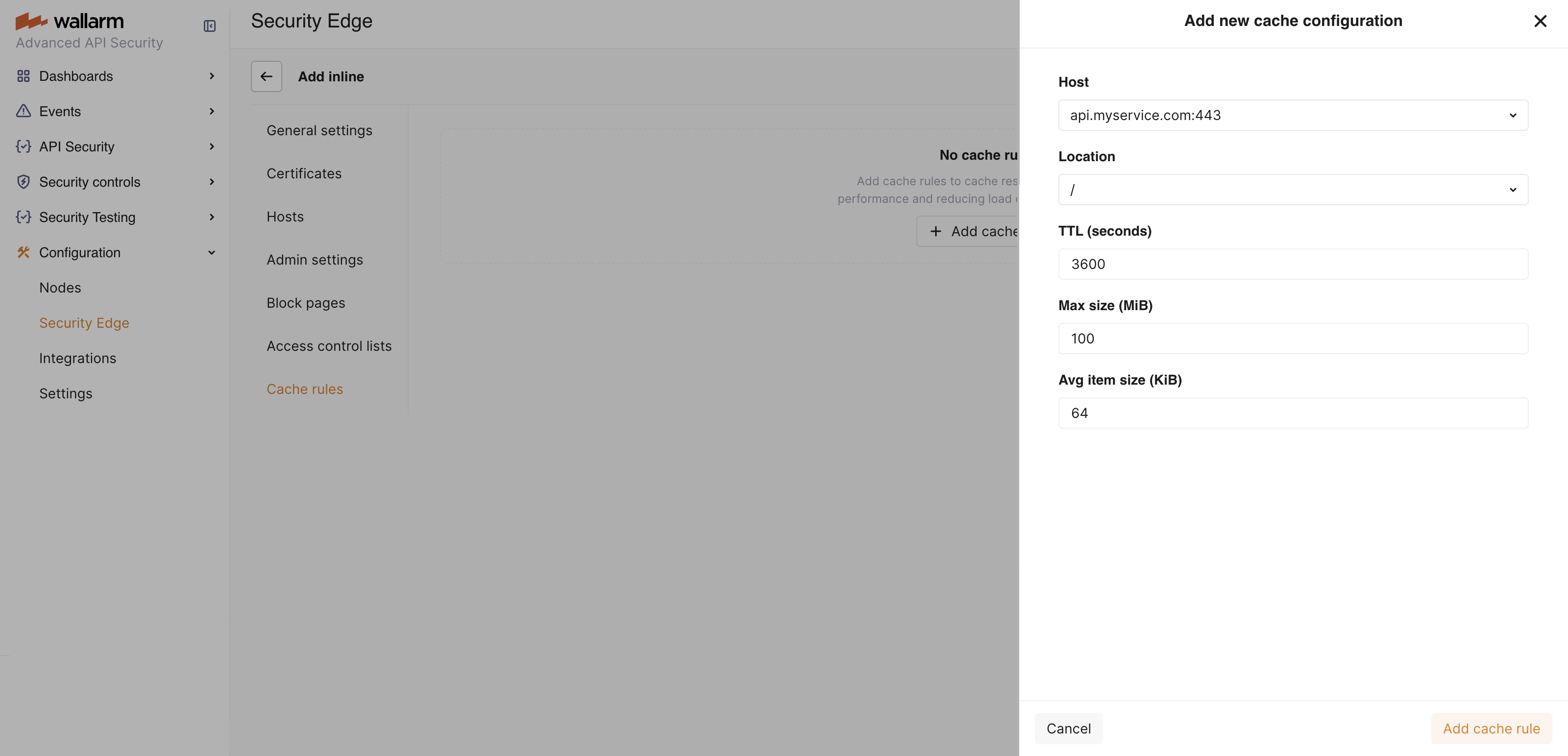
The added rule appears in the list of cache rules and is automatically activated.
## Clearing a cache rule
Clearing a cache rule removes all cached responses for this rule without deleting or deactivating it.
It is useful in the following situations:
* Backend data has changed, and users need to immediately receive fresh responses instead of outdated cached ones.
* Host or location behavior has changed (e.g., a new API version or an updated response format).
* You need to temporarily free up cache memory without changing rule settings.
After clearing, new responses are cached again automatically as matching requests arrive.
1. Go to Wallarm Console → **Security Edge** → **Inline** → **Configure** → **Cache rules**.
1. Click the  icon next to the rule you want to clear, and then click **Clear**.
## Deactivating a cache rule
If you no longer need a cache rule, you can deactivate it temporarily and activate it again later.
1. Go to Wallarm Console → **Security Edge** → **Inline** → **Configure** → **Cache rules**.
1. Under **Active**, toggle off the rule you want to deactivate.
## Deleting a cache rule
If you no longer need a cache rule permanently, you can delete it. To use the same configuration later, you will need to recreate the rule.
1. Go to Wallarm Console → **Security Edge** → **Inline** → **Configure** → **Cache rules**.
1. Click the  icon next to the rule you want to delete, and then click **Delete**.
---
## https://docs.wallarm.com/installation/security-edge/inline/custom-block-page/
# Block Page in Security Edge Inline
When the Security Edge Inline Node blocks a malicious request, it returns a block page along with an HTTP 403 Forbidden response. You can choose from 3 types of block pages:
* Standard - the default NGINX 403 Forbidden page (selected by default)
* Wallarm page - a Wallarm-branded page with blocked request details and HTTP 403
* Custom - your own uploaded HTML page
## Requirements
* Wallarm block page is supported starting from Edge Node version 5.3.16.
* Custom block page is supported starting from Edge Node version 6.5.0-2.
## Enabling the Wallarm block page
The Wallarm-branded block page provides a user-friendly message that the request was blocked:
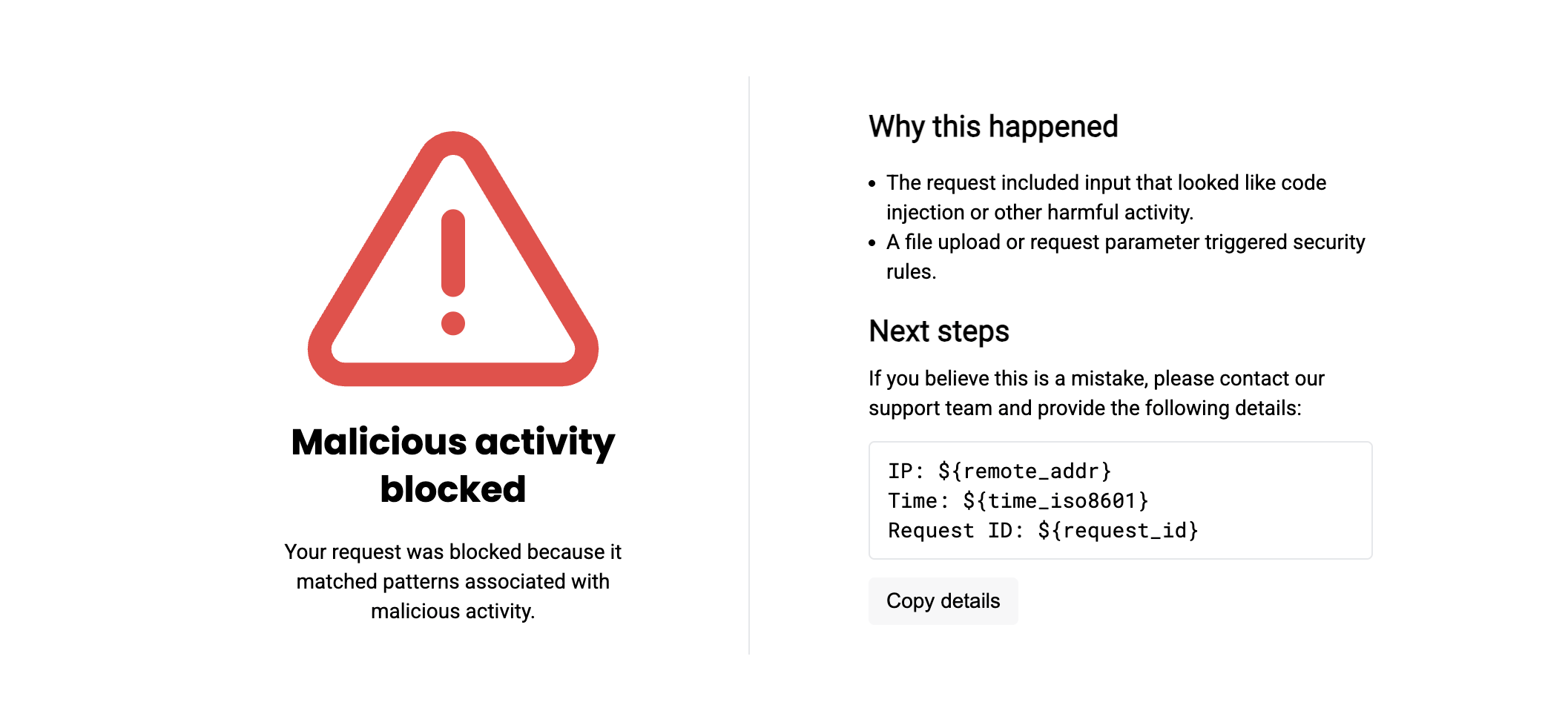
This page is preloaded. You can enable it without uploading anything.
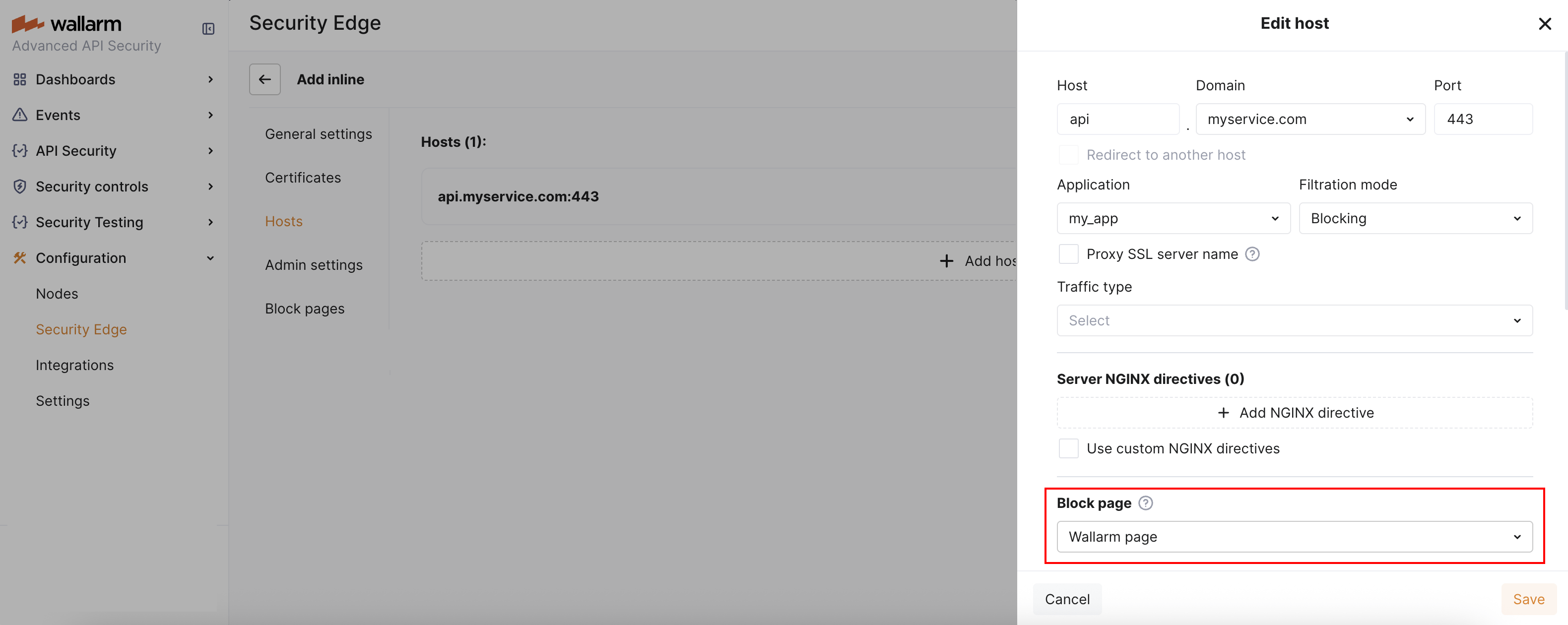
## Enabling a custom block page
To enable a custom block page, first upload it and then select it during or after Edge Node deployment.
1. Go to Wallarm Console → **Security Edge** → **Inline** → **Configure** → **Block pages**.
1. Upload your custom file. It must:
* Be a single HTML or JSON file (maximum size: 1 MB, UTF-8 encoded).
* Contain only inline CSS and embedded images.
* Not rely on relative or external image paths (they may not work).
If you do not have a file, you can download the Wallarm block page as a starting point and then customize it.
To make the block page more informative, you can use the following NGINX variables. These will be automatically replaced with actual values when the block page is rendered:
* `$request_id` - a unique identifier of the blocked HTTP request.
* `$http_host` - the API hostname the client was trying to access.
* `$remote_addr` - the IP address from which the HTTP request originated.
1. The uploaded page appears in the list. You can preview it to confirm it renders correctly.
1. To enable the custom page, go to the **Hosts** section. Under "Block page", select "Custom" and choose the name of the uploaded page.
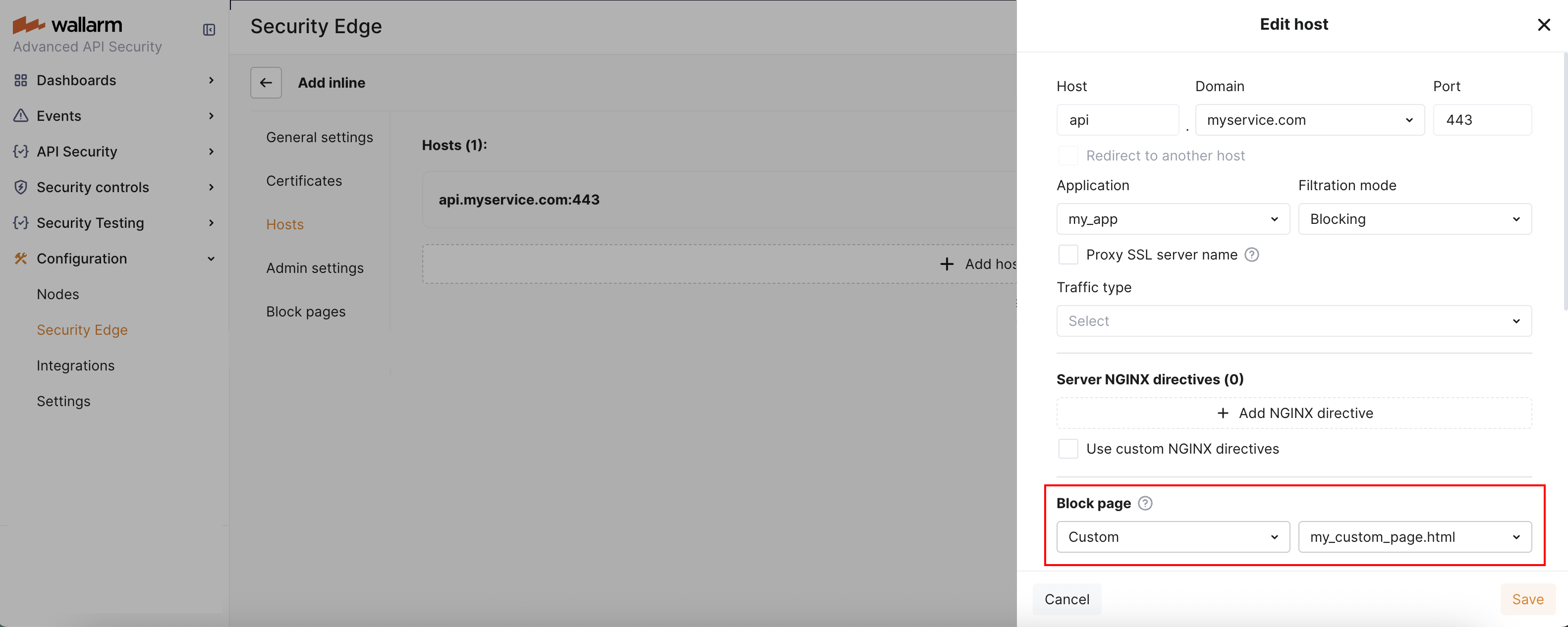
## Deleting a custom block page
1. To delete a custom block page currently assigned to a host, go to the **Hosts** section and select a different block page for that host (e.g., standard or Wallarm).
1. Once the custom block page is no longer in use, you can delete it in the **Block pages** section.
---
## https://docs.wallarm.com/installation/security-edge/inline/host-redirection/
# Host Redirection in Security Edge Inline
Wallarm [Security Edge Inline](https://docs.wallarm.com/installation/security-edge/inline/deployment.md) provides a host redirection feature to help you unify traffic entry points.
## How it works
When host redirection is enabled, the Edge Node automatically redirects client requests from one host (the **redirecting host**) to another (the **target host**).
The redirected request is then processed according to the configuration - including origin, filtration mode, and other settings - of the target host.
!!! info "TLS requirement"
The DNS zone of the target host must have [certificate issuance enabled](https://docs.wallarm.com/installation/security-edge/inline/deployment.md#6-certificate-cname-configuration).
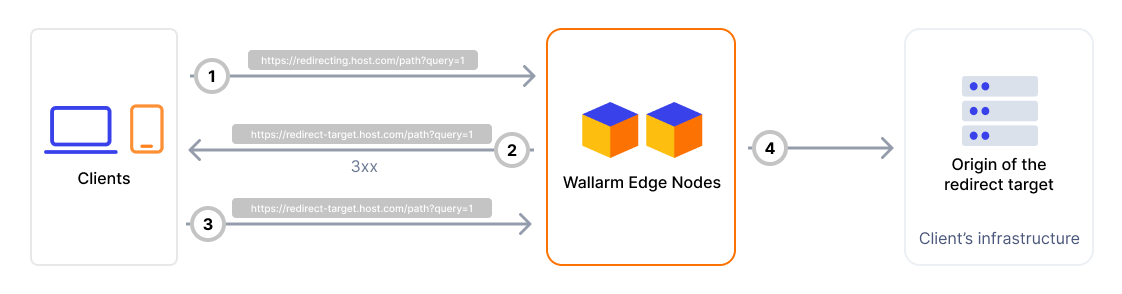
The Edge Node responds to incoming requests on the redirecting host with an HTTP 301 or 302 redirect, instructing the client to request the same resource on the target host.
The original path and query string are preserved while redirecting requests.
## Enabling host redirection
To enable host redirection:
1. Add the target [host](https://docs.wallarm.com/installation/security-edge/inline/deployment.md#4-hosts) - the host to which client requests will be redirected.
1. Fully configure it with the required origin, filtration mode, and other necessary settings.
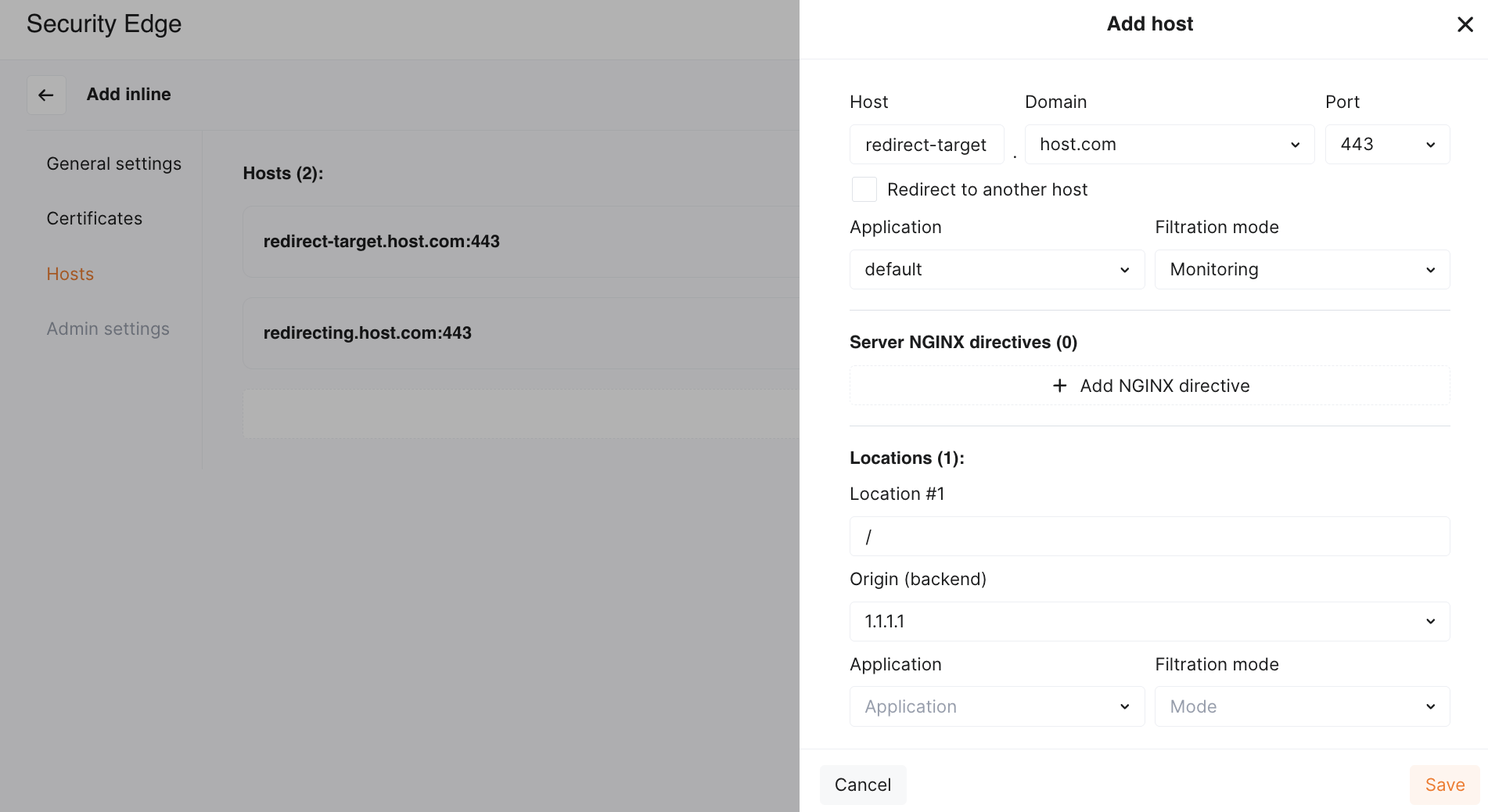
1. Add the redirecting host - the host from which users will be redirected.
1. Enable the **Redirect to another host** checkbox and select the target host from the list.
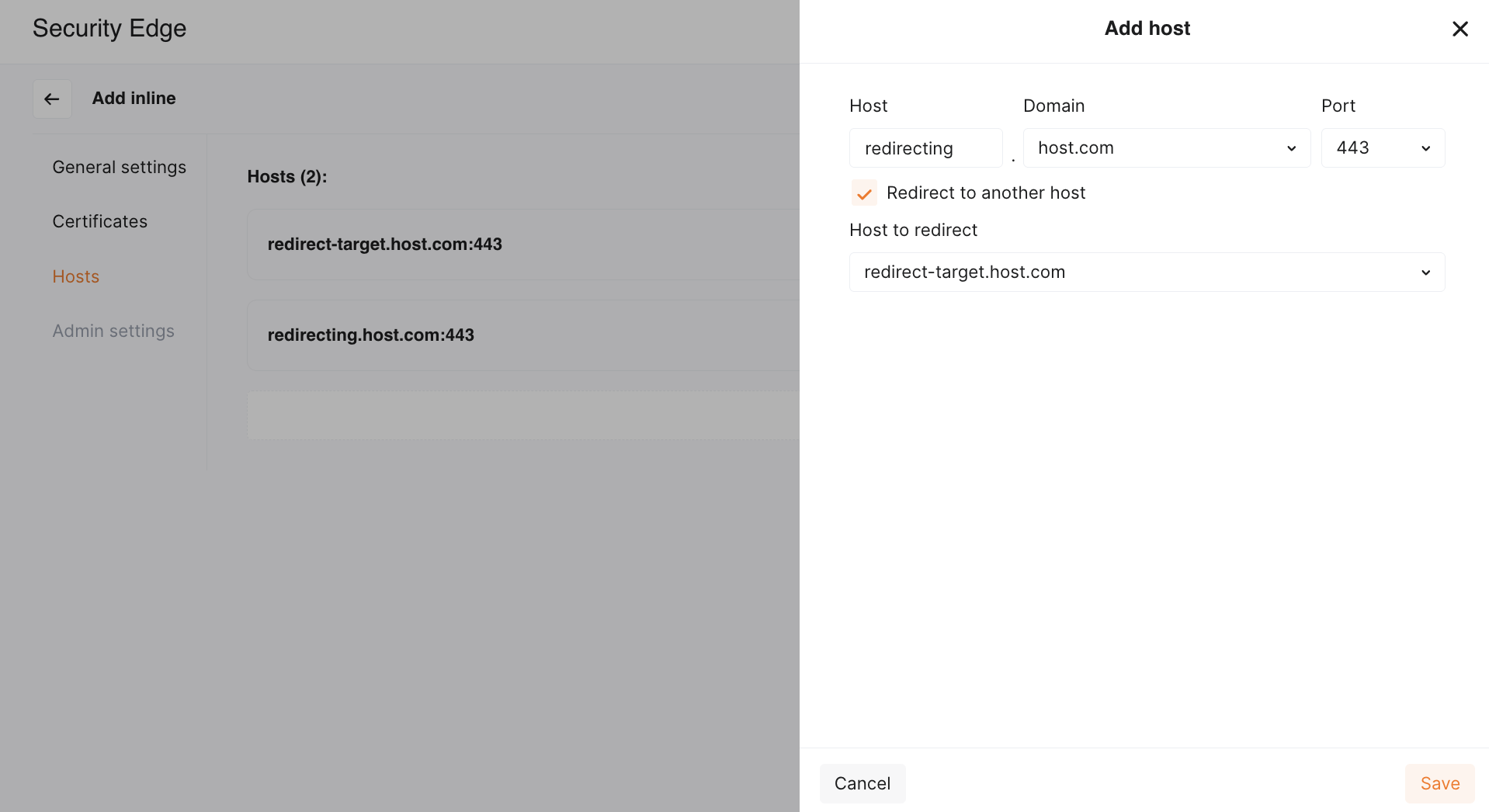
No origin is required for the redirecting host - it only returns an HTTPS redirect and does not proxy traffic.
## Examples
Below are some common use cases where host redirection is useful.
### Recommended: redirect from apex domain to `www.*`
* Redirecting host: `example.com`
* Protected host: `www.example.com`
To securely handle traffic to your apex domain, we recommend using a subdomain like `www.example.com` as the primary protected host whenever possible.
This approach allows Wallarm to manage traffic routing across multiple regions and cloud providers using a global CNAME, eliminating the need for [multiple A records](https://docs.wallarm.com/installation/security-edge/inline/deployment.md#a-records) and manual traffic distribution.
Configuration steps:
1. Add the [host](https://docs.wallarm.com/installation/security-edge/inline/deployment.md#4-hosts) `www.example.com` to Security Edge and configure it fully (origin, mode, etc.).
1. Add the host `example.com` as a separate host and enable redirection to `www.example.com`.
### Legacy API endpoint redirect
* Old host: `old-api.customer.com`
* New protected host: `new-api.customer.com`
If your API was previously available at `old-api.customer.com` but has moved to `new-api.customer.com`, use host redirection to ensure backward compatibility.
Configuration steps:
1. Add the [host](https://docs.wallarm.com/installation/security-edge/inline/deployment.md#4-hosts) `new-api.customer.com` to Security Edge and configure it fully (origin, mode, etc.).
1. Add the host `old-api.customer.com` as a separate host and enable redirection to `new-api.customer.com`.
---
## https://docs.wallarm.com/installation/security-edge/inline/mtls/
# mTLS for Edge Node to Origins
Mutual TLS (mTLS) allows the Wallarm Edge Node to authenticate itself to your origin servers using a client certificate. This ensures that your origins accept requests only from trusted sources.
When [configuring Security Edge](https://docs.wallarm.com/installation/security-edge/inline/deployment.md), you can generate and upload client certificates for the Edge Nodes.
!!! info "Version requirements"
mTLS is supported starting from [Edge Node version](https://docs.wallarm.com/installation/security-edge/inline/upgrade-and-management.md#upgrading-the-edge-inline) 5.3.14-200.
## How it works
When mTLS is enabled for an origin:
1. Before forwarding filtered traffic to your origin, the Edge Node presents a client certificate during the TLS handshake.
1. The origin verifies the certificate against a trusted CA (Certificate Authority) bundle.
1. If the certificate is valid and matches the expected parameters (e.g., Common Name or Subject Alternative Name), the connection is established and the request is accepted.
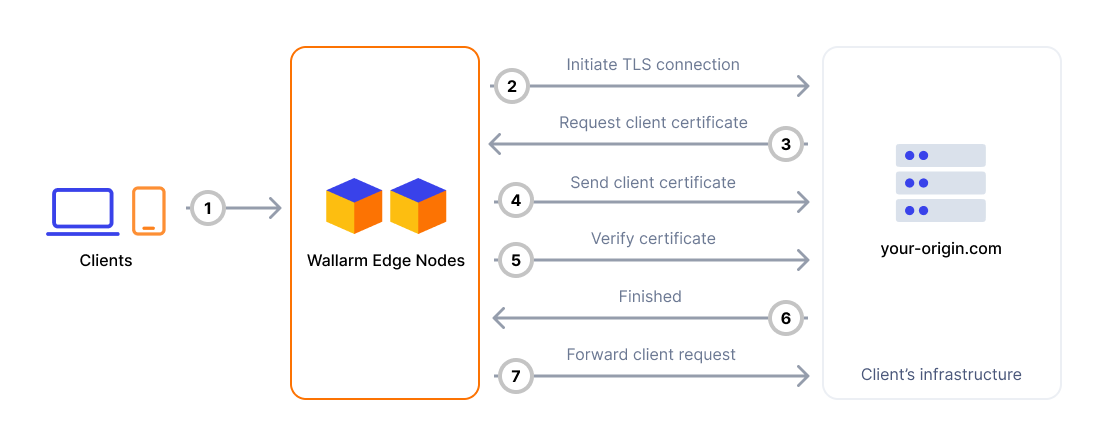
## Enabling mTLS
You can upload multiple certificates and assign different ones to different origins.
1. Generate a client certificate and private key pair, signed by a trusted CA. They must meet the following requirements:
* **Client certificate**: X.509, PEM format.
Must include the `Extended Key Usage (EKU)` extension set to `Client Authentication`.
* **Private key**: PEM format, must correspond to the client certificate.
* **CA bundle**: PEM format, must include the issuing certificate authority for the client certificate.
* **Signature algorithm**: RSA, ED25519, ECDSA with the secp256r1, secp384r1, and secp521r1 curves.
1. In Wallarm Console → **Security Edge** → **Configure**, under **General settings**, upload the certificate, private key, and CA bundle.
1. In the **Origins** section, enable **Require mTLS from Edge Node** for the relevant origin and select the appropriate certificate.
Each origin can use a different certificate if needed.
1. **Save** the settings.
1. Configure your origin to require mTLS for incoming connections. Trust the CA bundle used to issue the client certificate.
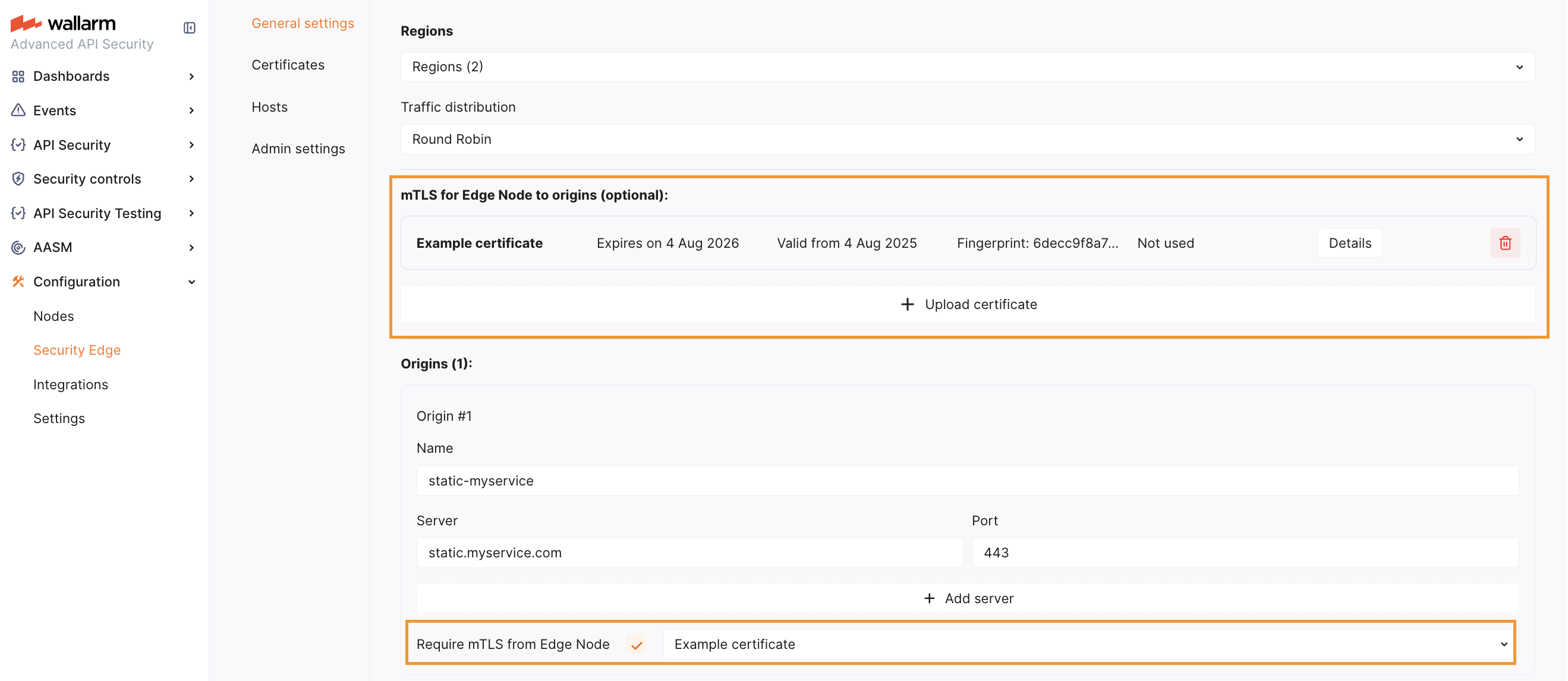
---
## https://docs.wallarm.com/installation/security-edge/inline/multi-region/
# Multi-Cloud and Multi-Region Deployment of Security Edge Inline
You can deploy the inline Edge Nodes across multiple regions and cloud providers to achieve geo‑redundancy and low latency.
When [configuring Security Edge](https://docs.wallarm.com/installation/security-edge/inline/deployment.md), you can select one or more regions across the supported cloud providers - **AWS** and **Azure**.
## Multi-region deployment
When selecting multiple regions within a single cloud provider, traffic is routed based on latency - each request goes to the nearest available region.
This is the most common setup, recommended when you serve requests from multiple locations.
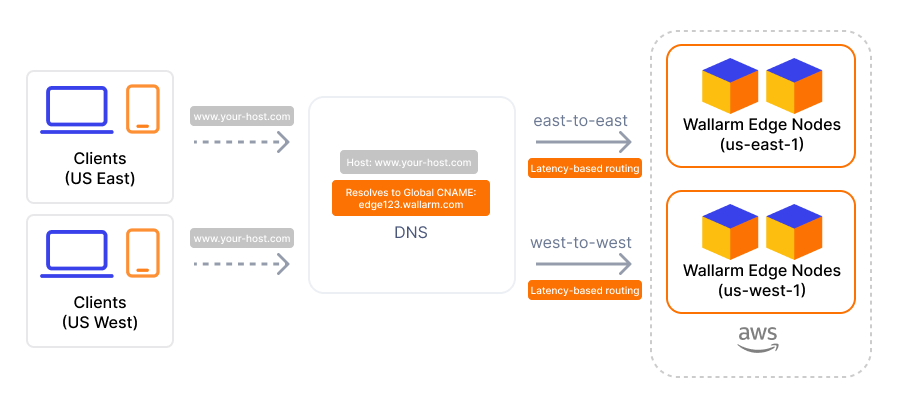
Available regions depend on your [Wallarm Cloud](https://docs.wallarm.com/about-wallarm/api-security-overview.md#cloud) (US → US regions, EU → EU regions and UAE North).
## Multi-cloud deployment
When multiple regions across different cloud providers are selected, all requests are distributed across the selected regions and providers using a **[round‑robin](https://en.wikipedia.org/wiki/Round-robin_DNS)** strategy, regardless of latency.
This setup is recommended in the following cases:
* Cloud provider redundancy - traffic is distributed across all selected providers, ensuring that if one becomes unavailable (e.g., AWS), others (e.g., Azure) continue handling traffic without disruption.
* Regional high availability - for example, selecting both `AWS US East 1` and `Azure East US` ensures traffic remains balanced across regions, and service continues even if one region or provider becomes unavailable.
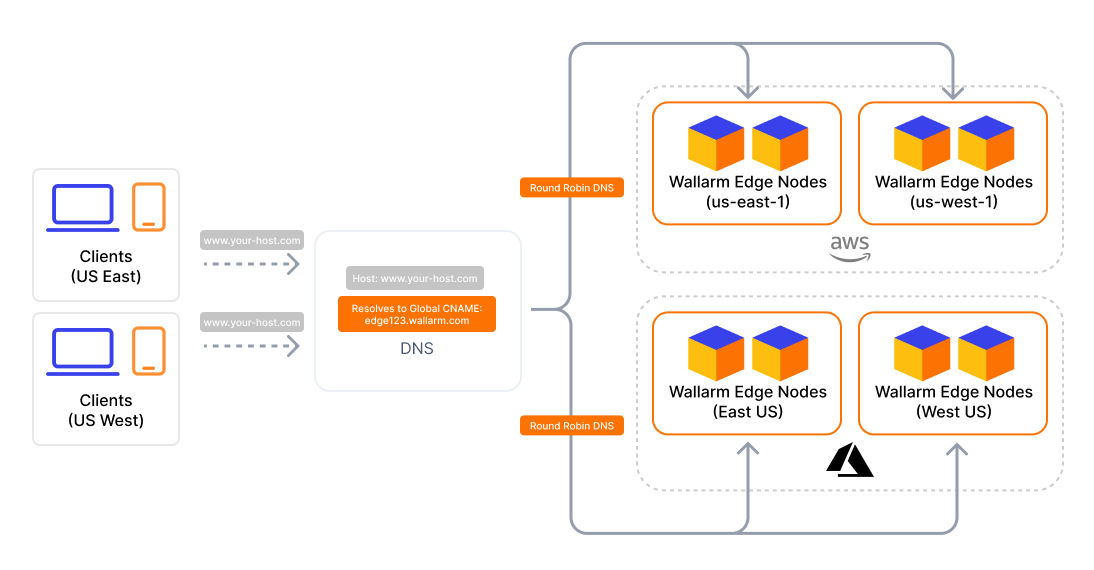
## Wallarm IP ranges for origin access
We recommend securing connections from Security Edge to your origins with [mTLS](https://docs.wallarm.com/installation/security-edge/inline/mtls.md). This avoids the need to update IP allowlists when Wallarm IPs change.
If mTLS cannot be used, allow incoming traffic from the Wallarm IP addresses of the selected regions:
* AWS
**US East 1 (N. Virginia):**
```
18.215.213.205
44.214.56.120
44.196.111.152
```
**US East 2 (Ohio):**
```
3.148.62.175
18.224.237.190
3.20.55.107
3.135.4.73
3.142.190.180
3.15.129.1
18.116.243.148
18.116.233.194
```
**US West 1:**
```
52.8.91.20
13.56.117.139
54.177.237.34
50.18.177.184
```
**EU Central 1 (Frankfurt):**
```
18.153.123.2
18.195.202.193
3.76.66.246
3.79.213.212
```
**EU Central 2 (Zurich):**
```
51.96.131.55
16.63.191.19
51.34.0.90
51.96.67.145
```
* Azure
**East US 2:**
```
20.65.88.253
20.65.88.252
```
**Switzerland North:**
```
20.203.240.193
20.203.240.192
```
**UAE North:**
```
20.74.249.13
20.74.249.12
```
## CNAME records
If your protected host is a third-level (or higher-level) domain (e.g., `api.example.com`), you need to [specify the CNAME record pointing to the Wallarm‑provided FQDN in your DNS zone](https://docs.wallarm.com/installation/security-edge/inline/deployment.md#7-routing-traffic-to-the-edge-node). This record is returned as the **Traffic CNAME**.
* Single cloud deployment: use the **Traffic CNAME for the selected cloud provider**.
* Multi-cloud deployment: use the **Traffic CNAME (Global)** to automatically distribute traffic across all selected regions and providers.
Per-provider CNAMEs are also available if you need to enforce routing to a specific provider - for example, to test latency or performance across providers.
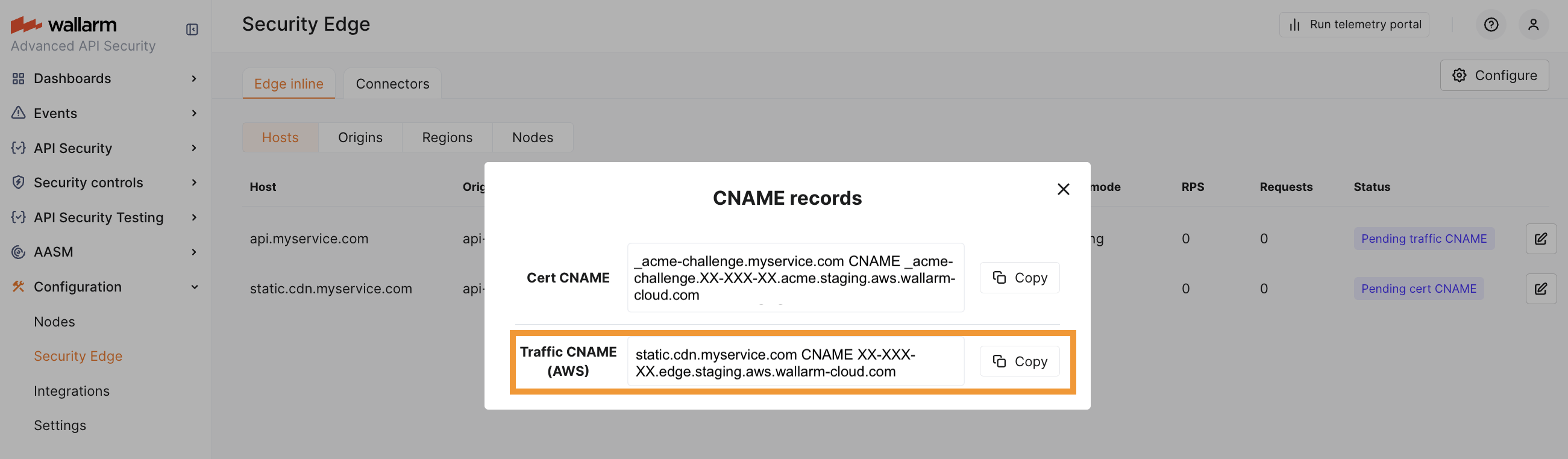
## A records
If your protected host is an apex domain (e.g., `example.com`), a CNAME cannot be used. In this case, the DNS setup must use **A records**, which are returned once the deployment becomes [**Active**](https://docs.wallarm.com/installation/security-edge/inline/upgrade-and-management.md#statuses).
If you have selected multiple regions or providers for Edge Node deployment, you need to configure all returned A records in your DNS zone.
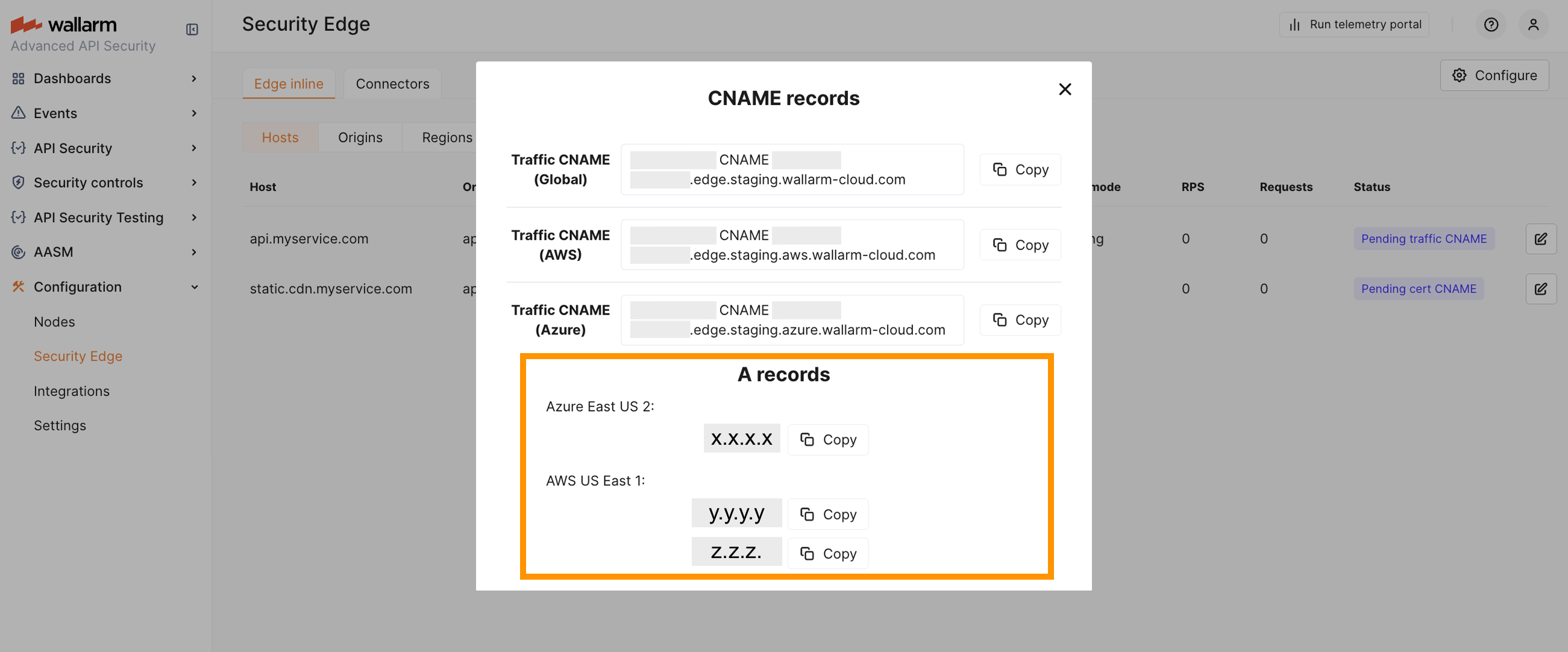
Traffic routing in this case is managed by your DNS provider. By default, most DNS providers use [round-robin](https://en.wikipedia.org/wiki/Round-robin_DNS) logic, but some may support latency-based routing as well.
## Removing a cloud provider or a region
* Before removing a cloud provider, switch your DNS setup to use the [Traffic CNAME of the remaining provider](#cname-records).
When a cloud provider is removed, its **Traffic CNAME** is deleted.
If only one provider remains, the **Traffic CNAME (Global)** is also removed and becomes unavailable.
* Before removing a region, update your [A records](#a-records) accordingly.
If a region is removed, the associated A records will no longer be available.
---
## https://docs.wallarm.com/installation/security-edge/inline/nginx-overrides/
# Security Edge Inline NGINX Overrides
Security Edge Inline supports overriding NGINX directives at the host (server) and location levels. These overrides let you fine-tune performance and request handling for your application.
!!! info "Unsupported directives"
If you require additional directives not supported by default, contact support@wallarm.com.
## Server-level directives
The following NGINX directives can be customized for each host (server block):
| Directive | Description | Default |
| --------- | ----------- | ------- |
| `proxy_buffer_size` | Buffer size for reading the first part of the response. [More details](https://nginx.org/en/docs/http/ngx_http_proxy_module.html#proxy_buffer_size) | `4k` |
| `proxy_buffers`| Number and size of buffers for a response. [More details](https://nginx.org/en/docs/http/ngx_http_proxy_module.html#proxy_buffers) | `8 8k` |
| `proxy_busy_buffers_size` | Max size of buffers for busy connections. [More details](https://nginx.org/en/docs/http/ngx_http_proxy_module.html#proxy_busy_buffers_size) | `8k` |
| `proxy_read_timeout` | Timeout for reading response from the origin server. [More details](https://nginx.org/en/docs/http/ngx_http_proxy_module.html#proxy_read_timeout) | `60s` |
| `proxy_request_buffering` | Enable/disable buffering of request body. [More details](https://nginx.org/en/docs/http/ngx_http_proxy_module.html#proxy_request_buffering) | `on` |
| `proxy_send_timeout` | Timeout for transmitting request to the origin. [More details](https://nginx.org/en/docs/http/ngx_http_proxy_module.html#proxy_send_timeout) | `60s` |
| `client_max_body_size` | Maximum request body size. [More details](https://nginx.org/en/docs/http/ngx_http_core_module.html#client_max_body_size) | `1m` |
| `large_client_header_buffers` | Number and size of buffers for large headers. [More details](https://nginx.org/en/docs/http/ngx_http_core_module.html#large_client_header_buffers) | `4 8k` |
| `proxy_ssl_name` and `proxy_ssl_server_name` | Allows passing the host name through TLS SNI when connecting to the origin via HTTPS. [More details](https://nginx.org/en/docs/http/ngx_http_proxy_module.html#proxy_ssl_name)
Manage the [Security Edge Inline](https://docs.wallarm.com/installation/security-edge/inline/overview.md) deployment from the Wallarm Console by updating configuration settings, upgrading Node versions, monitoring status, and deleting the deployment.
## Statuses
The Edge Node section provides real-time statuses of the deployment and configuration state for your origins, hosts, and regions:
**Hosts:**
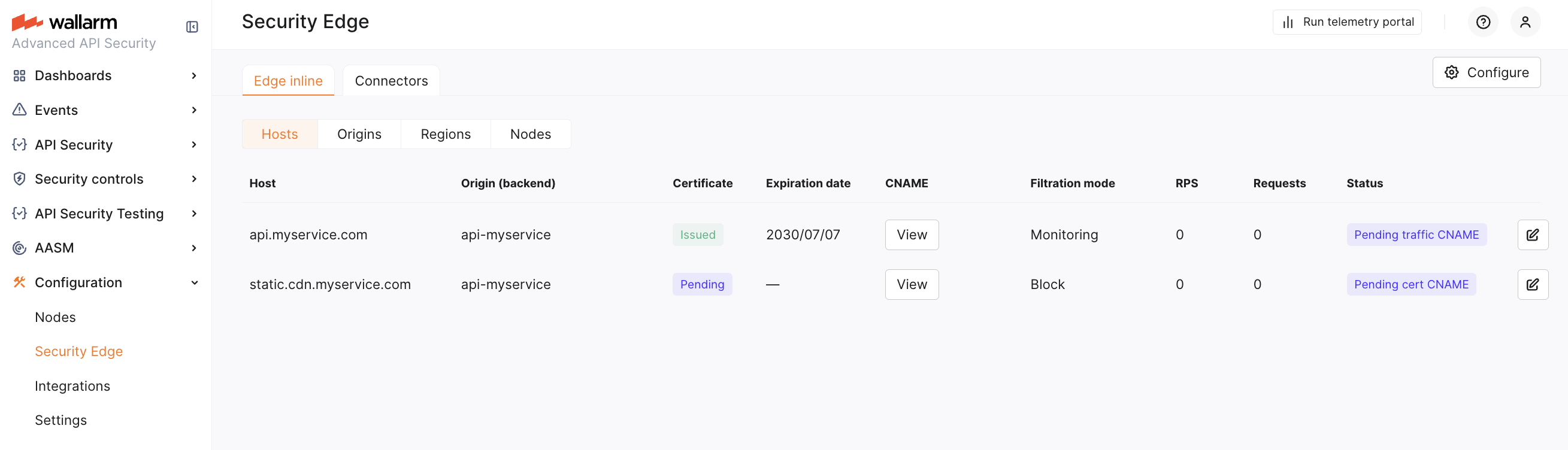
**Origins:**
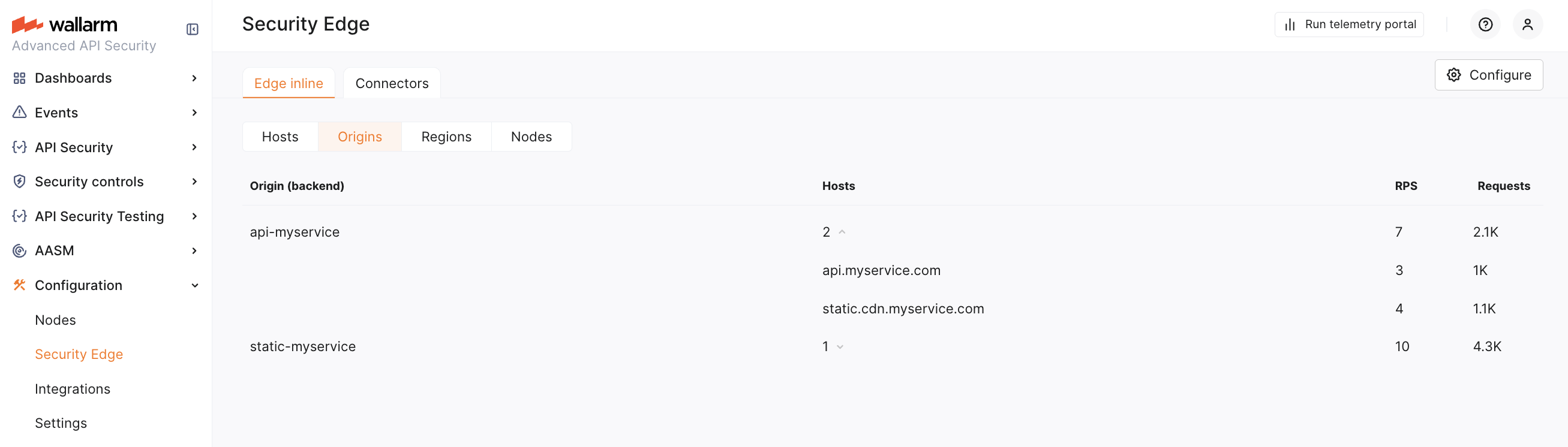
**Regions:**
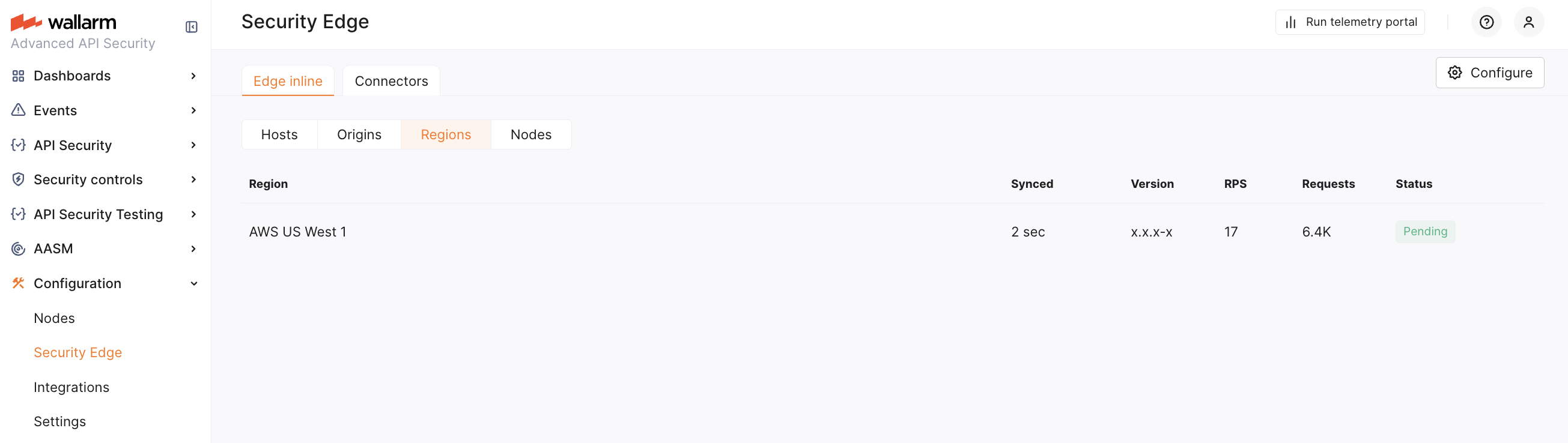
**Nodes:**
The **Nodes** tab provides technical details for each Edge Node. This view is primarily for Wallarm Support to assist in troubleshooting. The number of Nodes depends on traffic demand and is managed automatically by Wallarm's autoscaling.
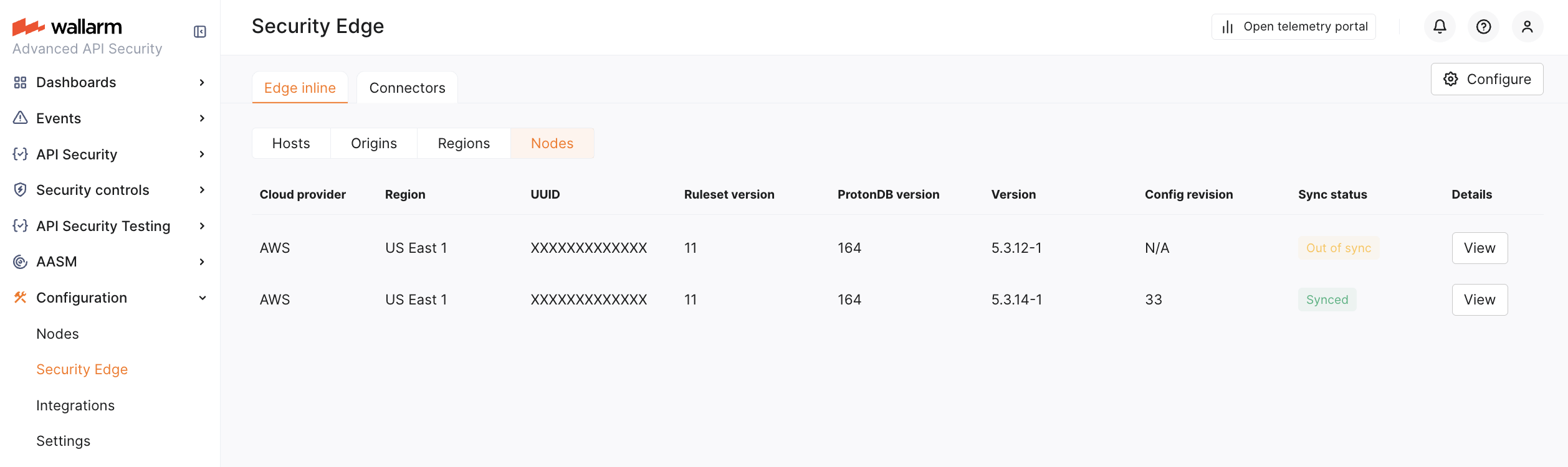
* **Pending cert CNAME**: Waiting for the [certificate CNAME records](https://docs.wallarm.com/installation/security-edge/inline/deployment.md#6-certificate-cname-configuration) to be added to DNS for certificate issuance (if applicable).
* **Pending traffic CNAME** or **Pending traffic A record**: The deployment is complete, awaiting the addition of the [traffic CNAME or A record](https://docs.wallarm.com/installation/security-edge/inline/deployment.md#7-routing-traffic-to-the-edge-node) to route traffic to the Edge Node.
* **Deploying**: The Edge Node is currently being set up and will be available soon.
* **Active**: The Edge Node is fully operational and filtering traffic as configured.
* **Cert CNAME error**: There was an issue verifying the [certificate CNAME](https://docs.wallarm.com/installation/security-edge/inline/deployment.md#6-certificate-cname-configuration) in DNS. Please check that the CNAME is correctly configured (if applicable).
* **Deployment failed**: The Edge Node deployment did not succeed, e.g. due to the certificate CNAME not added within 14 days. Check configuration settings and try to redeploy or contact the [Wallarm Support team](https://support.wallarm.com) to get help.
* **Degraded**: The Edge Node is active in the region but may have limited functionality or be experiencing minor issues. Please contact the [Wallarm Support team](https://support.wallarm.com) to get help.
RPS and request amount per hosts and origins are returned starting from the [version](https://docs.wallarm.com/updating-migrating/node-artifact-versions.md#all-in-one-installer) 5.3.0.
## Upgrading the Edge Inline
When **Auto update** is enabled in **Admin settings**, the Edge Node is automatically upgraded as soon as a new minor or patch version is released (depending on the selected option). All your initial settings are preserved. Auto update is off by default.
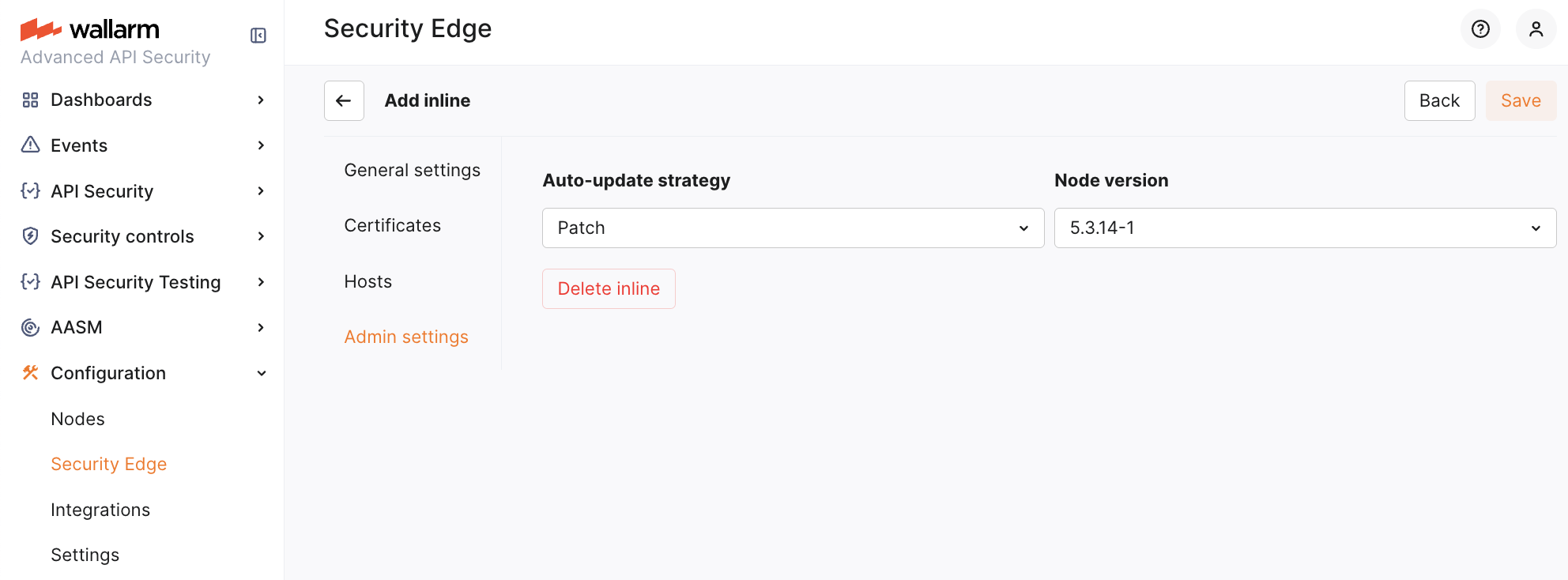
To manually upgrade the Edge Node, go to **Configure** → **Admin settings** and select a version from the list. Using the latest version is recommended for optimal performance and security.
Upgrading to a new major version can only be done manually.
* For the changelog of versions, refer to the [article](https://docs.wallarm.com/updating-migrating/node-artifact-versions.md#all-in-one-installer).
The Edge Node version follows the `
The telemetry portal for [Security Edge Inline](https://docs.wallarm.com/installation/security-edge/inline/overview.md) provides Grafana dashboards with real-time insights into metrics on traffic processed by Wallarm.
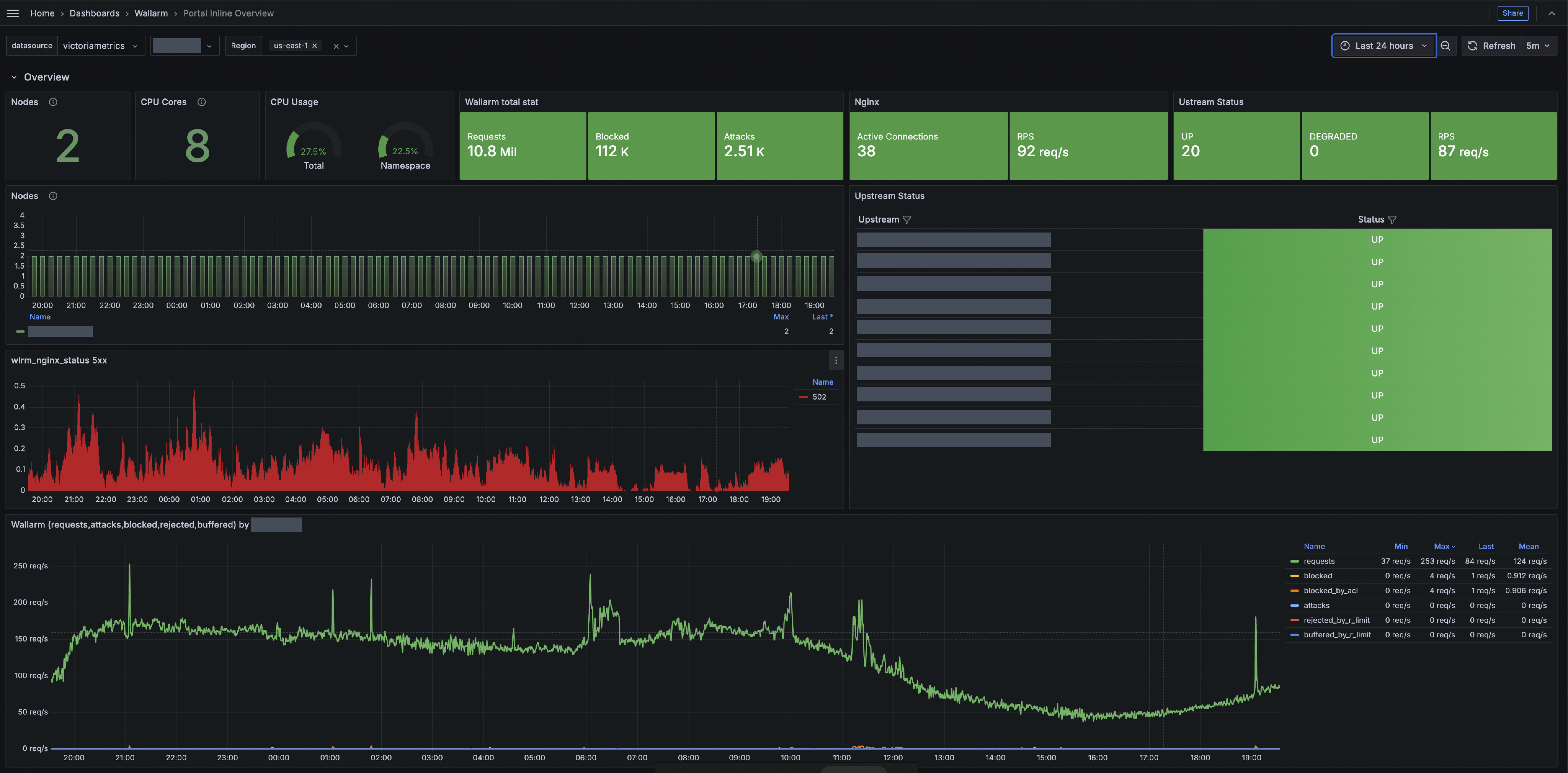
## Available dashboards
The telemetry portal includes two dashboards:
* [Portal Inline NGINX Logs](https://docs.wallarm.com/installation/security-edge/inline/telemetry-portal-logs-dashboard.md)
You can use this dashboard to inspect recent NGINX error and access logs, which helps with troubleshooting server issues and monitoring incoming requests.
* [Portal Inline Overview with Logs](https://docs.wallarm.com/installation/security-edge/inline/telemetry-portal-main-dashboard.md)
You can use this dashboard to view key metrics such as total processed requests, requests per second (RPS), detected and blocked attacks, number of deployed Edge Nodes, resource consumption, number of 5xx responses, etc.
The dashboards use standard Grafana features like [sharing](https://grafana.com/docs/grafana/latest/visualizations/dashboards/share-dashboards-panels/), [filtering](https://grafana.com/docs/grafana/latest/visualizations/dashboards/search-dashboards/), and [exporting](https://grafana.com/docs/grafana/latest/visualizations/dashboards/share-dashboards-panels/#export-a-dashboard-as-json).
!!! info "View-only permissions"
These dashboards are presented in view-only mode. In this mode, you cannot rearrange panels or edit the layout.
## Running telemetry portal
**Run telemetry portal** once the Node reaches the [**Active** status](https://docs.wallarm.com/installation/security-edge/inline/upgrade-and-management.md#statuses). It becomes accessible via a direct link from the Security Edge section about 5 minutes after starting.
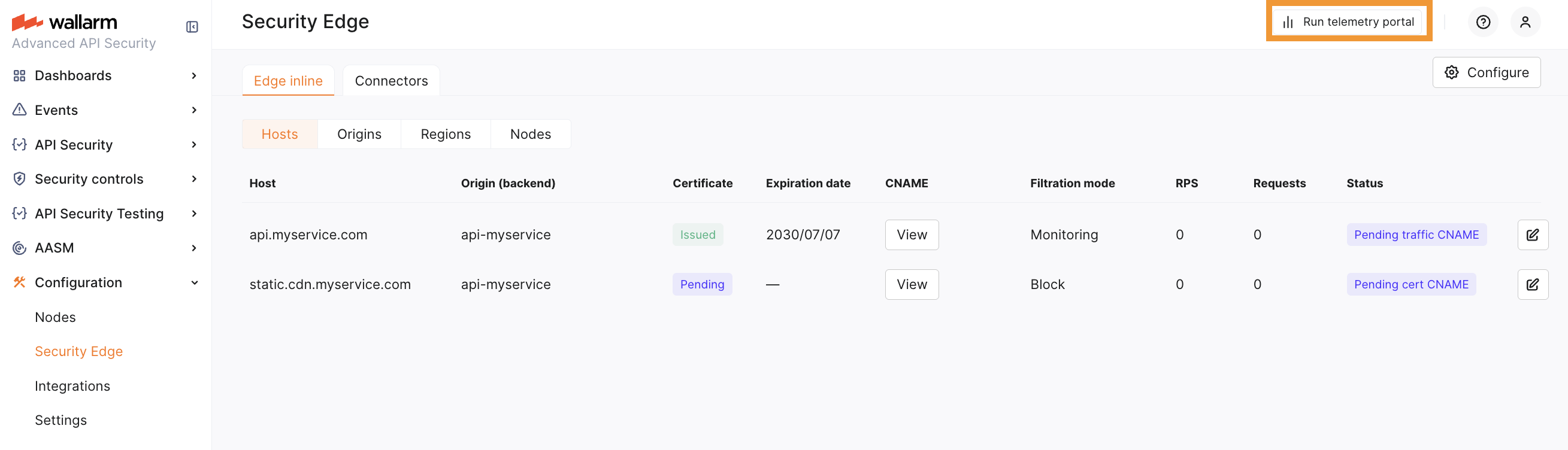
From the Grafana home page, to reach the dashboard, navigate to **Dashboards** → **Wallarm**.
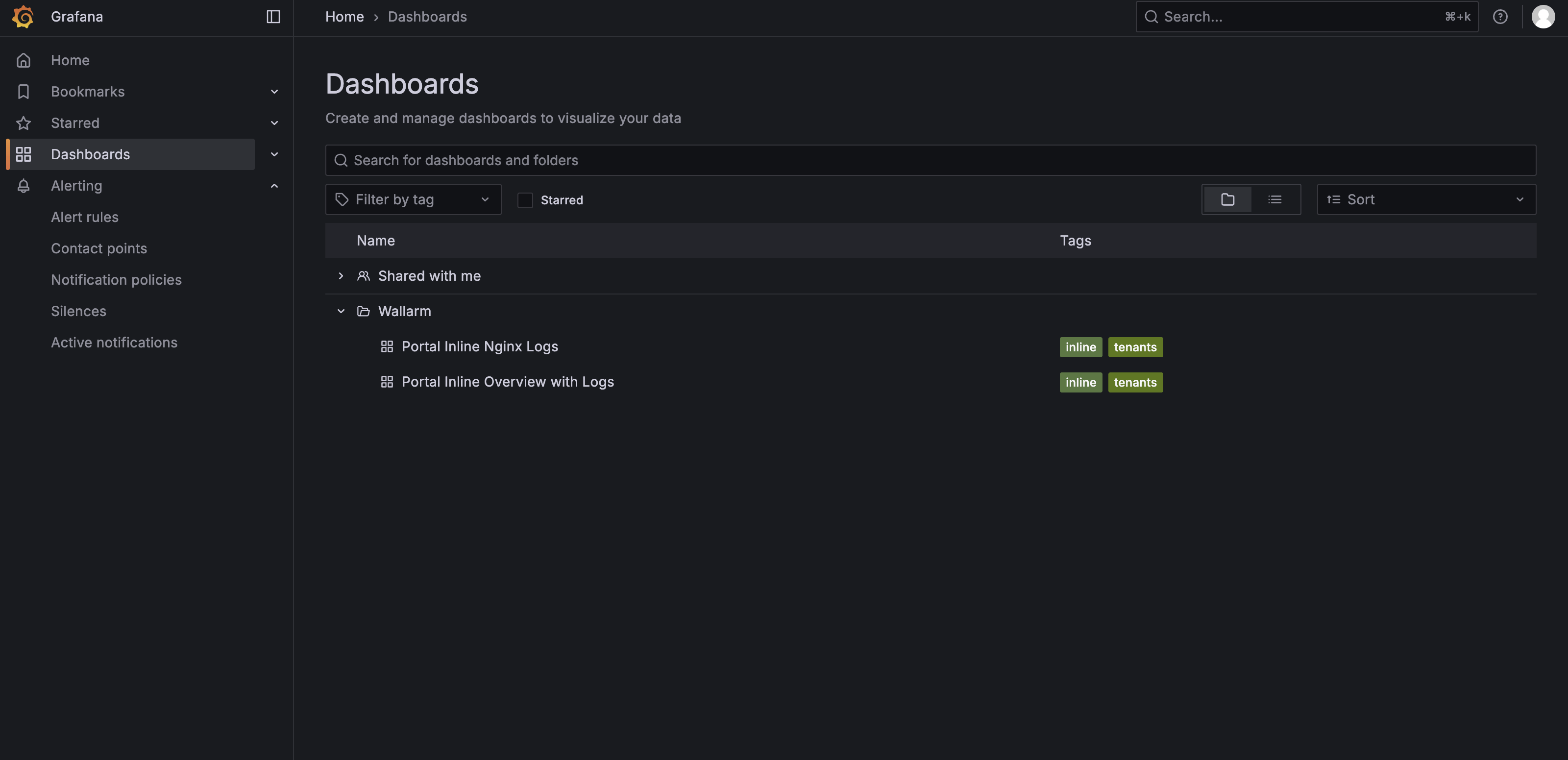
---
## https://docs.wallarm.com/installation/security-edge/inline/telemetry-portal-main-dashboard/
# Portal Inline Overview with Logs
This article describes one of the two dashboards in the [Security Edge Inline](https://docs.wallarm.com/installation/security-edge/inline/overview.md) telemetry portal, called Portal Inline Overview with Logs.
The dashboard contains the following rows:
* [Overview](#overview-row)
* [RPS Detailed](#rps-detailed-row)
* [Response Time](#response-time-row)
* [Stats from Logs](#stats-from-logs-row)
* [Node Logs](#node-logs-row)
* [Wallarm Metrics](#wallarm-metrics-row)
* [Resource Overview](#resource-overview-row)
* [Nginx Cache Status](#nginx-cache-status-row)
## Overview row
The Overview row provides a summary of the health, performance, and security activity of the Wallarm Security Edge cluster. It includes key metrics about nodes, NGINX, upstream services, and Wallarm request statistics.
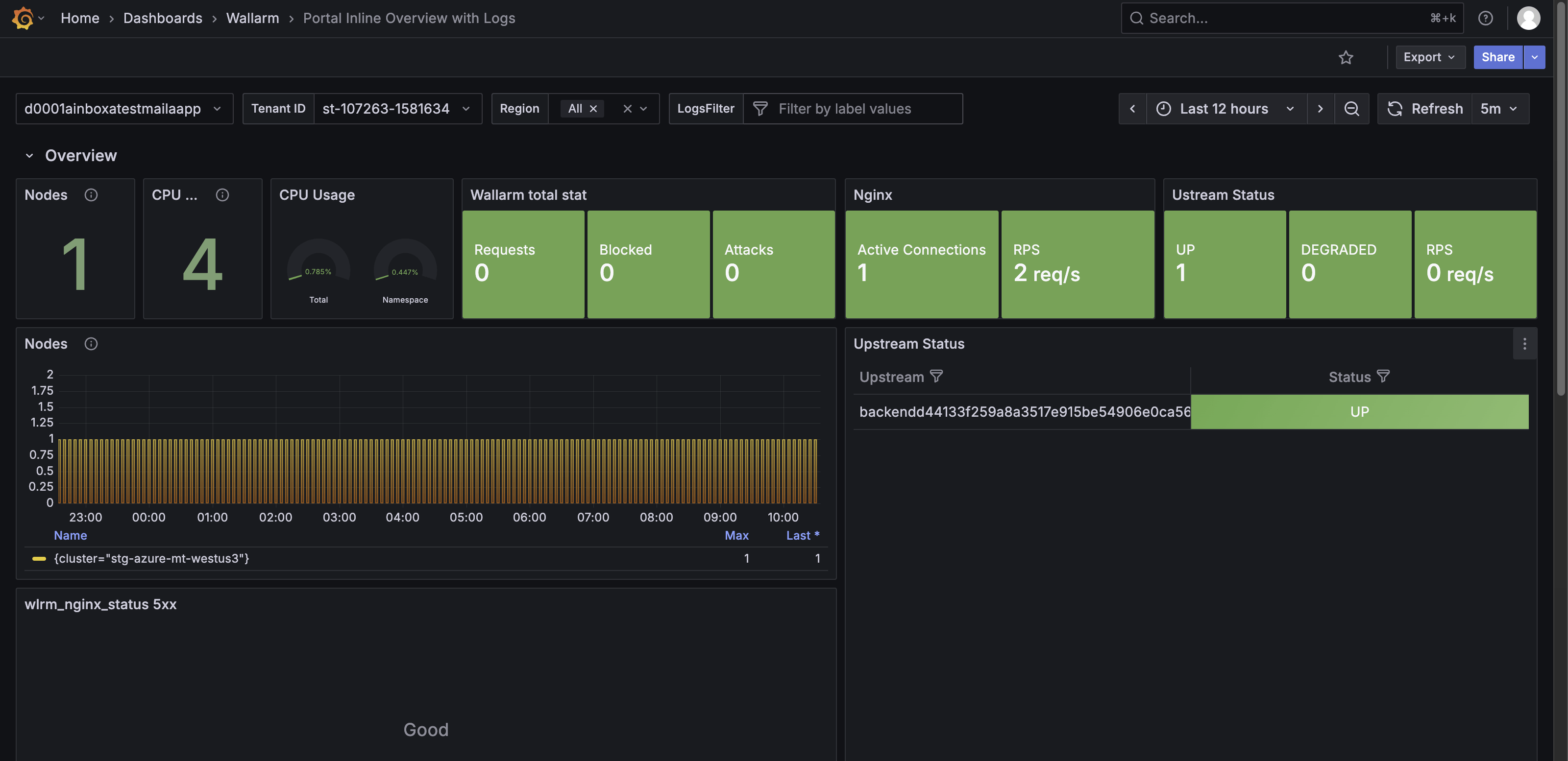
The Overview row features the following panels:
* **Nodes (count of nodes)** – Shows the total number of active nodes in the cluster, providing insight into cluster scale.
* **CPU cores** – Shows the total number of CPU cores across all nodes, indicating available processing capacity.
* **CPU usage** - Shows two gauge-style indicators that display current CPU consumption.
* **Wallarm total stat** – Shows totals for incoming requests, blocked requests, and detected attacks.
* **Nginx** – Shows requests per second (RPS) handled by NGINX.
* **Upstream status** – Shows the health of upstream services (for example, up or degraded) and their RPS.
* **Nodes** – Shows node-specific metrics over time for the selected cluster.
* **5xx per minute** – Shows the number of NGINX 5xx responses, which may indicate upstream or configuration issues.
* **Wallarm (requests, attacks, blocked, rejected, buffered)** – Shows traffic filtered by Wallarm over time, with a summary table for each category.
## RPS Detailed Row
The RPS Detailed row shows detailed request traffic per URI, categorized by response codes. It helps identify the most frequently accessed endpoints and spot unusual request patterns.
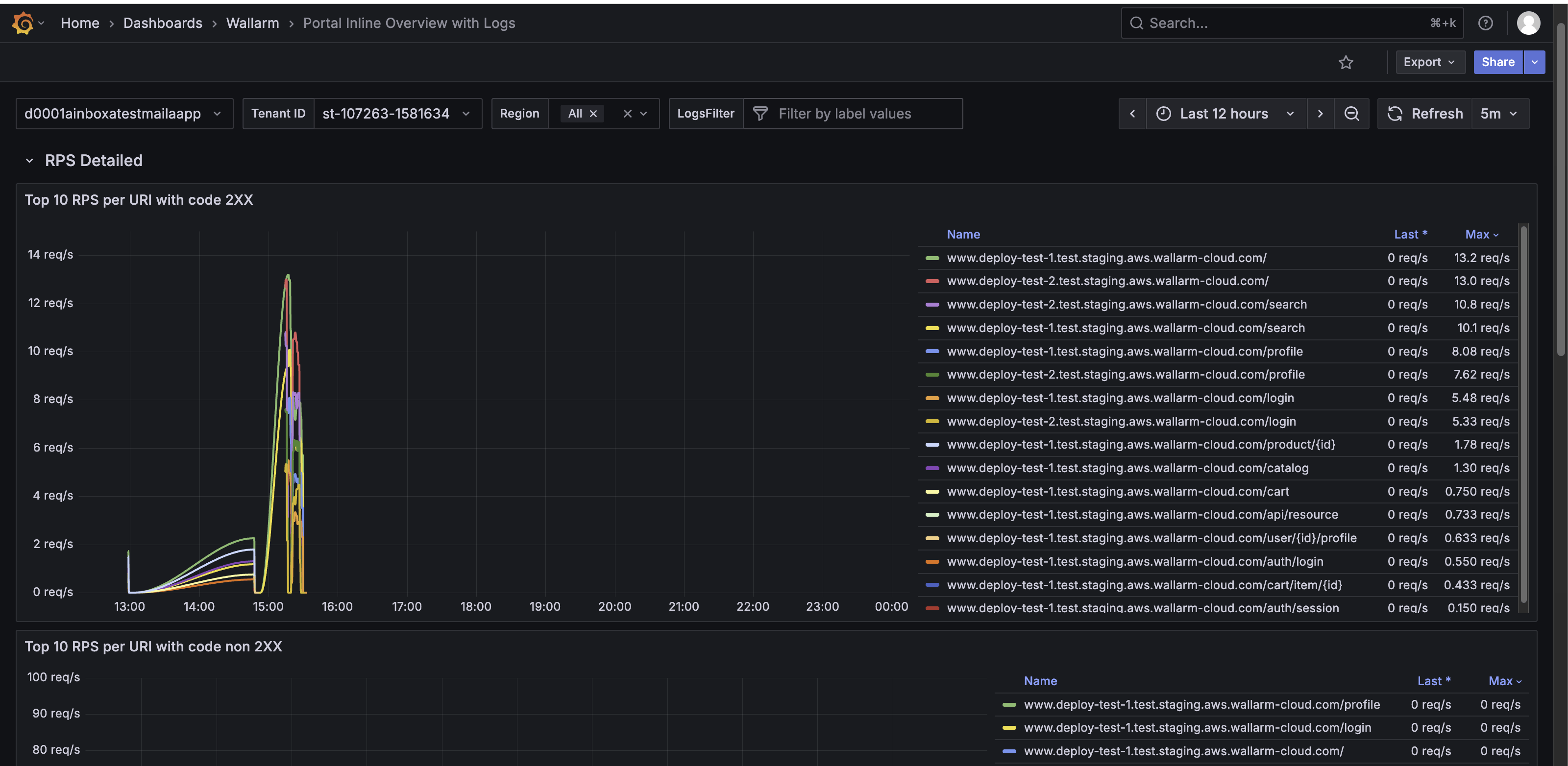
The RPS Detailed row features the following panels:
* **Top 10 RPS per URI with code 2XX** – Shows URIs with the highest number of successful requests (HTTP 2XX).
* **Top 10 RPS per URI with code non-2XX** – Shows URIs generating client or server errors (any HTTP code other than 2XX).
* **wlrm_nginx_status 200|400-405|500-505** – Shows RPS per URI grouped by status code ranges (200 successful, 400–405 client errors, 500–505 server errors).
## Response Time row
The Response Time row shows request and upstream latency, helping monitor performance and detect potential bottlenecks.
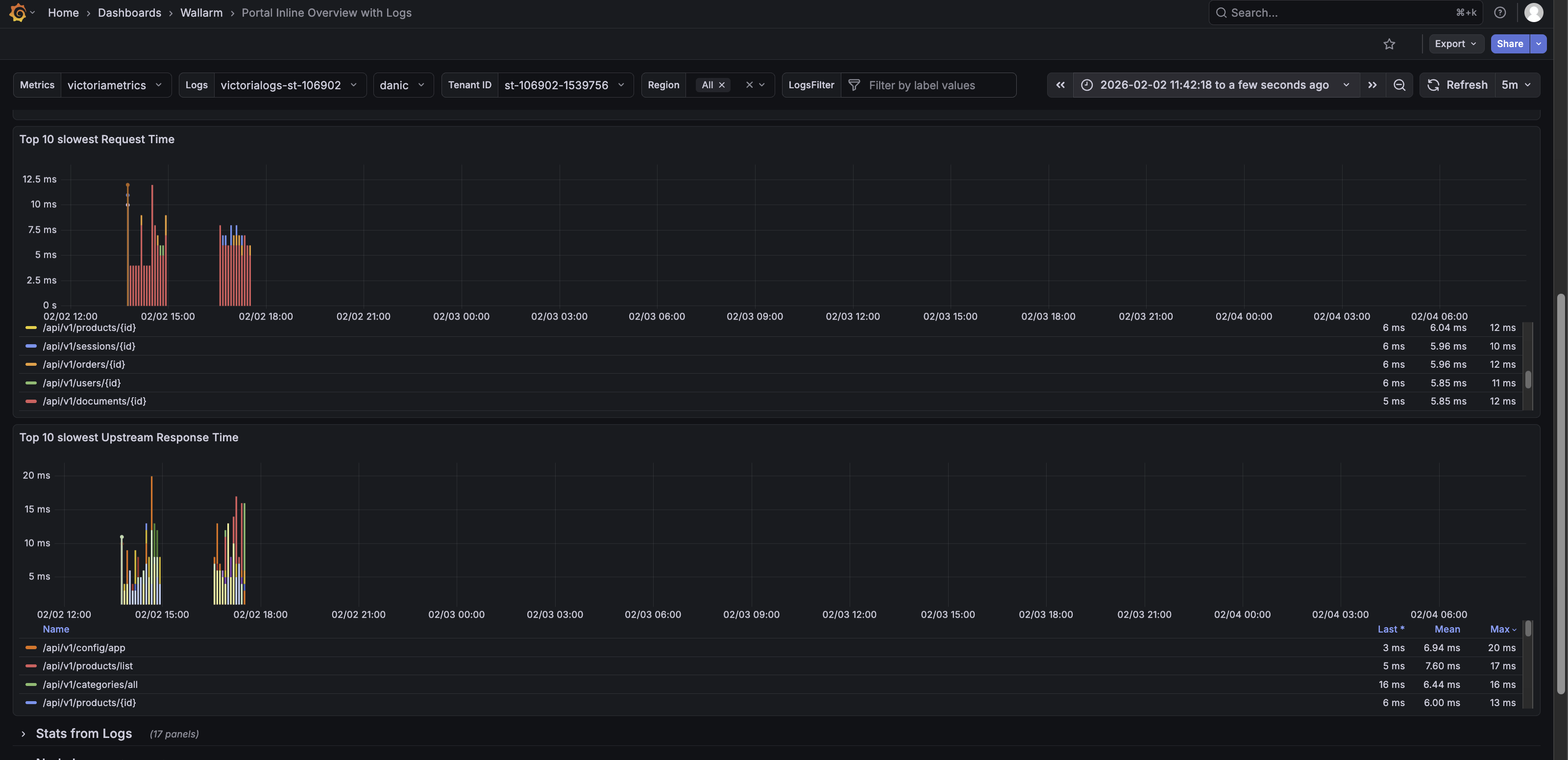
The Response Time row features the following panels:
* **Upstream Response time last minute** – Shows the 95th-percentile response time (P95 RT) for the top 10 URIs by request volume in the last minute.
* **Request Time last minute** – Shows the 95th-percentile overall request response time for the last minute.
* **Top 10 slowest Request Time** - Shows the slowest requests by total processing time.
* **Top 10 slowest Upstream Response Time** - Shows the slowest by total processing time.
## Stats from Logs row
The Stats from Logs row shows aggregated NGINX log data. It helps monitor traffic patterns, detect anomalies, and investigate potential performance or security issues.
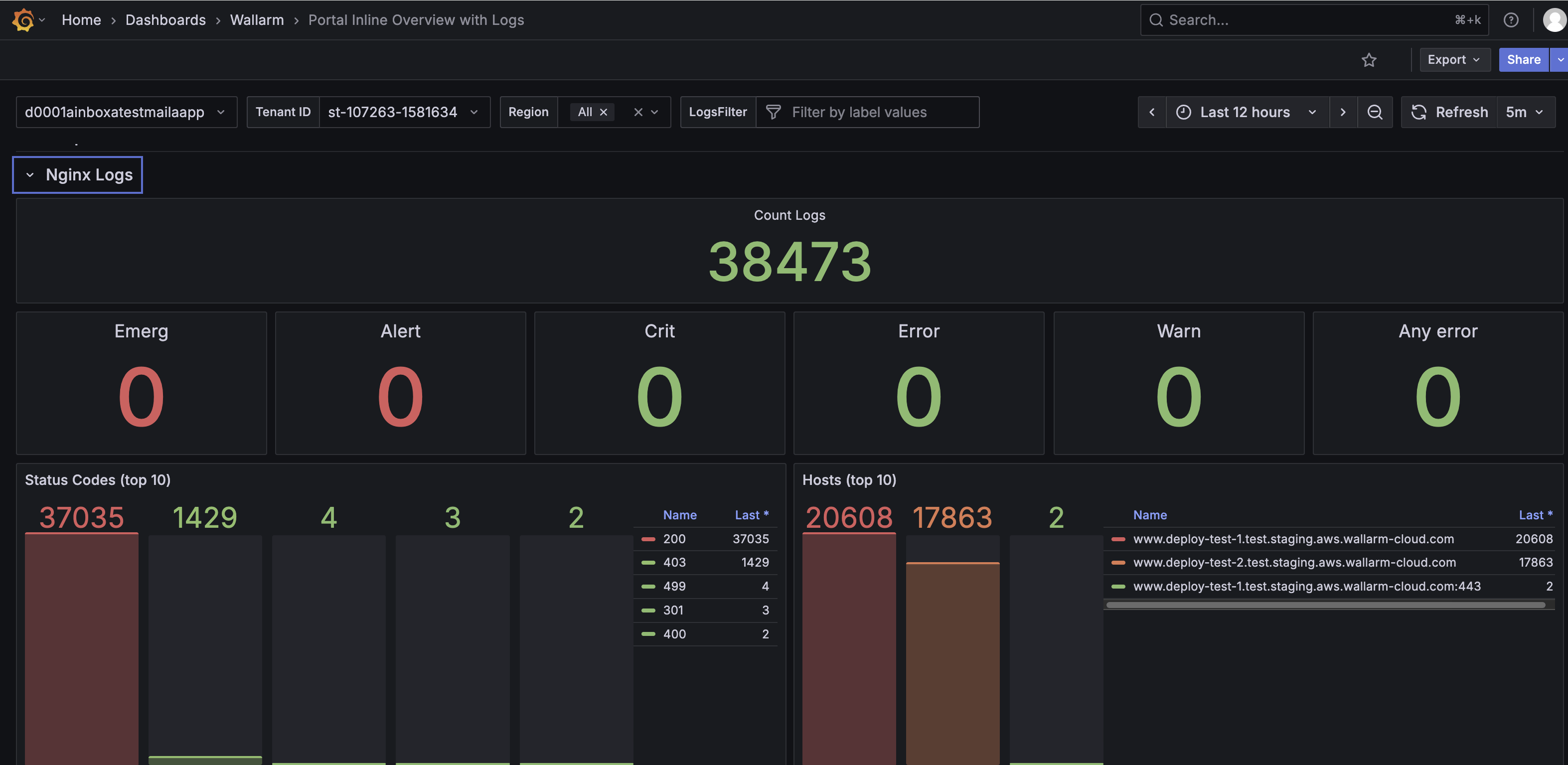
The Stats from Logs row features the following panels:
* **Count Log** – Shows the total number of recorded log entries.
* **Emerg**, **Alert**, **Crit**, **Error**, **Warn** – Shows the number of log entries by severity, from emergency-level events to warnings.
* **Any error** – Shows all error-level logs combined to highlight potential problems.
* **Status Codes (top 10)** – Displays the distribution of HTTP response codes, including 2XX, 3XX, 4XX, and 5XX responses, helping identify common status codes returned by NGINX.
* **Hosts (top 10)** – Shows the hosts with the highest number of log entries.
* **5XX / 4XX / 3XX / 2XX HTTP codes** – Show counts for server errors, client errors, redirects, and successful responses.
* **Regions (top 10)** – Shows log counts per region.
* **Remote addr (top 10)** – Shows the top client IP addresses sending requests.
* **Methods (top 10)** – Shows the most used HTTP methods (GET, POST, PUT, etc.).
* **URI (top 10)** – Shows the most accessed URIs.
## Node Logs row
The Node Logs row shows NGINX error and access logs from the Node, helping you investigate failures, slow requests, and abnormal traffic.
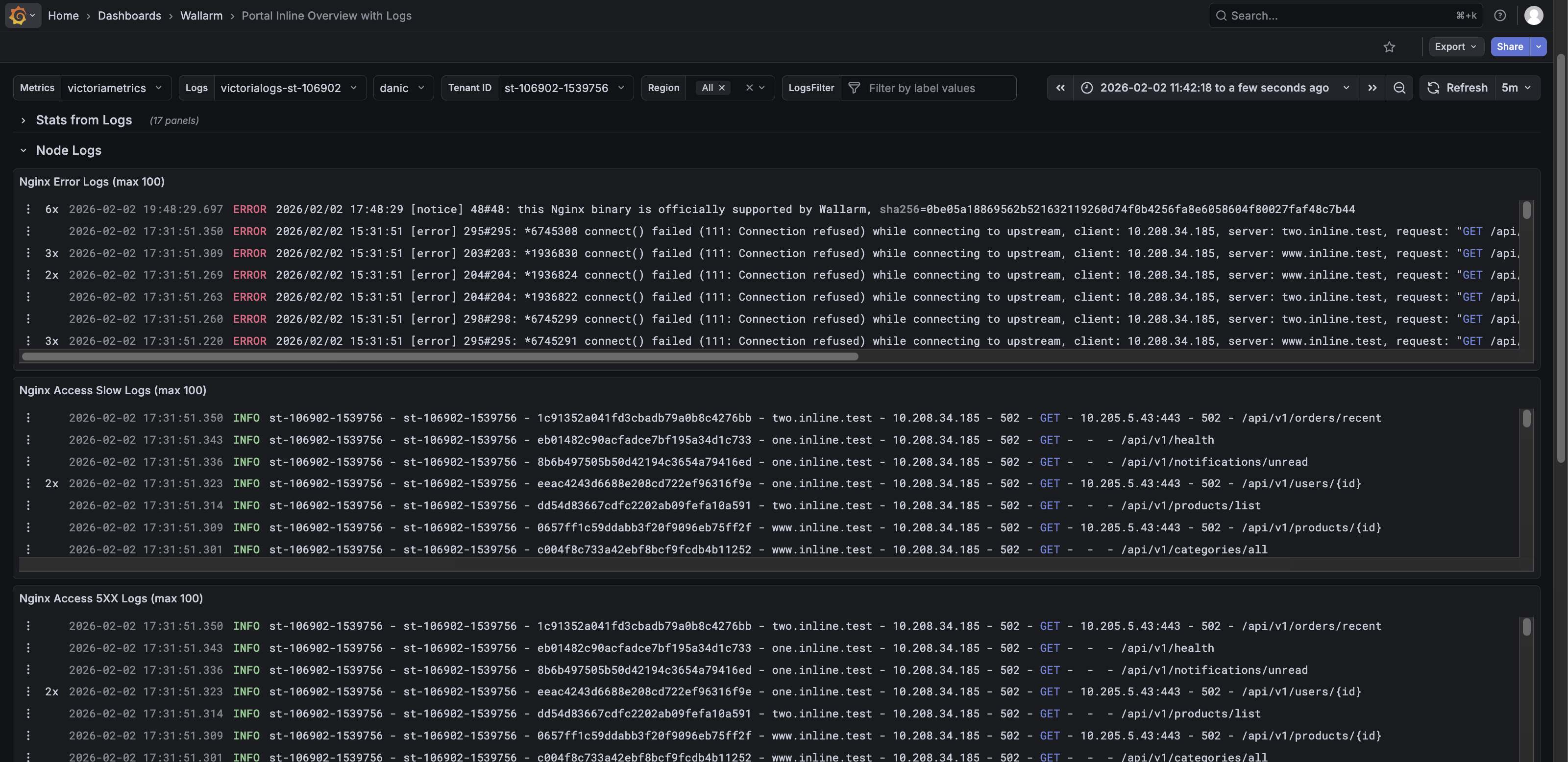
The Node Logs row features the following panels:
* **NGINX Error Logs (max 1000)** – Shows the most recent NGINX error logs.
* **NGINX Access Slow Logs (max 1000)** – Shows recent slow request logs.
* **NGINX Access 5XX Logs (max 1000)** – Shows recent logs of requests that returned 5XX errors.
* **Access Logs (max 1000)** – Shows recent access logs, including timestamp, host, client IP, response code, method, and URI.
Unlike the dedicated [**Portal Inline NGINX Logs** dashboard](https://docs.wallarm.com/installation/security-edge/inline/telemetry-portal-logs-dashboard.md), which shows only NGINX error and access logs, the Node Logs row presents these logs alongside other key node and Wallarm metrics. This way you can monitor NGINX traffic in context, correlate errors with overall performance, and detect potential issues more efficiently.
To quickly view NGINX error and access logs without additional metrics, use the dedicated [**Portal Inline NGINX Logs dashboard**](https://docs.wallarm.com/installation/security-edge/inline/telemetry-portal-logs-dashboard.md).
## Wallarm Metrics row
The Wallarm Metrics row shows operational status, performance, and internal statistics of the Wallarm Nodes. It helps monitor request handling, rule application, error conditions, and resource use.
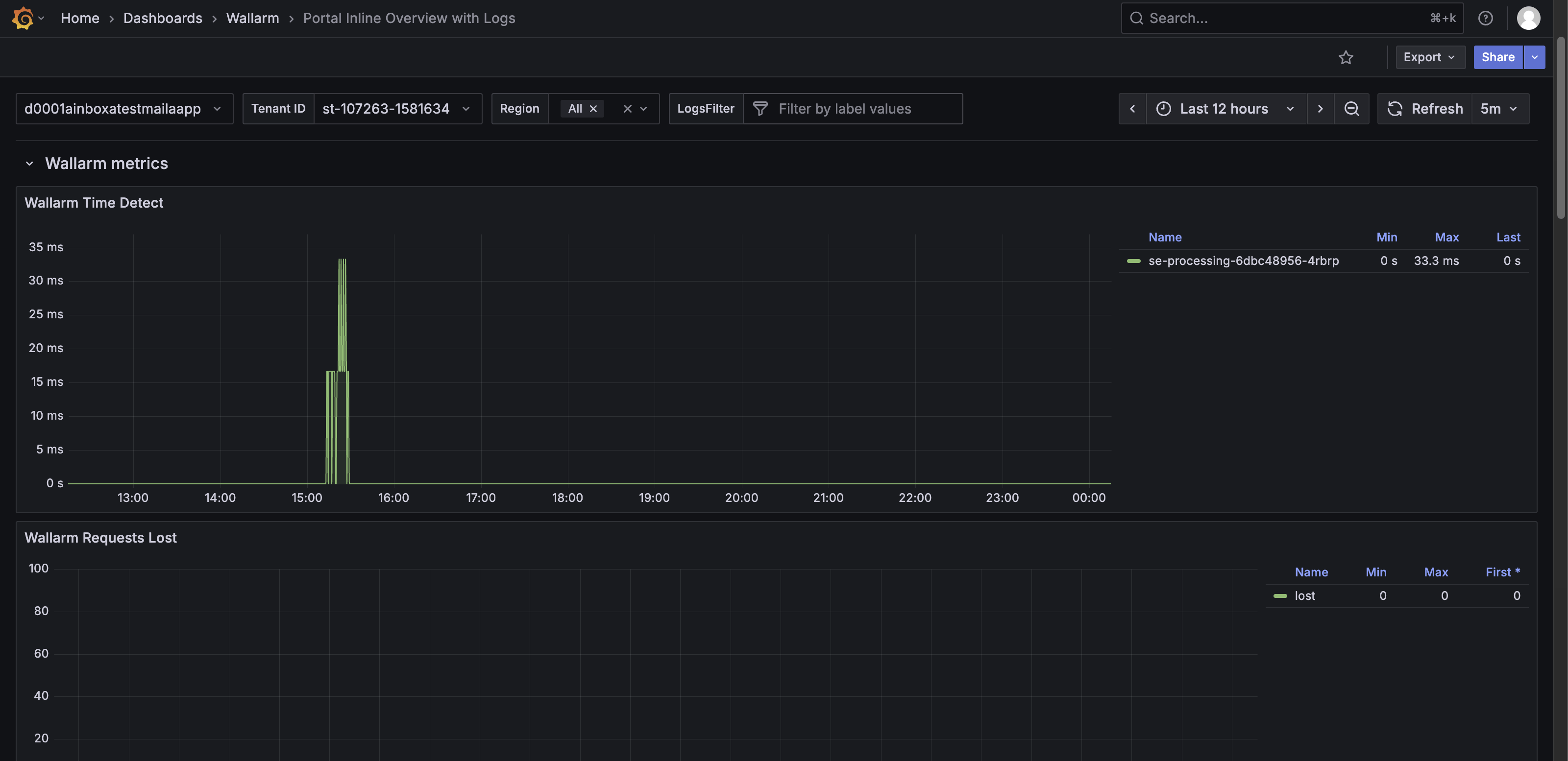
The Wallarm Metrics row features the following panels:
* **Wallarm Time Detect** – Shows the time Wallarm takes to detect threats for requests, with a timeline graph and Min/Max/Last values.
* **Wallarm Requests Lost** – Shows the number of requests lost due to processing issues.
* **Wallarm Proton Instances** – Shows information about downloaded proton.db + LOM pairs:
* total – The total number of pairs.
* success – The number of pairs successfully downloaded from the Wallarm Cloud.
* failed – The number of pairs that failed to initialize, meaning NGINX was unable to download the proton.db + LOM either from the Cloud or the backup directory. If [`wallarm_fallback`](https://docs.wallarm.com/admin-en/configure-parameters-en.md#wallarm_fallback) is enabled and this occurs, the Wallarm module will be disabled, leaving only the NGINX module operational. To diagnose the issue, check the NGINX logs or [contact Wallarm support](https://wallarm.atlassian.net/servicedesk/customer/portal/5).
* fallback – The number of pairs downloaded from the backup directory. This indicates that there were issues downloading the latest proton.db + LOM from the Cloud, but NGINX was still able to load older versions of proton.db + LOM from the backup directory as the [`wallarm_fallback`](https://docs.wallarm.com/admin-en/configure-parameters-en.md#wallarm_fallback) directive is set to on.
* **Wallarm Overlimits Time** – Shows the number of attacks detected by the Node classified as overlimiting of computational resources.
* **Wallarm Errors** – Shows total errors detected across TNT, API, and Proton modules.
* **Wallarm Rate Limit Entries** – Shows the number of unique request keys tracked for rate limiting.
* **Wallarm Rate Limit Expired** – Shows the number of rate-limit keys removed automatically after expiration.
* **Wallarm Rate Limit Removed** – Shows the number of rate-limit keys removed abruptly. A high value may indicate the need to increase [`wallarm_rate_limit_shm_size`](https://docs.wallarm.com/admin-en/configure-parameters-en.md#wallarm_rate_limit_shm_size).
* **Wallarm Segfaults** – Shows the number of worker process crashes caused by fatal errors.
* **Wallarm Rate Limit Shared Memory** – Shows total memory allocated for the Wallarm [rate limiting module](https://docs.wallarm.com/user-guides/rules/rate-limiting.md).
* **Wallarm Rate Limit No Free Nodes** – Shows nonzero values if there is insufficient memory for rate limiting, suggesting to increase [`wallarm_rate_limit_shm_size`](https://docs.wallarm.com/admin-en/configure-parameters-en.md#wallarm_rate_limit_shm_size).
* **Wallarm Custom Ruleset ID** – Shows the version of the currently applied custom ruleset.
* **Wallarm Ruleset Apply Time** – Shows the time of the last update of the custom ruleset file.
* **Wallarm Start ID** – Shows the randomly generated unique ID of the Node.
* **Wallarm DB Apply Time** – Shows the time of the last update of the `proton.db` file.
## Resource Overview row
The Resource Overview row provides a detailed view of resource usage, container performance, and pod status. It helps monitor efficiency, capacity, and stability of the Wallarm Security Edge deployment.
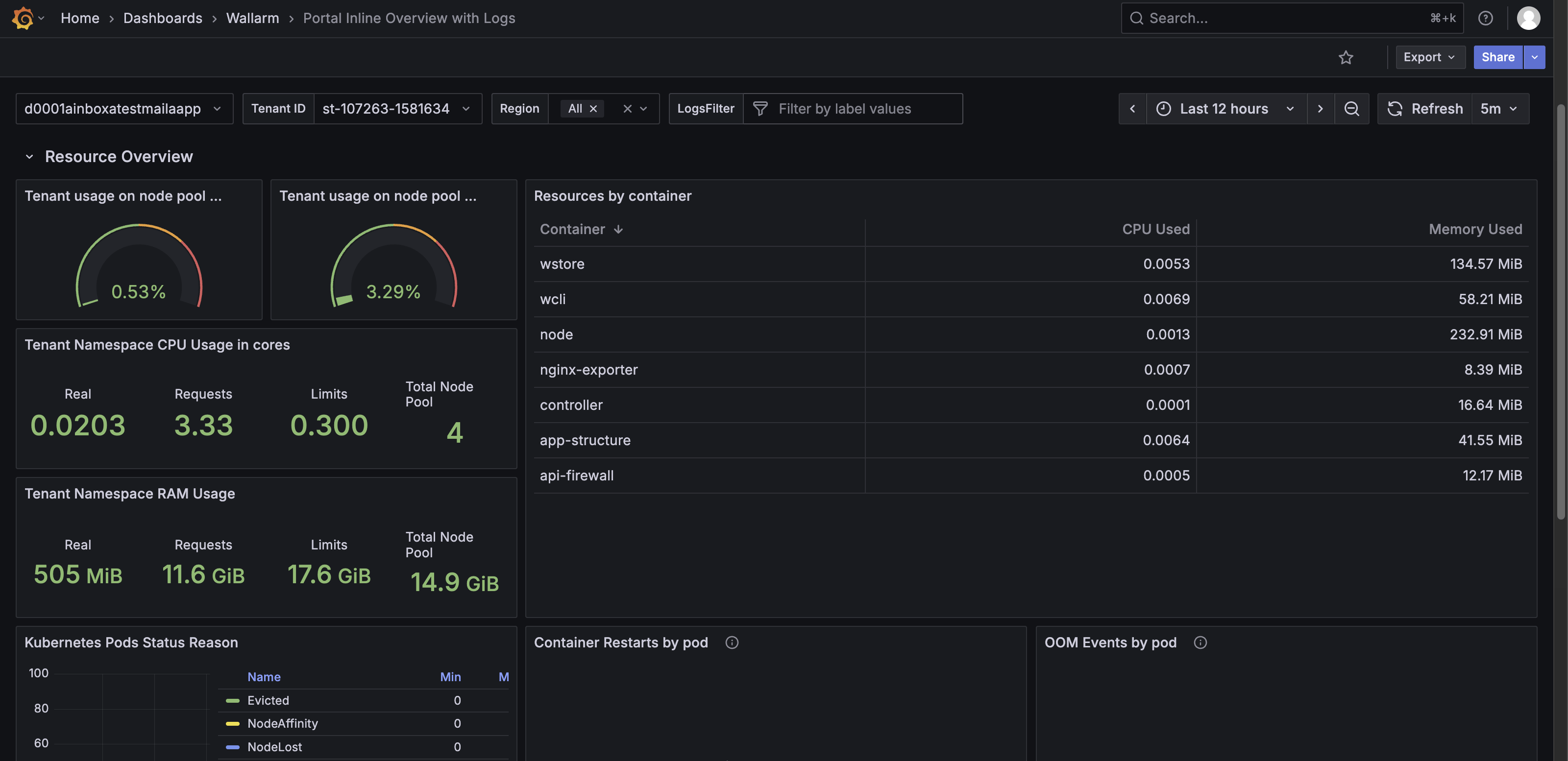
The Resource Overview row features the following panels:
* **Tenant usage on node pool CPU (%)** – Shows the percentage of CPU used by the tenant across the Node pool.
* **Tenant usage on node pool RAM (%)** – Shows the percentage of RAM used by the tenant across the Node pool.
* **Tenant Namespace CPU Usage in cores** – Shows CPU usage per namespace, including real usage, requested resources, limits, and total Node pool capacity.
* **Tenant Namespace RAM Usage** – Shows RAM usage per namespace, including real usage, requested resources, limits, and total Node pool memory.
* **Resources by container** – Shows CPU and memory usage per container, including used, requested, and limit values.
* **Kubernetes Pods Status Reason** – Shows pod status reasons (e.g., `Evicted`, `NodeAffinity`, `NodeLost`, `Shutdown`, `UnexpectedAdmissionError`) in a timeline graph with minimum, maximum, and mean values.
* **Container Restarts by pod** – Shows container restart events per pod. No data generally indicates stability.
* **OOM Events by pod** – Shows out-of-memory events per pod. No data generally indicates no memory-related failures.
* **Nb of containers by state** – Shows container states (`Ready`, `Running`, `Waiting`, `Restarts Total`, `Terminated`) in a timeline graph and table values.
* **Container Image Used** – Shows container images deployed in a graph and table, with minimum, maximum, and last values.
## Nginx Cache Status row
The Nginx Cache Status row shows NGINX cache efficiency and behavior across hosts and request paths. It helps assess cache effectiveness, identify cache bypasses or misses, and troubleshoot cache-related performance issues.
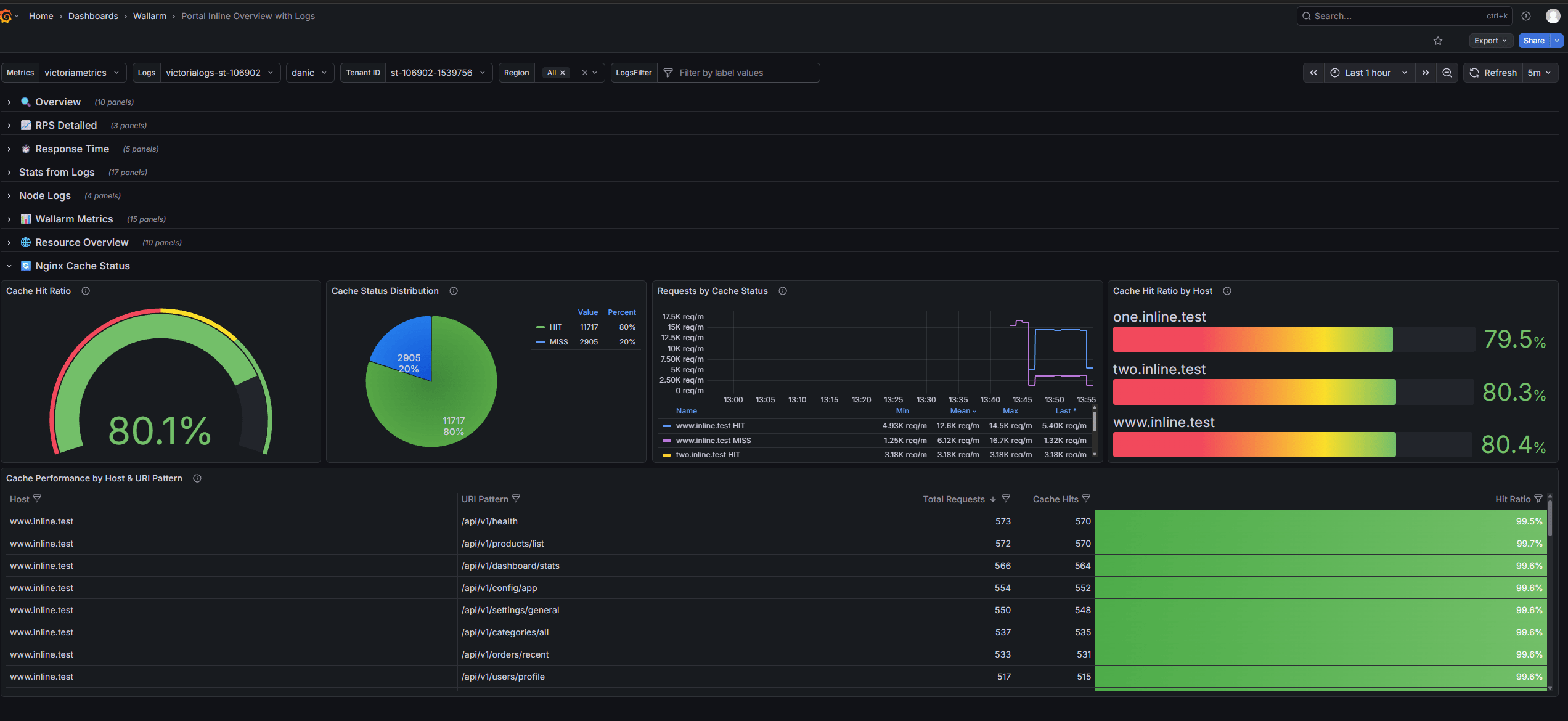
The Nginx Cache Status row features the following panels:
* **Cache Hit Ratio** - Shows overall cache effectiveness as a single gauge.
* **Cache Status Distribution** - Shows the distribution of cache statuses, including `HIT`, `MISS`, `BYPASS`, `EXPIRED`, `STALE`, and `DISABLED`.
* **Requests by Cache Status** - Shows cache status trends over time.
* **Cache Hit Ratio by Host** - Shows cache hit ratios per host, helping identify hosts with low cache efficiency.
* **Cache Performance by Host & URI Pattern** - Shows cache performance for specific hosts and endpoints.
---
## https://docs.wallarm.com/installation/security-edge/inline/telemetry-portal-logs-dashboard/
# Portal Inline NGINX Logs
This article describes one of the two dashboards in the [Security Edge Inline telemetry portal](https://docs.wallarm.com/installation/security-edge/inline/overview.md), called **Portal Inline NGINX Logs**.
The **Portal Inline NGINX Logs** dashboard shows recent NGINX logs to help monitor incoming traffic, identify errors, and troubleshoot server or configuration issues. Monitoring these logs is useful because the Edge Node is built on NGINX, making it a core functional part of the Node alongside Wallarm services.
The dashboard includes two rows:
* Error Logs – Displays the most recent NGINX error log entries (up to 1,000). This panel helps identify server issues, configuration problems, or failed requests.
* Access Logs – Shows the most recent NGINX access log entries (up to 1,000). This panel provides detailed information about incoming requests, including timestamps, client IPs, request methods, response codes, and requested URIs.
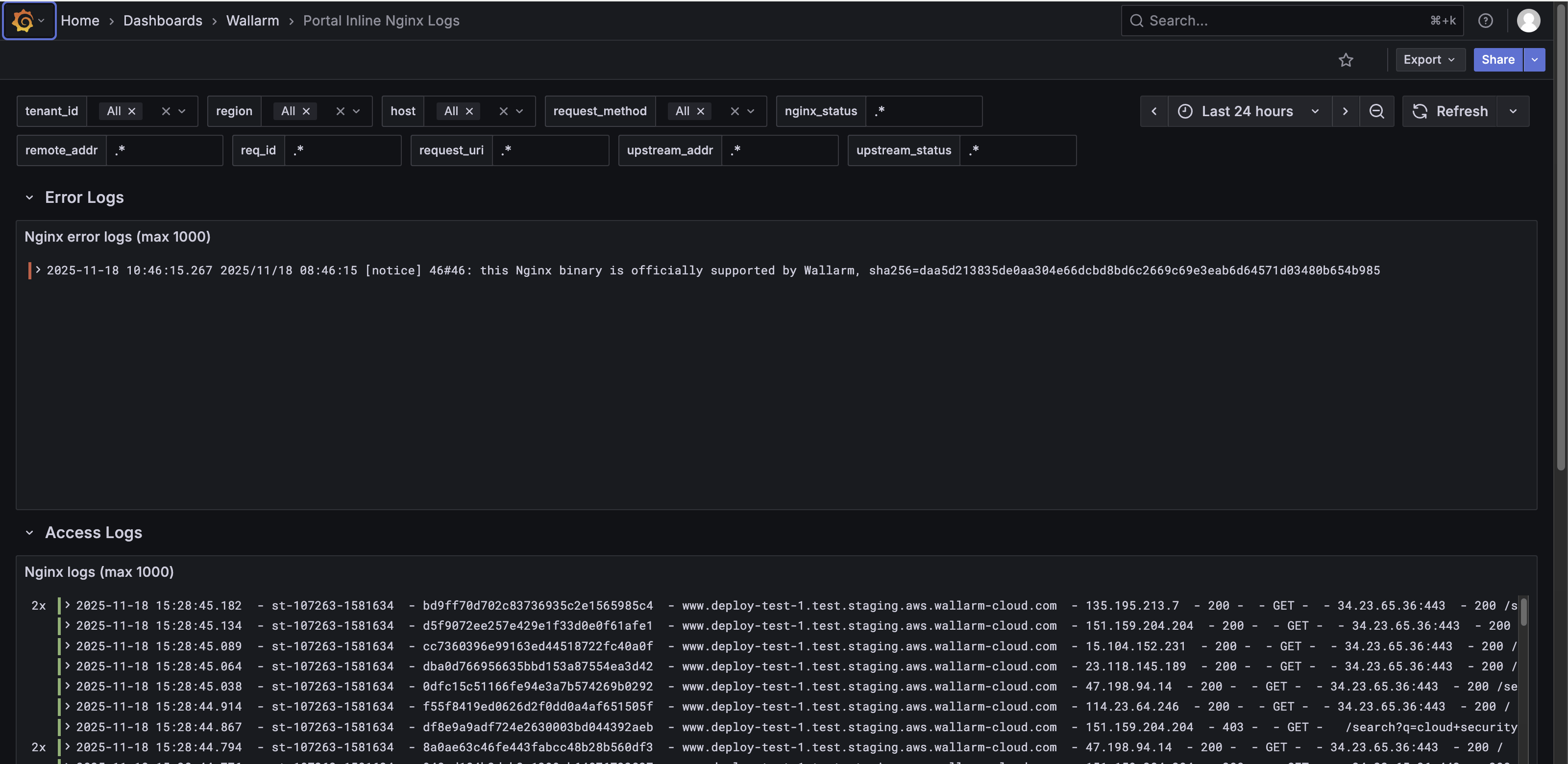
Each log entry in the Error Logs and Access Logs panels is collapsible. In collapsed view, it shows a summary like:
```
2x 2025-11-18 15:28:45.182 - st-107263-1581634 - bd9ff70d702c83736935c2e1565985c4 -
www.deploy-test-1.test.staging.aws.wallarm-cloud.com - 135.195.213.7 -
200 - - GET - - 34.23.65.36:443 - 200 /search?q=cloud+security
```

To analyze each request in detail, expand the log entry. When expanded, the log entry shows detailed structured fields, including but not limited to:
* Log metadata: `_msg`, `_stream_id`
* Cloud and cluster data: cloud, cluster, region
* NGINX details: `nginx_http_host`, `nginx_request_method`, `nginx_request_uri`, `nginx_status`, `nginx_upstream_response_time`, `nginx_time`
* Wallarm-specific fields: `wallarm_attack_type`, `wallarm_mode`, `wallarm_request_id`, `wallarm_request_time`, `se_wallarm_com_tenant_id`
* Other metadata: severity, stream, `tenant_id`, type, etc.
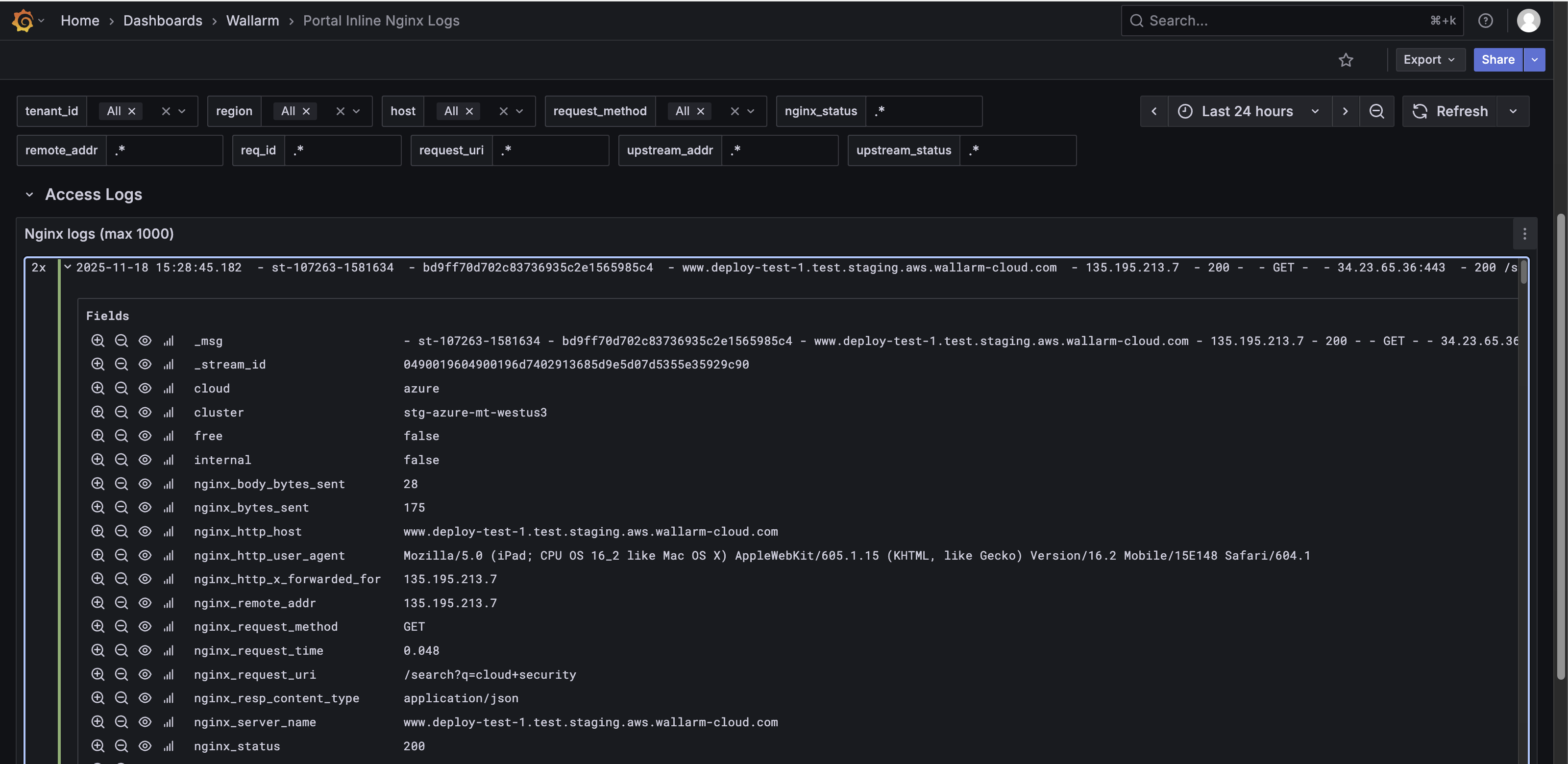
---
## https://docs.wallarm.com/installation/security-edge/se-connector/
# Security Edge Connectors
The [**Security Edge**](https://docs.wallarm.com/installation/security-edge/overview.md) platform provides a managed service for deploying Wallarm Nodes across geographically distributed locations within a Wallarm-hosted environment. One of its key deployment options is the [**connector**](https://docs.wallarm.com/installation/connectors/overview.md) Node deployment, offering robust protection for your entire API landscape without the need for any onsite installation.
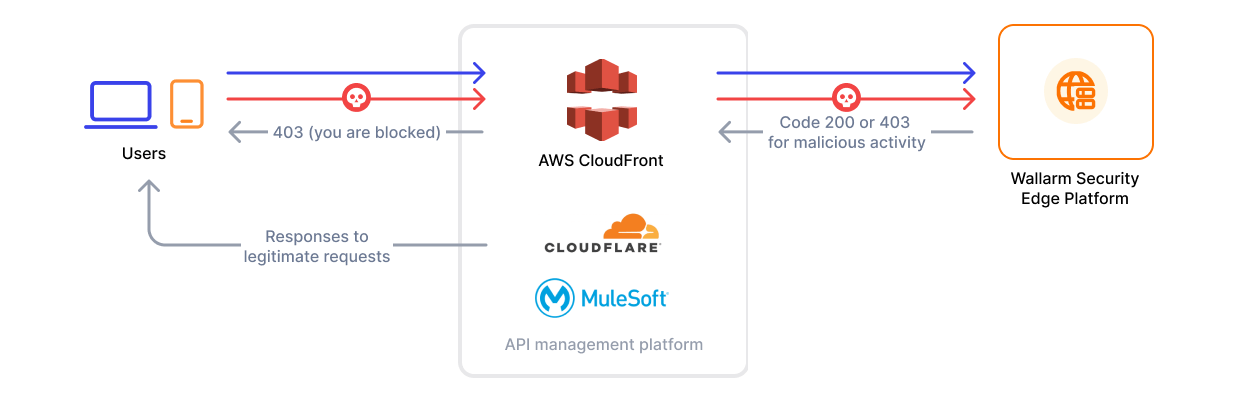
!!! info "Supported platforms"
Currently, Edge connectors are available for MuleSoft Mule Gateway, MuleSoft Flex Gateway, Apigee, Akamai, CloudFront, Cloudflare, Fastly, IBM DataPower and Azure API Management.
## Requirements
* [Security Edge subscription](https://docs.wallarm.com/about-wallarm/subscription-plans.md) (free or paid)
* API running on one of the following API management platforms:
* MuleSoft Mule Gateway
* MuleSoft Flex Gateway
* Apigee
* Akamai
* CloudFront
* Cloudflare
* Fastly
* IBM DataPower
* Azure API Management
## Running Security Edge Connectors
To run the Security Edge Connector, go to the Wallarm Console → **Security Edge** → **Connectors** → **Add connector**. If this section is unavailable, contact sales@wallarm.com to access the required subscription.
On the Free Tier, after deploying Edge Nodes via [Quick setup](https://docs.wallarm.com/installation/security-edge/free-tier.md), the **Security Edge** section lets you adjust settings.
### 1. Deploying the Edge Node for a connector
Only the connector settings need to be specified. Wallarm handles the deployment and provides an endpoint for routing traffic from the platform.
One endpoint can handle multiple connections from different hosts.
1. Proceed to Wallarm Console → **Security Edge** → **Connectors** → **Add connector**.
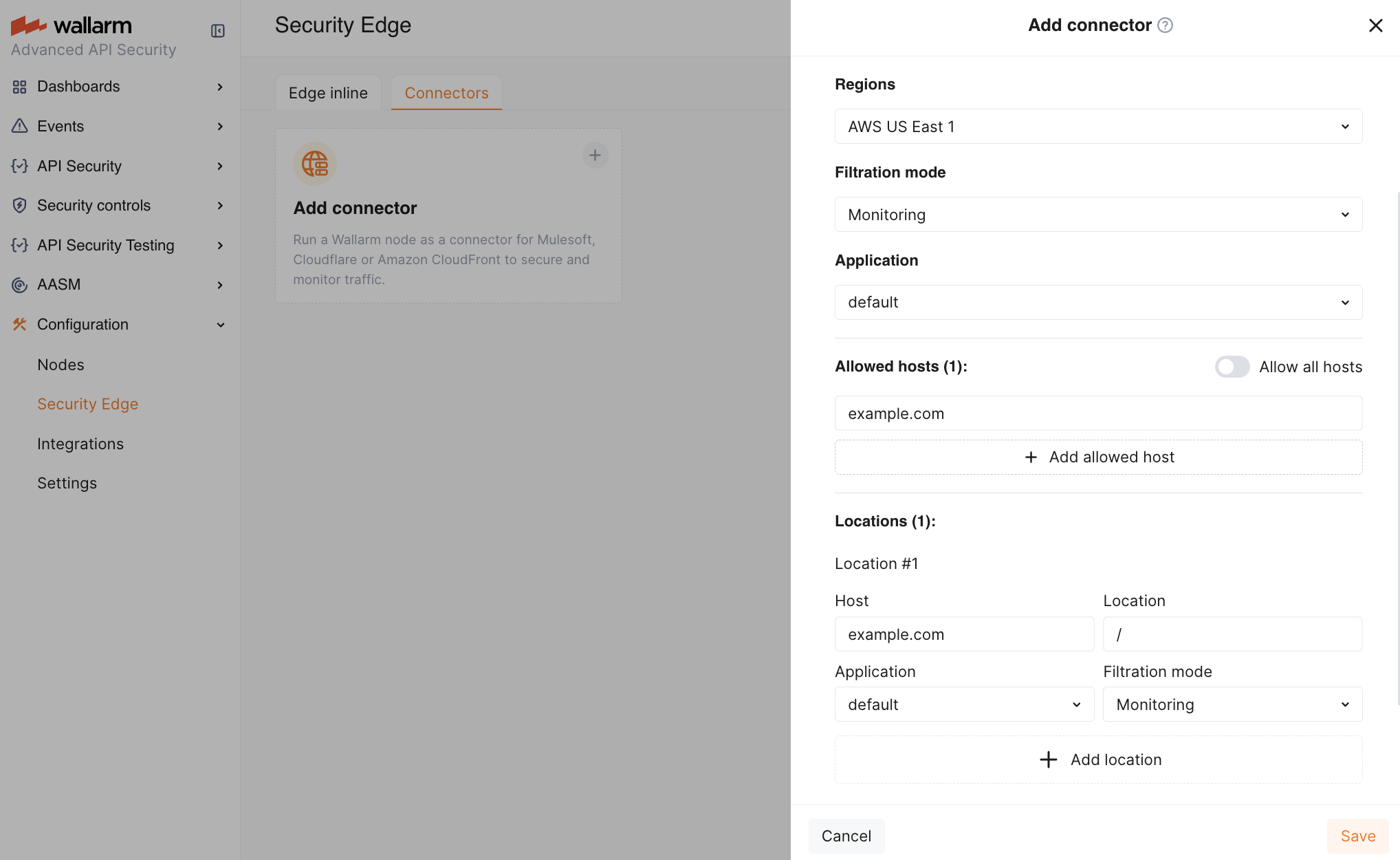
1. Specify the Node deployment settings:
* **Regions**: select one or more regions to deploy the Wallarm Node for the connector. We recommend choosing regions close to where your APIs or applications are deployed. Multiple regions improve geo-redundancy by balancing the load if an instance becomes unavailable.
You can choose regions in **AWS** or **Azure**.
* **Filtration mode**: [traffic analysis mode](https://docs.wallarm.com/admin-en/configure-wallarm-mode.md).
* **Application**: general application ID. In Wallarm, [applications](https://docs.wallarm.com/user-guides/settings/applications.md) help identify and organize parts of your infrastructure (e.g., domains, locations, instances).
Each Node requires a general application ID, with the option to assign specific IDs for locations or instances.
* **Allowed hosts**: specify which hosts the Node will accept and analyze traffic from.
If a specified host does not exist or is unreachable, the 415 error will be returned, and the traffic will not be processed.
* **Location configuration**: assign unique application IDs and traffic analysis mode to specific hosts and locations, if needed.
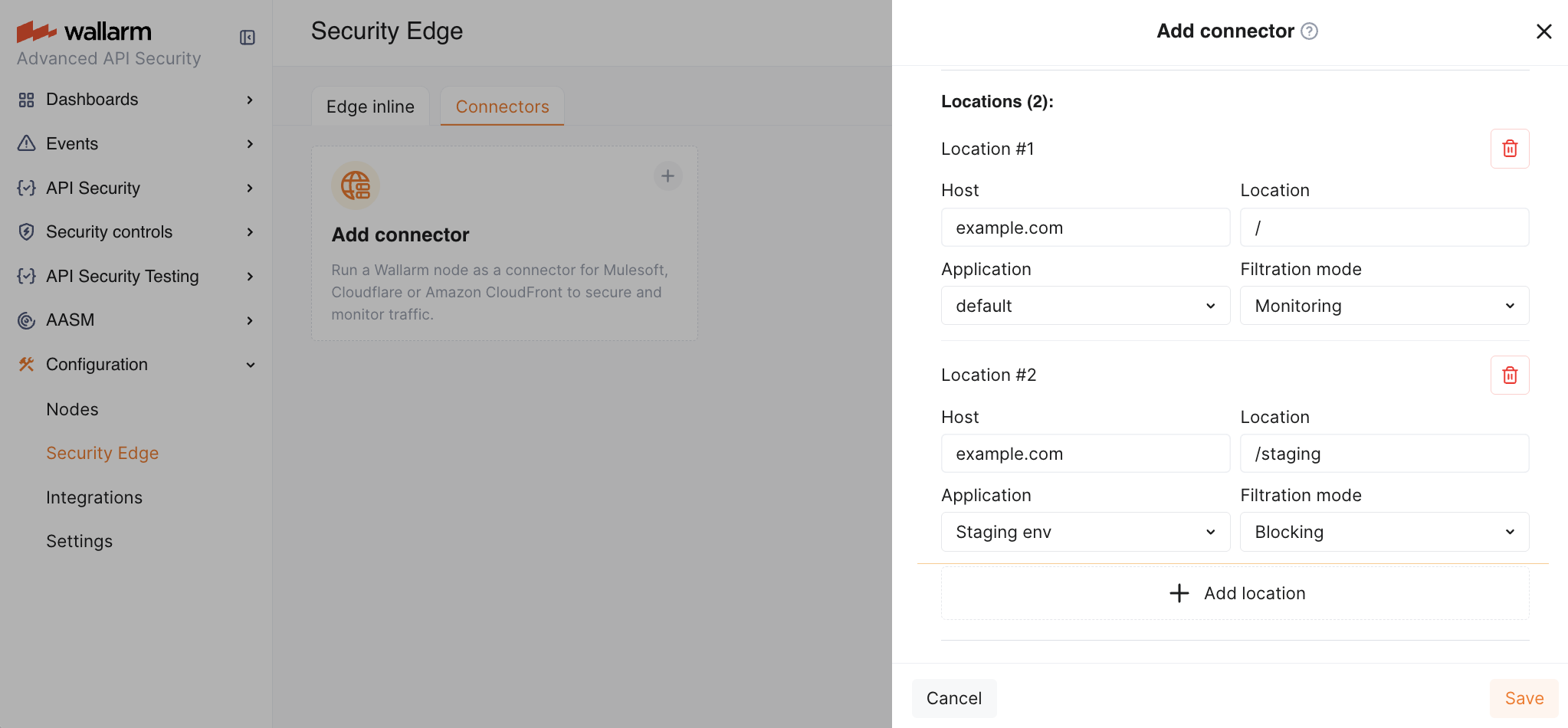
1. In the **Auto-update strategy** settings, you can select an [Edge Node version](https://docs.wallarm.com/updating-migrating/native-node/node-artifact-versions.md#all-in-one-installer) and enable [Auto update](#upgrading-the-edge-node) if needed. If no version is explicitly selected, the latest version is automatically deployed.
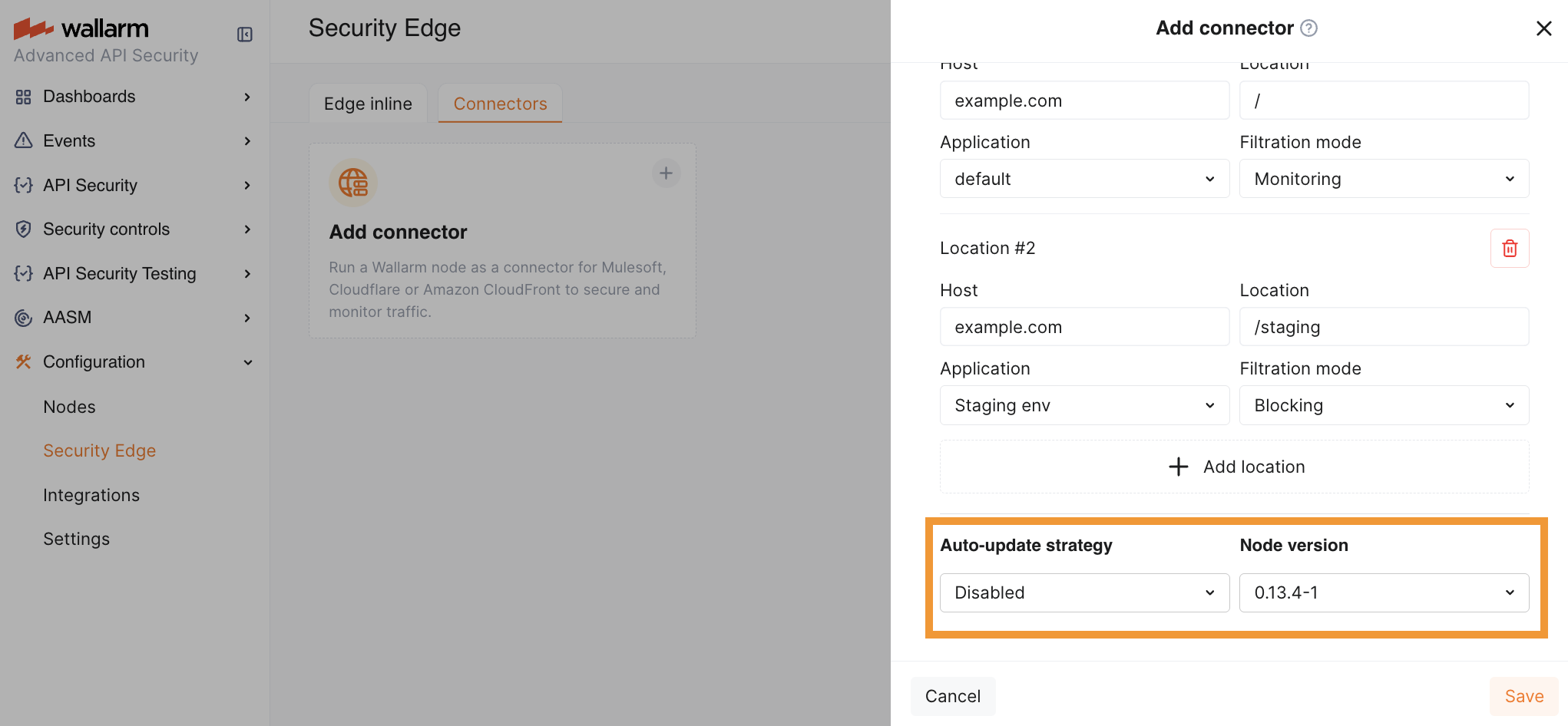
1. Once saved, it will take 3-5 minutes for Wallarm to deploy and configure the Node for the connector.
The status will change from **Pending** to **Active** when deployment is complete.
1. Copy the Node endpoint as you will need it later to route traffic from your platform.
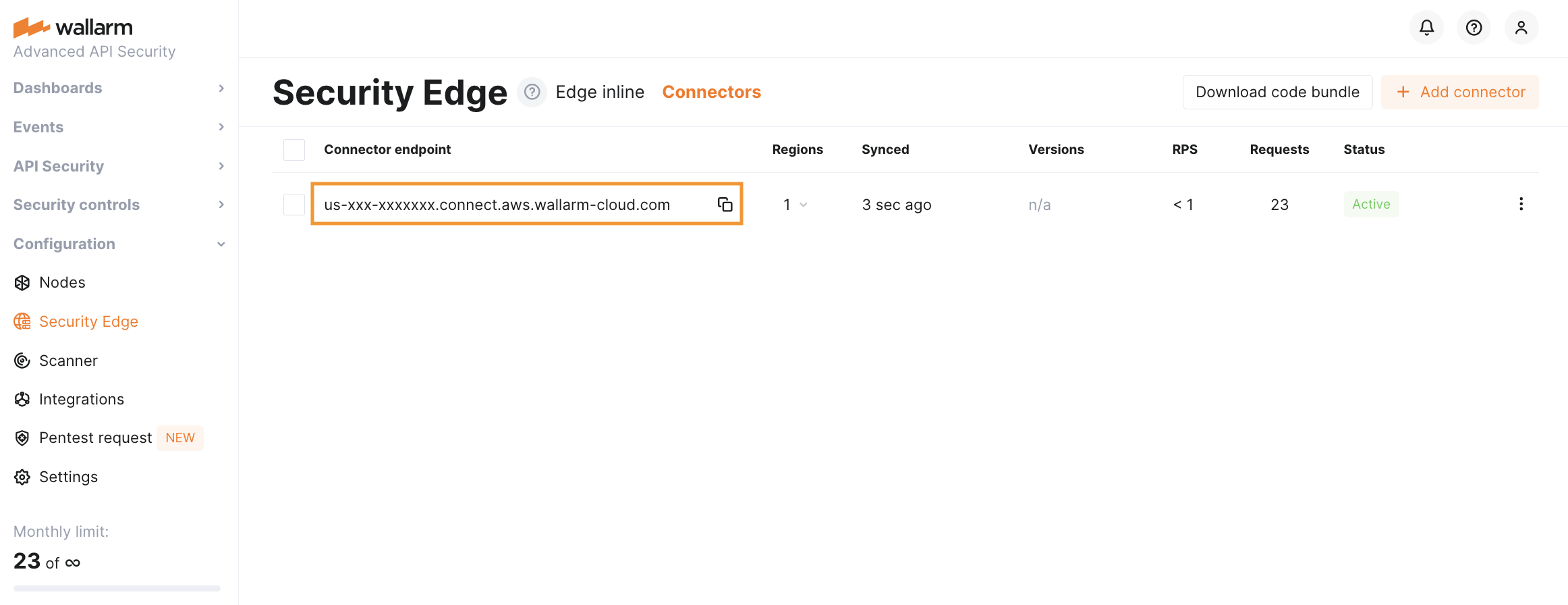
You can change the Edge Node deployment settings at any time while the Node is in **Active** status. The Node will be re-deployed, starting from the **Pending** status to **Active**. The endpoint will not change, but it will be unavailable during the re-deployment process.
### 2. Injecting Wallarm code on a platform running your APIs
After deploying the Edge Node, you will need to inject Wallarm code into your platform to route traffic to the deployed Node.
1. Download a code bundle for your platform from the Wallarm Console UI.
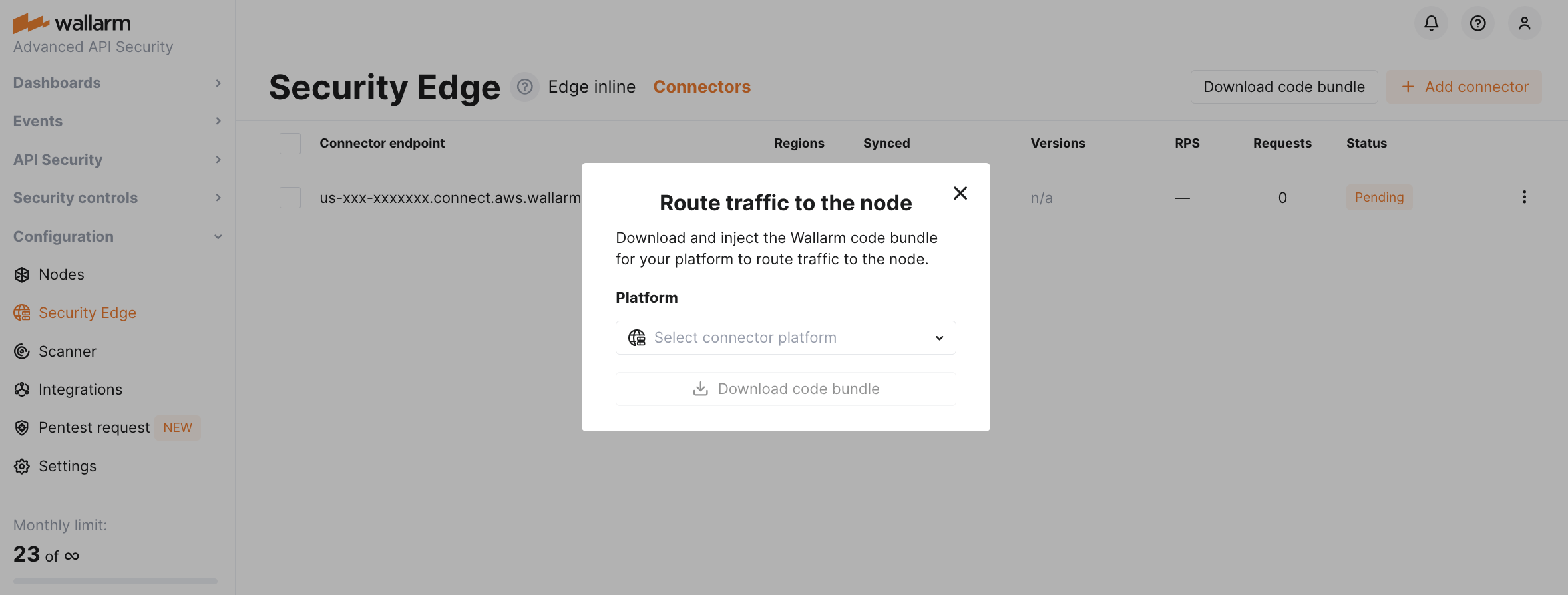
1. Apply the bundle on your API management platform following the instructions:
* [MuleSoft Mule Gateway](https://docs.wallarm.com/installation/connectors/mulesoft.md#2-obtain-and-upload-the-wallarm-policy-to-mulesoft-exchange)
* [MuleSoft Flex Gateway](https://docs.wallarm.com/installation/connectors/mulesoft-flex.md#2-obtain-and-upload-the-wallarm-policy-to-mulesoft-exchange)
* [Apigee](https://docs.wallarm.com/installation/connectors/apigee.md#2-obtain-the-connector-code-bundle)
* [Akamai](https://docs.wallarm.com/installation/connectors/akamai-edgeworkers.md#2-obtain-the-wallarm-code-bundle-and-create-edgeworkers)
* [CloudFront](https://docs.wallarm.com/installation/connectors/aws-lambda.md#2-obtain-and-deploy-the-wallarm-lambdaedge-functions)
* [Amazon API Gateway](https://docs.wallarm.com/installation/connectors/aws-api-gateway.md)
* [Cloudflare](https://docs.wallarm.com/installation/connectors/cloudflare.md#2-obtain-and-deploy-the-wallarm-worker-code)
* [Standalone Kong API Gateway](https://docs.wallarm.com/installation/connectors/standalone-kong-api-gateway.md#2-prepare-the-wallarm-lua-plugin)
* [Fastly](https://docs.wallarm.com/installation/connectors/fastly.md#2-deploy-wallarm-code-on-fastly)
* [IBM DataPower](https://docs.wallarm.com/installation/connectors/ibm-api-connect.md#2-obtain-and-apply-the-wallarm-policies-to-apis-in-ibm-api-connect)
* [Azure API Management](https://docs.wallarm.com/installation/connectors/azure-api-management.md#2-create-named-values-in-azure)
## Telemetry portal
The telemetry portal for Security Edge Connectors provides a Grafana dashboard with real-time insights into metrics on traffic processed by Wallarm.
The dashboard displays key metrics such as total processed requests, RPS, detected and blocked attacks, deployed Edge Node number, resource consumption, number of 5xx responses, etc.
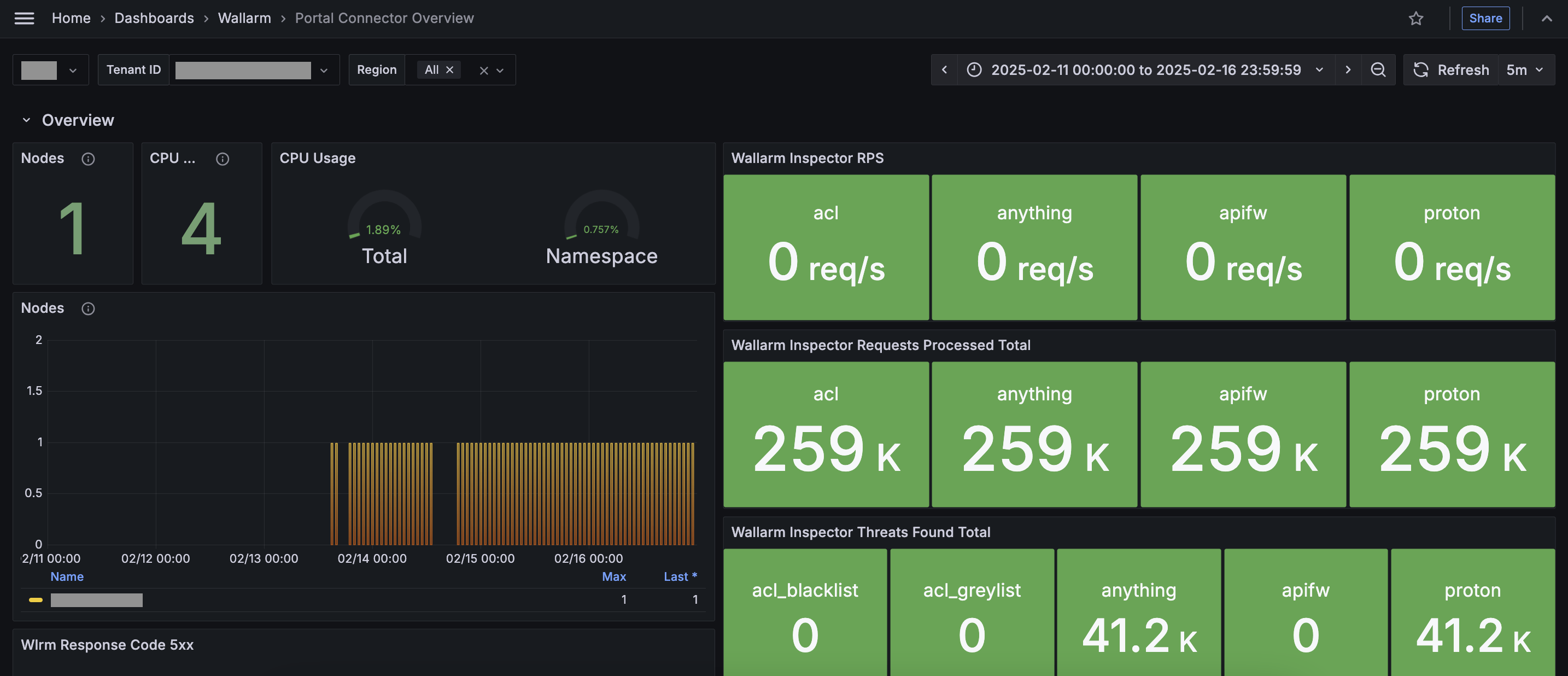
**Run telemetry portal** once the Node reaches the **Active** status. It becomes accessible via a direct link from the Security Edge section ~5 minutes after initiation.
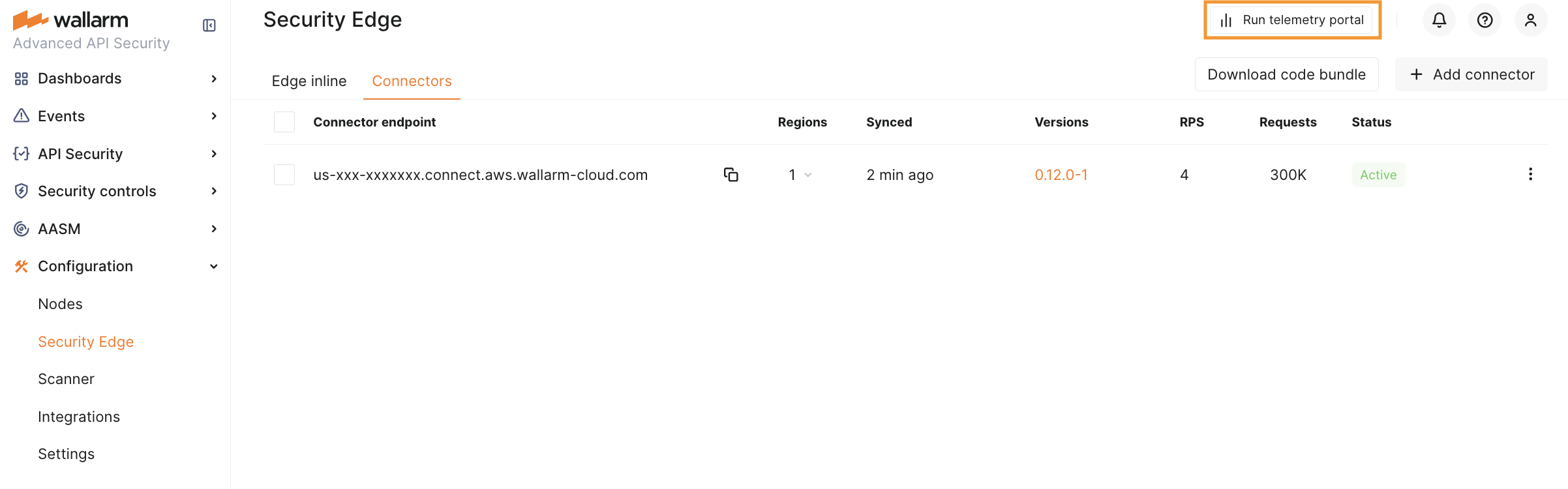
From the Grafana home page, to reach the dashboard, navigate to **Dashboards** → **Wallarm** → **Portal Connector Overview**. For multiple Nodes, switch the **Tenant ID** corresponding to the connector endpoint to view each dashboard.
## Upgrading the Edge Node
When **Auto update** is enabled, the Edge Node is automatically upgraded as soon as a new minor or patch version is released (depending on the selected option). All your initial settings are preserved. Auto update is off by default.
To manually upgrade the Edge Node, open your Node for editing and select a version in the **Auto update** section. Using the latest version is recommended for optimal performance and security.
Upgrading to a new major version can only be done manually.
* For the changelog of versions, refer to the [article](https://docs.wallarm.com/updating-migrating/native-node/node-artifact-versions.md#all-in-one-installer).
The Edge Node version follows the `
The [**Security Edge**](https://docs.wallarm.com/installation/security-edge/overview.md) platform provides a managed service for deploying Wallarm Nodes across geographically distributed locations within a Wallarm-hosted environment. One of its key deployment options is **inline** deployment, offering real-time, robust protection for your entire API landscape without the need for any onsite installation.

## Use cases
This is an ideal solution for securing APIs when:
* You are looking for a fully managed security solution with minimal operational complexity.
* You can route traffic via DNS to Wallarm.
## How it works
With Security Edge Inline, your API traffic is routed through Wallarm's globally distributed Points of Presence (PoPs), where Wallarm Nodes are deployed, hosted, and managed by Wallarm.
* DNS-based traffic redirection: you configure your DNS to point your API domains to Wallarm Edge Node.
* PoP selection and routing: requests are directed to the nearest available PoP based on latency or your selected region(s).
* Real-time inspection and filtering: the inline Node analyzes incoming requests and blocks malicious ones before forwarding legitimate traffic to your origin servers.
* Multi-cloud and multi-region: you can deploy inline Nodes across different cloud regions for high availability and geo-redundancy.
* Automatic scaling and updates: Wallarm handles Node scaling, updates, and maintenance - no action required on your side.
* [Custom block pages](https://docs.wallarm.com/installation/security-edge/inline/custom-block-page.md): when a request is blocked, the Node returns an HTTP 403 response along with a block page. You can use the default NGINX page, the Wallarm-branded page, or upload a custom HTML block page.
* [Access control lists (ACL)](https://docs.wallarm.com/installation/security-edge/inline/access-control-lists.md): define which IP addresses can access specific hosts and locations of your APIs, preventing unauthorized activity and potential attacks.
* [Cache rules](https://docs.wallarm.com/installation/security-edge/inline/cache-rules.md): define how responses from specific hosts and locations are stored and reused to reduce backend load and improve performance.
* Improved detection of bots, scanners, and brute‑force attempts with [JA4 fingerprinting](https://github.com/FoxIO-LLC/ja4), enabled by default: this feature uses TLS-based fingerprints that are difficult to spoof even if attackers change IPs, `User-Agent` headers, or other request attributes.
!!! info "Version requirement"
JA4 fingerprinting is available in Node version 6.7.4-1 and later.
## Limitations
* Only domains shorter than 64 characters are supported.
* Only HTTPS traffic is supported; HTTP is not allowed.
* [Custom blocking code](https://docs.wallarm.com/admin-en/configuration-guides/configure-block-page-and-code.md) configuration is not yet supported.
## Deployment
To deploy Security Edge Inline, follow the [step-by-step instructions](https://docs.wallarm.com/installation/security-edge/inline/deployment.md).
---
## https://docs.wallarm.com/installation/security-edge/inline/deployment/
# Security Edge Inline Deployment
To deploy the Wallarm [Security Edge for inline traffic analysis](https://docs.wallarm.com/installation/security-edge/inline/overview.md), follow this guide.
## Requirements
* [Security Edge subscription](https://docs.wallarm.com/about-wallarm/subscription-plans.md) (free or paid)
* Ability to edit DNS records for your domains to verify ownership and route traffic to Wallarm
* Selecting gRPC traffic for locations is supported starting from Edge Node version 6.6.0
## Configuration flow
To run the Edge inline, go to the Wallarm Console → **Security Edge** → **Inline** → **Configure**. If this section is unavailable, contact sales@wallarm.com to access the required subscription.
On the Free Tier, after deploying Edge Nodes via [Quick setup](https://docs.wallarm.com/installation/security-edge/free-tier.md), the **Security Edge** section lets you adjust settings.
You can update the Edge Node deployment settings at any time. The Node will be re‑deployed with existing CNAME and A records remaining unchanged.
See a demo of the full configuration flow:
An access control list (ACL) is a set of rules that defines which IP addresses can access specific hosts and locations of your APIs protected by [Security Edge Inline](https://docs.wallarm.com/installation/security-edge/inline/overview.md).
The Wallarm Node checks each incoming request against the ACL rules. If a request matches a deny rule, it gets blocked. This prevents unauthorized activity and potential attacks.
## Requirements
Access control lists (ACL) are supported starting from Edge Node version 6.6.0.
## Creating an ACL
ACLs provide targeted control by applying rules to specific hosts and locations of your API. You first create an ACL with the required rules and then assign it to the hosts or locations you want to protect.
You can create an ACL either during or after Edge Node deployment.
1. Go to Wallarm Console → **Security Edge** → **Inline** → **Configure** → **Access control lists** and click **Create ACL**.
1. Give your ACL a recognizable name.
1. Define which IPs will be allowed and/or denied access to your hosts and locations. To do so, click **Add rule** and select the configuration type:
* If you choose "Allow" or "Deny", specify an IPv4 address in one of the following formats:
* A single IP address (e.g., `192.0.2.1`)
* A block of IPs using CIDR notation (e.g., `192.0.2.0/20`)
* If you choose "Allow all" or "Deny all", no IP address is required. The rule applies to all IP addresses.
!!! info "Configuration notice"
The "Deny all" configuration blocks all traffic. To avoid blocking legitimate requests, add allow rules or change the configuration type.
1. To add multiple rules, repeat the step above. To reorder rules, use drag and drop. Rules are checked from top to bottom - access is based on the first match.
1. Once you have created the desired configuration, click **Save**.
The created ACL appears in the list. You can see how many rules it contains and how many locations it secures.
The newly created ACL is used in 0 hosts and locations. To secure hosts or locations with this ACL, you need to assign it to them.

## Assigning an ACL to protect hosts and locations
You can assign an ACL either during or after Edge Node deployment.
1. Go to Wallarm Console → **Security Edge** → **Inline** → **Configure** → **Hosts**.
1. Under "Access control list (ACL)", select the desired ACL.

## ACL and IP list evaluation order
An IP must pass both the ACL and [IP list](https://docs.wallarm.com/user-guides/ip-lists/overview.md) evaluations to access protected endpoints. ACLs are always processed first and take precedence over IP list decisions.
When both ACLs and IP lists (allowlist, denylist, graylist) are configured, each incoming request is evaluated in two sequential stages:
**Stage 1: ACL evaluation**
The ACL determines whether the request is allowed to proceed.
If the ACL denies the request, evaluation stops — the request is blocked regardless of IP list entries.
**Stage 2: IP list evaluation**
If the request passes the ACL, the IP list is applied.
The denylist still takes precedence and will block the request even if it passed ACL evaluation.
ACL evaluation| IP list evaluation| Final result
--- | ---- | ----
Allow | Allow | Request allowed
Deny | Allow | Request blocked
Allow | Deny | Request blocked
---
## https://docs.wallarm.com/installation/security-edge/inline/cache-rules/
# Cache Rules in Security Edge Inline
Cache rules are settings that define how the Security Edge Inline node stores and reuses responses from specific hosts and locations.
When cache rules are configured, the system stores and reuses responses to frequent requests instead of reprocessing them. This reduces load on your backend servers, lowers response times, and improves user experience — especially for endpoints that return the same data repeatedly (e.g., configuration files or static content).
Cache rules give you fine-grained control over caching by defining:
* Which hosts and locations to cache
* How long responses stay in the cache (TTL)
* Memory limits and size estimates for better resource management
## Requirements
Cache rules are supported starting from Edge Node version 6.6.1.
## Cache processing details
* Automatic cleanup of unused data: cached responses that have not been used for 30 minutes are automatically removed from memory.
* Maximum cache size per location: by default, each location has a maximum cache size of 1 GiB. When this limit is reached, older cached responses are automatically removed to make room for new ones.
* Serving stale responses during updates: when a cached response is being refreshed (e.g., after its TTL has expired), the system temporarily serves the previous (stale) cached version of the response.
This ensures that users continue to receive responses without delays while the cache is updated in the background. Once the new response is fetched, it replaces the old one in the cache automatically.
* Cache revalidation: the system does not immediately delete a cached response after its TTL expires. Instead, it checks with the backend to see if the data has changed. This process is called revalidation. If the backend confirms that the data is still the same, the cached response continues to be used. If the data has changed, the cache is refreshed.
This check happens automatically via conditional GET requests that use the `If-Modified-Since` and `If-None-Match` HTTP headers.
## Creating a cache rule
You can add cache rules during or after Edge Node deployment.
1. Go to Wallarm Console → **Security Edge** → **Inline** → **Configure** → **Cache rules** and click **Add cache rule**.
1. In the dropdown lists, select the host and location the rule will apply to.
1. Under **TTL (seconds)**, specify how long to store each cached response (e.g., `3600`).
Use shorter TTLs for locations with frequently changing data and longer TTLs for static or rarely updated content.
1. Click **Add cache rule**.

The added rule appears in the list of cache rules and is automatically activated.
## Clearing a cache rule
Clearing a cache rule removes all cached responses for this rule without deleting or deactivating it.
It is useful in the following situations:
* Backend data has changed, and users need to immediately receive fresh responses instead of outdated cached ones.
* Host or location behavior has changed (e.g., a new API version or an updated response format).
* You need to temporarily free up cache memory without changing rule settings.
After clearing, new responses are cached again automatically as matching requests arrive.
1. Go to Wallarm Console → **Security Edge** → **Inline** → **Configure** → **Cache rules**.
1. Click the  icon next to the rule you want to clear, and then click **Clear**.
## Deactivating a cache rule
If you no longer need a cache rule, you can deactivate it temporarily and activate it again later.
1. Go to Wallarm Console → **Security Edge** → **Inline** → **Configure** → **Cache rules**.
1. Under **Active**, toggle off the rule you want to deactivate.
## Deleting a cache rule
If you no longer need a cache rule permanently, you can delete it. To use the same configuration later, you will need to recreate the rule.
1. Go to Wallarm Console → **Security Edge** → **Inline** → **Configure** → **Cache rules**.
1. Click the  icon next to the rule you want to delete, and then click **Delete**.
---
## https://docs.wallarm.com/installation/security-edge/inline/custom-block-page/
# Block Page in Security Edge Inline
When the Security Edge Inline Node blocks a malicious request, it returns a block page along with an HTTP 403 Forbidden response. You can choose from 3 types of block pages:
* Standard - the default NGINX 403 Forbidden page (selected by default)
* Wallarm page - a Wallarm-branded page with blocked request details and HTTP 403
* Custom - your own uploaded HTML page
## Requirements
* Wallarm block page is supported starting from Edge Node version 5.3.16.
* Custom block page is supported starting from Edge Node version 6.5.0-2.
## Enabling the Wallarm block page
The Wallarm-branded block page provides a user-friendly message that the request was blocked:

This page is preloaded. You can enable it without uploading anything.

## Enabling a custom block page
To enable a custom block page, first upload it and then select it during or after Edge Node deployment.
1. Go to Wallarm Console → **Security Edge** → **Inline** → **Configure** → **Block pages**.
1. Upload your custom file. It must:
* Be a single HTML or JSON file (maximum size: 1 MB, UTF-8 encoded).
* Contain only inline CSS and embedded images.
* Not rely on relative or external image paths (they may not work).
If you do not have a file, you can download the Wallarm block page as a starting point and then customize it.
To make the block page more informative, you can use the following NGINX variables. These will be automatically replaced with actual values when the block page is rendered:
* `$request_id` - a unique identifier of the blocked HTTP request.
* `$http_host` - the API hostname the client was trying to access.
* `$remote_addr` - the IP address from which the HTTP request originated.
1. The uploaded page appears in the list. You can preview it to confirm it renders correctly.
1. To enable the custom page, go to the **Hosts** section. Under "Block page", select "Custom" and choose the name of the uploaded page.

## Deleting a custom block page
1. To delete a custom block page currently assigned to a host, go to the **Hosts** section and select a different block page for that host (e.g., standard or Wallarm).
1. Once the custom block page is no longer in use, you can delete it in the **Block pages** section.
---
## https://docs.wallarm.com/installation/security-edge/inline/host-redirection/
# Host Redirection in Security Edge Inline
Wallarm [Security Edge Inline](https://docs.wallarm.com/installation/security-edge/inline/deployment.md) provides a host redirection feature to help you unify traffic entry points.
## How it works
When host redirection is enabled, the Edge Node automatically redirects client requests from one host (the **redirecting host**) to another (the **target host**).
The redirected request is then processed according to the configuration - including origin, filtration mode, and other settings - of the target host.
!!! info "TLS requirement"
The DNS zone of the target host must have [certificate issuance enabled](https://docs.wallarm.com/installation/security-edge/inline/deployment.md#6-certificate-cname-configuration).

The Edge Node responds to incoming requests on the redirecting host with an HTTP 301 or 302 redirect, instructing the client to request the same resource on the target host.
The original path and query string are preserved while redirecting requests.
## Enabling host redirection
To enable host redirection:
1. Add the target [host](https://docs.wallarm.com/installation/security-edge/inline/deployment.md#4-hosts) - the host to which client requests will be redirected.
1. Fully configure it with the required origin, filtration mode, and other necessary settings.

1. Add the redirecting host - the host from which users will be redirected.
1. Enable the **Redirect to another host** checkbox and select the target host from the list.

No origin is required for the redirecting host - it only returns an HTTPS redirect and does not proxy traffic.
## Examples
Below are some common use cases where host redirection is useful.
### Recommended: redirect from apex domain to `www.*`
* Redirecting host: `example.com`
* Protected host: `www.example.com`
To securely handle traffic to your apex domain, we recommend using a subdomain like `www.example.com` as the primary protected host whenever possible.
This approach allows Wallarm to manage traffic routing across multiple regions and cloud providers using a global CNAME, eliminating the need for [multiple A records](https://docs.wallarm.com/installation/security-edge/inline/deployment.md#a-records) and manual traffic distribution.
Configuration steps:
1. Add the [host](https://docs.wallarm.com/installation/security-edge/inline/deployment.md#4-hosts) `www.example.com` to Security Edge and configure it fully (origin, mode, etc.).
1. Add the host `example.com` as a separate host and enable redirection to `www.example.com`.
### Legacy API endpoint redirect
* Old host: `old-api.customer.com`
* New protected host: `new-api.customer.com`
If your API was previously available at `old-api.customer.com` but has moved to `new-api.customer.com`, use host redirection to ensure backward compatibility.
Configuration steps:
1. Add the [host](https://docs.wallarm.com/installation/security-edge/inline/deployment.md#4-hosts) `new-api.customer.com` to Security Edge and configure it fully (origin, mode, etc.).
1. Add the host `old-api.customer.com` as a separate host and enable redirection to `new-api.customer.com`.
---
## https://docs.wallarm.com/installation/security-edge/inline/mtls/
# mTLS for Edge Node to Origins
Mutual TLS (mTLS) allows the Wallarm Edge Node to authenticate itself to your origin servers using a client certificate. This ensures that your origins accept requests only from trusted sources.
When [configuring Security Edge](https://docs.wallarm.com/installation/security-edge/inline/deployment.md), you can generate and upload client certificates for the Edge Nodes.
!!! info "Version requirements"
mTLS is supported starting from [Edge Node version](https://docs.wallarm.com/installation/security-edge/inline/upgrade-and-management.md#upgrading-the-edge-inline) 5.3.14-200.
## How it works
When mTLS is enabled for an origin:
1. Before forwarding filtered traffic to your origin, the Edge Node presents a client certificate during the TLS handshake.
1. The origin verifies the certificate against a trusted CA (Certificate Authority) bundle.
1. If the certificate is valid and matches the expected parameters (e.g., Common Name or Subject Alternative Name), the connection is established and the request is accepted.

## Enabling mTLS
You can upload multiple certificates and assign different ones to different origins.
1. Generate a client certificate and private key pair, signed by a trusted CA. They must meet the following requirements:
* **Client certificate**: X.509, PEM format.
Must include the `Extended Key Usage (EKU)` extension set to `Client Authentication`.
* **Private key**: PEM format, must correspond to the client certificate.
* **CA bundle**: PEM format, must include the issuing certificate authority for the client certificate.
* **Signature algorithm**: RSA, ED25519, ECDSA with the secp256r1, secp384r1, and secp521r1 curves.
1. In Wallarm Console → **Security Edge** → **Configure**, under **General settings**, upload the certificate, private key, and CA bundle.
1. In the **Origins** section, enable **Require mTLS from Edge Node** for the relevant origin and select the appropriate certificate.
Each origin can use a different certificate if needed.
1. **Save** the settings.
1. Configure your origin to require mTLS for incoming connections. Trust the CA bundle used to issue the client certificate.

---
## https://docs.wallarm.com/installation/security-edge/inline/multi-region/
# Multi-Cloud and Multi-Region Deployment of Security Edge Inline
You can deploy the inline Edge Nodes across multiple regions and cloud providers to achieve geo‑redundancy and low latency.
When [configuring Security Edge](https://docs.wallarm.com/installation/security-edge/inline/deployment.md), you can select one or more regions across the supported cloud providers - **AWS** and **Azure**.
## Multi-region deployment
When selecting multiple regions within a single cloud provider, traffic is routed based on latency - each request goes to the nearest available region.
This is the most common setup, recommended when you serve requests from multiple locations.

Available regions depend on your [Wallarm Cloud](https://docs.wallarm.com/about-wallarm/api-security-overview.md#cloud) (US → US regions, EU → EU regions and UAE North).
## Multi-cloud deployment
When multiple regions across different cloud providers are selected, all requests are distributed across the selected regions and providers using a **[round‑robin](https://en.wikipedia.org/wiki/Round-robin_DNS)** strategy, regardless of latency.
This setup is recommended in the following cases:
* Cloud provider redundancy - traffic is distributed across all selected providers, ensuring that if one becomes unavailable (e.g., AWS), others (e.g., Azure) continue handling traffic without disruption.
* Regional high availability - for example, selecting both `AWS US East 1` and `Azure East US` ensures traffic remains balanced across regions, and service continues even if one region or provider becomes unavailable.

## Wallarm IP ranges for origin access
We recommend securing connections from Security Edge to your origins with [mTLS](https://docs.wallarm.com/installation/security-edge/inline/mtls.md). This avoids the need to update IP allowlists when Wallarm IPs change.
If mTLS cannot be used, allow incoming traffic from the Wallarm IP addresses of the selected regions:
* AWS
**US East 1 (N. Virginia):**
```
18.215.213.205
44.214.56.120
44.196.111.152
```
**US East 2 (Ohio):**
```
3.148.62.175
18.224.237.190
3.20.55.107
3.135.4.73
3.142.190.180
3.15.129.1
18.116.243.148
18.116.233.194
```
**US West 1:**
```
52.8.91.20
13.56.117.139
54.177.237.34
50.18.177.184
```
**EU Central 1 (Frankfurt):**
```
18.153.123.2
18.195.202.193
3.76.66.246
3.79.213.212
```
**EU Central 2 (Zurich):**
```
51.96.131.55
16.63.191.19
51.34.0.90
51.96.67.145
```
* Azure
**East US 2:**
```
20.65.88.253
20.65.88.252
```
**Switzerland North:**
```
20.203.240.193
20.203.240.192
```
**UAE North:**
```
20.74.249.13
20.74.249.12
```
## CNAME records
If your protected host is a third-level (or higher-level) domain (e.g., `api.example.com`), you need to [specify the CNAME record pointing to the Wallarm‑provided FQDN in your DNS zone](https://docs.wallarm.com/installation/security-edge/inline/deployment.md#7-routing-traffic-to-the-edge-node). This record is returned as the **Traffic CNAME**.
* Single cloud deployment: use the **Traffic CNAME for the selected cloud provider**.
* Multi-cloud deployment: use the **Traffic CNAME (Global)** to automatically distribute traffic across all selected regions and providers.
Per-provider CNAMEs are also available if you need to enforce routing to a specific provider - for example, to test latency or performance across providers.

## A records
If your protected host is an apex domain (e.g., `example.com`), a CNAME cannot be used. In this case, the DNS setup must use **A records**, which are returned once the deployment becomes [**Active**](https://docs.wallarm.com/installation/security-edge/inline/upgrade-and-management.md#statuses).
If you have selected multiple regions or providers for Edge Node deployment, you need to configure all returned A records in your DNS zone.

Traffic routing in this case is managed by your DNS provider. By default, most DNS providers use [round-robin](https://en.wikipedia.org/wiki/Round-robin_DNS) logic, but some may support latency-based routing as well.
## Removing a cloud provider or a region
* Before removing a cloud provider, switch your DNS setup to use the [Traffic CNAME of the remaining provider](#cname-records).
When a cloud provider is removed, its **Traffic CNAME** is deleted.
If only one provider remains, the **Traffic CNAME (Global)** is also removed and becomes unavailable.
* Before removing a region, update your [A records](#a-records) accordingly.
If a region is removed, the associated A records will no longer be available.
---
## https://docs.wallarm.com/installation/security-edge/inline/nginx-overrides/
# Security Edge Inline NGINX Overrides
Security Edge Inline supports overriding NGINX directives at the host (server) and location levels. These overrides let you fine-tune performance and request handling for your application.
!!! info "Unsupported directives"
If you require additional directives not supported by default, contact support@wallarm.com.
## Server-level directives
The following NGINX directives can be customized for each host (server block):
| Directive | Description | Default |
| --------- | ----------- | ------- |
| `proxy_buffer_size` | Buffer size for reading the first part of the response. [More details](https://nginx.org/en/docs/http/ngx_http_proxy_module.html#proxy_buffer_size) | `4k` |
| `proxy_buffers`| Number and size of buffers for a response. [More details](https://nginx.org/en/docs/http/ngx_http_proxy_module.html#proxy_buffers) | `8 8k` |
| `proxy_busy_buffers_size` | Max size of buffers for busy connections. [More details](https://nginx.org/en/docs/http/ngx_http_proxy_module.html#proxy_busy_buffers_size) | `8k` |
| `proxy_read_timeout` | Timeout for reading response from the origin server. [More details](https://nginx.org/en/docs/http/ngx_http_proxy_module.html#proxy_read_timeout) | `60s` |
| `proxy_request_buffering` | Enable/disable buffering of request body. [More details](https://nginx.org/en/docs/http/ngx_http_proxy_module.html#proxy_request_buffering) | `on` |
| `proxy_send_timeout` | Timeout for transmitting request to the origin. [More details](https://nginx.org/en/docs/http/ngx_http_proxy_module.html#proxy_send_timeout) | `60s` |
| `client_max_body_size` | Maximum request body size. [More details](https://nginx.org/en/docs/http/ngx_http_core_module.html#client_max_body_size) | `1m` |
| `large_client_header_buffers` | Number and size of buffers for large headers. [More details](https://nginx.org/en/docs/http/ngx_http_core_module.html#large_client_header_buffers) | `4 8k` |
| `proxy_ssl_name` and `proxy_ssl_server_name` | Allows passing the host name through TLS SNI when connecting to the origin via HTTPS. [More details](https://nginx.org/en/docs/http/ngx_http_proxy_module.html#proxy_ssl_name)
Manage the [Security Edge Inline](https://docs.wallarm.com/installation/security-edge/inline/overview.md) deployment from the Wallarm Console by updating configuration settings, upgrading Node versions, monitoring status, and deleting the deployment.
## Statuses
The Edge Node section provides real-time statuses of the deployment and configuration state for your origins, hosts, and regions:
**Hosts:**

**Origins:**

**Regions:**

**Nodes:**
The **Nodes** tab provides technical details for each Edge Node. This view is primarily for Wallarm Support to assist in troubleshooting. The number of Nodes depends on traffic demand and is managed automatically by Wallarm's autoscaling.

* **Pending cert CNAME**: Waiting for the [certificate CNAME records](https://docs.wallarm.com/installation/security-edge/inline/deployment.md#6-certificate-cname-configuration) to be added to DNS for certificate issuance (if applicable).
* **Pending traffic CNAME** or **Pending traffic A record**: The deployment is complete, awaiting the addition of the [traffic CNAME or A record](https://docs.wallarm.com/installation/security-edge/inline/deployment.md#7-routing-traffic-to-the-edge-node) to route traffic to the Edge Node.
* **Deploying**: The Edge Node is currently being set up and will be available soon.
* **Active**: The Edge Node is fully operational and filtering traffic as configured.
* **Cert CNAME error**: There was an issue verifying the [certificate CNAME](https://docs.wallarm.com/installation/security-edge/inline/deployment.md#6-certificate-cname-configuration) in DNS. Please check that the CNAME is correctly configured (if applicable).
* **Deployment failed**: The Edge Node deployment did not succeed, e.g. due to the certificate CNAME not added within 14 days. Check configuration settings and try to redeploy or contact the [Wallarm Support team](https://support.wallarm.com) to get help.
* **Degraded**: The Edge Node is active in the region but may have limited functionality or be experiencing minor issues. Please contact the [Wallarm Support team](https://support.wallarm.com) to get help.
RPS and request amount per hosts and origins are returned starting from the [version](https://docs.wallarm.com/updating-migrating/node-artifact-versions.md#all-in-one-installer) 5.3.0.
## Upgrading the Edge Inline
When **Auto update** is enabled in **Admin settings**, the Edge Node is automatically upgraded as soon as a new minor or patch version is released (depending on the selected option). All your initial settings are preserved. Auto update is off by default.

To manually upgrade the Edge Node, go to **Configure** → **Admin settings** and select a version from the list. Using the latest version is recommended for optimal performance and security.
Upgrading to a new major version can only be done manually.
* For the changelog of versions, refer to the [article](https://docs.wallarm.com/updating-migrating/node-artifact-versions.md#all-in-one-installer).
The Edge Node version follows the `
The telemetry portal for [Security Edge Inline](https://docs.wallarm.com/installation/security-edge/inline/overview.md) provides Grafana dashboards with real-time insights into metrics on traffic processed by Wallarm.

## Available dashboards
The telemetry portal includes two dashboards:
* [Portal Inline NGINX Logs](https://docs.wallarm.com/installation/security-edge/inline/telemetry-portal-logs-dashboard.md)
You can use this dashboard to inspect recent NGINX error and access logs, which helps with troubleshooting server issues and monitoring incoming requests.
* [Portal Inline Overview with Logs](https://docs.wallarm.com/installation/security-edge/inline/telemetry-portal-main-dashboard.md)
You can use this dashboard to view key metrics such as total processed requests, requests per second (RPS), detected and blocked attacks, number of deployed Edge Nodes, resource consumption, number of 5xx responses, etc.
The dashboards use standard Grafana features like [sharing](https://grafana.com/docs/grafana/latest/visualizations/dashboards/share-dashboards-panels/), [filtering](https://grafana.com/docs/grafana/latest/visualizations/dashboards/search-dashboards/), and [exporting](https://grafana.com/docs/grafana/latest/visualizations/dashboards/share-dashboards-panels/#export-a-dashboard-as-json).
!!! info "View-only permissions"
These dashboards are presented in view-only mode. In this mode, you cannot rearrange panels or edit the layout.
## Running telemetry portal
**Run telemetry portal** once the Node reaches the [**Active** status](https://docs.wallarm.com/installation/security-edge/inline/upgrade-and-management.md#statuses). It becomes accessible via a direct link from the Security Edge section about 5 minutes after starting.

From the Grafana home page, to reach the dashboard, navigate to **Dashboards** → **Wallarm**.

---
## https://docs.wallarm.com/installation/security-edge/inline/telemetry-portal-main-dashboard/
# Portal Inline Overview with Logs
This article describes one of the two dashboards in the [Security Edge Inline](https://docs.wallarm.com/installation/security-edge/inline/overview.md) telemetry portal, called Portal Inline Overview with Logs.
The dashboard contains the following rows:
* [Overview](#overview-row)
* [RPS Detailed](#rps-detailed-row)
* [Response Time](#response-time-row)
* [Stats from Logs](#stats-from-logs-row)
* [Node Logs](#node-logs-row)
* [Wallarm Metrics](#wallarm-metrics-row)
* [Resource Overview](#resource-overview-row)
* [Nginx Cache Status](#nginx-cache-status-row)
## Overview row
The Overview row provides a summary of the health, performance, and security activity of the Wallarm Security Edge cluster. It includes key metrics about nodes, NGINX, upstream services, and Wallarm request statistics.

The Overview row features the following panels:
* **Nodes (count of nodes)** – Shows the total number of active nodes in the cluster, providing insight into cluster scale.
* **CPU cores** – Shows the total number of CPU cores across all nodes, indicating available processing capacity.
* **CPU usage** - Shows two gauge-style indicators that display current CPU consumption.
* **Wallarm total stat** – Shows totals for incoming requests, blocked requests, and detected attacks.
* **Nginx** – Shows requests per second (RPS) handled by NGINX.
* **Upstream status** – Shows the health of upstream services (for example, up or degraded) and their RPS.
* **Nodes** – Shows node-specific metrics over time for the selected cluster.
* **5xx per minute** – Shows the number of NGINX 5xx responses, which may indicate upstream or configuration issues.
* **Wallarm (requests, attacks, blocked, rejected, buffered)** – Shows traffic filtered by Wallarm over time, with a summary table for each category.
## RPS Detailed Row
The RPS Detailed row shows detailed request traffic per URI, categorized by response codes. It helps identify the most frequently accessed endpoints and spot unusual request patterns.

The RPS Detailed row features the following panels:
* **Top 10 RPS per URI with code 2XX** – Shows URIs with the highest number of successful requests (HTTP 2XX).
* **Top 10 RPS per URI with code non-2XX** – Shows URIs generating client or server errors (any HTTP code other than 2XX).
* **wlrm_nginx_status 200|400-405|500-505** – Shows RPS per URI grouped by status code ranges (200 successful, 400–405 client errors, 500–505 server errors).
## Response Time row
The Response Time row shows request and upstream latency, helping monitor performance and detect potential bottlenecks.

The Response Time row features the following panels:
* **Upstream Response time last minute** – Shows the 95th-percentile response time (P95 RT) for the top 10 URIs by request volume in the last minute.
* **Request Time last minute** – Shows the 95th-percentile overall request response time for the last minute.
* **Top 10 slowest Request Time** - Shows the slowest requests by total processing time.
* **Top 10 slowest Upstream Response Time** - Shows the slowest by total processing time.
## Stats from Logs row
The Stats from Logs row shows aggregated NGINX log data. It helps monitor traffic patterns, detect anomalies, and investigate potential performance or security issues.

The Stats from Logs row features the following panels:
* **Count Log** – Shows the total number of recorded log entries.
* **Emerg**, **Alert**, **Crit**, **Error**, **Warn** – Shows the number of log entries by severity, from emergency-level events to warnings.
* **Any error** – Shows all error-level logs combined to highlight potential problems.
* **Status Codes (top 10)** – Displays the distribution of HTTP response codes, including 2XX, 3XX, 4XX, and 5XX responses, helping identify common status codes returned by NGINX.
* **Hosts (top 10)** – Shows the hosts with the highest number of log entries.
* **5XX / 4XX / 3XX / 2XX HTTP codes** – Show counts for server errors, client errors, redirects, and successful responses.
* **Regions (top 10)** – Shows log counts per region.
* **Remote addr (top 10)** – Shows the top client IP addresses sending requests.
* **Methods (top 10)** – Shows the most used HTTP methods (GET, POST, PUT, etc.).
* **URI (top 10)** – Shows the most accessed URIs.
## Node Logs row
The Node Logs row shows NGINX error and access logs from the Node, helping you investigate failures, slow requests, and abnormal traffic.

The Node Logs row features the following panels:
* **NGINX Error Logs (max 1000)** – Shows the most recent NGINX error logs.
* **NGINX Access Slow Logs (max 1000)** – Shows recent slow request logs.
* **NGINX Access 5XX Logs (max 1000)** – Shows recent logs of requests that returned 5XX errors.
* **Access Logs (max 1000)** – Shows recent access logs, including timestamp, host, client IP, response code, method, and URI.
Unlike the dedicated [**Portal Inline NGINX Logs** dashboard](https://docs.wallarm.com/installation/security-edge/inline/telemetry-portal-logs-dashboard.md), which shows only NGINX error and access logs, the Node Logs row presents these logs alongside other key node and Wallarm metrics. This way you can monitor NGINX traffic in context, correlate errors with overall performance, and detect potential issues more efficiently.
To quickly view NGINX error and access logs without additional metrics, use the dedicated [**Portal Inline NGINX Logs dashboard**](https://docs.wallarm.com/installation/security-edge/inline/telemetry-portal-logs-dashboard.md).
## Wallarm Metrics row
The Wallarm Metrics row shows operational status, performance, and internal statistics of the Wallarm Nodes. It helps monitor request handling, rule application, error conditions, and resource use.

The Wallarm Metrics row features the following panels:
* **Wallarm Time Detect** – Shows the time Wallarm takes to detect threats for requests, with a timeline graph and Min/Max/Last values.
* **Wallarm Requests Lost** – Shows the number of requests lost due to processing issues.
* **Wallarm Proton Instances** – Shows information about downloaded proton.db + LOM pairs:
* total – The total number of pairs.
* success – The number of pairs successfully downloaded from the Wallarm Cloud.
* failed – The number of pairs that failed to initialize, meaning NGINX was unable to download the proton.db + LOM either from the Cloud or the backup directory. If [`wallarm_fallback`](https://docs.wallarm.com/admin-en/configure-parameters-en.md#wallarm_fallback) is enabled and this occurs, the Wallarm module will be disabled, leaving only the NGINX module operational. To diagnose the issue, check the NGINX logs or [contact Wallarm support](https://wallarm.atlassian.net/servicedesk/customer/portal/5).
* fallback – The number of pairs downloaded from the backup directory. This indicates that there were issues downloading the latest proton.db + LOM from the Cloud, but NGINX was still able to load older versions of proton.db + LOM from the backup directory as the [`wallarm_fallback`](https://docs.wallarm.com/admin-en/configure-parameters-en.md#wallarm_fallback) directive is set to on.
* **Wallarm Overlimits Time** – Shows the number of attacks detected by the Node classified as overlimiting of computational resources.
* **Wallarm Errors** – Shows total errors detected across TNT, API, and Proton modules.
* **Wallarm Rate Limit Entries** – Shows the number of unique request keys tracked for rate limiting.
* **Wallarm Rate Limit Expired** – Shows the number of rate-limit keys removed automatically after expiration.
* **Wallarm Rate Limit Removed** – Shows the number of rate-limit keys removed abruptly. A high value may indicate the need to increase [`wallarm_rate_limit_shm_size`](https://docs.wallarm.com/admin-en/configure-parameters-en.md#wallarm_rate_limit_shm_size).
* **Wallarm Segfaults** – Shows the number of worker process crashes caused by fatal errors.
* **Wallarm Rate Limit Shared Memory** – Shows total memory allocated for the Wallarm [rate limiting module](https://docs.wallarm.com/user-guides/rules/rate-limiting.md).
* **Wallarm Rate Limit No Free Nodes** – Shows nonzero values if there is insufficient memory for rate limiting, suggesting to increase [`wallarm_rate_limit_shm_size`](https://docs.wallarm.com/admin-en/configure-parameters-en.md#wallarm_rate_limit_shm_size).
* **Wallarm Custom Ruleset ID** – Shows the version of the currently applied custom ruleset.
* **Wallarm Ruleset Apply Time** – Shows the time of the last update of the custom ruleset file.
* **Wallarm Start ID** – Shows the randomly generated unique ID of the Node.
* **Wallarm DB Apply Time** – Shows the time of the last update of the `proton.db` file.
## Resource Overview row
The Resource Overview row provides a detailed view of resource usage, container performance, and pod status. It helps monitor efficiency, capacity, and stability of the Wallarm Security Edge deployment.

The Resource Overview row features the following panels:
* **Tenant usage on node pool CPU (%)** – Shows the percentage of CPU used by the tenant across the Node pool.
* **Tenant usage on node pool RAM (%)** – Shows the percentage of RAM used by the tenant across the Node pool.
* **Tenant Namespace CPU Usage in cores** – Shows CPU usage per namespace, including real usage, requested resources, limits, and total Node pool capacity.
* **Tenant Namespace RAM Usage** – Shows RAM usage per namespace, including real usage, requested resources, limits, and total Node pool memory.
* **Resources by container** – Shows CPU and memory usage per container, including used, requested, and limit values.
* **Kubernetes Pods Status Reason** – Shows pod status reasons (e.g., `Evicted`, `NodeAffinity`, `NodeLost`, `Shutdown`, `UnexpectedAdmissionError`) in a timeline graph with minimum, maximum, and mean values.
* **Container Restarts by pod** – Shows container restart events per pod. No data generally indicates stability.
* **OOM Events by pod** – Shows out-of-memory events per pod. No data generally indicates no memory-related failures.
* **Nb of containers by state** – Shows container states (`Ready`, `Running`, `Waiting`, `Restarts Total`, `Terminated`) in a timeline graph and table values.
* **Container Image Used** – Shows container images deployed in a graph and table, with minimum, maximum, and last values.
## Nginx Cache Status row
The Nginx Cache Status row shows NGINX cache efficiency and behavior across hosts and request paths. It helps assess cache effectiveness, identify cache bypasses or misses, and troubleshoot cache-related performance issues.

The Nginx Cache Status row features the following panels:
* **Cache Hit Ratio** - Shows overall cache effectiveness as a single gauge.
* **Cache Status Distribution** - Shows the distribution of cache statuses, including `HIT`, `MISS`, `BYPASS`, `EXPIRED`, `STALE`, and `DISABLED`.
* **Requests by Cache Status** - Shows cache status trends over time.
* **Cache Hit Ratio by Host** - Shows cache hit ratios per host, helping identify hosts with low cache efficiency.
* **Cache Performance by Host & URI Pattern** - Shows cache performance for specific hosts and endpoints.
---
## https://docs.wallarm.com/installation/security-edge/inline/telemetry-portal-logs-dashboard/
# Portal Inline NGINX Logs
This article describes one of the two dashboards in the [Security Edge Inline telemetry portal](https://docs.wallarm.com/installation/security-edge/inline/overview.md), called **Portal Inline NGINX Logs**.
The **Portal Inline NGINX Logs** dashboard shows recent NGINX logs to help monitor incoming traffic, identify errors, and troubleshoot server or configuration issues. Monitoring these logs is useful because the Edge Node is built on NGINX, making it a core functional part of the Node alongside Wallarm services.
The dashboard includes two rows:
* Error Logs – Displays the most recent NGINX error log entries (up to 1,000). This panel helps identify server issues, configuration problems, or failed requests.
* Access Logs – Shows the most recent NGINX access log entries (up to 1,000). This panel provides detailed information about incoming requests, including timestamps, client IPs, request methods, response codes, and requested URIs.

Each log entry in the Error Logs and Access Logs panels is collapsible. In collapsed view, it shows a summary like:
```
2x 2025-11-18 15:28:45.182 - st-107263-1581634 - bd9ff70d702c83736935c2e1565985c4 -
www.deploy-test-1.test.staging.aws.wallarm-cloud.com - 135.195.213.7 -
200 - - GET - - 34.23.65.36:443 - 200 /search?q=cloud+security
```

To analyze each request in detail, expand the log entry. When expanded, the log entry shows detailed structured fields, including but not limited to:
* Log metadata: `_msg`, `_stream_id`
* Cloud and cluster data: cloud, cluster, region
* NGINX details: `nginx_http_host`, `nginx_request_method`, `nginx_request_uri`, `nginx_status`, `nginx_upstream_response_time`, `nginx_time`
* Wallarm-specific fields: `wallarm_attack_type`, `wallarm_mode`, `wallarm_request_id`, `wallarm_request_time`, `se_wallarm_com_tenant_id`
* Other metadata: severity, stream, `tenant_id`, type, etc.

---
## https://docs.wallarm.com/installation/security-edge/se-connector/
# Security Edge Connectors
The [**Security Edge**](https://docs.wallarm.com/installation/security-edge/overview.md) platform provides a managed service for deploying Wallarm Nodes across geographically distributed locations within a Wallarm-hosted environment. One of its key deployment options is the [**connector**](https://docs.wallarm.com/installation/connectors/overview.md) Node deployment, offering robust protection for your entire API landscape without the need for any onsite installation.

!!! info "Supported platforms"
Currently, Edge connectors are available for MuleSoft Mule Gateway, MuleSoft Flex Gateway, Apigee, Akamai, CloudFront, Cloudflare, Fastly, IBM DataPower and Azure API Management.
## Requirements
* [Security Edge subscription](https://docs.wallarm.com/about-wallarm/subscription-plans.md) (free or paid)
* API running on one of the following API management platforms:
* MuleSoft Mule Gateway
* MuleSoft Flex Gateway
* Apigee
* Akamai
* CloudFront
* Cloudflare
* Fastly
* IBM DataPower
* Azure API Management
## Running Security Edge Connectors
To run the Security Edge Connector, go to the Wallarm Console → **Security Edge** → **Connectors** → **Add connector**. If this section is unavailable, contact sales@wallarm.com to access the required subscription.
On the Free Tier, after deploying Edge Nodes via [Quick setup](https://docs.wallarm.com/installation/security-edge/free-tier.md), the **Security Edge** section lets you adjust settings.
### 1. Deploying the Edge Node for a connector
Only the connector settings need to be specified. Wallarm handles the deployment and provides an endpoint for routing traffic from the platform.
One endpoint can handle multiple connections from different hosts.
1. Proceed to Wallarm Console → **Security Edge** → **Connectors** → **Add connector**.

1. Specify the Node deployment settings:
* **Regions**: select one or more regions to deploy the Wallarm Node for the connector. We recommend choosing regions close to where your APIs or applications are deployed. Multiple regions improve geo-redundancy by balancing the load if an instance becomes unavailable.
You can choose regions in **AWS** or **Azure**.
* **Filtration mode**: [traffic analysis mode](https://docs.wallarm.com/admin-en/configure-wallarm-mode.md).
* **Application**: general application ID. In Wallarm, [applications](https://docs.wallarm.com/user-guides/settings/applications.md) help identify and organize parts of your infrastructure (e.g., domains, locations, instances).
Each Node requires a general application ID, with the option to assign specific IDs for locations or instances.
* **Allowed hosts**: specify which hosts the Node will accept and analyze traffic from.
If a specified host does not exist or is unreachable, the 415 error will be returned, and the traffic will not be processed.
* **Location configuration**: assign unique application IDs and traffic analysis mode to specific hosts and locations, if needed.

1. In the **Auto-update strategy** settings, you can select an [Edge Node version](https://docs.wallarm.com/updating-migrating/native-node/node-artifact-versions.md#all-in-one-installer) and enable [Auto update](#upgrading-the-edge-node) if needed. If no version is explicitly selected, the latest version is automatically deployed.

1. Once saved, it will take 3-5 minutes for Wallarm to deploy and configure the Node for the connector.
The status will change from **Pending** to **Active** when deployment is complete.
1. Copy the Node endpoint as you will need it later to route traffic from your platform.

You can change the Edge Node deployment settings at any time while the Node is in **Active** status. The Node will be re-deployed, starting from the **Pending** status to **Active**. The endpoint will not change, but it will be unavailable during the re-deployment process.
### 2. Injecting Wallarm code on a platform running your APIs
After deploying the Edge Node, you will need to inject Wallarm code into your platform to route traffic to the deployed Node.
1. Download a code bundle for your platform from the Wallarm Console UI.

1. Apply the bundle on your API management platform following the instructions:
* [MuleSoft Mule Gateway](https://docs.wallarm.com/installation/connectors/mulesoft.md#2-obtain-and-upload-the-wallarm-policy-to-mulesoft-exchange)
* [MuleSoft Flex Gateway](https://docs.wallarm.com/installation/connectors/mulesoft-flex.md#2-obtain-and-upload-the-wallarm-policy-to-mulesoft-exchange)
* [Apigee](https://docs.wallarm.com/installation/connectors/apigee.md#2-obtain-the-connector-code-bundle)
* [Akamai](https://docs.wallarm.com/installation/connectors/akamai-edgeworkers.md#2-obtain-the-wallarm-code-bundle-and-create-edgeworkers)
* [CloudFront](https://docs.wallarm.com/installation/connectors/aws-lambda.md#2-obtain-and-deploy-the-wallarm-lambdaedge-functions)
* [Amazon API Gateway](https://docs.wallarm.com/installation/connectors/aws-api-gateway.md)
* [Cloudflare](https://docs.wallarm.com/installation/connectors/cloudflare.md#2-obtain-and-deploy-the-wallarm-worker-code)
* [Standalone Kong API Gateway](https://docs.wallarm.com/installation/connectors/standalone-kong-api-gateway.md#2-prepare-the-wallarm-lua-plugin)
* [Fastly](https://docs.wallarm.com/installation/connectors/fastly.md#2-deploy-wallarm-code-on-fastly)
* [IBM DataPower](https://docs.wallarm.com/installation/connectors/ibm-api-connect.md#2-obtain-and-apply-the-wallarm-policies-to-apis-in-ibm-api-connect)
* [Azure API Management](https://docs.wallarm.com/installation/connectors/azure-api-management.md#2-create-named-values-in-azure)
## Telemetry portal
The telemetry portal for Security Edge Connectors provides a Grafana dashboard with real-time insights into metrics on traffic processed by Wallarm.
The dashboard displays key metrics such as total processed requests, RPS, detected and blocked attacks, deployed Edge Node number, resource consumption, number of 5xx responses, etc.

**Run telemetry portal** once the Node reaches the **Active** status. It becomes accessible via a direct link from the Security Edge section ~5 minutes after initiation.

From the Grafana home page, to reach the dashboard, navigate to **Dashboards** → **Wallarm** → **Portal Connector Overview**. For multiple Nodes, switch the **Tenant ID** corresponding to the connector endpoint to view each dashboard.
## Upgrading the Edge Node
When **Auto update** is enabled, the Edge Node is automatically upgraded as soon as a new minor or patch version is released (depending on the selected option). All your initial settings are preserved. Auto update is off by default.
To manually upgrade the Edge Node, open your Node for editing and select a version in the **Auto update** section. Using the latest version is recommended for optimal performance and security.
Upgrading to a new major version can only be done manually.
* For the changelog of versions, refer to the [article](https://docs.wallarm.com/updating-migrating/native-node/node-artifact-versions.md#all-in-one-installer).
The Edge Node version follows the `