# Exploring Threat Replay Testing Results 
 Once [Threat Replay Testing](https://docs.wallarm.com/vulnerability-detection/threat-replay-testing/overview.md) is enabled and configured, you can explore the performed tests and their results as described in this article.
## Tests and results
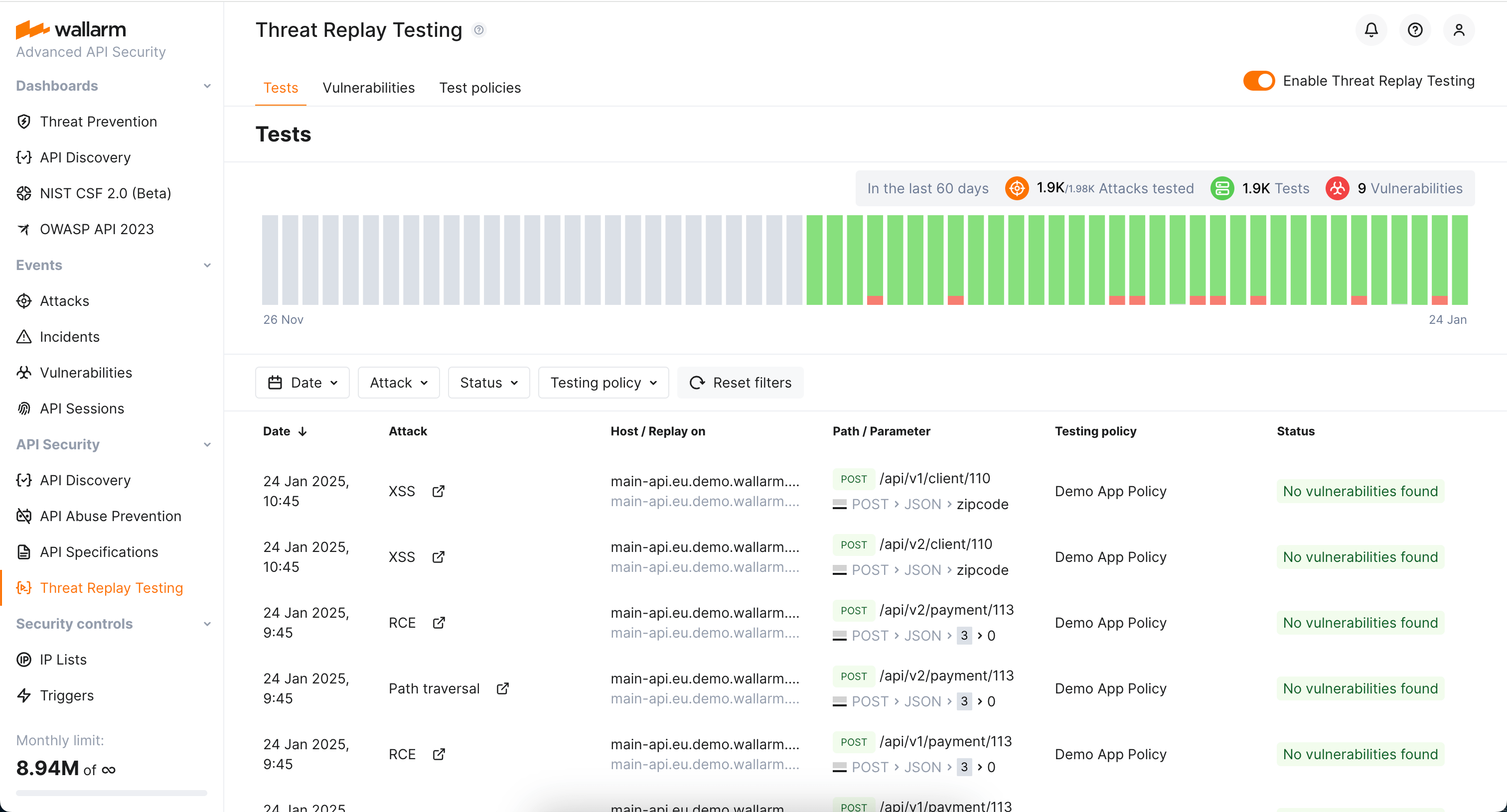
In Wallarm Console, go to **Security Testing** → **Threat Replay** → the **Tests** tab to see the list of performed tests and their results (the [**Status**](#possible-statuses) column).
You can:
* View the initial attack that triggered tests by clicking the redirect icon in the **Attack** column. The **Attacks** section will be displayed showing the initial attack.
* View the found vulnerability (if found) by clicking the redirect icon in the **Status** column.
## Possible statuses
Testing is performed:
* **No vulnerabilities found**: the testing did not find the attack's target being vulnerable to this attack type.
* **Vulnerabilities found**: the testing found that the attack's target is vulnerable to this attack type. The vulnerability is created and listed in the **Vulnerabilities** tab.
Technical statuses:
* **Scheduled**: the attack is queued for verification.
* **In-progress**: the attack is happening now; it will be verified when finished.
* **Error**: can be caused by server being unreachable, by incorrectly configured test policy, or any internal problem in Threat Replay Testing.
## Found vulnerabilities
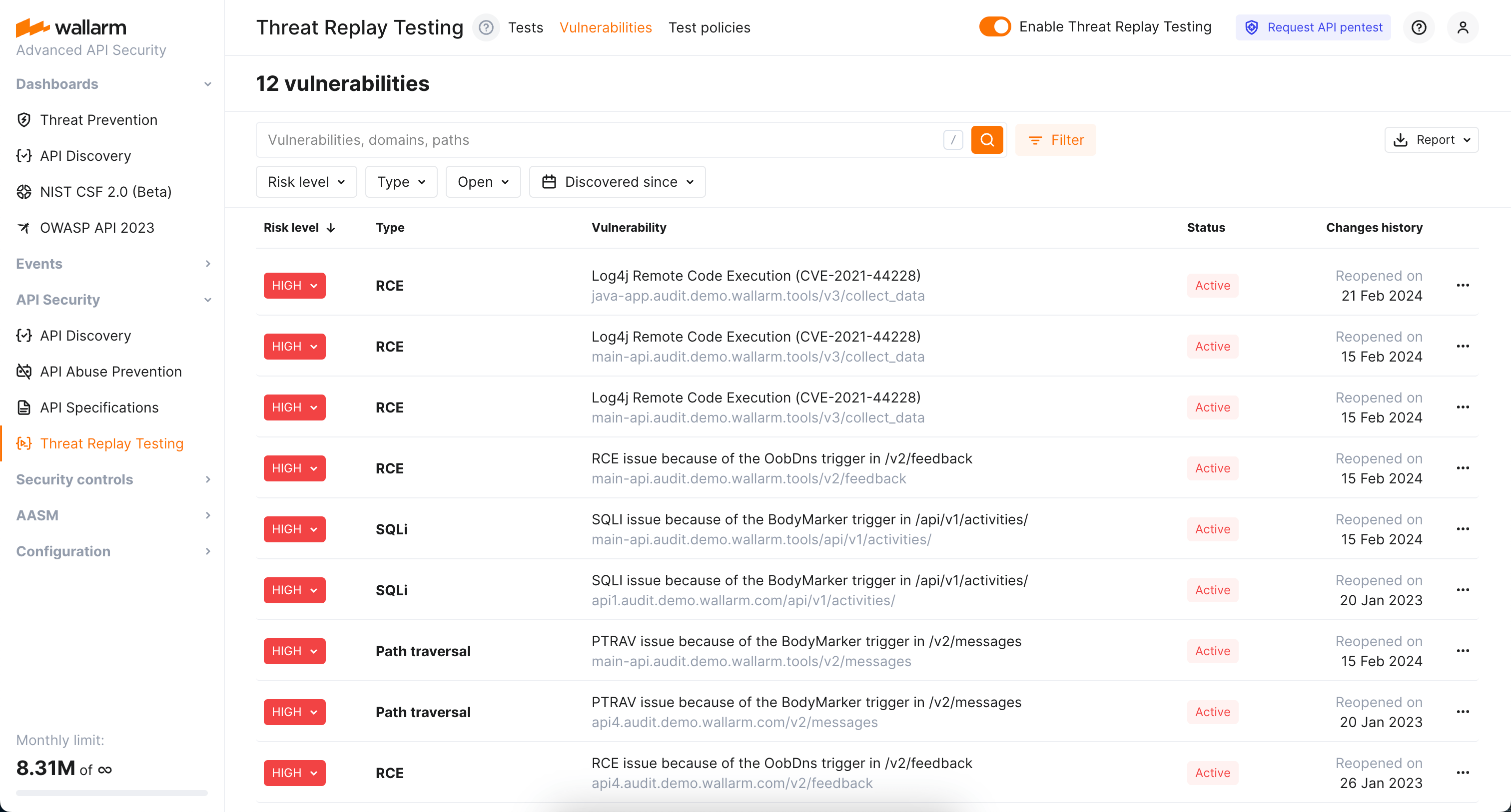
In Wallarm Console, go to **Security Testing** → **Threat Replay** → the **Vulnerabilities** tab to see the list of vulnerabilities found by Threat Replay Testing.
You can:
* Search by vulnerabilities, domains or paths.
* Filter by risk level, attack type, vulnerability status and date it was discovered.
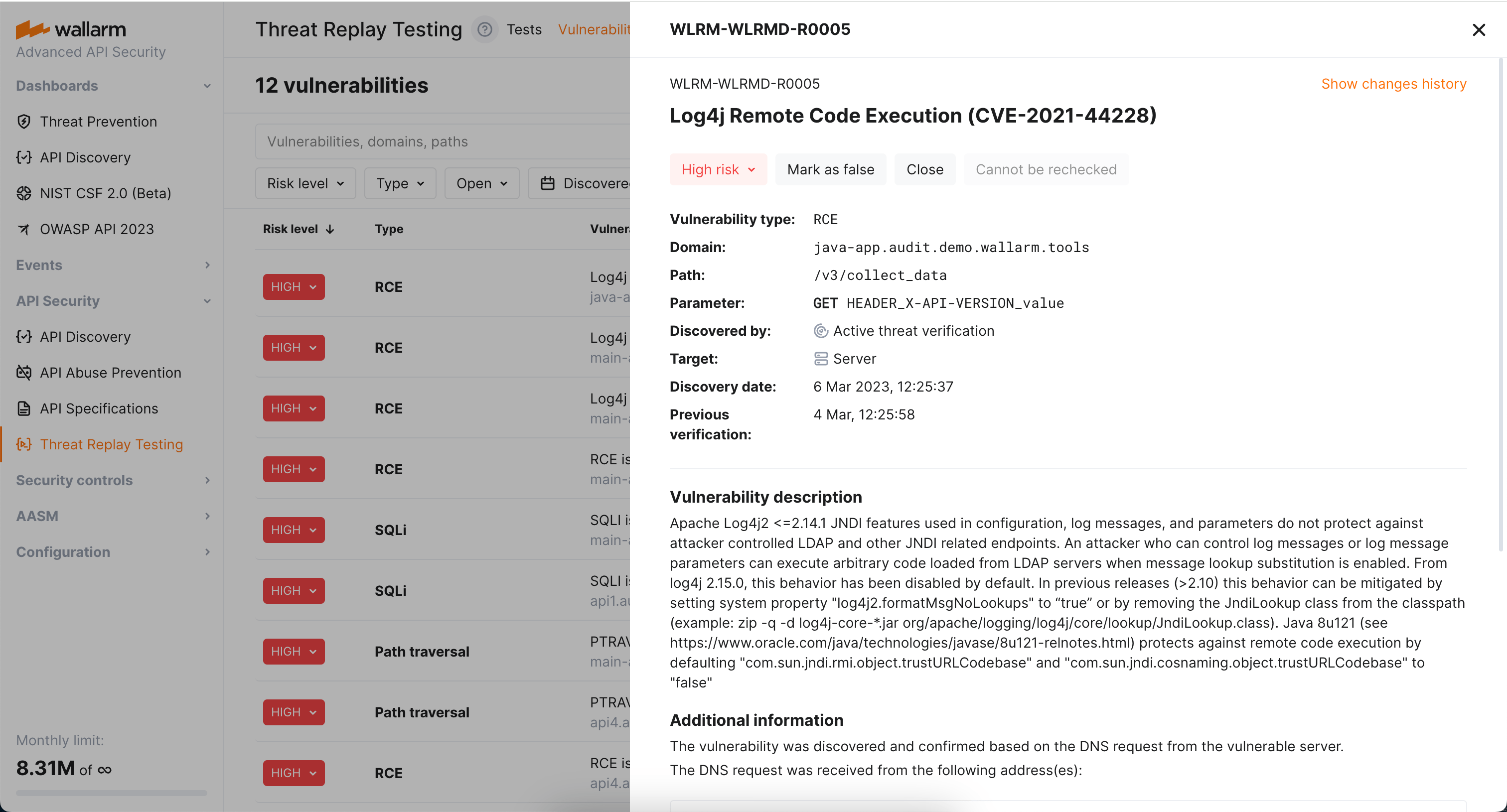
* Click vulnerability to see its detailed description.
* Modify vulnerability's risk level.
* Close or re-open vulnerability.
* Mark vulnerability as false.
Once [Threat Replay Testing](https://docs.wallarm.com/vulnerability-detection/threat-replay-testing/overview.md) is enabled and configured, you can explore the performed tests and their results as described in this article.
## Tests and results
In Wallarm Console, go to **Security Testing** → **Threat Replay** → the **Tests** tab to see the list of performed tests and their results (the [**Status**](#possible-statuses) column).

You can:
* View the initial attack that triggered tests by clicking the redirect icon in the **Attack** column. The **Attacks** section will be displayed showing the initial attack.
* View the found vulnerability (if found) by clicking the redirect icon in the **Status** column.
## Possible statuses
Testing is performed:
* **No vulnerabilities found**: the testing did not find the attack's target being vulnerable to this attack type.
* **Vulnerabilities found**: the testing found that the attack's target is vulnerable to this attack type. The vulnerability is created and listed in the **Vulnerabilities** tab.
Technical statuses:
* **Scheduled**: the attack is queued for verification.
* **In-progress**: the attack is happening now; it will be verified when finished.
* **Error**: can be caused by server being unreachable, by incorrectly configured test policy, or any internal problem in Threat Replay Testing.
## Found vulnerabilities
In Wallarm Console, go to **Security Testing** → **Threat Replay** → the **Vulnerabilities** tab to see the list of vulnerabilities found by Threat Replay Testing.

You can:
* Search by vulnerabilities, domains or paths.
* Filter by risk level, attack type, vulnerability status and date it was discovered.
* Click vulnerability to see its detailed description.
* Modify vulnerability's risk level.
* Close or re-open vulnerability.
* Mark vulnerability as false.
